
All apps · 0 apps

join-bot
Docker app from brockbreacher's Repository
Overview
Readme
View on GitHubJoin-Bot 3.0 V14


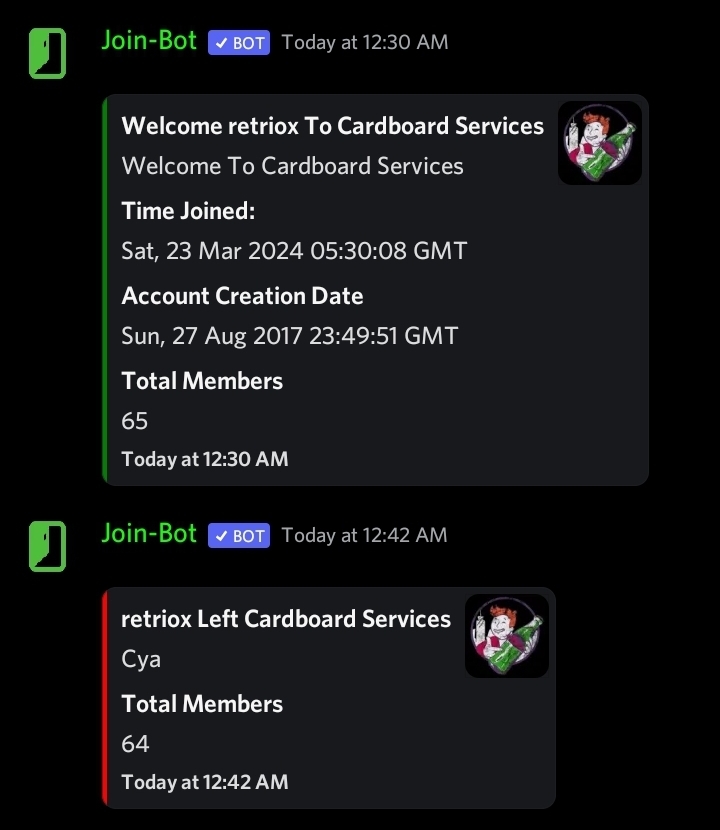
Join-Bot recode in discord.js V14!
Join-Logs Made Simple.
Environment Variables:
TOKEN | Discord Bot Token
ACTIVITY | Bot Activity Message (EX, You Sleep)
TYPE | The Activity type (LISTENING, WATCHING, PLAYING)
Required Permissions:
The bot requires the following permissions to function properly:
- Embed Links
- View Messages
- Send Messages
You can also use the Cardboard Services Bot Invite Generator to generate an invite link with these permissions automatically.
Command:
/join [channelid]: Sets the join log channel (User running command must have Manage Server permissions!)
Quick Deploy:

Note: If you are hosting your bot in heroku, turn off the
webdyno and turn on theworkerdyno
V14 Recode, Original Idea, and Dockerization By brockbreacher, v13 Recode By MorganRoseYT, Original Bot Code By YamGirl
Categories
Download Statistics
Related apps
Explore more like this
Explore allDetails
ghcr.io/brockbreacher/join-botRuntime arguments
- Network
bridge- Shell
sh- Privileged
- false
Template configuration
The Discord Bot Token
Bot Activity Message (EX, You Sleep)
The activity type (LISTENING, WATCHING, PLAYING)
- Default
- PLAYING
Storage for guild data
- Target
- /usr/src/app/guilds
- Default
- /mnt/user/appdata/joinbot/guilds
- Value
- /mnt/user/appdata/joinbot/guilds