
All apps · 0 apps

Jobify
Docker app from Esg450's Repository
Overview
Readme
View on GitHub

Jobify
A self-hosted tracker for your job applications.
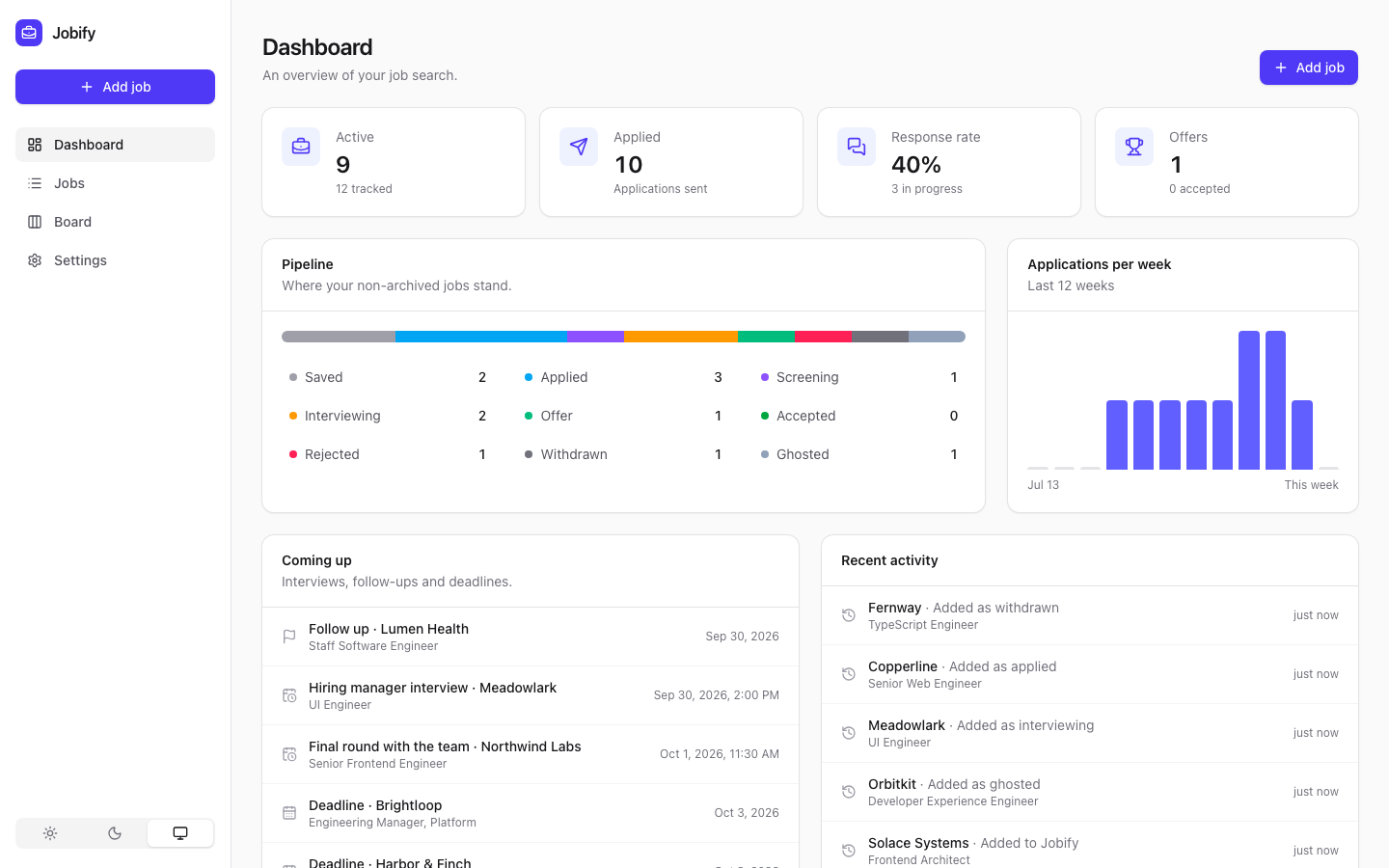
Jobify keeps your whole job search in one place: the postings you are interested in, where each application stands, upcoming interviews and follow-ups, and your notes. It runs as a single Docker container with an embedded SQLite database, so there is nothing else to set up.
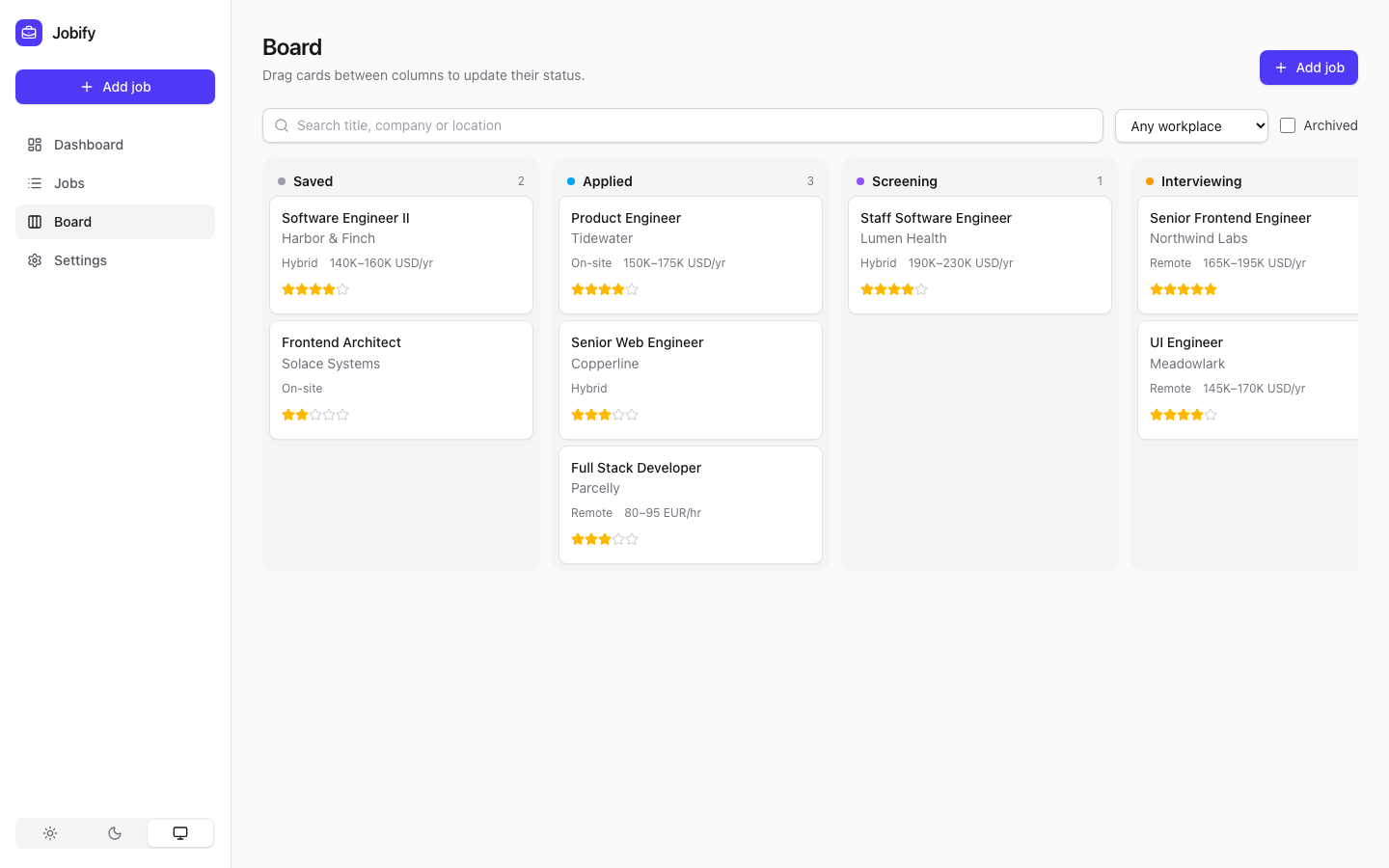 |
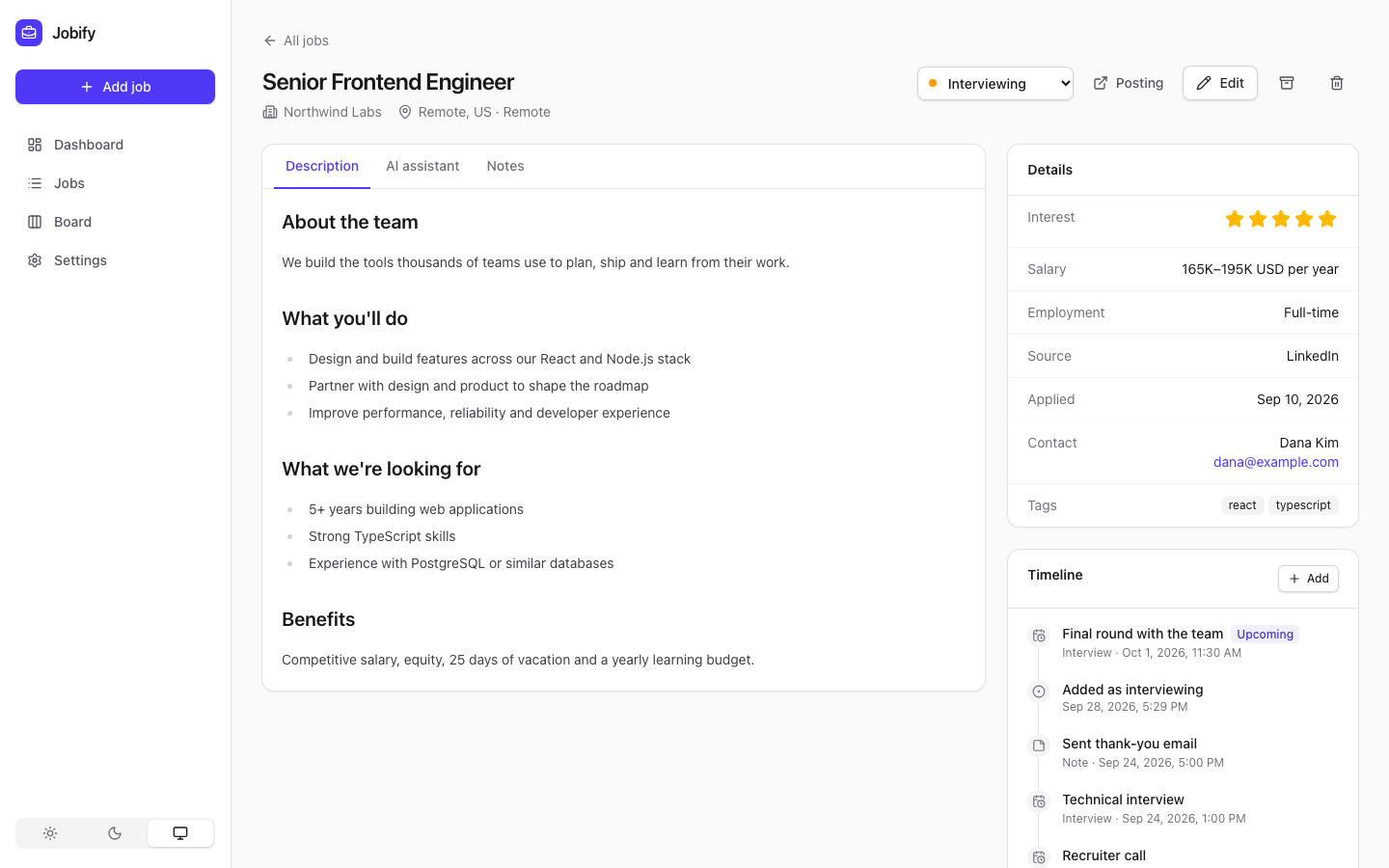 |
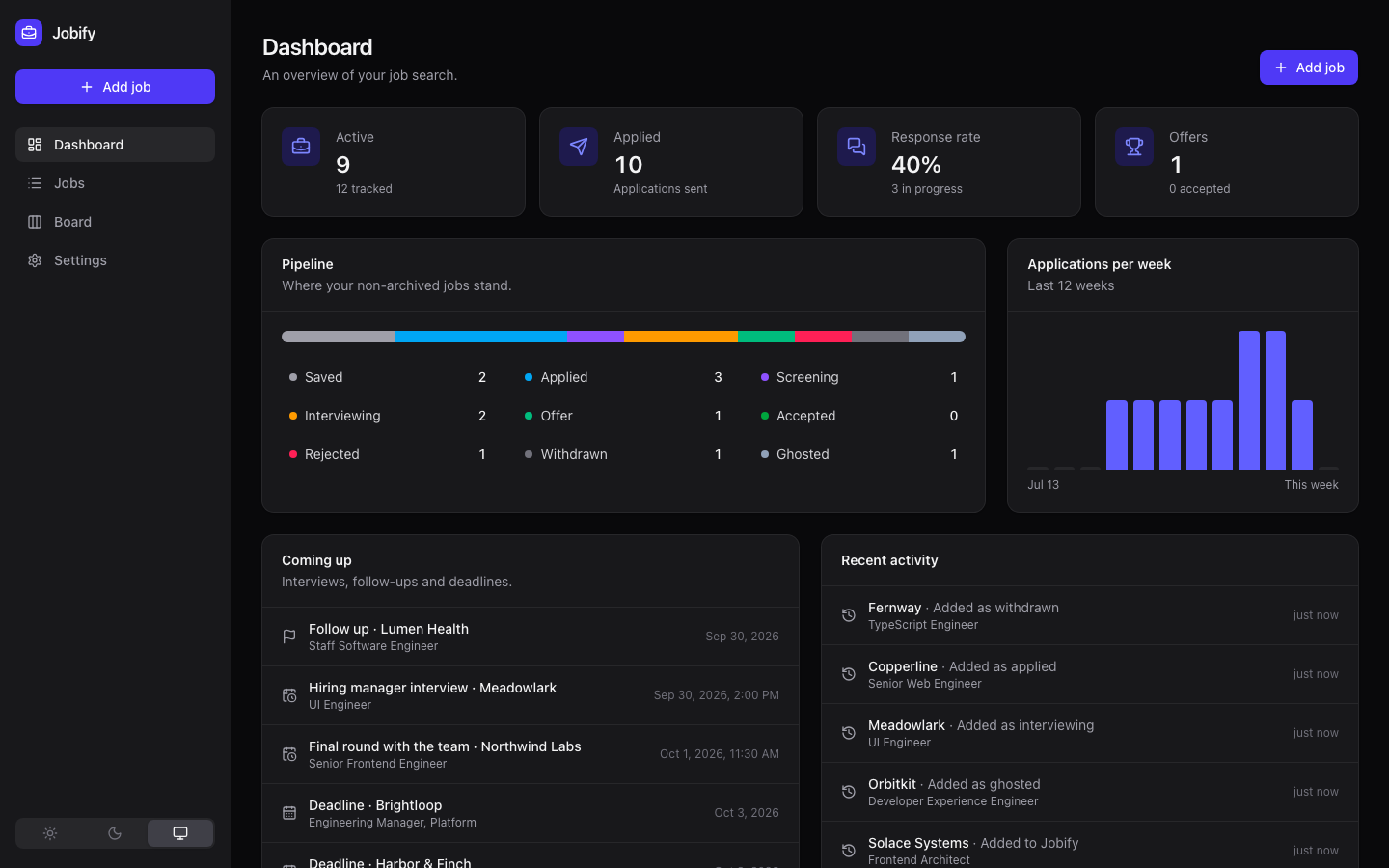 |
Features
- Track everything that matters. Title, company, location, remote/hybrid/on-site, employment type, salary range, source, contact, tags, notes, an interest rating and the full description.
- Status pipeline. Saved → Applied → Screening → Interviewing → Offer → Accepted, plus Rejected, Withdrawn and Ghosted. Every status change is recorded on the job's timeline automatically.
- List, board and timeline views. Search, filter and sort a table of jobs, drag cards between columns on a full-width Kanban board, or chart your search: a Gantt-style timeline of every application coloured by status with interviews marked, and a flow (Sankey) diagram of how applications moved between statuses. Both can be saved as PNG or SVG.
- Timeline. Log interviews, notes and follow-ups against each job. Upcoming interviews, follow-up dates and deadlines show up on the dashboard.
- Dashboard. Active applications, response rate, offers, your pipeline at a glance and applications per week.
- Import from job sites. Paste a link and Jobify fills in the form. Dedicated importers for LinkedIn, Workday, Greenhouse, Lever, Ashby, SmartRecruiters, Workable, Rippling and Oracle career sites, plus generic importers that read the structured data, embedded job data and page content that most other career pages have. Pages pasted from Indeed, Glassdoor and other sites that block automated access are recognised too, and plain text works as well.
- Optional AI assistant. Connect Anthropic (Claude), OpenAI, Google Gemini, a local Ollama model or any OpenAI-compatible API to summarize postings, tidy up descriptions, draft cover letters, prepare for interviews and extract job details from any page.
- Your data, portable. Export everything as JSON (and import it again) or as a CSV spreadsheet.
- Multiple users. Everyone gets their own private jobs, timeline and profile. Admins add people or open sign-up, and manage the shared AI provider.
- A dark mode, and a layout that works on phones.
Quick start
Docker Compose
services:
  jobify:
    image: ghcr.io/esg450/jobify:latest
    container_name: jobify
    restart: unless-stopped
    ports:
      - '3000:3000'
    volumes:
      - ./data:/data
    environment:
      PUID: 1000
      PGID: 1000
docker compose up -d
Then open http://localhost:3000. The first person to open Jobify creates the admin account.
Docker
docker run -d --name jobify \
  -p 3000:3000 \
  -v /path/to/jobify-data:/data \
  -e PUID=1000 -e PGID=1000 \
  ghcr.io/esg450/jobify:latest
Unraid
A template is included at unraid/jobify.xml. Copy it to
/boot/config/plugins/dockerMan/templates-user/ on your server, then choose Add Container in
the Docker tab and pick Jobify from the template list. Data is stored in
/mnt/user/appdata/jobify and the container runs as 99:100 (nobody:users) by default.
Build from source
git clone https://github.com/esg450/jobify.git
cd jobify
docker build -t jobify .
Updating
Images are published to the GitHub Container Registry for amd64 and arm64:
| Tag | What it is |
|---|---|
latest |
The newest release. Recommended. |
1.2.3, 1.2 |
A specific release, if you want to pin a version. |
edge |
The current main branch, for trying unreleased changes |
On Unraid, new releases appear as update ready in the Docker tab; click it to update. With
Compose, run docker compose pull && docker compose up -d. Your data is kept across updates and
database migrations run automatically. The running version is shown on the Settings page.
Configuration
All settings are optional environment variables.
| Variable | Default | Description |
|---|---|---|
PORT |
3000 |
Port the web server listens on. |
DATA_DIR |
/data |
Directory for the SQLite database. |
PUID / PGID |
1000 / 1000 |
User and group the container runs as. The data directory is handed to this user on startup. |
LOG_LEVEL |
log |
How much to log: error, warn, log, or debug to also record every request. |
AI_PROVIDER |
unset | Default AI provider: anthropic, openai, gemini, ollama or openai_compatible. |
AI_MODEL |
unset | Default model. Anthropic defaults to claude-opus-5-5; other providers need a model name. |
AI_API_KEY |
unset | API key for the provider. |
AI_BASE_URL |
unset | Custom API endpoint, e.g. http://192.168.1.10:11434 for Ollama. |
AI settings can also be managed from the Settings page; settings saved there take precedence over the environment variables.
AI providers
| Provider | What you need |
|---|---|
| Anthropic (Claude) | An API key from the Anthropic Console. |
| OpenAI | An API key and a model name. |
| Google Gemini | An API key from Google AI Studio and a model name. |
| Ollama | A running Ollama server and a model you have pulled. Point the base URL at it. |
| OpenAI-compatible API | The API's base URL (for example OpenRouter, Groq, LM Studio or vLLM), a model and usually a key. |
Add your resume and what you are looking for under Settings → Your profile to get cover letters and interview prep tailored to you. Job details and your profile are sent to the provider you choose, and nowhere else.
Importing jobs
Paste a posting URL on the Add job page. Jobify tries the importer for that site first, then
works through the fallbacks: the schema.org JobPosting data most career sites publish, the
markup of well-known job sites, job data embedded in the page's scripts, and finally the page's
title and the block of text that reads most like a description. Whatever was found, a last pass
reads the salary, location, remote/hybrid and employment type out of the text. Company careers
pages that embed their postings from Ashby, Greenhouse, Lever or Workday are followed to the
real posting. You always get to review the result before saving.
Some sites block automated requests or require you to sign in (Indeed, Glassdoor and LinkedIn when signed in, for example). In that case switch to Paste and paste the page source (right click → View Page Source → Select all → Copy, or from the browser's developer tools) or just the posting text. A copied posting usually comes through with its title, company, location and salary; with an AI provider configured, Jobify can fill in anything that is still missing.
Want to support another site? Importers are small, self-contained classes; see CONTRIBUTING.md.
Users and accounts
The first person to open a new Jobify creates the admin account. After that, admins can add people under Settings → Users, or turn on sign-up so people can create their own accounts. Each user's jobs, timeline and profile are private to them. The AI provider is shared and only admins can change it.
Upgrading from a version without accounts? Your jobs are kept. On first launch, Jobify asks you
to create the admin account and moves your existing jobs and profile into it. If you had set
JOBIFY_PASSWORD, you'll need to enter it on that screen; this stops someone else from claiming
your data first. You can remove the variable afterwards.
Forgot a password? Admins can set a new one for any user under Settings → Users. If you are locked out of the only admin account, reset it from the server:
docker exec jobify node apps/server/dist/cli.js list-users
docker exec jobify node apps/server/dist/cli.js reset-password <username>
Security
- If Jobify is reachable from outside your home network, put it behind a reverse proxy with HTTPS and leave sign-up turned off unless you need it.
- On a brand-new instance, create the admin account straight away: until you do, whoever opens Jobify first becomes the admin.
- The server fetches the URLs you import. Anyone with an account can make it request web pages.
- Passwords are hashed with scrypt, sessions are stored as hashes, and sign-in attempts are rate-limited. API keys are stored in the database in your data directory and are never sent to the browser.
Logs and troubleshooting
Jobify writes its log to logs/jobify.log in the data directory (on Unraid,
/mnt/user/appdata/jobify/logs/), alongside the container's console output. Server errors, failed
requests and errors from people's browsers all end up there. Admins can also download it under
Settings → System. Set LOG_LEVEL=debug to record every request while you track down a
problem. Log files roll over at 5 MB, and the three most recent old files are kept.
Backups
Everything lives in jobify.db in the data directory, so back up that directory to back up every
user. Each user can also download their own jobs as JSON or CSV under Settings → Your data.
Development
Requirements: Node.js 24 and npm.
npm install
npm run dev        # API on :3000 and the web app on http://localhost:5173
| Command | What it does |
|---|---|
npm run dev |
Run the API and web app with live reload |
npm test |
Run the test suite |
npm run lint / npm run format |
Lint / format the code |
npm run typecheck |
Type-check both apps |
npm run build |
Production build of both apps |
npm run db:generate -w apps/server |
Create a migration after changing the schema |
npm run seed -w apps/server |
Fill your account with demo jobs (-- --remove deletes them) |
The stack is NestJS with Drizzle ORM on SQLite for the API, and React with Vite, TanStack Query and Tailwind CSS for the web app. See CONTRIBUTING.md for how the code is organised.
License
Jobify is free software released under the GNU Affero General Public License v3.0. You can use, self-host, modify and share it. If you distribute a modified version, or run one as a service for other people, you must make your source code available under the same license.
Media gallery
1 / 3Install Jobify on Unraid in a few clicks.
Find Jobify in Community Apps on your Unraid server, review the template, and click Install. Unraid handles the Docker app or plugin setup from the published template.
Categories
Related apps
Explore more like this
Explore allDetails
ghcr.io/esg450/jobify:latestRuntime arguments
- Web UI
http://[IP]:[PORT:3000]/- Network
bridge- Shell
sh- Privileged
- false
Template configuration
Port for the Jobify web interface.
- Target
- 3000
- Default
- 3000
- Value
- 3000
Where the Jobify database is stored.
- Target
- /data
- Default
- /mnt/user/appdata/jobify
- Value
- /mnt/user/appdata/jobify
User ID that owns the data directory.
- Default
- 99
- Value
- 99
Group ID that owns the data directory.
- Default
- 100
- Value
- 100
How much to write to logs/jobify.log in the data folder: error, warn, log, or debug to record every request.
- Target
- LOG_LEVEL
- Default
- log
- Value
- log
Optional default AI provider: anthropic, openai, gemini, ollama or openai_compatible. Can also be set in the app's Settings page.
- Target
- AI_PROVIDER
Optional API key for the default AI provider.
- Target
- AI_API_KEY
Optional model for the default AI provider.
- Target
- AI_MODEL
Optional base URL, e.g. http://192.168.1.10:11434 for Ollama.
- Target
- AI_BASE_URL