

Jellyswarrm
Docker app from LubricantJam's Repository
Combine all your Jellyfin Servers into one.
Overview
Readme
View on GitHubJellyswarrm
Many servers. Single experience.

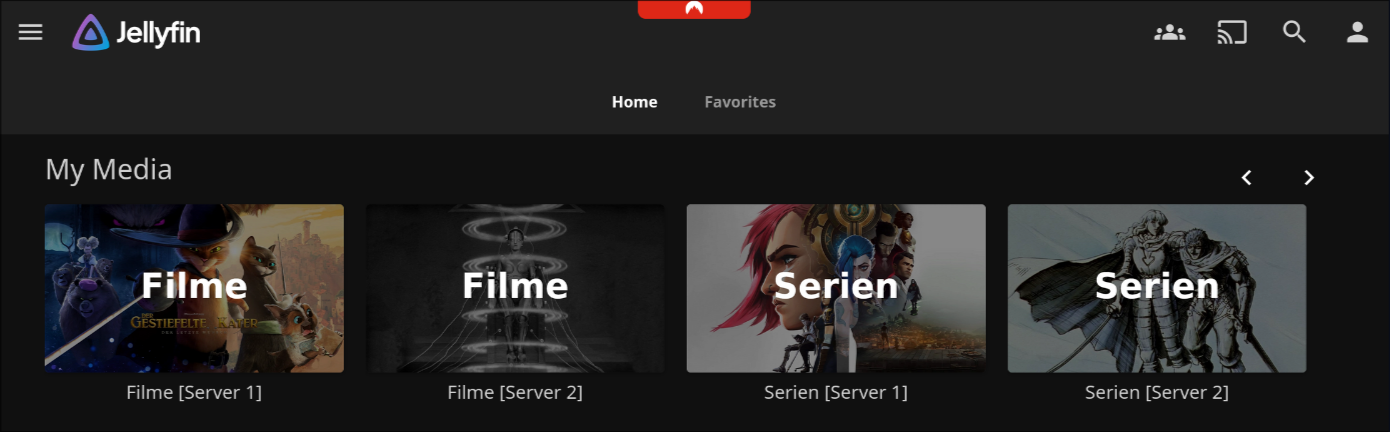
Jellyswarrm is a reverse proxy that lets you combine multiple Jellyfin servers into one place. If you’ve got libraries spread across different locations or just want everything together, Jellyswarrm makes it easy to access all your media from a single interface.
Features
[!WARNING] Jellyswarrm is still in development. If you run into issues, please report them on the GitHub Issues page.
✅ Working
- Unified Library Access – Browse media from multiple Jellyfin servers in one place.
- Direct Playback – Play content straight from the original server without extra overhead.
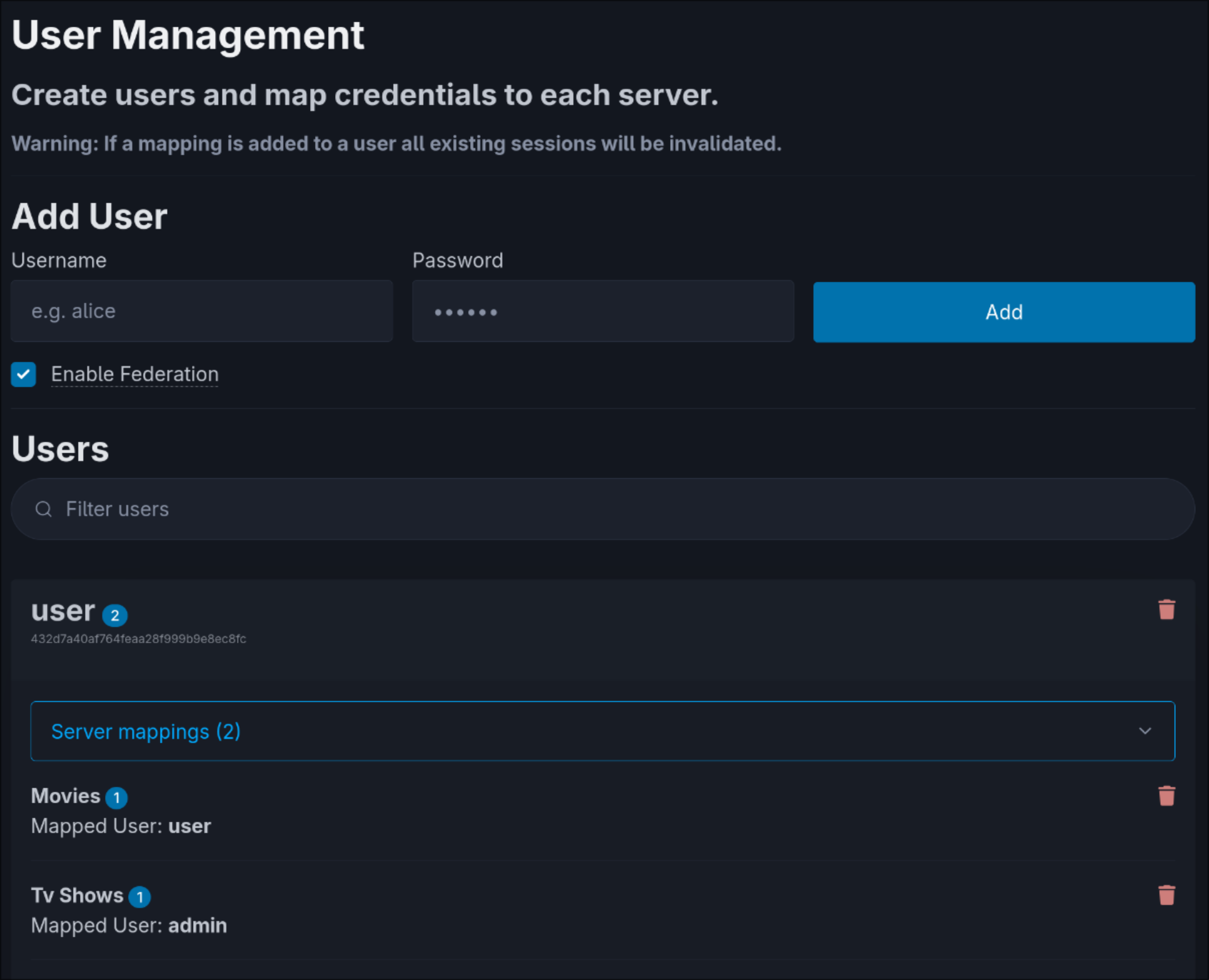
- User Mapping – Link accounts across servers for a consistent user experience.
- API Compatibility – Appears as a normal Jellyfin server, so existing apps and tools still work.
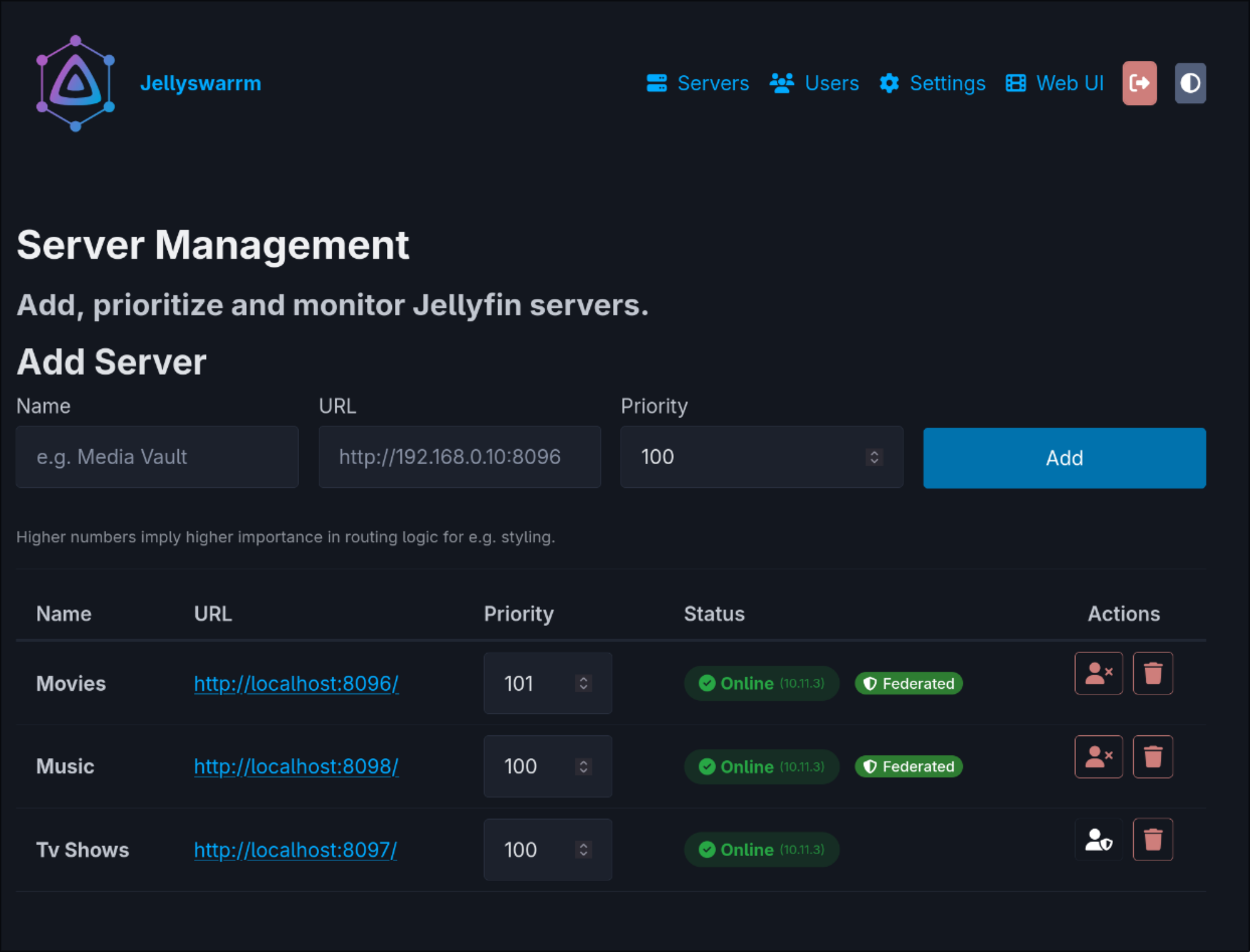
- Server Federation – Automatically sync users across connected servers.
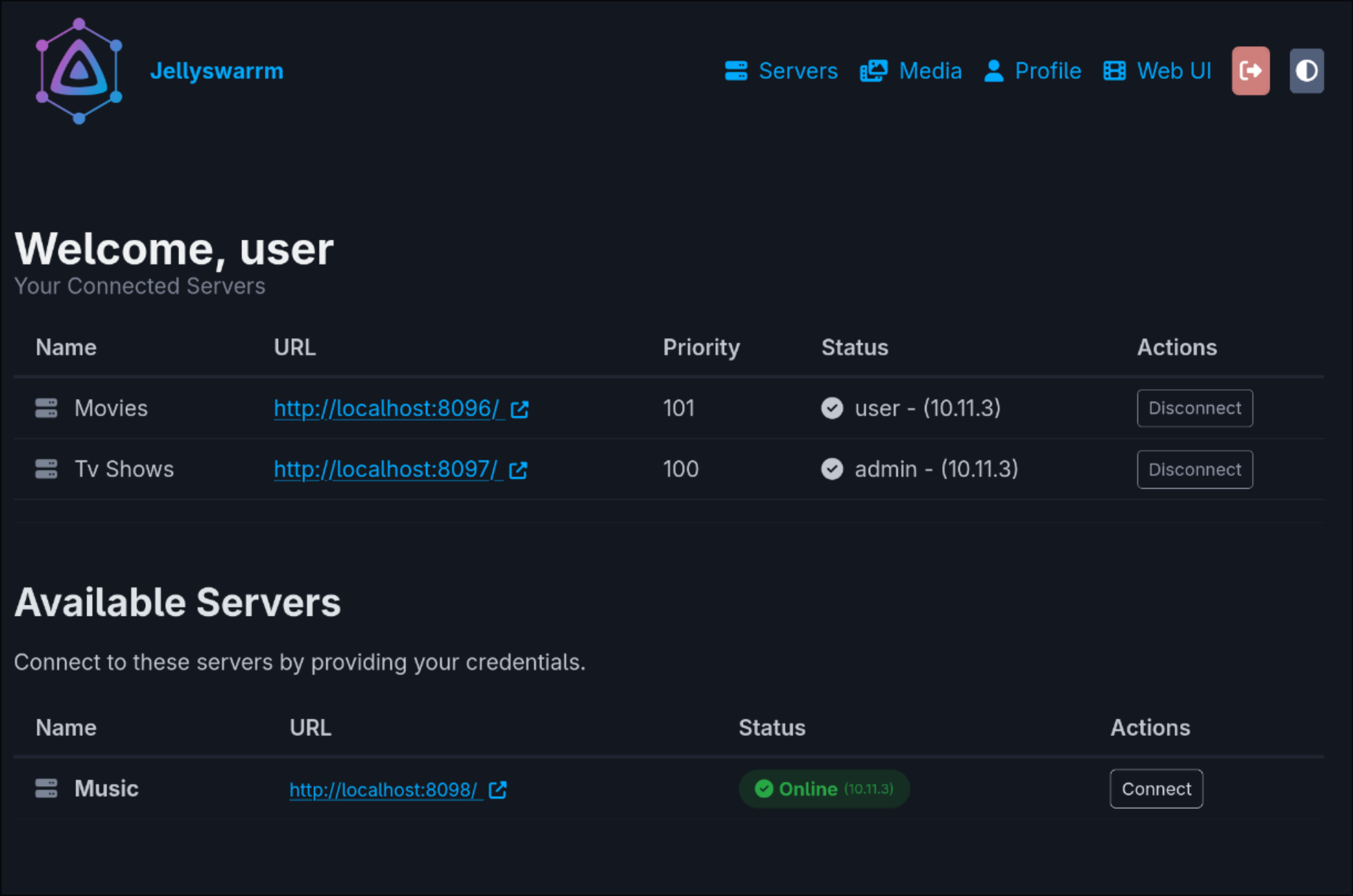
- User Page – Personal dashboard for managing credentials and libraries.
- QuickConnect – Sign in on one device by approving the code from another authenticated device.
- Websocket Support – Needed for real-time features like SyncPlay
⚠️ In Progress
- Automatic Bitrate Adjustment – Stream quality based on network conditions isn’t supported yet.
- Media Management – Features like adding or deleting media libraries through Jellyswarrm are not implemented yet.
Deployment
The easiest way to run Jellyswarrm is with the prebuilt Docker images.
Here’s a minimal docker-compose.yml example to get started:
services:
  jellyswarrm:
    image: ghcr.io/llukas22/jellyswarrm:latest
    container_name: jellyswarrm
    restart: unless-stopped
    ports:
      - 3000:3000
    volumes:
      - ./data:/app/data
    environment:
      - JELLYSWARRM_USERNAME=admin
      - JELLYSWARRM_PASSWORD=jellyswarrm # ⚠️ Change this in production!
Once the container is running, open:
Web UI (setup & management):
http://[JELLYSWARRM_HOST]:[JELLYSWARRM_PORT]/ui– Log in with the username and password you set in the environment variables. – From here, you can add your Jellyfin servers and configure user mappings.Bundled Jellyfin Web Client:
http://[JELLYSWARRM_HOST]:[JELLYSWARRM_PORT]
For advanced configuration options, check out the ui and configuration documentation.
For /health, /ready, and Docker health check details, see the health monitoring documentation.
Local Development
Getting Started
To get started with development, you'll need to clone the repository along with its submodules. This ensures you have all the necessary components for a complete build:
git clone --recurse-submodules https://github.com/LLukas22/Jellyswarrm.git
If you've already cloned the repository, you can initialize the submodules separately:
git submodule init
git submodule update
Docker
The quickest way to get Jellyswarrm up and running is with Docker. Simply use the provided docker-compose configuration:
docker compose up -d
This will build and start the application with all necessary dependencies, perfect for both development and production deployments.
Native Build
For a native build with the embedded web client, install Rust (the version in
rust-toolchain.toml), Node.js 24, and just. Initialize
the UI submodule as shown above, then run:
just ui
cargo build --locked --release
just ui runs npm ci, builds the production web client, and replaces the
embedded assets in crates/jellyswarrm-proxy/static/, including UI version and
commit metadata. Run it again after updating the UI submodule or editing the UI.
Cargo only builds Rust; it never invokes npm or git.
For Rust-only development, cargo check, cargo clippy, and cargo test work
without Node.js or a UI build. A missing UI gets a development placeholder.
Release builds reject this placeholder: build the real UI with just ui first.
For deliberately UI-less release checks only, set
JELLYSWARRM_ALLOW_PLACEHOLDER_UI=1 (not for deployment).
To run the dependency policy locally, install cargo-deny and run just audit.
Security advisories and unapproved licenses fail the check. Duplicate versions
and unmaintained transitive dependencies are reported as warnings.
Local Test Servers
To test Jellyswarrm against six preconfigured Jellyfin instances (two each for Movies, TV Shows, and Music) and Seerr, run:
just setup
See the development environment guide for URLs, credentials,
commands, Seerr compatibility status, and media licenses. Debug builds
automatically register all six local servers from data/jellyswarrm.dev.toml.
HTTP Contract Tests
Run the web-client API contracts without Docker, a browser, or a UI build:
just http-test          # Both scenarios, focused regressions and route inventory checks
just http-test-normal   # Separate libraries on connected servers
just http-test-merged   # Merged libraries with deduplicated media
The suite follows movies, episodes and audio from library discovery through
media details, playback negotiation, and direct/HLS delivery in proxy and
redirect modes. See the HTTP test guide
for coverage and fixture details. These mock-backed tests are separate from
just integration-test and the browser integration commands, which use real
Jellyfin servers and media.
FAQ
Why not just add multiple servers directly in the Jellyfin app?
Some Jellyfin apps do support multiple servers, but switching between them can be inconvenient. Jellyswarrm brings everything together in one place and also merges features like Next Up and Recently Added across all servers. This way, you can easily see what’s new in your own libraries or what your friends have added.Will Jellyswarrm work with my existing Jellyfin apps?
Most likely! Jellyswarrm presents itself as a standard Jellyfin server, so most clients should work out of the box. That said, not every Jellyfin client has been tested, so a few may have issues.Why use Jellyswarrm instead of mounting a remote library via e.g. SMB?
Jellyswarrm is built to connect your servers with your friends’ servers across different networks. Setting up SMB in these cases can be complicated, and performance is often worse. With Jellyswarrm, content is streamed directly from the original server, so all the heavy lifting (like transcoding) happens where the media actually lives.
Categories
Related apps
Explore more like this
Explore allLinks
Details
ghcr.io/llukas22/jellyswarrm:latestRuntime arguments
- Web UI
http://[IP]:[PORT:3000]- Network
host- Shell
bash- Privileged
- false
Template configuration
- Target
- 3000
- Value
- 3000
Specify the path to the data directory.
- Target
- /app/data
- Value
- /mnt/user/appdata/jellyswarrm
The username for the Jellyswarrm server.
- Target
- JELLYSWARRM_USERNAME
The password for the Jellyswarrm server.
- Target
- JELLYSWARRM_PASSWORD