
All apps · 0 apps

Jellystat
Docker app from grtgbln's Repository
Overview
Readme
View on GitHubJellystat is a free and open source Statistics App for Jellyfin! (This project is still in development - expect some weirdness)
PROJECT UPDATE
Hi Everyone. Just wanted to give an update. A lot of bugs and issues keep pilling up, and since it was one of the first projects i made using Node.js there was alot that i learnt which could have been done better.
I'v decided to rebuild Jellystat from the ground up, using a more modern architecture. This means new backend language, new frontend and possibly a new database provider, i may stick to Postgres but i also want to see if maybe theres something better.
For now, what this means is , for a while, the project is not going to be updated. I will probably push a few fixes for any major bugs that are easily reproduced.
Current Features
- Session Monitoring and logging
- Statistics for all Libraries and Users
- Watch History
- User Overview and activity
- Watch statisitcs
- Backup and restore Data
- Auto sync library items
- Jellyfin Statistics Plugin Integration
Required Development
- Responsive UI
- Code Optimizations
- Security Testing
- More Validations and Error Handling
- Multi-Server support
- More to come
Environmental Variables
| Env | Default | Example | Description |
|---|---|---|---|
POSTGRES_USER REQUIRED |
null |
postgres |
Username that will be used in postgres database |
POSTGRES_PASSWORD REQUIRED |
null |
postgres |
Password that will be used in postgres database |
POSTGRES_IP REQUIRED |
null |
jellystat-db or 192.168.0.5 |
Hostname/IP of postgres instance |
POSTGRES_PORT REQUIRED |
null |
5432 |
Port Postgres is running on |
| POSTGRES_SSL_ENABLED | null |
true |
Enable SSL connections to Postgres |
| POSTGRES_SSL_REJECT_UNAUTHORIZED | null |
false |
Verify Postgres SSL certificates when POSTGRES_SSL_ENABLED=true |
| JS_LISTEN_IP | 0.0.0.0 |
0.0.0.0 or :: |
Enable listening on specific IP or :: for IPv6 |
JWT_SECRET REQUIRED |
null |
my-secret-jwt-key |
JWT Key to be used to encrypt JWT tokens for authentication |
TZ REQUIRED |
null |
Etc/UTC |
Server timezone (Can be found at https://en.wikipedia.org/wiki/List_of_tz_database_time_zones#List) |
| JS_BASE_URL | / |
/ |
Base url |
| JS_USER | null |
User |
Master Override User in case username or password used during setup is forgotten (Both JS_USER and JS_PASSWORD required to work) |
| JS_PASSWORD | null |
Password |
Master Override Password in case username or password used during setup is forgotten (Both JS_USER and JS_PASSWORD required to work) |
| POSTGRES_DB | jfstat |
jfstat |
Name of postgres database |
| REJECT_SELF_SIGNED_CERTIFICATES | true |
false |
Allow or deny self signed SSL certificates |
| JS_GEOLITE_ACCOUNT_ID | null |
123456 |
maxmind.com user id to be used for Geolocating IP Addresses (Can be found at https://www.maxmind.com/en/accounts/current/edit) |
| JS_GEOLITE_LICENSE_KEY | null |
ASDWdaSdawe2sd186 |
License key you need to generate on maxmind to use their services |
| MINIMUM_SECONDS_TO_INCLUDE_PLAYBACK | 1 |
10 |
The minimum time (in seconds) to include a playback record, which can be used to exclude short playbacks |
| IS_EMBY_API | false |
true |
Set to true if using Emby instead of Jellyfin |
| JF_USE_WEBSOCKETS | true |
false |
Enables using Jellyfins websocket connection for session data (No effect on Emby) |
| JS_USE_EXTERNAL_HOST | false |
true |
Prioritises using External host value for some internal communications and processes |
| NEW_WATCH_EVENT_THRESHOLD_HOURS | 1 | 1-12 | This value sets the max time between watch sessions to determine if a watch is a new session or should be added onto the last session thats happened within this threshold. EG last watch within the last 1 hour. After 1 hour, a new session for the same item will be considered a new watch event. |
Getting Started with Development
- Clone the project from git
- Set your env variables before starting the server (Variable names as per Environmental Variables above).
- Run
npm installto install necessary packages - Run
npm run buildto build local files ready to run - Run
npm run start-serverto only run the backend nodejs server - Run
npm run start-clientto only run the frontend React UI - Run
npm run start-appto run both backend and frontend at the same time
When contributing please ensure to log a pull request on the unstable branch
Launching Jellystat using Docker
Check out our dockerhub to run Jellystat: https://hub.docker.com/r/cyfershepard/jellystat
Environment variables from files (Docker secrets)
You can set any environment variable from a file by using the prefix FILE__
As an example:
jellystat:
  environment:
    FILE__MYVAR: /run/secrets/MYSECRETFILE
Will set the environment variable MYVAR based on the contents of the /run/secrets/MYSECRETFILE file. see docker secrets for more info.
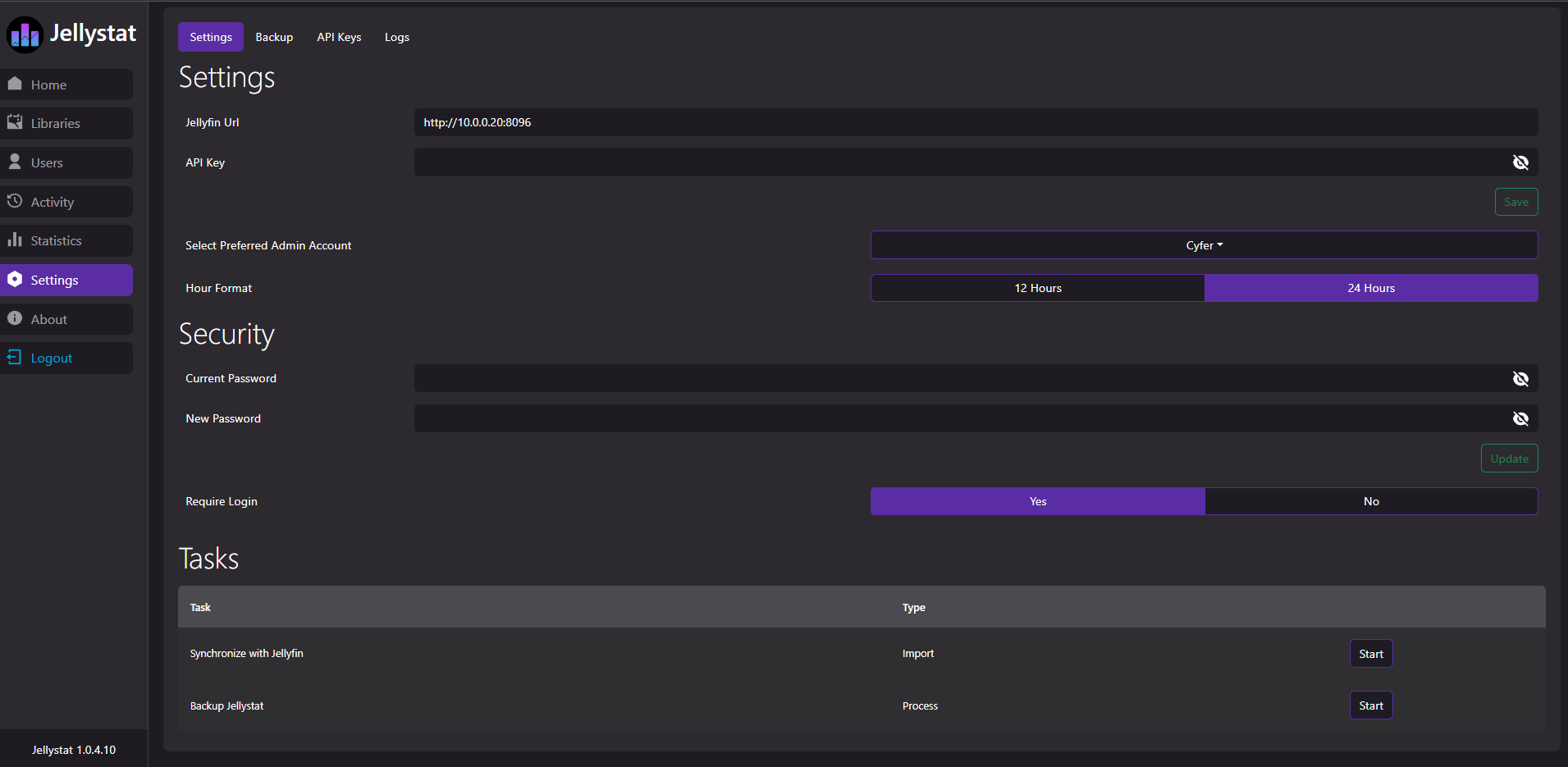
Screenshots
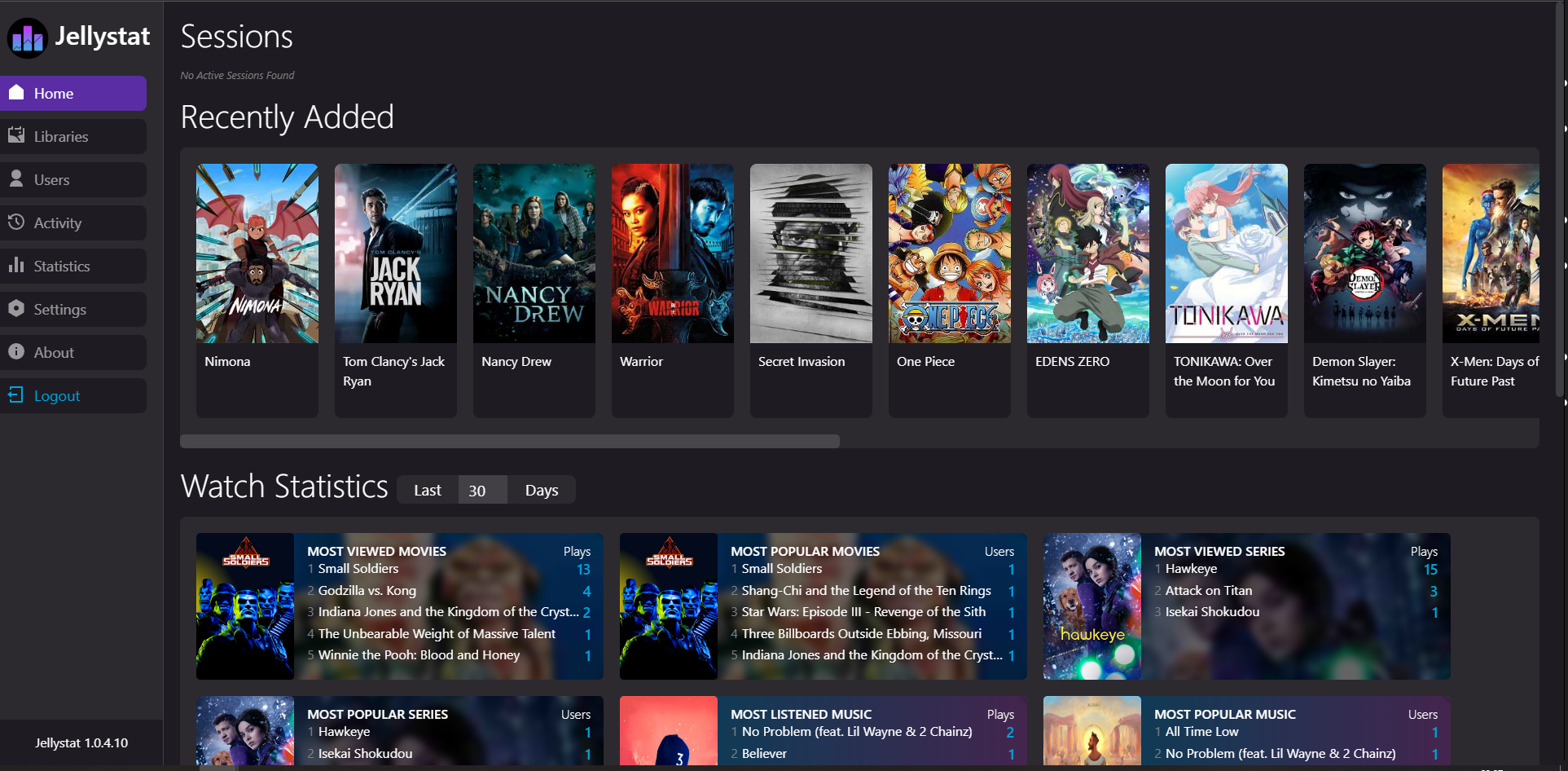
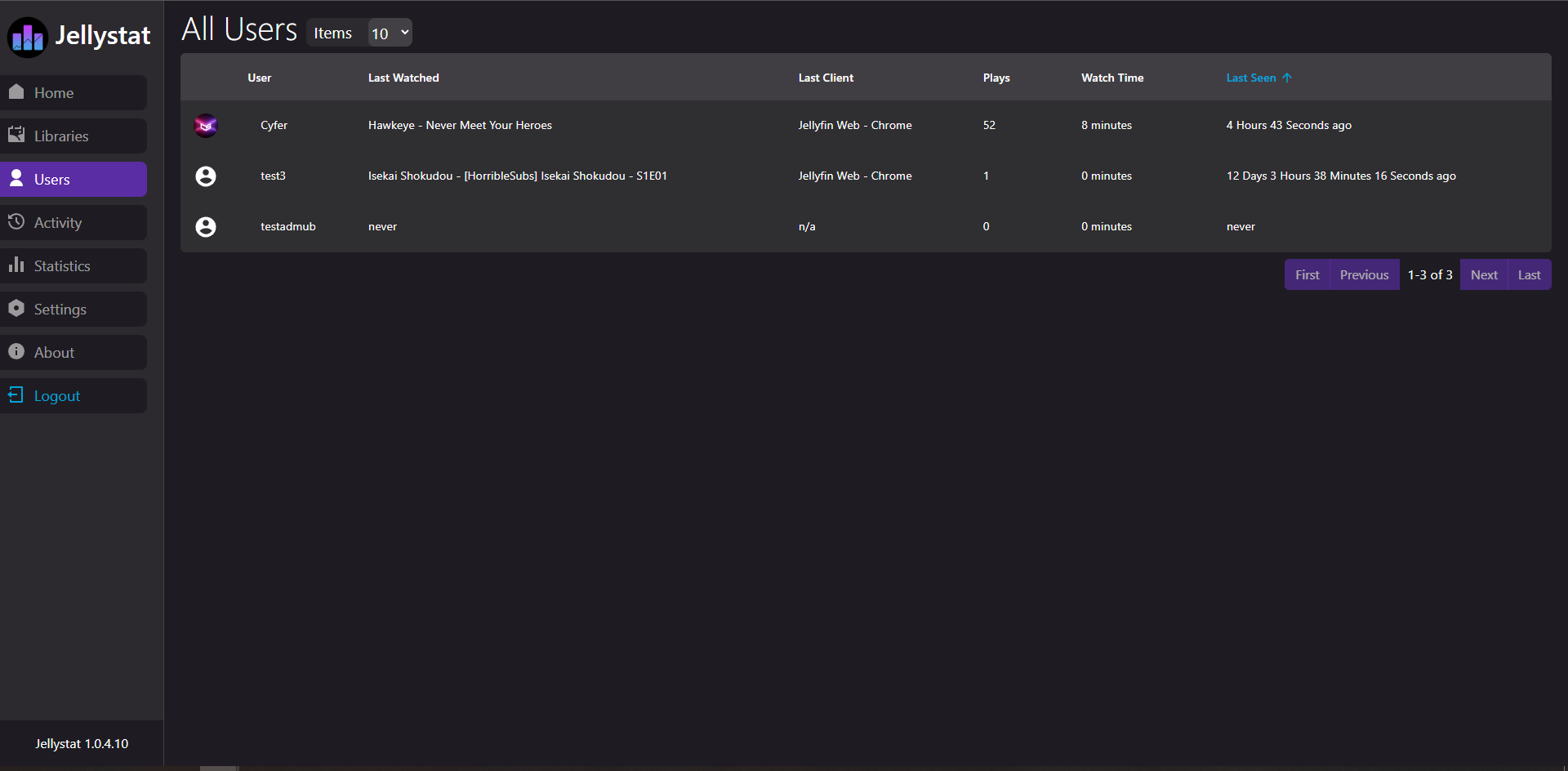
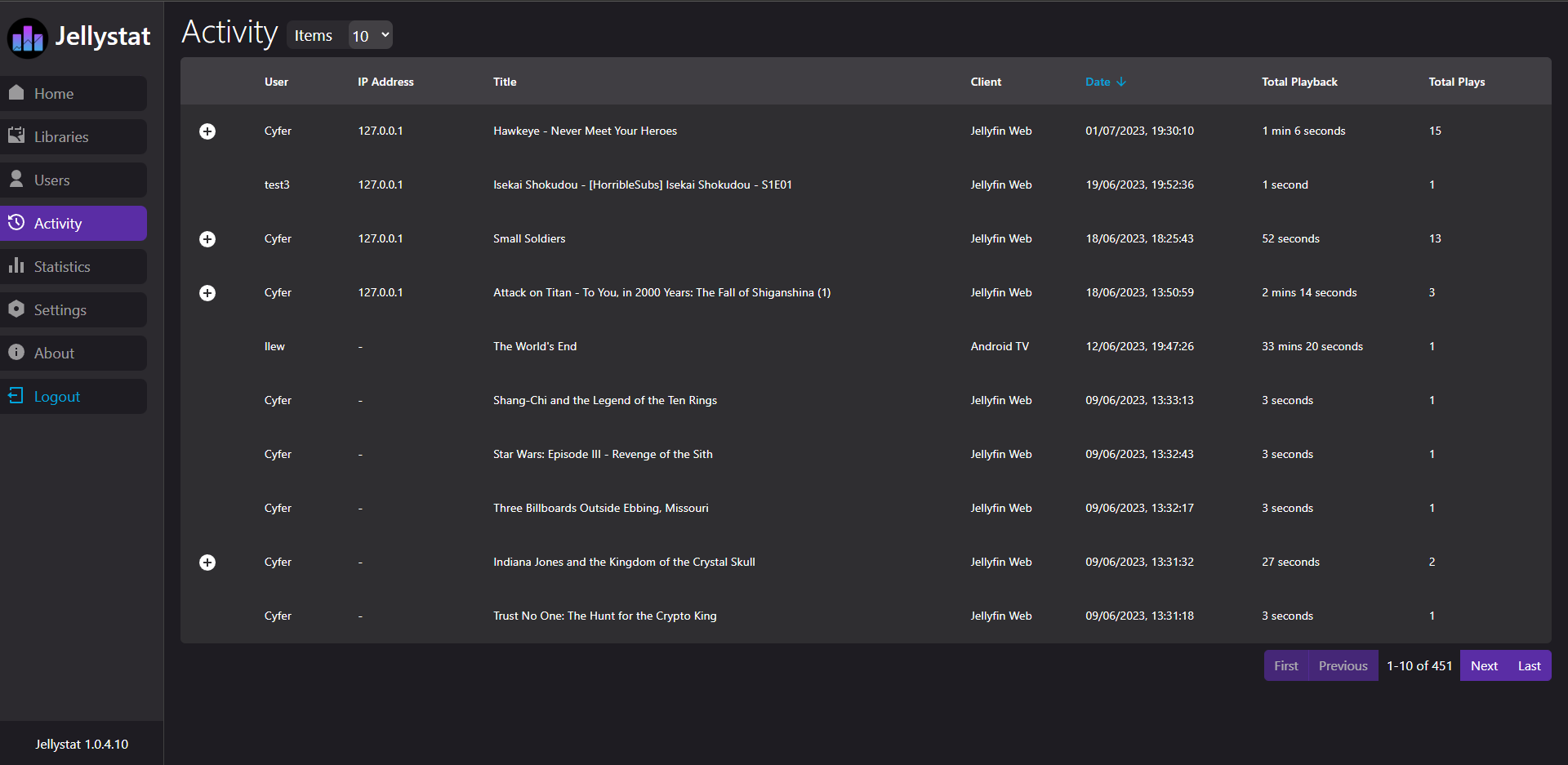
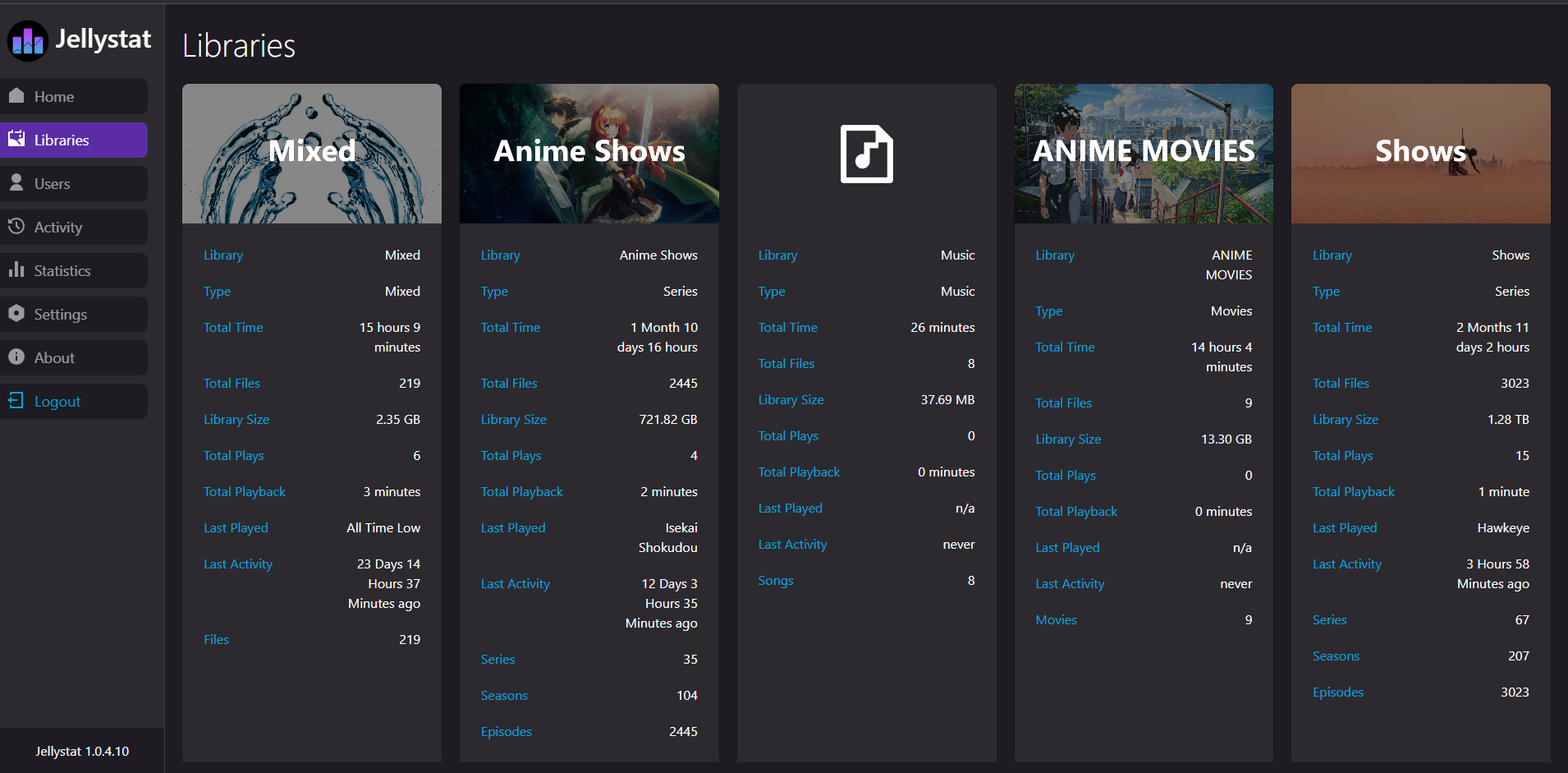
Support
- Bug reports and feature requests can be submitted via GitHub Issues.
- Join us in our Discord
API Documentation
Swagger Documentation can be found at /swagger endpoint
Media gallery
1 / 5Requirements
Requires a separate Postgres database.
Download Statistics
Total Downloads Over Time
Related apps
Explore more like this
Explore allDetails
cyfershepard/jellystat:latestRuntime arguments
- Web UI
http://[IP]:[PORT:3000]/- Network
bridge- Privileged
- false
Template configuration
Container Port: 3000
- Target
- 3000
- Default
- 3000
- Value
- 3000
Database user
- Target
- POSTGRES_USER
Database password
- Target
- POSTGRES_PASSWORD
Database host
- Target
- POSTGRES_IP
Database port
- Target
- POSTGRES_PORT
- Default
- 5432
- Value
- 5432
Database name
- Target
- POSTGRES_DB
JWT Key to be used to encrypt JWT tokens for authentication
- Target
- JWT_SECRET
maxmind.com user id to be used for Geolocating IP Addresses
- Target
- JS_GEOLITE_ACCOUNT_ID
maxmind.com license key to be used for Geolocating IP Addresses
- Target
- JS_GEOLITE_LICENSE_KEY
The minimum time (in seconds) to include a playback record, which can be used to exclude short playbacks
- Target
- MINIMUM_SECONDS_TO_INCLUDE_PLAYBACK
- Default
- 1
- Value
- 1
Connect to an Emby server instead of Jellyfin
- Target
- IS_EMBY_API
- Default
- false|true
Path to backup data
- Target
- /app/backend/backup-data
- Default
- /mnt/user/appdata/jellystat/backup-data
- Value
- /mnt/user/appdata/jellystat/backup-data
Internal listening IP
- Target
- JS_LISTEN_IP
- Default
- 0.0.0.0
- Value
- 0.0.0.0
Base URL for the app
- Target
- JS_BASE_URL
- Default
- /
- Value
- /
Master Override User in case username or password used during setup is forgotten.
- Target
- JS_USER
Master Override Password in case username or password used during setup is forgotten
- Target
- JS_PASSWORD
Deny self signed SSL certificates
- Target
- REJECT_SELF_SIGNED_CERTIFICATES
- Default
- true|false