
All apps · 0 apps
JellyLooter
Docker app from ThePizzaNinja86's Repository
Overview
Readme
View on GitHubJellyLooter v3.2.0
Sync media from remote Jellyfin/Emby servers to your local storage.
Built by Friendly Media — because your friends' Jellyfin libraries aren't going to backup themselves.
Screenshots
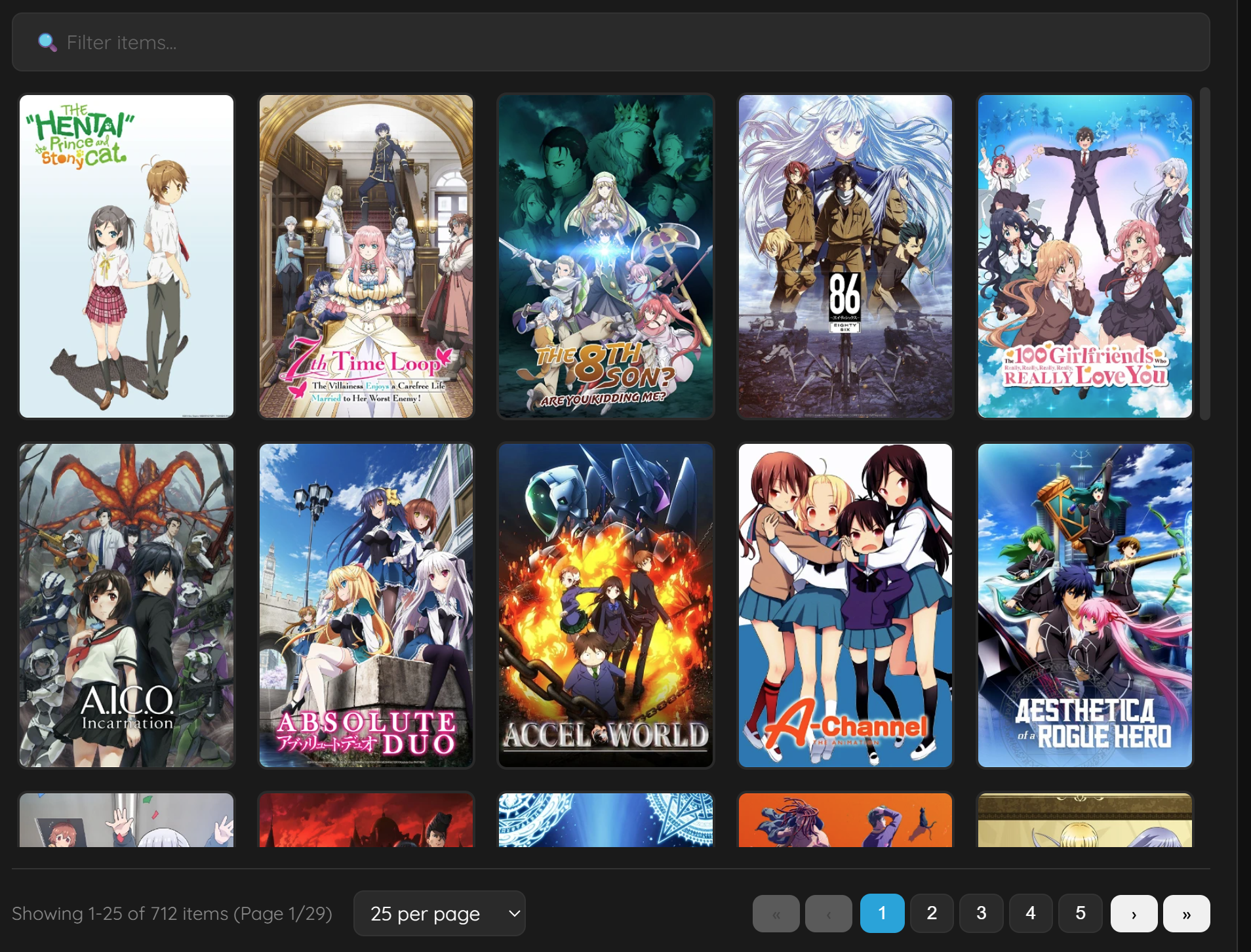
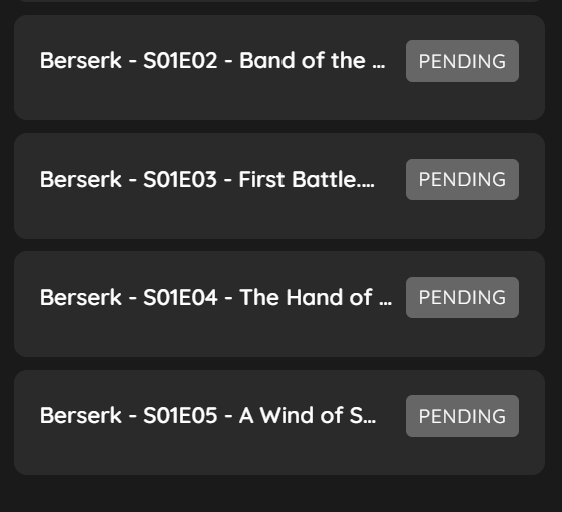
| Browse Library | Download Queue | Settings |
|---|---|---|
 |
 |
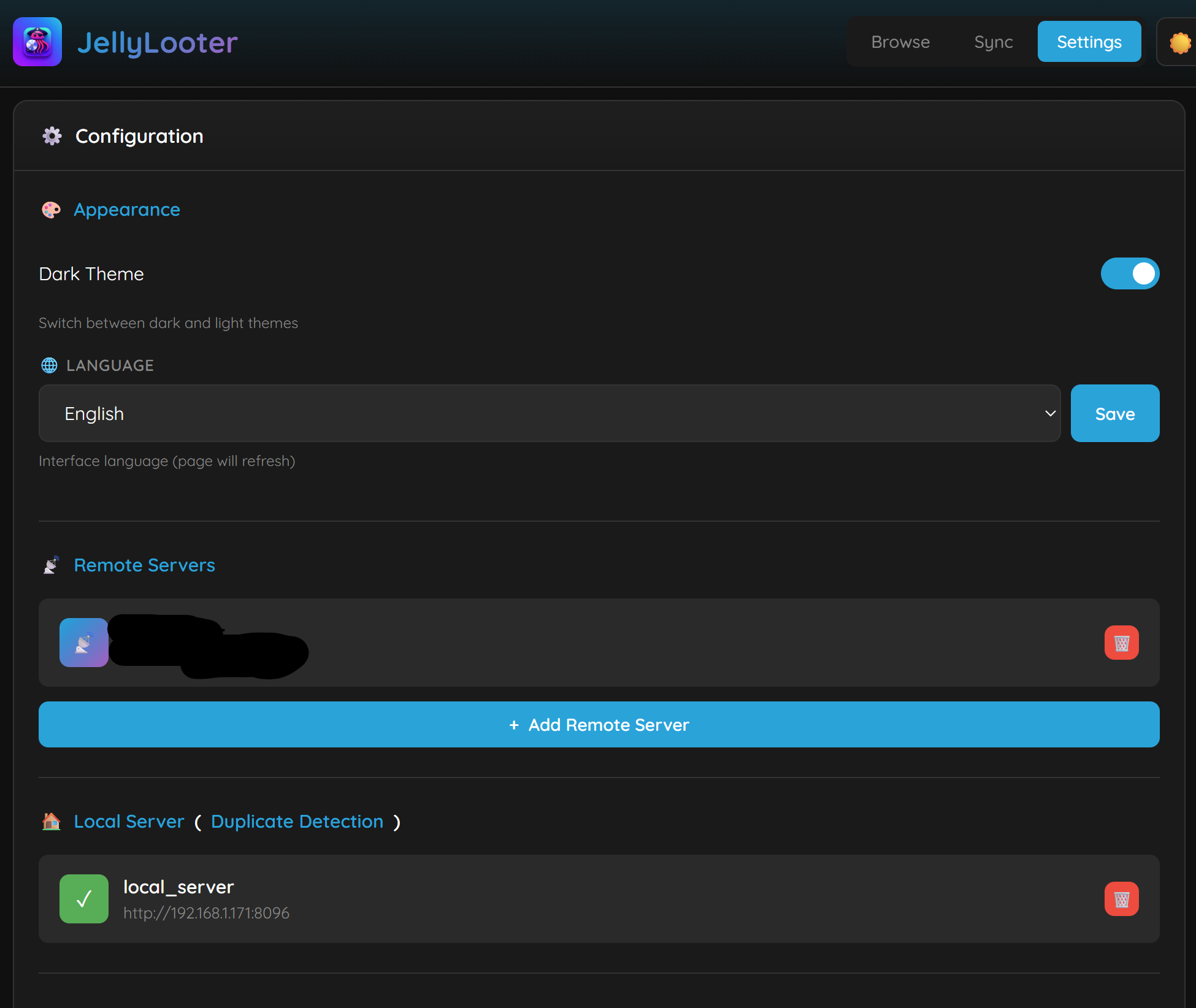 |
| Rating Overlays | Quality Badges | Pro Features |
|---|---|---|
 |
 |
 |
What's New in v3.2.0
🔌 API Integration (NZB360, Organizr, etc.)
- External API access - Control JellyLooter from external apps
- API key authentication - Secure access with generated API keys
- Full queue control - Add, remove, pause, resume downloads via API
- NZB360 compatible - Use Custom Downloader integration
- Organizr widgets - Add status widget to your dashboard
- Home Assistant - Poll status for sensors and automations
- API documentation - Built-in docs at
/api/v1/docs
📊 Dashboard Layouts
Choose from 6 layout options to customize your browsing experience:
- Classic - Large posters with full details (default)
- Compact - Smaller posters, fits 2x more on screen
- Cards - Horizontal cards with poster and info
- List - Vertical list with thumbnails for quick browsing
- Minimal - Posters only, hover for details
- Large Posters - Oversized artwork focus
⚙️ Tabbed Settings UI
Redesigned settings page with organized tabs:
- General - Appearance, language, layout, display options, timezone
- Servers - Remote servers, local server, API integration
- Downloads - Speed limits, retry settings, folder naming, metadata APIs
- Security - Authentication, reverse proxy settings
- Pro - Notifications, transcoding, resource limits, scheduling, *arr integration, themes
⚡ Resource Limits (Pro)
Control system resource usage to prevent overloading NAS/low-power devices:
- CPU Threads - Limit FFmpeg to 1-16 threads (or auto)
- Process Priority - Low/Normal/High (nice levels)
- I/O Priority - Idle/Low/Normal (ionice for disk)
- Memory Buffer - 8-256 MB download buffer size
Presets:
| Device Type | CPU | I/O | Buffer |
|---|---|---|---|
| NAS/Low-power | Low | Idle | 16 MB |
| Shared systems | Normal | Low | 32 MB |
| Dedicated | High | Normal | 256 MB |
📡 Per-Server Workers (Pro)
Download from multiple Jellyfin servers simultaneously:
- Each server gets its own dedicated worker pool
- Downloads from Server A don't block Server B
- Configure 1-10 workers per server (matches concurrent download limit)
- Total concurrent downloads = servers × workers per server
- Example: 3 servers × 4 workers = 12 simultaneous downloads
📈 Enhanced Download Statistics
- Persistent tracking - Stats survive container restarts
- Per-server breakdown - See downloads by server
- Session vs total - Track current session and all-time totals
- Transcode savings widget - Shows space saved in main UI when transcoding enabled
🐛 Bug Fixes
- Fixed basic logs - Activity logs now properly show download events (timestamp-aware patterns)
- Fixed download stats - Statistics now persist and track accurately across restarts
- Fixed transcode stats display - Properly shows space saved percentage
API Endpoints
| Endpoint | Description |
|---|---|
GET /api/v1/status |
Queue status, speeds, disk space |
GET /api/v1/queue |
Current download queue |
POST /api/v1/queue/add |
Add item to download queue |
DELETE /api/v1/queue/{id} |
Cancel/remove download |
POST /api/v1/queue/pause |
Pause all downloads |
POST /api/v1/queue/resume |
Resume downloads |
GET /api/v1/history |
Download history |
GET /api/v1/servers |
List configured servers |
GET /api/v1/servers/{id}/browse |
Browse server library |
GET /api/v1/servers/{id}/search |
Search server |
GET /api/v1/stats |
Download/transcode statistics |
What's New in v3.1.0
🔍 Library Search
- Search within libraries - Find movies and shows by name without scrolling
- Server-side search - Returns up to 100 results from the entire library
- Instant results - Search box appears when inside any library
- Clear search - One-click return to normal browsing
⏰ Time Format Options
- 12-hour format - Display times as 1:30 PM (default)
- 24-hour format - Display times as 13:30 (military time)
- Timezone support - 30+ timezone options with proper log timestamps
🎬 Transcoding Improvements (Pro)
- AVI encoding preset - Legacy-compatible MPEG-4 + MP3 in AVI container
- Cache drive support - Transcode to fast SSD, then move to destination
- Improved error logging - Filters FFmpeg progress output from error logs
- Better validation - ffprobe validation for partially completed transcodes
- Preset options: Original, H.264, H.265/HEVC, AVI, Mobile (720p), 4K Optimized
📡 *arr Integration Enhancements
- Auto-add series to Sonarr - Automatically adds new series when downloading episodes
- Smart root folder detection - Matches your download path to Sonarr root folders
- Intelligent path mapping - Scans filesystem to auto-detect path mappings
- Fallback search - Searches by title if TVDB/IMDB lookup fails
- Detailed logging - See exactly what's happening with *arr integration
🔍 External Metadata API Support
- TMDB, TVDB, OMDb integration - Lookup missing IMDB/TVDB IDs from external APIs
- User-provided API keys - Free API keys from each service
- Automatic fallback - Tries TMDB → TVDB → OMDb until IDs are found
- Pro: Metadata caching - Store lookups locally for faster repeat browsing
📁 Folder Naming Formats
Choose from 6 folder naming options in Advanced Settings:
- Standard -
Show Name/Movie (2010) - IDs (Space) -
Show Name tt1234567 76885 - IDs (Braces) -
Show Name {imdb-tt1234567} {tvdb-76885} - IDs (Brackets) -
Show Name [imdb-tt1234567] [tvdb-76885] - TMDB Only -
Show Name {tmdb-12345} - IMDB Only -
Show Name tt1234567
📋 Activity Log Improvements
- Basic/Advanced toggle - Basic shows only download activity, Advanced shows all logs
- Copy logs button - Copy activity log to clipboard for easy sharing/debugging
🔄 Download Improvements
- Auto-retry failed downloads - Configurable retry attempts (1-10) and delay (5-300s)
- Download limit override - Allow >10 concurrent downloads (with safety warning)
- Improved error handling - Better retry logic for connection failures
Other Improvements
- Mobile menu: Added Sync Now and Rebuild Cache buttons
- Enhanced metadata logging for troubleshooting
- Theme persistence fix across page navigation
- Download statistics persist across container restarts
- Clipboard copy works over HTTP (not just HTTPS)
What's New in v3.0.0
This is a major release with Pro features, security hardening, and UI enhancements.
⭐ Poster Overlays
- Rating badges - IMDB/TMDB ratings displayed on posters
- Quality badges - 4K, 1080p, 720p, HDR, Dolby Vision, Atmos
- Content ratings - PG-13, R, TV-MA displayed on posters
- Toggleable - Enable/disable in Advanced Settings
⌨️ Keyboard Shortcuts
- Press
?to see all shortcuts - Quick navigation (1, 2, 3 for tabs)
- Download controls (P=pause, D=download, Ctrl+A=select all)
📊 Download Statistics
- Real-time download speed display
- Total downloaded tracker
- Queue status at a glance
📦 Collection/Playlist Support
- "Download All" button on collections and playlists
- Automatically fetches all movies/episodes
- One-click batch download
💾 Backup & Restore
- Export configuration to JSON
- Import settings (API keys masked for security)
- Health check endpoint (
/health) for Docker monitoring
🔄 Download Resume (Pro)
- Interrupted downloads can be resumed
- Partial files saved automatically
- Resume from where you left off
🎨 Visual Enhancements
- 🎨 GPU transcoding support (NVENC, QuickSync, VAAPI)
- Custom themes (14 presets including seasonal)
- Movie folder naming with year (e.g., "Inception (2010)/")
🔗 *arr Integration
- Sonarr/Radarr folder naming support
- Use exact folder names from your *arr apps
- Auto-refresh cache for folder lookups
Free vs Pro
| Feature | Free | Pro ($10 lifetime) |
|---|---|---|
| Remote servers | 2 | Unlimited |
| Local servers | 1 | Unlimited |
| Concurrent downloads | 2 | 10 |
| Download limit override | ❌ | ✅ Up to 50 |
| Auto-sync mappings | 1 | Unlimited |
| Items per page | 100 | Unlimited |
| Rating overlays | ✅ | ✅ |
| Quality badges | ✅ | ✅ |
| Folder naming formats | ✅ 6 options | ✅ 6 options |
| External metadata lookup | ✅ | ✅ |
| Auto-retry failed downloads | ✅ | ✅ |
| Metadata caching | ❌ | ✅ |
| Activity log views | ✅ Basic/Advanced | ✅ Basic/Advanced |
| Copy logs button | ✅ | ✅ |
| Download history | ✅ | ✅ |
| Keyboard shortcuts | ✅ | ✅ |
| Download statistics | ✅ | ✅ |
| Collection download | ✅ | ✅ |
| Config backup/restore | ✅ | ✅ |
| Health check endpoint | ✅ | ✅ |
| Download resume | ❌ | ✅ |
| Notifications | ❌ | ✅ Discord, Telegram, 80+ |
| Custom themes | ❌ | ✅ 14 presets + custom |
| GPU transcoding | ❌ | ✅ NVENC, QSV, VAAPI |
| Transcode cache drive | ❌ | ✅ SSD cache support |
| Transcode stats | ❌ | ✅ Space saved tracking |
| Skip if larger | ❌ | ✅ Auto-keep original |
| *arr auto-import | ❌ | ✅ Radarr/Sonarr |
| Download scheduling | ❌ | ✅ |
| Analytics | ❌ | ✅ |
| Ads/banner | Yes | None |
Get Pro: lightwave43.gumroad.com/l/rmtmrr
Compatibility
| Platform | Version | Status |
|---|---|---|
| Unraid | 7.0+ / 7.2.2 | ✅ Tested |
| Docker | Linux/macOS/Windows | ✅ Tested |
| Jellyfin | 10.8+ | ✅ Supported |
| Emby | 4.7+ | ✅ Supported |
Quick Start
Docker Run
docker run -d \
  --name jellylooter \
  -p 5000:5000 \
  -v /path/to/config:/config \
  -v /path/to/media:/storage \
  ghcr.io/jlightner86/jellylooter:latest
Docker Compose
version: "3"
services:
  jellylooter:
    image: ghcr.io/jlightner86/jellylooter:latest
    container_name: jellylooter
    ports:
      - "5000:5000"
    volumes:
      - ./config:/config
      - /mnt/media:/storage
    restart: unless-stopped
    healthcheck:
      test: ["CMD", "curl", "-f", "http://localhost:5000/health"]
      interval: 30s
      timeout: 10s
      retries: 3
Windows Docker Desktop
docker run -d `
  --name jellylooter `
  -p 5000:5000 `
  -v C:\JellyLooter\config:/config `
  -v D:\Media:/storage `
  ghcr.io/jlightner86/jellylooter:latest
Unraid (Manual Installation)
Since JellyLooter is not currently available in Community Applications, you can install it manually:
- Go to Docker tab in Unraid WebGUI
- Click "Add Container" button
- Fill in the following settings:
| Field | Value |
|---|---|
| Name | JellyLooter |
| Repository | ghcr.io/jlightner86/jellylooter:latest |
| Network Type | bridge |
| WebUI | http://[IP]:[PORT:5000] |
- Add the following port mapping:
| Container Port | Host Port | Type |
|---|---|---|
5000 |
5000 |
TCP |
- Add the following volume mappings:
| Container Path | Host Path | Access |
|---|---|---|
/config |
/mnt/user/appdata/jellylooter |
Read/Write |
/storage |
/mnt/user |
Read/Write |
- Optional - Add environment variable:
| Name | Value |
|---|---|
TZ |
America/Chicago (or your timezone) |
Click Apply to create the container
Access JellyLooter at
http://your-unraid-ip:5000
GPU Transcoding Setup (Pro Feature)
GPU transcoding is now available for Pro users! Choose between NVIDIA NVENC, Intel QuickSync, or AMD VAAPI.
Transcoding Features:
- 🔀 Separate Workers - Downloads continue while transcoding (configurable 1-5 transcode workers)
- ⚖️ Skip if Larger - Automatically keeps original if transcode increases file size
- 📊 Statistics - Track files transcoded, space saved, and average reduction
- 🚦 Queue Limit - Max 10 files pending to prevent memory issues
- 📈 Progress Bar - Real-time progress with speed indicator (e.g., "1.2x")
Option 1: Use Dockerfile.nvidia (Recommended for NVIDIA)
Build with NVIDIA support baked in (uses Jellyfin FFmpeg with full NVENC support):
docker build -f Dockerfile.nvidia -t jellylooter:nvidia .
docker run -d --runtime=nvidia --gpus all -p 5000:5000 \
  -v /path/to/config:/config -v /path/to/storage:/storage \
  jellylooter:nvidia
Option 2: Standard Dockerfile + NVIDIA Runtime
For NVIDIA GPUs with the standard Dockerfile:
- Make sure you have the Nvidia-Driver plugin installed from Community Applications
- In the container settings, scroll down to Extra Parameters and add:
--runtime=nvidia --gpus all - Add the following environment variables:
| Name | Value | Description |
|---|---|---|
NVIDIA_VISIBLE_DEVICES |
all |
Or specific GPU UUID |
NVIDIA_DRIVER_CAPABILITIES |
compute,video,utility |
Required for encoding |
For Intel QuickSync:
- Add the following device mapping:
| Container Device | Host Device |
|---|---|
/dev/dri |
/dev/dri |
- Or in Extra Parameters add:
--device=/dev/dri:/dev/dri
For AMD VAAPI:
- Add the following device mapping:
| Container Device | Host Device |
|---|---|
/dev/dri |
/dev/dri |
- Or in Extra Parameters add:
--device=/dev/dri:/dev/dri
Software Fallback: If hardware encoding fails, JellyLooter automatically falls back to software encoding (libx265/libx264). Check the Activity Log for transcode status.
Health Check Endpoint
JellyLooter provides a /health endpoint for monitoring:
curl http://localhost:5000/health
Returns JSON with status, disk space, queue info, and server connectivity. Returns HTTP 200 if healthy, 503 if unhealthy (e.g., disk < 1GB free).
Features
Core Features (Free)
- 📺 Browse remote Jellyfin/Emby libraries
- ⬇️ Download movies, shows, seasons, episodes
- 📝 Automatic subtitle download (SRT, ASS, VTT)
- 🔍 Duplicate detection with local server
- ⭐ Rating overlays (IMDB/TMDB/Rotten Tomatoes)
- 📊 Quality badges (4K, HDR, Dolby Vision, Atmos)
- 📁 Folder naming formats - 6 options: Standard, IDs (Space/Braces/Brackets), TMDB-only, IMDB-only
- 🔎 External metadata lookup - TMDB, TVDB, OMDb API fallback for missing IDs
- 📋 Activity log views - Basic (downloads only) or Advanced (all logs)
- 📦 Collection/Playlist batch download
- ⌨️ Keyboard shortcuts (press ? for help)
- 📈 Download statistics widget
- 💾 Config backup & restore
- 🌐 Multi-language UI (English, Spanish, German)
- 🌙 Dark/Light theme
- ⏸️ Download queue with pause/resume
- 📈 Progress tracking with ETA
- 📜 Download history
Pro Features ($10 lifetime)
- 🖥️ Unlimited servers - Connect to all your friends
- 🔄 Download resume - Resume interrupted downloads from where you left off
- 💾 Metadata caching - Store IMDB/TVDB lookups locally for faster browsing
- 🔔 Notifications - Discord, Telegram, Email, and 80+ services via Apprise
- 🎬 GPU Transcoding - NVENC, QuickSync, VAAPI + AVI preset
- ⏰ Download scheduling - Only download during off-peak hours
- 📉 Bandwidth scheduling - Full speed at night, throttled during day
- 🎨 Custom themes - 14 presets (seasonal, platform) or custom colors
- 📁 *arr integration - Sonarr/Radarr folder naming
- 📊 Analytics dashboard - Download stats and graphs
- ⬇️ 10 concurrent downloads - vs 2 for free tier
- ✨ No ads - Clean, distraction-free UI
Security
v3.0.0 includes significant security improvements:
- ✅ bcrypt password hashing
- ✅ Rate limiting (5 login attempts/minute)
- ✅ Path traversal protection
- ✅ Input validation
- ✅ Security headers (X-Frame-Options, CSP)
- ✅ Session timeout (configurable)
- ✅ Reverse proxy support (X-Forwarded-* headers)
Reverse Proxy Setup
If exposing JellyLooter externally:
- Enable "Trust X-Forwarded headers" in Security Settings
- Add your proxy IP to "Trusted proxy IPs"
- Use strong passwords
- Consider using Cloudflare or similar for additional protection
Configuration
Access the web UI at http://your-server:5000
First Run
- (Optional) Enable authentication in Settings → Security
- Add a remote server (your friend's Jellyfin/Emby)
- Test the connection before saving
- Configure local server for duplicate detection
- Start browsing and downloading!
Settings Overview
| Setting | Description |
|---|---|
| Remote Servers | Jellyfin/Emby servers to download from |
| Local Server | Your Jellyfin for duplicate detection |
| Speed Limit | Throttle download speed (0 = unlimited) |
| Max Downloads | Concurrent download threads |
| Show Ratings | Toggle rating overlays on posters |
| Show Quality | Toggle quality badges (4K, HDR, etc.) |
Support
- Buy Pro License: lightwave43.gumroad.com/l/rmtmrr
- GitHub: Issues & Discussions
⚠️ Legal Disclaimer
JellyLooter is designed for legitimate personal use only.
This software is intended to help users sync and backup media they have legal access to, such as:
- Content you own or have purchased
- Media shared by friends/family with their permission
- Content from servers you are authorized to access
We do not support, condone, or encourage:
- Piracy or illegal downloading of copyrighted content
- Circumventing DRM or copy protection
- Distributing copyrighted material without authorization
- Any use that violates copyright laws in your jurisdiction
You are solely responsible for ensuring your use of this software complies with all applicable laws and the terms of service of any media servers you access. The developers assume no liability for misuse of this software.
By using JellyLooter, you agree to use it only for lawful purposes.
License
MIT License - Free to use, modify, and distribute.
Pro features require a valid license key.
🙏 Special Thanks
A huge thank you to our beta testers and contributors:
- vwidmer - Beta testing, bug reports, and feature suggestions for transcoding, *arr integration, and download improvements
- nwithan8 - Fixed jellylooter.xml for Unraid Community Apps compatibility
Want to contribute? Open an issue or submit a pull request!
Download Statistics
Related apps
Explore more like this
Explore allDetails
ghcr.io/jlightner86/jellylooter:latestRuntime arguments
- Web UI
http://[IP]:[PORT:5000]- Network
bridge- Shell
bash- Privileged
- false
Template configuration
Port for the web interface
- Target
- 5000
- Default
- 5000
- Value
- 5000
Path to store configuration files
- Target
- /config
- Default
- /mnt/user/appdata/jellylooter
- Value
- /mnt/user/appdata/jellylooter
Path to your media storage (where downloads will be saved)
- Target
- /storage
(Pro) Path to cache drive for faster transcoding - download to cache, transcode, then move to array
- Target
- /cache
(Pro GPU) Set to 'all' or GPU UUID for NVIDIA transcoding. Also add --runtime=nvidia to Extra Parameters.
- Target
- NVIDIA_VISIBLE_DEVICES