
All apps · 0 apps

jellyfin-encoder
Docker app from geiserx's Repository
Overview
For NVIDIA GPU: Pass through the GPU runtime. For Intel QSV: Map /dev/dri.
More info: https://github.com/GeiserX/quality-gate-encoder
Readme
View on GitHub
Your whole Jellyfin library, also in 720p





quality-gate-encoder watches a Jellyfin library and adds a 720p copy beside every film and episode, so phones and remote viewers direct play the copy instead of making the server transcode live for each stream. It runs as a Docker container on Linux, encodes on an Intel or NVIDIA GPU or in software, leaves the original file untouched, and Jellyfin lists the copy as a second version of the same title. The Quality Gate plugin is optional: it caps chosen users at the 720p copy and tells the encoder which titles to make first.
Features
- Keeps the original untouched and adds a
- 720pcopy beside it; Jellyfin shows both as versions of one title, never as a duplicate. - Phones and remote viewers direct play the copy, so the server stops transcoding live for every stream.
- Encodes on an Intel iGPU (QSV) or an NVIDIA card (NVENC), decodes on the same GPU, and falls back to software by itself when the GPU refuses a file.
- Output in HEVC, H.264 or AV1; H.264 comes out as MP4 with AAC for the widest direct play, and switching codec never re-encodes what exists.
- Skips anything already 720p or lower, and a restart on a finished library checks the destination instead of re-reading the originals.
- Works on NFS and CIFS shares: it polls instead of relying on inotify, and a Jellyfin on another host gets a manifest instead of symlinks.
- The titles your viewers are about to watch get encoded first when the Quality Gate plugin writes the priority list.
- Jellyfin never sees a half-written file: encodes go to
.tmpand are renamed once verified. - A broken mount is caught before cleanup runs: orphan cleanup refuses when the source looks wrong, and delete events are rate-limited.
- Holds new encodes while the destination is under a free-space floor you set.
Quick start
docker run -d --name quality-gate-encoder --restart always \
  --device /dev/dri:/dev/dri \
  -v /srv/media/movies:/app/source \
  -v /srv/media/movies-720p:/app/destination \
  -e HW_ENCODING_TYPE=intel \
  -e SYMLINK_TARGET_PREFIX=/srv/media/movies-720p \
  drumsergio/quality-gate-encoder:1.5.12
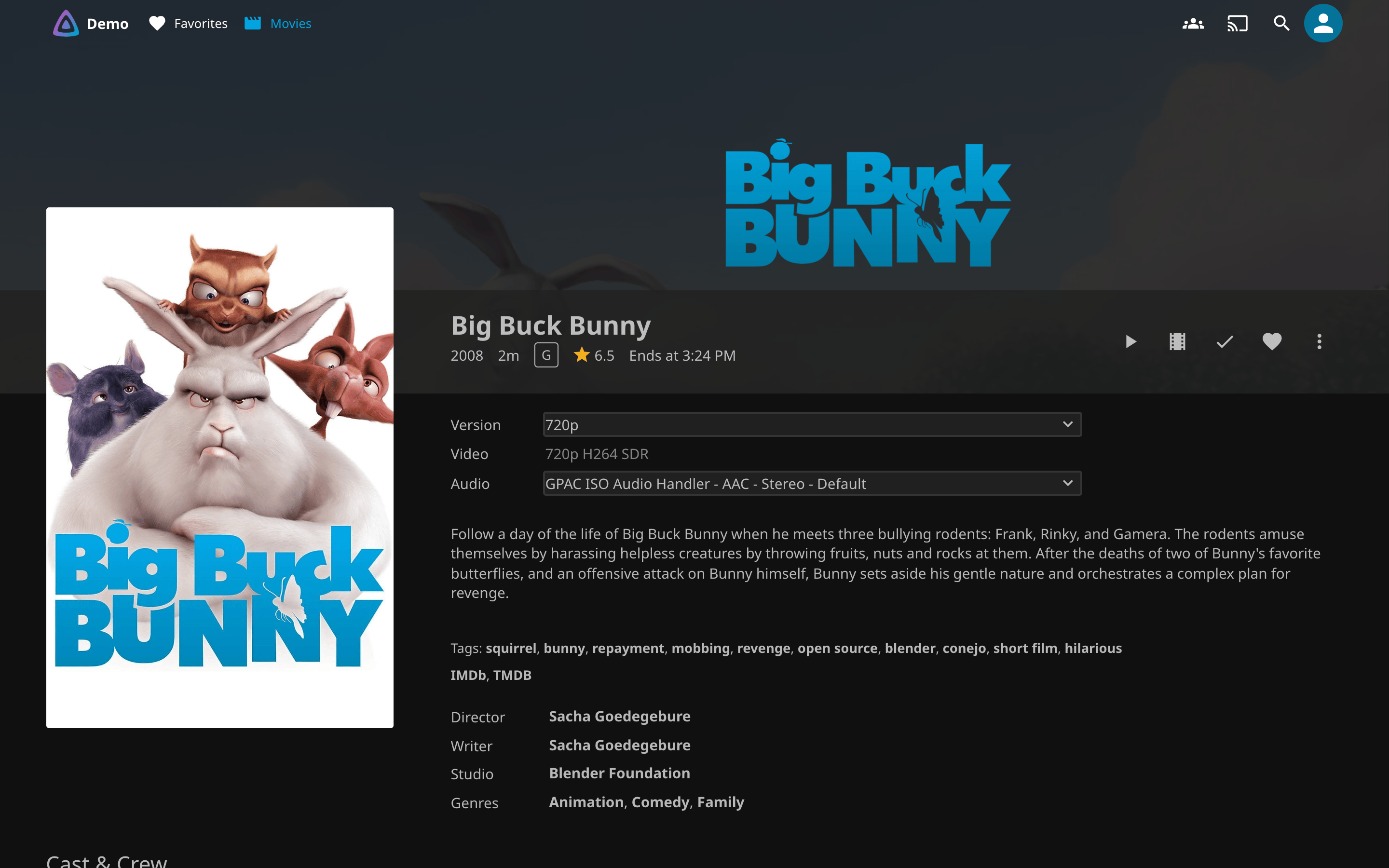
SYMLINK_TARGET_PREFIX is the destination folder as Jellyfin sees it, and the source mount must be writable, because the - 720p link is written beside each original. It worked when docker logs quality-gate-encoder shows Encoding succeeded and Created version symlink, and the film's page in Jellyfin gets a Version menu with a 720p entry. The image is linux/amd64 only; drop --device to encode in software, and Getting started has Docker Compose, NVIDIA and the switch from drumsergio/jellyfin-encoder (releases under the old name until 2027-03-31).
Documentation
- Getting started: Docker Compose and CLI, Intel and NVIDIA, what the log and Jellyfin show when it worked, upgrading, moving from
jellyfin-encoder - Configuration: every variable and its default, quality presets, H.264/MP4 output, free-space floor, priority list, FFmpeg log level
- Cross-host manifest mode: Jellyfin on a different box than the encoder
- Utilities:
compare_encodes.py, the coverage report - How it works: the pipeline, why it polls, what a rename costs
- Safety and cleanup: the guards that stop a bad mount from deleting encodes
- Development: run from source, tests
- Related projects: the plugin and the other Jellyfin tools
With the plugin: One library, two qualities and Encode priority on the Quality Gate side.
License
Categories
Download Statistics
Related apps
Explore more like this
Explore allDetails
drumsergio/quality-gate-encoder:latestRuntime arguments
- Network
bridge- Privileged
- false
Template configuration
Original video files (read-only)
- Target
- /app/source
- Default
- /mnt/user/Multimedia/Movies
Encoded output directory
- Target
- /app/destination
- Default
- /mnt/user/Multimedia/Movies-720p
Enable hardware-accelerated encoding
- Target
- ENABLE_HW_ACCEL
- Default
- true
Hardware encoder type: nvidia or intel
- Target
- HW_ENCODING_TYPE
- Default
- nvidia
Output codec: hevc or av1
- Target
- ENCODING_CODEC
- Default
- hevc
Encoding quality: LOW, MEDIUM, or HIGH
- Target
- ENCODING_QUALITY
- Default
- LOW
Filename suffix for Jellyfin version detection
- Target
- SYMLINK_VERSION_SUFFIX
- Default
- - 720p
Hours between orphaned symlink cleanup
- Target
- CLEANUP_INTERVAL_HOURS
- Default
- 6