
All apps · 0 apps
Invoicery
Docker app from akshaybhandare's Repository
Overview
Readme
View on GitHub
Invoicery ── Boutique Self-Hosted Invoicing & GST Assistant
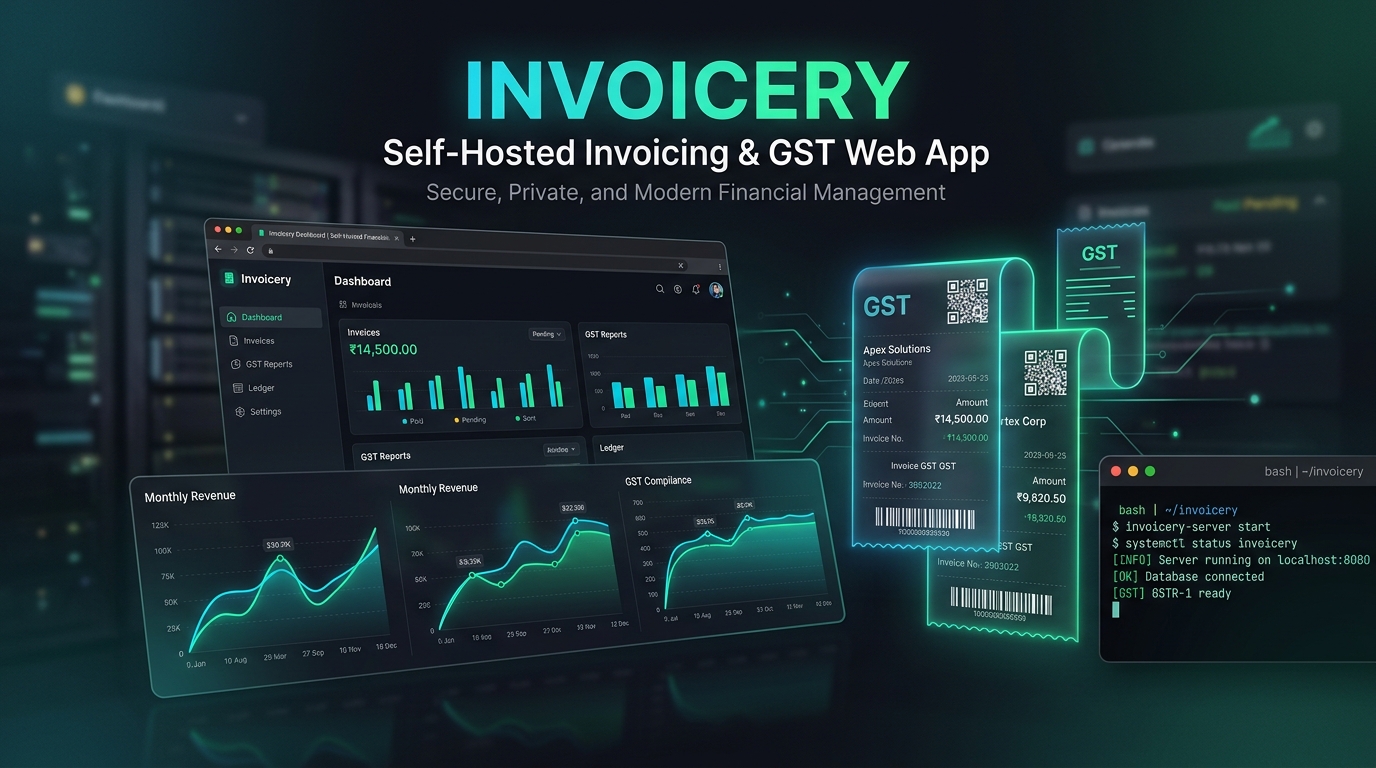
An elegant, offline-first billing dashboard, customer-ledger database, and Indian GST filing assistant.
Crafted with Bun, SQLite, and Vanilla JS/CSS. Self-contained, secure, and ready to self-host.
Features • Installation • Docker Freezing • Unraid Server • How it Works • API Documentation • Tests
🔮 The Philosophy Behind the "Sorcery"
Traditional accounting tools are either heavy, bloated cloud services that harvest your business data, or overly simplified command line trackers. Invoicery is designed as a boutique workshop for your invoicing needs.
It mixes the safety of an offline-first local database with the convenience of a modern web workspace. Bookkeeping shouldn't feel like a chore; with the right UI and automated tax routing, it feels like magic.
⚡ Key Features
- Complete Local Data Ownership: Runs entirely in your local network/environment. No third-party servers, no subscription fees, no data leaks.
- Instant Tax Classification: Input customer information once, and the backend tax engine calculates and applies CGST, SGST, or IGST based on the place of supply rules automatically.
- Automated Indian GST Prep: Instantly structures your transactions into audit registers ready for GSTR-1 (B2B, B2CL, B2CS, CDNR, CDNUR, Export) and GSTR-3B tax filing.
- Inventory Control & Ledger Sync: Integrated stocks auto-deduct upon sales invoices and auto-increment upon recording purchases.
- Modern Dark Aesthetics: A bespoke UI constructed with high-contrast, premium dark mode styling and reactive SVG analytical widgets.
- Bridges to External Apps: A secure API token system lets you hook up scanning devices, command line utilities, or inventory scripts directly to your billing book.
- Seamless Backups: Pack up your entire database (
data/billing.db) and uploaded files/receipts (attachments/) into a single portable zip file, and restore it with one click.
📐 How the Magic Works
Invoicery uses a lightweight local stack. Here is how your billing, expenses, and tax computations flow:
graph TD
    subgraph Client ["Client Browser (Vanilla JS/CSS)"]
        Dashboard["Dashboard Workspace"]
        InvForm["Invoice Creator"]
        ExpForm["Expense/Purchase Logs"]
    end

    subgraph Backend ["Isolated Bun Server v1.3.14"]
        Router["Server HTTP Router"]
        TaxEngine["Tax Routing Engine"]
        DB["SQLite Database (bun:sqlite)"]
        GstrGen["GSTR-1 & 3B compiler"]
    end

    InvForm -->|HTTP REST POST| Router
    ExpForm -->|HTTP REST POST| Router
    Router -->|Query/Insert| DB
    TaxEngine -->|Evaluate State Codes| DB
    DB -->|Read Data| GstrGen
    GstrGen -->|Transmit JSON summary| Dashboard
The State Tax Logic
When you create an invoice, Invoicery checks the Merchant State Code (from settings) against the Customer Place of Supply State Code:
- Match (Intrastate): Split tax equally into CGST and SGST (e.g., 9% CGST + 9% SGST for an 18% rate).
- Mismatch (Interstate): Allocate the entire tax rate to IGST (e.g., 18% IGST).
🚀 Local Installation
Prerequisites
Ensure you have the Bun runtime installed.
curl -fsSL https://bun.sh/install | bash
Running Locally
Navigate to the workspace folder:
cd invoiceryInstall project dependencies & type definitions:
bun installStart the development server (runs with hot reloading):
bun run devStart the production server:
bun run start
The application starts on port 3000 and binds only to 127.0.0.1 by default for local security compliance. Open http://localhost:3000 in your browser.
🐳 Docker Deployment (The Recommended Way to Freeze the App)
To freeze the environment and guarantee that future OS updates, library updates, or node runtime changes never break your billing system, run Invoicery inside an isolated Docker container.
Build and start the services:
docker compose up -d --buildAccess the application: Open http://localhost:3000. Inside Docker, the server binds to
0.0.0.0securely to allow port forwarding to your host.Persistent Directories: The
docker-compose.ymllinks directories from your host machine so your records are never lost when containers reboot:./data/── Storehouse for persistent SQLite database (data/billing.db)../attachments/── Storehouse for invoice PDF and receipt uploads.
🖥️ Unraid Server Deployment
You can deploy Invoicery to an Unraid server using either Docker Compose or Unraid's Docker Web UI.
Option A: Docker Compose (Recommended)
If you use Docker Compose Manager, Dockge, or Portainer on Unraid:
- Transfer or clone the repository into your appdata folder:
/mnt/user/appdata/invoicery/ - Open the Unraid Terminal (or SSH in) and run:
cd /mnt/user/appdata/invoicery docker compose up -d --build - Access the web app at
http://<YOUR_UNRAID_IP>:3000.
Option B: Unraid Web UI (Manual Container Setup)
- Build the image on your Unraid server terminal:
cd /mnt/user/appdata/invoicery docker build -t invoicery:latest . - Go to Unraid Docker tab ➔ Add Container.
- Set Name to
invoiceryand Repository toinvoicery:latest. - Add Port Mapping:
- Container Port:
3000| Host Port:3000(or your choice of host port)
- Container Port:
- Add Volume Mappings:
- Container Path:
/app/data➔ Host Path:/mnt/user/appdata/invoicery/data - Container Path:
/app/attachments➔ Host Path:/mnt/user/appdata/invoicery/attachments
- Container Path:
- Add Environment Variables:
PORT:3000HOST:0.0.0.0NODE_ENV:productionDB_PATH:/app/data/billing.db
- Click Apply.
⚙️ Environment Variables
You can configure port and bindings easily. These are pre-configured in the Docker Compose workspace but can be modified for local runs:
| Variable | Default | Description |
|---|---|---|
PORT |
3000 |
Port server runs on |
HOST |
127.0.0.1 |
Binding address (set to 0.0.0.0 for Docker/LAN access) |
NODE_ENV |
production |
Running profile flag |
DB_PATH |
./data/billing.db |
Relative or absolute path to SQLite database |
🔌 Developer API
Invoicery includes a secure programmatic integration layer to connect custom external scripts.
Authentication
Include one of the following credentials inside your HTTP headers (manage your custom keys in the Settings panel):
- Custom Key Header:
x-api-key: <your_key> - Standard Authorization Header:
Authorization: Bearer <your_key>
Key Endpoint Routings
| Method | Endpoint | Payload Format | Description |
|---|---|---|---|
GET |
/api/dashboard |
JSON |
Real-time analytics charts and summaries |
POST |
/api/invoices |
JSON |
Generates a sales record & subtracts stock |
POST |
/api/purchases |
JSON |
Creates a vendor receipt & increments stock |
POST |
/api/products/adjust |
JSON |
Direct stock adjustment override |
GET |
/api/backup |
Binary Stream |
Combines data/billing.db and attachments into a ZIP |
POST |
/api/restore |
Multipart FormData |
Overwrites active database from a backup ZIP |
🧪 Test Suite
Run the full local test suite (incorporating tax calculation rounding, schema validation, state matching, and layout integrity checks) via:
bun test
Related apps
Explore more like this
Explore allDetails
ghcr.io/akshaybhandare/invoicery:latestRuntime arguments
- Web UI
http://[IP]:[PORT:3000]- Network
bridge- Shell
sh- Privileged
- false
Template configuration
Port used by the Invoicery web interface.
- Target
- 3000
- Default
- 3000
Persistent directory for storing Invoicery SQLite database (billing.db).
- Target
- /app/data
- Default
- /mnt/user/appdata/invoicery/data
Persistent directory for storing invoice PDFs and receipt uploads.
- Target
- /app/attachments
- Default
- /mnt/user/appdata/invoicery/attachments
Network binding address (set to 0.0.0.0 to allow access from local network).
- Default
- 0.0.0.0
Internal server port.
- Default
- 3000
Running profile environment.
- Default
- production
Path to SQLite database file inside container.
- Default
- /app/data/billing.db