
All apps · 0 apps
infrarust
Docker app from Niki2k1's Repository
Overview
Readme
View on GitHub
Infrarust
Minecraft reverse proxy written in Rust. Route players to backend servers by domain, manage everything from a web dashboard.





[!WARNING] Infrarust V2 is currently in active development. Expect bugs with the intercepted modes (client_only / offline).
Features
| Routing | Domain and subdomain-based routing with wildcard support. One port, many servers. |
| Proxy modes | passthrough, zerocopy, client_only, offline, server_only. From raw TCP relay to full Mojang auth interception. |
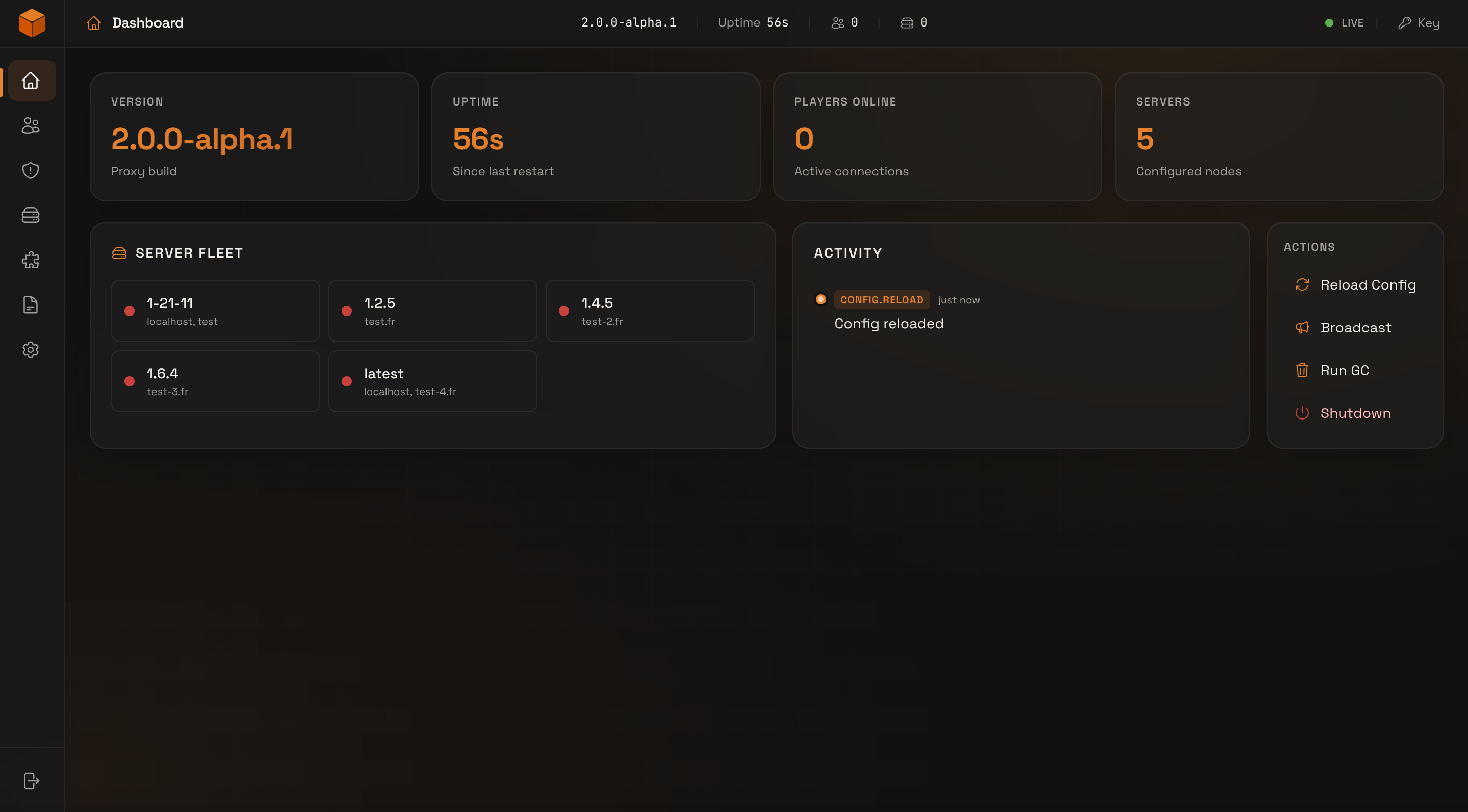
| Web dashboard | Built-in admin panel with REST API, real-time event streaming (SSE), and log viewer. Add [web] to your config and it's running. |
| Docker | Auto-discover Minecraft containers via labels - no config files needed for Docker-managed servers. Scratch-based image, multi-arch. |
| Plugins | Event-driven plugin system with built-in auth, server wake, and queue plugins. Write your own in Rust. |
| Security | Rate limiting, IP filtering, ban system (IP / UUID / username). |
| Observability | OpenTelemetry (OTLP) export for metrics, traces, and logs to any collector. |
| Hot reload | Drop a .toml file in servers/ and the proxy picks it up. No restart. |
Quick Start
Install
# Pre-built binary (Linux x86_64)
curl -LO https://github.com/Shadowner/Infrarust/releases/latest/download/infrarust-linux-x86_64.tar.gz
tar xzf infrarust-linux-x86_64.tar.gz
sudo mv infrarust /usr/local/bin/

# Docker
docker pull ghcr.io/shadowner/infrarust:latest

# From source (Rust 1.94+)
git clone https://github.com/Shadowner/Infrarust.git && cd Infrarust
cargo build --release -p infrarust
Archives for macOS (darwin) and Windows, x86_64 and arm64, are on the releases page.
Configure
infrarust.toml:
bind = "0.0.0.0:25565"
servers_dir = "./servers"

[web]
servers/survival.toml:
domains = ["survival.example.com"]
addresses = ["127.0.0.1:25566"]
Run
infrarust
The web dashboard is at http://localhost:8080. Your API key is in plugins/admin_api/config.toml.
Full docs at infrarust.dev.
Docker
The Docker image is built from scratch - statically linked binary, CA certs, nothing else. Supports amd64 and arm64.
docker run -d \
  --name infrarust \
  -p 25565:25565 \
  -p 8080:8080 \
  -v ./config:/app/config \
  ghcr.io/shadowner/infrarust:latest \
  --config /app/config/infrarust.toml
Auto-discovery
Mount the Docker socket and Infrarust finds your Minecraft containers by label:
services:
  infrarust:
    image: ghcr.io/shadowner/infrarust:latest
    command: ["--config", "/app/config/infrarust.toml"]
    ports:
      - "25565:25565"
      - "8080:8080"
    volumes:
      - /var/run/docker.sock:/var/run/docker.sock:ro
      - ./config:/app/config

  survival:
    image: itzg/minecraft-server
    environment:
      EULA: "TRUE"
    labels:
      infrarust.enable: "true"
      infrarust.domains: "survival.example.com"
Add [docker] to your infrarust.toml and containers with infrarust.enable=true get registered automatically. When they start or stop, routing updates in real time.
Monitoring
Infrarust exports metrics, traces, and logs over OpenTelemetry (OTLP). Point it at any OTLP collector by adding a [telemetry] section to your infrarust.toml. See the telemetry docs for the options.
Documentation
Full documentation at infrarust.dev:
Contributing
Contributions welcome - see CONTRIBUTING.md for setup and guidelines.
Questions or ideas? Join the Discord or open an issue.
Similar Projects
More can be seen on the thank's open source web page
License
AGPL-3.0 with plugin exceptions - see LICENSE.

Install Infrarust on Unraid in a few clicks.
Find Infrarust in Community Apps on your Unraid server, review the template, and click Install. Unraid handles the Docker app or plugin setup from the published template.
Requirements
Categories
Download Statistics
Related apps
Explore more like this
Explore allDetails
ghcr.io/shadowner/infrarust:latestRuntime arguments
- Network
infrarust- Shell
sh- Privileged
- false
- Extra Params
--restart unless-stopped --user 0
Template configuration
Port players connect to. Forward it on your router.
- Target
- 25565
- Default
- 25565
- Value
- 25565
Must contain config.toml (see the MCSM repo, unraid/infrarust/config.toml). Infrarust creates plugins/ here on first start.
- Target
- /app/config
- Default
- /mnt/user/appdata/infrarust
- Value
- /mnt/user/appdata/infrarust
Infrarust refuses to start without this folder, even though MCSM servers are discovered through Docker labels. Mapping it makes Unraid create it. Usually stays empty.
- Target
- /app/config/servers
- Default
- /mnt/user/appdata/infrarust/servers
- Value
- /mnt/user/appdata/infrarust/servers
Infrarust watches container events to discover MCSM servers. Mounting it read-only does not limit what the Docker API allows.
- Target
- /var/run/docker.sock
- Default
- /var/run/docker.sock
- Value
- /var/run/docker.sock