
All apps · 0 apps

ImmichStat
Docker app from FriendlyFriend's Repository
Overview
project is in active development
Extensive statistics tracker of your self hosted immich instance.
Readme
View on GitHubImmichStat
[!WARNING]
BREAKING CHANGES IN 1.0.0
.envFormatting: Do not use double quotes ("") for values in your.envfile.IMMICH_URLUpdate: The URL must now include the/apisuffix.
- Previous:
IMMICH_URL=http://192.168.178.2:2283- Current:
IMMICH_URL=http://192.168.178.2:2283/api- Note: This applies to both HTTP and HTTPS connections.
[!IMPORTANT] DO NOT EXPOSE THIS INSTANCE TO THE INTERNET.
[!NOTE]
NEW FEATURES
- Mobile Phone Model Tracking: Track of phones used for your photos. Feel free to open an issue if yours isn't listed.
- Heatmap Activity: Photography activity heatmap to visualize your upload patterns over the last 12 months.
- Little Extra: More miscellaneous info .
Table of Contents
What is ImmichStat?
ImmichStat is a way to track detailed statistics about your self-hosted Immich server.
Preview of first page
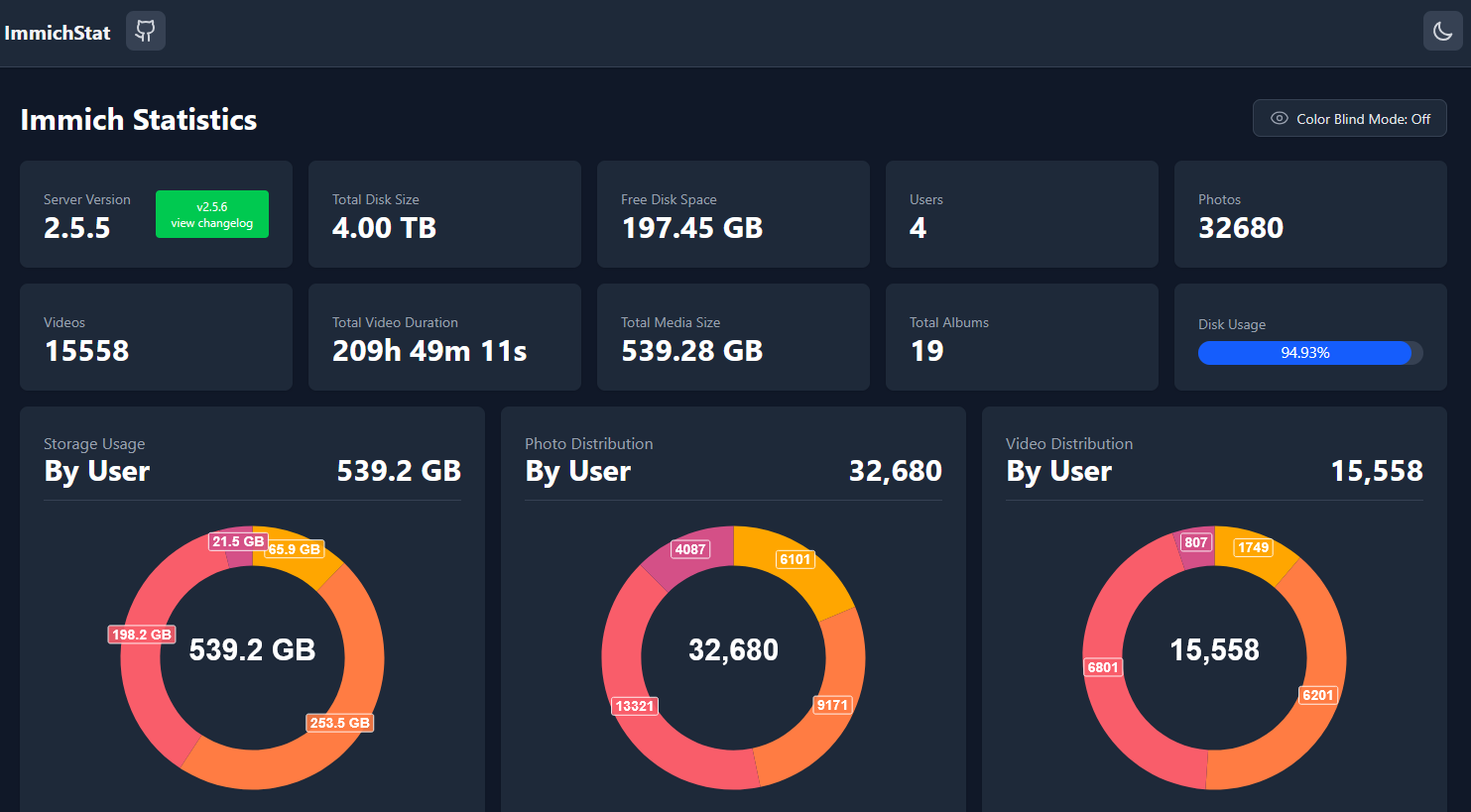
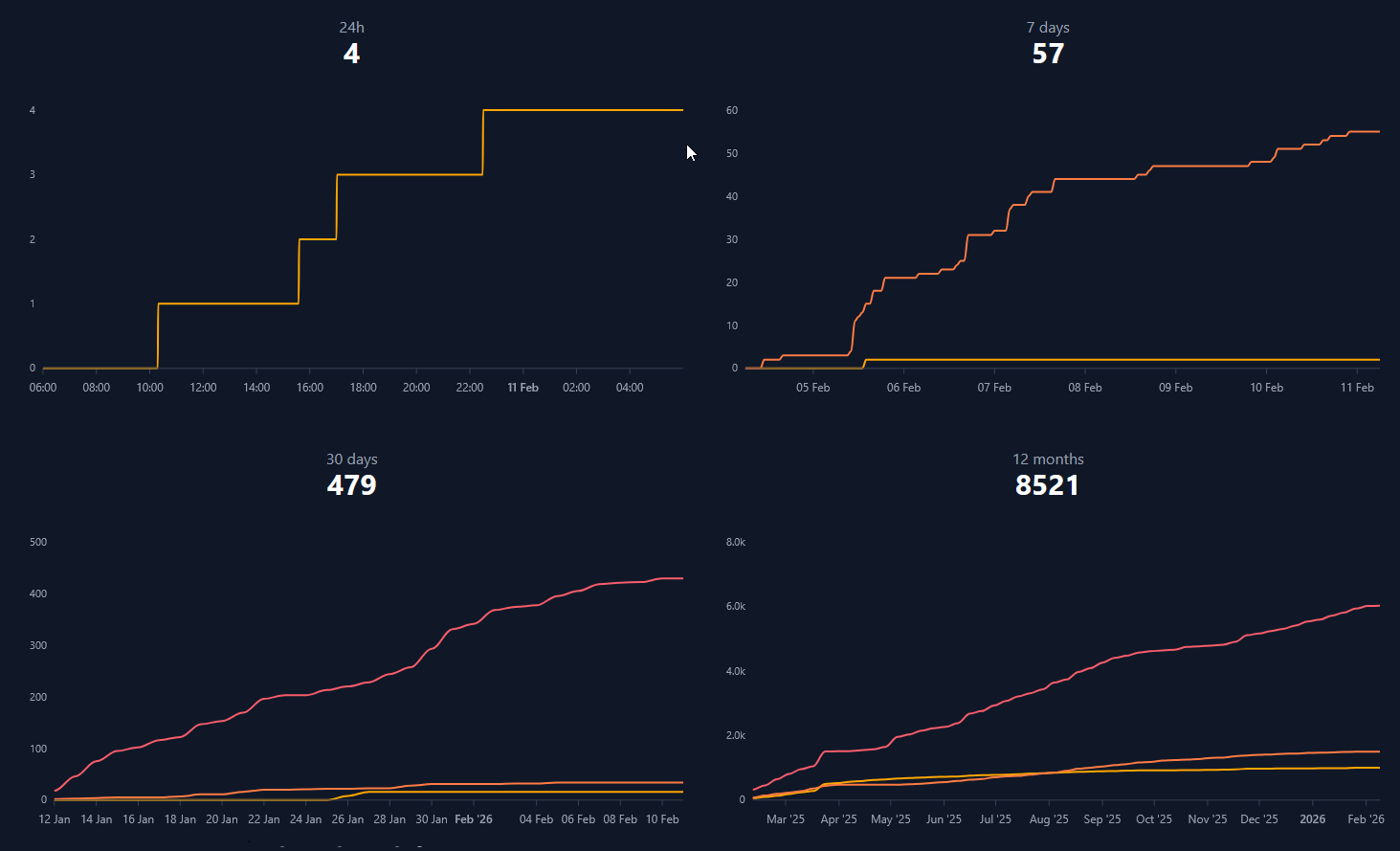
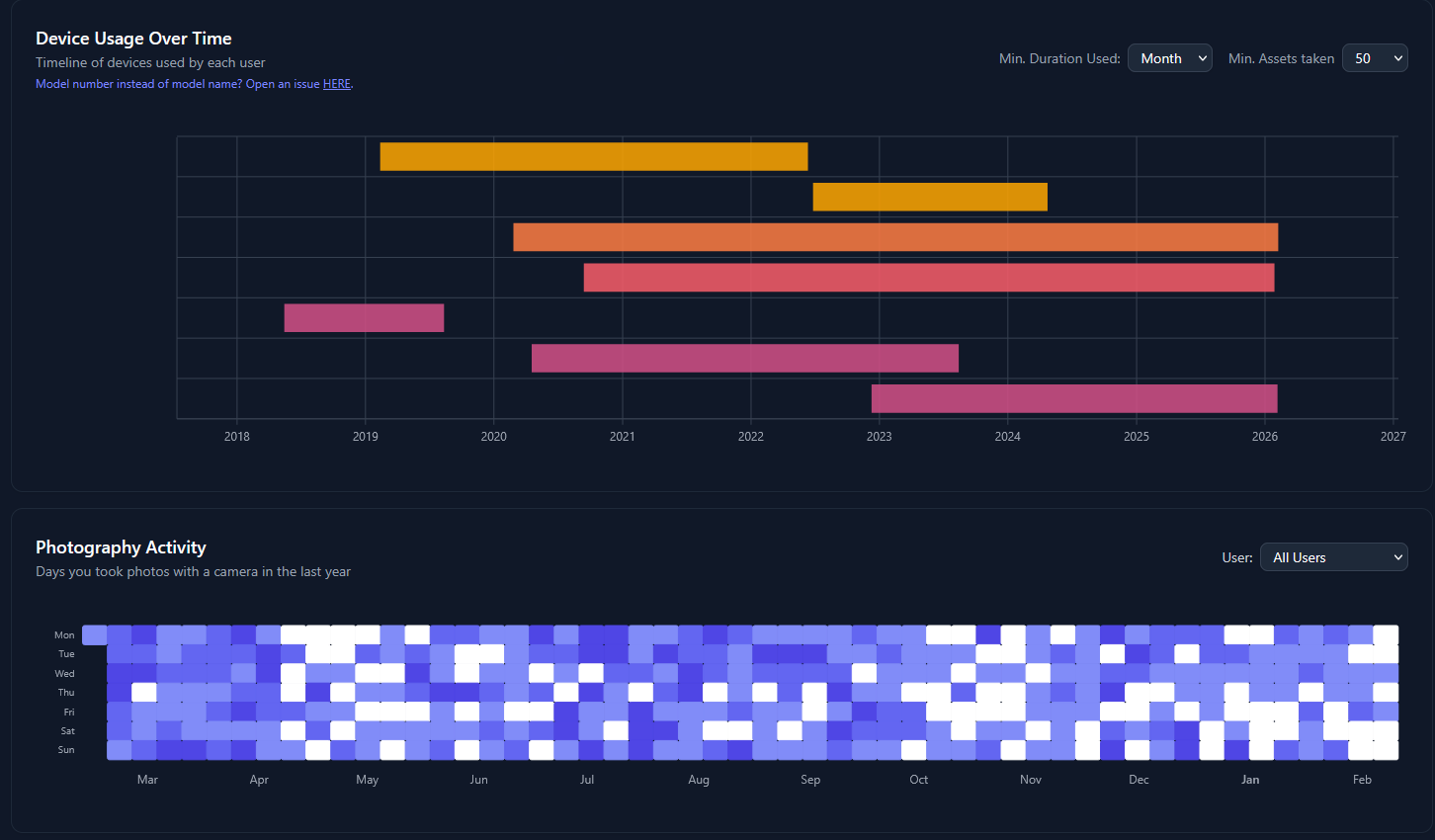
Installation
Docker
docker run -d -p 3000:3000 \
-e IMMICH_API_KEY=your_key \
-e IMMICH_URL=your_url \
-e DATABASE_URL=DATABASE_URL=postgres://user:password@host:port/database \
friendlyfriend/immichstat:latest
Local
# Ubuntu 24.04 LTSC

# prerequisites
# nodejs
curl -fsSL https://deb.nodesource.com/setup_22.x | sudo -E bash -
sudo apt install -y nodejs
node -v
# environment variables
export IMMICH_URL=your_url
export IMMICH_API_KEY=your_key
export DATABASE_URL=DATABASE_URL=postgres://user:password@host:port/database
export NODE_ENV=production
pnpm build
node build
# access webui from http://localhost:3000
Building with dockerfile
git clone https://github.com/friendlyFriend4000/ImmichStat
cd ImmichStat
# fill out .env.example and rename to .env
 docker build -t immichstat .
 docker run -p 3000:3000 --env-file .env immichstat
Contributing
Windows
## prerequisites
# Node-js 22.xx

# add IMMICH_URL, IMMICH_API_KEY and DATABASE_URL to your user's
#environment variables found in windows settings

git clone https://github.com/friendlyFriend4000/ImmichStat
cd ImmichStat
pnpm -i
pnpm dev run
Linux
# prerequisites
# nodejs
curl -fsSL https://deb.nodesource.com/setup_22.x | sudo -E bash -
sudo apt install -y nodejs
node -v
# environment variables
export IMMICH_URL=your_url
export IMMICH_API_KEY=your_key
export DATABASE_URL=postgres://user:password@host:port/database
git clone https://github.com/friendlyFriend4000/ImmichStat
cd ImmichStat
pnpm -i
pnpm dev run
Please explain your pull-request as much as you can.
Categories
Download Statistics
37,465
Total Downloads
6,469
This Month
3,365
Avg / Month
Total Downloads Over Time
Loading chart...
Related apps
Explore more like this
Explore allDetails
Repository
friendlyfriend/immichstat:latestLast Updated2026-02-12
First Seen2025-01-03
Runtime arguments
- Web UI
http://[IP]:[PORT:3000]- Network
bridge- Shell
sh- Privileged
- false
Template configuration
webuiPorttcp
- Target
- 3000
- Default
- 8675
- Value
- 8675
ENV VAR IMMICH_URLVariable
http:192.123.123.2:2283/api
- Target
- IMMICH_URL
- Default
- https://immich.example.com/api
- Value
- https://immich.tkto.org
ENV VAR IMMICH_API_KEYVariable
- Target
- IMMICH_API_KEY
- Value
- kgnxVTupNpPO1F9j8sPcwiM0eQnSWkxOmgGXlUFoqaU
ENV VAR DATABASE_URLVariable
- Target
- DATABASE_URL
- Value
- postgresql://DBusername:DBpassword@[IP]:[PORT]/DBdatabaseName