
All apps · 0 apps

immich-server-qsv-vaapi
Docker app from rorar's Repository
Overview
Readme
View on GitHub



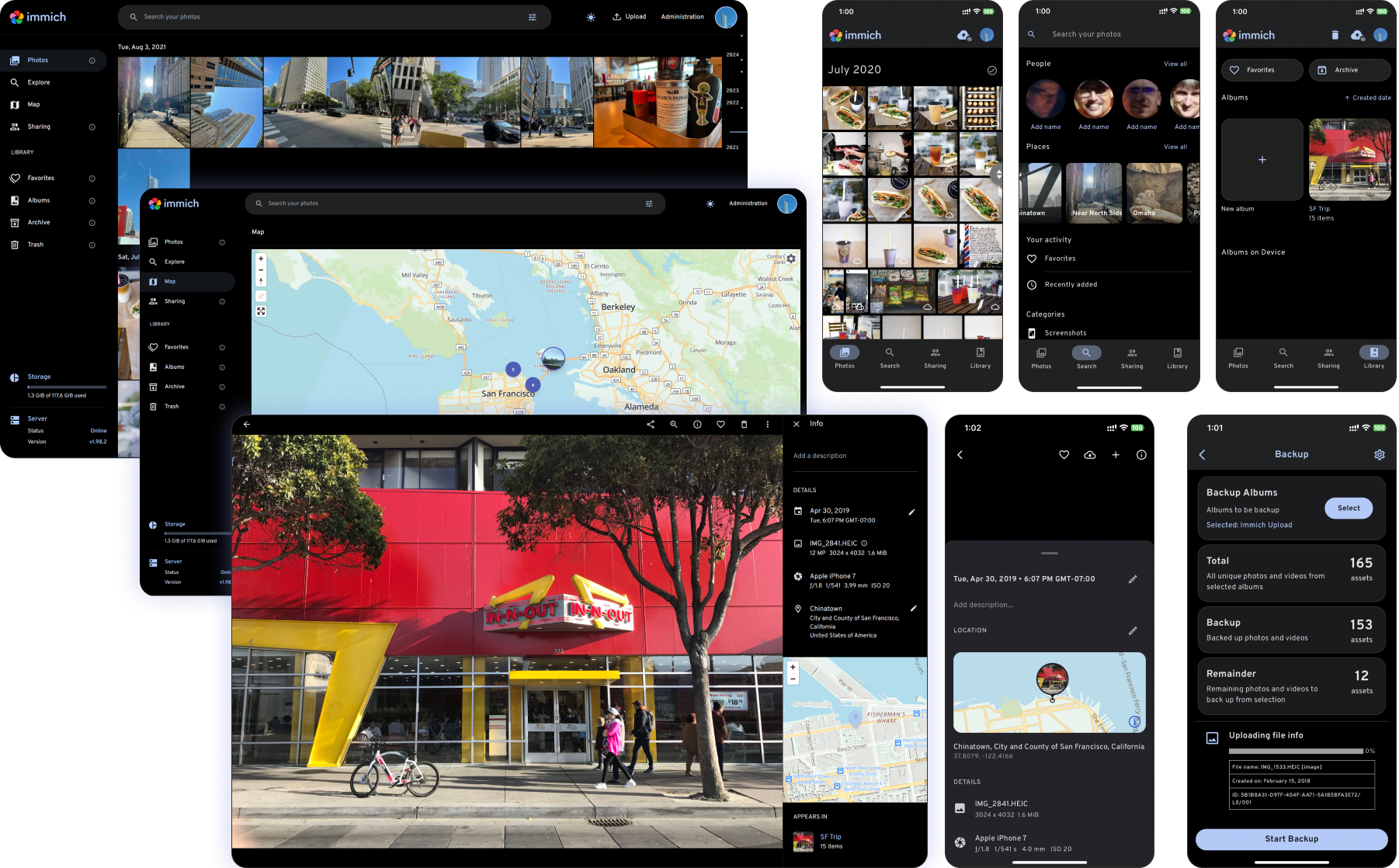
High performance self-hosted photo and video management solution
Català Español Français Italiano 日本語 한국어 Deutsch Nederlands Türkçe 简体中文 正體中文 Українська Русский Български Português Brasileiro Svenska العربية Tiếng Việt ภาษาไทย മലയാളം
[!WARNING] ⚠️ Always follow 3-2-1 backup plan for your precious photos and videos!
[!NOTE] You can find the main documentation, including installation guides, at https://immich.app/.
Links
Demo
Access the demo here. For the mobile app, you can use https://demo.immich.app for the Server Endpoint URL.
Login credentials
| Password | |
|---|---|
| demo@immich.app | demo |
Features
| Features | Mobile | Web |
|---|---|---|
| Upload and view videos and photos | Yes | Yes |
| Auto backup when the app is opened | Yes | N/A |
| Prevent duplication of assets | Yes | Yes |
| Selective album(s) for backup | Yes | N/A |
| Download photos and videos to local device | Yes | Yes |
| Multi-user support | Yes | Yes |
| Album and Shared albums | Yes | Yes |
| Scrubbable/draggable scrollbar | Yes | Yes |
| Support raw formats | Yes | Yes |
| Metadata view (EXIF, map) | Yes | Yes |
| Search by metadata, objects, faces, and CLIP | Yes | Yes |
| Administrative functions (user management) | No | Yes |
| Background backup | Yes | N/A |
| Virtual scroll | Yes | Yes |
| OAuth support | Yes | Yes |
| API Keys | N/A | Yes |
| LivePhoto/MotionPhoto backup and playback | Yes | Yes |
| Support 360 degree image display | No | Yes |
| User-defined storage structure | Yes | Yes |
| Public Sharing | Yes | Yes |
| Archive and Favorites | Yes | Yes |
| Global Map | Yes | Yes |
| Partner Sharing | Yes | Yes |
| Facial recognition and clustering | Yes | Yes |
| Memories (x years ago) | Yes | Yes |
| Offline support | Yes | No |
| Read-only gallery | Yes | Yes |
| Stacked Photos | Yes | Yes |
| Tags | No | Yes |
| Folder View | Yes | Yes |
Translations
Read more about translations here.

Repository activity
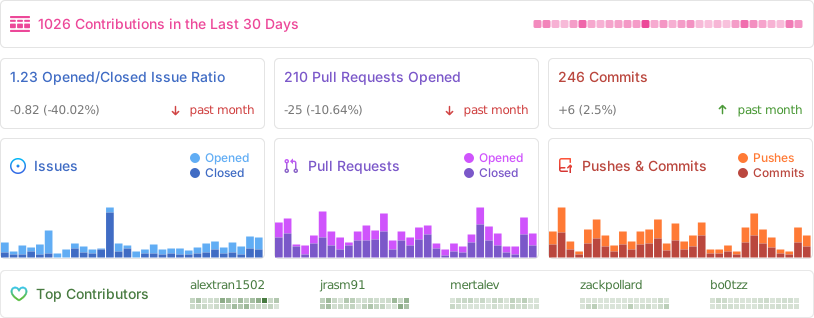
Contributors
Requirements
Requires Intel iGPU or AMD GPU with /dev/dri available.
If /dev/dri is missing, ensure the GPU kernel module is loaded (modprobe amdgpu or modprobe i915).
AMD users may need the RadeonTOP plugin to enable /dev/dri.
Also requires: immich-vectorchord-db (or compatible PostgreSQL with VectorChord/pgvector), immich-valkey, and immich-machine-learning containers on the same Docker network.
Before deploying, create two Unraid shares (Shares tab → Add Share):
Share 'immich' – Stores your photo and video library, uploads, and backups.
Share name: immich
Comments: Immich photo and video library, as well as backups and uploads.
Minimum free space: 10GB (setting too low may lead to issues with uploads and backups if the share runs out of space)
Primary storage: Array
Allocation method: High-Water
Split level: Automatically split any directory as required
Included disk(s): All (you can exclude disks to dedicate them for other purposes or if you have untrusted disks)
Excluded disk(s): NoneShare 'immich-gen' – Stores generated files: thumbnails, encoded videos, and profile data.
Share name: immich-gen
Comments: Immich generated files (thumbnails, encoded videos) and profile.
Minimum free space: 10GB (setting too low may lead to issues with thumbnail generation and video encoding if the share runs out of space)
Primary storage: Cache (SSD/NVMe)
Secondary storage: Array (HDD – fallback in case the cache runs out of space, but ideally keep immich-gen on the cache for optimal performance)
Allocation method: High-Water
Split level: Automatically split any directory as required
Included disk(s): All (you can exclude disks to dedicate them for other purposes or if you have untrusted disks)
Excluded disk(s): None
Mover action: Cache → Array
Full setup guide: https://rorar.github.io/immich-unraid-manual/
Categories
Related apps
Explore more like this
Explore allDetails
ghcr.io/immich-app/immich-server:releaseRuntime arguments
- Web UI
http://[IP]:[PORT:2283]- Network
immich_internal- Shell
bash- Privileged
- false
- Extra Params
--health-cmd="wget --no-verbose --tries=1 --spider http://localhost:2283/api/server/ping || exit 1" --health-interval=10s --health-retries=5 --health-start-period=60s --health-timeout=5s
Template configuration
Immich web interface and API port
- Target
- 2283
- Default
- 2283
- Value
- 2283
Large, rarely-accessed files. Map to your Unraid Array share (e.g. 'immich').
Photo and video uploads. This is where all your original media files are stored.
- Target
- /data/upload
- Default
- /mnt/user/immich/upload/
- Value
- /mnt/user/immich/upload/
Database and album backups. Consider placing on a separate disk or off-site for redundancy.
- Target
- /data/backups
- Default
- /mnt/user/immich/backups/
- Value
- /mnt/user/immich/backups/
External library files for assets stored outside of Immich.
- Target
- /data/library
- Default
- /mnt/user/immich/library/
- Value
- /mnt/user/immich/library/
Frequently-accessed generated files. Map to your Unraid Cache share (e.g. 'immich-gen') for optimal performance.
Generated thumbnails. Frequently read during browsing – SSD/NVMe strongly recommended.
- Target
- /data/thumbs
- Default
- /mnt/user/immich-gen/thumbs/
- Value
- /mnt/user/immich-gen/thumbs/
Transcoded video files. Read during playback – SSD/NVMe recommended.
- Target
- /data/encoded-video
- Default
- /mnt/user/immich-gen/encoded-video/
- Value
- /mnt/user/immich-gen/encoded-video/
User profile data (avatars, etc.).
- Target
- /data/profile
- Default
- /mnt/user/immich-gen/profile/
- Value
- /mnt/user/immich-gen/profile/
PostgreSQL connection settings. Must match your immich-vectorchord-db configuration.
Database container name or IP
- Default
- immich-vectorchord-db
- Value
- immich-vectorchord-db
Database port
- Default
- 5432
- Value
- 5432
Database username (must match DB container)
- Default
- postgres
- Value
- postgres
Database password (must match DB container)
- Default
- postgres
- Value
- postgres
Database name (must match DB container)
- Default
- immich
- Value
- immich
Valkey/Redis connection settings.
Valkey/Redis container name or IP
- Default
- immich-valkey
- Value
- immich-valkey
Valkey/Redis port
- Default
- 6379
- Value
- 6379
Intel QSV or AMD VAAPI GPU device for hardware-accelerated video transcoding.
- Target
- /dev/dri
- Default
- /dev/dri
- Value
- /dev/dri
General settings.
Timezone. See: https://en.wikipedia.org/wiki/List_of_tz_database_time_zones#List
- Target
- TZ
- Default
- Europe/Berlin
- Value
- Europe/Berlin
Timezone sync from host (read-only)
- Target
- /etc/localtime
- Default
- /etc/localtime
- Value
- /etc/localtime
Advanced settings. Only change if you know what you are doing. If using a reverse proxy (e.g. Nginx Proxy Manager, Traefik), add IMMICH_TRUSTED_PROXIES manually via Add Variable with your proxy IP so Immich sees the real client IP.
Log verbosity: verbose, debug, log, warn, error
- Default
- log
- Value
- log