
All apps · 0 apps

immich-power-tools
Docker app from campu0999's Repository
Overview
Readme
View on GitHub Immich Power Tools
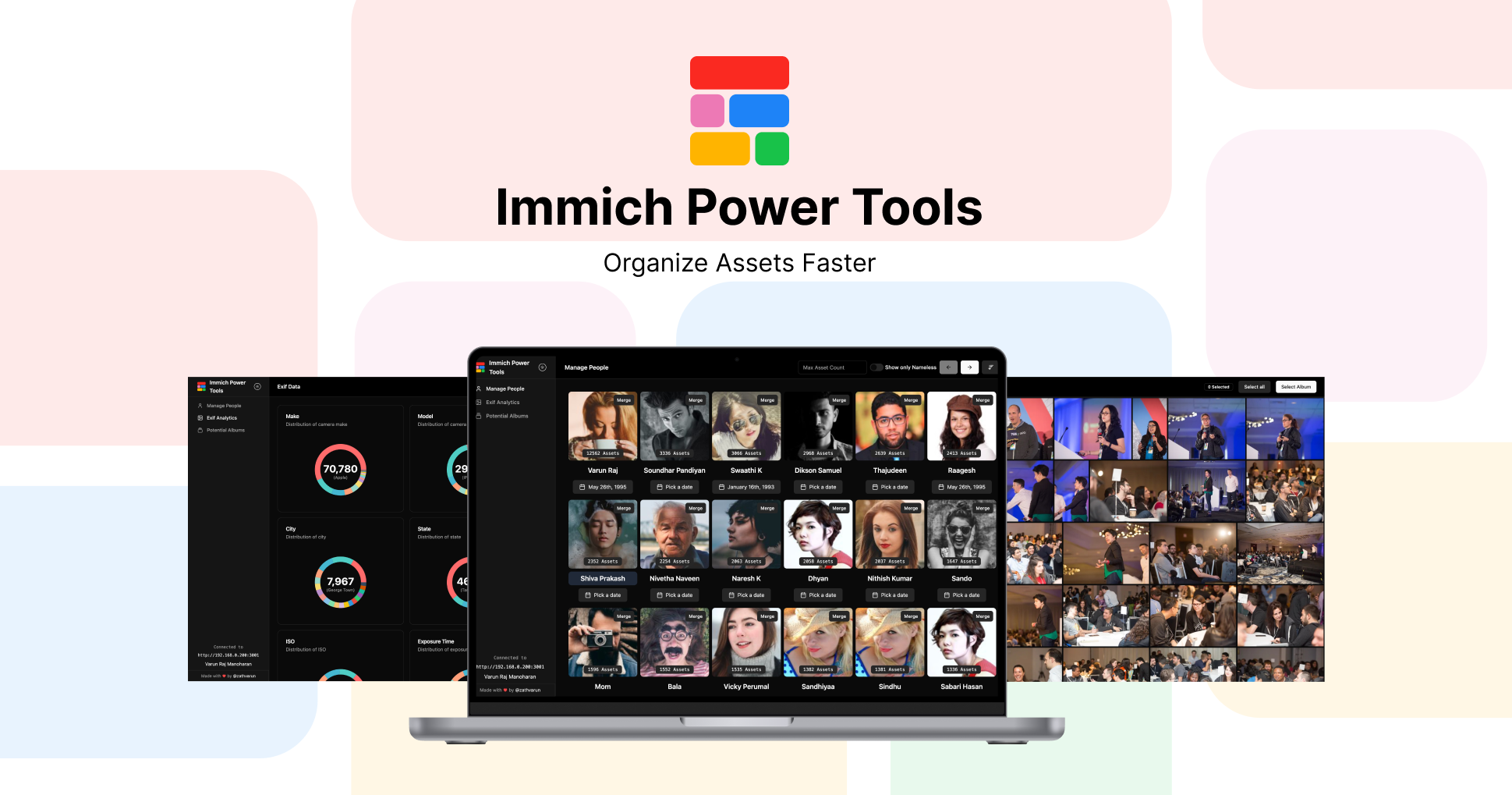
A unofficial immich client to provide better tools to organize and manage your immich account. Building it to speed up your workflows in Immich to organize your people and albums.
[!IMPORTANT] Immich v3.0 compatibility: Power Tools v0.22.0 and above require Immich 3.0 or newer.
🎒Features
- Manage people data in bulk 👫: Options to update people data in bulk, and with advance filters
- People Merge Suggestion 🎭: Option to bulk merge people with suggested faces based on similarity.
- Update Missing Locations 📍: Find assets in your library those are without location and update them with the location of the asset.
- Potential Albums 🖼️: Find albums that are potential to be created based on the assets and people in your library.
- Analytics 📈: Get analytics on your library like assets over time, exif data, etc.
- Smart Search 🔎: Search your library with natural language, supports queries like "show me all my photos from 2024 of "
- Bulk Date Offset 📅: Offset the date of selected assets by a given amount of time. Majorly used to fix the date of assets that are out of sync with the actual date.
Support me 🙏
If you find this tool useful, please consider supporting me by buying me a coffee.

💭 Back story
Recently I've migrated my entire Google photos library to Immich, I was able to successfully migrate all my assets along with its albums to immich. But there were few things like people match that was lacking. I loved Immich UI on the whole but for organizing content I felt its quite restricted and I had to do a lot of things in bulk instead of opening each asset and doing it. Hence I built this tool (continuing to itereate) to make my life and any other Immich user's life easier.
🚀 Getting Started
🐬 Using Docker
Power-tools is designed to be used alongside Immich, and there are two ways you can run it.
Method 1 - Docker Compose ( Recommended )
Add the following into your docker compose as a new service along side other immich services. Make sure you've power-tools in same network as immich.
See the sample docker-compose-all-immich.yml file for reference.
services:
  # Other services...
  power-tools:
    container_name: immich_power_tools
    image: ghcr.io/immich-power-tools/immich-power-tools:latest
    volumes:
      - immich-power-tools-data:/app/data
    ports:
      - "8001:3000"
    env_file:
      - .env

volumes:
  immich-power-tools-data:
Add the Immich API Key and immich url's to the env file (which you already have for the immich).
You also need to add DB_PORT (Default 5432) and DB_HOST, which has to be set to the name of the immich database
container (Default immich_postgres).
IMMICH_API_KEY= # your_immich_api_key
IMMICH_URL = "http://local-ip-of-immich:port" # Your immich instace ip address and port
EXTERNAL_IMMICH_URL = "https://external-address" # External address of immich

DB_PORT = "5432"
DB_HOST = "immich_postgres"

# Optional - AI Configuration for Smart Search (Find)
AI_API_KEY=your_api_key_here # API key for your OpenAI-compatible provider
AI_BASE_URL="https://api.openai.com/v1" # e.g. https://api.openai.com/v1 (OpenAI), https://api.groq.com/openai/v1 (Groq), http://host.docker.internal:11434/v1 (Ollama)
AI_MODEL="gpt-4o-mini" # e.g. gpt-4o-mini, llama-3.1-8b-instant, llama3.1
Refer here for obtaining Immich API Key: https://immich.app/docs/features/command-line-interface#obtain-the-api-key
[!NOTE] When creating the API key, make sure you select all the permissions for the API key.
Method 2 - Portainer
If you're using portainer, run the docker using docker run and add the power tools to the same network as immich.
# Run the power tools from docker
docker run -d --name immich_power_tools -p 8001:3000 -v immich-power-tools-data:/app/data --env-file .env ghcr.io/immich-power-tools/immich-power-tools:latest

# Add Power tools to the same network as immich
docker network connect immich_default immich_power_tools
🚀 For local development
[!NOTE]
Please usebunto run the project. If you don't havebuninstalled, checkout bun.sh for installation.
Copy paste the .env.example to .env and fill in the values.
  IMMICH_URL="" # Immich URL
  IMMICH_API_KEY="" # Immich API Key
  DB_USERNAME="" # Postgress Database Username
  DB_PASSWORD = "" # Postgres Database Password
  DB_HOST = "" # Postgres Host (IP address or hostname of the database)
  DB_PORT = "" # Postgres Port number (Default: 5432)
  DB_DATABASE_NAME="" # Name of the database

  # Optional - AI Configuration for Smart Search (Find)
  AI_API_KEY="" # API key for your OpenAI-compatible provider
  AI_BASE_URL="https://api.openai.com/v1" # Base URL for OpenAI-compatible API
  AI_MODEL="gpt-4o-mini" # Model used for parsing search queries in "Find"
[!NOTE]
Make sure you have postgres port exposed on you machine.
Refer here for obtaining Immich API Key: https://immich.app/docs/features/command-line-interface#obtain-the-api-key
Run the development server:
bun run dev
Features
Immich Related
- Manage People
- Smart Merge
- Manage Albums
- Bulk Delete
- Bulk Share
- Bulk Edit
- Filters
- Potential Albums
- People in Album
- Missing Location
- Statistics
- EXIF Data
- Assets Overtime Chart
Tech Related
- Dark Mode
- Dockerize
- Authentication
- Push to github packages
Tech Stack
- Next.js for infrastructure
- Tailwind CSS for styling
- Shadcn for UI Components
- Axios for API calls
External Services
These services are completely optional and you can use the tool without them. Just that they are used for some of the features. But we dont send any personal data to these services.
Google Maps for heatmap Google Maps Javascript API Key is used to render the maps layer for heatmap. When rendering the heatmap, we only send the location data to Google Maps and not any other data.
Code where heatmap data is plotted: src/pages/assets/geo-heatmap.tsx:32
OpenAI-compatible AI provider for smart query parsing in Find Any OpenAI-compatible API can be used for parsing your search query in the "Find" page. You can use standard providers like OpenAI and Groq, or run local models using Ollama or LM Studio. We do not send any personal library data to the AI provider; only your search text is sent for parsing. The actual asset querying uses Immich's Smart Search API.
Code where AI parsing is used: src/helpers/ai.helper.ts
Examples:
- OpenAI:
AI_BASE_URL=https://api.openai.com/v1,AI_MODEL=gpt-4o-mini - Groq:
AI_BASE_URL=https://api.groq.com/openai/v1,AI_MODEL=llama-3.1-8b-instant - Ollama (local):
AI_BASE_URL=http://localhost:11434/v1(orhttp://host.docker.internal:11434/v1if running Power Tools in Docker),AI_MODEL=llama3.1
- OpenAI:
Contributing
Feel free to contribute to this project, I'm open to any suggestions and improvements. Please read the CONTRIBUTING.md for more details.
Categories
Related apps
Explore more like this
Explore allDetails
ghcr.io/varun-raj/immich-power-toolsRuntime arguments
- Web UI
http://[IP]:[PORT:3000]- Network
bridge- Shell
sh- Privileged
- false
Template configuration
WebUI Port
- Target
- 3000
- Default
- 8001
- Value
- 8001
Immich URL If using local ip do not include trailing /
Immich API Key https://immich.app/docs/features/command-line-interface/#obtain-the-api-key
Postgress Database Username
Postgres Database Password
Postgres Host (IP address or hostname of the database)
Postgres Port number (Default: 5432)
Name of the database
Optional: For rewind video generation
Optional: Google Maps Javascript API Key is used for heatmap