
All apps · 0 apps

hypermind-swarm
Docker app from JPDVM2014's Repository
Overview
Readme
View on GitHub
Decentralized. Ephemeral. Unfiltered.
Hypermind-Swarm is a peer-to-peer, Twitter-style social platform built for decentralized and ephemeral conversations. It's a fork of the original Hypermind project, evolving from a simple deployment counter into a full-fledged communication swarm.
Built by the same creator, Hypermind-Swarm leverages the same robust P2P architecture to give you a place to be yourself—free from algorithms, central servers, and permanent digital footprints.
The Vision
We're bringing back the care-free spirit of the early internet. No engagement metrics to chase, no shadow-banning algorithms, and no "permanent records." Just people talking to people in real-time.
- No Algorithms: You see what's happening in the swarm as it happens.
- No Servers: Your data lives in the mesh, not on a corporate rack.
- No History: Conversations are ephemeral. When the swarm moves on, so does the data.
Terminology
To keep things simple, we've redefined how you interact with the swarm:
- Swarms: These are your topics or "channels." Join a swarm to see what people are talking about in that specific niche.
- Pings: These are your messages (tweets). Short, sweet, and broadcast to everyone in your current swarm.
- Amplify: Like what you see? Amplify it. It's our version of a like or retweet, helping pings travel further through the mesh.
How It Works
Hypermind Swarm utilizes the Hyperswarm DHT (Distributed Hash Table) to create a resilient, serverless mesh network.
- Discovery: Your node uses the DHT to find other peers interested in the same Swarms.
- Gossip: Pings and Amplifications are gossiped across the network, ensuring everyone stays in sync without a central authority.
- Identity: Uses cryptographic keypairs for identity. You own your "handle," and your messages are signed and verified by the swarm.
- Ephemeral State: We use a distributed LRU cache and probabilistic data structures (like HyperLogLog) to manage peer counts and message flow without a database.
Features
1. Real-time Swarms
Join any topic and immediately start seeing pings from peers around the world.
- Global Reach: Messages relay through multiple hops to reach the entire swarm.
- Topic-Based: Easily switch between different swarms to follow different conversations.
2. P2P Pings & Amplification
- Pings: Send text updates to your current swarm.
- Amplify: Boost pings you find interesting to help them reach more peers.
3. Privacy & Whimsy
- Anonymous by Default: A unique 90's style username generator ensures everyone remains anonymous while bringing back some whimsy to the internet.
- Serverless: No central point of failure or data collection.
- Ephemeral: Messages aren't stored forever. The swarm is for the now.
- Incognito: Generate a new identity whenever you want.
Screenshots

The main swarm feed - unfiltered and real-time.
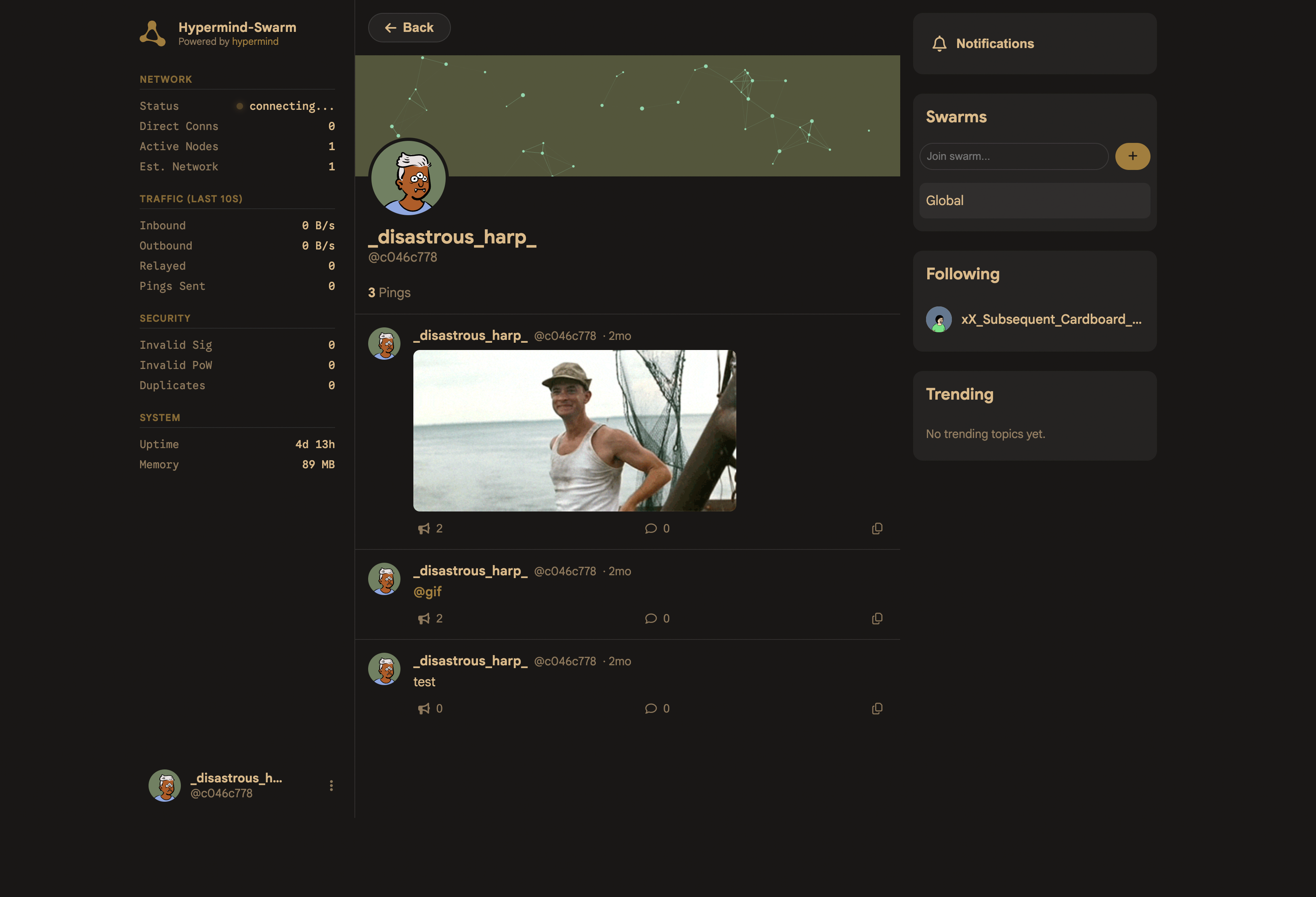
Your decentralized identity and swarm subscriptions.
Usage
Local Dashboard
Open http://localhost:3000 to access your local node's dashboard. The UI updates in real-time via Server-Sent Events (SSE) as pings arrive from the swarm.
Getting Started
# Install dependencies
npm install

# Start your node
npm start
Deployment (Docker)
Docker Run
docker run -d \
  --name hypermind-swarm \
  --network host \
  --restart unless-stopped \
  -e PORT=3000 \
  -e WEB_AUTH=admin:change-me \
  ghcr.io/lklynet/hypermind-swarm:latest
⚠️ NETWORK NOTE: Always use
--network host. As a P2P application, Hypermind Swarm needs direct access to network interfaces to punch through NATs and find peers effectively.
Environment Variables
| Variable | Default | Description |
|---|---|---|
PORT |
3000 |
The web dashboard port. |
MAX_PEERS |
50000 |
Max peers to track in the swarm. |
MAX_CONNECTIONS |
50 |
Max active P2P connections. |
MAX_RELAY_HOPS |
10 |
How far a ping travels through the mesh. |
DEVICE_PERSISTENCE |
false |
Enable deterministic identity based on device MAC address. |
WEB_AUTH |
`` | Optional dashboard auth in format username:password. |
Desktop App
Download the latest release for your platform from the releases page.
On first launch, choose Run a Local Node to deploy your own P2P node on this computer, or Connect to a Server to connect to an existing Hypermind instance. Your choice is saved and can be changed by deleting the app's settings.
macOS — Un-quarantine
macOS may block the app because it's not notarized by Apple. To fix this, run in Terminal:
xattr -d com.apple.quarantine /Applications/Hypermind.app
If you installed via the DMG, it may also be on the DMG:
xattr -d com.apple.quarantine ~/Downloads/Hypermind-*.dmg
Contributing
Hypermind Swarm is an open experiment in decentralized social networking. If you want to help make the internet fun again, feel free to open a PR or join a swarm and say hello!
Built with 🍺 on the Hyperswarm stack.
Categories
Related apps
Explore more like this
Explore allDetails
ghcr.io/lklynet/hypermind-swarm:latestRuntime arguments
- Web UI
http://[IP]:[PORT:3000]/- Network
host- Shell
sh- Privileged
- false
Template configuration
- Target
- 3000
- Default
- 3000
- Value
- 3000
WebUI port. If you change this variable, you must change the webui port to match.
- Default
- 3000
- Value
- 3000