
All apps · 0 apps

houndarr
Docker app from av1155's Repository
Overview
Readme
View on GitHub
Houndarr
Automated missing-media search for your *arr stack.
Small batches. Polite intervals. Zero indexer abuse.





Documentation • Quick Start • Docker • Helm Chart • Discord • Report Bug
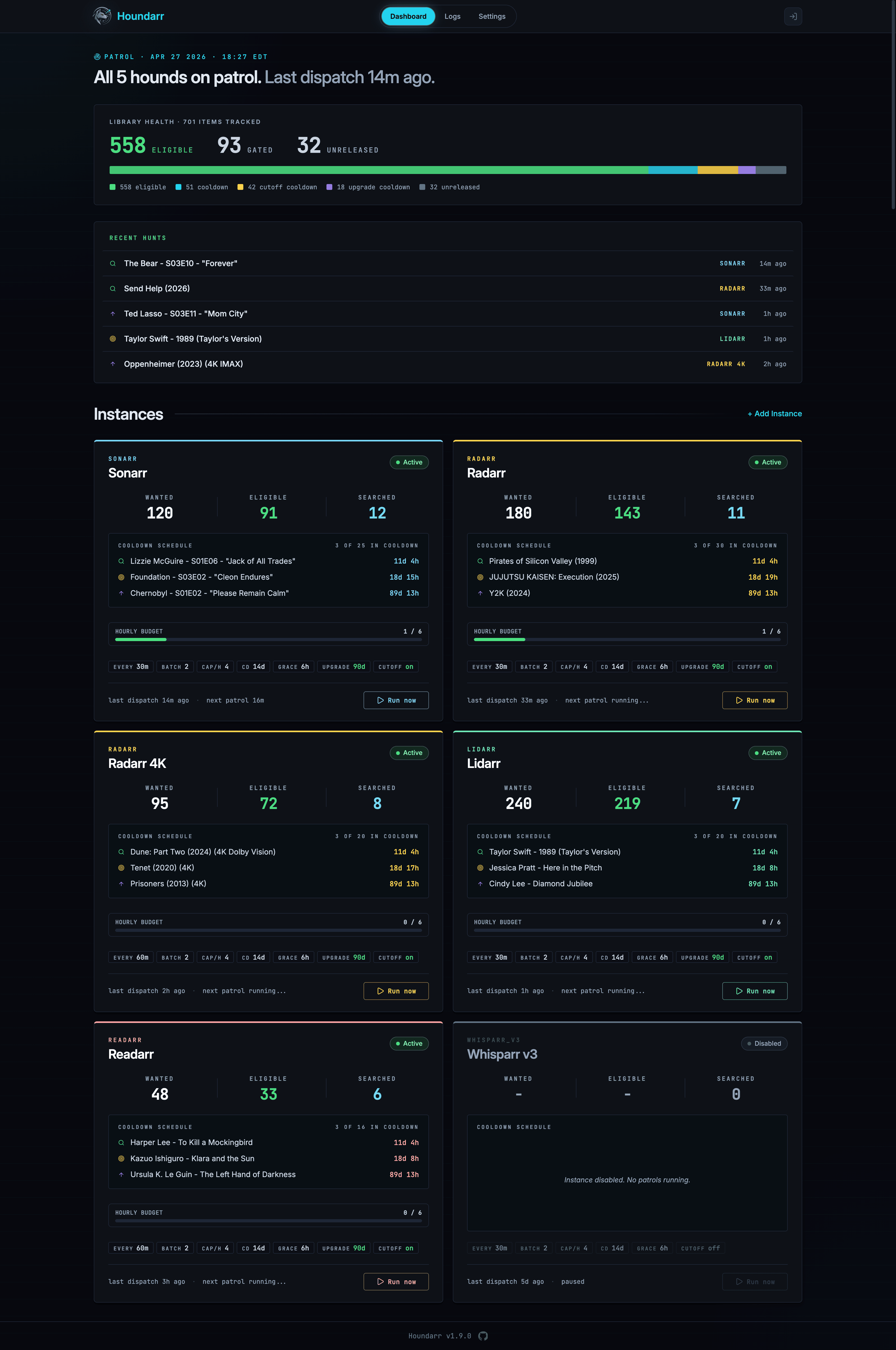
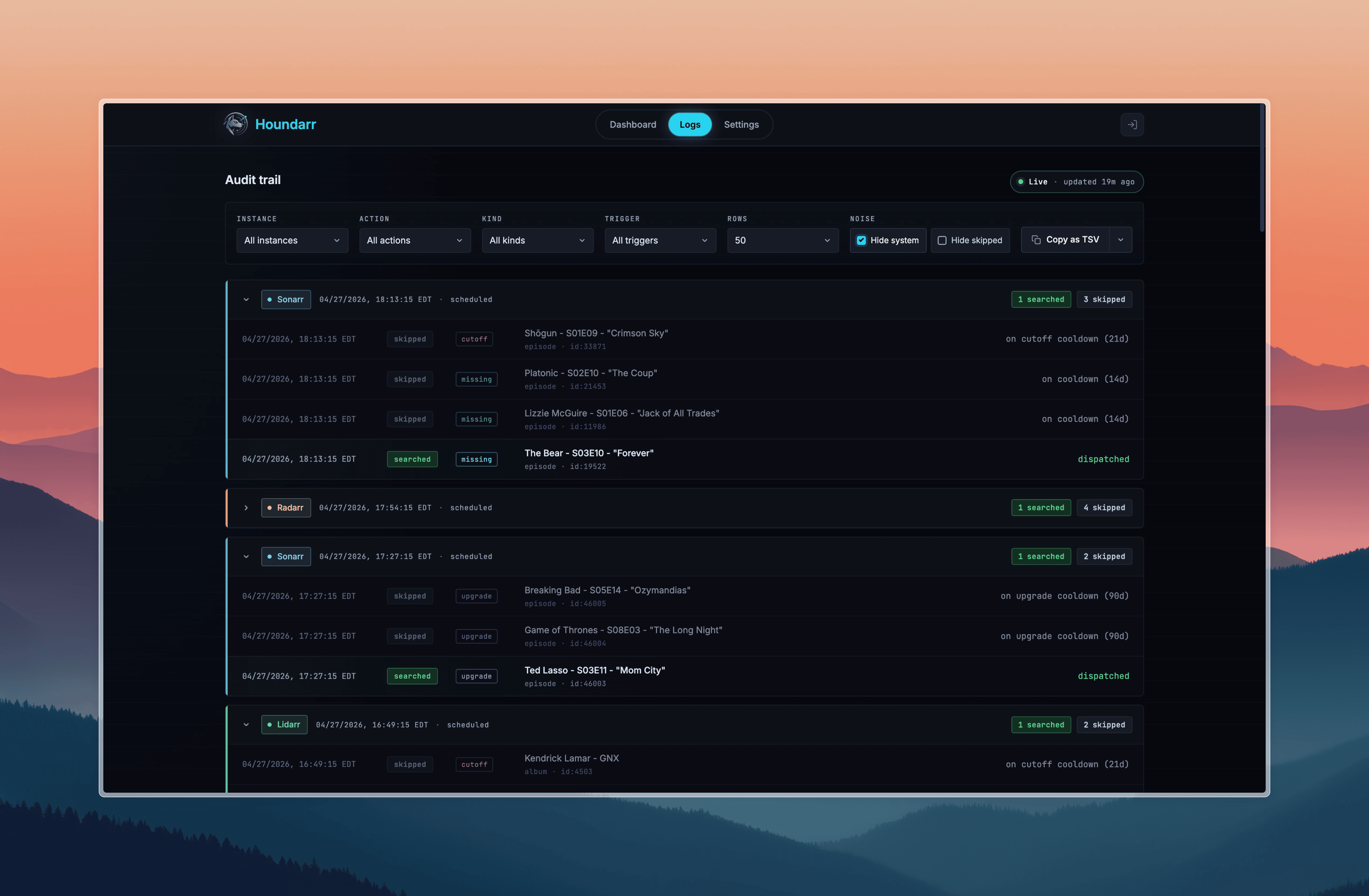
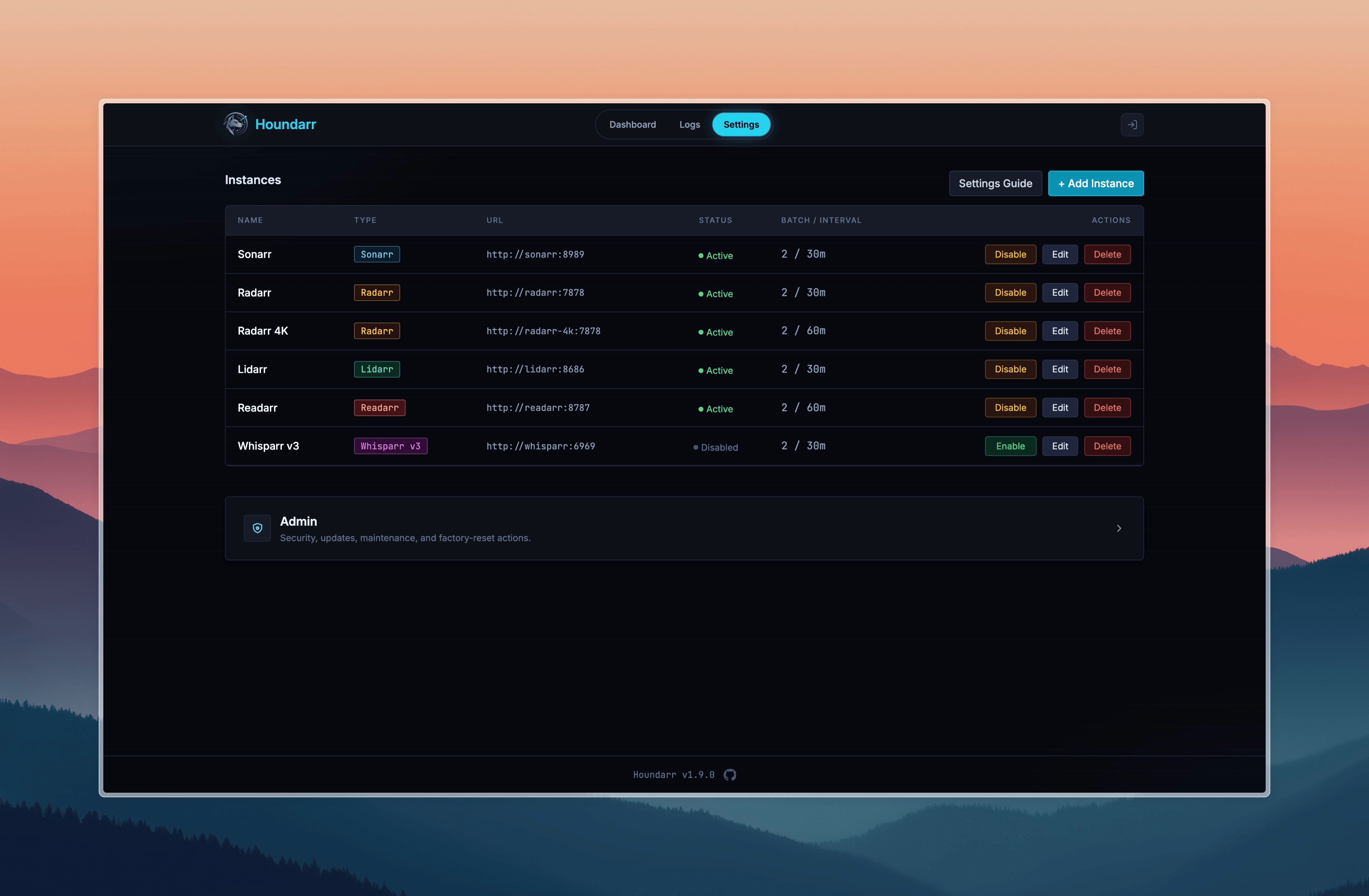
What is Houndarr?
Radarr, Sonarr, Lidarr, Readarr, and Whisparr monitor RSS feeds for new releases, but they do not go back and actively search for content already in your library that is missing or below your quality cutoff. Their built-in "Search All Missing" button fires every item at once, which can overwhelm indexer API limits and get you temporarily banned.
Houndarr fixes this by searching slowly, politely, and automatically. It works through your backlog in small, configurable batches with sleep intervals between cycles, per-item cooldowns, and hourly API caps. It runs as a single Docker container alongside your existing *arr stack and stays out of the way.
What Houndarr does and doesn't do
Does. Trigger searches on your Radarr / Sonarr / Lidarr / Readarr / Whisparr instances for items they already report as missing or below quality cutoff. Read-only REST calls to your configured *arrs plus POST /api/v{1,3}/command for each search. That is the entire network surface.
Doesn't. Phone home, report telemetry, ship obfuscated code, manage download clients, integrate Prowlarr, bundle Usenet or torrent clients, scrape indexers directly, or contact any service outside the *arr instances you configure.
Polite by default. Small batches and long intervals out of the box. Configured caps are the ceiling, not the floor, and Houndarr never ignores an indexer's retry-after. Designed so you never have to think about your indexer's daily budget.
See SECURITY.md for the full security posture.
Key Features
Supported Apps
- Radarr, Sonarr, Lidarr, Readarr, and Whisparr
- Connect multiple instances of each
Search Modes
- Missing media (episodes, movies, albums, books)
- Cutoff-unmet items below your quality profile
- Library upgrades for items that already meet cutoff
- Configurable search context (episode vs. season, album vs. artist, book vs. author)
Rate Limiting and Safety
- Small, configurable batch sizes with sleep intervals between cycles
- Per-item cooldown prevents re-searching the same item too soon
- Per-instance hourly API cap keeps indexer usage in check
- Download-queue backpressure gate skips cycles when the queue is full
- Bounded multi-page scanning so deep backlog items are not starved
- Optional per-instance time windows so scheduled searches only run during configured hours
- Per-instance search order: random (default) spreads picks across the whole backlog each cycle, chronological walks oldest-first
Web UI
- Live dashboard with instance status cards and run-now buttons
- Filterable, searchable log viewer with multi-format copy and export
- Dark-themed interface (FastAPI + HTMX + Tailwind CSS)
Quick Start
Create a docker-compose.yml:
services:
  houndarr:
    image: ghcr.io/av1155/houndarr:latest
    container_name: houndarr
    restart: unless-stopped
    ports:
      - "8877:8877"
    volumes:
      - ./data:/data
    environment:
      - TZ=America/New_York
      - PUID=1000
      - PGID=1000
docker compose up -d
Open http://<your-host>:8877 and create your admin account on the setup screen.
Prefer docker run?
docker run -d \
  --name houndarr \
  --restart unless-stopped \
  -p 8877:8877 \
  -v /path/to/data:/data \
  -e TZ=America/New_York \
  -e PUID=1000 \
  -e PGID=1000 \
  ghcr.io/av1155/houndarr:latest
Replace /path/to/data with an absolute path on your host where Houndarr should store its database and master key.
For environment variables, reverse proxy setup, Kubernetes, Helm, and building from source, see the full documentation. For Homepage dashboard setup, see the Homepage integration guide.
What Houndarr Does NOT Do
- No download-client integration: it triggers searches in your *arr instances, which handle downloads
- No Prowlarr/indexer management: your *arr instances manage their own indexers
- No request workflows: no Overseerr/Ombi-style request handling
- No multi-user support: single admin username and password
- No media file manipulation: it never touches your library files
Security and Trust
- No telemetry, analytics, or call-home. The only outbound connections go to your configured *arr instances.
- Instance API keys are encrypted at rest with Fernet (AES-128-CBC + HMAC-SHA256) and never sent back to the browser.
- Authentication uses bcrypt password hashing, signed session tokens, CSRF protection, and login rate limiting.
- The container runs as a non-root user after PUID/PGID remapping.
- 63 integration tests validate immunity to every finding from the Huntarr.io security review; a live smoke test runs in CI on every PR.
For details on how Houndarr handles credentials, network behavior, and trust boundaries, see Security Overview. To report a vulnerability, see SECURITY.md.
Contributing and Community
For questions, troubleshooting, or casual discussion, join the Houndarr Discord. For bug reports and feature requests, open a GitHub issue.
See CONTRIBUTING.md for development workflow, coding standards, and quality gates.
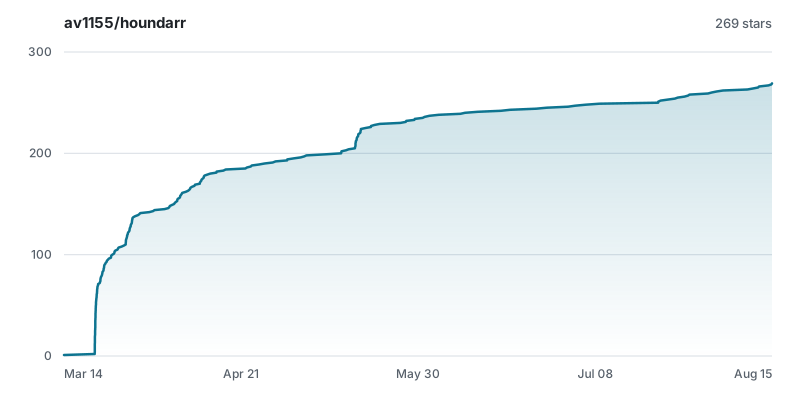
License
Related apps
Explore more like this
Explore allDetails
ghcr.io/av1155/houndarr:latestRuntime arguments
- Web UI
http://[IP]:[PORT:8877]- Network
bridge- Shell
bash- Privileged
- false
Template configuration
Port for the Houndarr web interface.
- Target
- 8877
- Default
- 8877
Persistent storage for the SQLite database and master key. Back this up.
- Target
- /data
- Default
- /mnt/user/appdata/houndarr
Container timezone (e.g. America/New_York, Europe/London).
- Target
- TZ
- Default
- UTC
User ID for file ownership inside the container.
- Default
- 99
Group ID for file ownership inside the container.
- Default
- 100
Set to true when running behind a reverse proxy with HTTPS termination.
- Target
- HOUNDARR_SECURE_COOKIES
- Default
- false
Comma-separated list of trusted reverse-proxy IPs or CIDR subnets for X-Forwarded-For (e.g. 172.18.0.0/16). Required for accurate rate limiting behind a proxy.
- Target
- HOUNDARR_TRUSTED_PROXIES
Authentication mode: builtin (default) or proxy (delegate auth to reverse proxy/SSO).
- Target
- HOUNDARR_AUTH_MODE
- Default
- builtin
Username header from reverse proxy in proxy mode (for example Remote-User). Required when Auth Mode is proxy.
- Target
- HOUNDARR_AUTH_PROXY_HEADER
Days of search log rows Houndarr keeps before the daily retention sweep deletes older entries. 0 disables automatic purges; 7 to 365 overrides the default. Lower this if the dashboard feels slow on a long-running instance.
- Target
- HOUNDARR_LOG_RETENTION_DAYS
- Default
- 30