
All apps · 0 apps

Hermitage
Docker app from Fenris' Repository
Overview
Readme
View on GitHubHermitage v0.6.2
Hermitage is a modern self-hosted web frontend for Navidrome/OpenSubsonic. It runs separately from Navidrome and communicates with the music server through the Subsonic/OpenSubsonic API.
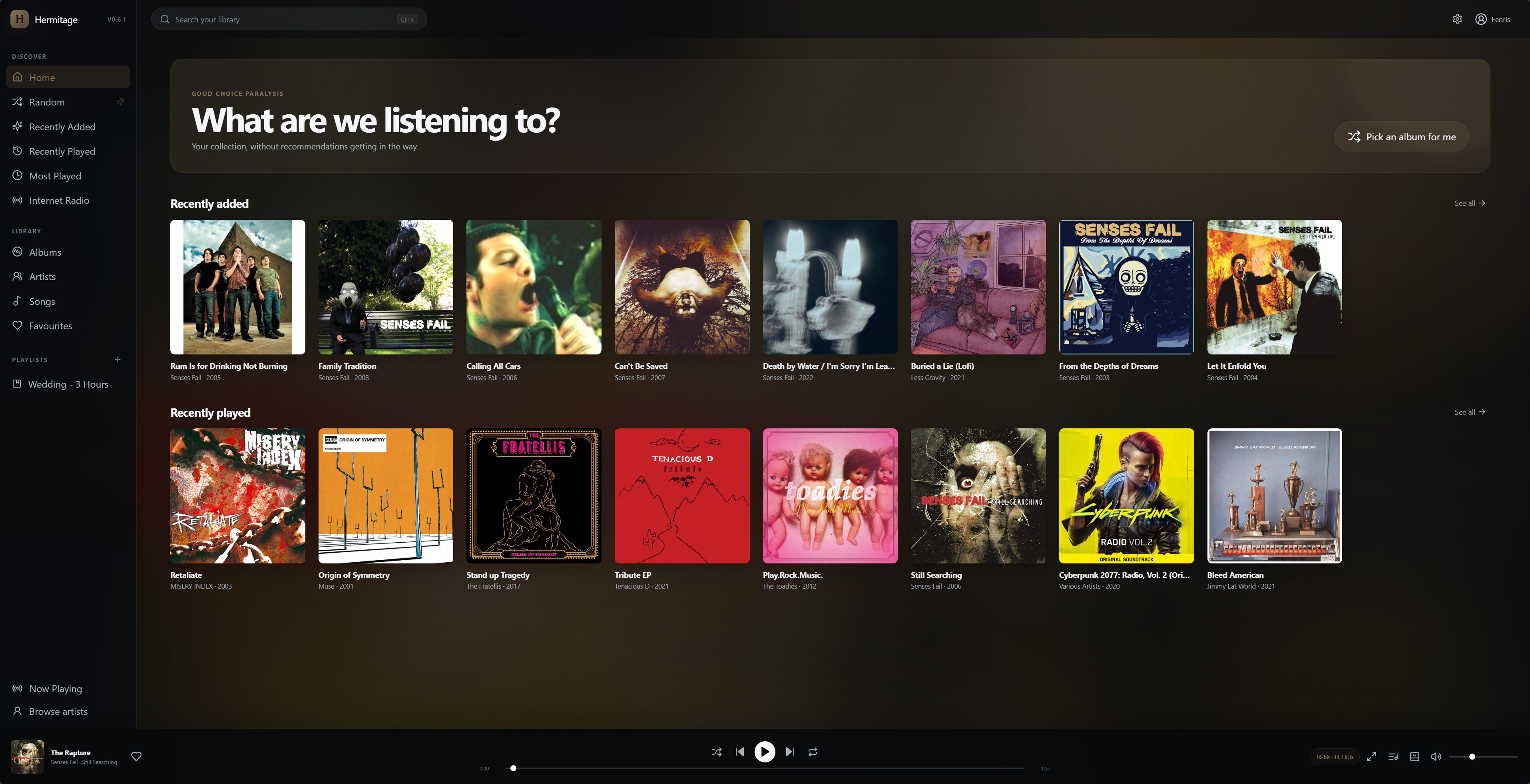
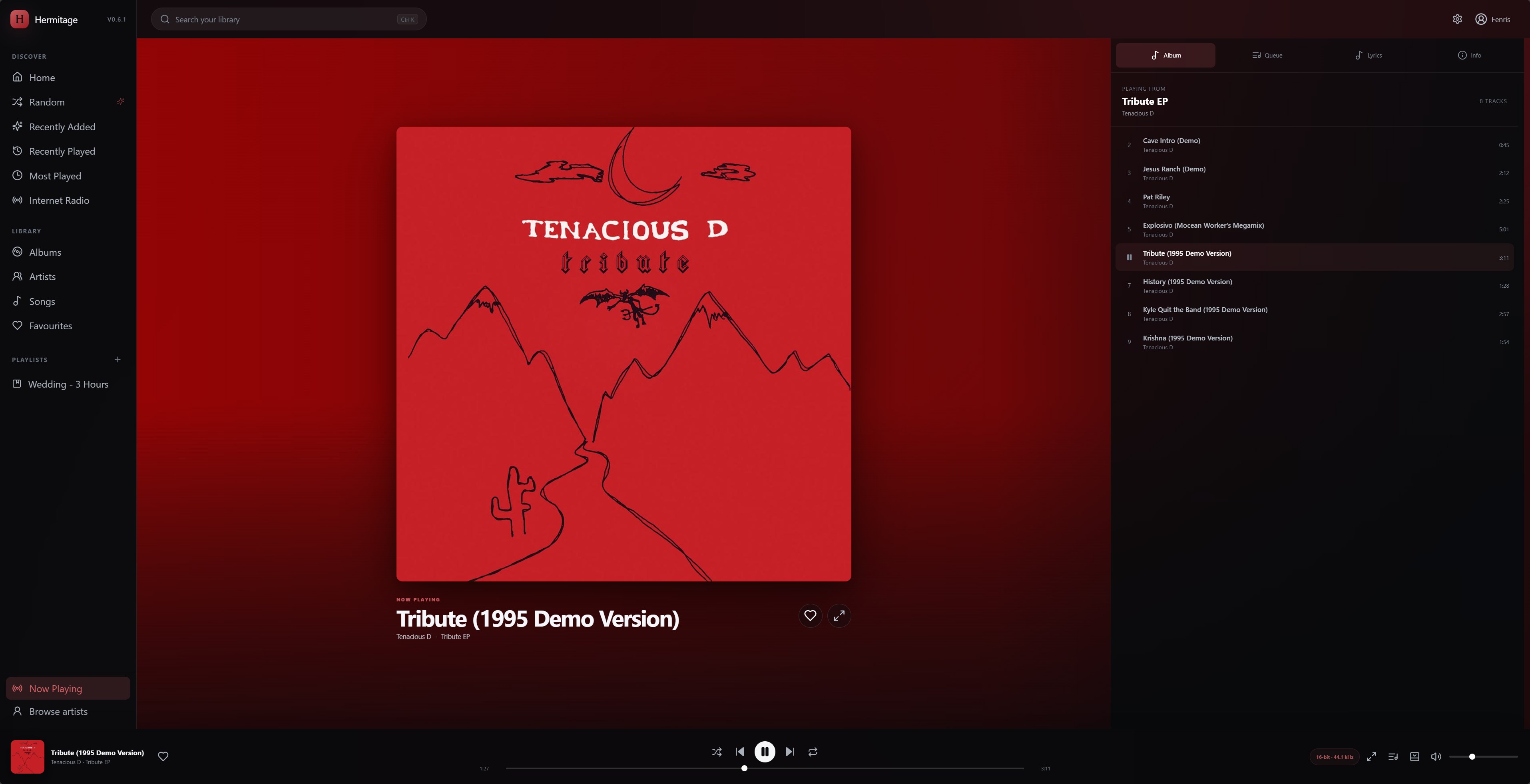
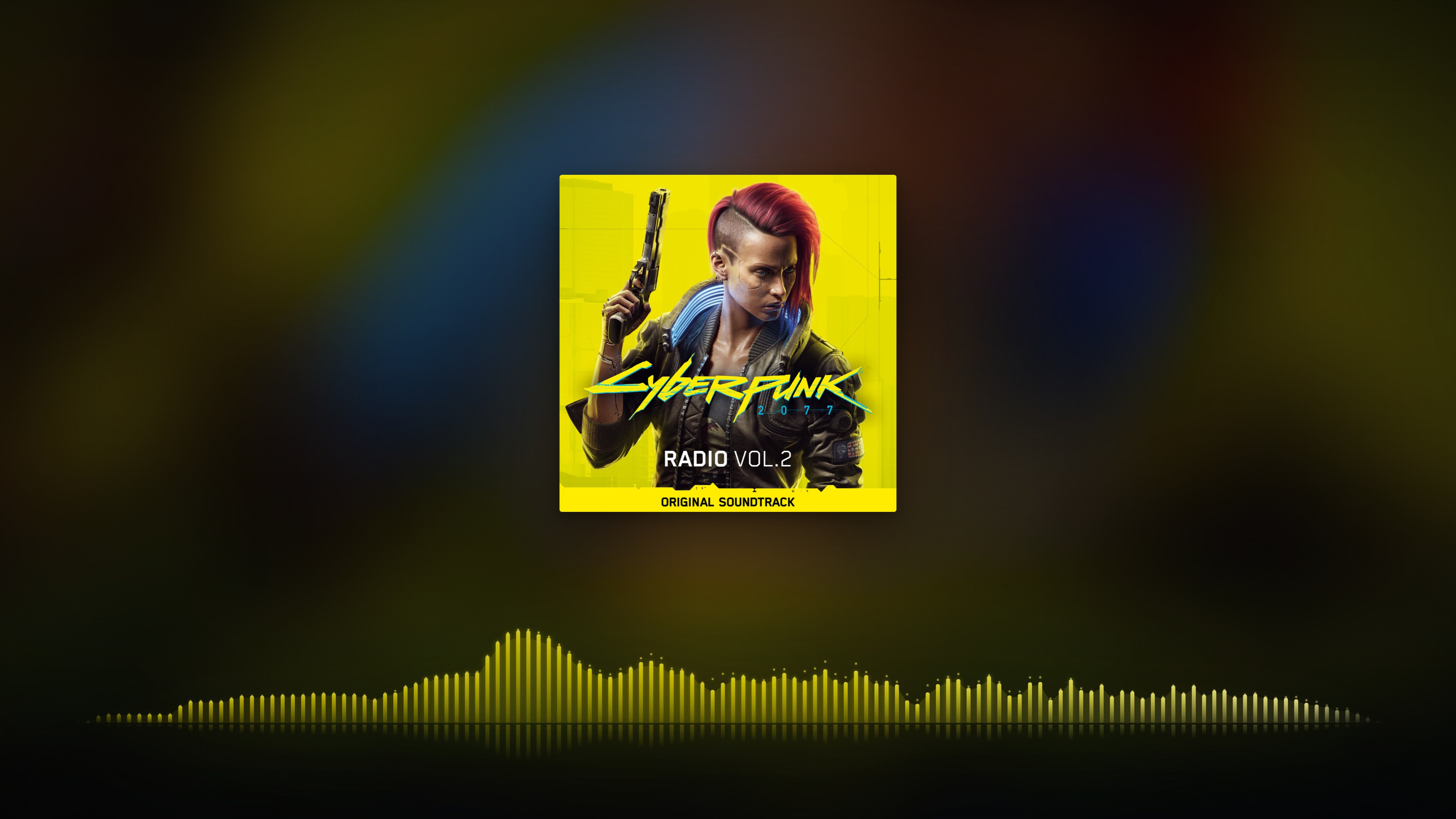
The interface is built around a desktop music-library workflow: artwork-driven themes, a persistent player, immersive fullscreen Now Playing, synced lyrics, a live 20 Hz–20 kHz visualizer, Album/Queue/Lyrics/Info panels, playlists, ratings, ReplayGain, transcoding controls, internet radio, downloads, keyboard navigation, ultrawide layouts and PWA support.
Navidrome remains responsible for the library, metadata, accounts, scanning, streaming and transcoding. Hermitage is the client/UI layer.
Screenshots
Home
Now Playing
Fullscreen Spectrum
v0.6.2 performance changes
v0.6.2 is a remote-playback performance and polish release ahead of Community Apps submission.
- Artwork cache misses now stream to the browser immediately instead of waiting for the entire Navidrome image response to buffer in memory first.
X-Accel-Buffering: nois emitted for artwork responses so reverse proxies such as NGINX Proxy Manager do not hold the first image bytes unnecessarily.- Persistent artwork cache under
/data/cover-cache, retained across container restarts and upgrades. - Concurrent requests for the same artwork rendition are coalesced into one Navidrome resize/fetch.
- Artwork requests use a small set of size buckets, substantially reducing repeated resizing of the same cover at near-identical dimensions.
- Synced lyrics use a local high-frequency playback clock while visible instead of relying only on the browser's relatively coarse
timeupdateevent. - Added an adjustable Lyrics timing offset in Settings (
-2000to+2000ms). Negative values display lyrics earlier. - Corrected the fullscreen synced-lyrics offset calculation to match the normal Now Playing lyrics panel.
- When secure cookies are enabled, direct HTTP LAN access can still establish its own non-Secure host-local session for diagnostics; HTTPS reverse-proxy sessions remain Secure.
All v0.6.0 release hardening and v0.5.1 application features are retained.
v0.6.0 release-candidate changes
v0.6.0 introduced single-server deployments, health checks, login rate limiting, CI/GHCR publishing, the Unraid template and general deployment hardening.
Quick start — local Docker build
git clone https://github.com/FenrisSkoll/hermitage.git
cd hermitage
docker build -t hermitage:0.6.2 .

docker run -d \
  --name hermitage \
  --restart unless-stopped \
  -p 3001:3001 \
  -e HERMITAGE_DATA_DIR=/data \
  -e HERMITAGE_DEFAULT_SERVER_URL=http://192.168.1.50:4533 \
  -e HERMITAGE_LOCK_SERVER_URL=true \
  -e HERMITAGE_ALLOWED_HOSTS=192.168.1.50 \
  -e HERMITAGE_COVER_DISK_CACHE_ITEMS=1200 \
  -v /path/to/hermitage-data:/data \
  hermitage:0.6.2
Open http://<docker-host>:3001.
For a reverse-proxied HTTPS deployment, also set:
HERMITAGE_SECURE_COOKIES=true
HERMITAGE_TRUST_PROXY=1
Quick start — GHCR
Once the repository's release workflow has published the image:
docker pull ghcr.io/fenrisskoll/hermitage:latest
or pin a release:
docker pull ghcr.io/fenrisskoll/hermitage:0.6.2
See docs/PUBLISHING.md for the GitHub/GHCR release process and docs/UNRAID.md for Unraid deployment and Community Apps preparation.
Configuration
| Variable | Default | Purpose |
|---|---|---|
PORT |
3001 |
Hermitage HTTP port inside the container. |
HERMITAGE_DATA_DIR |
/data in Docker |
Persistent encrypted sessions and session key. |
HERMITAGE_DEFAULT_SERVER_URL |
blank | Prefill the Navidrome/OpenSubsonic server URL. |
HERMITAGE_LOCK_SERVER_URL |
false |
When true, force the default server and hide server selection on login. |
HERMITAGE_ALLOWED_HOSTS |
blank | Optional comma-separated allow-list of Navidrome hostnames/IPs, without ports. |
HERMITAGE_SECURE_COOKIES |
false |
Set true when Hermitage is accessed exclusively through HTTPS. |
HERMITAGE_SESSION_TTL_DAYS |
30 |
Sliding session lifetime. |
HERMITAGE_SESSION_SECRET |
generated | Optional stable session-encryption secret. Otherwise /data/session.key is generated. |
HERMITAGE_COVER_CACHE_ITEMS |
160 |
In-process artwork cache size. |
HERMITAGE_COVER_DISK_CACHE_ITEMS |
1200 |
Persistent artwork renditions retained under /data/cover-cache. |
HERMITAGE_LOGIN_RATE_LIMIT |
10 |
Failed login attempts allowed per client IP in a five-minute window. |
HERMITAGE_TRUST_PROXY |
false |
Express trust-proxy setting. Set 1 when exactly one trusted reverse proxy (such as NPM) sits in front of Hermitage. |
Recommended public deployment
For an instance intended to connect only to one Navidrome server:
HERMITAGE_DEFAULT_SERVER_URL=http://192.168.1.50:4533
HERMITAGE_LOCK_SERVER_URL=true
HERMITAGE_ALLOWED_HOSTS=192.168.1.50
HERMITAGE_SECURE_COOKIES=true
The browser can access Hermitage through a public HTTPS hostname while Hermitage talks directly to Navidrome over the local Docker/LAN network.
Health check
GET /api/health
returns a small JSON status object containing the Hermitage version, uptime, session configuration, in-memory artwork-cache count, persistent artwork-cache count and current in-flight artwork requests. The container image also uses this endpoint for Docker health status.
Development
npm install
npm run build
npm start
The CI workflow performs the production Vite/TypeScript build, server syntax check and a Docker image build on pushes and pull requests.
Security
See SECURITY.md. If Hermitage is exposed beyond a trusted LAN, single-server mode plus HERMITAGE_ALLOWED_HOSTS is strongly recommended.
Licence
MIT. See LICENSE.
Media gallery
1 / 3Requirements
Categories
Related apps
Explore more like this
Explore allDetails
ghcr.io/fenrisskoll/hermitage:latestRuntime arguments
- Web UI
http://[IP]:[PORT:3001]- Network
bridge- Shell
bash- Privileged
- false
Template configuration
Hermitage web interface port.
- Target
- 3001
- Default
- 3001
Persistent encrypted sessions and Hermitage server data.
- Target
- /data
- Default
- /mnt/user/appdata/hermitage
Navidrome/OpenSubsonic base URL as reachable from this container.
- Target
- HERMITAGE_DEFAULT_SERVER_URL
Hide server selection from the login screen and force the configured Navidrome URL.
- Target
- HERMITAGE_LOCK_SERVER_URL
- Default
- true
Optional comma-separated hostname/IP allow-list. Do not include ports.
- Target
- HERMITAGE_ALLOWED_HOSTS
Set true only when Hermitage is accessed exclusively over HTTPS.
- Target
- HERMITAGE_SECURE_COOKIES
- Default
- false
Sliding login lifetime in days.
- Target
- HERMITAGE_SESSION_TTL_DAYS
- Default
- 30
Maximum in-process artwork cache entries.
- Target
- HERMITAGE_COVER_CACHE_ITEMS
- Default
- 160
Maximum persistent artwork renditions retained under /data/cover-cache.
- Target
- HERMITAGE_COVER_DISK_CACHE_ITEMS
- Default
- 1200
Failed login attempts allowed per client IP in five minutes.
- Target
- HERMITAGE_LOGIN_RATE_LIMIT
- Default
- 10
Express trust-proxy value. 1 is suitable when one reverse proxy sits in front of Hermitage.
- Target
- HERMITAGE_TRUST_PROXY
- Default
- false