
All apps · 0 apps

HELBOOT
Docker app from Kreuzbube88's Repository
Overview
Readme
View on GitHubHELBOOT
Provisioning engine for homelabs — unattended OS installs over the network




HELBOOT is a provisioning engine for homelabs. Upload an original OS ISO, let HELBOOT detect what it is, create an installation profile, register your machines by MAC address, assign a profile — and get fully automated, unattended OS installations over the network.
PXE is just one boot method. The architecture is built to grow: iPXE, HTTP boot, USB boot images, VM provisioning, cloud-init, Redfish and IPMI are all part of the roadmap.
ℹ️ Docker images are published on GHCR (
:latestand a tag per version). See CHANGELOG.md for release notes and version history, SECURITY.md for the threat model, and ARCHITECTURE.md / the ADRs for the design.
Screenshots
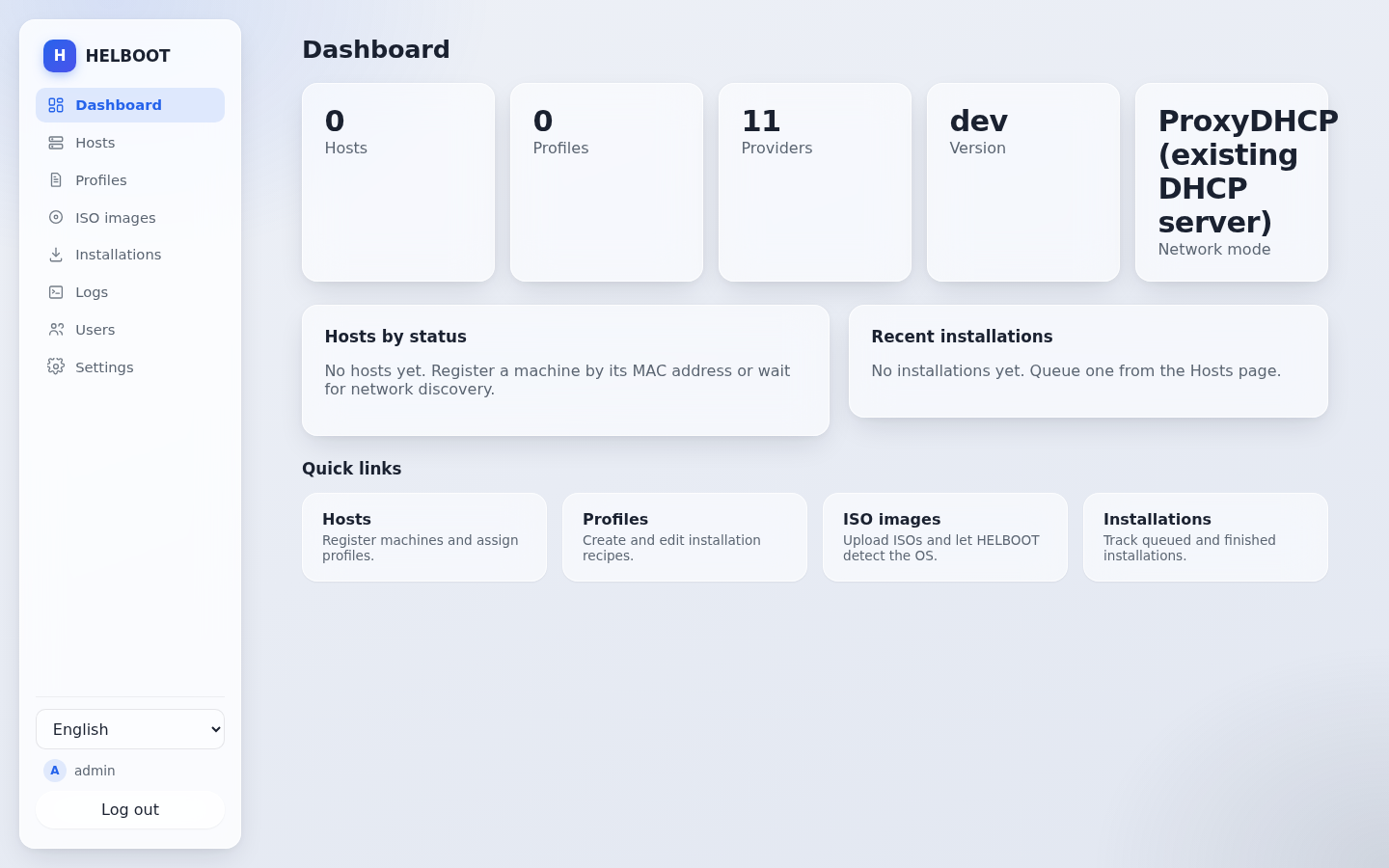
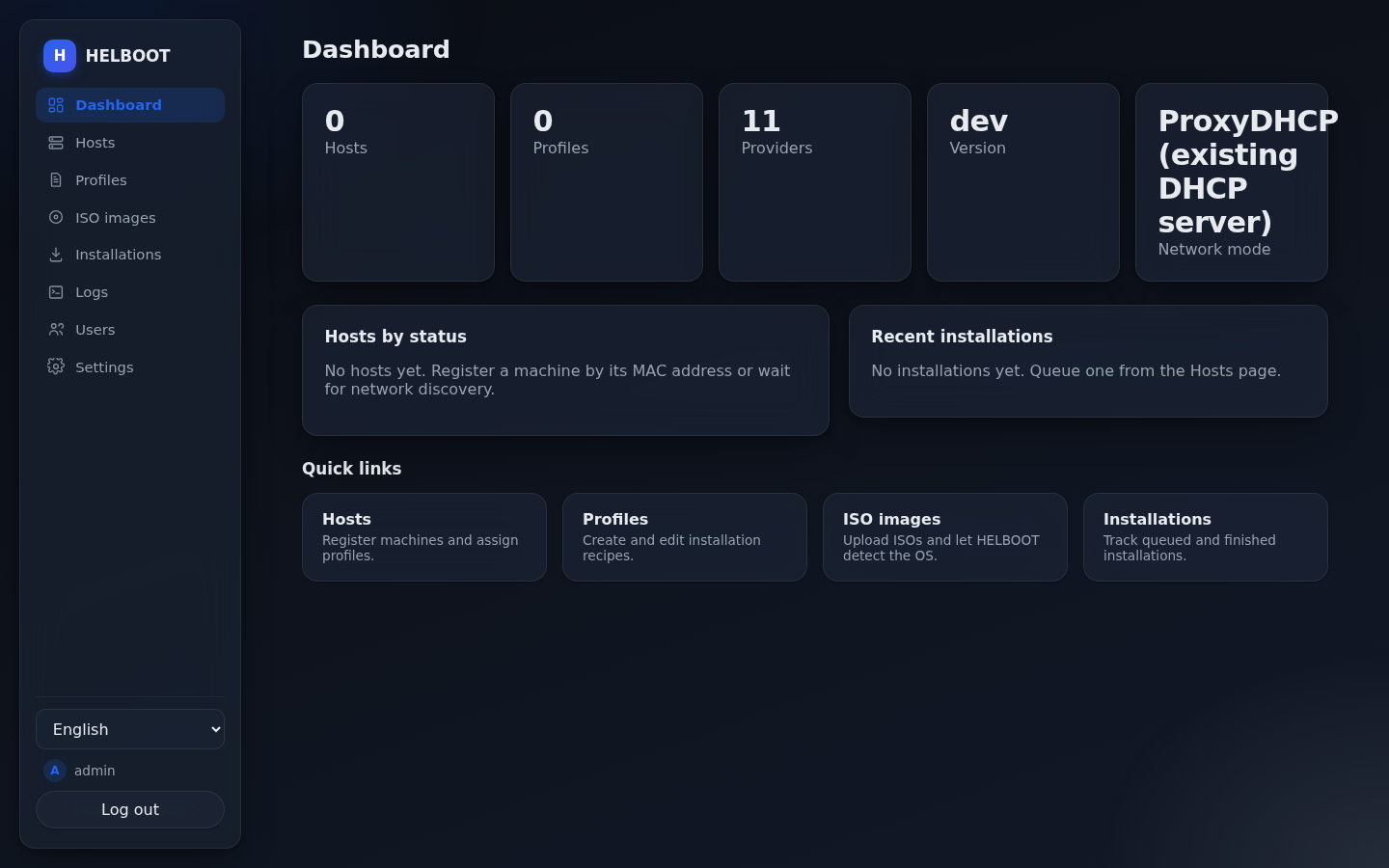
Dashboard overview — light and dark
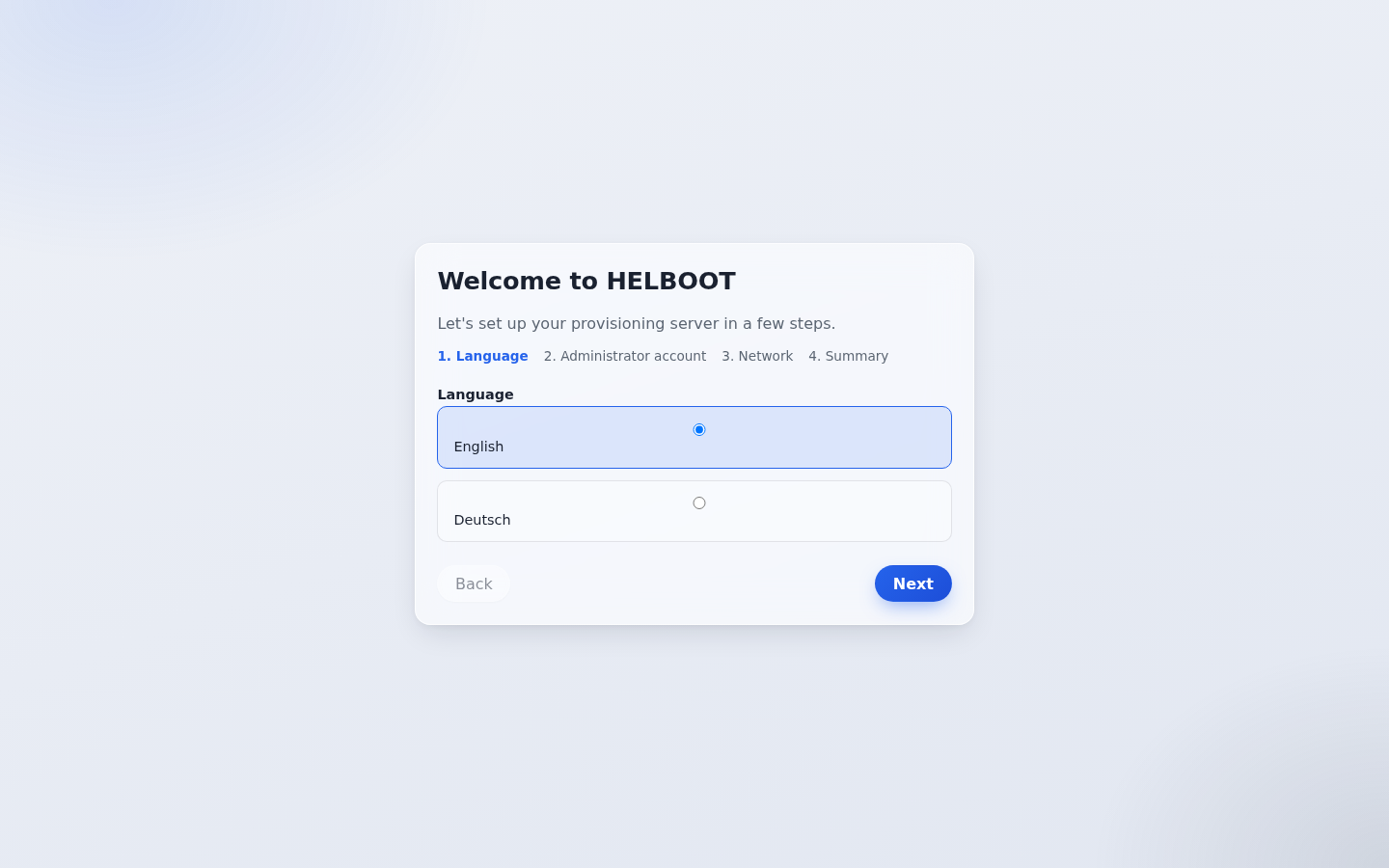
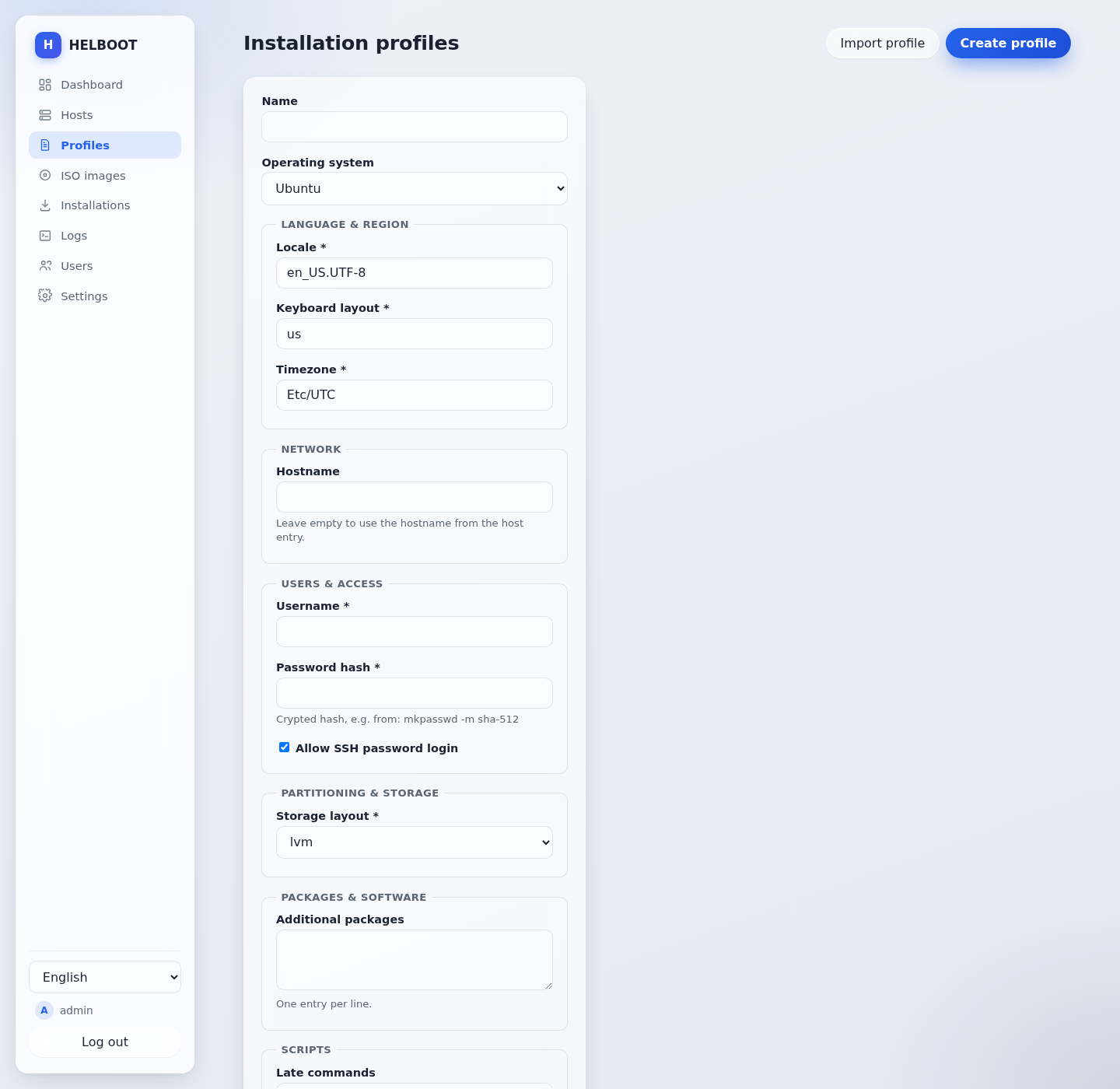
First-run setup wizard, and a profile form generated entirely from the provider's settings schema — no hardcoded per-OS forms
Why HELBOOT?
Existing netboot tools either serve live images only, require deep manual configuration, or are built for enterprise fleets. HELBOOT targets the homelab: one Docker container, a first-run wizard, original (unmodified) ISOs, and profiles that generate the unattended-install answer files for you.
Core concepts
| Concept | What it is |
|---|---|
| Provider | A pluggable module describing one operating system: its boot methods, install methods, required files and answer-file templates. No OS logic is hardcoded. |
| Capability | A declarative description of what a provider supports (pxe, http_boot, unattended_install, secure_boot, …). The UI adapts automatically. |
| Profile | A versioned installation recipe: OS + ISO + language, users, network, partitioning, packages, scripts. |
| Host | A machine registered by MAC address, with vendor, model, tags, assigned profile and installation history. |
| Queue | Planned installations with status tracking: discovered → waiting → installing → success/error. |
Supported operating systems
- Windows: 10, 11, Server 2022, Server 2025
- Linux: Debian, Ubuntu, Fedora, openSUSE
- Virtualization: Proxmox VE, VMware ESXi
- NAS: TrueNAS SCALE
Where full automation is not technically possible for an OS, the provider documents its limitations and the UI reflects them via capabilities — for example TrueNAS SCALE network-boots its installer but has no unattended answer-file format of its own.
HELBOOT only ships providers it can install fully unattended over the network (or, like TrueNAS SCALE, at least network-boot). Operating systems that ship as pre-built disk images with no network-install path of their own (e.g. DietPi, Home Assistant OS) are out of scope until HELBOOT gains a network image-write capability — see the provider request template if you'd like to help design that.
Network modes
- Mode A — existing DHCP (e.g. a FRITZ!Box): HELBOOT runs ProxyDHCP, PXE/iPXE, TFTP and HTTP boot alongside your router. No changes to your network required.
- Mode B — HELBOOT DHCP: HELBOOT provides DHCP itself, plus PXE, TFTP and HTTP.
Deployment
One Docker image, one container. Host networking is the recommended mode (required for DHCP/ProxyDHCP broadcast traffic). See DOCKER.md and UNRAID.md for details, including the Unraid Community Applications template.
docker run -d \
  --name helboot \
  --network host \
  -v /path/to/data:/data \
  -v /path/to/isos:/data/isos \
  ghcr.io/kreuzbube88/helboot:latest
Pin an explicit version instead of :latest (e.g. :1.0.1) if you
prefer controlled, deliberate upgrades — see
CHANGELOG.md for what changed between releases.
On first start, the web UI walks you through a setup wizard: language, admin account, network mode, storage locations, and optionally your first ISO and profile.
Tech stack
- Backend: Go — single static binary, REST API with OpenAPI spec
- Frontend: React + TypeScript, fully internationalized (English and German)
- Database: SQLite with migrations, backup and restore
- Auth: Local users (Argon2id) with roles (Administrator, Operator, Viewer); OIDC-ready
See the Architecture Decision Records for the reasoning behind each choice.
Documentation
License
HELBOOT is licensed under the GNU Affero General Public License v3.0.
Install HELBOOT on Unraid in a few clicks.
Find HELBOOT in Community Apps on your Unraid server, review the template, and click Install. Unraid handles the Docker app or plugin setup from the published template.
Categories
Related apps
Explore more like this
Explore allDetails
ghcr.io/kreuzbube88/helboot:latestRuntime arguments
- Web UI
http://[IP]:[PORT:8080]/- Network
host- Shell
sh- Privileged
- false
Template configuration
HELBOOT state: database, generated boot assets, logs, secrets.
- Target
- /data
- Default
- /mnt/user/appdata/helboot
- Value
- /mnt/user/appdata/helboot
Optional: existing share with original OS ISO files. HELBOOT never modifies them.
- Target
- /data/isos
- Default
- /mnt/user/isos
- Value
- /mnt/user/isos
HTTP listen address for the web UI, API and HTTP boot (host network). Format :PORT.
- Target
- HELBOOT_HTTP_ADDR
- Default
- :8080
- Value
- :8080
Log verbosity: debug, info, warn or error.
- Target
- HELBOOT_LOG_LEVEL
- Default
- info
- Value
- info