
All apps · 0 apps

GoDoxy
Docker app from grtgbln's Repository
Overview
Readme
View on GitHub


A lightweight, simple, and performant reverse proxy with WebUI.
Website | Wiki | Discord
EN | 简体中文 | 繁體中文
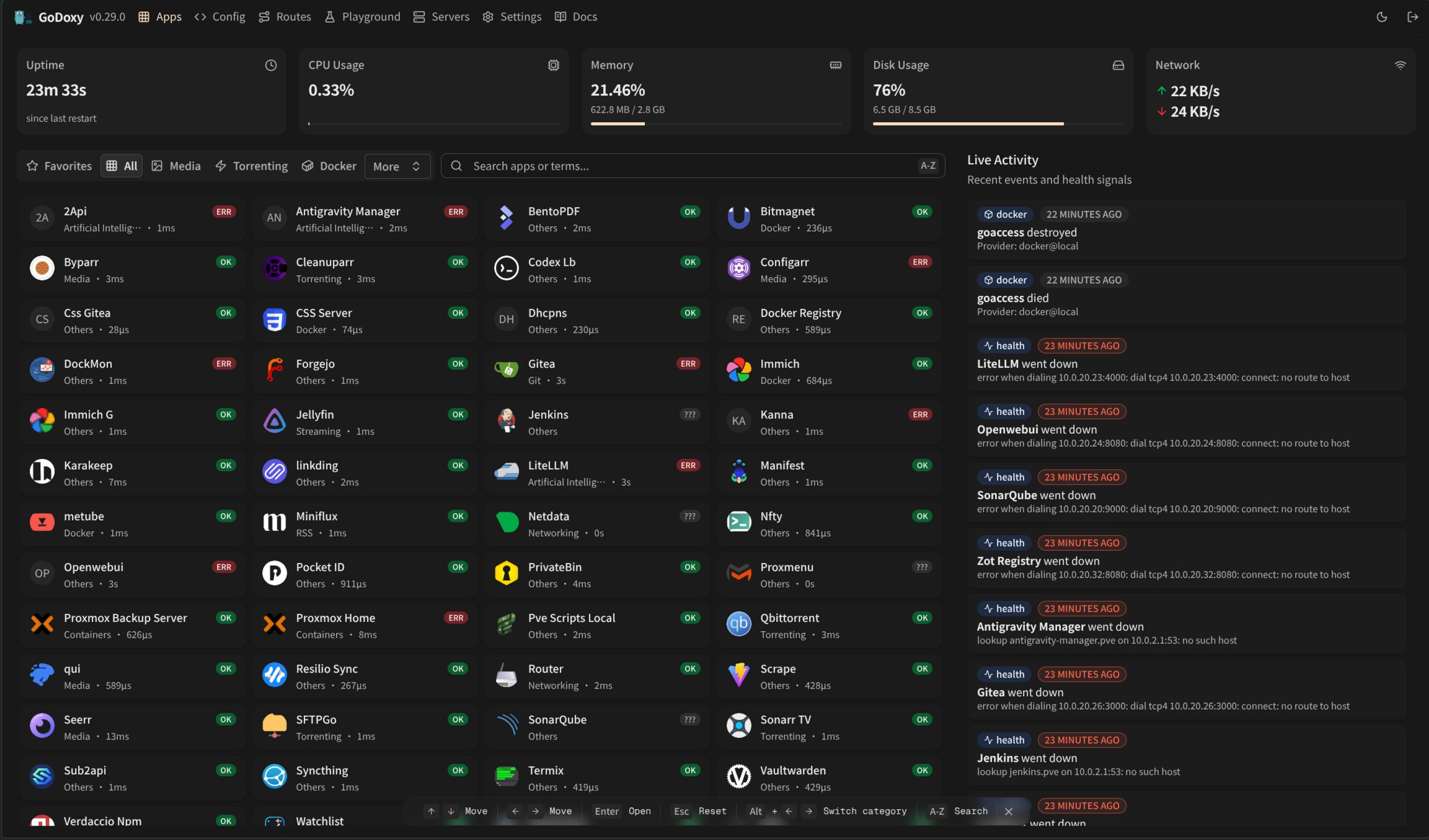
Running demo
Quick start
Configure Wildcard DNS Record(s) to point to machine running GoDoxy, e.g.
- A Record:
*.domain.com->10.0.10.1 - AAAA Record (if you use IPv6):
*.domain.com->::ffff:a00:a01
[!NOTE] GoDoxy is designed to be running in
hostnetwork mode, do not change it.To change listening ports, modify
.env.
Prepare a new directory for Docker Compose and config files.
Run setup script inside the directory, or set up manually
/bin/sh -c "$(curl -fsSL https://raw.githubusercontent.com/yusing/godoxy/main/scripts/setup.sh)"Start the docker compose service from generated
compose.yml:docker compose up -dYou may now do some extra configuration on WebUI
https://godoxy.yourdomain.com
Key features
- Simple setup
- Configure routes with Docker labels or route files
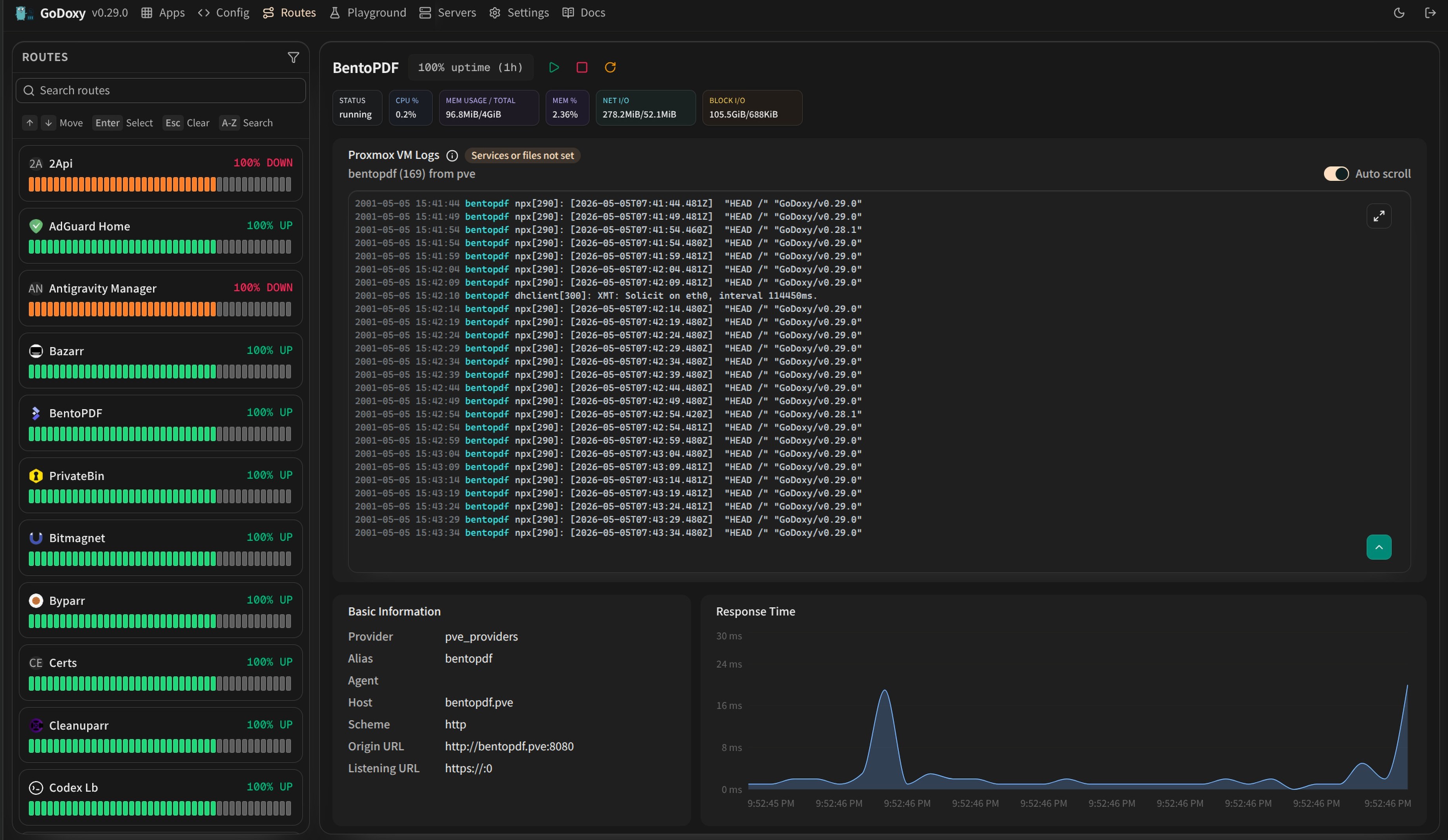
- Manage routes, config, containers, logs, metrics, and uptime from the WebUI
- Use multi-node Docker setups
- Automatic routing
- Discover Docker and Podman containers
- Hot-reload config and container state changes
- Manage Let's Encrypt certificates with DNS-01 providers
- Traffic management
- HTTP reverse proxy
- TCP/UDP port forwarding
- OpenID Connect SSO
- ForwardAuth integration, e.g. TinyAuth
- HTTP middlewares
- Custom error pages
- Access control
- IP/CIDR rules
- Country and timezone rules with a MaxMind account
- Access logging
- Periodic access summaries

- Idle sleep
- Stop and wake Docker containers based on traffic
- Stop and wake Proxmox LXC containers based on traffic
- Proxmox integration
- Bind routes automatically to nodes or LXC containers
- Start, stop, and restart LXC containers from the WebUI
- Stream node and LXC logs through WebSocket
- Platform support
- Linux amd64
- Linux arm64
How GoDoxy works
- List all the containers
- Read container name, labels, and port configurations for each of them
- Create a route if applicable (a route is like a "Virtual Host" in NPM)
- Watch for container / config changes and update automatically
[!NOTE] GoDoxy uses the label
proxy.aliasesas the subdomain(s), if unset it defaults to thecontainer_namefield in docker compose.For example, with the label
proxy.aliases: qbtyou can access your app viaqbt.domain.com.
Screenshots
idlesleeper
Metrics and Logs
 |
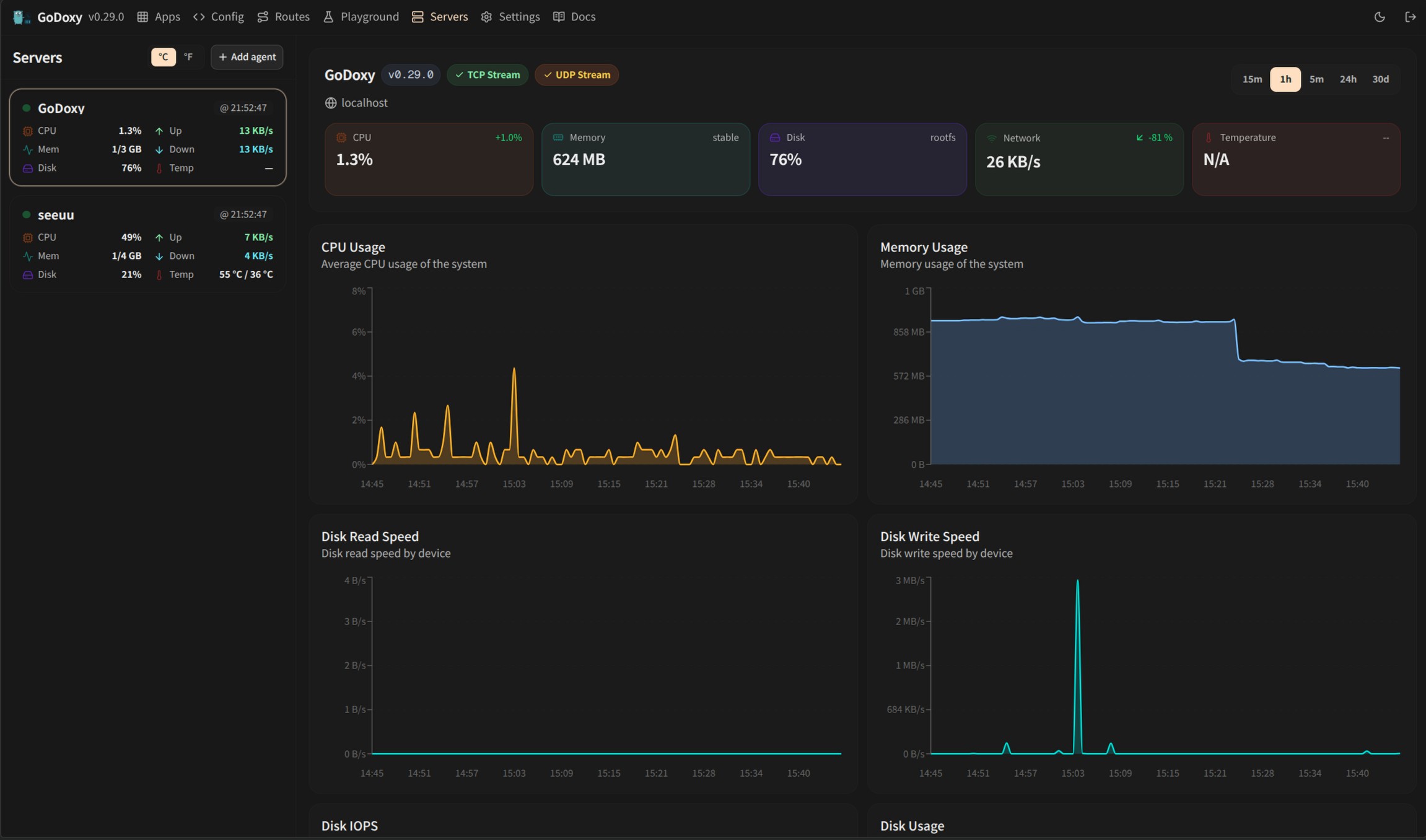 |
| Routes | Servers |
Proxmox Integration
GoDoxy can automatically discover and manage Proxmox nodes and LXC containers through configured providers.
Automatic Route Binding
Routes are automatically linked to Proxmox resources through reverse lookup:
- Node-level routes (VMID = 0): When hostname, IP, or alias matches a Proxmox node name or IP
- Container-level routes (VMID > 0): When hostname, IP, or alias matches an LXC container
This enables seamless proxy configuration without manual binding:
routes:
  pve-node-01:
    host: pve-node-01.internal
    port: 8006
    # Automatically links to Proxmox node pve-node-01
WebUI Management
From the WebUI, you can:
- LXC Lifecycle Control: Start, stop, restart containers
- Node Logs: Stream real-time journalctl or log files output from nodes
- LXC Logs: Stream real-time journalctl or log files output from containers
Update / uninstall system agent
Installer supports both systemd and Alpine/OpenRC (rc-service) hosts.
Update:
sh -c "$(curl -fsSL https://github.com/yusing/godoxy/raw/refs/heads/main/scripts/install-agent.sh)" -- update
Uninstall:
sh -c "$(curl -fsSL https://github.com/yusing/godoxy/raw/refs/heads/main/scripts/install-agent.sh)" -- uninstall
Manual Setup
Make
configdirectory then grabconfig.example.ymlintoconfig/config.ymlmkdir -p config && wget https://raw.githubusercontent.com/yusing/godoxy/main/config.example.yml -O config/config.ymlGrab
.env.exampleinto.envwget https://raw.githubusercontent.com/yusing/godoxy/main/.env.example -O .envGrab
compose.example.ymlintocompose.ymlwget https://raw.githubusercontent.com/yusing/godoxy/main/compose.example.yml -O compose.yml
Folder structure
├── certs
│   ├── cert.crt
│   └── priv.key
├── compose.yml
├── config
│   ├── config.yml
│   ├── middlewares
│   │   ├── middleware1.yml
│   │   ├── middleware2.yml
│   ├── provider1.yml
│   └── provider2.yml
├── data
│   ├── metrics # metrics data
│   │   ├── uptime.json
│   │   └── system_info.json
└── .env
Build from source
Clone the repository
git clone https://github.com/yusing/godoxy --depth=1Install / Upgrade go (>=1.22) and
shadowtreeif not alreadyClear cache if you have built this before (go < 1.22) with
go clean -cacheGet dependencies with
shadowtree mod-tidyBuild binary with
shadowtree build
Star History
Requirements
Expects a config file in the Config Path directory: https://github.com/yusing/go-proxy/wiki/Configurations#config-file-example
Download Statistics
Related apps
Explore more like this
Explore allDetails
ghcr.io/yusing/godoxy:latestRuntime arguments
- Network
host- Privileged
- false
Template configuration
Run `openssl rand -base64 32` to generate.
- Target
- GODOXY_API_JWT_SECRET
JWT expiry time
- Target
- GODOXY_API_JWT_TOKEN_TTL
- Default
- 1h
- Value
- 1h
API username
- Target
- GODOXY_API_USER
- Default
- admin
- Value
- admin
API password
- Target
- GODOXY_API_PASSWORD
API address
- Target
- GODOXY_API_ADDR
- Default
- 127.0.0.1:8888
- Value
- 127.0.0.1:8888
HTTP port
- Target
- GODOXY_HTTP_ADDR
- Default
- :80
- Value
- :80
HTTPS port
- Target
- GODOXY_HTTPS_ADDR
- Default
- :443
- Value
- :443
Block HTTP connections
- Target
- GODOXY_API_JWT_SECURE
- Default
- true|false
- Value
- true
Path to the config directory
- Target
- /app/config
- Default
- /mnt/user/appdata/go_doxy/config
- Value
- /mnt/user/appdata/go_doxy/config
Path to the error pages directory
- Target
- /app/error_pages
- Default
- /mnt/user/appdata/go_doxy/error_pages
- Value
- /mnt/user/appdata/go_doxy/error_pages
Path to the certs directory
- Target
- /app/certs
- Default
- /mnt/user/appdata/go_doxy/certs
- Value
- /mnt/user/appdata/go_doxy/certs
Path to the Docker socket
- Target
- /var/run/docker.sock
- Default
- /var/run/docker.sock
- Value
- /var/run/docker.sock
- Target
- SOCKET_PROXY_LISTEN_ADDR
- Default
- 127.0.0.1:2375
- Value
- 127.0.0.1:2375
Enable debug mode
- Target
- GODOXY_DEBUG
- Default
- false|true
Prometheus address
- Target
- GODOXY_PROMETHEUS_ADDR
- Target
- GODOXY_UID
- Default
- 99
- Value
- 99
- Target
- GODOXY_GID
- Default
- 100
- Value
- 100