

goatmediastackarr
Docker app from bdlnaredi's Repository
Overview
Sonarr, Radarr, Lidarr, Prowlarr, Bazarr, qBittorrent, SABnzbd, Jellyfin and Seerr, plus optional Tautulli, Plex and FlareSolverr. They're all connected to each other on first start, behind one interface and one login. A built-in VPN (WireGuard or OpenVPN) with a kill switch covers the download apps only. Runs on x86 and 64-bit ARM. Web page on port 2806.
Before you install: storage
- Image: about 2.4 GB on x86 and 2.2 GB on ARM. Make sure your Docker image file has room.
- App data grows over time. Jellyfin's (and Plex's) artwork, thumbnails and databases can reach many GB in a big library. Keep App data on your cache or another SSD, not the array. Jellyfin won't start with less than 2 GB free there.
- Separate Media and Downloads folders (the default) means finished downloads are copied into your library. A torrent that keeps seeding takes up its space twice until you remove it. To avoid this, map one shared folder and set "Media folder in container" and "Downloads folder in container" inside it; then files are hardlinked instead of copied.
Before you install: data loss
- App data holds every app's settings and database in one folder. Deleting it, or a broken disk, wipes all of them at once. Back it up, for example with the Appdata Backup plugin. Removing or reinstalling the container is safe; deleting the folder is not.
- Sonarr, Radarr and Lidarr manage your media folder. They rename and move files, replace files with better copies when they upgrade (the old file is deleted unless you set a recycle bin in their settings), and delete files from disk if you choose "delete files" when removing a show, movie or artist.
- Don't run this alongside your existing Sonarr, Radarr or qBittorrent on the same media folder. Both setups will download, rename and upgrade the same files. Bring your setup in from the Stack page, then stop the old containers.
- Importing replaces settings with the same name. Bringing in your existing setup copies its quality profiles, custom formats, delay and release profiles and file naming, and replaces any with the same name in the built-in apps. Your old apps are only read from, and media files are never moved or copied.
- latest is rebuilt every Monday with the newest version of each app. App updates can upgrade their databases in ways an older version can't read, so going back to an older image may not work. Back up App data before updating. For fewer surprises, use a version tag like :0.3.0 instead of latest.
- This is early software (version 0.x). Test it before trusting it with a library you can't replace.
VPN and network
- The container needs NET_ADMIN and /dev/net/tun for the VPN; these are already in the template. It does not run privileged.
- With the VPN on, the download apps stay offline until a working VPN file is in App data/vpn. That's the kill switch at work, not a fault.
- With the VPN off, torrent and usenet traffic uses your own internet connection.
- Ports 2806, 8096 (Jellyfin) and 5055 (Seerr) each have their own login. Don't open them to the internet without a reverse proxy or a VPN of your own.
Good to know
- Plex isn't included in the image. When you turn it on, it's downloaded from plex.tv on first start, and it's proprietary software under Plex's own terms.
- FlareSolverr is x86 only. When turned on, it downloads itself (with a browser) on first start.
- Files are written as PUID/PGID (99:100 on Unraid). Existing files in your media folder are never re-owned.
Readme
View on GitHub
GoatMediaStackarr
A whole self-hosted media stack in one container, behind one interface and one login, with a built-in VPN for the download apps.
Install one container and you get Sonarr, Radarr, Lidarr, Prowlarr, Bazarr, qBittorrent, SABnzbd, Jellyfin, Seerr and (optionally) Plex and Tautulli, already set up and connected to each other. You don't install, configure or link the separate apps.
Status: early (0.1). This first stage is the container foundation: every engine bundled, wired together automatically, the VPN with its kill switch, and the interface (built from MediaHub) with the built-in apps added for you. A setup wizard, a VPN badge and a usenet-server screen come next.
Screenshots
|
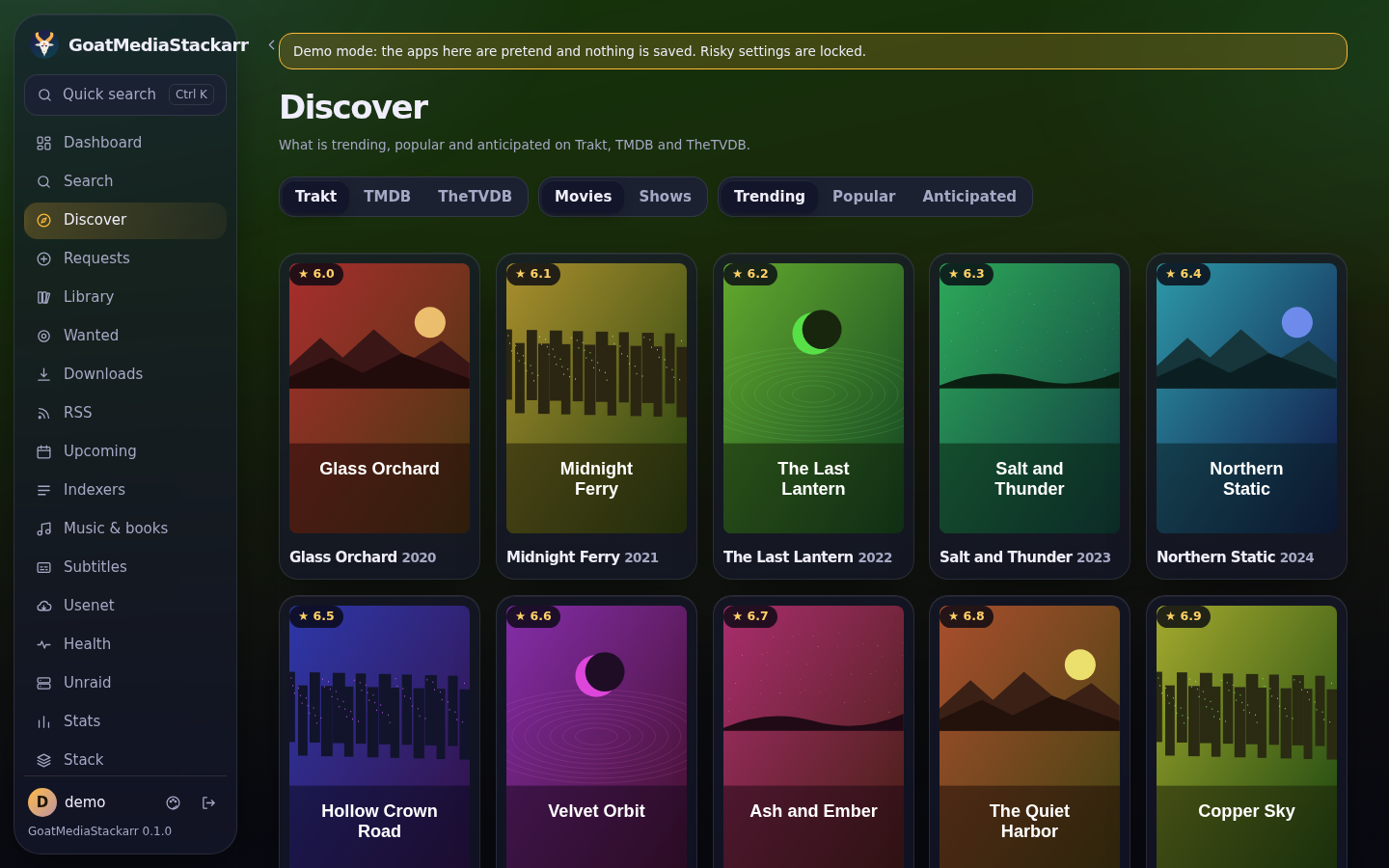 |
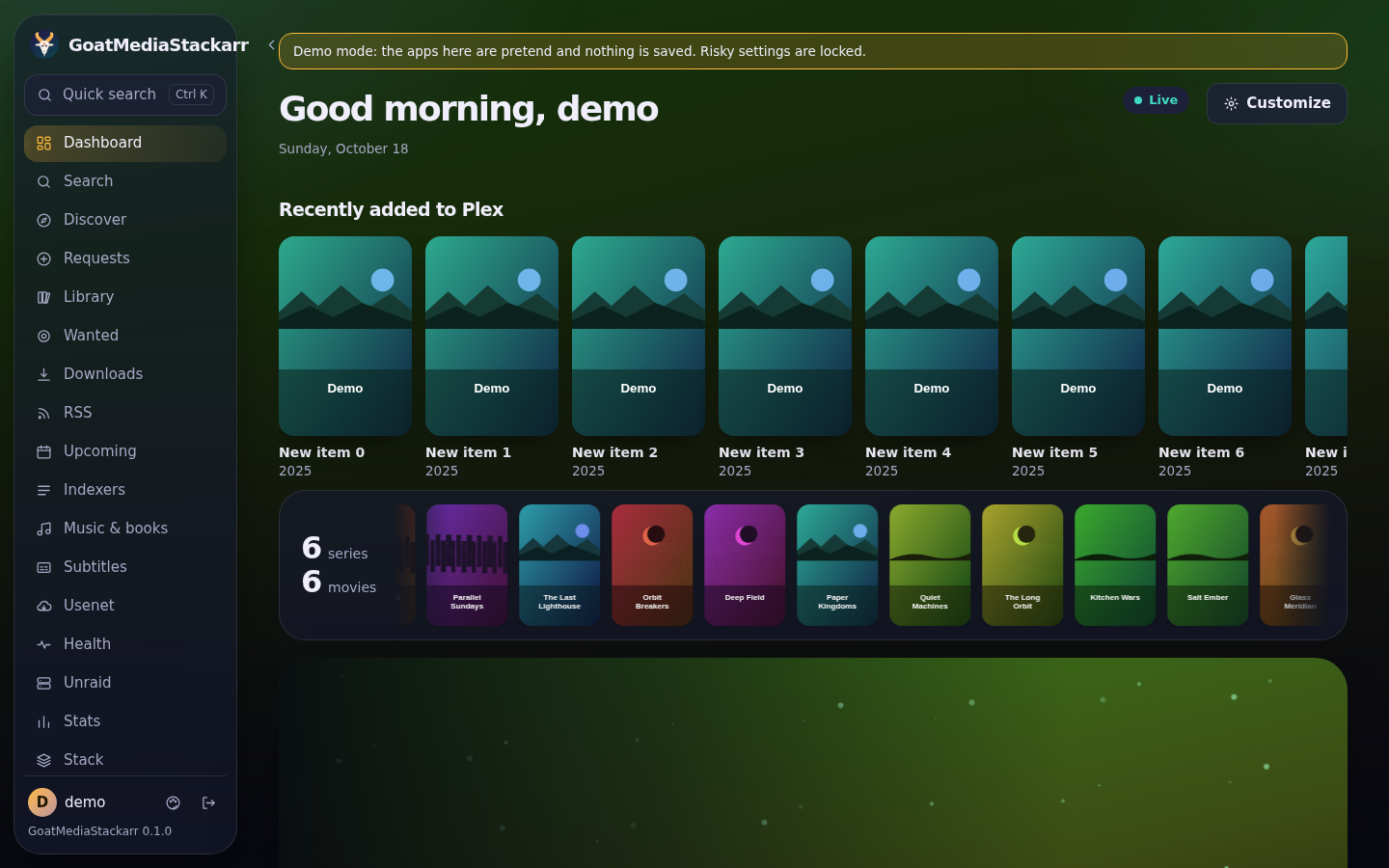
| Dashboard: every app's status, what's downloading and what's new | Discover: trending and popular titles to request |
 |
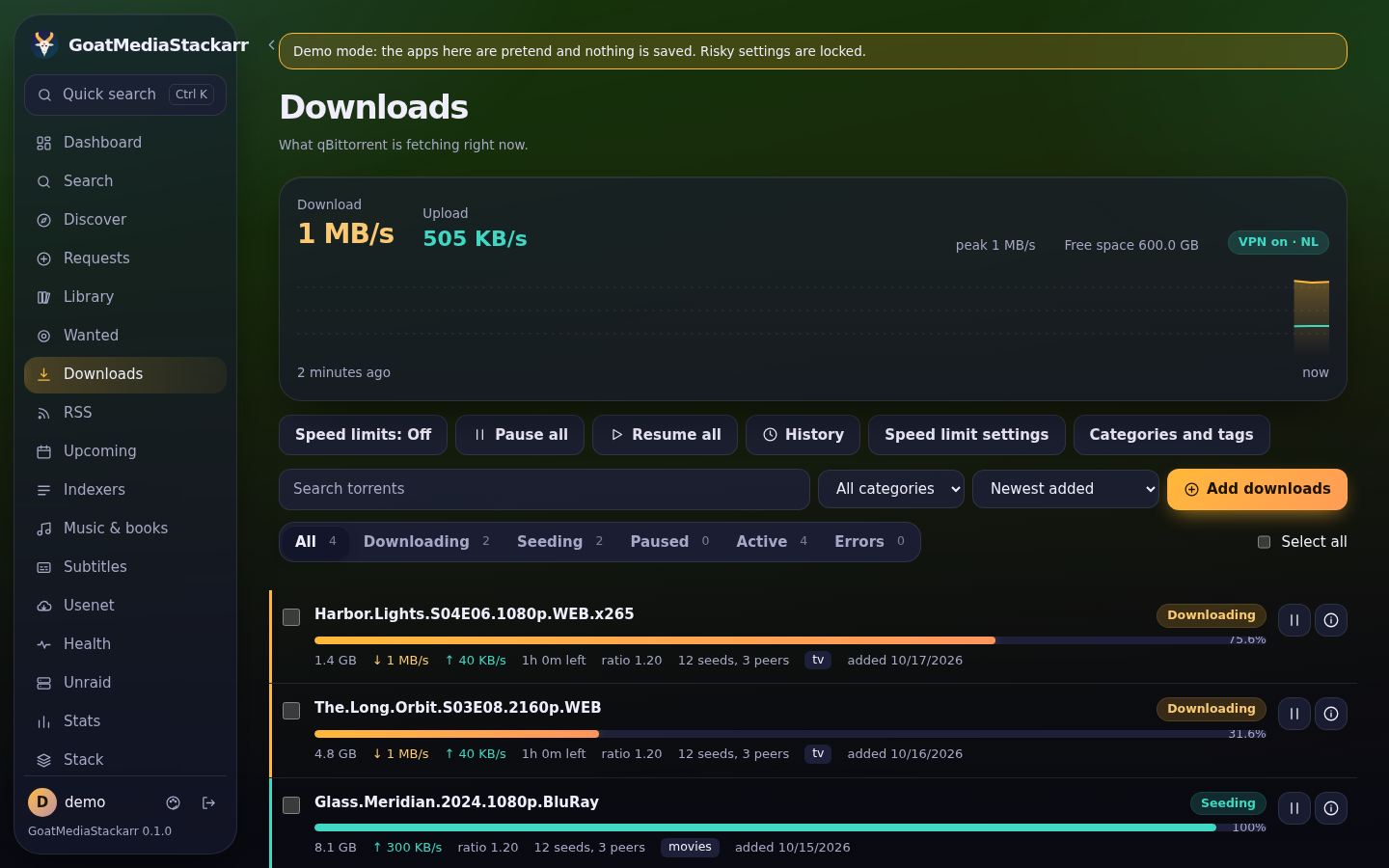 |
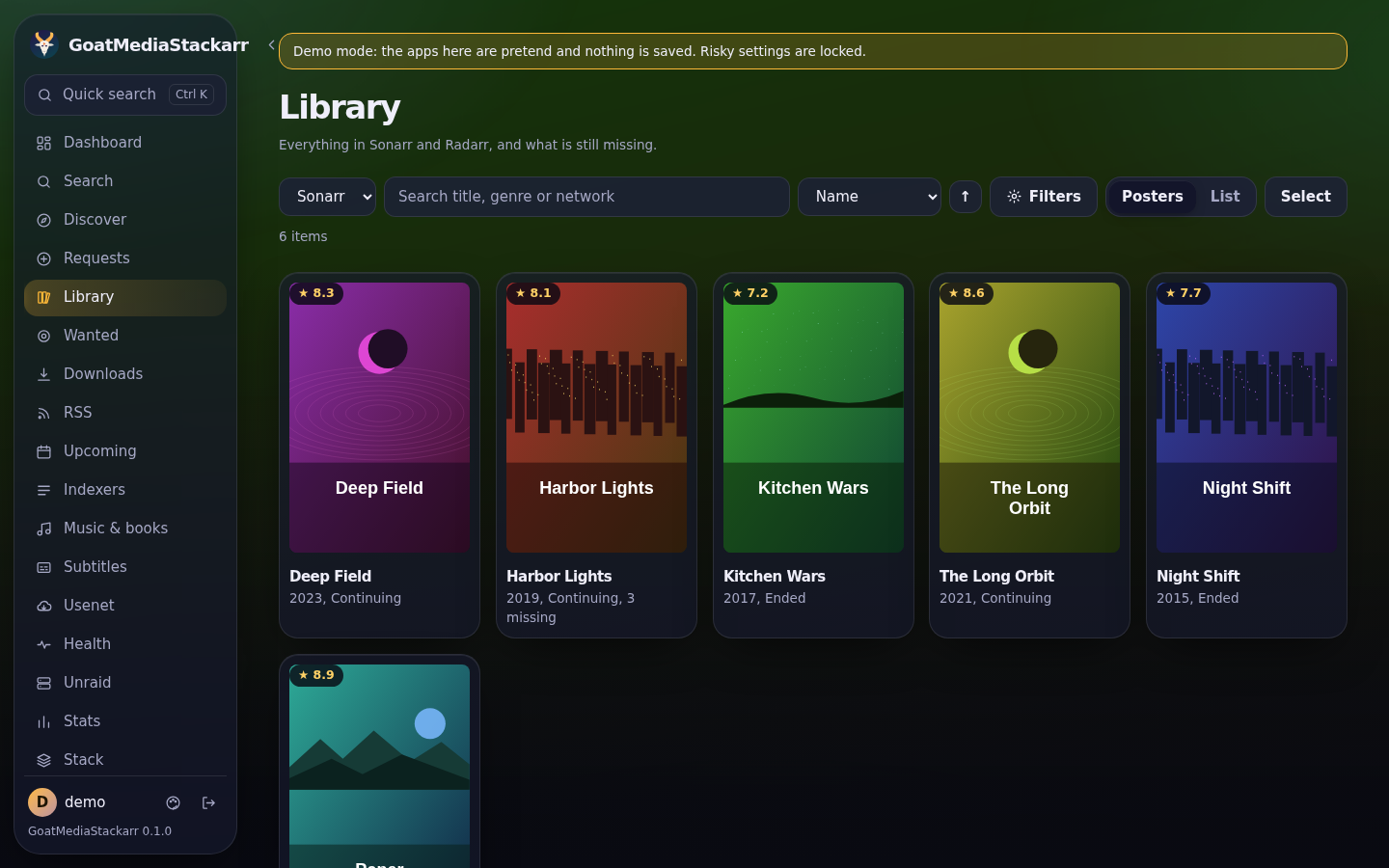
| Library: your shows, movies and music | Downloads: torrents and usenet in one list |
 |
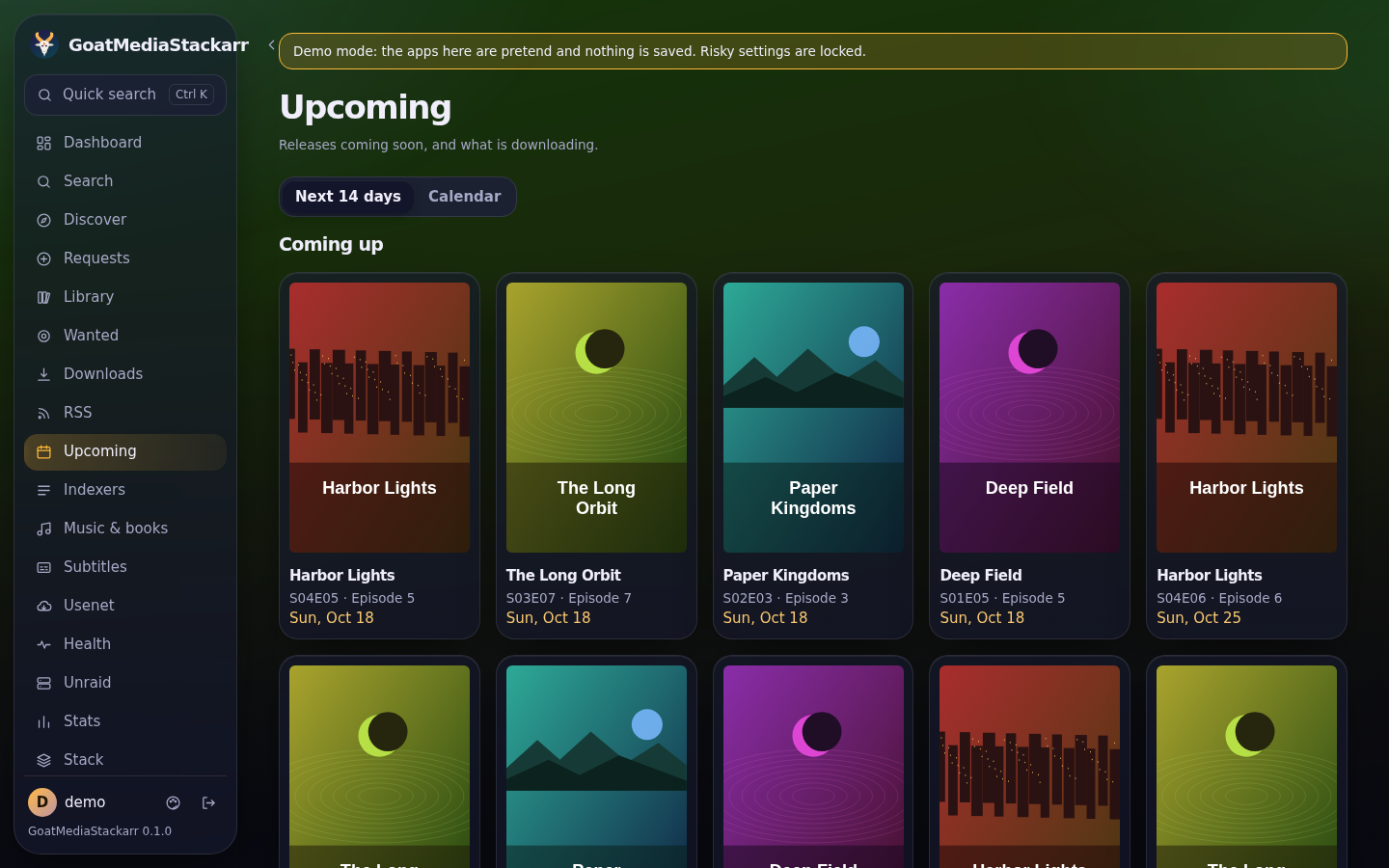 |
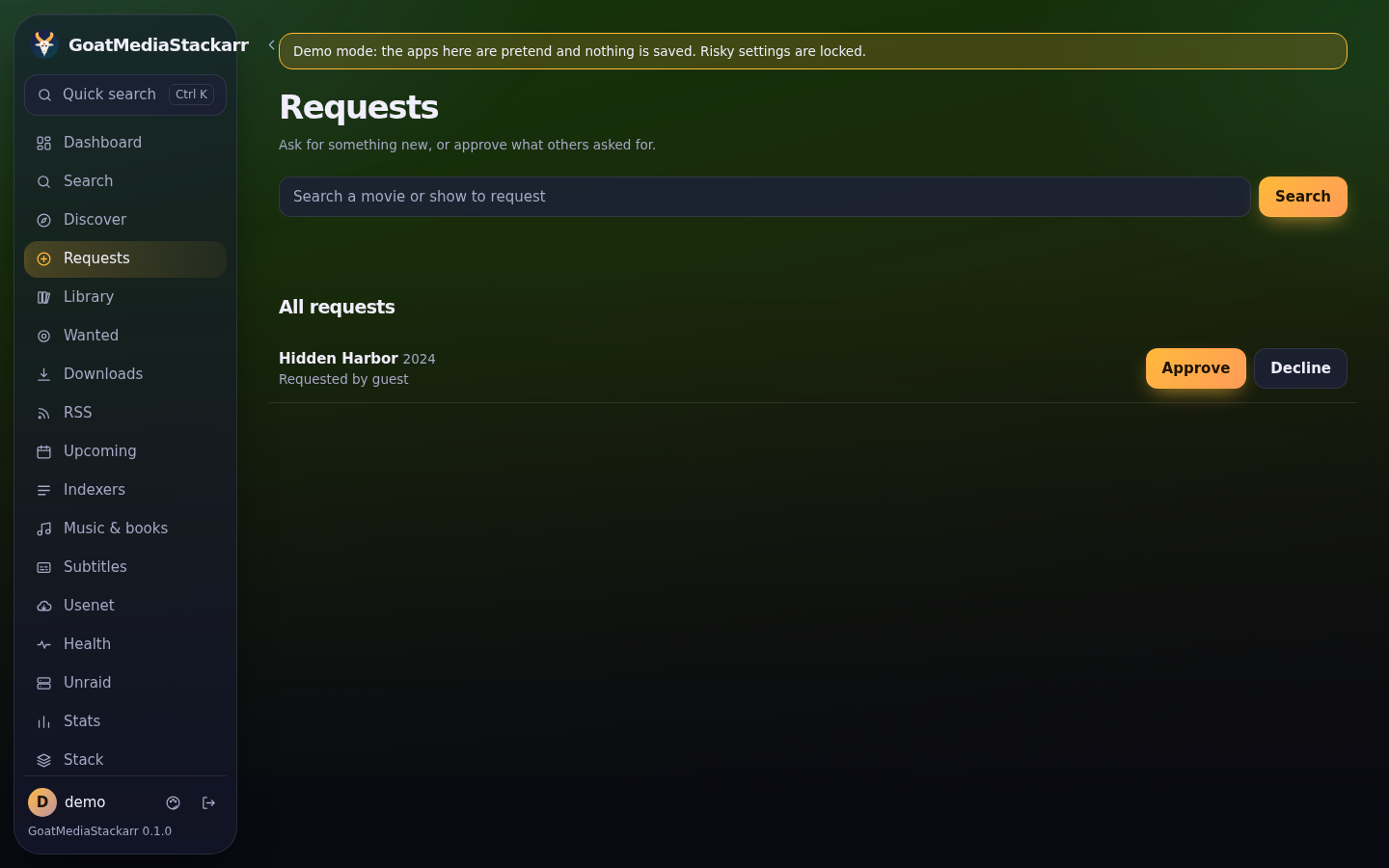
| Requests: approve what others ask for | Upcoming: release calendar |
 |
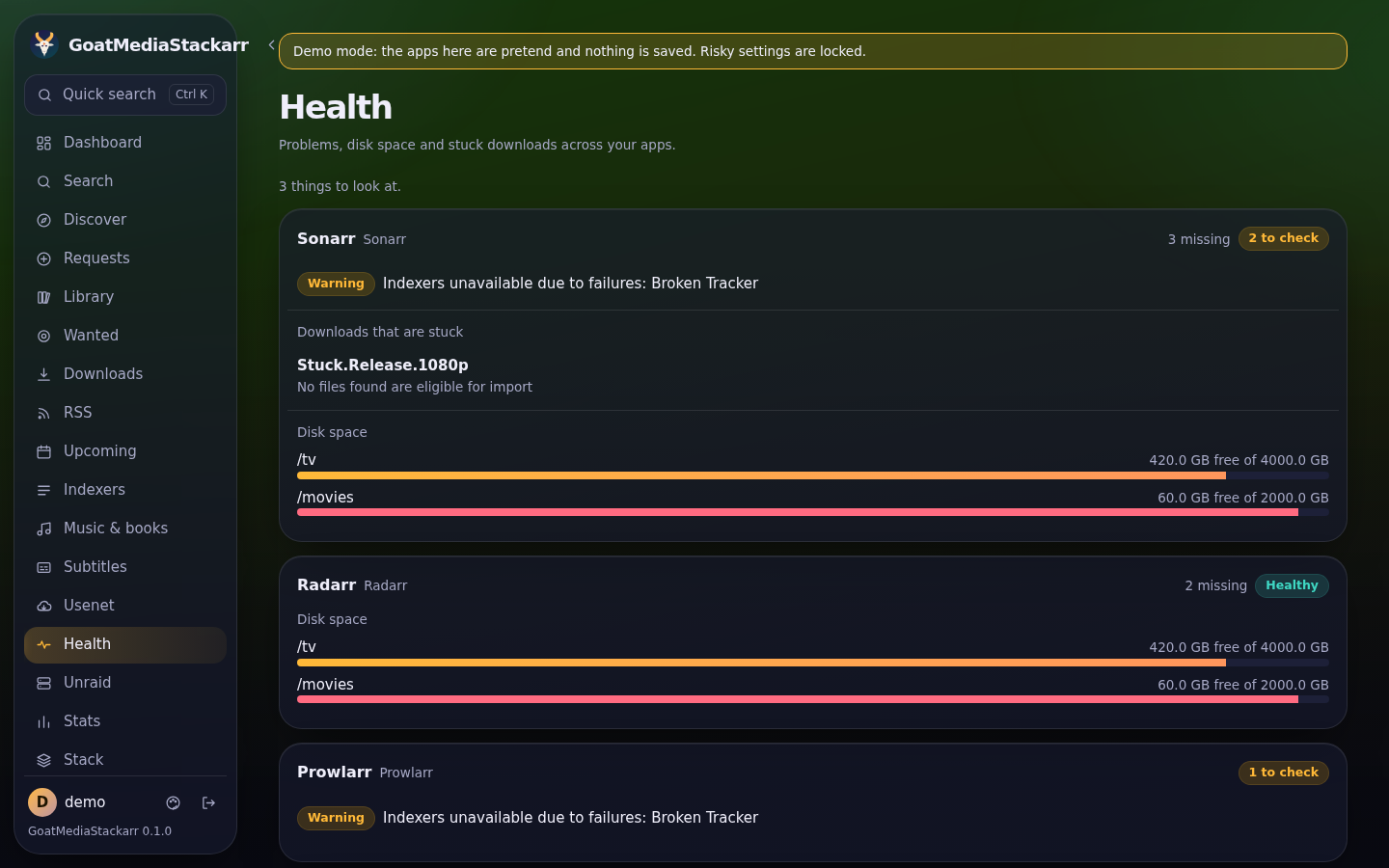 |
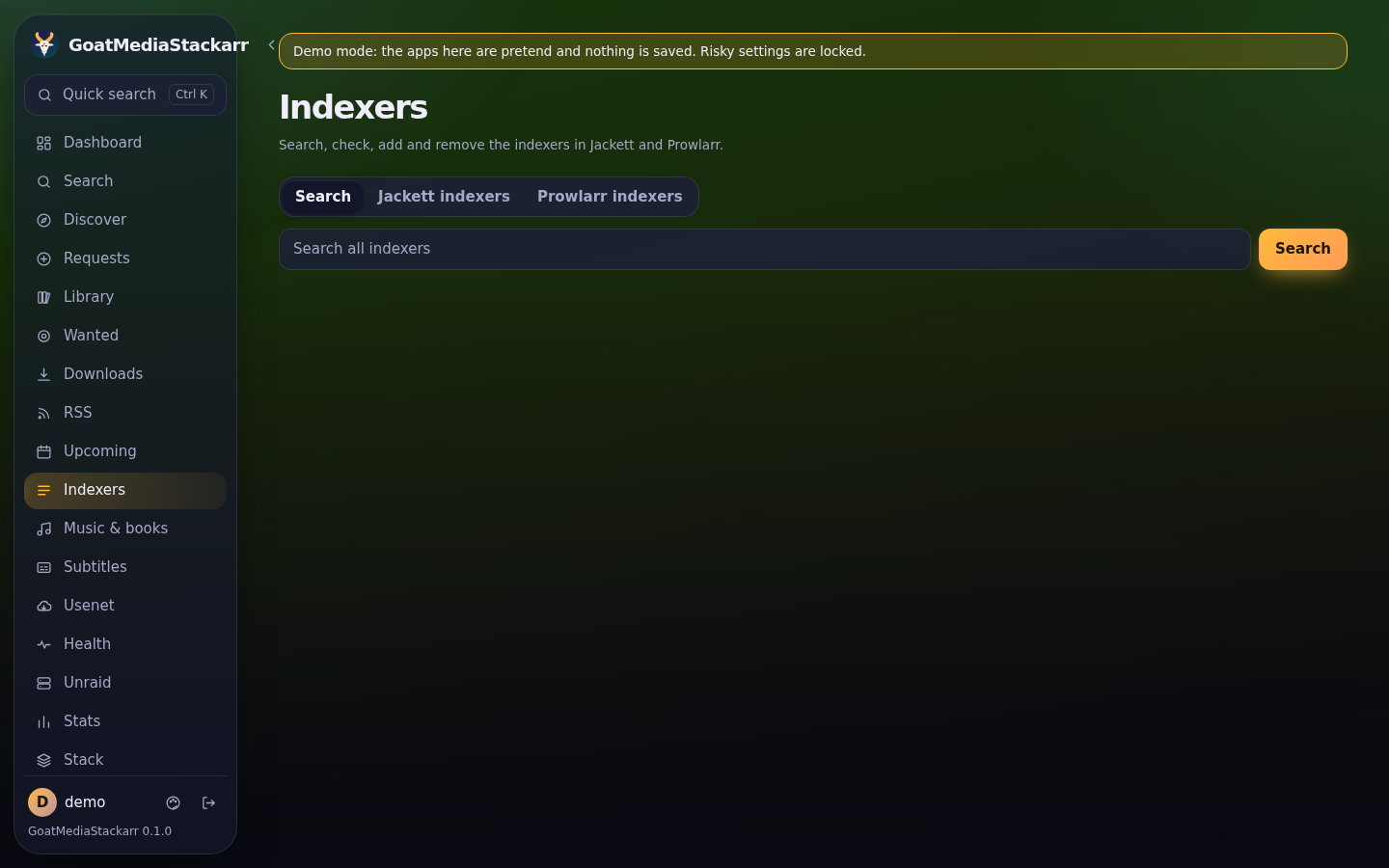
| Indexers: add and test Prowlarr sites | Health: problems that need attention |
 |
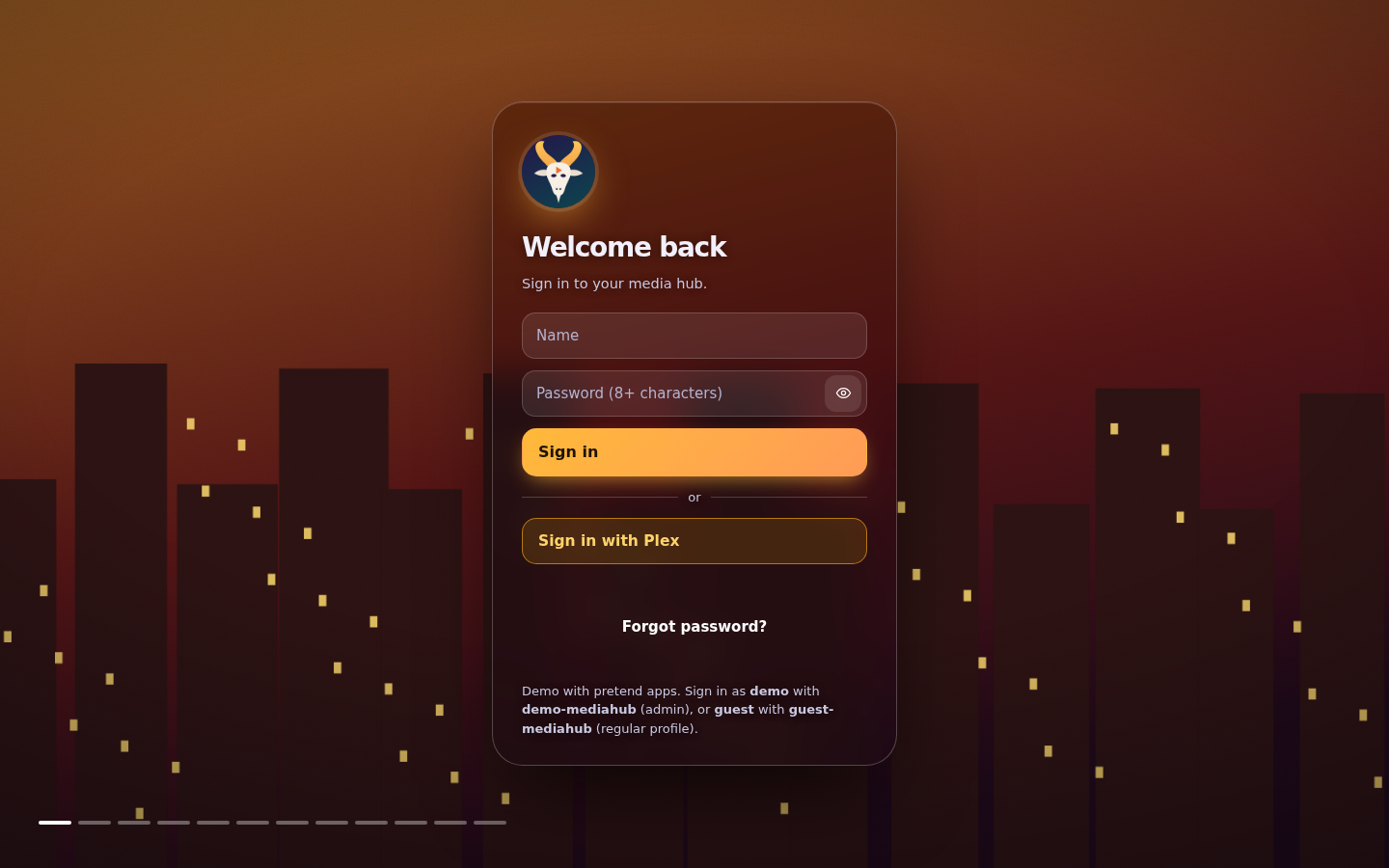 |
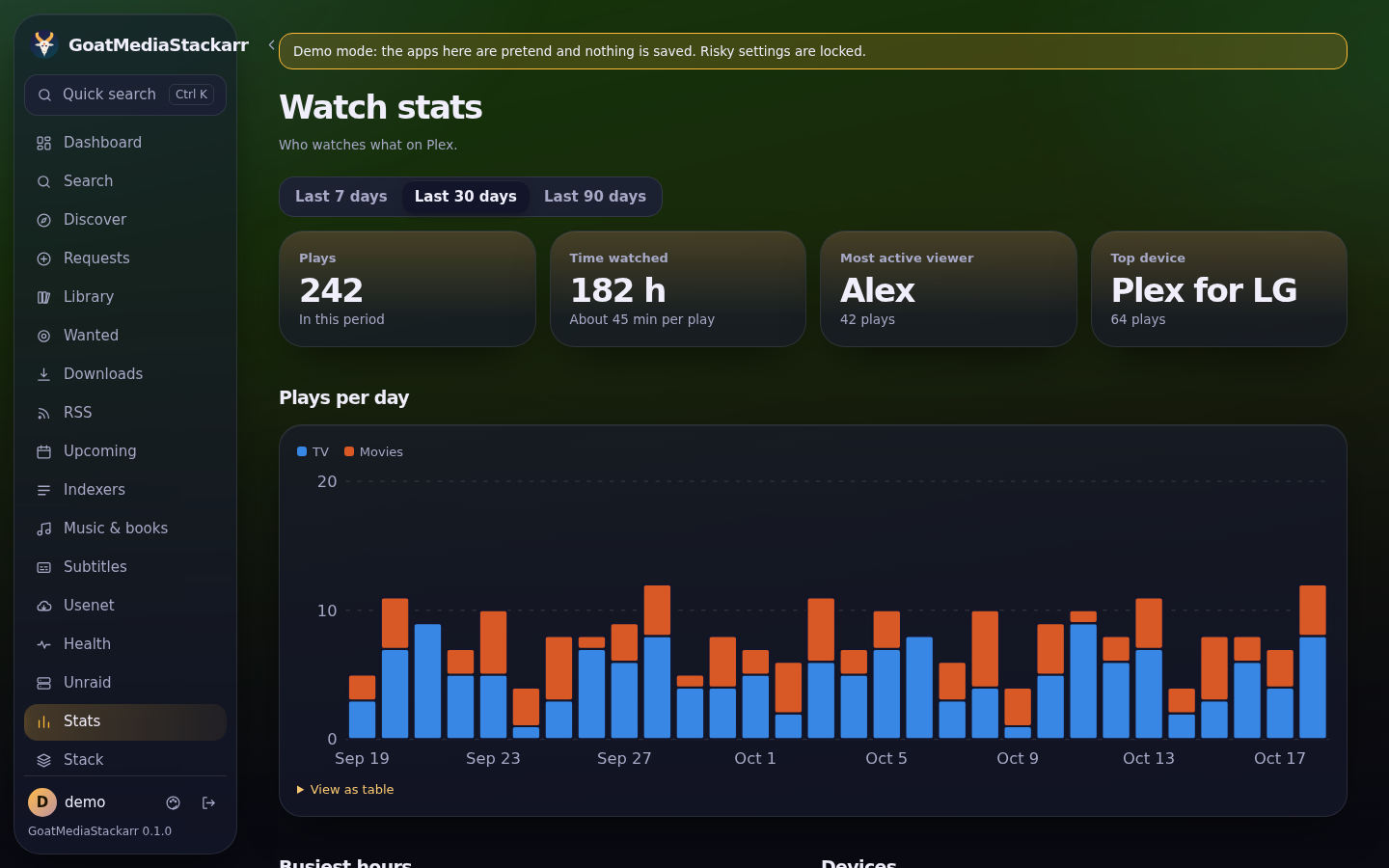
| Stats: what's been watched and downloaded | Sign in |
 |
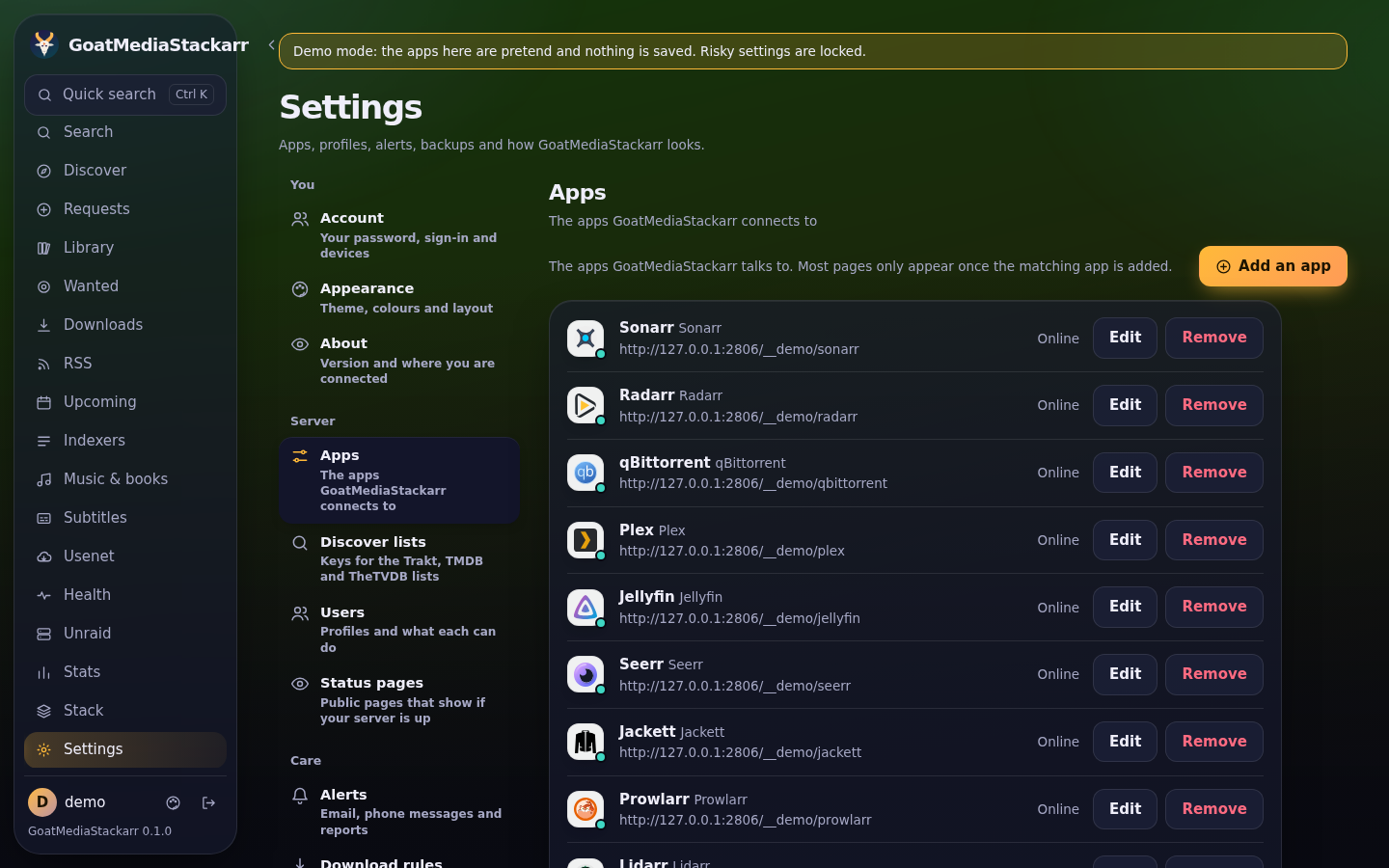 |
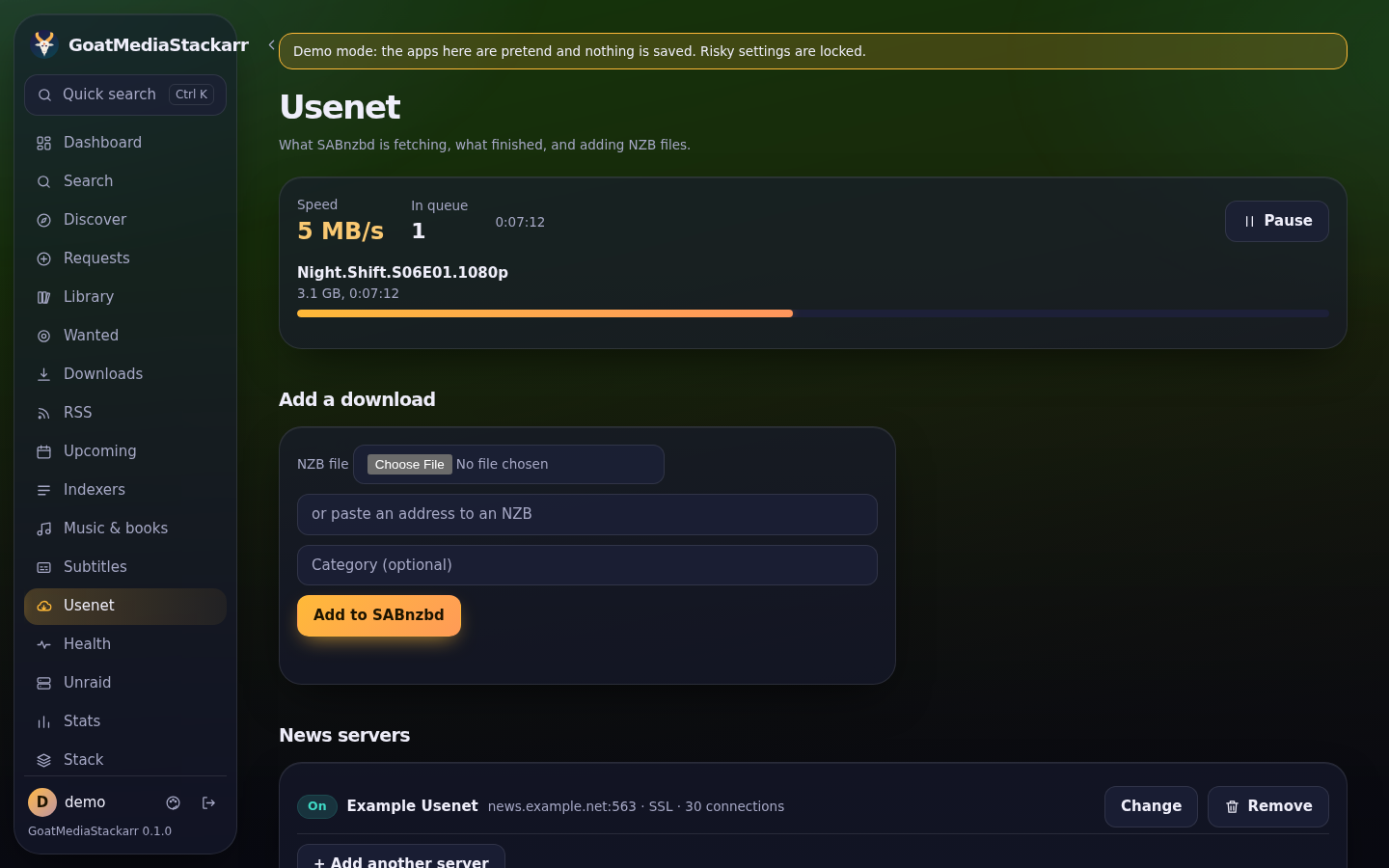
| Usenet: queue, history and your provider's news servers | Settings: apps, users, alerts, backups |
 |
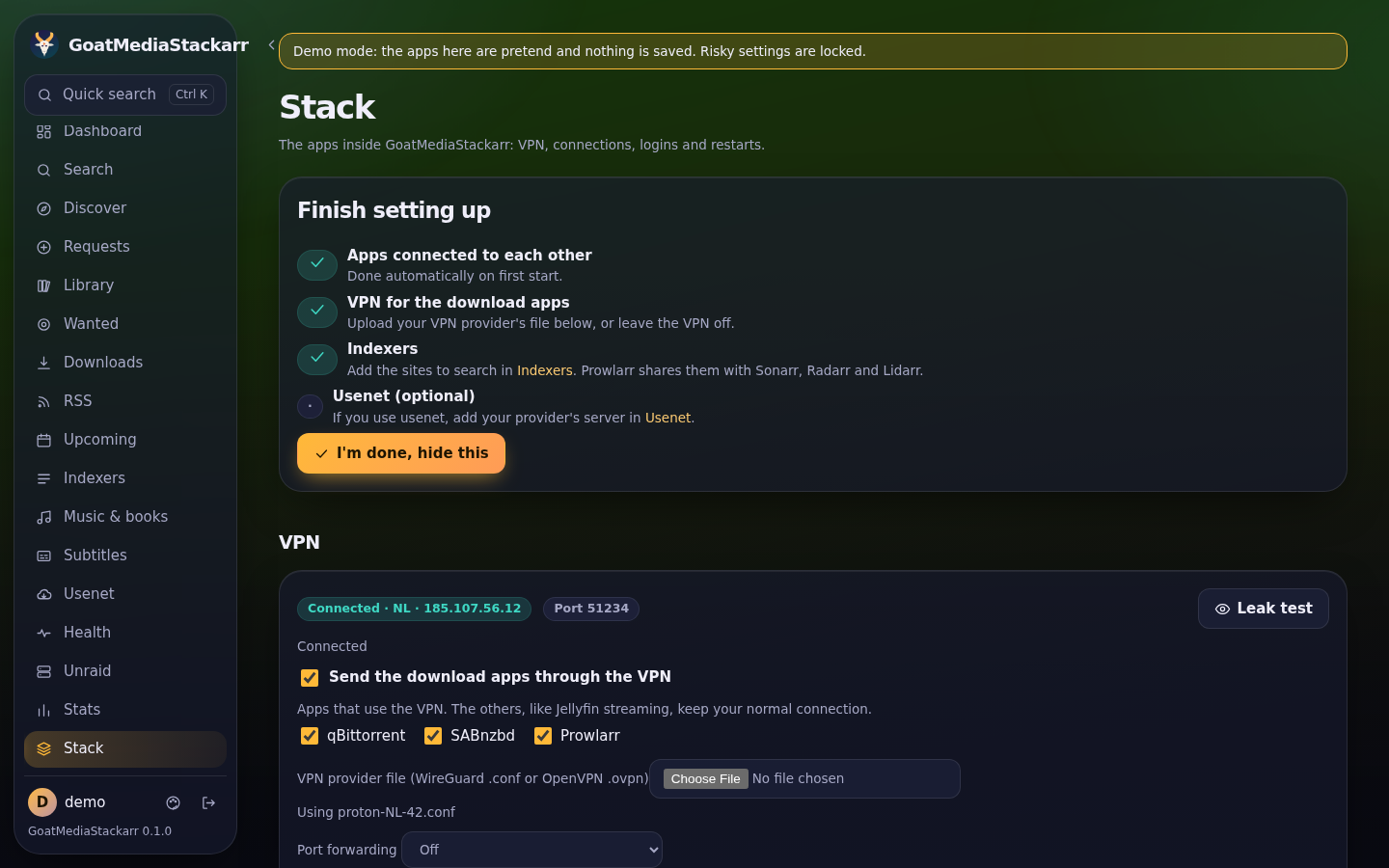 |
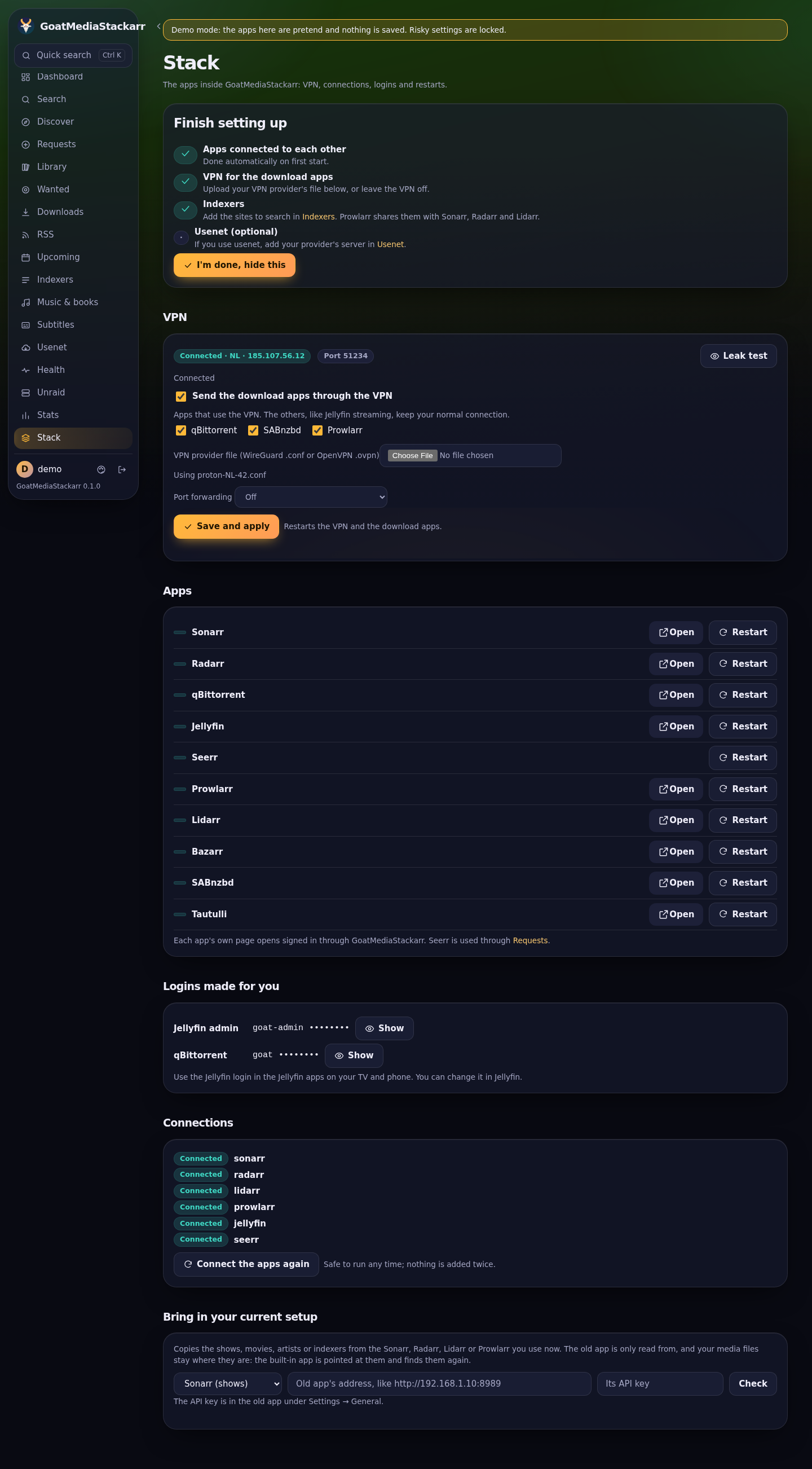
| Stack: VPN, every app's health and its own page, logins, connections | First start: the setup checklist |
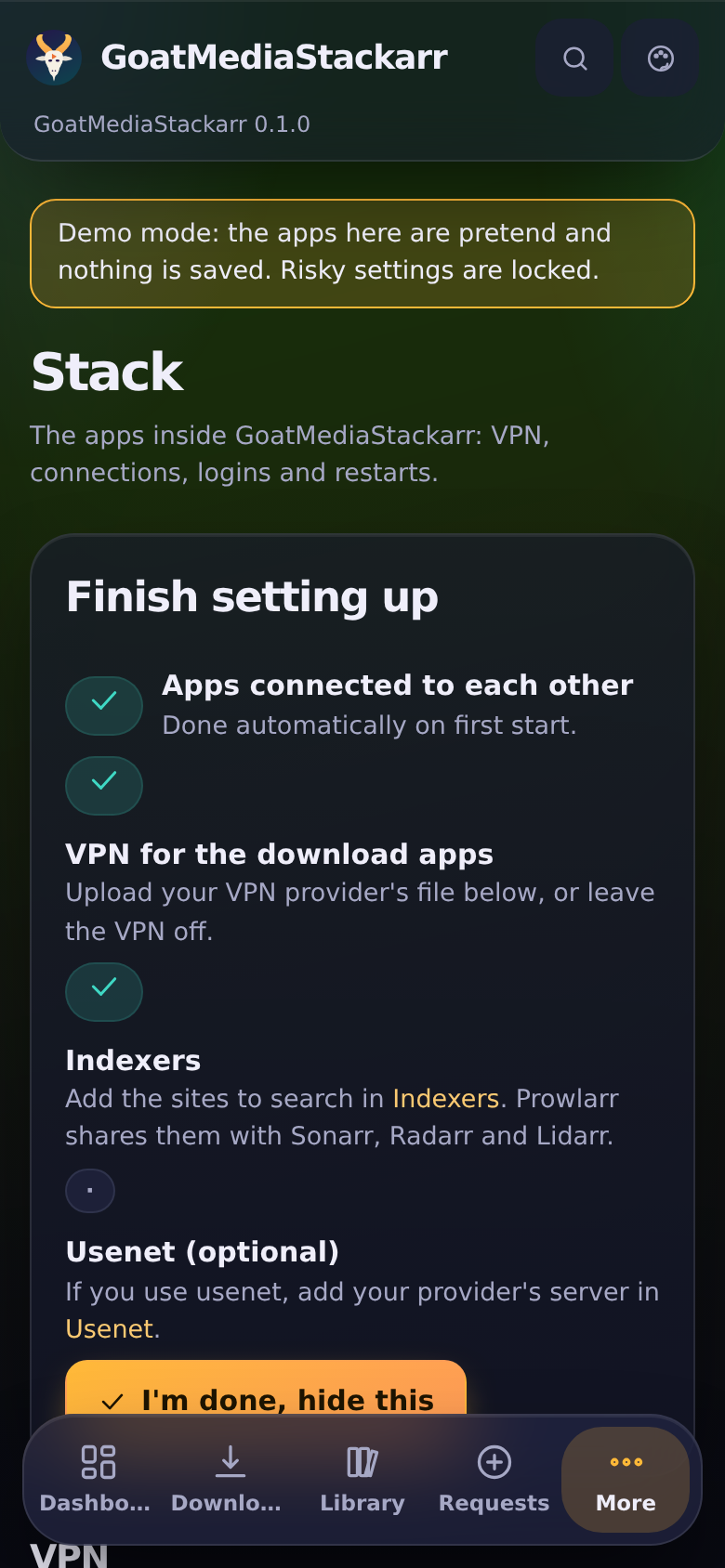
Screenshots are taken in demo mode with pretend apps. To refresh them after interface changes, run Update screenshots from the repository's Actions tab.
What happens when you install it
- One container appears on your Unraid Docker page.
- First start: every engine gets its own API key and is connected to the others:
- Sonarr (TV), Radarr (movies) and Lidarr (music) get their library folders, plus qBittorrent and SABnzbd as download clients
- Prowlarr sends its indexers to Sonarr, Radarr and Lidarr
- Bazarr fetches subtitles for Sonarr and Radarr
- Jellyfin is set up with Movies, TV Shows and Music libraries
- Seerr signs in through Jellyfin and sends requests to Sonarr and Radarr
- Open
http://YOUR-SERVER:2806and create your admin account. All the built-in apps are already listed. - Add indexers in Prowlarr (from the indexer screen, or Advanced → Prowlarr), and your usenet server in SABnzbd if you use usenet.
The engines listen only inside the container. The only ways in are GoatMediaStackarr (port 2806), Jellyfin (port 8096, for TV and phone apps) and Seerr's request page (port 5055, with its own sign-in through Jellyfin or Plex).
Updates and platforms
- Weekly rebuild: every Monday, GitHub rebuilds the image with the newest release of every engine and runs every check. Only if all of them pass is it published as
latest(alsoweeklyandweekly-YYYYMMDD). Unraid then offers it as an update. Version tags such as0.2.0don't change. - Intel/AMD and ARM: the same image name works on x86 servers and on 64-bit ARM (Raspberry Pi 4/5 with a 64-bit OS, ARM NAS boxes, Apple-silicon hosts). FlareSolverr is the only part that's x86-only.
Android app
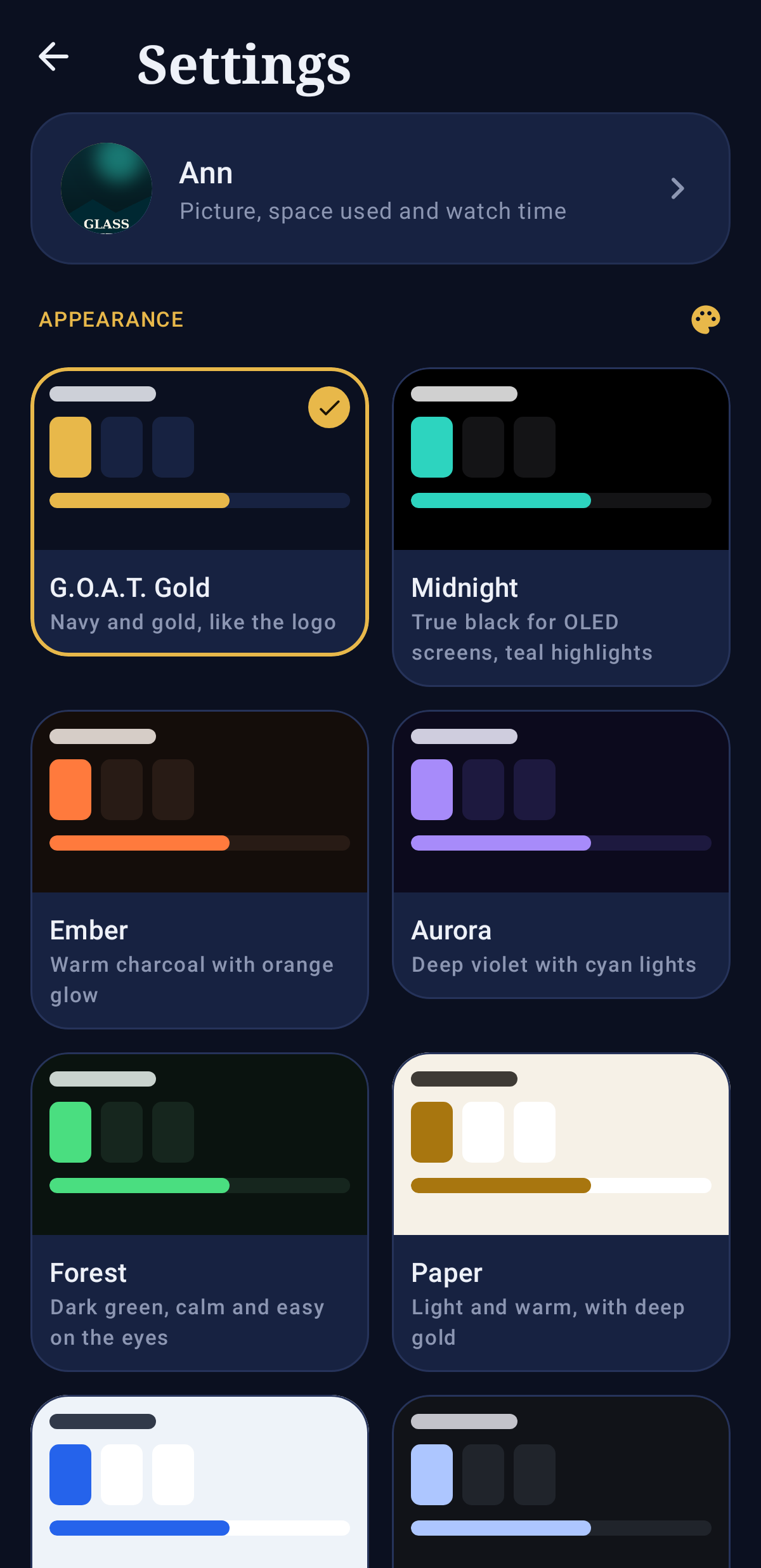
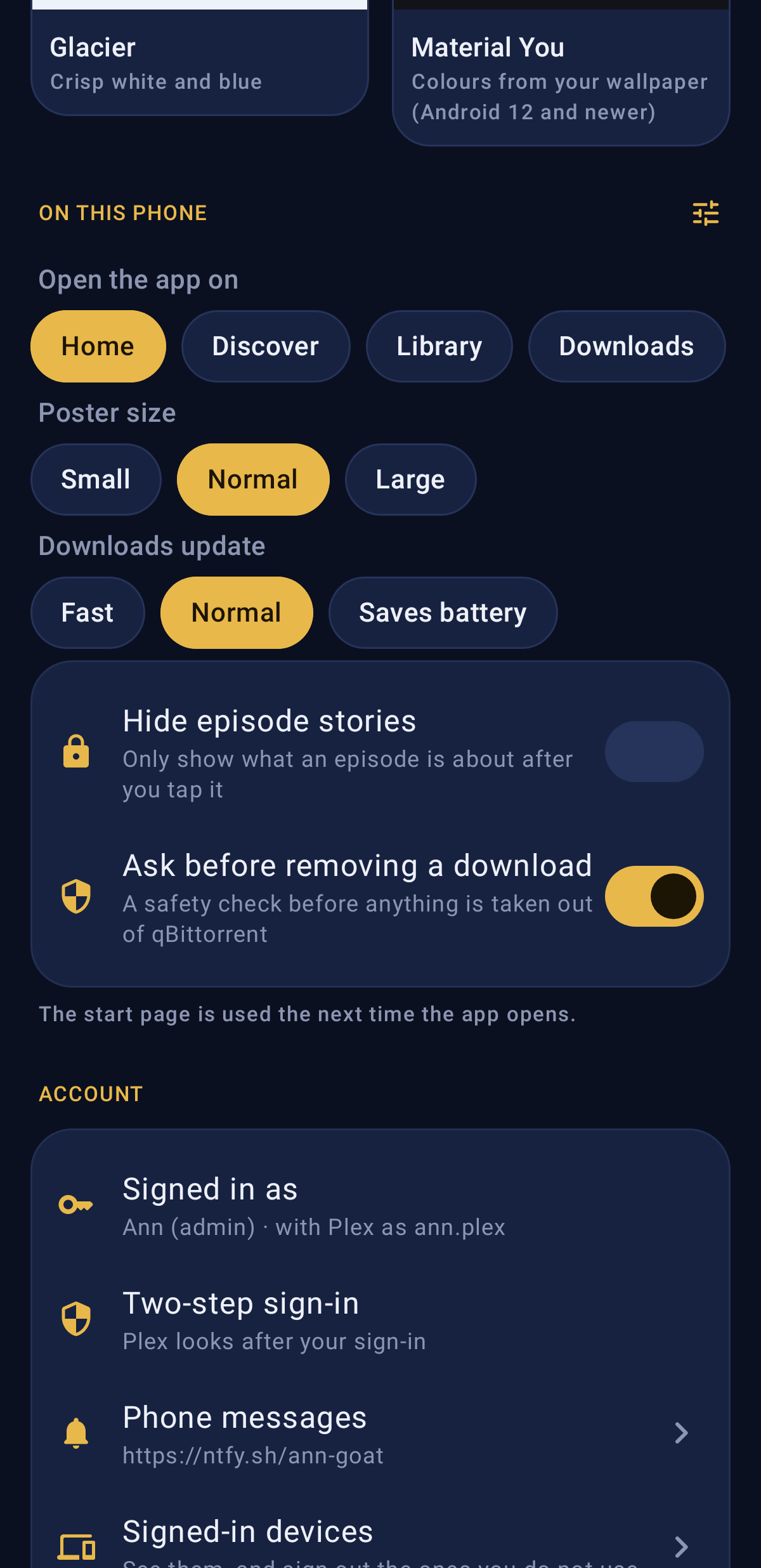
A real Android app (not a web page in a frame), with its own design and eight themes to choose from under Settings → Appearance: G.O.A.T. Gold, Midnight (true black for OLED), Ember, Aurora, Forest, Paper, Glacier and Material You (colours from your wallpaper, Android 12+).
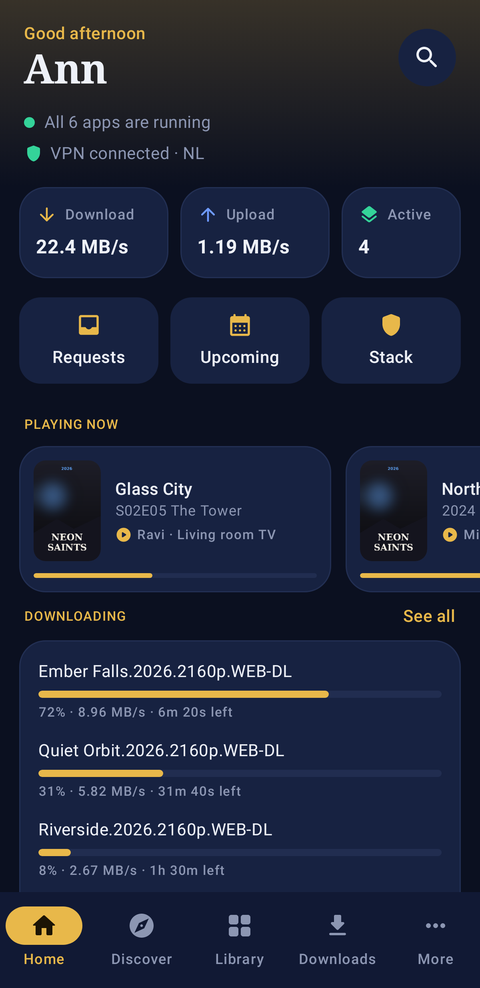
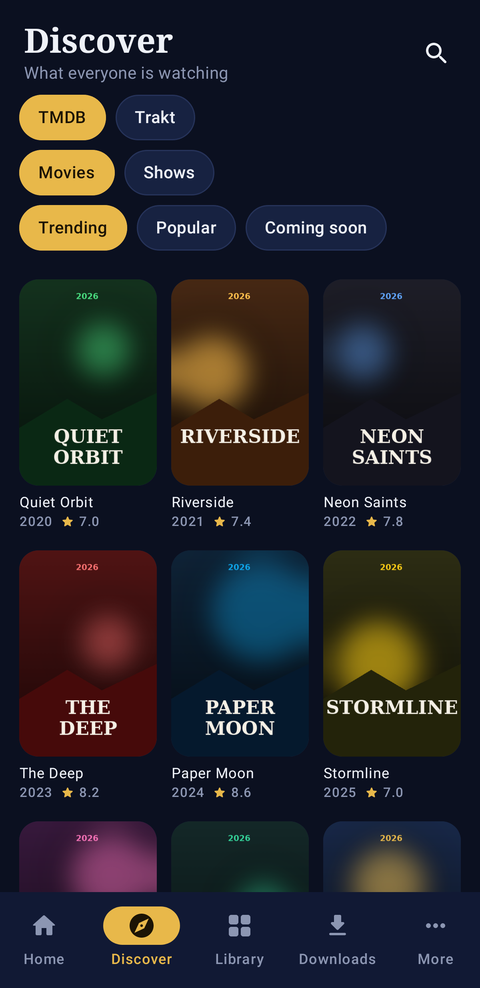
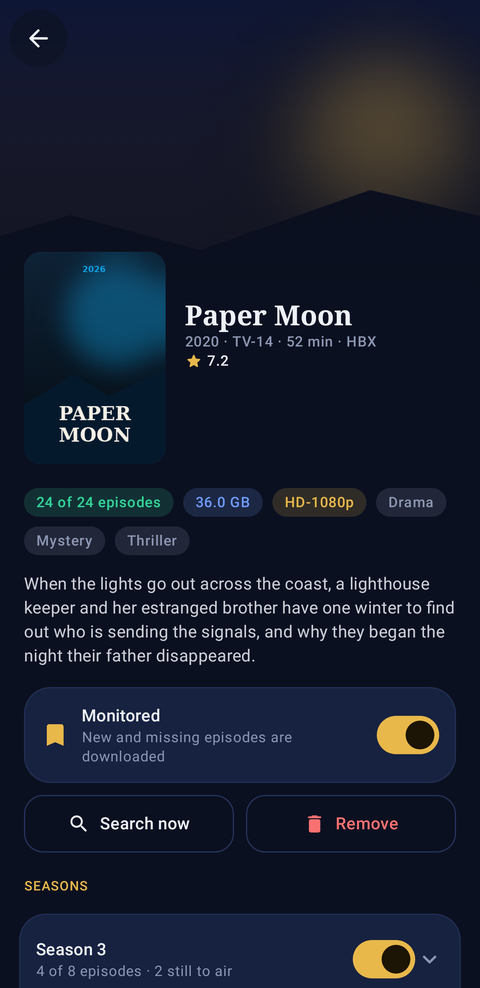
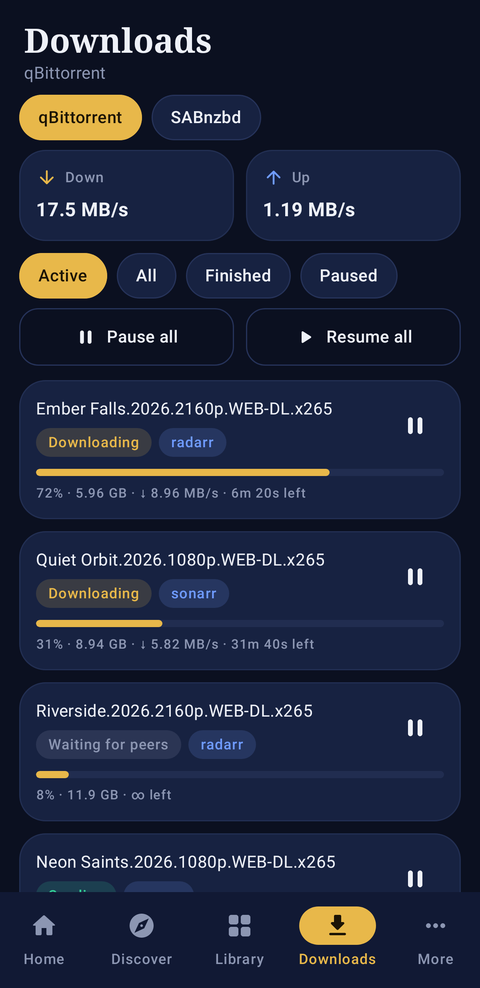
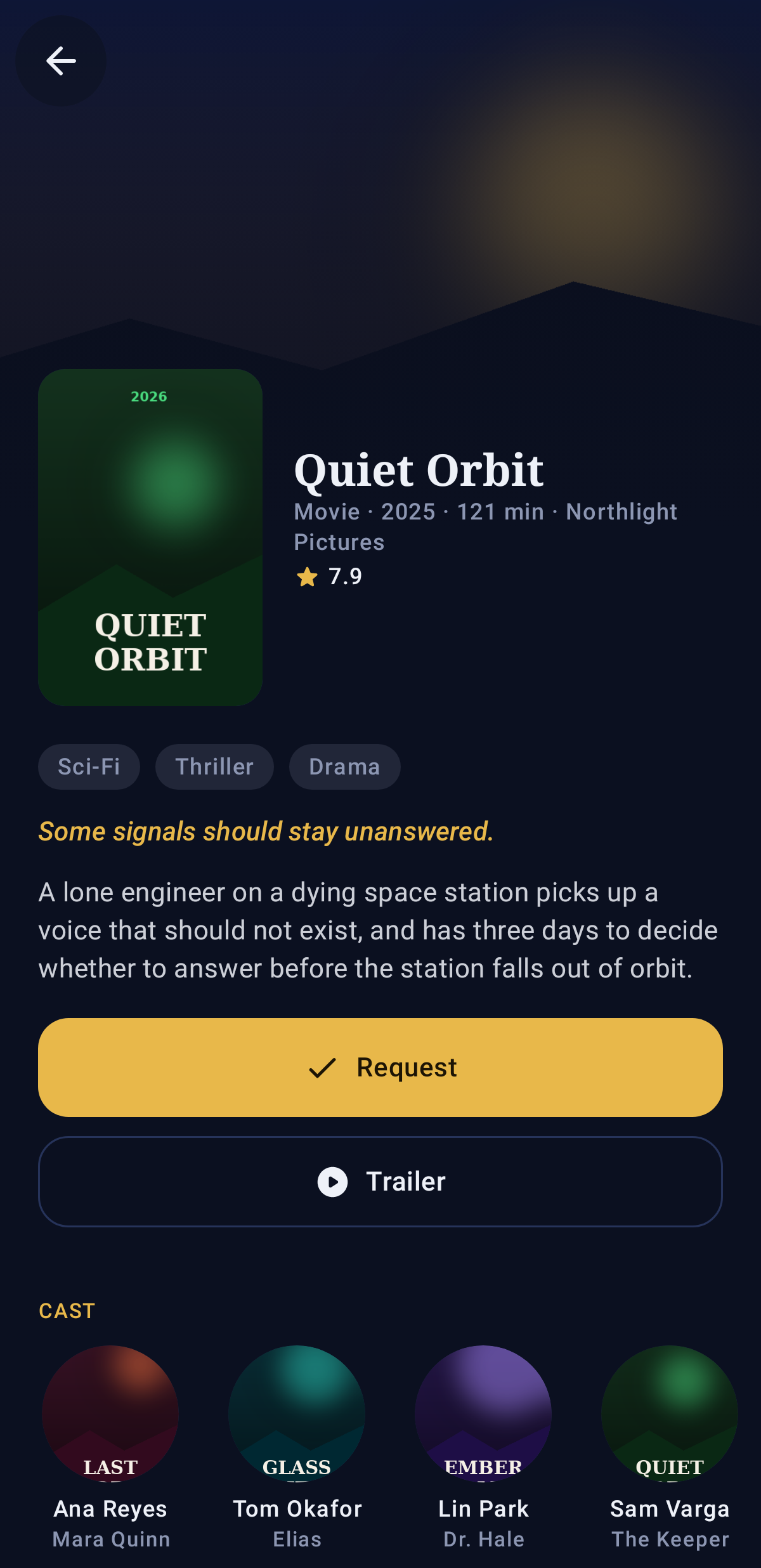
- Home: download and upload speed, what is playing, what is downloading, what is coming up, the latest requests, and whether every app and the VPN are fine.
- Discover (TMDB, Trakt, TheTVDB lists) and Search: every movie and show opens its own page (story, cast, seasons, trailer, whether it is already in the library), with Request through Seerr (whole show or chosen seasons); or add straight to Sonarr or Radarr with a quality profile and folder.
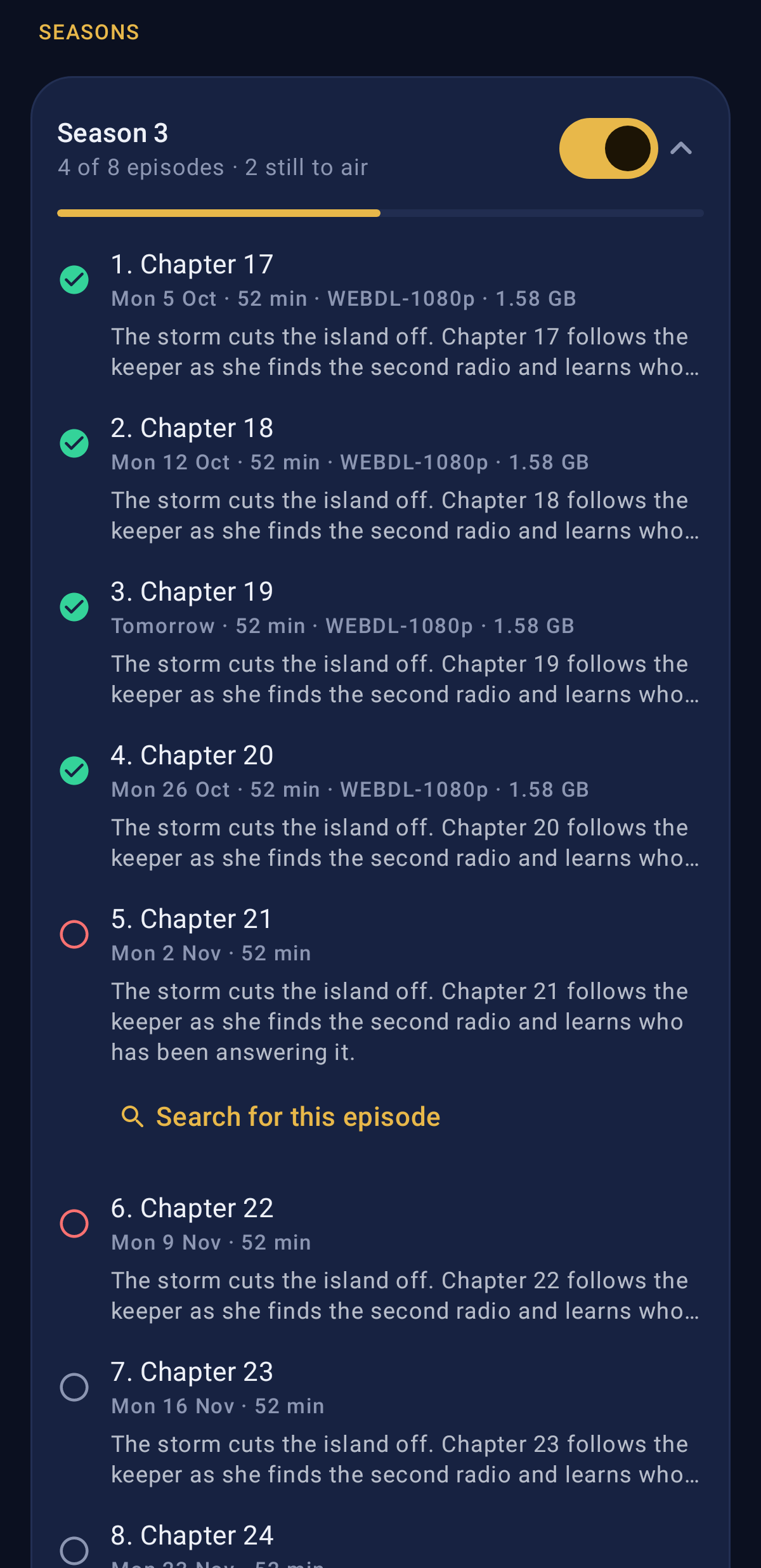
- Library: your shows and movies, with what is missing; each one has a page with its seasons and episodes (with each episode's story; tap one to read all of it or search for it), monitoring, Search now and (for admins) Remove.
- Downloads: qBittorrent and SABnzbd, with pause, resume, force start, check and remove; add magnet links, filter by category, move a download to another category, and (admins) add or remove categories and tags.
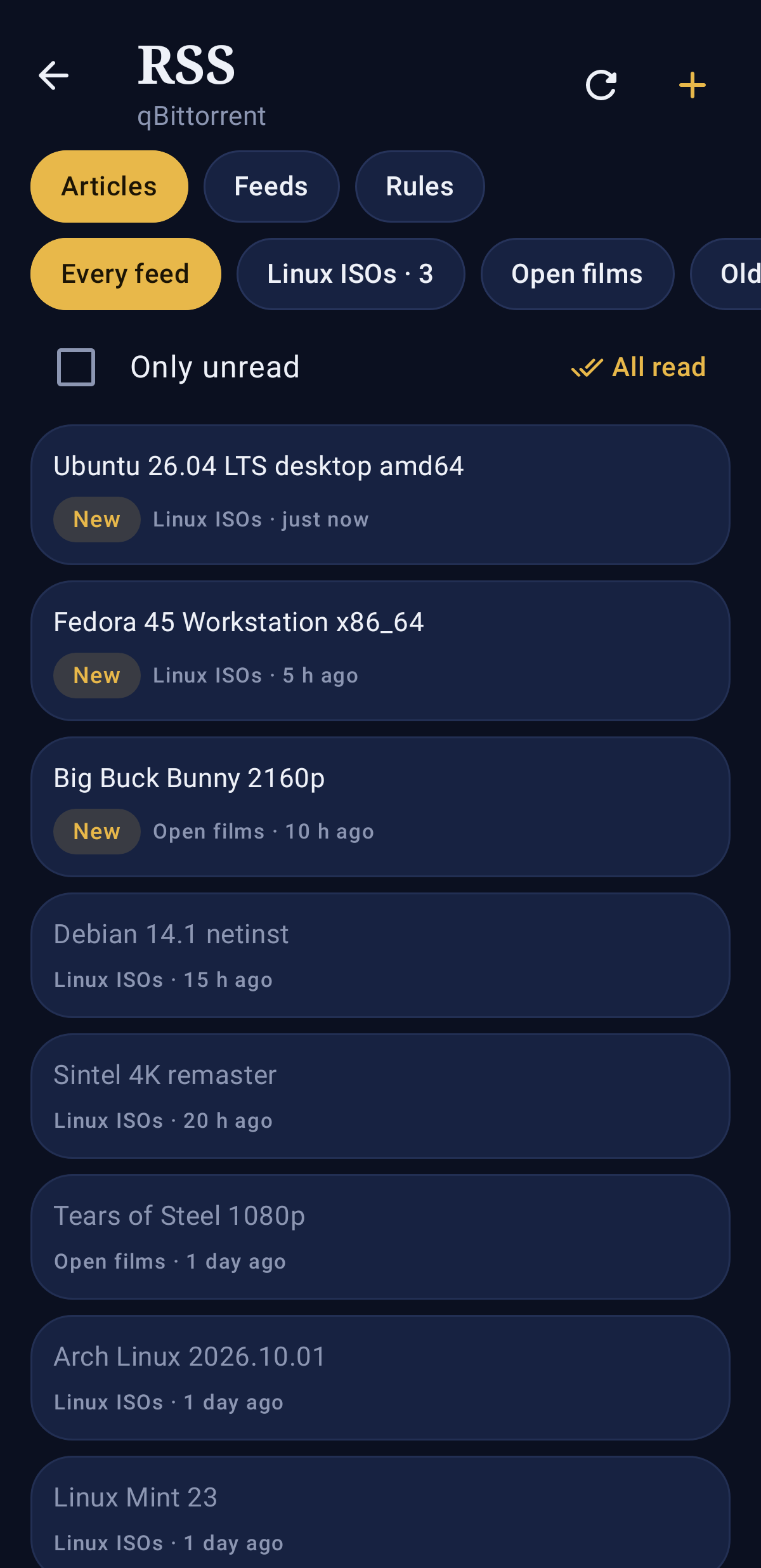
- RSS: qBittorrent's feeds, newest articles first (download one into a category), feeds and auto-download rules (admins add, switch on or off, and remove them).
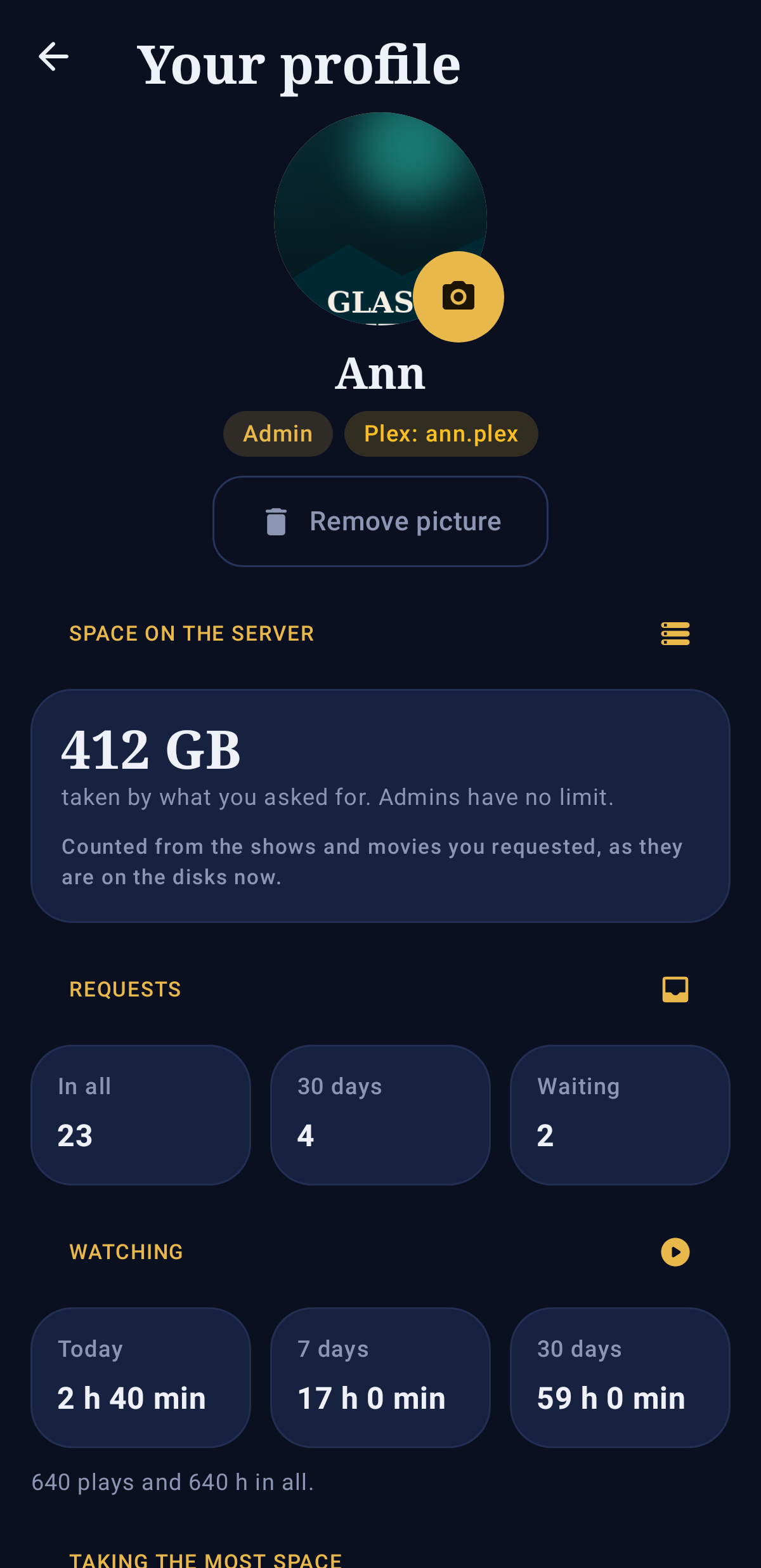
- Profile: your picture (pick one from the phone), how much you streamed this month against your limit (with the last six months), the disk space your requests take, your requests and your watch time (from Tautulli). Admins open anyone's profile from Users to set their limits.
- Streaming limits: everyone may stream 100 GB a month from Plex and Jellyfin by default (admins are never limited). GoatMediaStackarr adds up each stream's bitrate every 30 seconds; at 80% the person gets a phone message (if they set one up), and at the limit their streams are stopped with a message saying when it starts again (the 1st of the next month). Change the default, count only streams from outside the home, or give someone their own limit (0 = none) in the app (Users, or their profile) or on the web page under Settings → Users. A Plex or Jellyfin account is matched to a profile by its Plex name, or else by the profile name; accounts that match no profile are counted but not limited. Stopping Plex streams needs Plex Pass on the server's account (Jellyfin always can).
- Space limits: an admin can also limit the disk space someone's requests take; at the limit, new requests are refused until it is raised or something is removed.
- Settings: themes; the page the app opens on, poster size, how often downloads update, hiding episode stories until tapped, asking before removing; password, recovery email, phone messages, signed-in devices (sign out the ones you do not use); the server and a link to the newest app.
- Requests (admins approve or decline), Upcoming, and for admins the Stack page: VPN, restart any app, connect the apps again.
- Under More: Wanted, Music (Lidarr), Subtitles (Bazarr) and Stats (Tautulli); and for admins Health, Indexers, Usenet servers, Unraid, Users and Bring in your setup.
- Sign in with your GoatMediaStackarr name and password (two-step codes work), or with Sign in with Plex, which opens Plex's own page and comes back signed in. Plex sign-in has to be turned on on the web page first (Settings → Users → Sign in with Plex), and Plex users see only what their profile allows, as on the web.
Install: download goatmediastackarr.apk from the latest release on your phone and open it (Android asks once to allow installing from your browser). Newer versions install over older ones. Open the app and enter the same address you use in the browser, for example 192.168.1.10:2806 at home. Android 8 or newer.
Install on Unraid
Use the template in unraid/goatmediastackarr.xml, or add a container with:
| Setting | Value |
|---|---|
| Repository | ghcr.io/bdlnaredi/goatmediastackarr:latest |
| Port 2806 | GoatMediaStackarr |
| Port 8096 | Jellyfin |
| Port 5055 | Seerr request page |
| Port 32400 | Plex, only if turned on |
/config |
/mnt/user/appdata/goatmediastackarr (every app's settings; back this up) |
/media |
/mnt/user/media (your library) |
/downloads |
/mnt/user/downloads (torrent and usenet downloads) |
| Extra parameters | --cap-add=NET_ADMIN --device=/dev/net/tun --sysctl net.ipv4.conf.all.src_valid_mark=1 --sysctl net.ipv4.conf.all.rp_filter=2 |
Other systems: see docker-compose.yml.
Folders
By default the library and the downloads are two separate folders:
/media/tv               TV shows (Sonarr, Jellyfin "TV Shows")
/media/movies           Movies (Radarr, Jellyfin "Movies")
/media/music            Music (Lidarr, Jellyfin "Music")
/downloads/torrents     qBittorrent (incomplete and complete)
/downloads/usenet       SABnzbd (incomplete and complete)
Both inside one folder. If you prefer one share for everything, map a single folder and point both settings inside it:
| Setting | Value |
|---|---|
/data |
/mnt/user/data |
MEDIA_DIR |
/data/media |
DOWNLOADS_DIR |
/data/downloads |
This has one advantage: finished downloads are moved into the library instantly (hardlinked) instead of copied. With two separate mappings they are copied, which is slower and briefly uses double the space, even when both folders are on the same disk.
Existing files in your media and downloads folders are never re-owned or moved.
Space. The image is about 2.8 GB. Jellyfin refuses to start when the app data folder has less than 2 GB free, so leave some room there.
The VPN
Only the apps that need it use the VPN. By default those are qBittorrent, SABnzbd and Prowlarr. Jellyfin streaming, Seerr, Sonarr, Radarr and the interface keep using your normal internet.
- Set VPN on (
VPN_ENABLED) totrue. - Download a WireGuard
.conf(or OpenVPN.ovpn) file from your VPN provider and put it inappdata/goatmediastackarr/vpn/. - For OpenVPN, set VPN type to
openvpn, plus VPN username and VPN password if your provider uses them.
Kill switch. The VPN apps are blocked from the internet before they even start, and they stay blocked whenever the tunnel is down. They never fall back to your home connection. They can still talk to the other apps inside the container, so Sonarr can always tell qBittorrent what to download.
DNS for the VPN apps goes through the tunnel too, which also gets around ISP blocks on indexer sites.
Port forwarding. For ProtonVPN and other NAT-PMP providers, set VPN_PORT_FORWARD=natpmp. The forwarded port is set in qBittorrent automatically.
| Variable | Default | Meaning |
|---|---|---|
VPN_ENABLED |
false |
Turn the VPN on |
VPN_TYPE |
wireguard |
wireguard or openvpn |
VPN_USER, VPN_PASS |
OpenVPN sign-in, if needed | |
VPN_APPS |
qbittorrent,sabnzbd,prowlarr |
Which apps use the VPN |
VPN_DNS |
from the VPN file | DNS server used through the tunnel |
VPN_PORT_FORWARD |
off |
natpmp for ProtonVPN-style port forwarding |
VPN_PF_GATEWAY |
10.2.0.1 |
NAT-PMP gateway inside the tunnel |
Unraid 7 includes WireGuard. If your server's kernel does not, use an OpenVPN file instead.
The Stack page
Admins get a Stack page (/stack) for everything about the container itself:
- Setup checklist on first start: connections, VPN, indexers, usenet, Plex.
- VPN: on or off, upload your provider's file, pick which apps use it, OpenVPN login, port forwarding, Save and apply, and a Leak test that compares the VPN apps' address with your server's own.
- Apps: each engine's health, its own page, and a Restart button.
- Logins made for you: the Jellyfin admin and qBittorrent passwords.
- Plex: link the built-in Plex with a claim code.
- Connections: what was wired up on start, and a button to run it again.
- Bring in your current setup (see below).
Settings changed here are saved in appdata/goatmediastackarr/goat/settings.json and take priority over the Unraid template.
Moving from your current setup
On the Stack page, under Bring in your current setup, pick Sonarr, Radarr, Lidarr or Prowlarr, then enter your current app's address and API key (found in that app under Settings → General). Check shows how many shows, movies, artists or indexers there are, and how many are already here.
Then say where each old folder is inside GoatMediaStackarr. For example, if your old Sonarr saw your shows at /tv and GoatMediaStackarr sees the same share at /media/tv, map /tv → /media/tv. Bring in copies everything that's missing. It keeps each item's monitored state, seasons and quality profile, and doesn't search or download anything.
With Also bring in your settings ticked (the default), these are copied first: quality profiles, custom formats, delay profiles, release profiles and file naming. One with the same name here is replaced by yours, and the scores in each profile follow their custom formats by name. Tags are always kept, on shows, movies, artists and Prowlarr indexers. Not copied: download clients (the built-in ones are already set up) and history. The built-in app then rescans the folders and finds your files where they already are.
- Your old apps are only read from, never changed. Running the import again adds only what's new.
- Download history and episode-by-episode settings aren't copied.
- Indexers that need a password or cookie may need it entered again. Test them on the Indexers page afterwards.
Usenet
On the Usenet page, admins can add their provider's news server (address, port, SSL, connections, login), test it, change it or remove it.
Addresses
Every page has its own address, such as /downloads, /library, /stack or /settings/apps. Shows and movies have one too (/library/tv/<app>/<id>), so you can bookmark or share one. Bookmarks, links and the Back button work. A dialog opened over a page counts as a step back, so Back (or a phone's back gesture) closes it.
Advanced: each app's own page
Admins can open any engine's original page through GoatMediaStackarr, signed in with their GoatMediaStackarr account:
/engines/sonarr/, /engines/radarr/, /engines/lidarr/, /engines/prowlarr/, /engines/bazarr/, /engines/qbittorrent/, /engines/sabnzbd/, /engines/tautulli/
Jellyfin is at port 8096. Its admin user is goat-admin; the password is jellyfinPass in appdata/goatmediastackarr/goat/secrets.json. Change it in Jellyfin if you like.
Choosing apps
GOAT_ENGINES lists the apps to run. Remove any you don't want.
- Add
plexfor a built-in Plex server (see below). - Add
tautullifor Plex statistics. Tautulli only works with Plex. - Add
flaresolverrif some indexer sites show Cloudflare's "checking your browser" page. See below.
FlareSolverr
Some torrent sites sit behind Cloudflare, which blocks Prowlarr with a "checking your browser" page. FlareSolverr opens those sites in a real browser to get past it.
- Add
flaresolverrtoGOAT_ENGINES. On first start it downloads FlareSolverr (it brings its own Chromium browser) and adds the libraries that browser needs. Nothing is added to the image for people who don't use it. - GoatMediaStackarr adds it to Prowlarr as a proxy with the tag
flaresolverr. - In Prowlarr (Indexers page, or Stack → Prowlarr → Open), give the sites that need it the
flaresolverrtag.
When Prowlarr uses the VPN, FlareSolverr does too, since it's the one visiting the sites. FlareSolverr only offers a ready-made build for x86 servers, so it isn't available on ARM.
Plex
There are two ways to use Plex. You can also use both Plex and Jellyfin together on the same media folders.
Your existing Plex server. Add it in Settings → Apps with its address and token, as with any other app. Nothing else changes.
Built-in Plex (off by default):
- Add
plextoGOAT_ENGINESand map port 32400. - Get a claim code from plex.tv/claim, put it in
PLEX_CLAIM, and start the container within 4 minutes. This links the new server to your Plex account. It's only needed once. - GoatMediaStackarr then creates Movies, TV Shows and Music libraries on your media folders. If Tautulli is turned on, it is connected to Plex automatically.
Plex is free to use but not open source. So it isn't shipped inside this image. It is downloaded from plex.tv on first start, the same way the official Plex container does it. PLEX_UPDATE=false keeps the installed version. Hardware transcoding needs Plex Pass, as usual.
Seerr works with one media server. It uses Jellyfin when Jellyfin runs, otherwise Plex. Set SEERR_MEDIA_SERVER=plex to use Plex while both run. This choice is made on Seerr's first setup.
Other settings
| Variable | Default | Meaning |
|---|---|---|
PUID / PGID |
99 / 100 |
User and group that own the files (Unraid's nobody/users) |
TZ |
Etc/UTC |
Time zone |
UMASK |
002 |
New files are group-writable |
Where things are kept
appdata/goatmediastackarr/:
<app>/: each engine's own settings and databasegoat/secrets.json: the keys and passwords made on first startgoat/wired.json: what was connected on the last start, and any errorsui/: GoatMediaStackarr accounts and settingsvpn/: your VPN file
If a connection fails on first start (for example an engine was slow), it is retried at the next container start. Settings you change inside an engine are kept; only the addresses and keys GoatMediaStackarr manages are rewritten.
Bundled software and licenses
GoatMediaStackarr is GPL-3.0-or-later. It runs the official releases of each engine unchanged. They keep their own licenses: see THIRD_PARTY.md. The names Sonarr, Radarr, Jellyfin and the others belong to their projects. GoatMediaStackarr is not affiliated with or endorsed by them.
Development
npm test                         # settings, wiring (against fake engines) and the interface
sudo bash test/vpn-killswitch.sh # the kill switch for real, in Linux network namespaces
CI also builds the image, starts it, and checks that every engine answers and is connected.
The logo is drawn by docs/logo/make_logo.py, which also writes the app icons in ui/public.
Requirements
Related apps
Explore more like this
Explore allDetails
ghcr.io/bdlnaredi/goatmediastackarr:latestRuntime arguments
- Web UI
http://[IP]:[PORT:2806]/- Network
bridge- Privileged
- false
- Extra Params
--cap-add=NET_ADMIN --device=/dev/net/tun --sysctl net.ipv4.conf.all.src_valid_mark=1 --sysctl net.ipv4.conf.all.rp_filter=2
Template configuration
GoatMediaStackarr web page
- Target
- 2806
- Default
- 2806
- Value
- 2806
For Jellyfin apps on TVs and phones
- Target
- 8096
- Default
- 8096
- Value
- 8096
Seerr's own request page, for family and friends to ask for shows and movies
- Target
- 5055
- Default
- 5055
- Value
- 5055
Only used if Plex is turned on (add plex to Apps to run)
- Target
- 32400
- Default
- 32400
- Value
- 32400
Only for built-in Plex: a code from https://plex.tv/claim links it to your Plex account. Codes last 4 minutes, so start the container right after. Not needed again once linked.
- Target
- PLEX_CLAIM
Only if Plex runs outside this container and you have not added it under Settings, then Apps: like http://192.168.1.10:32400. Seerr signs in through it.
- Target
- PLEX_URL
The X-Plex-Token for the Plex address above
- Target
- PLEX_TOKEN
Which media server Seerr uses when both Jellyfin and Plex run
- Target
- SEERR_MEDIA_SERVER
- Default
- jellyfin|plex
- Value
- jellyfin
Built-in Plex: get the newest public Plex at each start
- Target
- PLEX_UPDATE
- Default
- true|false
- Value
- true
Incoming torrent connections when the VPN is off. Not used with the VPN on. Not 6881: many trackers block 6881-6889.
- Target
- 50413
- Default
- 50413
- Value
- 50413
Same as above, UDP
- Target
- 50413
- Default
- 50413
- Value
- 50413
Only to use a different torrent port than 50413 (1024-65535). Change the two Torrent port mappings above to match.
- Target
- TORRENT_PORT
Settings and databases of every app, plus the vpn folder for your VPN file. Back this up.
- Target
- /config
- Default
- /mnt/user/appdata/goatmediastackarr
- Value
- /mnt/user/appdata/goatmediastackarr
Your library: tv, movies and music folders are made inside it
- Target
- /media
- Default
- /mnt/user/media
- Value
- /mnt/user/media
Torrent and usenet downloads
- Target
- /downloads
- Default
- /mnt/user/downloads
- Value
- /mnt/user/downloads
Change only if you map one shared folder for both (for example /data/media), so downloads can be hardlinked instead of copied
- Target
- MEDIA_DIR
- Default
- /media
- Value
- /media
Change only if you map one shared folder for both (for example /data/downloads)
- Target
- DOWNLOADS_DIR
- Default
- /downloads
- Value
- /downloads
true sends the download apps through your VPN with a kill switch
- Target
- VPN_ENABLED
- Default
- false|true
- Value
- false
wireguard: put the provider's .conf in App data/vpn. openvpn: put the .ovpn there.
- Target
- VPN_TYPE
- Default
- wireguard|openvpn
- Value
- wireguard
OpenVPN only, if your provider needs it
- Target
- VPN_USER
OpenVPN only
- Target
- VPN_PASS
Which apps use the VPN
- Target
- VPN_APPS
- Default
- qbittorrent,sabnzbd,prowlarr
- Value
- qbittorrent,sabnzbd,prowlarr
natpmp for ProtonVPN and other NAT-PMP providers: opens a port and gives it to qBittorrent
- Target
- VPN_PORT_FORWARD
- Default
- off|natpmp
- Value
- off
NAT-PMP gateway inside the tunnel (10.2.0.1 for ProtonVPN)
- Target
- VPN_PF_GATEWAY
- Default
- 10.2.0.1
- Value
- 10.2.0.1
Remove any you do not want. Add plex for a built-in Plex server, tautulli for Plex statistics, and flaresolverr to get past Cloudflare checks on indexer sites (x86 only).
- Target
- GOAT_ENGINES
- Default
- sonarr,radarr,lidarr,prowlarr,bazarr,qbittorrent,sabnzbd,jellyfin,seerr
- Value
- sonarr,radarr,lidarr,prowlarr,bazarr,qbittorrent,sabnzbd,jellyfin,seerr
User that owns files (99 is nobody on Unraid)
- Default
- 99
- Value
- 99
Group that owns files (100 is users on Unraid)
- Default
- 100
- Value
- 100
For schedules and logs
- Target
- TZ
- Default
- Asia/Kolkata
- Value
- Asia/Kolkata
Optional: /dev/dri for Intel/AMD hardware transcoding in Jellyfin
- Target
- /dev/dri