

Glovebox
Docker app from au12's Repository
Self-hosted vehicle maintenance tracker built around what's due next.
Overview
Glovebox reads and writes the same data as LubeLogger. To switch an existing LubeLogger container, keep its path mappings and change only the Repository to ghcr.io/au12/glovebox:latest.
Readme
View on GitHub
Glovebox
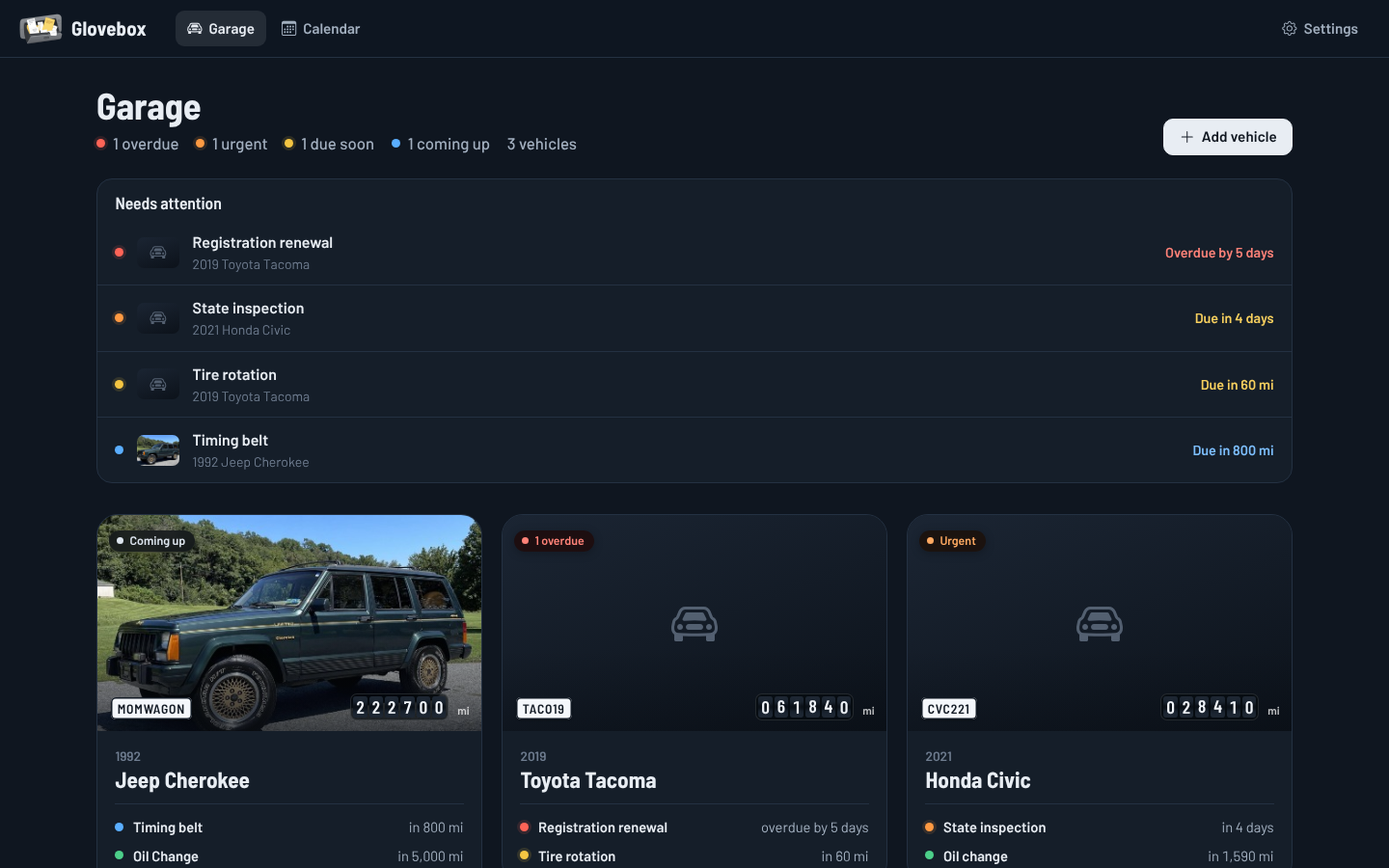
A redesigned LubeLogger that puts what's due next front and center.
Self-hosted vehicle maintenance, reminders with ntfy push notifications, notes and records.
 |
 |
 |
 |
 |
 |
What's different from LubeLogger
Glovebox runs on the same code base and reads and writes exactly the same data, so an existing LubeLogger install can switch to it (and back) without migrating anything.
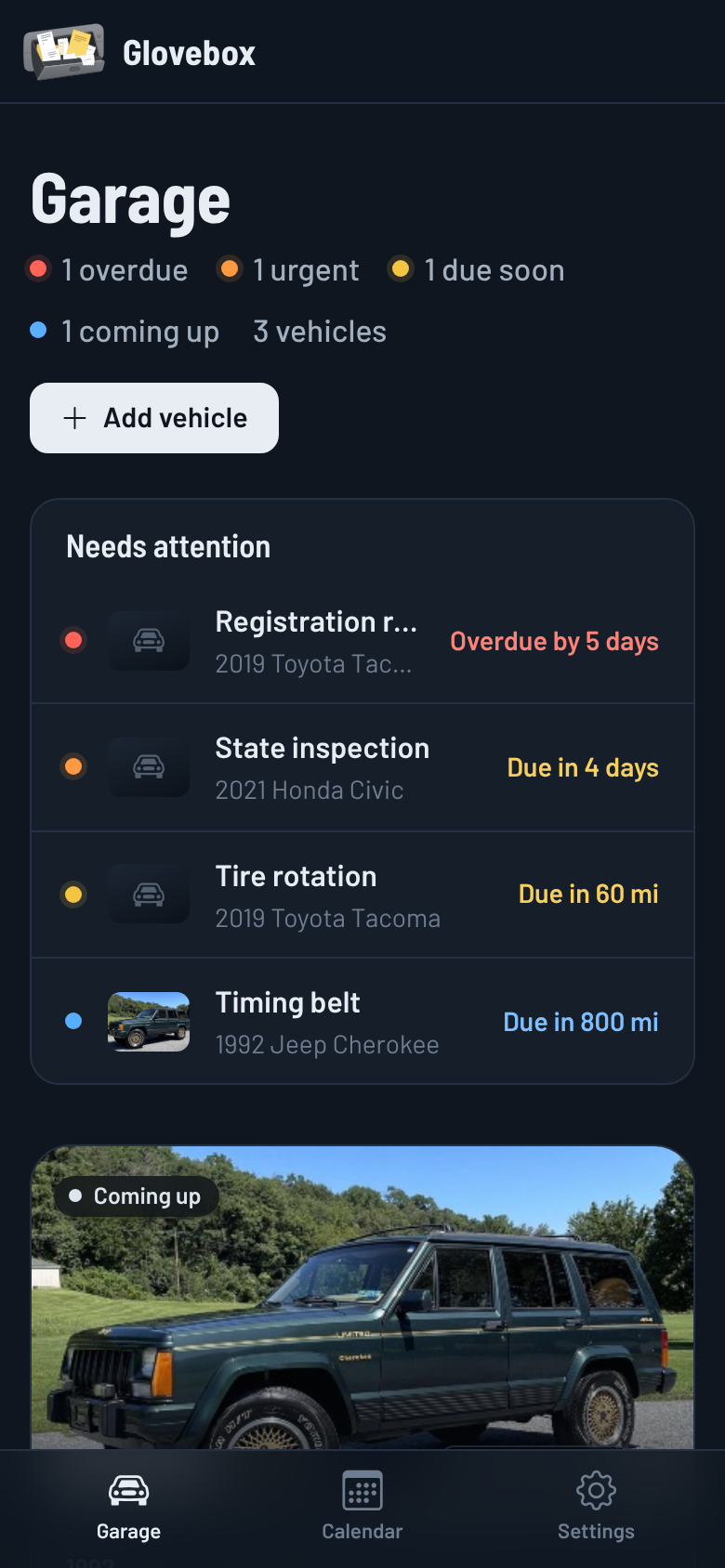
- A garage that tells you what needs attention. Each vehicle card shows its odometer, its status and the next two things due. Overdue, urgent and due-soon items across every vehicle are pulled to the top.
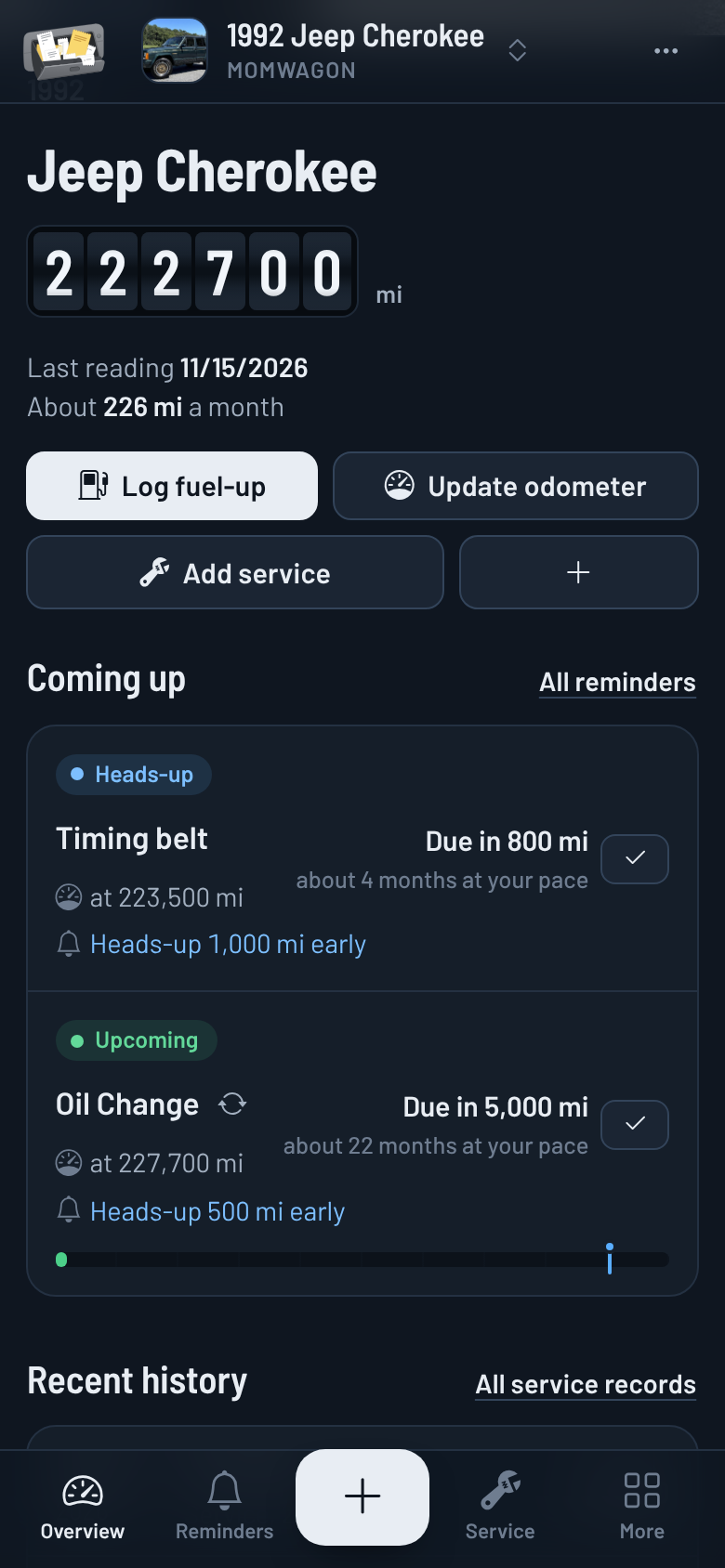
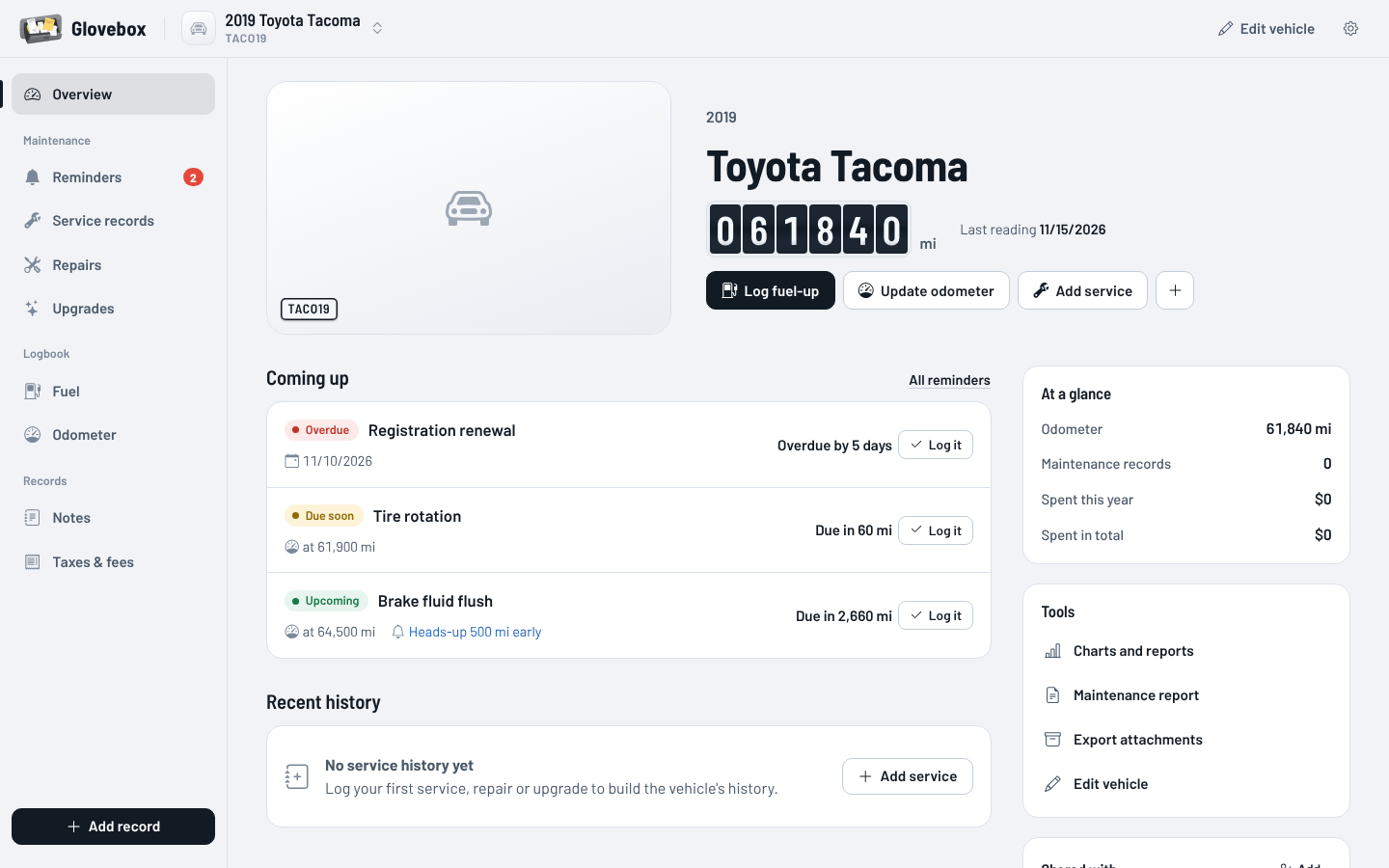
- A vehicle overview built around upcoming work. The old dashboard of charts is replaced with what's coming up (with progress through each interval and an estimate of when it'll be due at your driving pace), recent history and the numbers that matter. Charts are still one tap away.
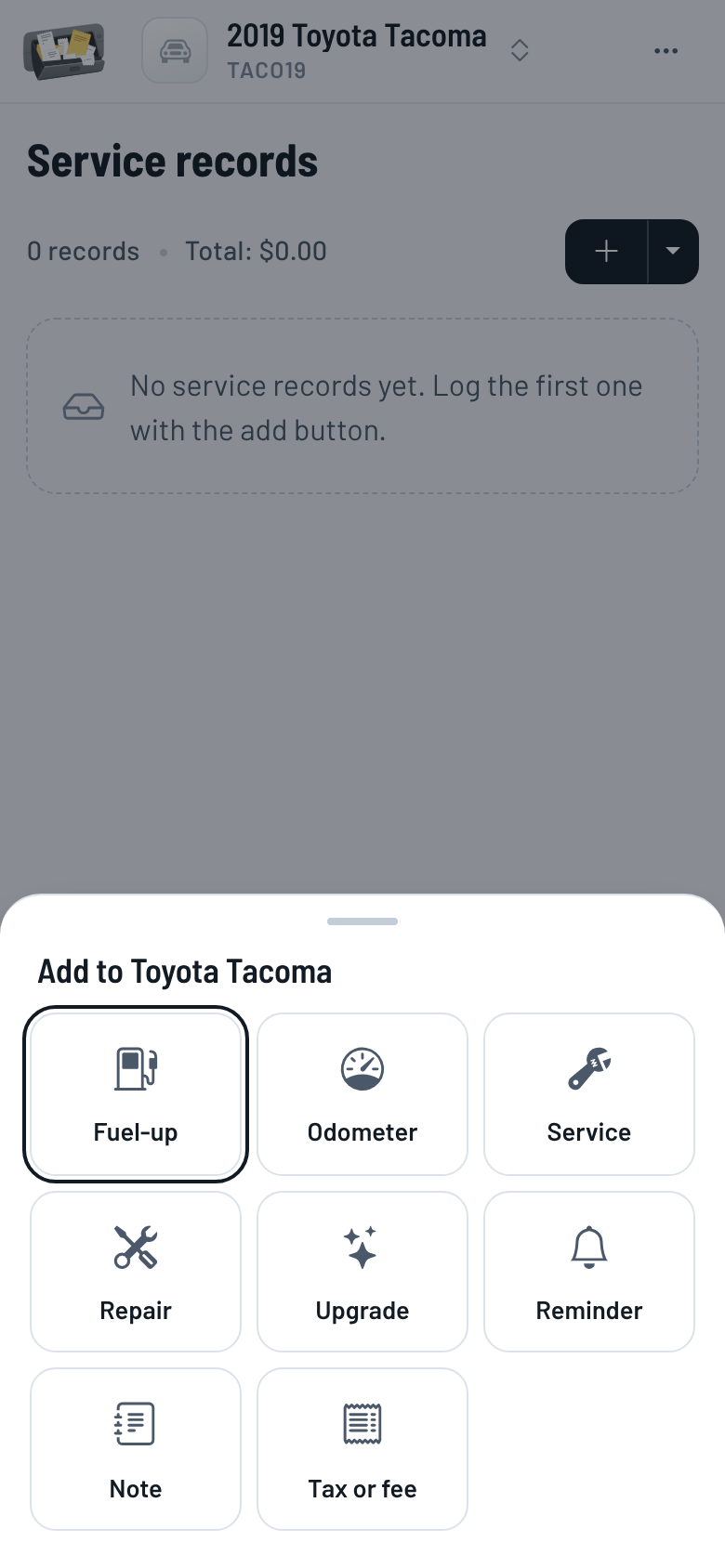
- Phone-first. Bottom navigation, one-tap quick add for every record type, bottom-sheet forms and lists that turn into cards on small screens.
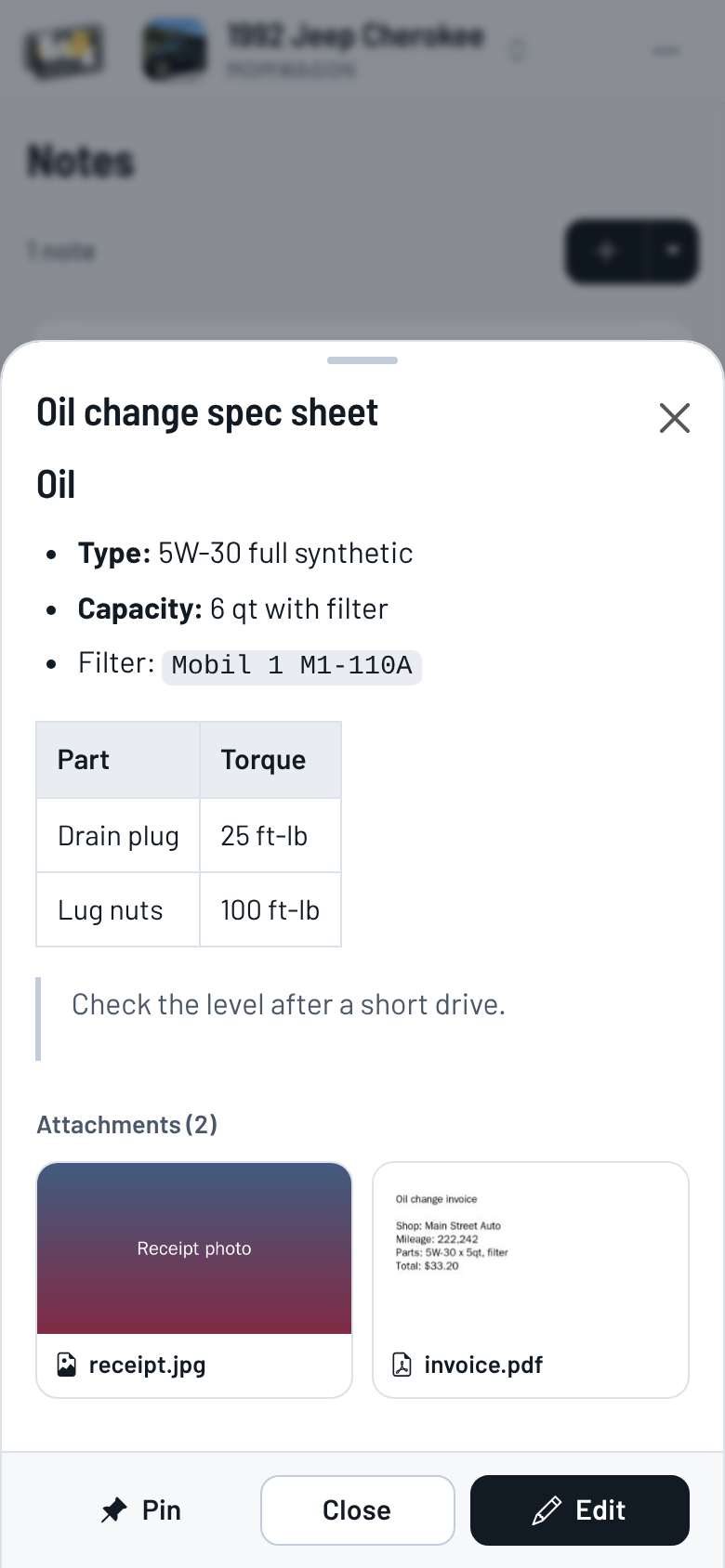
- Notes that read like notes. Clicking a note shows the rendered markdown and its attachments. Editing is a button away instead of the default.
- Attachments open in the app. Images, PDFs (rendered in the page, with zoom), video, audio, text, CSV and markdown open in a full-screen viewer with swipe and arrow-key navigation. Downloading is still there.
- Push notifications with ntfy. Get a notification when a reminder is coming up, due soon, urgent or overdue, with quiet hours and optional repeats for overdue items.
- Heads-up before it's due. Set a default early warning (for example 500 miles or 14 days) and override it per reminder, so you have time to order parts before the due date arrives.
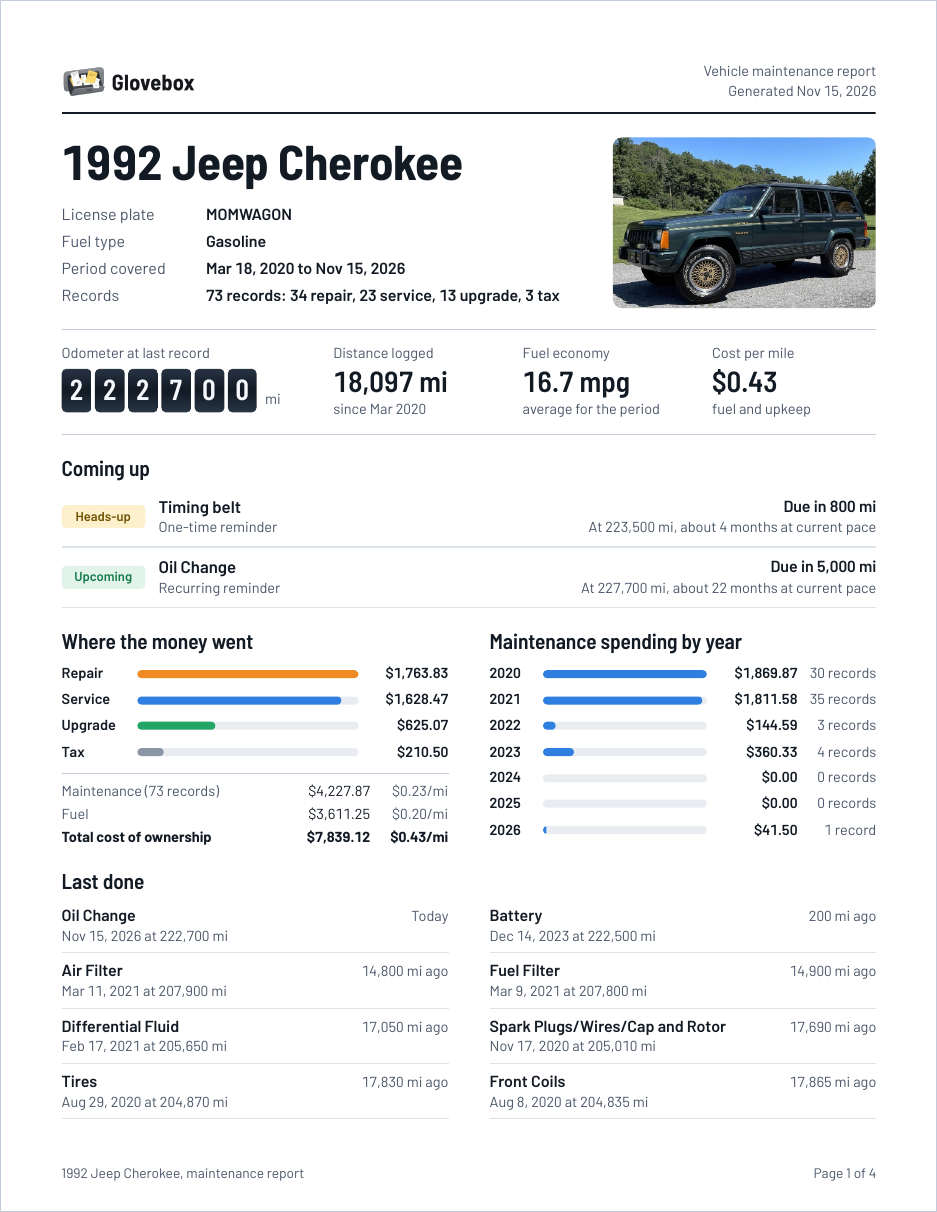
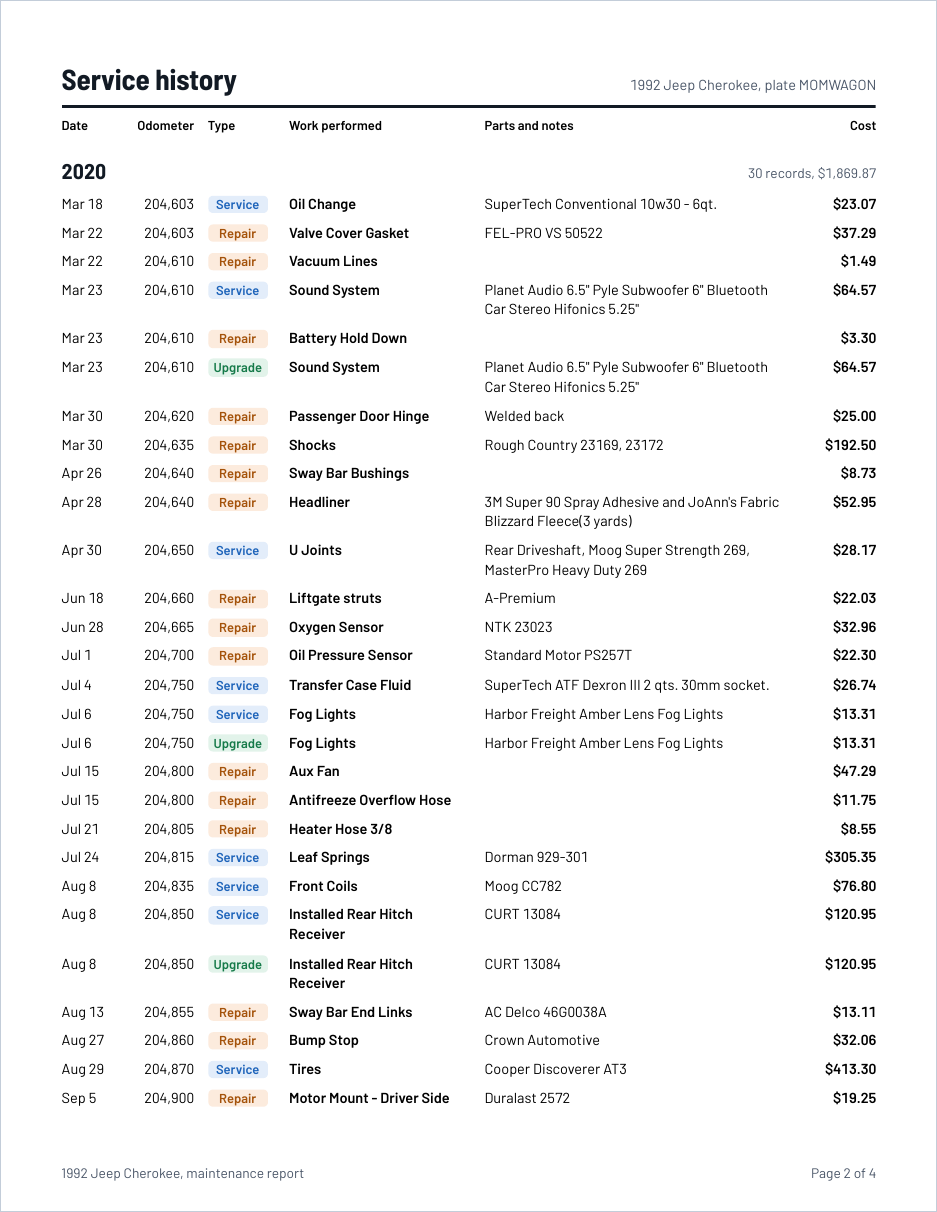
- A maintenance report worth handing over. A summary page with what's coming up, where the money went and when routine items were last done, followed by the full service history grouped by year. It prints cleanly on Letter paper, in light or dark mode.
- Hide cost tracking. One switch in Settings hides every cost field, column, total and chart. Amounts you've already entered are kept.
- Settings that make sense. Grouped into Appearance, Vehicles, Notifications, Units, Costs, Records, Automation, Server and About, and every change saves on its own.
- No search. The global search, garage search and per-table search are gone. Tag filters remain.
Smaller fixes along the way:
- Custom urgency thresholds on one reminder no longer leak into the reminders listed after it.
- Attachment names containing apostrophes or ampersands no longer break previews, renames or links.
- Markdown in notes is sanitized before it's rendered.
- Sorting by columns that contain numbers over 999,999 works.
- Odometer readings are shown with thousands separators.
- The reminder status chart uses the right colors (overdue is red, not grey).
Install
The image is published to GitHub Container Registry for linux/amd64 and linux/arm64:
ghcr.io/au12/glovebox:latest
latest follows the main branch. To stay on a release, use its version instead, for example ghcr.io/au12/glovebox:0.2.0. Releases are listed on the releases page.
Switching an existing LubeLogger container on Unraid
- On the Docker tab, click the LubeLogger icon and choose Edit.
- Change Repository from
ghcr.io/hargata/lubelogger:latesttoghcr.io/au12/glovebox:latest. - Leave every path, port and variable exactly as it is, then click Apply.
Your database, photos, documents, translations and settings live in the mapped /App/data folder, and sign-in keys live in /root/.aspnet/DataProtection-Keys, so they carry over untouched. To go back, set the repository to ghcr.io/hargata/lubelogger:latest again. Notification settings and per-reminder heads-up values are extra fields that LubeLogger simply ignores.
If you want a safety net, make a backup from LubeLogger's Settings page before you switch (in Glovebox it's Settings > Server > Download backup).
New install on Unraid
Once Glovebox is listed in Community Apps, search for it on the Apps tab and click Install. Until then, save templates/glovebox.xml to /boot/config/plugins/dockerMan/templates-user/my-Glovebox.xml on your flash drive, then pick Glovebox from the template list under Docker > Add Container:
wget -O /boot/config/plugins/dockerMan/templates-user/my-Glovebox.xml https://raw.githubusercontent.com/au12/glovebox/main/templates/glovebox.xml
New installs keep their data in /mnt/user/appdata/glovebox. Set Disable account registration to true (under Show more settings) if the server is reachable from the internet and you don't want a Create account page at all.
Docker Compose
services:
  app:
    image: ghcr.io/au12/glovebox:latest
    restart: unless-stopped
    environment:
      - LANG=en_US.UTF-8
      - LC_ALL=en_US.UTF-8
      - TZ=America/Chicago
    volumes:
      - data:/App/data
      - keys:/root/.aspnet/DataProtection-Keys
    ports:
      - 8080:8080

volumes:
  data:
  keys:
docker-compose.postgresql.yml and docker-compose.traefik.yml work the same way as upstream.
Reminder notifications
- Install the ntfy app and subscribe to a topic that's hard to guess, or use your own ntfy server.
- In Glovebox, open Settings > Notifications, turn on Send reminder notifications, and enter the server and topic. Add an access token or a username and password if your topic is protected.
- Set Open this address when tapped to the URL you use for Glovebox so a notification opens the right vehicle.
- Click Send a test.
Glovebox checks reminders every 15 minutes and right after you add or change a record. Each stage (heads-up, due soon, urgent, overdue) is sent once per due cycle, so you won't get the same alert twice. When a recurring reminder rolls forward, the cycle starts over.
The default heads-up applies to every reminder. To change it for one reminder, open the reminder and pick Custom under Heads-up before it's due, or None to skip the early warning. Mute all notifications for this reminder silences it completely.
Every account sets up its own notifications. Tokens and passwords are stored on the server and never sent back to the browser.
Building it yourself
dotnet publish -c Release -o out
cd out && ./CarCareTracker
or docker build -t glovebox .. Every push to main builds and publishes latest and a sha- tag through GitHub Actions. Tags named v1.2.3 also publish 1.2.3 and 1.2.
If the package page on GitHub shows the image as private after the first build, open Package settings and change its visibility to public so Unraid can pull it without signing in.
Releases
Releases are published automatically. When GloveboxVersion in Helper/StaticHelper.cs changes on main and that version has no release yet, the Release workflow creates the v<version> tag and release, using the matching section of CHANGELOG.md as the notes, then builds and pushes the <version> and <major>.<minor> images. Add the changelog section before bumping the version; the workflow fails without it.
Credits
Glovebox is a fork of LubeLogger by Hargata Softworks. LubeLogger's documentation covers everything that works the same way, which is most of it: record types, the planner, inspections, supplies, the API, OpenID, PostgreSQL and backups.
Built with Bootstrap, Bootstrap Icons, LiteDB, Npgsql, Bootstrap-DatePicker, SweetAlert2, CsvHelper, Chart.js, marked, DOMPurify, PDF.js, MailKit, Masonry, QRCode-Generator and the Barlow typeface.
License
MIT, the same as LubeLogger. See LICENSE.
Media gallery
1 / 5Categories
Related apps
Explore more like this
Explore allLinks
Details
ghcr.io/au12/glovebox:latestRuntime arguments
- Web UI
http://[IP]:[PORT:8080]/- Network
bridge- Shell
bash- Privileged
- false
Template configuration
Port for the web interface.
- Target
- 8080
- Default
- 8080
- Value
- 8080
Database, photos, attachments, translations and settings. Coming from LubeLogger? Point this at your existing LubeLogger data folder to keep everything.
- Target
- /App/data
- Default
- /mnt/user/appdata/glovebox/data
- Value
- /mnt/user/appdata/glovebox/data
Encryption keys for sign-in cookies. Coming from LubeLogger? Reuse its keys folder so everyone stays signed in.
- Target
- /root/.aspnet/DataProtection-Keys
- Default
- /mnt/user/appdata/glovebox/keys
- Value
- /mnt/user/appdata/glovebox/keys
Locale for dates, numbers and currency, for example en_US.UTF-8 or en_GB.UTF-8.
- Default
- en_US.UTF-8
- Value
- en_US.UTF-8
Should match LANG.
- Default
- en_US.UTF-8
- Value
- en_US.UTF-8
Optional. The address you use to reach Glovebox, for example https://glovebox.example.com. Used for links in emails and notifications.
- Target
- LUBELOGGER_DOMAIN
Set to true to remove the Create account page entirely. By default new accounts need an invitation token from an admin.
- Target
- DisableRegistration
- Default
- false|true
- Value
- false