
All apps · 0 apps

glance-editor
Docker app from Thomas Edain's Repository
Overview
Readme
View on GitHubGlance Editor
A no-code editor for Glance dashboards, in one container with Glance itself.
Build pages, columns and widgets, pick a theme, icons and a background, and see the result before it goes live. All of
this happens in the browser, without writing YAML. Glance Editor writes Glance's own glance.yml, so your dashboard is
always a plain Glance dashboard.
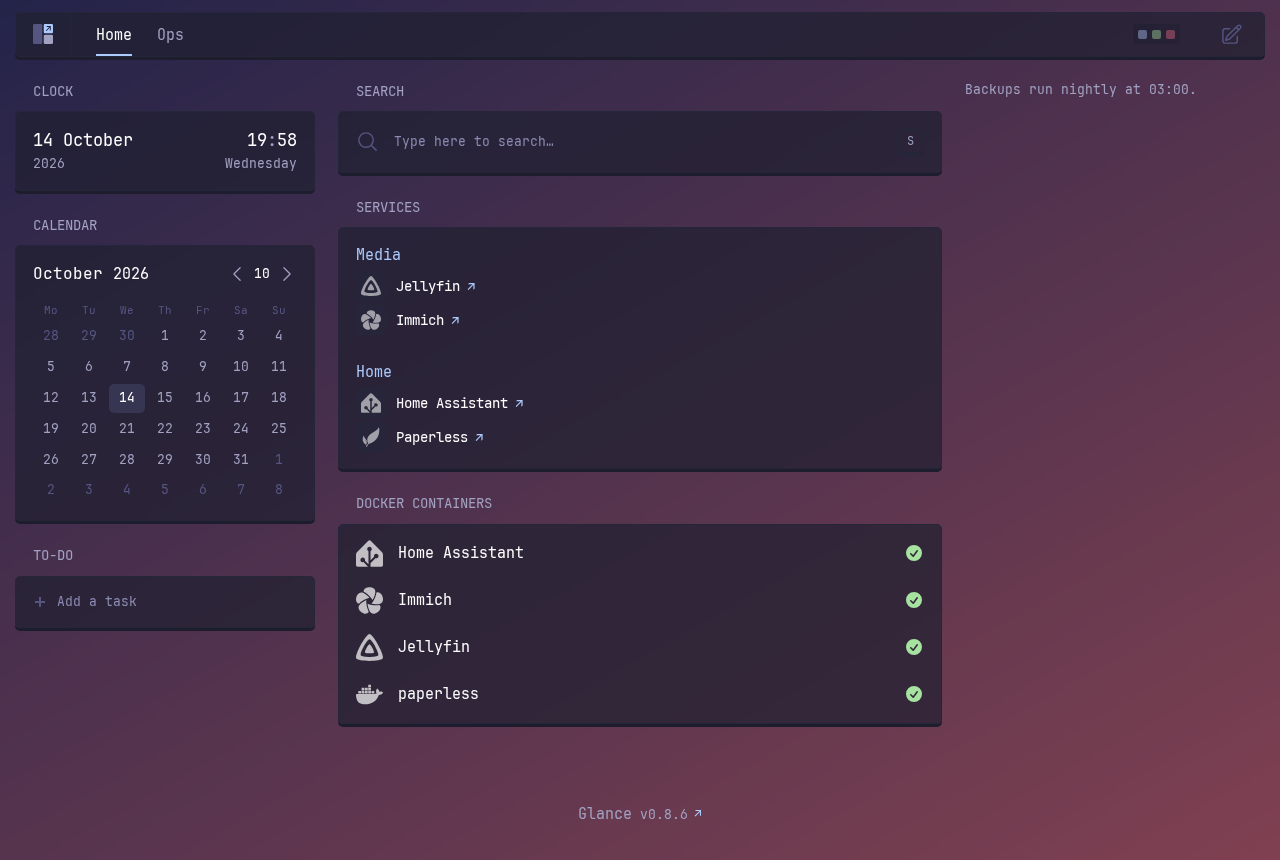
Status: release candidate for v1.0.0. Built and tested for Unraid on amd64; it runs anywhere Docker runs. Pinned to Glance v0.8.6 (glance.version).
Built on Glance
Glance is the work of the glanceapp/glance project and its contributors: the dashboard, its widgets, its themes and its docs. This project only adds an editor around it. All the hard work that makes the dashboard fast, good-looking and useful is theirs. If you like Glance, star their repository and consider supporting it.
This image includes the unmodified Glance binary from Glance's official image, under Glance's own licence
(AGPL-3.0). Its licence and a link to its exact source are in third_party/glance and
inside the image at /usr/share/doc/glance/.
What you get
One container runs:
- your Glance dashboard;
- the editor;
- a second, private Glance for previews;
- a small gate that only lets the editor list Docker containers.
Install it once, and it's all there.
The editor
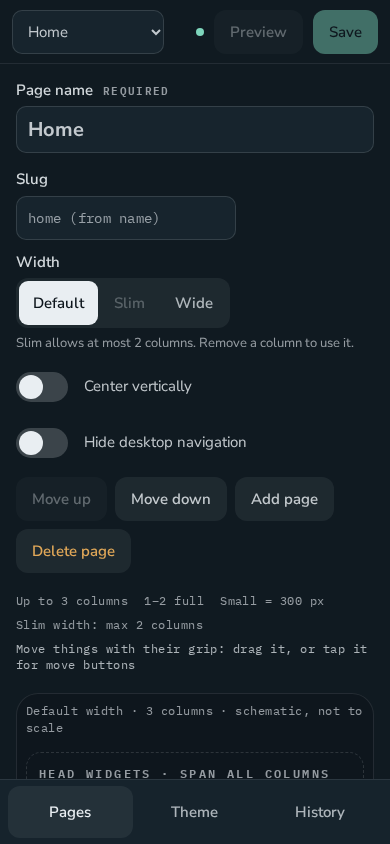
- Pages and columns. Add, rename, reorder and delete pages. Pick a layout of up to three columns, small or full. The editor keeps you within Glance's rules: at most three columns, one or two full, slim pages with two.
- Every widget Glance v0.8.6 has, each with a form built from its settings. Glance's defaults show greyed, so
glance.ymlonly gets what you change. Anything the form doesn't cover can be written in the widget's YAML tab. - Drag and drop on desktop, or move buttons on a phone. The editor works on both.
- Bookmarks with groups, colours and icons.
- Docker containers. Show or hide each container with one tap, and give it an icon, a name, a link and a
description. On Unraid, the icon Unraid already uses for the container is offered too. Containers on other servers
work as well: point a widget's Docker socket path at a read-only proxy there (
tcp://<server>:2375). Fill in icons and links does it for all of them at once: Unraid's icons (downloaded) and web UI addresses, library icons by image name, and tidy names. - Community widgets. Add any of the widgets Glance users share in glanceapp/community-widgets from Add widget → Community: search, preview, pick a variant, see which values it needs, add. Each one is checked with the pinned Glance for every release.
- Icon finder for bookmarks, monitors and containers. It searches Simple Icons, selfh.st Icons, Dashboard Icons and Material Design Icons, the site's own icon, and openly licensed images on the web. Web images are downloaded into Glance's assets folder, with their licence.
- Theme. Start from any of the 14 themes in Glance's docs, then adjust each colour. Choose which of those themes the dashboard's own theme picker offers.
- Background. One image or a slideshow, from your device, a folder on the server, or Pixabay (with your key). Settings: fit, dim, blur, see-through widgets, and for a whole image a blurred fill or top alignment.
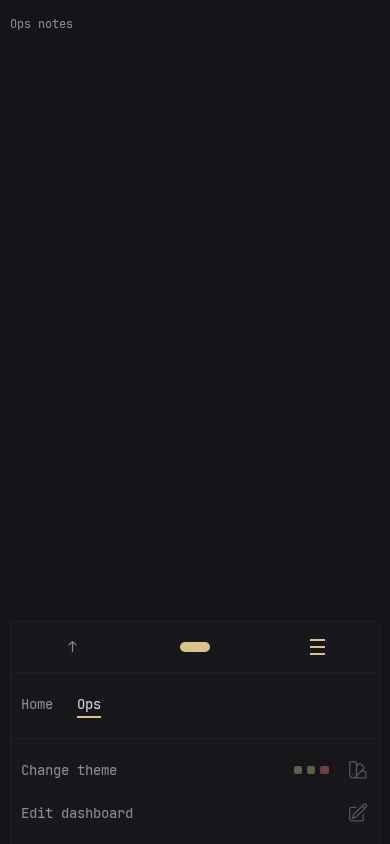
- Dashboard menu and look. An optional Edit link in the dashboard's menu opens the editor on the page you're looking at. Optionally hide the thin lines between list items.
- Preview the draft on the private Glance, at desktop or phone width, before anything goes live.
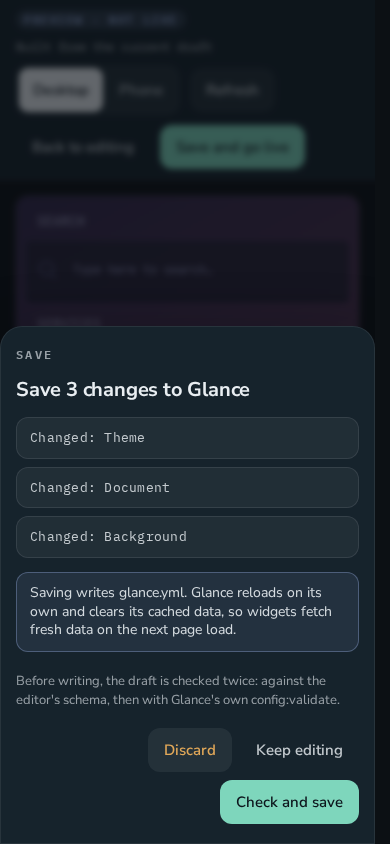
- Explicit Save with checks. Review shows every change. Then the draft is checked by the editor's rules and by
Glance's own validator, and
glance.ymlis written only if both pass. Glance reloads, and the editor confirms it. - History. Every save is a version, and you can restore any of them. A file changed by hand is noticed and kept as its own version.
- Your file stays yours. Importing keeps your comments, order and formatting wherever you didn't change anything.
${VARIABLES}and${secret:…}placeholders are kept exactly as written and never resolved. - Bring your current Glance. Upload a
.zipof your Glance folder on the first screen. The editor checks the config with its include files, and carries over your assets (icons, custom CSS) and your.env.
Screenshots
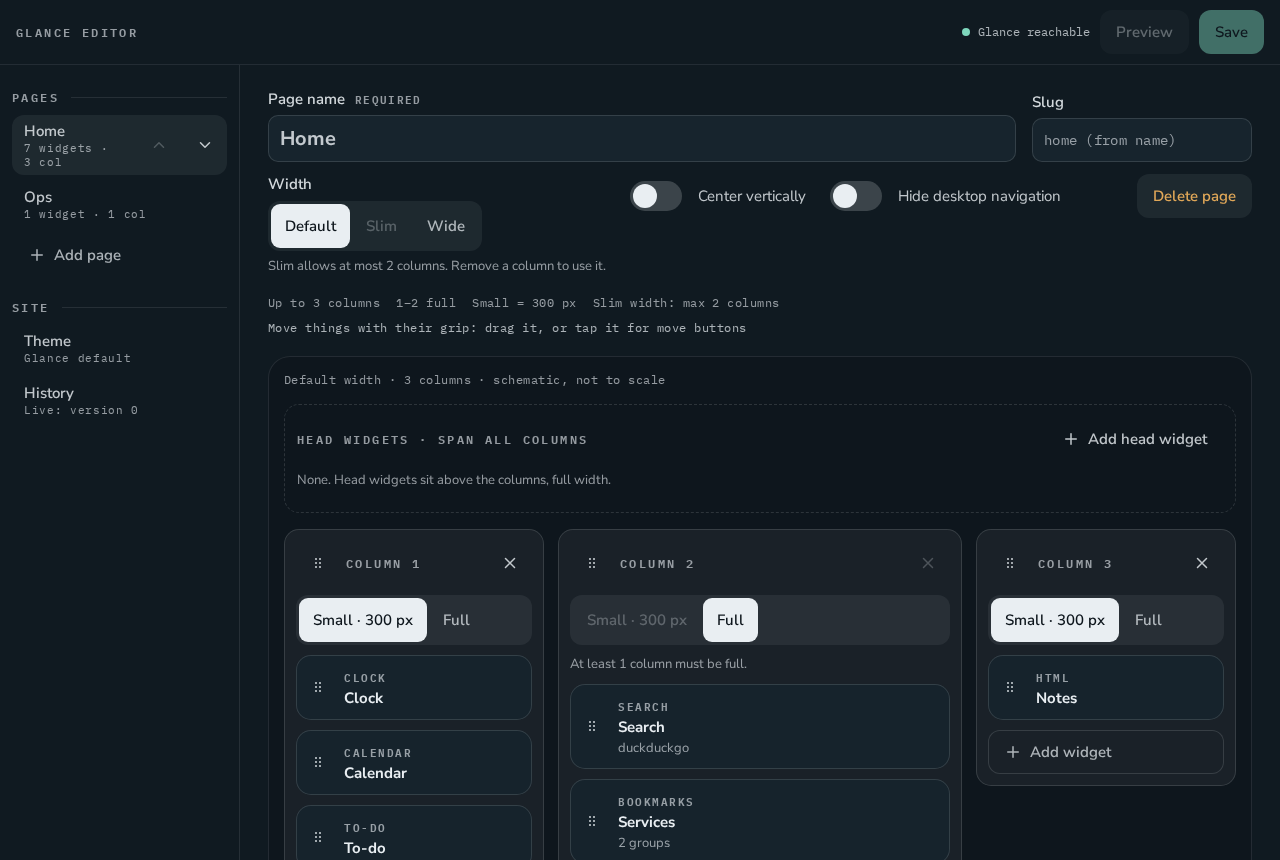 Pages, columns and widgets Pages, columns and widgets |
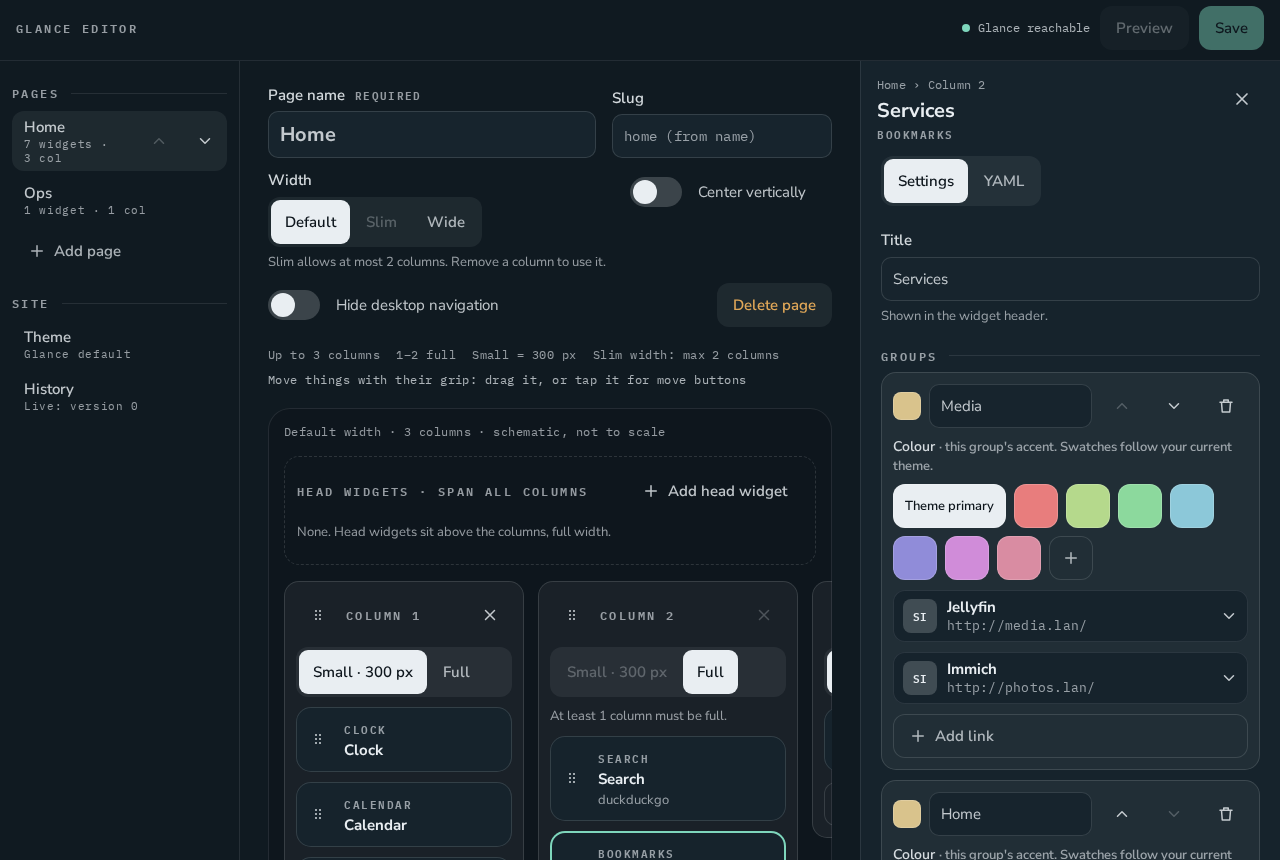 A widget's settings A widget's settings |
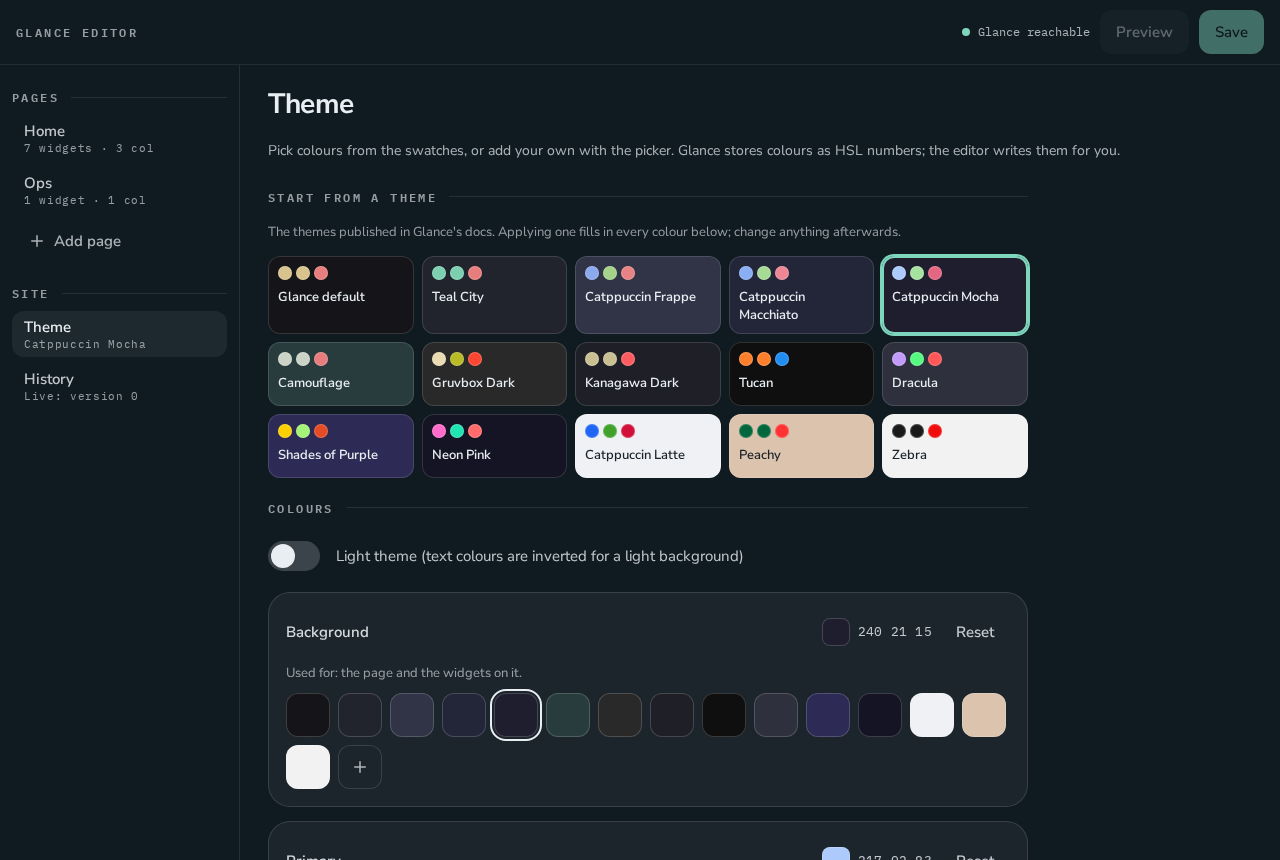 Theme Theme |
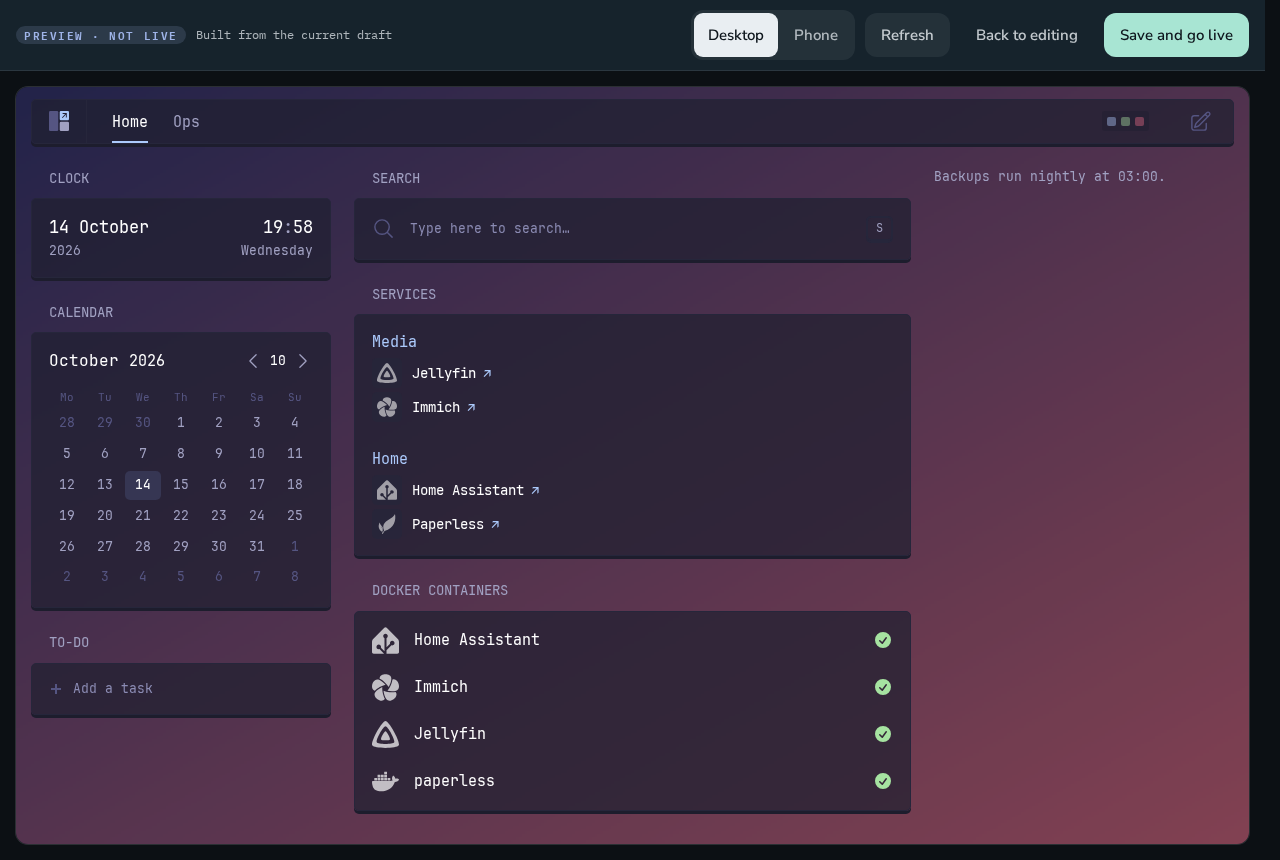 Preview before going live Preview before going live |
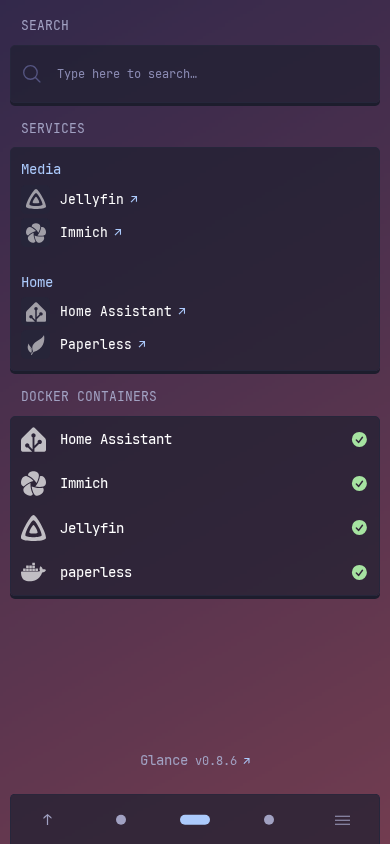
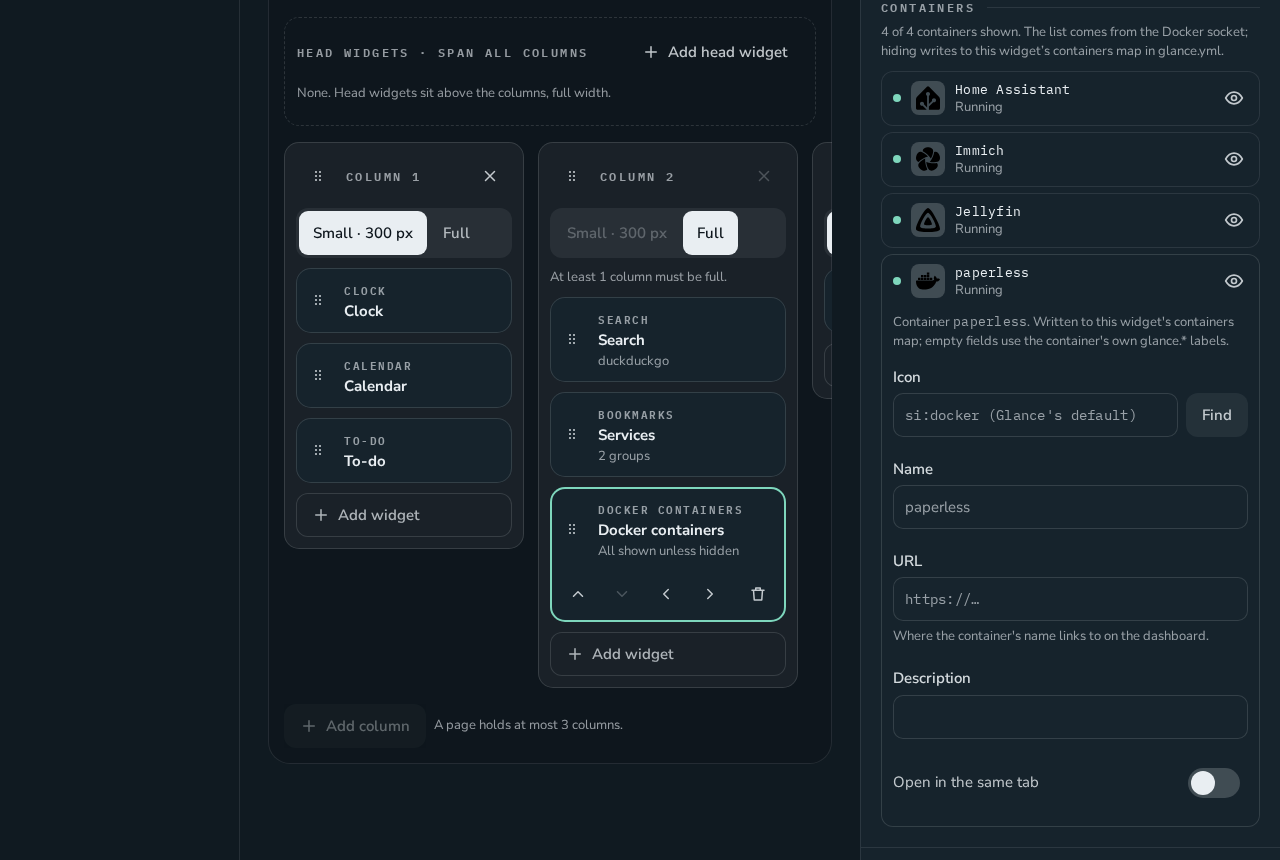 Docker containers Docker containers |
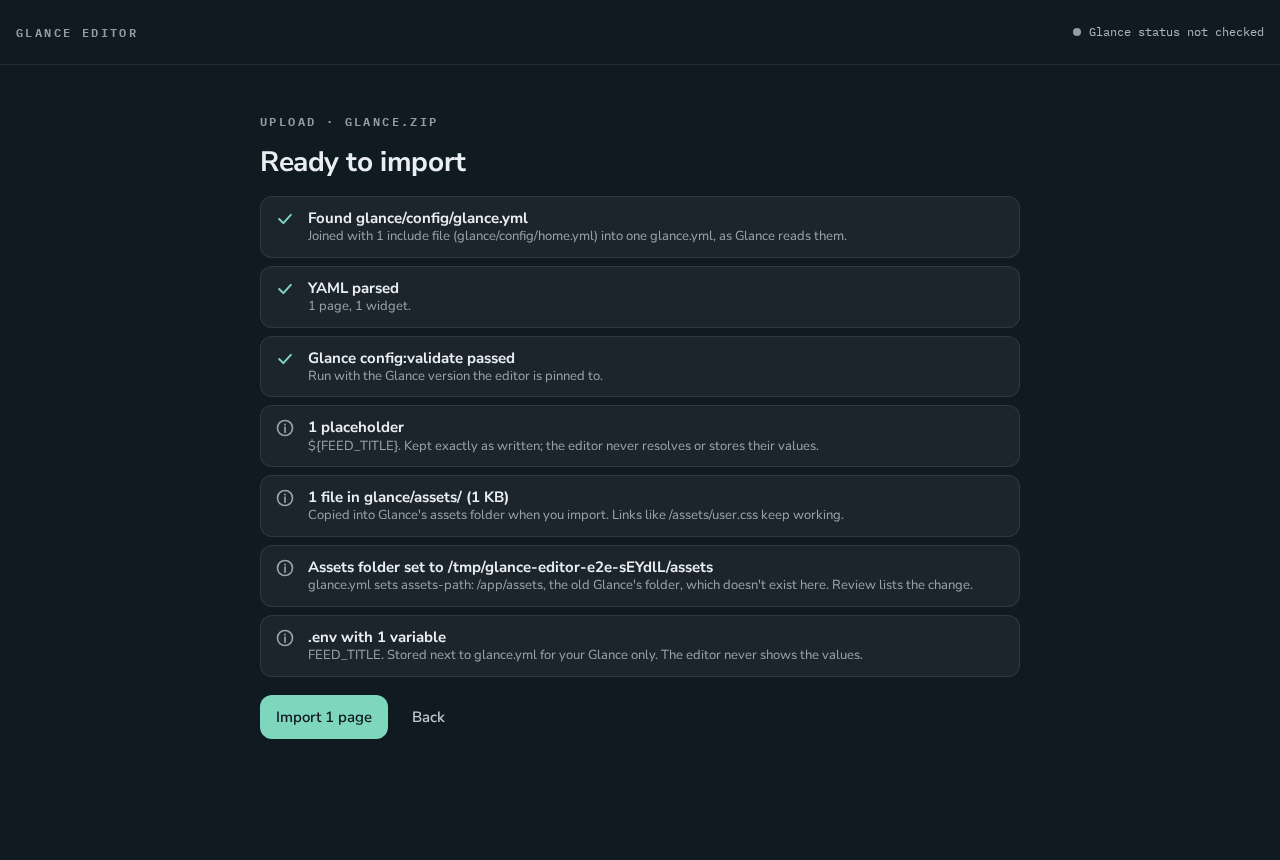 Uploading your Glance folder Uploading your Glance folder |
On a phone:
Install
On Unraid
- Open the Unraid terminal and fetch the template (once):
The template is also attached to every release. For a test release, use its own address:curl -fsSL -o /boot/config/plugins/dockerMan/templates-user/my-glance-editor.xml \ https://github.com/gcarstoiu/glance-ui/releases/latest/download/glance-editor.xmlhttps://github.com/gcarstoiu/glance-ui/releases/download/v<VERSION>/glance-editor.xml. - Docker tab → Add Container → Template: glance-editor.
- Editor port:
8090(the WebUI). - Dashboard port:
8080. Pick another if something already uses it, such as a Glance you already run. - Data: leave
/mnt/user/appdata/glance-editor. - Docker socket: keep it if you want a Docker containers widget.
- Photos (optional): a share with photos to use as backgrounds.
- Editor port:
- Apply, then click the container's icon → WebUI.
Updates show up in the Docker tab like any other container ("update ready").
With Docker
docker run -d --name glance-editor \
  -p 8090:3000 -p 8080:8080 \
  -v /path/to/glance-editor:/data \
  -v /var/run/docker.sock:/var/run/docker.sock:ro \
  -e PUID=1000 -e PGID=1000 \
  --restart unless-stopped \
  ghcr.io/gcarstoiu/glance-editor:latest
Open http://<server>:8090/ for the editor; the dashboard is on http://<server>:8080/.
| Setting | What it is |
|---|---|
Port 3000 |
The editor |
Port 8080 |
Your Glance dashboard |
/data |
Everything: config/glance.yml, assets/ (icons, backgrounds), editor/ (versions and settings). Back up this one folder |
/var/run/docker.sock (read only, optional) |
For the Docker containers widget, and so the editor can list containers. The editor itself never gets the socket: it asks a gate that only lets it list |
/photos (read only, optional) |
A folder of photos for backgrounds |
PUID, PGID |
The user and group the editor runs as and writes files as (Unraid: 99 and 100) |
| Your own variables | Anything your ${VARIABLES} need. They go to Glance, not to the editor. A .env next to glance.yml works too |
First run
The editor opens on Set up the editor:
- Upload your Glance folder: a
.zipof the folder that holds yourglance.yml. Include files,assets/and.envcome with it. On macOS, right-click → Compress; on Windows, Send to → Compressed folder. - Import glance.yml: if you copied it into the data folder's
config/yourself. - Start empty: one page with a layout you pick.
Nothing is written to glance.yml until you press Save.
Moving from a Glance you already run? Install this beside it on another dashboard port, compare the two, then switch over. The runbooks walk through it: install, compare, cut over and fall back, update.
Good to know
- No login. The editor is meant for your home network only; don't expose it to the internet. Your dashboard can
keep Glance's own login (
auth). - Glance's version is pinned and moves only with an editor release, after the editor has been tested against it.
- The editor owns
glance.yml. Editing it by hand still works: the editor notices, keeps your change as a version, and asks before saving over it. - What the editor adds to
glance.yml:- a
glance-editor:section for the background and look settings (Glance ignores it); - its CSS file as
theme: custom-css-file(your own CSS file is imported by it); - its small scripts in
document: head:. Switch the features off and these go again.
- a
- Outbound internet is used for icon lists, web icon search and Pixabay, only when you use them.
Development
- docs/handoff.md: where the project stands.
- docs/adr/: every decision, with its reasons.
- docs/testing.md:
scripts/test.shruns the type checks, the licence check, unit tests (many against the real Glance binary), browser tests at desktop and phone width with accessibility checks, and the container tests. - docs/api.md: the editor's HTTP API.
- CHANGELOG.md: release notes.
Stack: TypeScript, SvelteKit, SQLite, Node 24, Playwright and Vitest. Issues and ideas are welcome: open an issue.
Credits
- Glance (AGPL-3.0): the dashboard this whole project is built around. Its themes come from Glance's docs.
- Community widgets: glanceapp/community-widgets (CC0-1.0), each by the author named on its card; bundled as of the commit in community-widgets.version.
- Icons: Simple Icons, selfh.st Icons, Dashboard Icons and Material Design Icons, loaded from jsDelivr as Glance does.
- Web search: Iconify, Openverse and Wikimedia Commons. Background images: Pixabay (with your own key).
- Each icon library and image keeps its own licence; downloaded images are saved with theirs.
License
GPL-3.0, see LICENSE. Glance, included unmodified, is AGPL-3.0 (ADR-0013).
Media gallery
1 / 4Requirements
Categories
Related apps
Explore more like this
Explore allDetails
ghcr.io/gcarstoiu/glance-editor:latestRuntime arguments
- Web UI
http://[IP]:[PORT:3000]/- Network
bridge- Shell
sh- Privileged
- false
Template configuration
The editor (WebUI).
- Target
- 3000
- Default
- 8090
- Value
- 8090
Your Glance dashboard. Use another port if something else, like your current Glance, already uses this one.
- Target
- 8080
- Default
- 8080
- Value
- 8080
Everything in one folder: config/glance.yml (your dashboard), assets/ (icons and backgrounds), editor/ (every saved version and the settings). Include it in your backups.
- Target
- /data
- Default
- /mnt/user/appdata/glance-editor
- Value
- /mnt/user/appdata/glance-editor
For the Docker containers widget, and so the editor can list your containers to show or hide them. The editor itself never gets the socket: it can only list containers. Remove this if you don't need it.
- Target
- /var/run/docker.sock
- Default
- /var/run/docker.sock
- Value
- /var/run/docker.sock
A folder of your own photos to use as backgrounds, read only.
- Target
- /photos
The user the editor runs as and writes files as (Unraid: nobody).
- Default
- 99
- Value
- 99
The group the editor writes files as (Unraid: users).
- Default
- 100
- Value
- 100