
All apps · 0 apps

GasMoney
Docker app from mmenanno's Repository
Overview
Readme
View on GitHubGas Money
A self-hosted, single-screen calculator that estimates the gas cost of any trip you've driven (or are about to drive). Feed it your GasBuddy CSV exports and it works out per-trip cost from the fuel-economy and pump-price values bracketing your trip date.



Screenshots
 |
 |
 |
 |
What it does
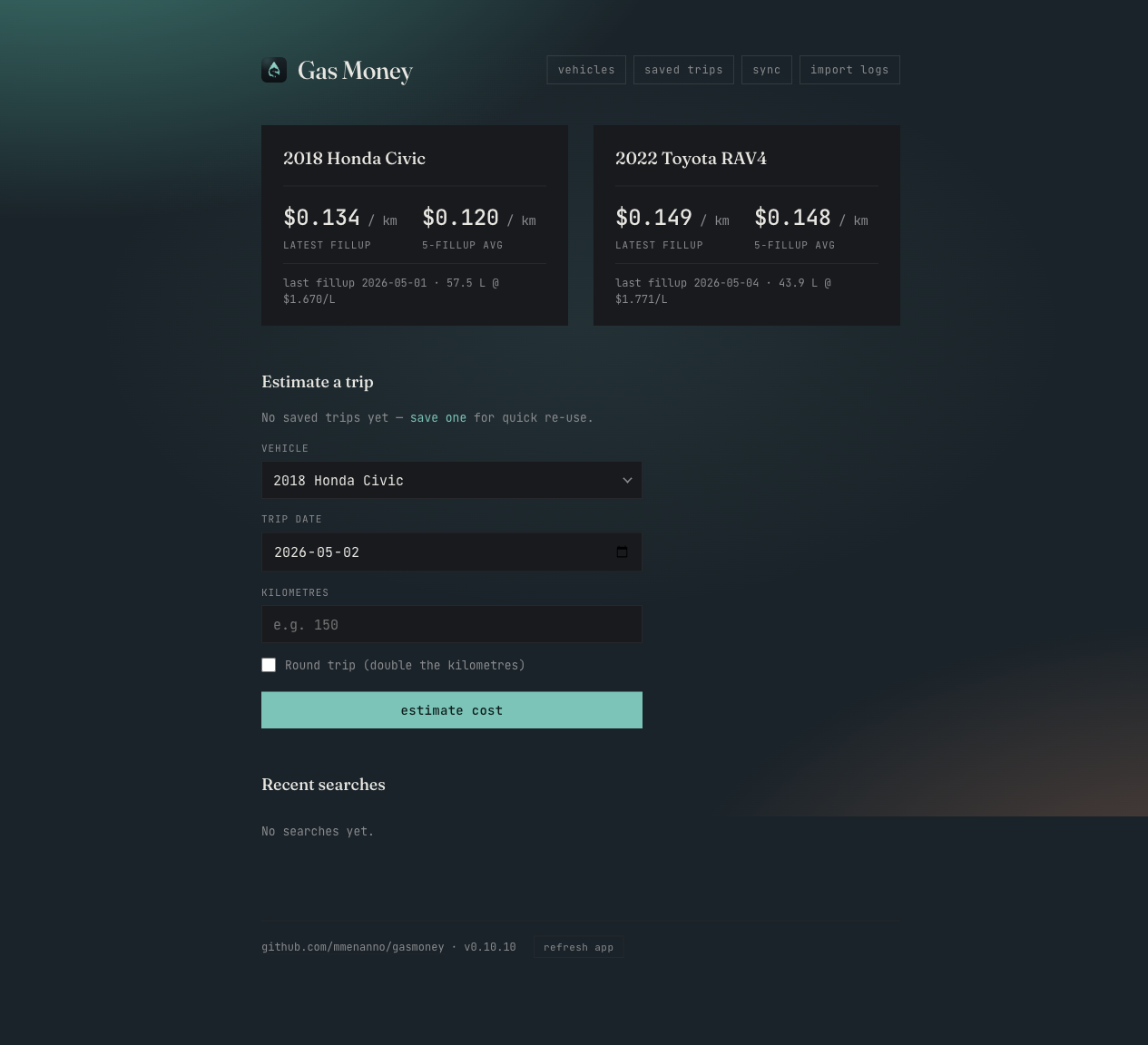
- Estimate a trip cost by vehicle, date, and kilometres. Pick whether it's a round trip and the calculator doubles the distance.
- Saved trips: name a route once (e.g. "Commute", "Cottage"), pick it from a dropdown to pre-fill the form for any vehicle / date.
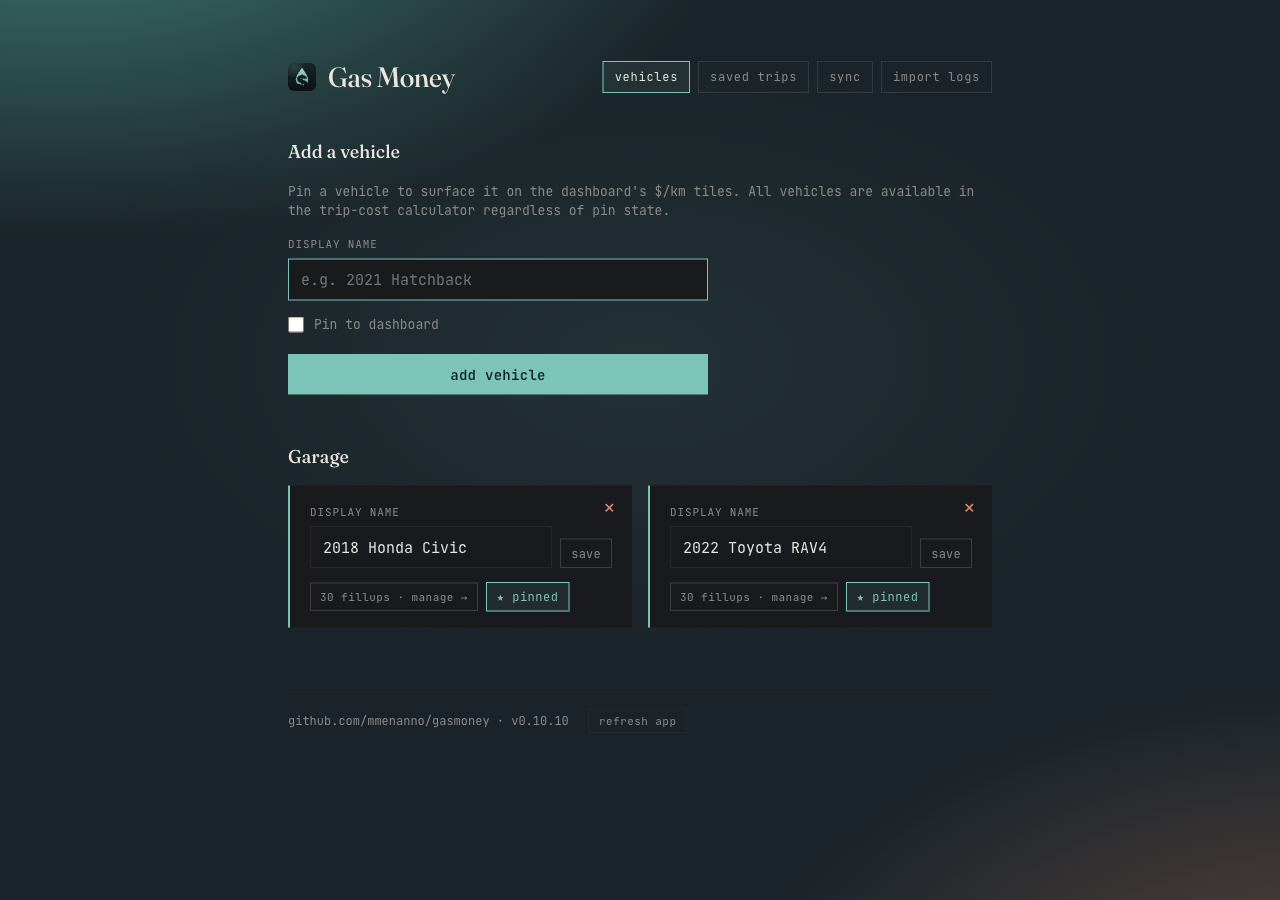
- Vehicle management: add the vehicles you actually drive; pin a subset to the dashboard for the at-a-glance "$/km latest" + "$/km 5-fillup average" tiles.
- CSV import of GasBuddy exports with row-level dedup on
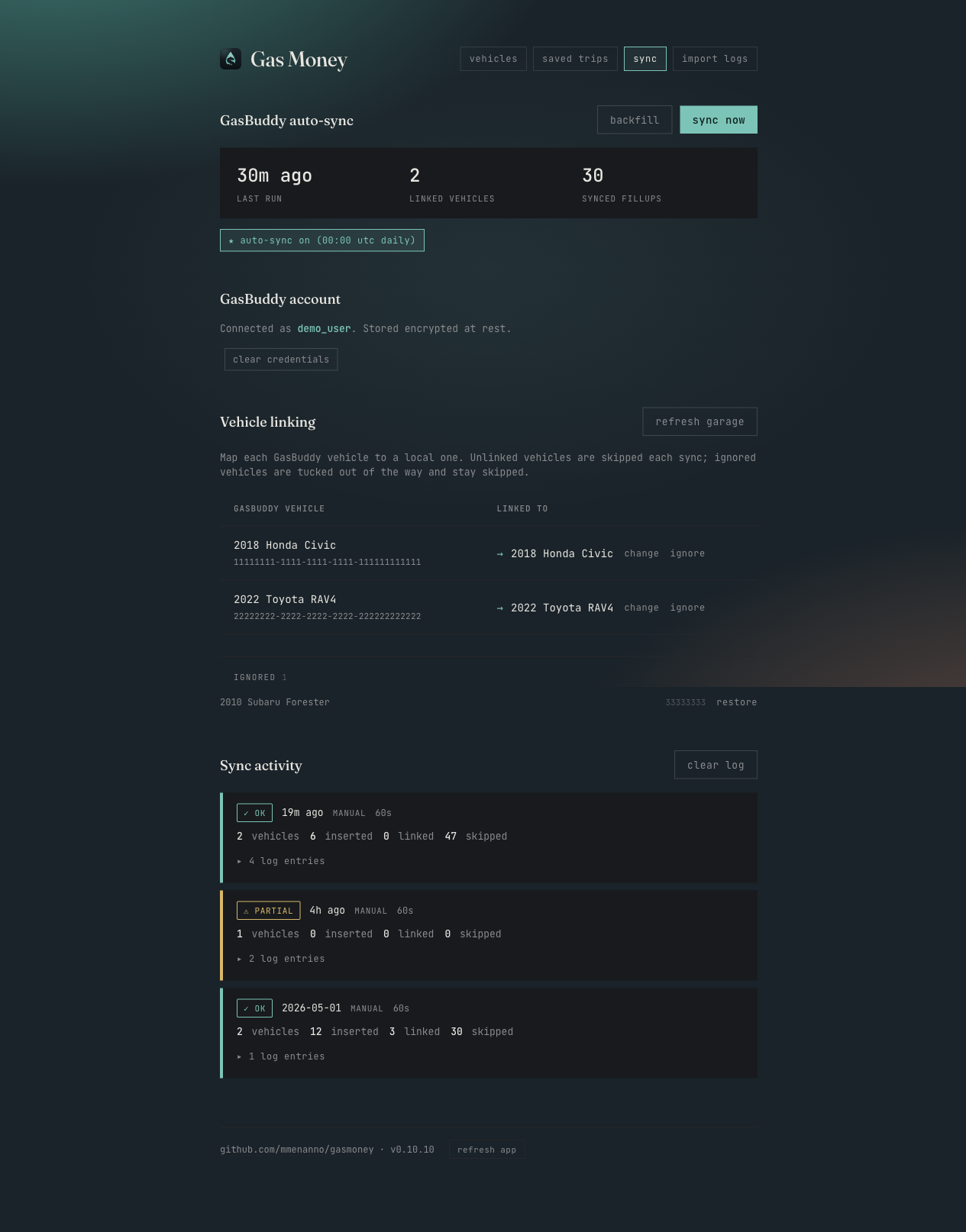
(vehicle, timestamp, odometer, quantity)so re-importing the same file is a no-op. - Auto-sync from GasBuddy (optional): once a day at midnight UTC plus a manual button. Bundles a headless Chromium that drives the actual login form (Cloudflare's JS challenge solves naturally), captures the resulting cookies, and uses them for plain Faraday GraphQL calls. New entries import automatically; existing manually-imported fillups that match an incoming entry are linked rather than duplicated.
- Backfill prior years: a separate button on the Sync page that walks GasBuddy year-by-year back to 2010, stopping after two consecutive empty years. Useful for the first run on a long-existing GasBuddy account; subsequent regular syncs only need to keep the current year up to date.
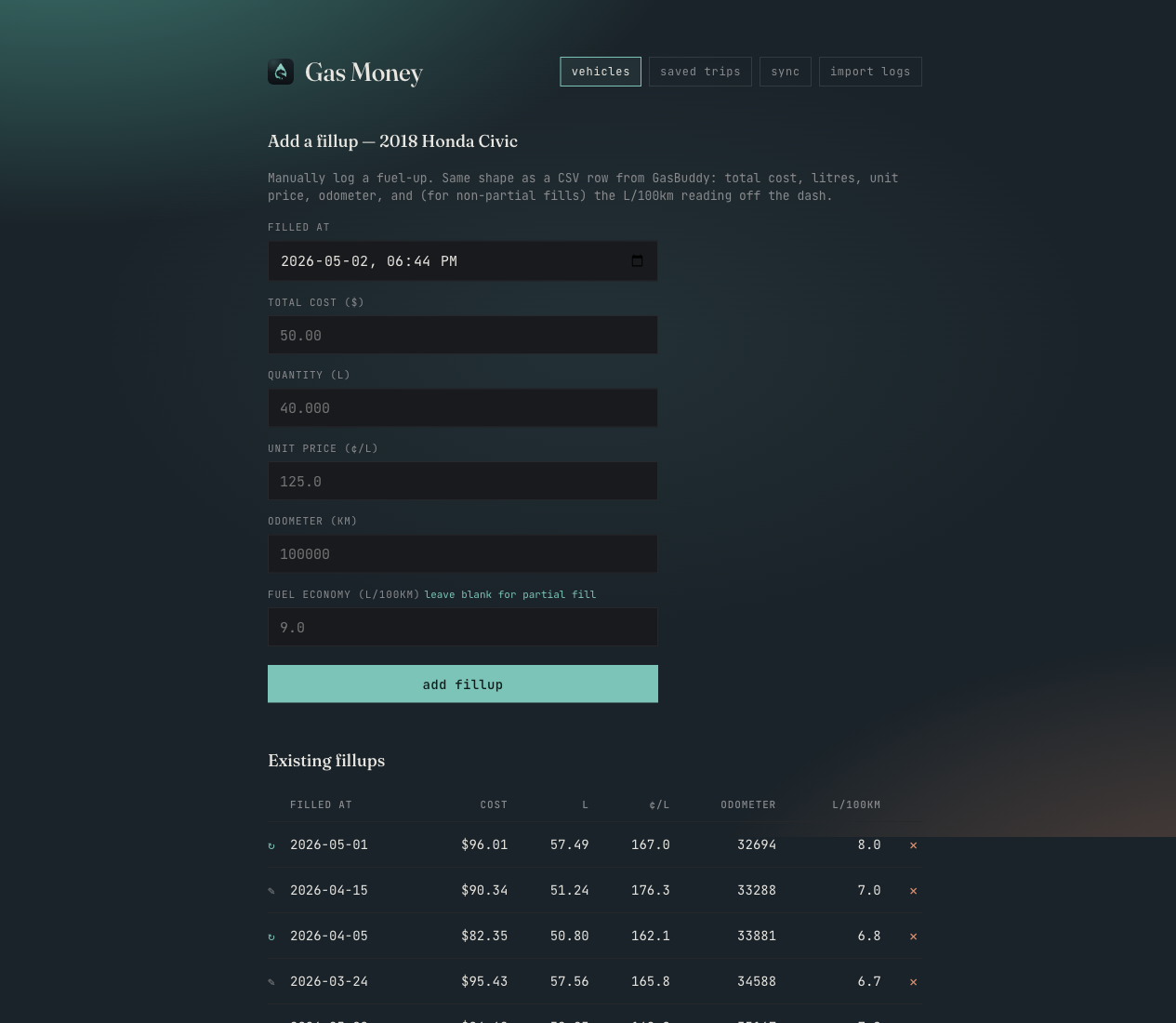
- Manual fillup entry: each vehicle has a per-vehicle fillups page where you can add a row by hand (same shape as a CSV row). Useful for filling gaps that GasBuddy doesn't have. Each ledger row carries a small provenance glyph —
↻for fillups synced from GasBuddy,✎for ones added manually or via CSV import. - History: every estimate is saved with its math (litres × $/L, fuel economy, calc method) and can be deleted from the dashboard.
How the math works
For a trip on date D with vehicle V and K kilometres, the calculator picks fuel-economy (L/100km) and unit price (¢/L) values via one of four strategies:
exact—Vhas a fillup whose date matchesD. Use that fillup's values directly.between—Dis between two fillups forV. Average the L/100km and ¢/L from the closest fillup before and afterD(skipping any rows flaggedmissingPreviousfor fuel economy).after_latest—Dis later than every fillup forV. Use the most recent fillup with a real fuel-economy reading.before_earliest—Dis earlier than every fillup. Use the earliest fillup with a real fuel-economy reading.
Cost = (L/100km × kilometres ÷ 100) × (¢/L ÷ 100). Stored to the cent.
The "5-fillup average" tile averages cost-per-km across the most recent five fillups that have a real L/100km value (skipping partial fills).
Run it
Docker (recommended)
docker run -d \
  --name gasmoney \
  -p 9292:9292 \
  -v "$(pwd)/state:/app/state" \
  ghcr.io/mmenanno/gasmoney:latest
Open http://localhost:9292. The SQLite database lives in /app/state/gasmoney.sqlite3 inside the container; the bind mount above keeps it on the host across upgrades.
If your host's appdata is owned by a non-1000 user, set PUID / PGID on the container — the entrypoint adjusts the in-container app user to match before dropping privileges.
docker-compose
services:
  gasmoney:
    image: ghcr.io/mmenanno/gasmoney:latest
    container_name: gasmoney
    restart: unless-stopped
    ports:
      - "9292:9292"
    volumes:
      - ./state:/app/state
    # environment:
    #   PUID: "1000"
    #   PGID: "1000"
    #   UMASK: "022"
From source (development)
bundle install
bundle exec rackup -p 9292 -o 127.0.0.1
The first boot creates db/gasmoney.sqlite3 and an db/encryption.key file (mode 0600) used to encrypt at-rest credentials. Use the Vehicles page to add your own and pin the ones you want on the dashboard, then Import logs to load a GasBuddy CSV.
Local env via dotenvx
For local testing of the auto-sync code (which spawns a real Chromium and talks to GasBuddy), use dotenvx so the .env file lives encrypted on disk:
brew install dotenvx
cp .env.example .env
# fill in real values, then encrypt in place:
dotenvx encrypt
# .env now stores ciphertext; .env.keys holds the local decryption key.
# Run anything via dotenvx to inject the decrypted values:
dotenvx run -- bundle exec rackup -p 9292 -o 127.0.0.1
Both .env and .env.keys are gitignored. Production deployments set the env vars directly on the container — dotenvx is dev-only.
Local Docker dev loop
Chromium-environment bugs only reproduce inside the production image, so debugging through GHCR + Unraid is too slow. bin/docker-dev runs the production Dockerfile locally with .env decrypted via dotenvx:
bin/docker-dev up         # build + run, tail logs
bin/docker-dev shell      # exec into the running container
bin/docker-dev sync       # POST /sync/run against the local container
bin/docker-dev rebuild    # --no-cache rebuild
bin/docker-dev down       # stop + remove
Inside the container, bin/test-browser exercises just the Chromium login flow (skips the rest of the app), which is the fastest way to triage Ferrum::DeadBrowserError-class issues:
bin/docker-dev shell
GASBUDDY_USERNAME=… GASBUDDY_PASSWORD=… bin/test-browser
Importing fuel logs
- Export a CSV from GasBuddy (Account → Activity → Export).
- Vehicles → add the vehicle, pin it to the dashboard if you like.
- Import logs → pick the vehicle the CSV is for + select the file → Import.
The importer dedups on (vehicle_id, filled_at, odometer, quantity_liters), so re-importing the same file inserts zero rows. Re-import a CSV after appending new fillups and only the new rows insert.
Auto-sync from GasBuddy
GasBuddy is fully behind Cloudflare's challenge gate, so plain HTTP clients can't authenticate. Gasmoney bundles a headless Chromium and drives the login itself: the browser solves the JS challenge naturally, fills the React form, and hands captured cookies + User-Agent to a plain Faraday client for subsequent data calls. No external CF-bypass service is required.
Setup, on the Sync page:
- GasBuddy account — enter your username/email + password. Stored encrypted at rest (AES-256-GCM via ActiveRecord::Encryption).
- Refresh garage — fetches your GasBuddy vehicle list and persists it locally. The Vehicle linking table then populates so you can map each remote vehicle to a local one (or ignore ones you don't care about — sync skips them permanently). Re-run any time GasBuddy gains/loses a vehicle.
- Sync now — for each linked, non-ignored remote vehicle, fetches the current year's fuel logs and reconciles them. Cookies from the first run are reused for ~30 days (cf_clearance lifespan); after that the next sync launches a fresh browser. The main sync short-circuits with a friendly message if no vehicles are linked yet.
- Backfill — same as Sync now but walks year-by-year back to 2010 (stopping after two consecutive empty years). Run this once after the first link; regular syncs handle current-year updates from then on.
Per-entry behaviour during reconciliation:
- If a fillup already carries the GasBuddy entry's UUID, skip it.
- Else, look for a manually-imported fillup with no UUID that matches the remote entry by date (±36 h) and quantity (±0.5 L). If found, link it (no duplicate row). This is how CSV-imported data and auto-synced data coexist.
- Else, insert a fresh fillup with the GasBuddy UUID set.
Auto-sync runs at 00:00 UTC daily when enabled. Every run records a SyncRun row with counts and an ordered log; the Sync activity section on the page shows the last 10 runs and expands per-run logs for triage when something fails. Running syncs surface their latest log line live so backfill progress (per-year hit counts) is visible without expanding the run details.
Running tests
bundle exec rake test
Process-parallel via ActiveSupport::TestCase's parallelize(workers: :number_of_processors, with: :processes). Each worker boots its own in-memory SQLite database.
Versioning and releases
VERSIONis the single source of truth for the released version.- Bump
VERSIONand add a## [<new>]section toCHANGELOG.mdin the same PR. - CI's VERSION bump check enforces this for every release-relevant change (
*.md,LICENSE,.github/**,.githooks/**are exempt). - A local
pre-pushhook mirrors the same gate so you fail fast on your machine instead of waiting for CI. Activate it once per checkout:
This runsbin/setup-hooksgit config core.hooksPath .githooksand is safe to re-run. - On merge to
main, CI builds multi-arch images, pushes them to GHCR (ghcr.io/mmenanno/gasmoney), tags the git commitv<version>, and creates a GitHub Release whose body is the matching CHANGELOG section.
Media gallery
1 / 4Categories
Related apps
Explore more like this
Explore allDetails
ghcr.io/mmenanno/gasmoney:latestRuntime arguments
- Web UI
http://[IP]:[PORT:9292]/- Network
bridge- Shell
bash- Privileged
- false
- Extra Params
--restart=unless-stopped
Template configuration
Application web UI.
- Target
- 9292
- Default
- 9292
- Value
- 9292
Persistent SQLite database (vehicles, fillups, saved trips, sync runs, GasBuddy credentials encrypted at rest) plus the auto-generated encryption key.
- Target
- /app/state
- Default
- /mnt/user/appdata/gasmoney
- Value
- /mnt/user/appdata/gasmoney
Host user id the container should run as. Default 99 matches Unraid's `nobody`.
- Default
- 99
- Value
- 99
Host group id the container should run as. Default 100 matches Unraid's `users`.
- Default
- 100
- Value
- 100
File-mode creation mask. 022 (default) = files 644, dirs 755.
- Default
- 022
- Value
- 022