
All apps · 0 apps
fredbet
Docker app from J000K3R's Repository
Overview
Readme
View on GitHubFredBet
What´s FredBet?
Simple football betting application using Spring Boot, Thymeleaf and Bootstrap. The web pages are constructed in responsive design for using on mobile devices.
Features
- simple betting of football championships
- responsive design (mobile first design)
- extra betting of 1st, 2nd and 3rd winner
- image gallery
- user profile image
- database support for H2 (for development) and PostgreSQL (production setup)
- integrated user administration
- rich text editor for rules, prices and misc pages
- points statistic
- display other users bets after match kickoff
- ranking page
- Microsoft Excel match import
- Microsoft Excel bets, statistic export
- language switcher (supported languages: englisch, german, polish, catalan, spanish, swedish)
- ranking filter for adults and childs listing
- integrated testing capabilities: create demo users, matches, bets...
- configurable runtime configuration
- use a joker to double your points
- self registration (can be disabled)
- PDF export of user ranking
- group standings
- change UI design themes
- NEW: Integration of football-data.org API for automatic match import and live score updates
- European football championships and world cups are supported currently (more will follow...)
Testing it locally
Building and running with Java 25 and Maven installed
You can run the application locally if you have Java 25 and Maven installed. Run the following command:
mvn install spring-boot:run
It will build and run the application. The web UI will be available at http://localhost:8080/ and runs (by default) with an in-memory H2 database. Log in with the admin account admin/admin.
Building and running with Docker and Docker Compose
If you have Docker and Docker Compose installed you can build the application with:
docker compose --profile app build
The next command starts the container connecting to the postgres database:
docker compose --profile app up -d
Running the released Docker image
The released docker image is available on:
Docker Hub
You can browse the available releases at Docker Hub. Please check
for the latest released version or use the latest tag for current development image (not stable).
docker run -d -p 8080:8080 fred4jupiter/fredbet:<VERSION_TAG>
Use the last version tag published or leave empty to use the latest one.
Github Container Registry
docker run -d -p 8080:8080 ghcr.io/fred4jupiter/fredbet:<VERSION_TAG>
Building your own Docker image
mvn clean install
docker build -t fredbet .
docker run -d -p 8080:8080 fredbet
This will build (and run) an image with name fredbet.
Running with Docker Compose
There are some docker compose files available to run the application e.g. with a separate database. This configuration is recommended for production use.
You can find the docker compose example files in folder extra/docker-compose and its subdirectories.
FredBet Properties
You can override all properties setup in the src/main/resources/application.yml. Please have a look
at Spring Boots externalized configuration documentation
on how to setup these properties as JVM parameters or environment variables.
Runtime Configuration
Some configuration parameters are configurable at runtime. You have to be administrator to edit these values. Following settings can be changed at runtime:
- Log Level
- Clearing caches (for available navigation entries, user child relation on ranking page, runtime configuration parameters)
- enable separate adults and children ranking
- changeable usernames
- menu entry for generating test data (for testing only!)
- favourite country (will be used in points statistics)
- used password on password reset
- points for extra bets
- UI design theme
Production Setup
Database Setup for Production Use
There are different database options to use with FredBet. The default one is a h2 file-based database, but this is for development
and testing purposes only. For production setup you need to use a supported database (PostgreSQL, Maria DB or MySQL).
H2 (default, but NOT for production use)
| JVM Key | ENV KEY | example value |
|---|---|---|
| spring.datasource.driver-class-name | SPRING_DATASOURCE_DRIVER_CLASS_NAME | org.h2.Driver |
| spring.datasource.url | SPRING_DATASOURCE_URL | jdbc:h2:file:~/fredbetdb;DB_CLOSE_DELAY=-1;DB_CLOSE_ON_EXIT=FALSE |
| spring.datasource.username | SPRING_DATASOURCE_USERNAME | sa |
| spring.datasource.password | SPRING_DATASOURCE_PASSWORD |
These databases are supported for production use:
PostgreSQL
| JVM Key | ENV KEY | example value |
|---|---|---|
| spring.datasource.driver-class-name | SPRING_DATASOURCE_DRIVER_CLASS_NAME | org.postgresql.Driver |
| spring.datasource.url | SPRING_DATASOURCE_URL | jdbc:postgresql://localhost:5432/fredbet |
| spring.datasource.username | SPRING_DATASOURCE_USERNAME | fred |
| spring.datasource.password | SPRING_DATASOURCE_PASSWORD | fred |
MySQL
| JVM Key | ENV KEY | example value |
|---|---|---|
| spring.datasource.driver-class-name | SPRING_DATASOURCE_DRIVER_CLASS_NAME | com.mysql.jdbc.Driver |
| spring.datasource.url | SPRING_DATASOURCE_URL | jdbc:mysql://localhost:3306/fredbet |
| spring.datasource.username | SPRING_DATASOURCE_USERNAME | fred |
| spring.datasource.password | SPRING_DATASOURCE_PASSWORD | fred |
Maria DB
| JVM Key | ENV KEY | example value |
|---|---|---|
| spring.datasource.driver-class-name | SPRING_DATASOURCE_DRIVER_CLASS_NAME | org.mariadb.jdbc.Driver |
| spring.datasource.url | SPRING_DATASOURCE_URL | jdbc:mariadb://mariadb:3306/fredbet |
| spring.datasource.username | SPRING_DATASOURCE_USERNAME | fred |
| spring.datasource.password | SPRING_DATASOURCE_PASSWORD | fred |
Docker Compose with Traefik, Postgres, Let´s Encrypt Integration and AWS S3 Backup
Another option is to run all on a virtual machine with a Docker Compose file. You can use the example located in
extra/docker-compose/traefik_letsencrypt. Copy the .env.template to .env and set the values accordingly.
Hints
-Dspring.liquibase.enabled = false
Disabling Liquibase database migration at all. This may be useful if you have an already populated database schema.
Health Check
You can call this URL for a health check:
http://localhost:8080/actuator/health
You will see a response of {"status":"UP"}. The health check URL is callable without authentication.
H2-Console
While running in dev profile (JVM param: spring.profiles.active=dev) the H2 web console is available
at http://localhost:8080/console.
MS Excel-Templates ready to import
The following Microsoft Excel templates with matches are prepared for import:
Screenshots
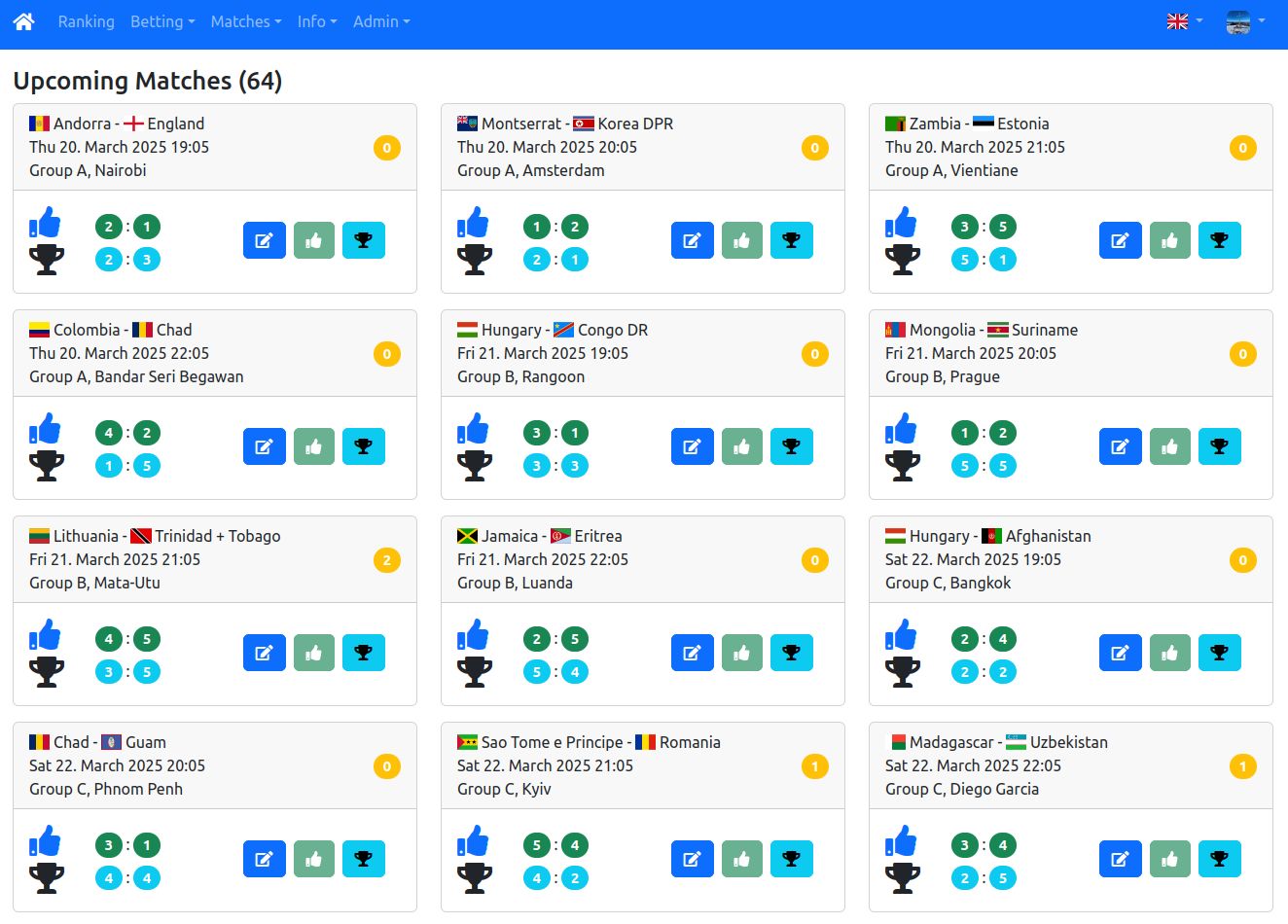
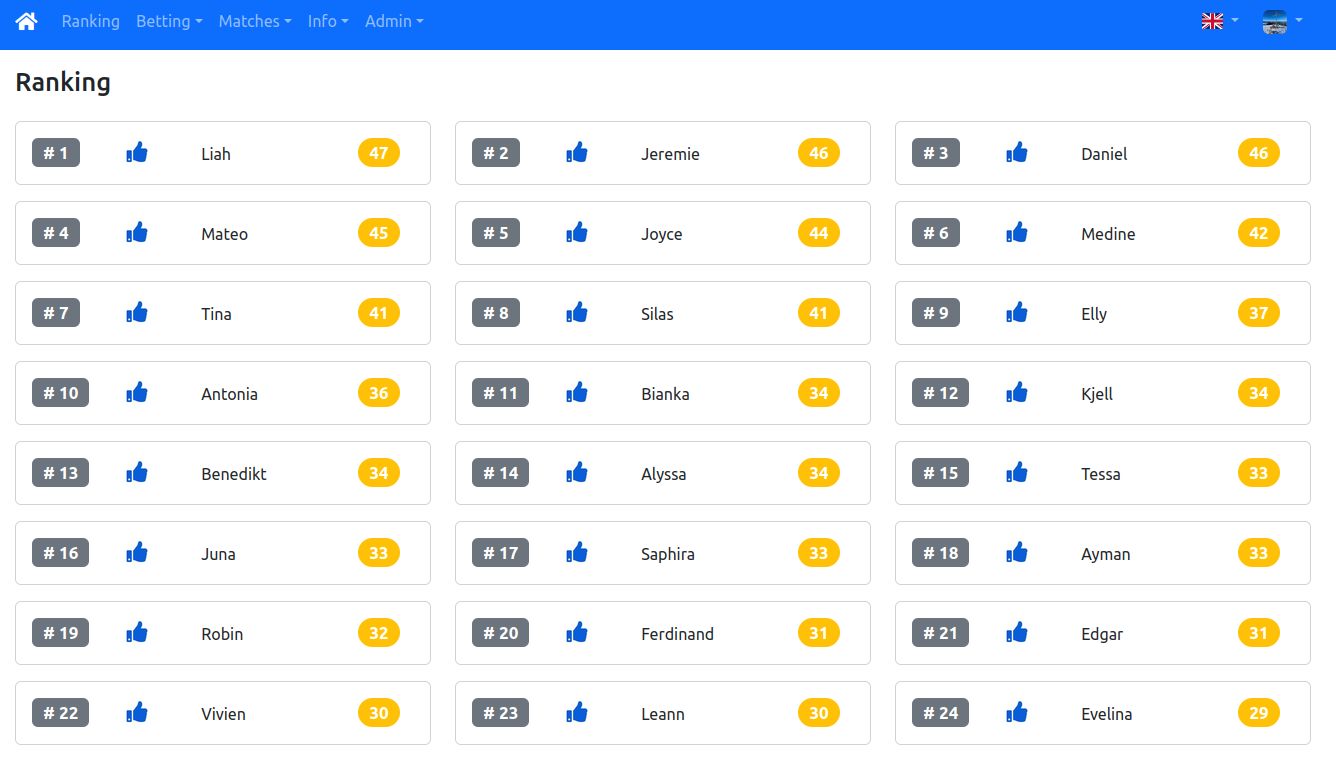
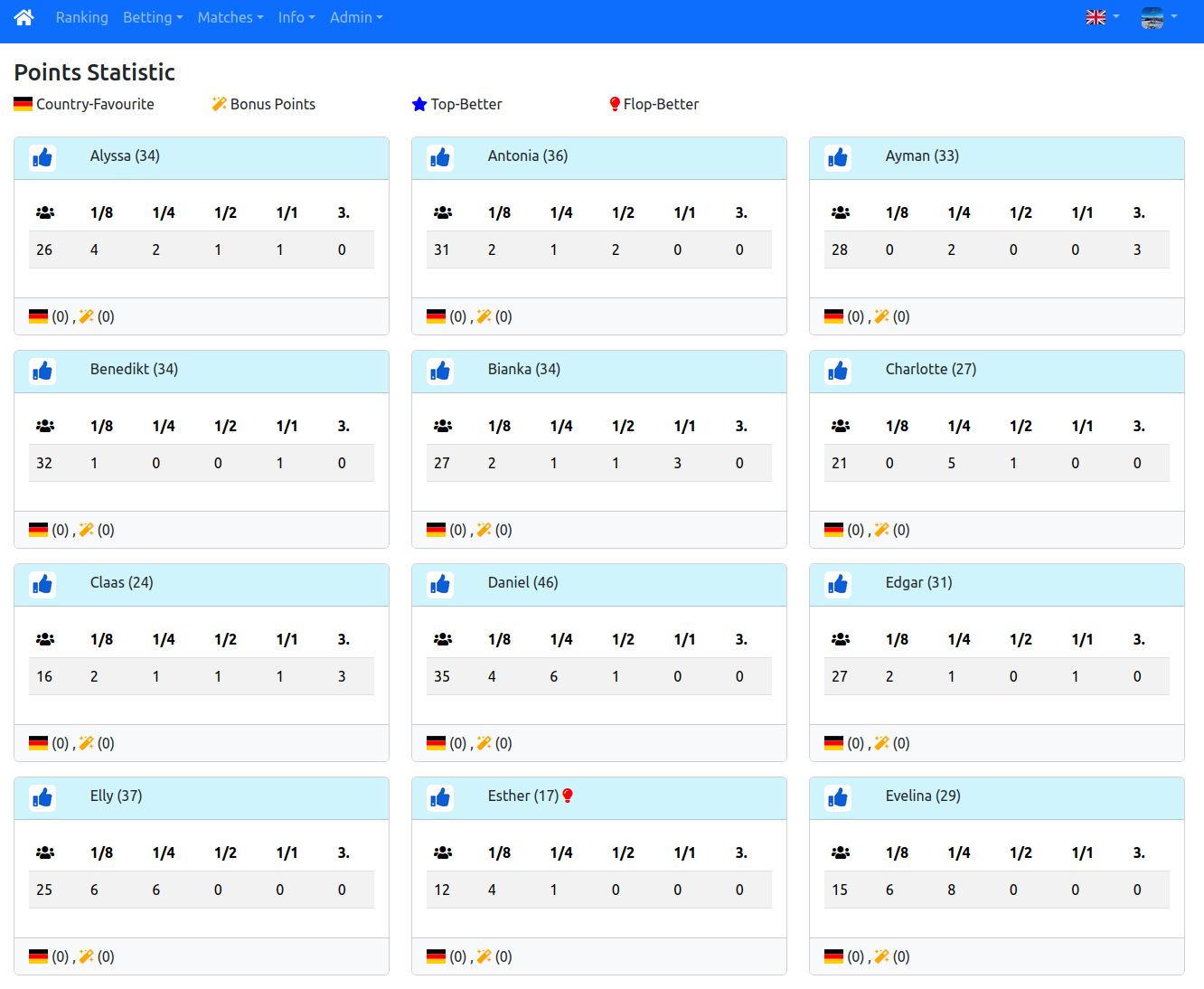
GitHub Build Status


Requirements
Download Statistics
Total Downloads Over Time
Details
fred4jupiter/fredbet:latestRuntime arguments
- Web UI
http://[IP]:[PORT:8080]- Network
host- Shell
sh- Privileged
- false
Template configuration
WebGUI
- Target
- 8080
- Default
- 8080
- Value
- 8080
Active Spring profile at startup. Possible values: h2,dev,maria,mysql,postgres.
- Default
- postgres
- Value
- postgres
JDBC connection URL
- Default
- jdbc:postgresql://postgres:5432/fredbetdb
- Value
- jdbc:postgresql://postgres:5432/fredbetdb
H2 - org.h2.Driver - h2 | MySQL - com.mysql.jdbc.Driver - mysql | MariaDB - org.mariadb.jdbc.Driver - maria | PostgreSQL - org.postgresql.Driver - postgres
- Default
- org.postgresql.Driver
- Value
- org.postgresql.Driver
The database username
- Default
- sa
- Value
- sa
The database password
- Default
- password
- Value
- password
- Target
- /logs
- Default
- /mnt/user/appdata/fredbet/logs
- Value
- /mnt/user/appdata/fredbet/logs