

frameleaf-manager
Docker app from Frameleaf's Repository
Overview
Readme
View on GitHub
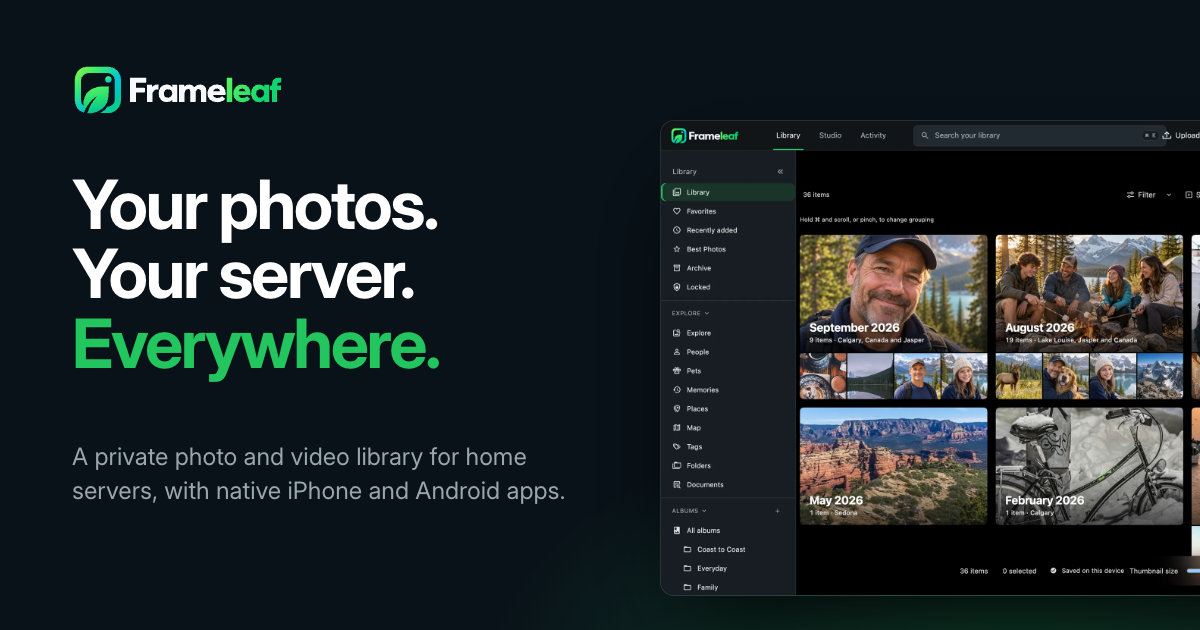
Frameleaf
Your photos. Your server. Everywhere.
A self-hosted photo and video library: bring a lifetime of photos home, find any moment, edit it, and enjoy it on your phone, in any browser and on the TV.


Website · Docs · Install · Features · Ask Frameleaf · FAQ
[!WARNING] Frameleaf is in BETA testing and under heavy development. Expect bugs, breaking changes and incomplete features. Keep independent backups of your photos and videos, and don't rely on Frameleaf as the only copy of your library.
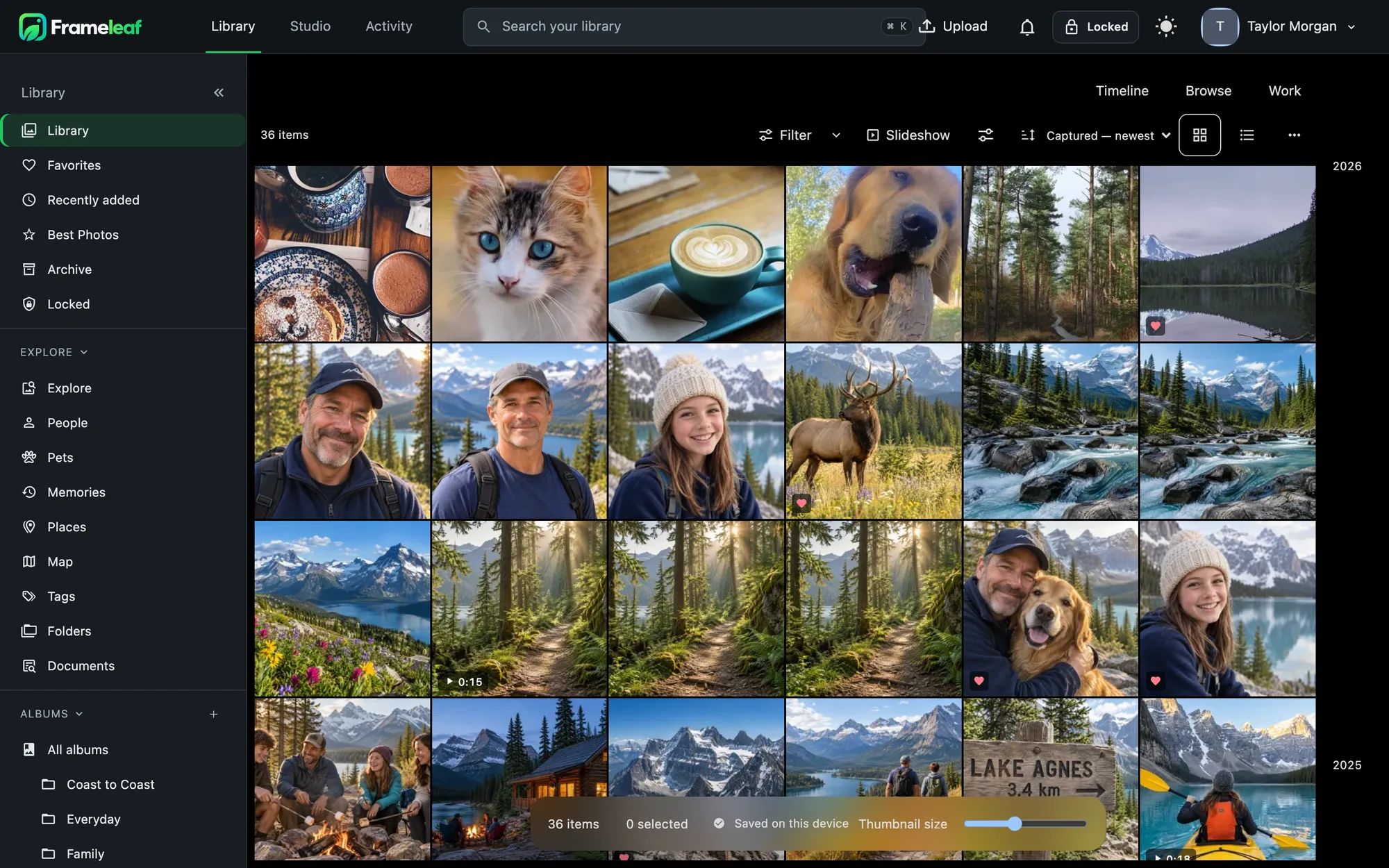
What is Frameleaf?
Frameleaf runs on your NAS, home server or any Linux machine with Docker. Your originals stay as ordinary files on your own disks, faces and search are worked out on your own hardware, and there's no telemetry. No subscription or cloud account required.
One library, every screen:
- Server and web app — the Frameleaf Library and its API (open source, AGPLv3).
- iPhone and iPad — native app with backup, a built-in editor, widgets, Siri and Live Activities.
- iPhone Duo — fold-aware layouts, Compare, Frame mode and multiple windows.
- Android — native app with backup, offline library, editor and Google Cast.
- Apple TV — browse, play memories as shows, and turn your TV into a photo frame.
- Frameleaf Cloud (optional) — encrypted remote access, off-site backup and cloud GPU processing.
➡️ Read more in What is Frameleaf? or the full features overview.
Features
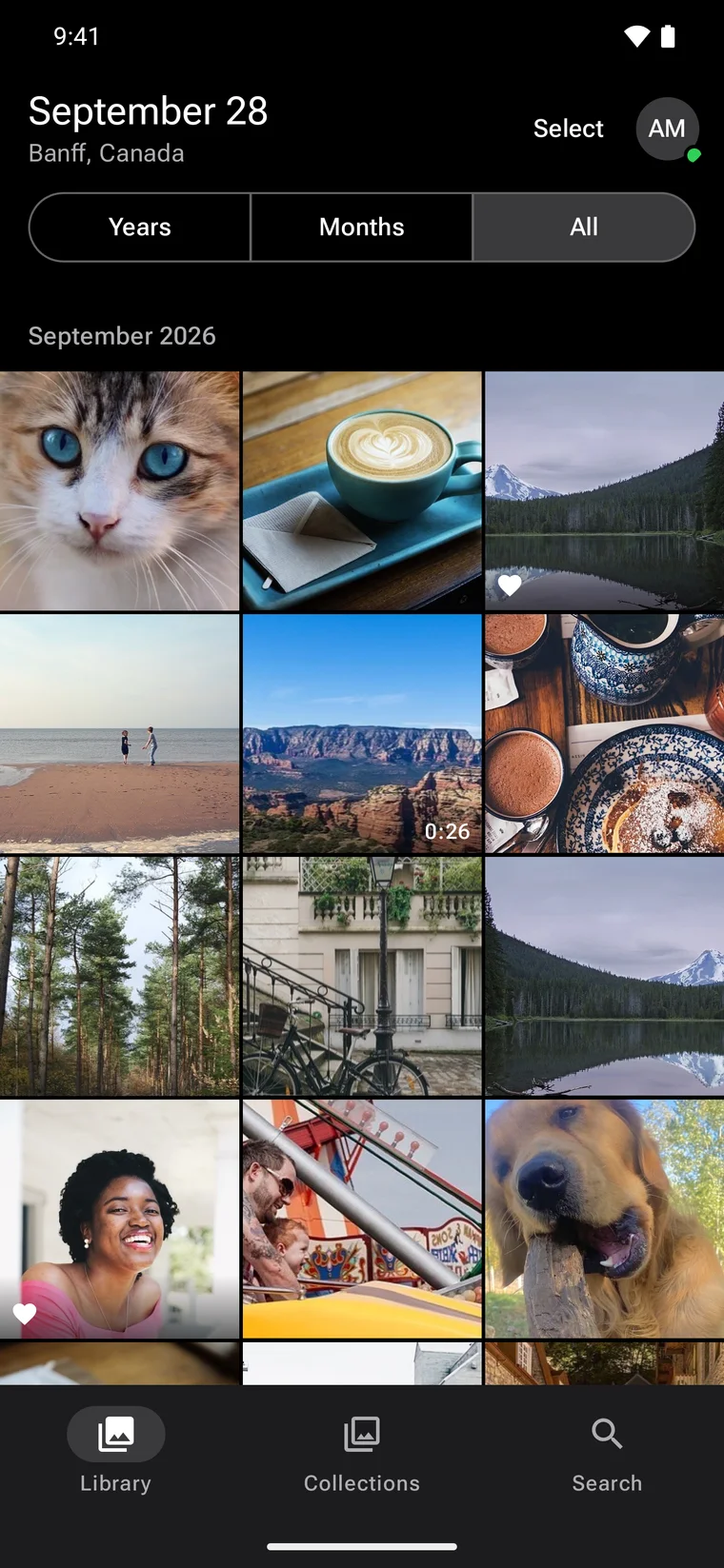
| 🗂️ Library & timeline | Fast, scrubbable timeline for huge libraries; day/month/year layouts, folders, stacks, Live and Motion Photos, RAW. Originals are never changed. Docs |
| ⭐ Best photos | Your sharpest, best-exposed shots, ranked privately on your server. Docs |
| 🔎 Search | Ask in plain words — "photos in Banff last summer", "receipts from 2024" — plus text in photos and moments inside videos. Docs |
| 🧑🤝🧑 People & pets | Face recognition and grouping that never leave your network. Docs |
| 📝 AI descriptions & smart albums | Optional on-server captions and tags, custom instructions, names of the people you've tagged, and albums that fill themselves. Docs |
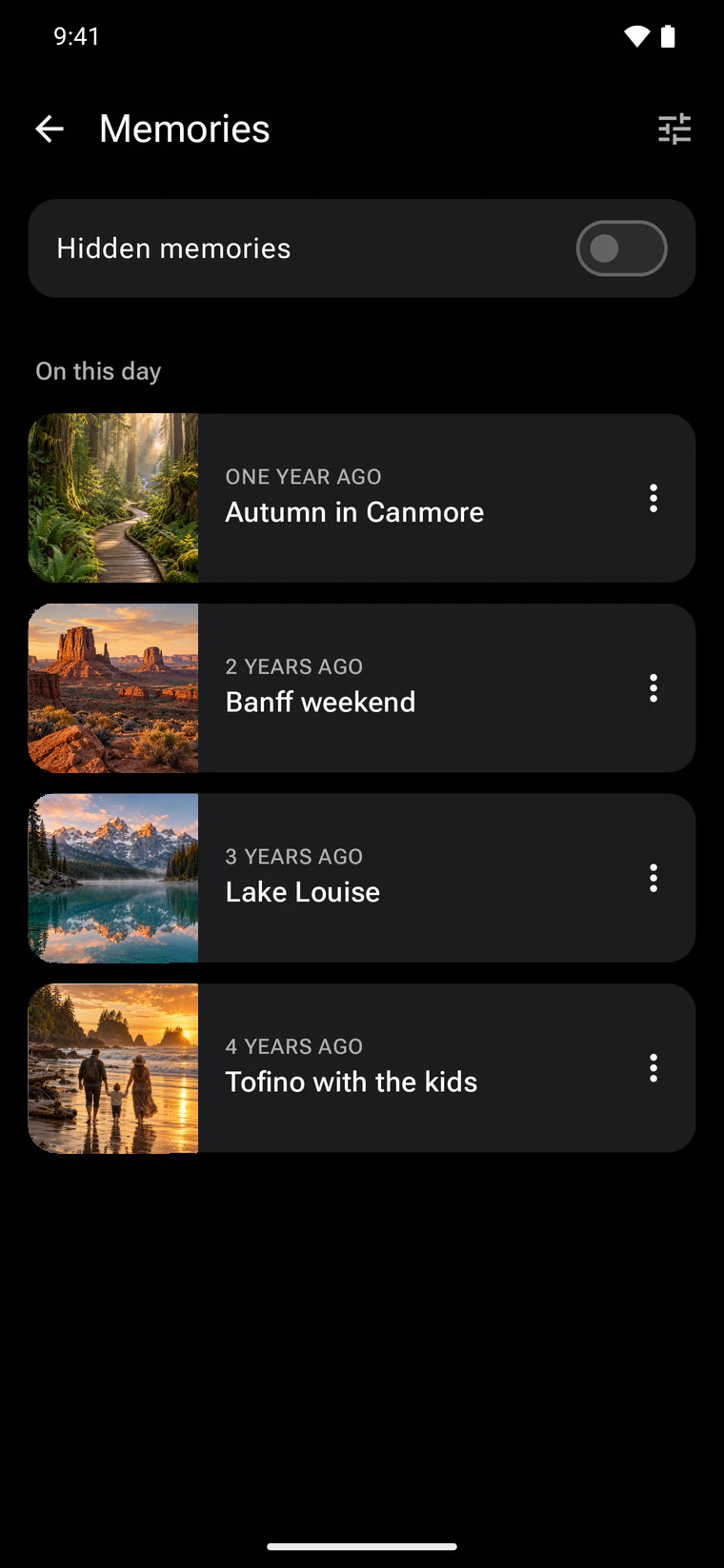
| 🗺️ Memories & places | "On this day" stories, a memory player, a world map and places by country and city. Docs |
| 📁 Albums & shared spaces | Nested albums with custom icons, shared spaces with roles, tags and partner sharing. Docs |
| 🔗 Sharing | Partners, shared albums and public links. Docs |
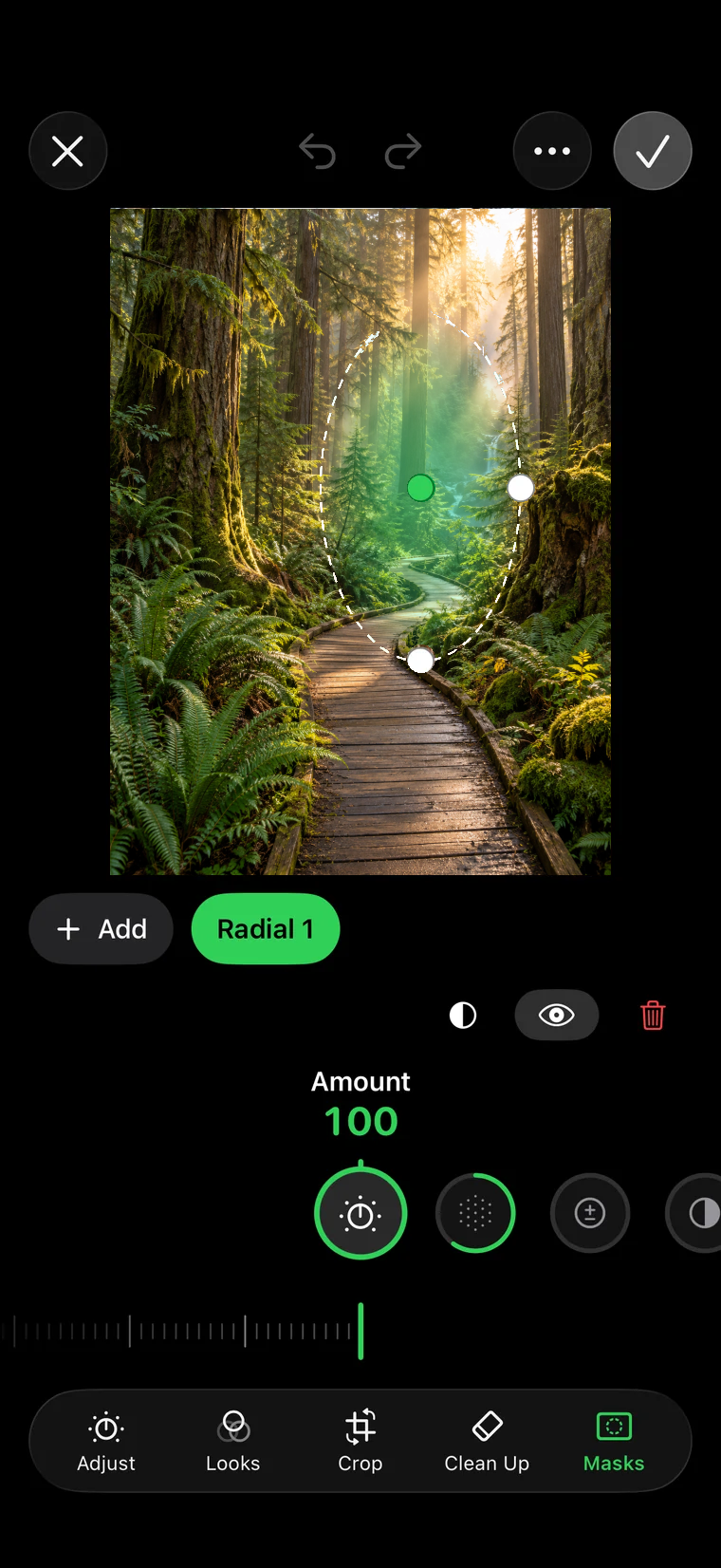
| 🎨 Photo editor | Non-destructive adjustments, looks, crop, masks and saved versions — on web, iPhone and Android. Docs |
| 🎬 Studio | Built-in video editor — timeline, colour, audio, captions from speech, restoration and export. Docs |
| 🧹 Library Care | Duplicate review (photos and videos), identical-file cleanup, integrity checks and missing-original repair. Docs |
| 🔒 Locked content | Hide sensitive photos behind your PIN, with rules by tag or person. Docs |
| 📺 Casting | Google Cast from web and Android, and Play on Apple TV from iPhone. Docs |
| 🖥️ Command Center | Run the server from settings written for people: backups, workers, hardware, jobs and analytics. Docs |
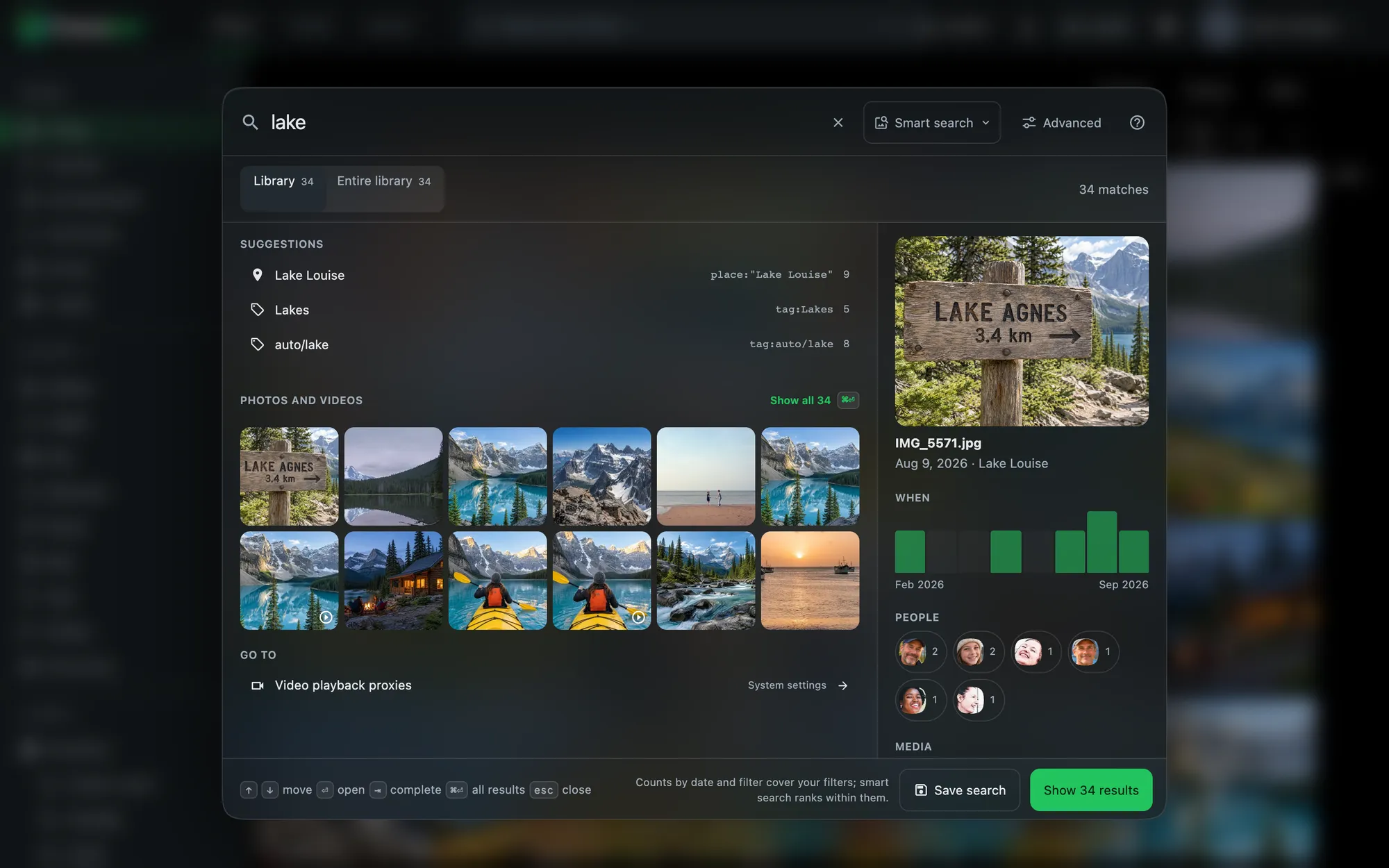 Search — describe what you remember |
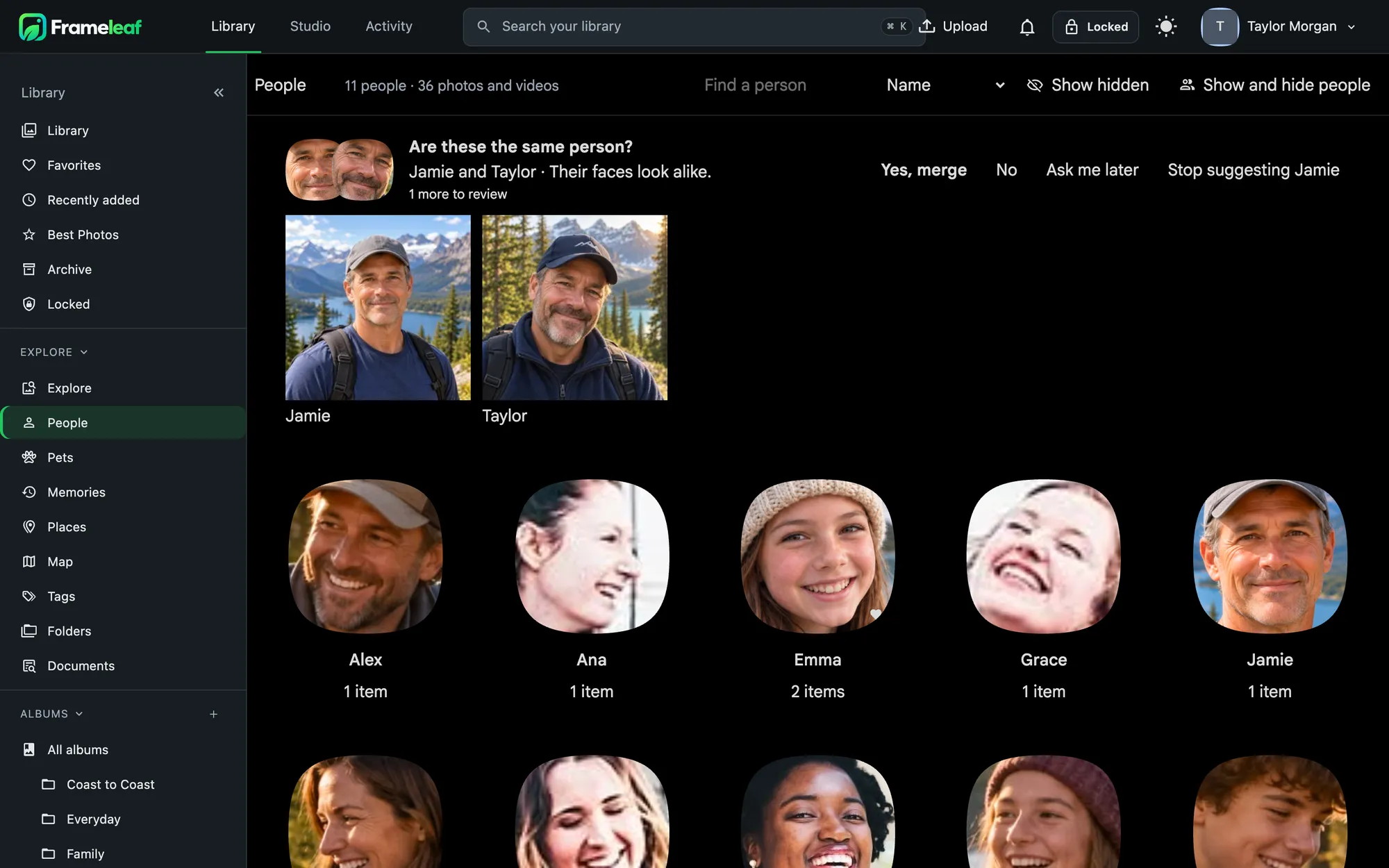 People & pets — recognised on your own hardware |
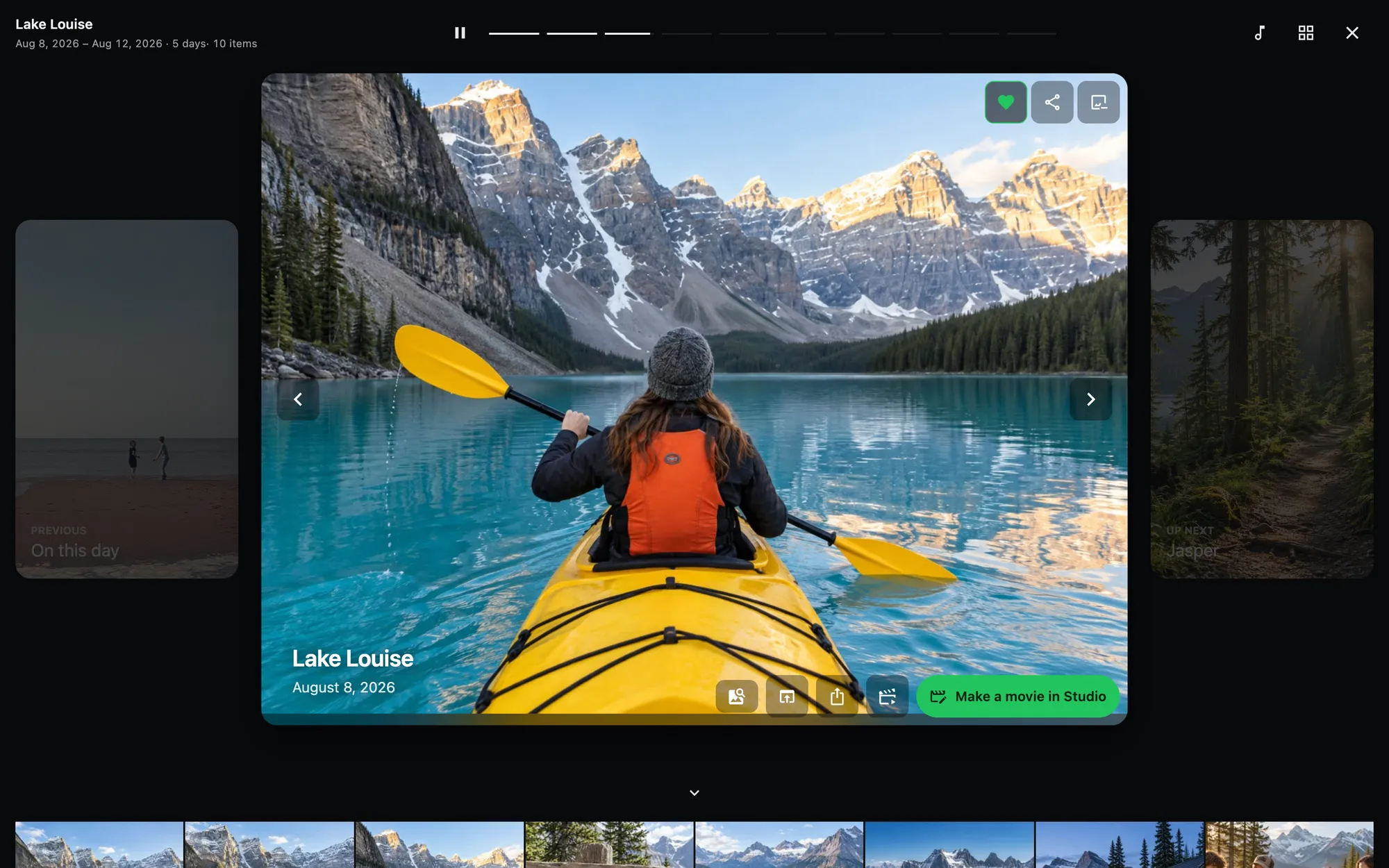 Memories — moments resurfaced |
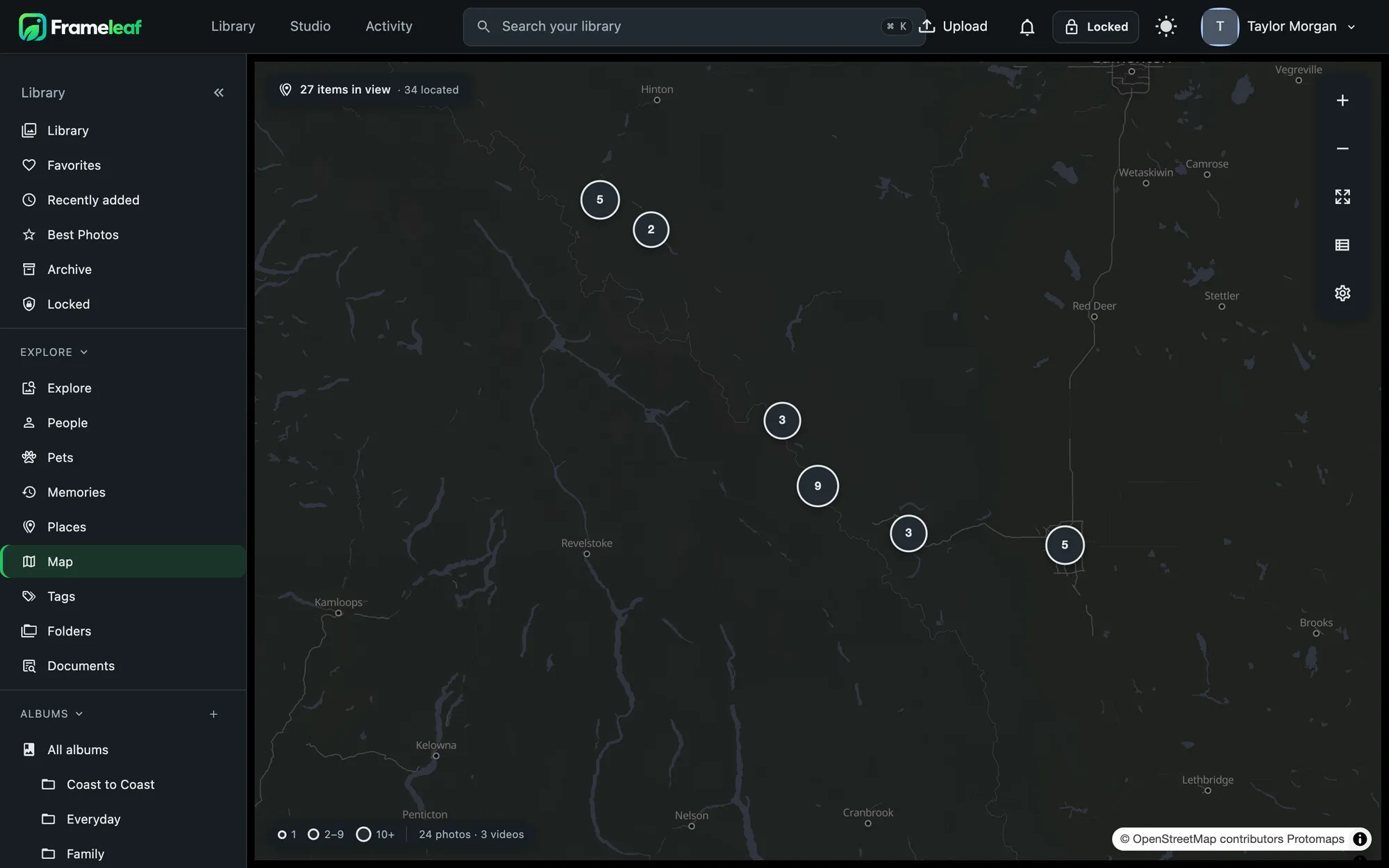 Places — your photos on a world map |
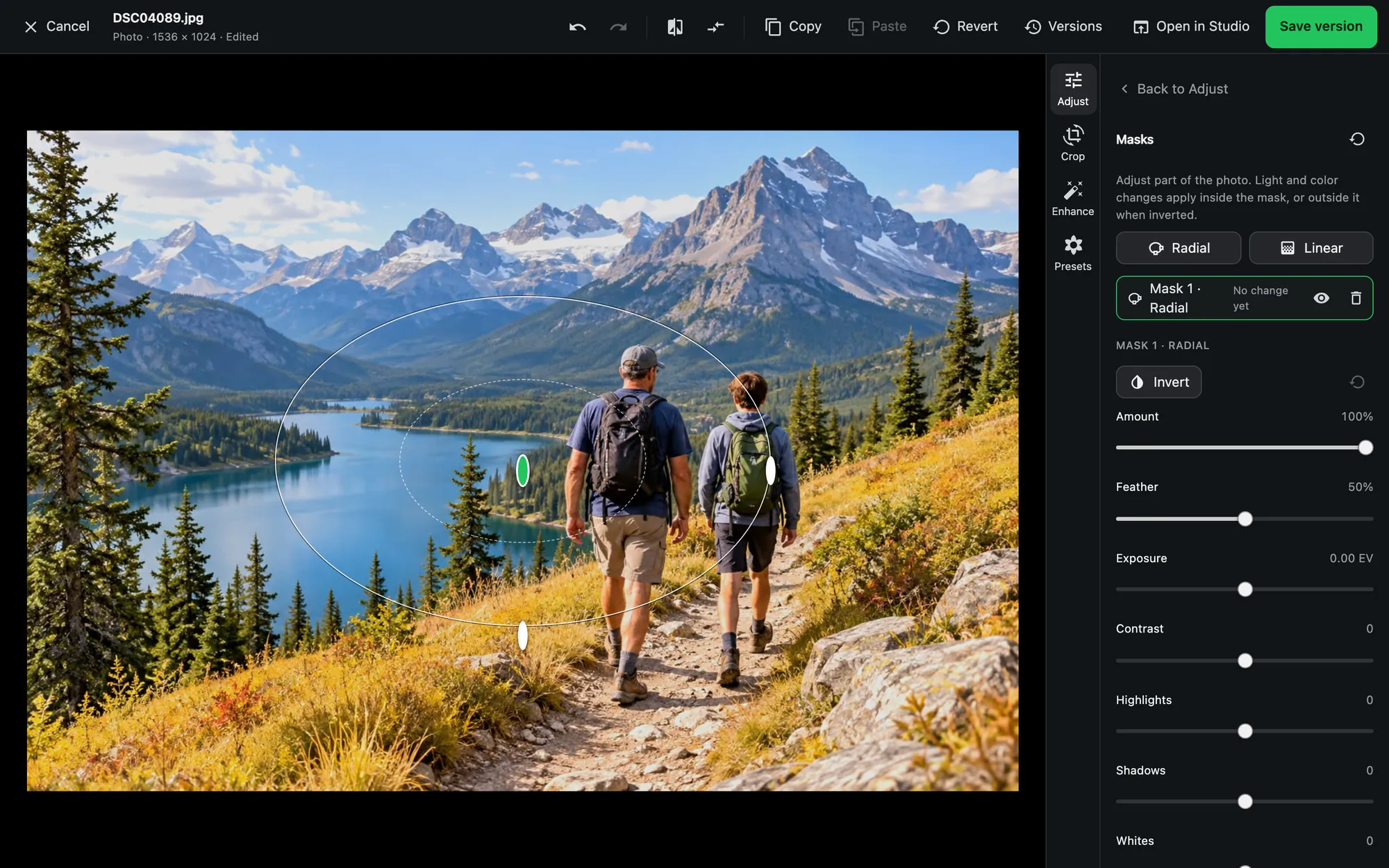 Photo editor — masks, looks and saved versions |
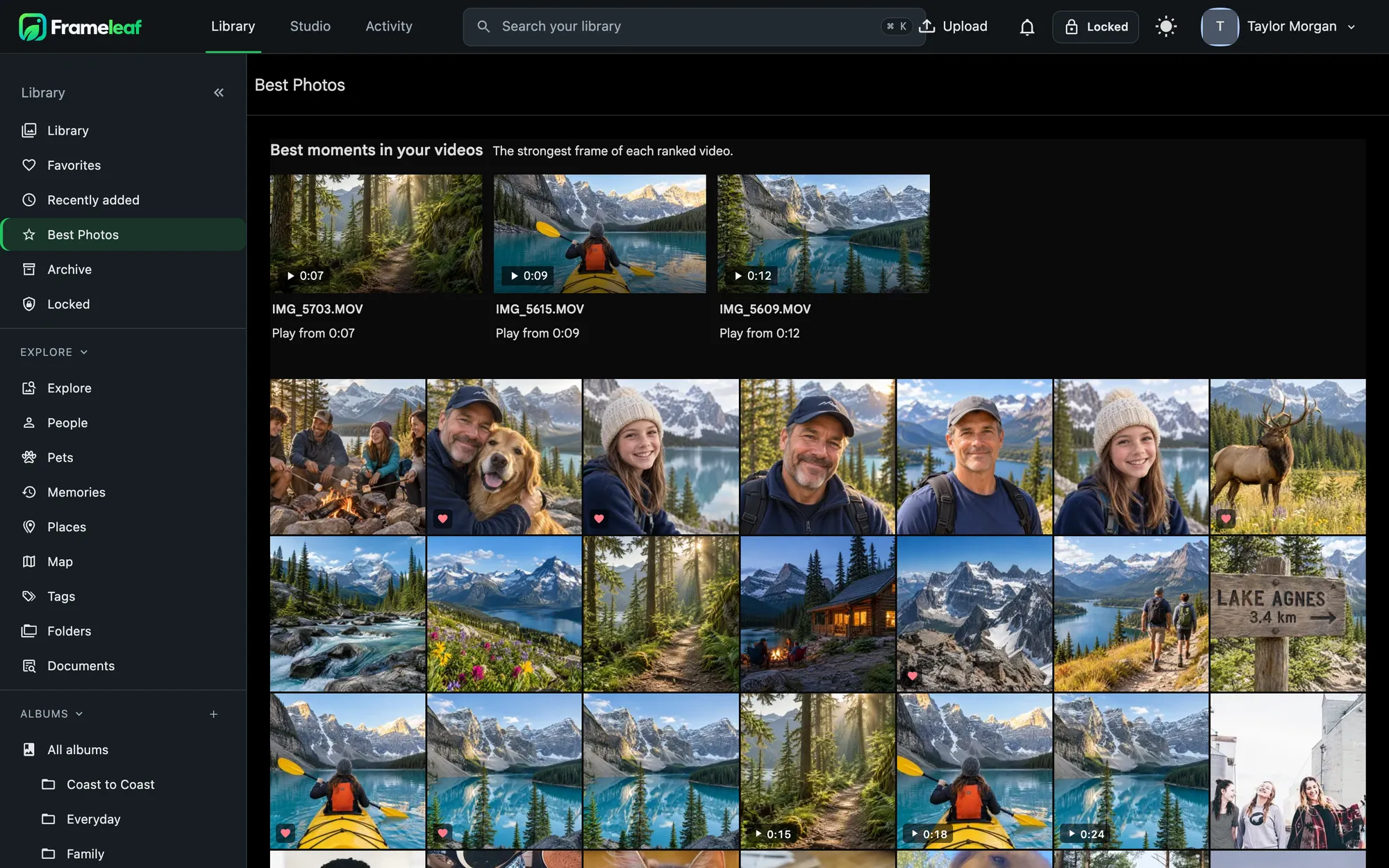 Best photos — your strongest shots, ranked privately |
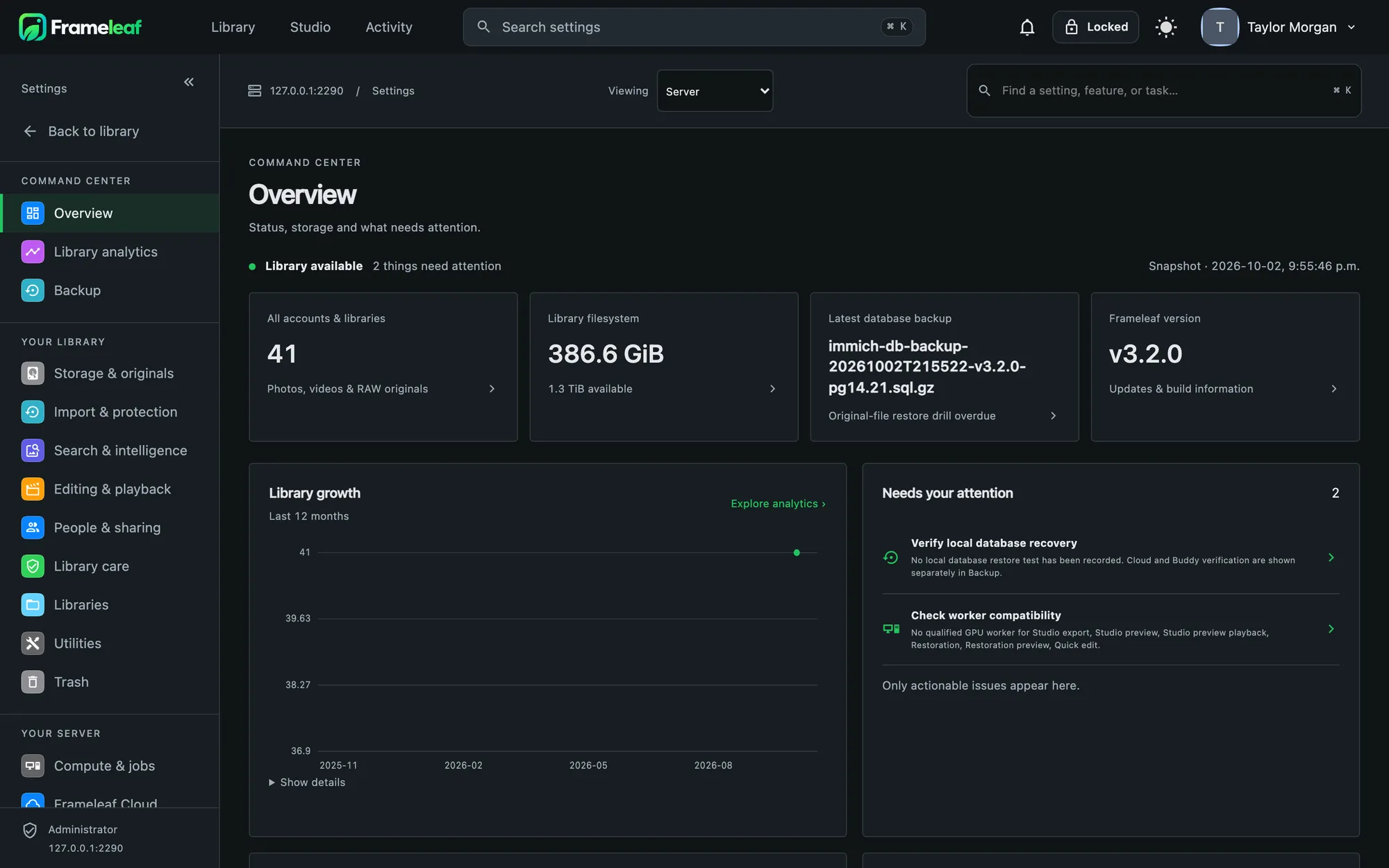 Command Center — your server at a glance |
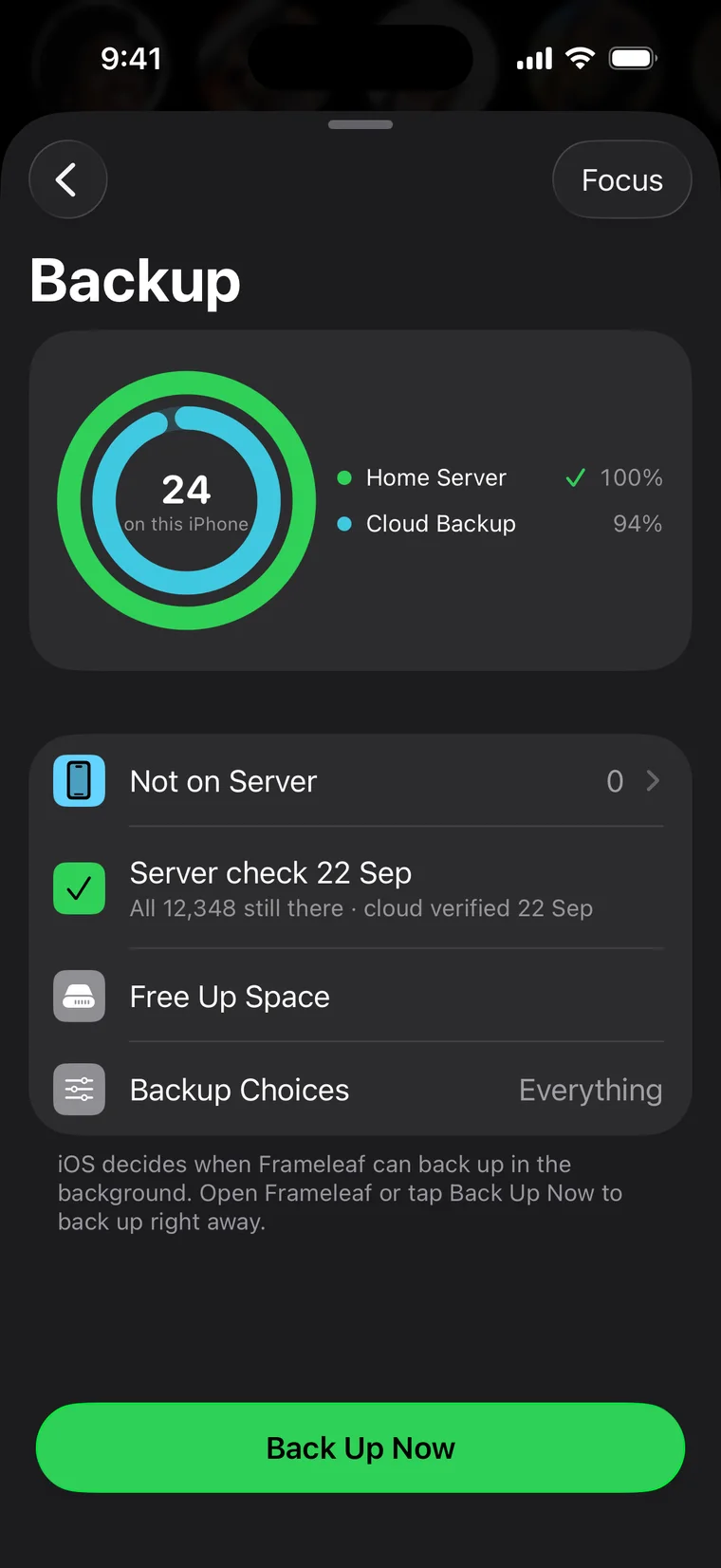
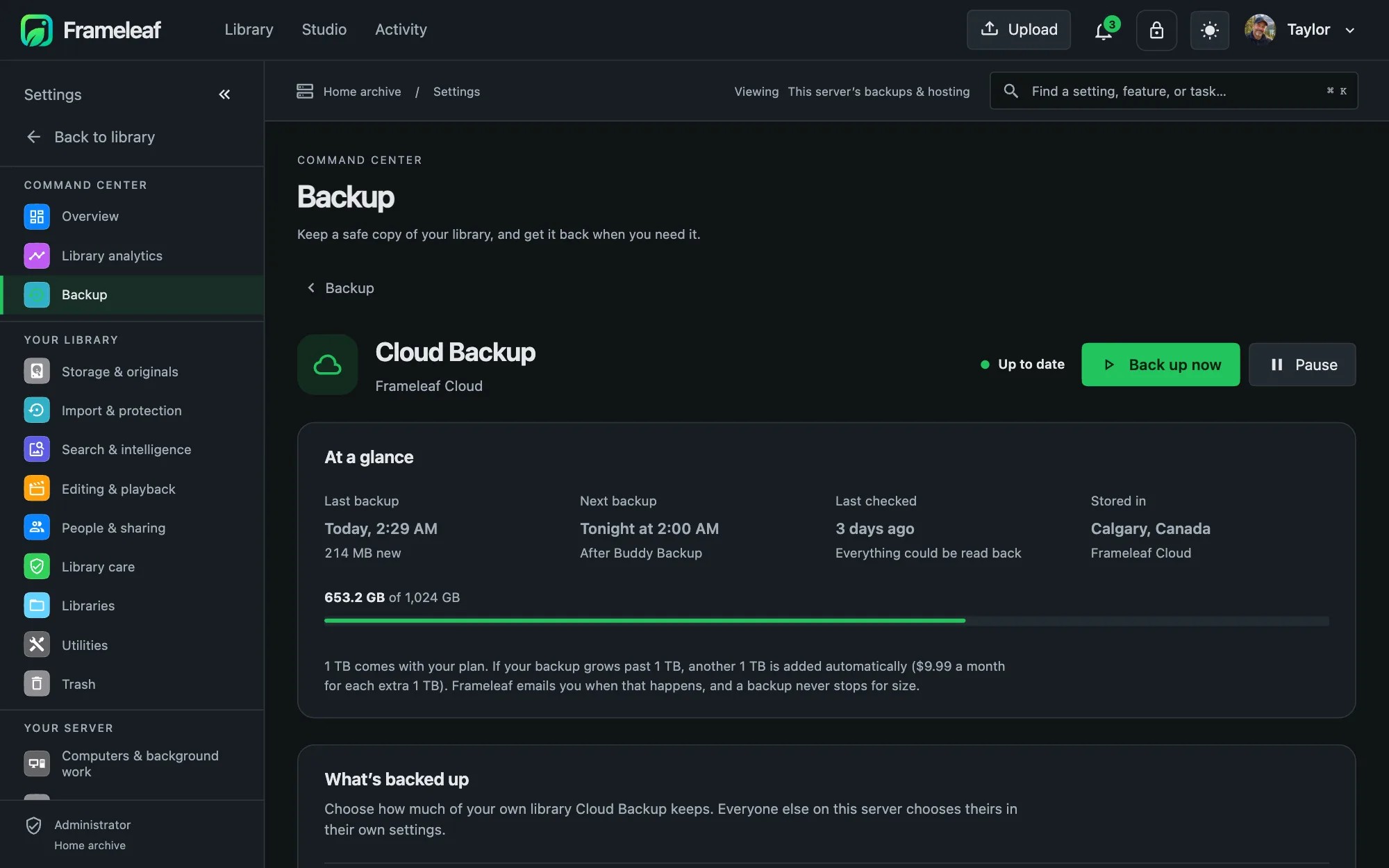 Backups — local, Cloud and Buddy backup |
Studio
A real video editor inside your photo library: titles, video, camera audio and music on their own tracks, colour wheels and scopes, timed captions from speech, and restoration for old footage — rendered on your own hardware.
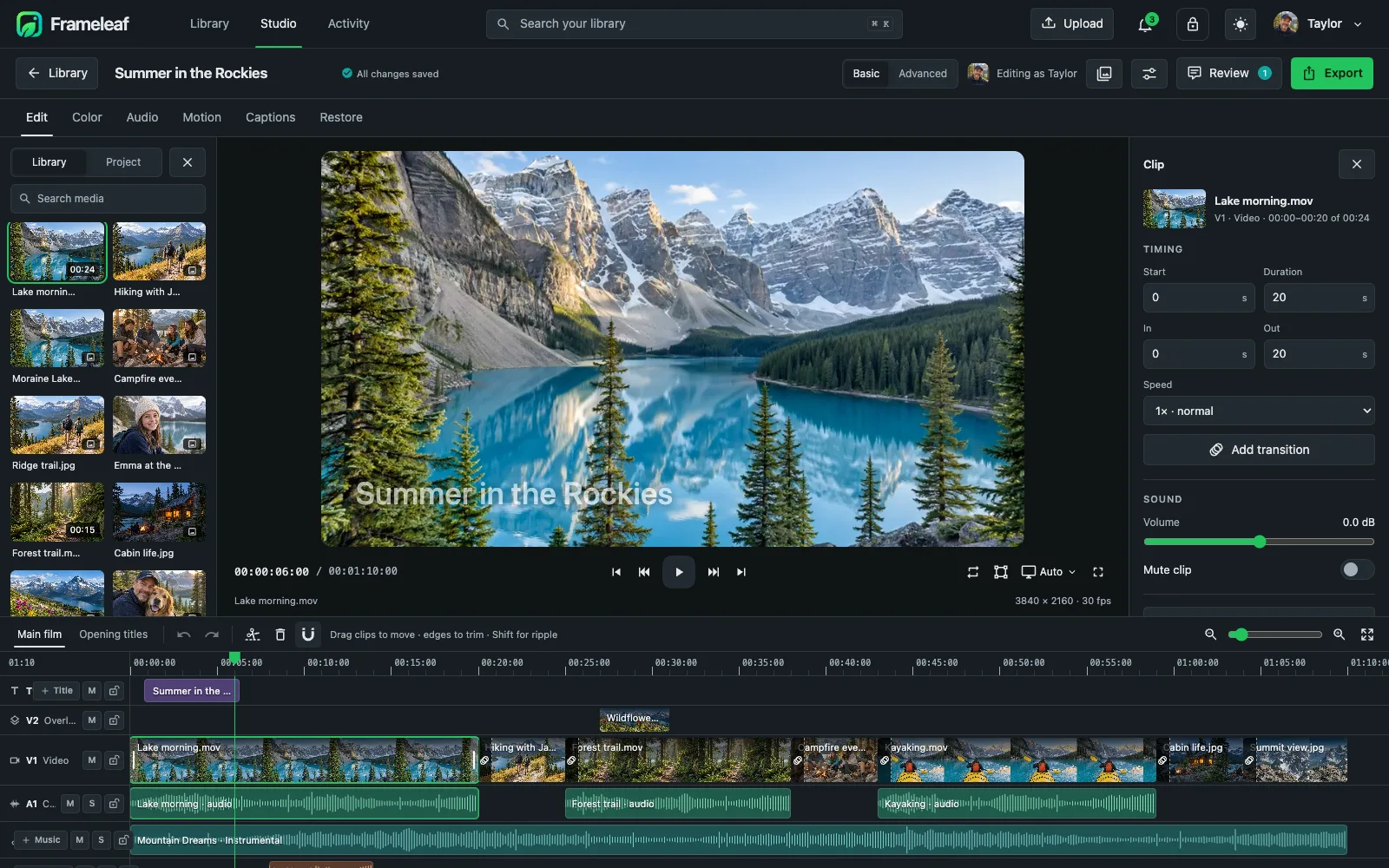 Timeline editing |
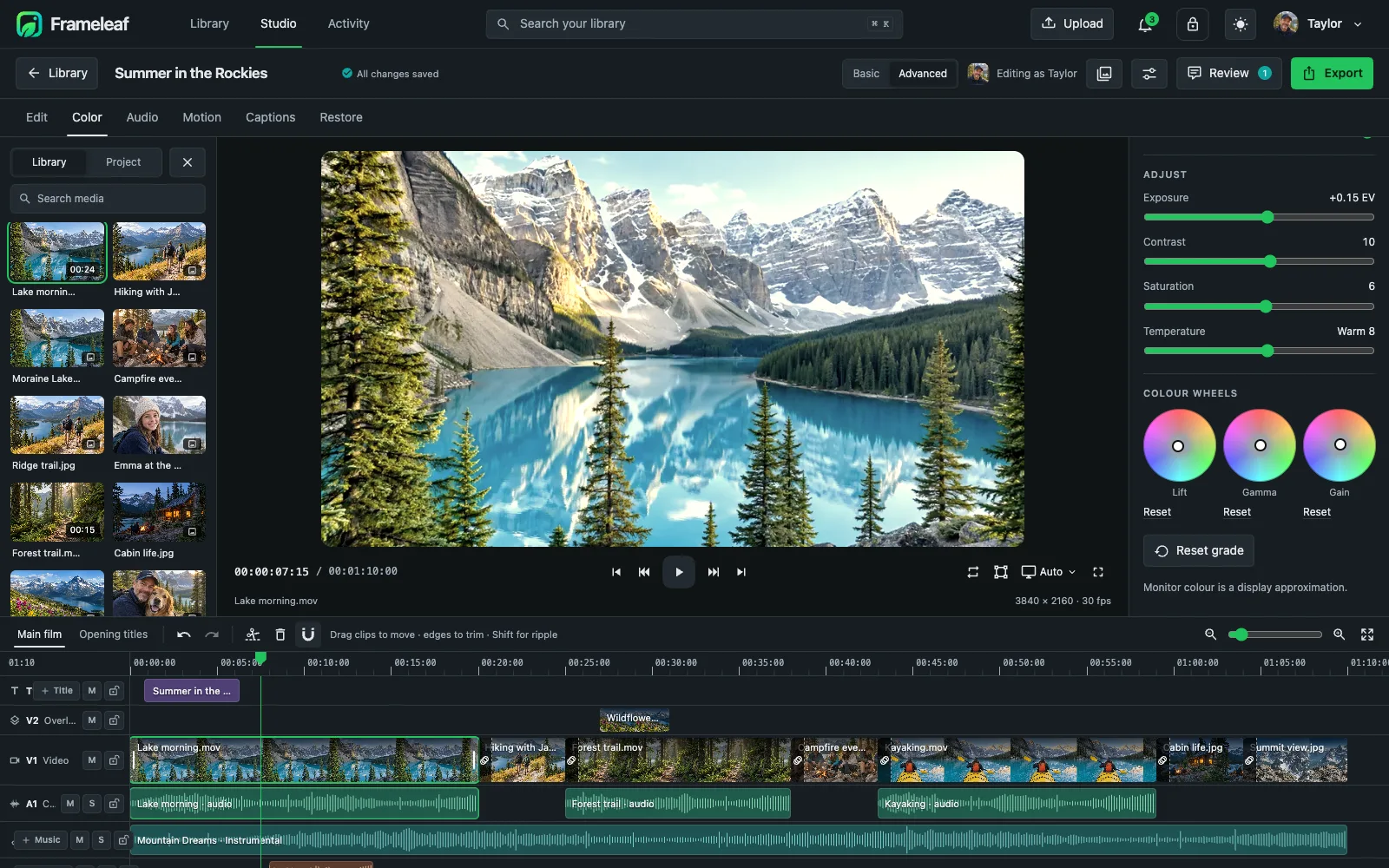 Colour grading |
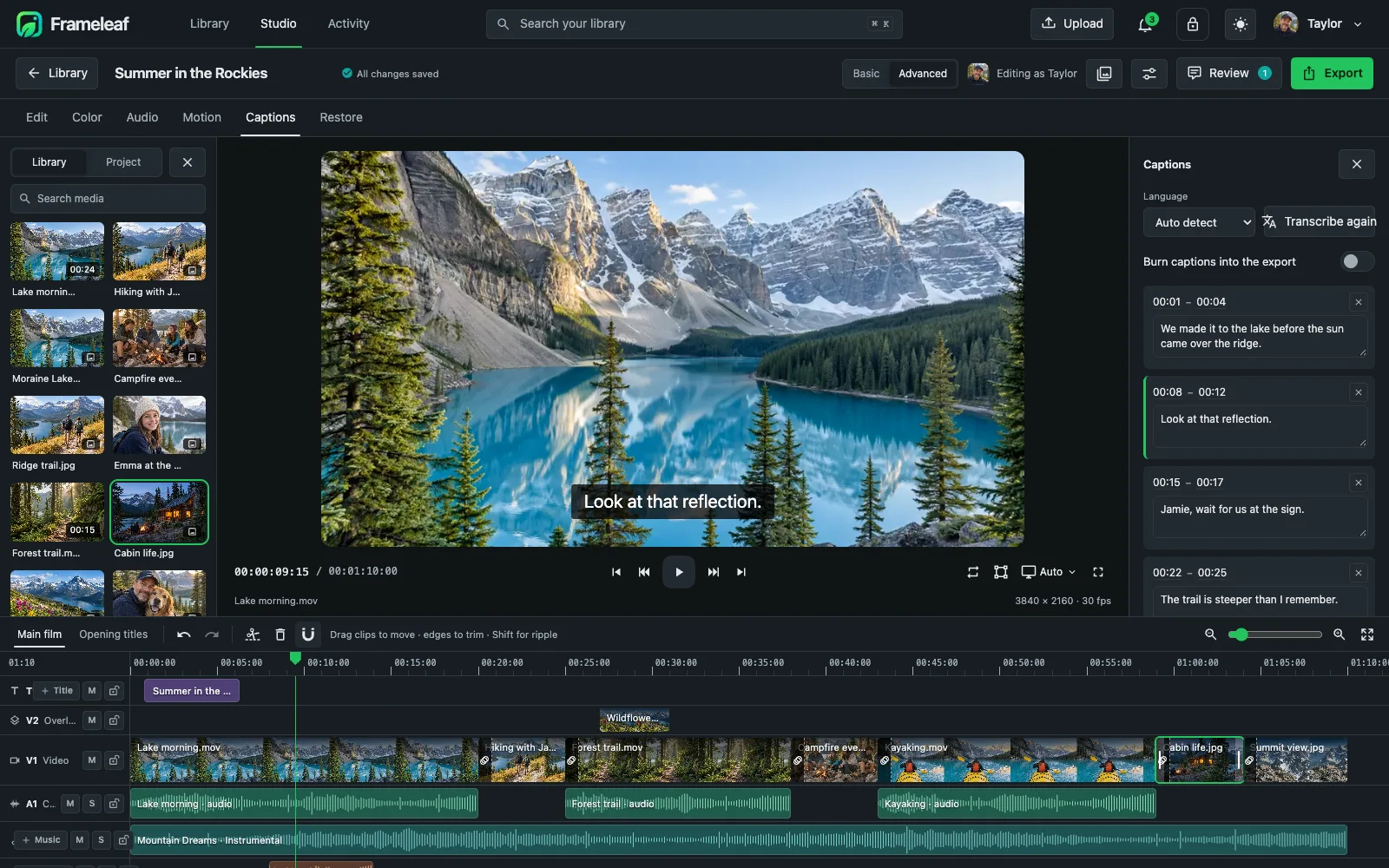 Captions from speech |
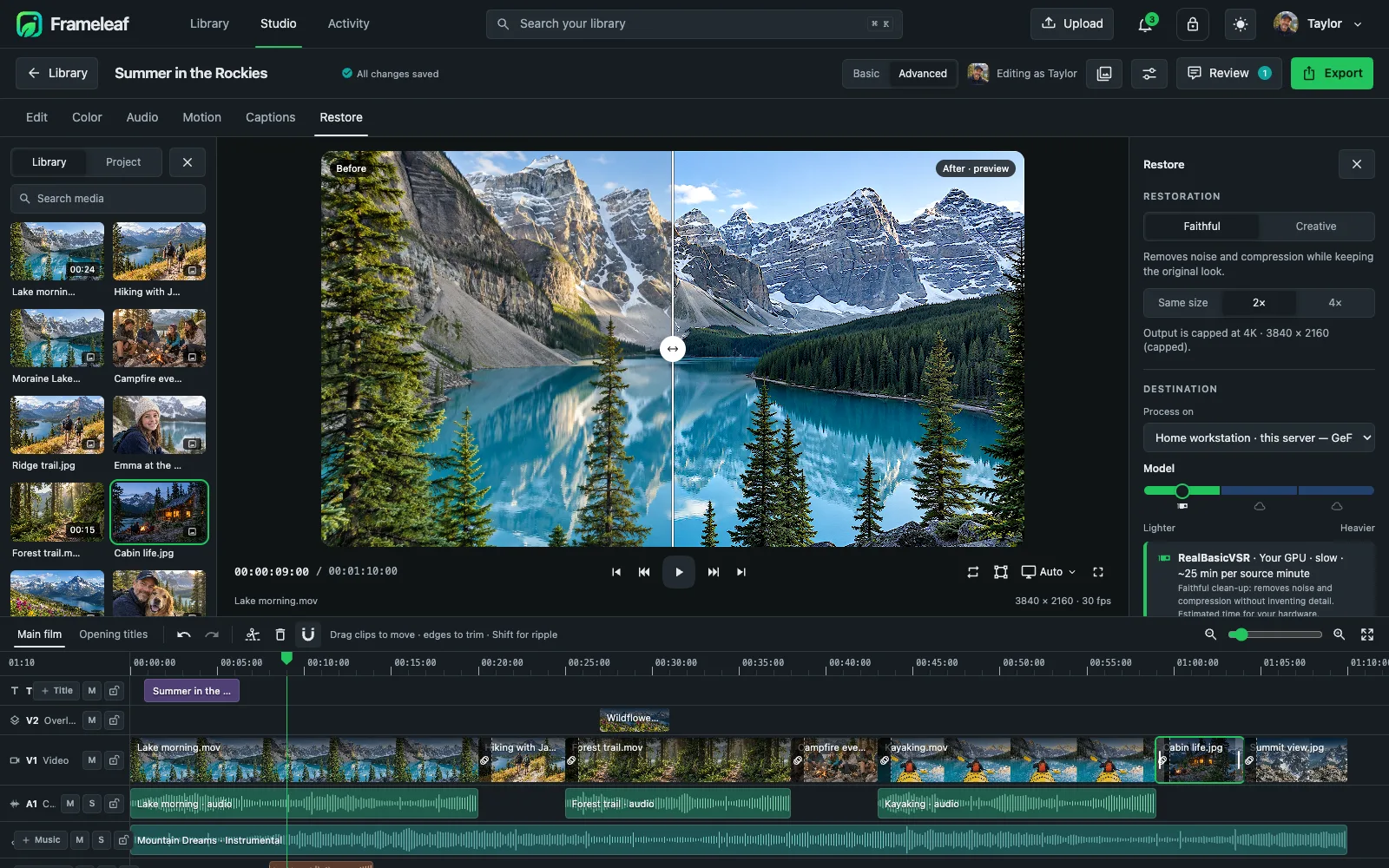 Restoration |
Apps
iPhone, iPad and Android
Back up your camera roll to your own server, check every photo arrived safely, free up space, and carry your whole library with you — at home, away or offline. Sign in with Frameleaf, find servers on your Wi-Fi automatically, or set up a brand-new server straight from your phone.
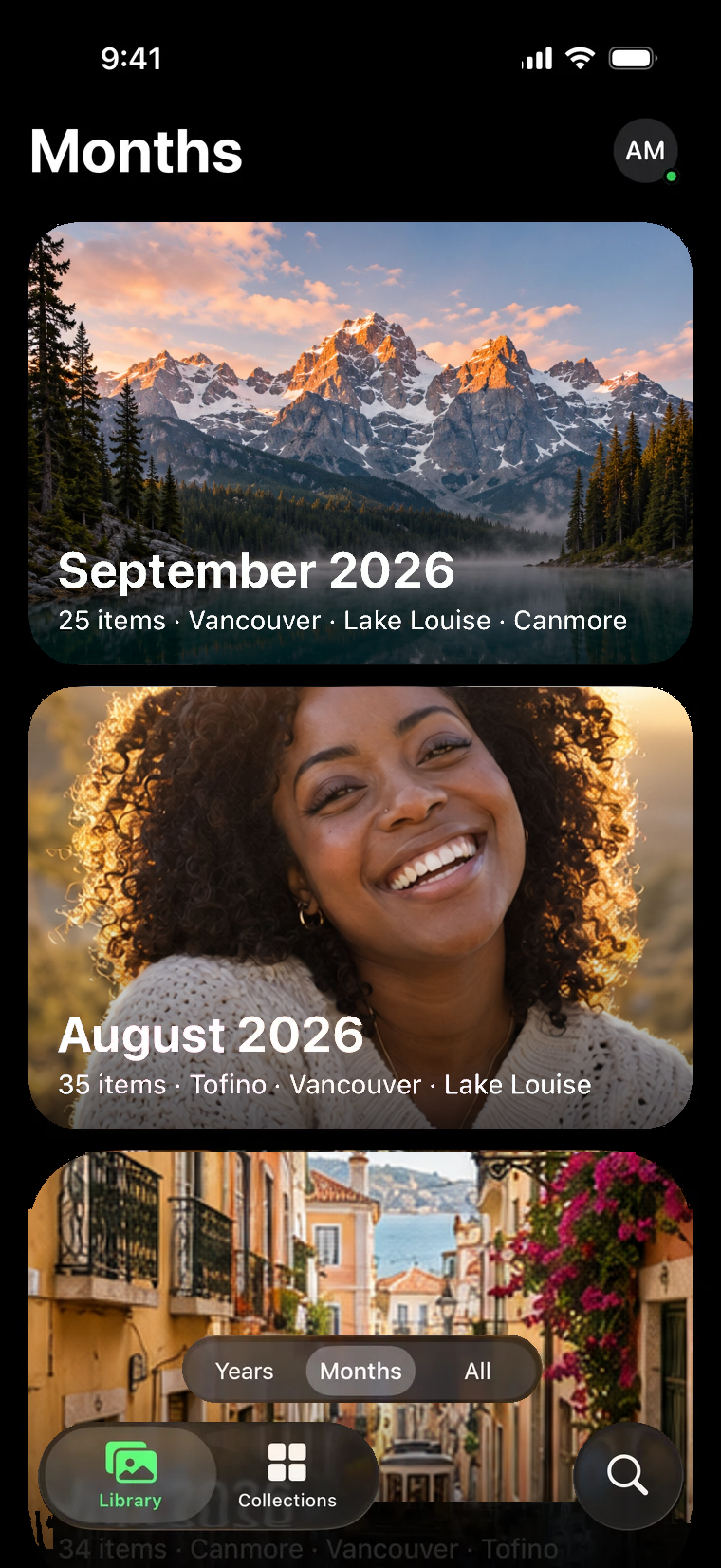
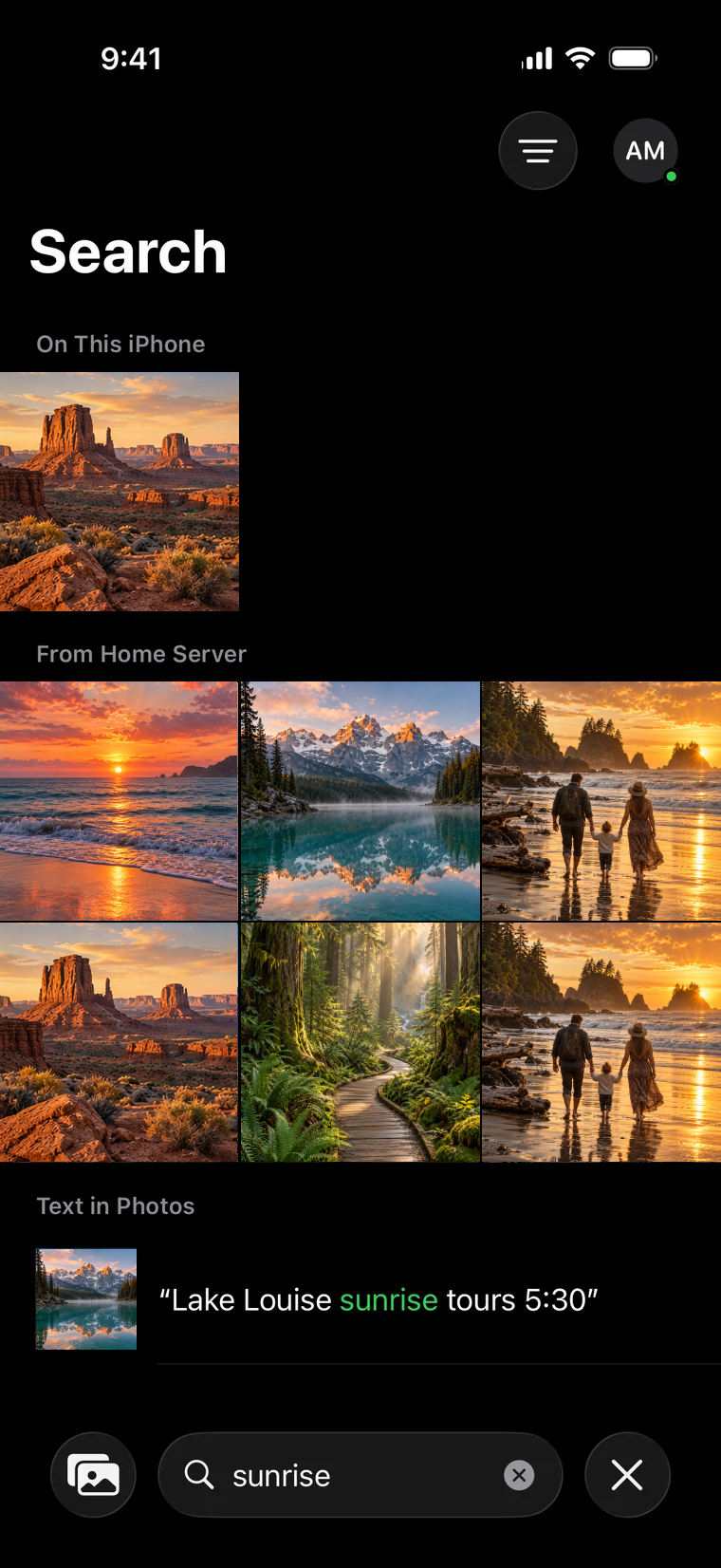
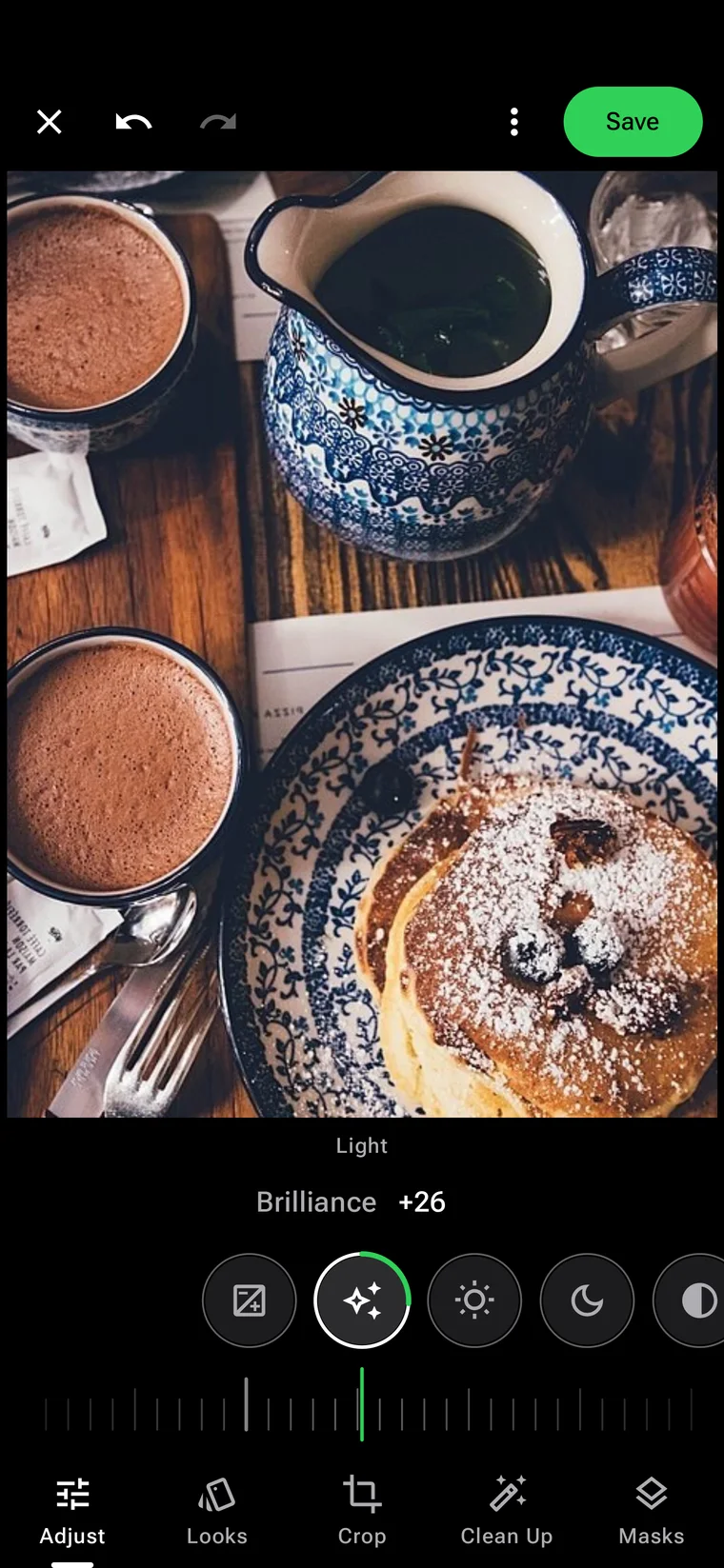
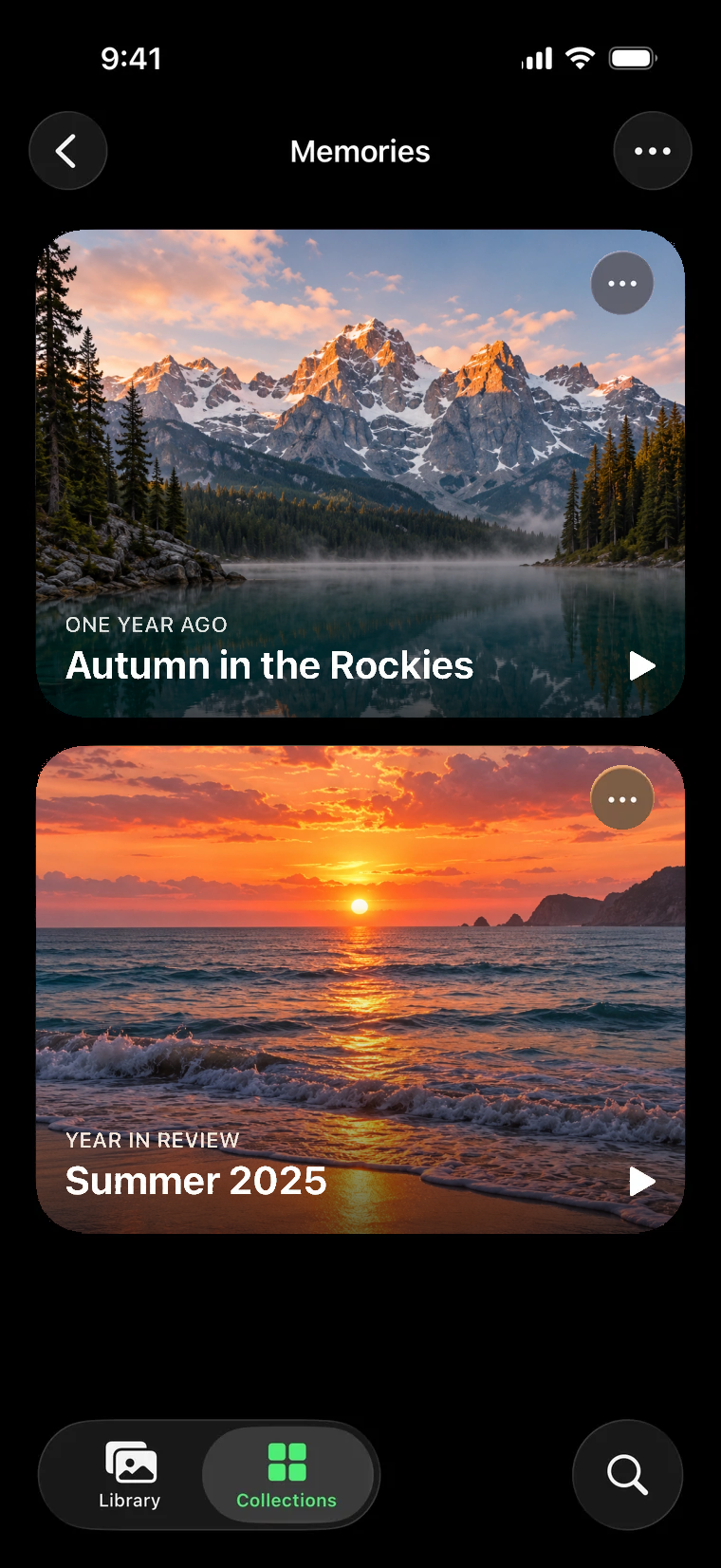
iPhone and iPad (iOS 26+) · Android (Android 11+)
iPhone Duo
Frameleaf reads the fold and lays your library out around it: open it like a book to see a photo beside the grid or compare two photos, prop it up to edit, turn any album into a desk photo frame with Frame, and drag photos between two windows.
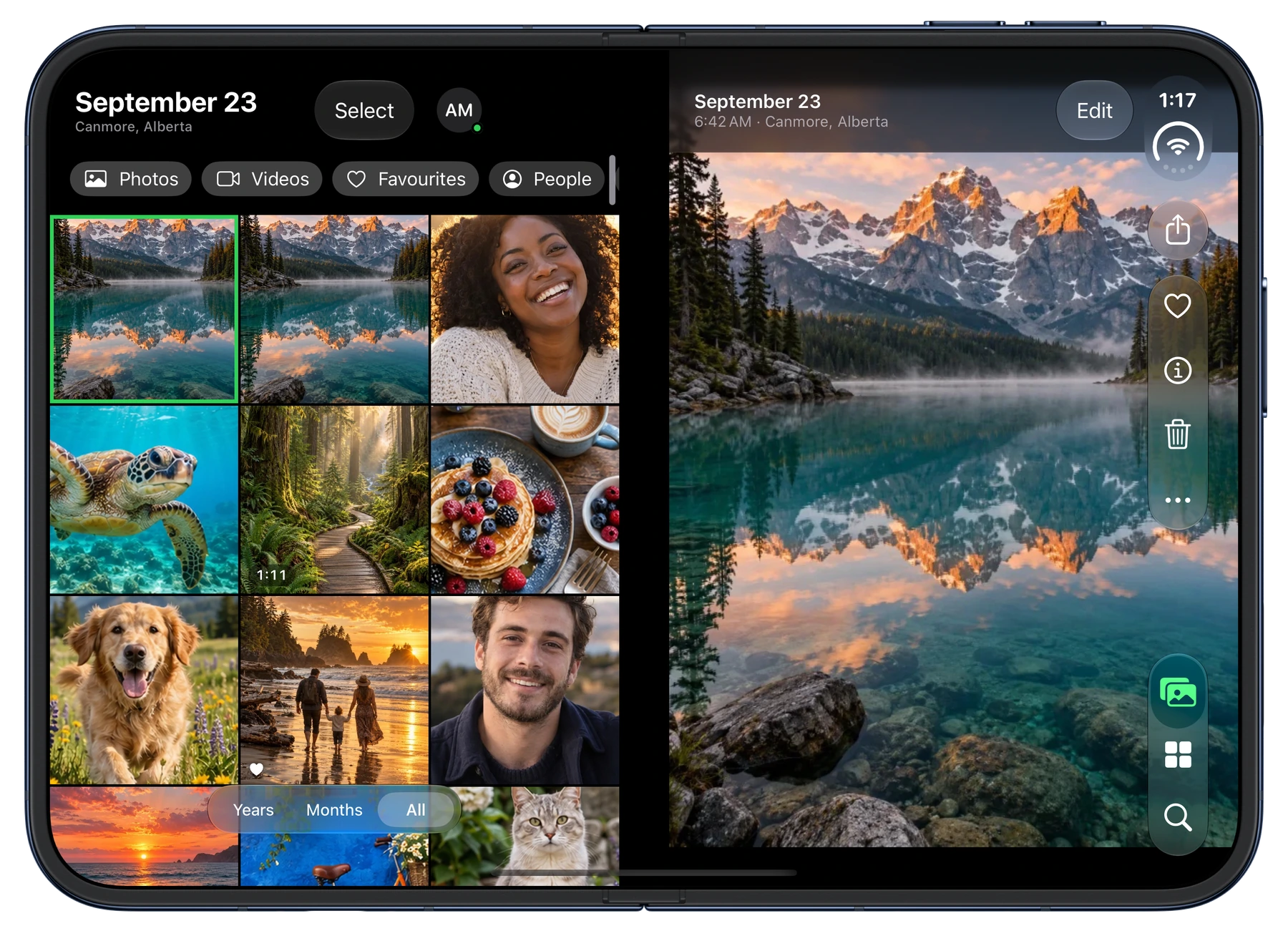 Library — grid and photo side by side |
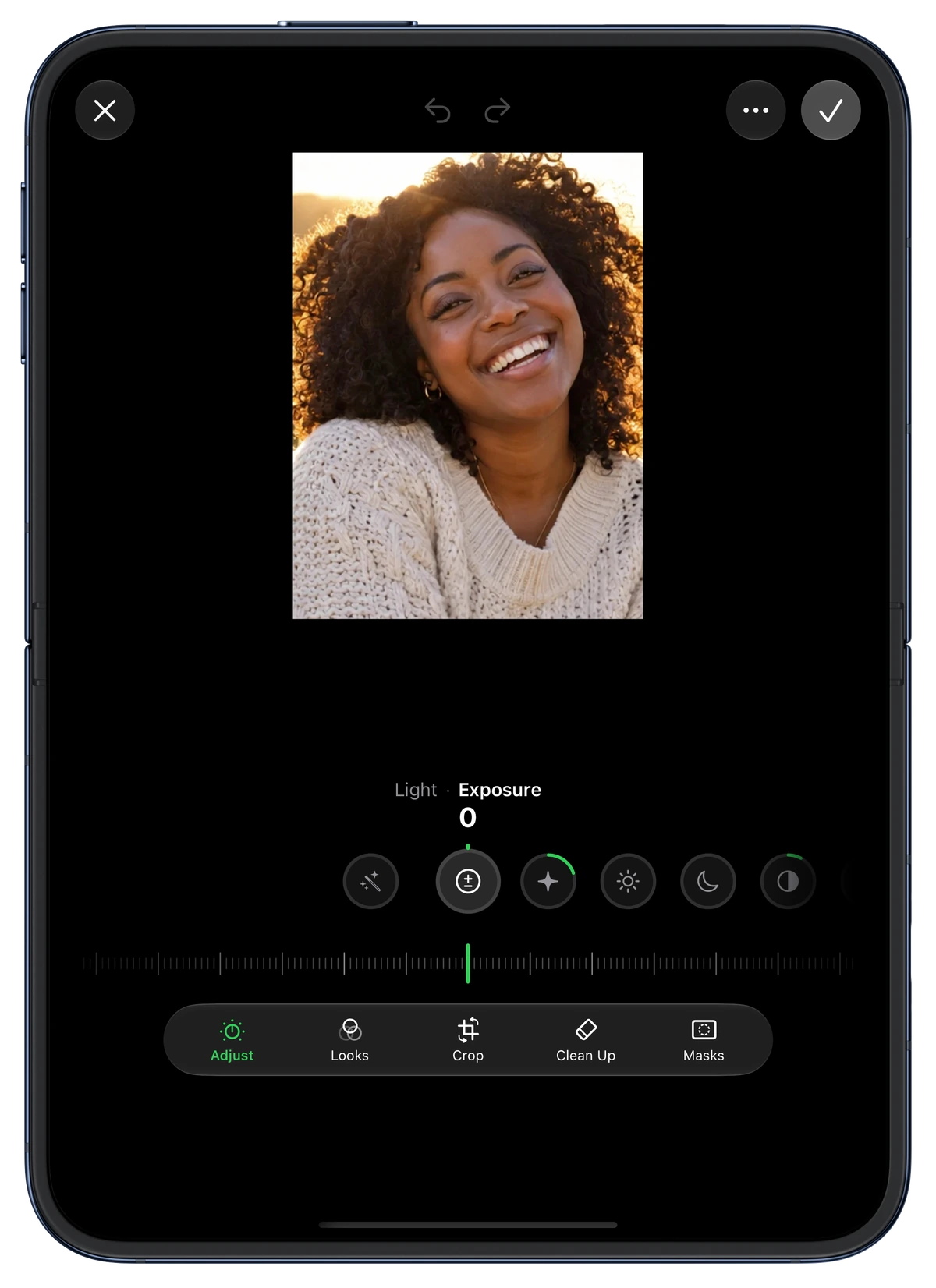 Editor — photo above the fold, controls below |
Apple TV
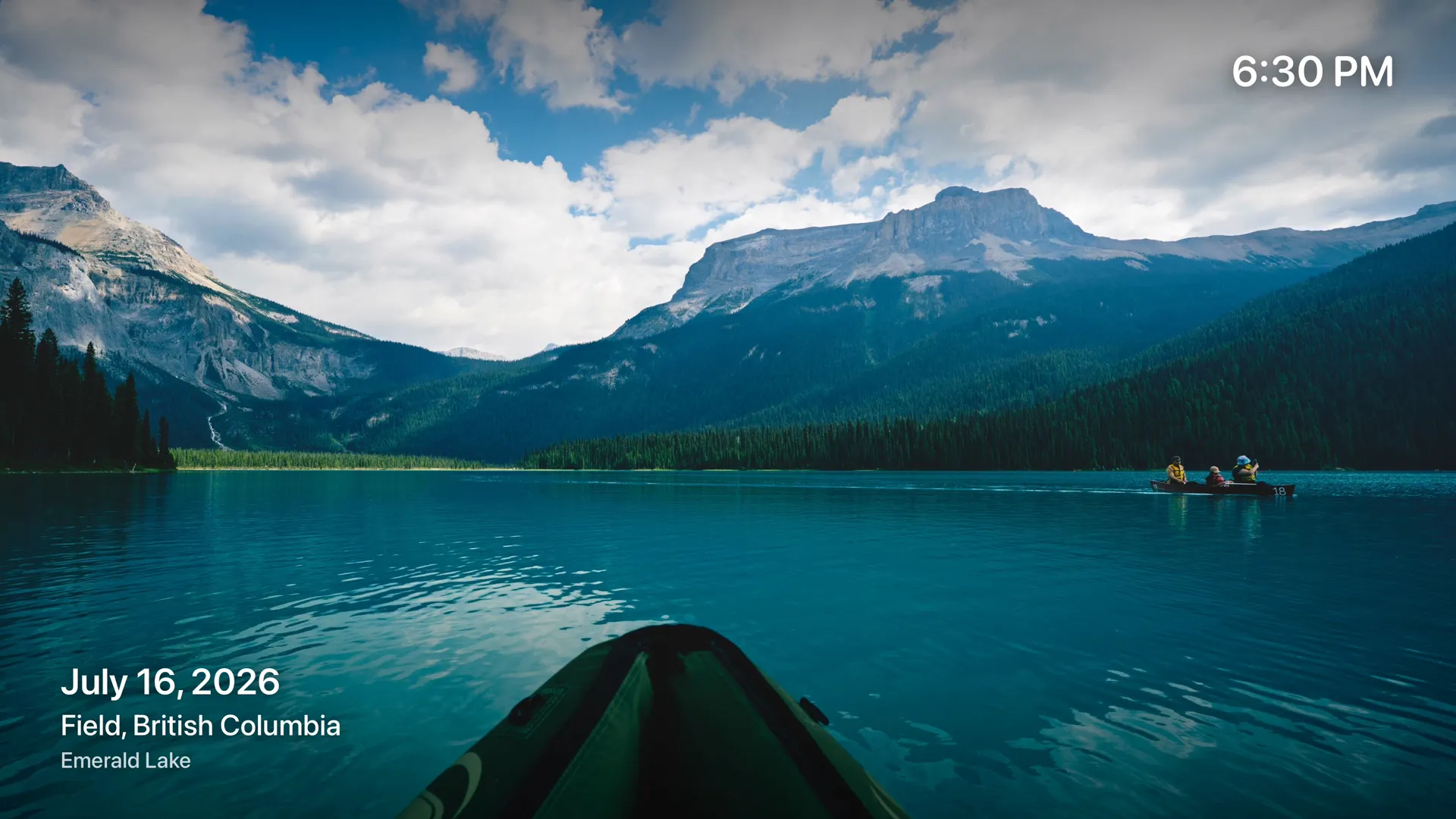
Your memories on the biggest screen in the house. Browse Home, Memories, Places, Albums, People and Search from the couch, play memories as shows with title cards and music, or leave a slideshow running as a photo frame. Pick something on your iPhone and choose Play on Apple TV.
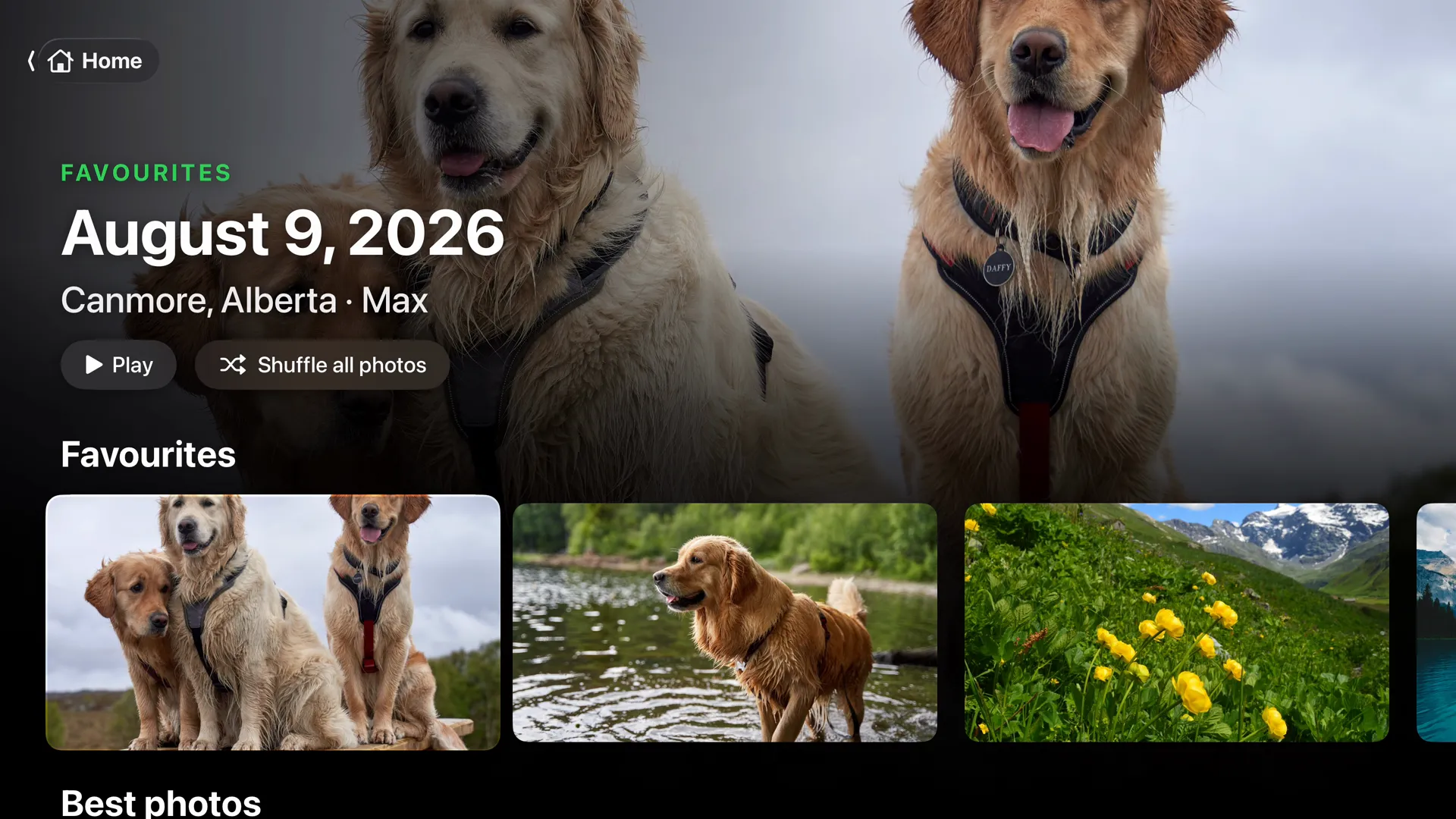 Home — favourites, best photos, memories and places |
 Memories — played as shows |
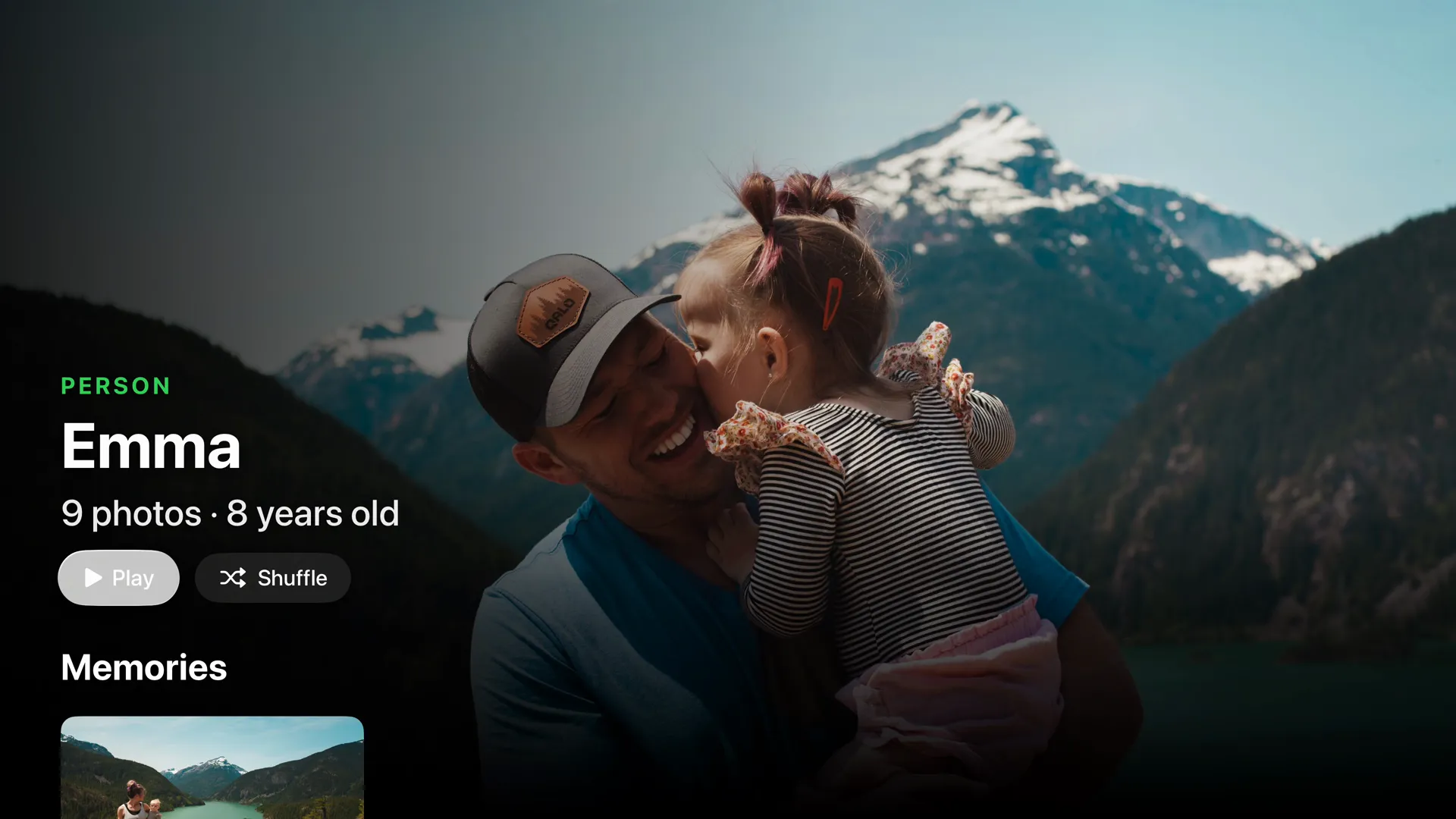 People — everyone, on the big screen |
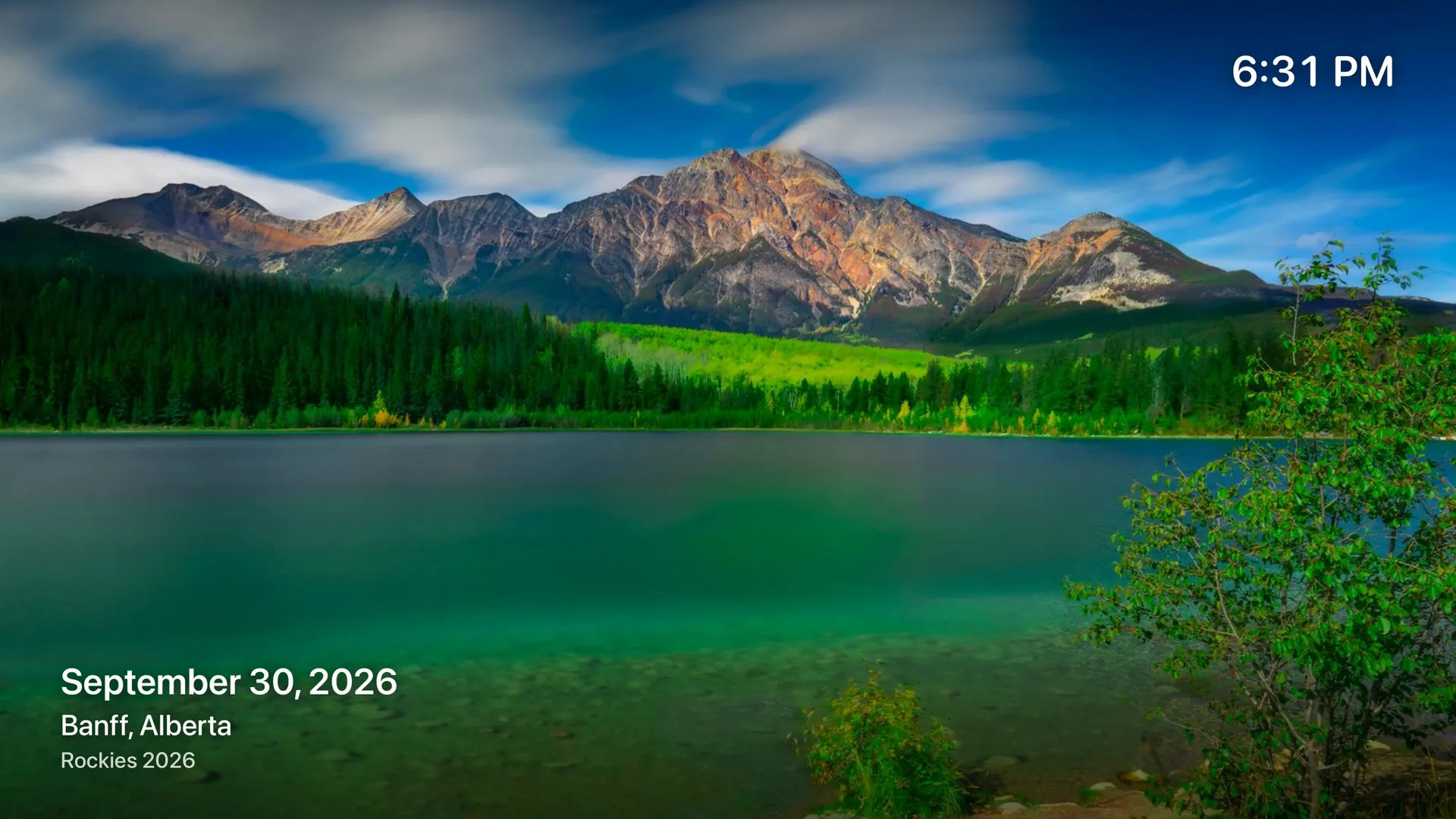 Slideshow — your TV as a photo frame |
Apple TV (tvOS 26+, uses Frameleaf Cloud remote access)
Get started
- Check the requirements — Linux with Docker and Docker Compose v2. Not sure what your GPU can run? Ask Frameleaf or see Choose processing for your hardware.
- Install with one of:
- Frameleaf Manager — guided install and upgrades (recommended).
- Docker Compose — for experienced administrators.
- NAS apps — Unraid, Synology and TrueNAS.
- Open
http://<server-ip>:2283, or set the server up from the iPhone or Android app on the same Wi-Fi, then follow First steps after installing.
Quick start with Docker Compose
mkdir frameleaf-app && cd frameleaf-app
curl -fL -o docker-compose.yml https://github.com/Frameleaf/frameleaf-app/releases/latest/download/docker-compose.yml
curl -fL -o .env https://github.com/Frameleaf/frameleaf-app/releases/latest/download/example.env
docker compose up -d
Edit .env first if you want your photos (UPLOAD_LOCATION) or database (DB_DATA_LOCATION) somewhere other than the current folder. To upgrade later, run docker compose pull && docker compose up -d — see Upgrading.
[!TIP] Your library on one server is a single copy. Protect it with Cloud backup, Buddy backup or your own copies — see Backup and restore.
Switching from another service?
- Switch from your existing photo server
- Import from iCloud Photos or keep iCloud Photos in sync
- Import from Google Photos
- Import from a folder or another app
Frameleaf Cloud (optional)
Self-hosting is free. Frameleaf Cloud adds:
- 🌐 Remote access — encrypted access from anywhere, for the apps and Apple TV
- ☁️ Cloud backup — off-site backup
- ⚡ Cloud GPU — run heavy AI jobs without local hardware
A Server licence on its own gives your server a Frameleaf direct address for remote access, and lets it trade backups with a friend's licensed server through Buddy backup over a direct connection; Frameleaf Cloud adds the relay when a direct connection isn't possible. See frameleaf.app for current pricing.
Docs and help
The Frameleaf docs and help center cover everything from first install to the API.
| Topic | Where |
|---|---|
| Using Frameleaf | Library, search, sharing, editing… |
| Apps | iPhone and iPad · iPhone Duo · Android · Apple TV |
| Studio | Video editing guide |
| Running your server | Command Center, settings, upgrades… |
| Frameleaf Cloud | Remote access, backup and GPU |
| Server API | API overview |
| Help | Ask Frameleaf · FAQ · Troubleshooting · Supported formats |
License
The Frameleaf Library server is open source under the GNU AGPLv3.
Categories
Related apps
Explore more like this
Explore allDetails
ghcr.io/frameleaf/frameleaf-manager@sha256:b4ed6e2180e24c8d63259c1456b605bab1fbebbae2a3b800dd7aa14cbfd84436Runtime arguments
- Web UI
https://[IP]:[PORT:9443]- Network
bridge- Privileged
- false
- Extra Params
--label app.frameleaf.manager.role=controller --security-opt no-new-privileges --cap-drop ALL
Template configuration
Use this same port in Manager HTTPS origin
- Target
- 9443
- Default
- 9443
- Value
- 9443
Copy the resolved WebUI HTTPS address, including the host port. For DNS, also set Advanced View WebUI to this exact origin. A different hostname or port is rejected.
- Target
- MANAGER_ORIGIN
Persistent claim key, sessions and recovery configuration. When changing the host path, change the container path and MANAGER_DATA too.
- Target
- /mnt/user/appdata/frameleaf-manager
- Default
- /mnt/user/appdata/frameleaf-manager
- Value
- /mnt/user/appdata/frameleaf-manager
Original media. Keep host and container paths identical and update MANAGER_STORAGE_ROOTS.
- Target
- /mnt/user/appdata/frameleaf-media
- Default
- /mnt/user/appdata/frameleaf-media
- Value
- /mnt/user/appdata/frameleaf-media
Physical host storage outside Docker data/docker.img. Keep host and container paths identical and update database root variables.
- Target
- /mnt/user/appdata/frameleaf-databases
- Default
- /mnt/user/appdata/frameleaf-databases
- Value
- /mnt/user/appdata/frameleaf-databases
Encrypted database-only checkpoints. Keep host and container paths identical and update MANAGER_BACKUP_ROOT.
- Target
- /mnt/user/appdata/frameleaf-backups
- Default
- /mnt/user/appdata/frameleaf-backups
- Value
- /mnt/user/appdata/frameleaf-backups
Must equal both paths in the Manager state mapping above.
- Target
- MANAGER_DATA
- Default
- /mnt/user/appdata/frameleaf-manager
- Value
- /mnt/user/appdata/frameleaf-manager
Approved media folders, separated by colons. Each needs an identical host/container mapping.
- Target
- MANAGER_STORAGE_ROOTS
- Default
- /mnt/user/appdata/frameleaf-media
- Value
- /mnt/user/appdata/frameleaf-media
Approved database parent folders, separated by colons. Each needs an identical host/container mapping.
- Target
- MANAGER_DATABASE_ROOTS
- Default
- /mnt/user/appdata/frameleaf-databases
- Value
- /mnt/user/appdata/frameleaf-databases
Default database parent. Must be one of the mapped database roots above.
- Target
- MANAGER_APPDATA_ROOT
- Default
- /mnt/user/appdata/frameleaf-databases
- Value
- /mnt/user/appdata/frameleaf-databases
Must equal both paths in the Database backups mapping above. Does not back up media.
- Target
- MANAGER_BACKUP_ROOT
- Default
- /mnt/user/appdata/frameleaf-backups
- Value
- /mnt/user/appdata/frameleaf-backups
Unraid host integration; keep this value.
- Target
- MANAGER_PLATFORM
- Default
- unraid
- Value
- unraid
Allows Manager to create and control sibling containers on this host.
- Target
- /var/run/docker.sock
- Default
- /var/run/docker.sock
- Value
- /var/run/docker.sock
Read-only host filesystem evidence for database storage checks.
- Target
- /run/frameleaf-host/mountinfo
- Default
- /proc/1/mountinfo
- Value
- /proc/1/mountinfo
Read-only Unraid appdata and Docker storage configuration.
- Target
- /run/frameleaf-host/docker.cfg
- Default
- /boot/config/docker.cfg
- Value
- /boot/config/docker.cfg
Required for imports: select the existing unraid-autostart file beneath the exact DockerRootDir reported by docker info. Do not create a replacement or guess a pool path.
- Target
- /run/frameleaf-host/unraid-autostart
Leave blank unless the autostart file above is mounted. For an import, set this to /run/frameleaf-host/unraid-autostart after selecting that existing host file.
- Target
- MANAGER_UNRAID_AUTOSTART