
All apps · 0 apps

Flixor---Backend
DeprecatedDocker app from grtgbln's Repository
Overview
Readme
View on GitHub




Flixor
A beautiful, Netflix-style client for your Plex library
Available on Web, macOS, iOS, Android, and tvOS
About
Flixor is a modern, cross-platform Plex client that brings a Netflix-like experience to your media library. Browse beautiful rows, see rich metadata with ratings from multiple sources, and enjoy powerful playback on any device.
Supported Platforms
| Platform | Status | Player |
|---|---|---|
| Web | Available | HLS.js / DASH.js |
| macOS | Available | MPV (HDR, Dolby Vision) |
| iOS | Available | KSPlayer |
| Android | Available | MPV |
| tvOS | In Development | - |
Features
Core Experience
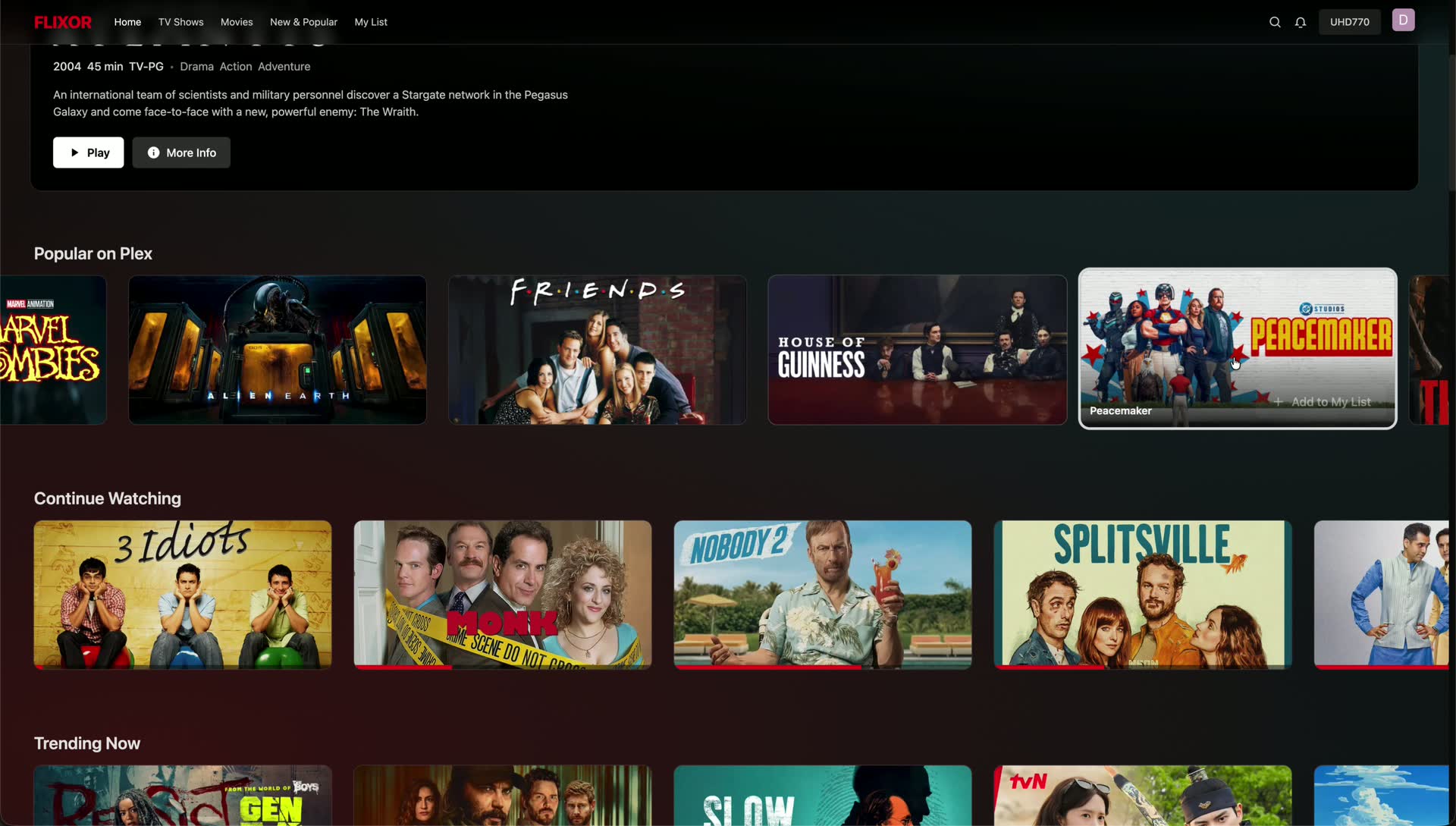
- Netflix-style UI - Continue Watching, Trending, Collections, Watchlist, and more
- Rich metadata - Trailers, cast info, tech badges (4K/HDR/Atmos/DTS-X)
- Smart search - Search across Plex and TMDB with intelligent filtering
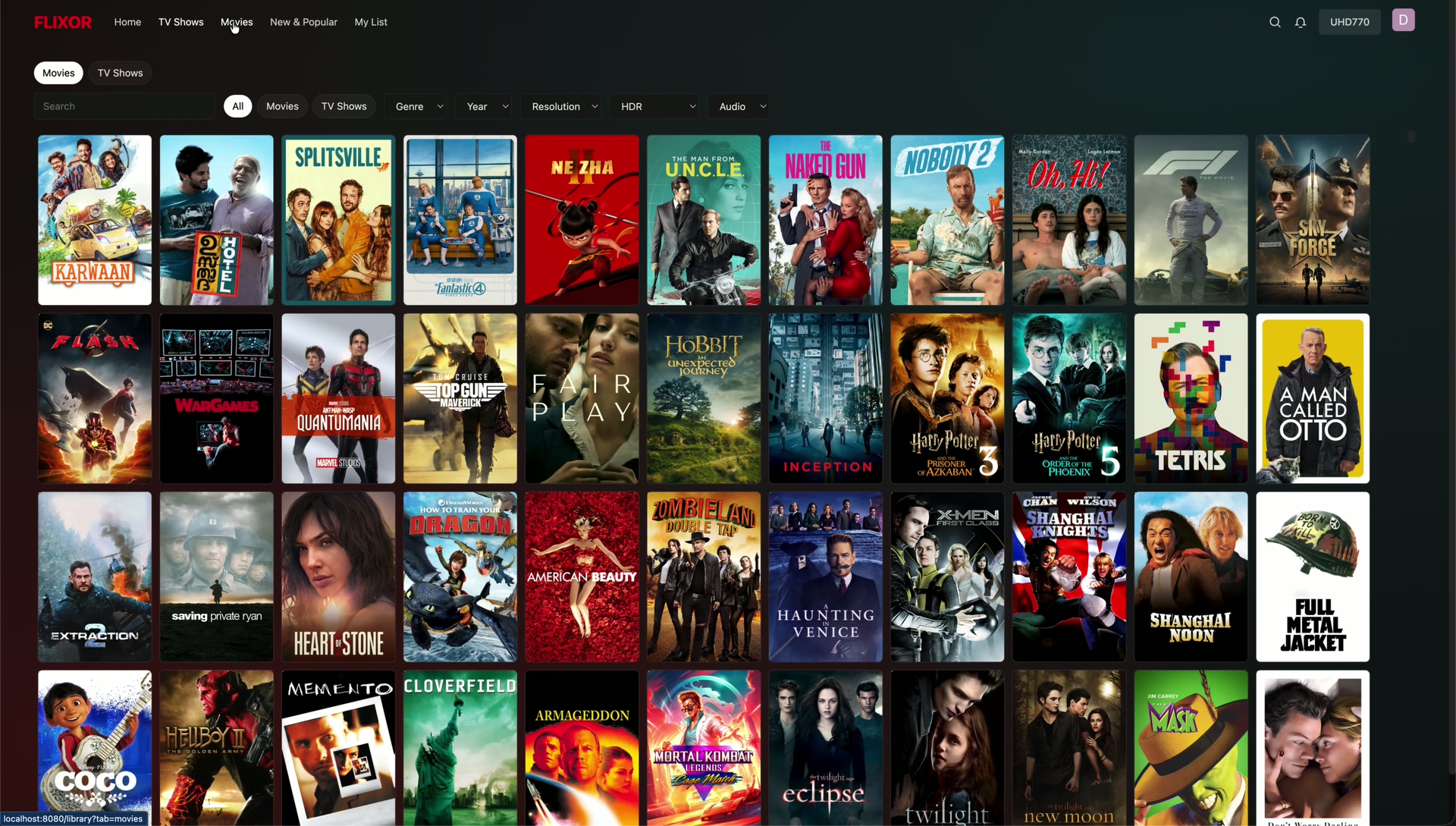
- Ultra-fast grids - Optimized for libraries with thousands of items
- Cross-platform sync - Watch progress syncs across all your devices
Playback
- Web: Built-in DASH/HLS player with Picture-in-Picture and subtitle support
- macOS: MPV-powered with HDR, Dolby Vision, and advanced audio passthrough
- Mobile: Native players with background playback and streaming quality options
Integrations
| Service | Description |
|---|---|
| TMDB | Movie/TV metadata, posters, backdrops, trailers |
| Trakt | Watch history sync, scrobbling, ratings, watchlists |
| MDBList | Aggregated ratings from IMDb, RT, Letterboxd, Metacritic |
| Overseerr | Request movies and shows directly from the app |
Mobile-Specific Features
- OTA (Over-the-Air) updates without app store
- Configurable bottom navigation tabs
- Optional TMDB search integration
- Landscape continue watching cards with progress indicators
Screenshots
Click to view screenshots

Installation
Web App (Docker)
Using the published image:
docker run -d \
  --name flixor \
  -p 8080:80 \
  -e SESSION_SECRET=your-secure-secret-here \
  -v flixor-config:/app/config \
  -v flixor-cache:/app/cache \
  --restart unless-stopped \
  ghcr.io/flixorui/flixor:latest
Using Docker Compose:
services:
  flixor:
    image: ghcr.io/flixorui/flixor:latest
    container_name: flixor
    environment:
      - SESSION_SECRET=your-secure-secret-here
    ports:
      - "8080:80"
    volumes:
      - flixor-config:/app/config
      - flixor-cache:/app/cache
    restart: unless-stopped

volumes:
  flixor-config:
  flixor-cache:
docker compose up -d
Open http://localhost:8080 and sign in with Plex.
macOS
- Download the latest
.dmgfrom Releases - Drag Flixor to your Applications folder
- Open and sign in with Plex
Requirements: macOS 13.0 (Ventura) or later
iOS / Android
Download from the Releases page or join the TestFlight/beta program.
The mobile apps support OTA updates - you'll receive update notifications within the app.
Development
Prerequisites
- Node.js 18+
- npm or yarn
Web Frontend
cd web_frontend
npm install
npm run dev
Mobile App
cd apps/mobile
npm install
npx expo start
macOS App
Open apps/macos/FlixorMac.xcodeproj in Xcode and build.
Full Stack (Web + Backend)
npm install
npm run dev:all
The dev server runs on http://localhost:5173 and is accessible on your local network.
Configuration
Environment Variables
| Variable | Description | Default |
|---|---|---|
SESSION_SECRET |
Secret for session encryption | Required |
VITE_PROXY_TARGET |
Backend URL for dev proxy | http://localhost:3000 |
App Settings
Settings are available in-app under Settings:
- Catalogs - Choose which Plex libraries appear
- Home Screen - Configure hero and row visibility
- Integrations - Set up TMDB, Trakt, MDBList, Overseerr
- Playback - Video player preferences
- Appearance - Episode layout, backdrop options
OTA Updates (Mobile)
The mobile app supports self-hosted OTA updates. To publish an update:
export FLIXOR_OTA_UPLOAD_KEY=your-upload-key
./scripts/publish-ota-update.sh
Users will receive update notifications on app launch.
Community
- Discord - Join the community
- Reddit - Follow updates
- GitHub Issues - Report bugs
Contributing
Contributions are welcome! Please read our contributing guidelines before submitting a PR.
- Fork the repository
- Create your feature branch (
git checkout -b feature/amazing-feature) - Commit your changes (
git commit -m 'Add amazing feature') - Push to the branch (
git push origin feature/amazing-feature) - Open a Pull Request
License
Distributed under the GPL-3.0 License. See LICENSE for more information.
Star History
Made with care for the Plex community
Media gallery
1 / 10Requirements
Requires a separate Flixor - Frontend container or Flixor app.
Download Statistics
Total Downloads Over Time
Related apps
Explore more like this
Explore allDetails
flixorui/flixor_backend:latestRuntime arguments
- Network
bridge- Privileged
- false
Template configuration
Container Port: 3001
- Target
- 3001
- Default
- 3001
- Value
- 3001
Path to the config files
- Target
- /app/config
- Default
- /mnt/user/appdata/flixor_backend/config
- Value
- /mnt/user/appdata/flixor_backend/config
Path to the cache files
- Target
- /app/cache
- Default
- /mnt/user/appdata/flixor_backend/cache
- Value
- /mnt/user/appdata/flixor_backend/cache
The URL where the frontend is hosted (e.g., http://localhost:8080). Required if using the frontend app.
- Target
- FRONTEND_URL
A long, random string used to sign session cookies.
- Target
- SESSION_SECRET
Not recommended to change.
- Target
- NODE_ENV
- Default
- production
- Value
- production
Internal API port. Not recommended to change.
- Target
- PORT
- Default
- 3001
- Value
- 3001
Internal host. Not recommended to change.
- Target
- HOST
- Default
- 0.0.0.0
- Value
- 0.0.0.0
Internal path to the config files. Not recommended to change.
- Target
- CONFIG_DIRECTORY
- Default
- /app/config
- Value
- /app/config
Internal path to the database file. Not recommended to change.
- Target
- DATABASE_PATH
- Default
- /app/config/db/app.sqlite
- Value
- /app/config/db/app.sqlite
Internal path to the image cache. Not recommended to change.
- Target
- IMAGE_CACHE_DIR
- Default
- /app/cache/images
- Value
- /app/cache/images