
All apps · 0 apps

Fliparr
Docker app from Jamisonf's Repository
Overview
Readme
View on GitHubFliparr
Tinder-style swiping for your Radarr & Seerr queue — movies and TV
Swipe right to add or request, left to pass. Movies from Radarr's recommendations or Seerr's endless discover; TV from Seerr. A self-hosted discovery app for your homelab, built for your phone.




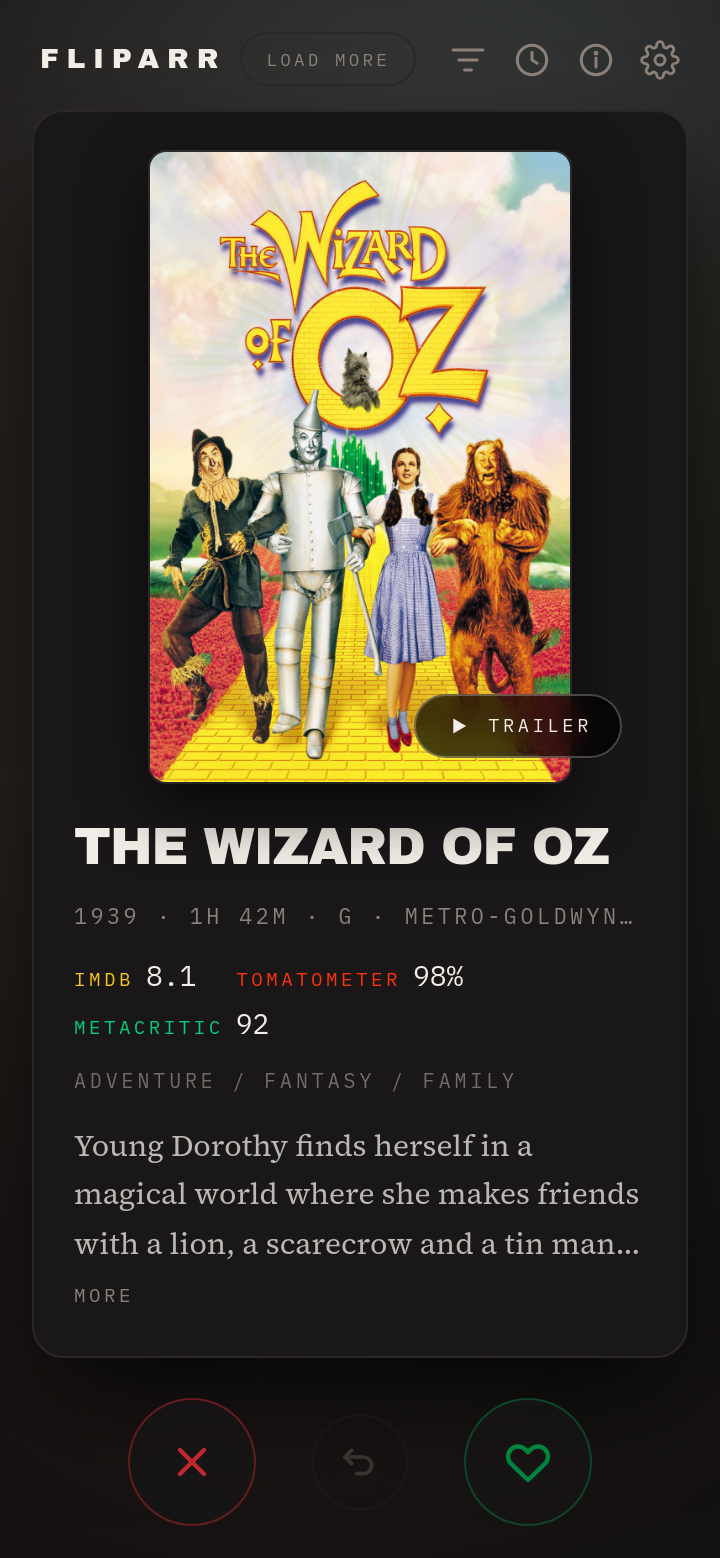
What is Fliparr?
Finding things to add to your library is a wall of text — Radarr's Discover tab, Seerr's grid — every title a few taps to add, request, or dismiss, with no fast way to work through hundreds of them.
Fliparr turns that into a deck of cards. One title fills your phone screen — poster, ratings, genres, synopsis, trailer — and you decide with a swipe. It covers movies and TV, sourced from Radarr and Seerr.
| Gesture | Radarr movie | Seerr movie / TV |
|---|---|---|
| Swipe right | Added to your library, monitored, release search starts | Files a Seerr request (Seerr routes it on to Radarr / Sonarr) |
| Swipe left | Written to Import List Exclusions — never comes back | Skips the card (Seerr has no exclusion list) |
| Undo | Reverses the last action, up to 50 deep | Cancels the request, or un-skips |
Unlike "what should we watch tonight" apps, Fliparr is a library curation tool. It decides what enters your collection, not what you play next.
Features
Swipe to decide
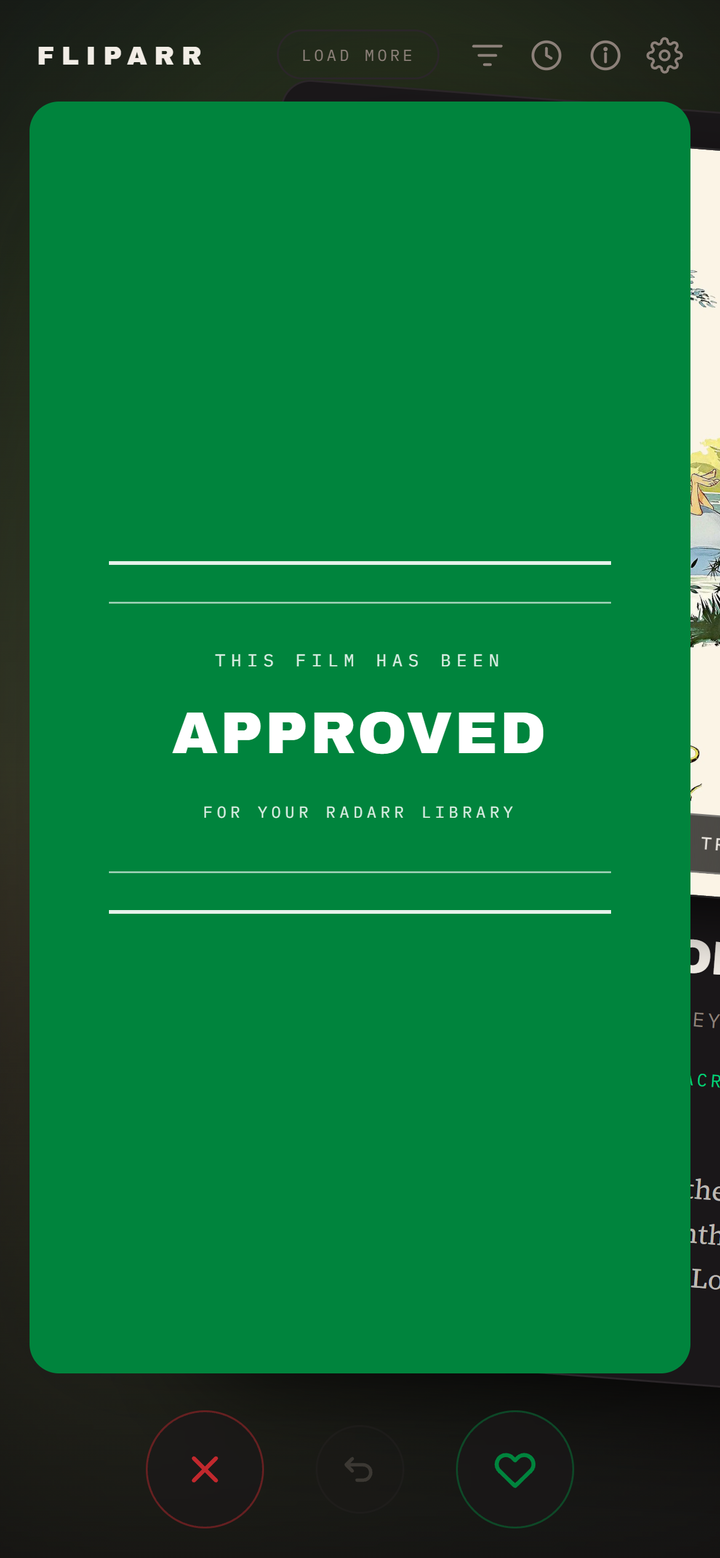
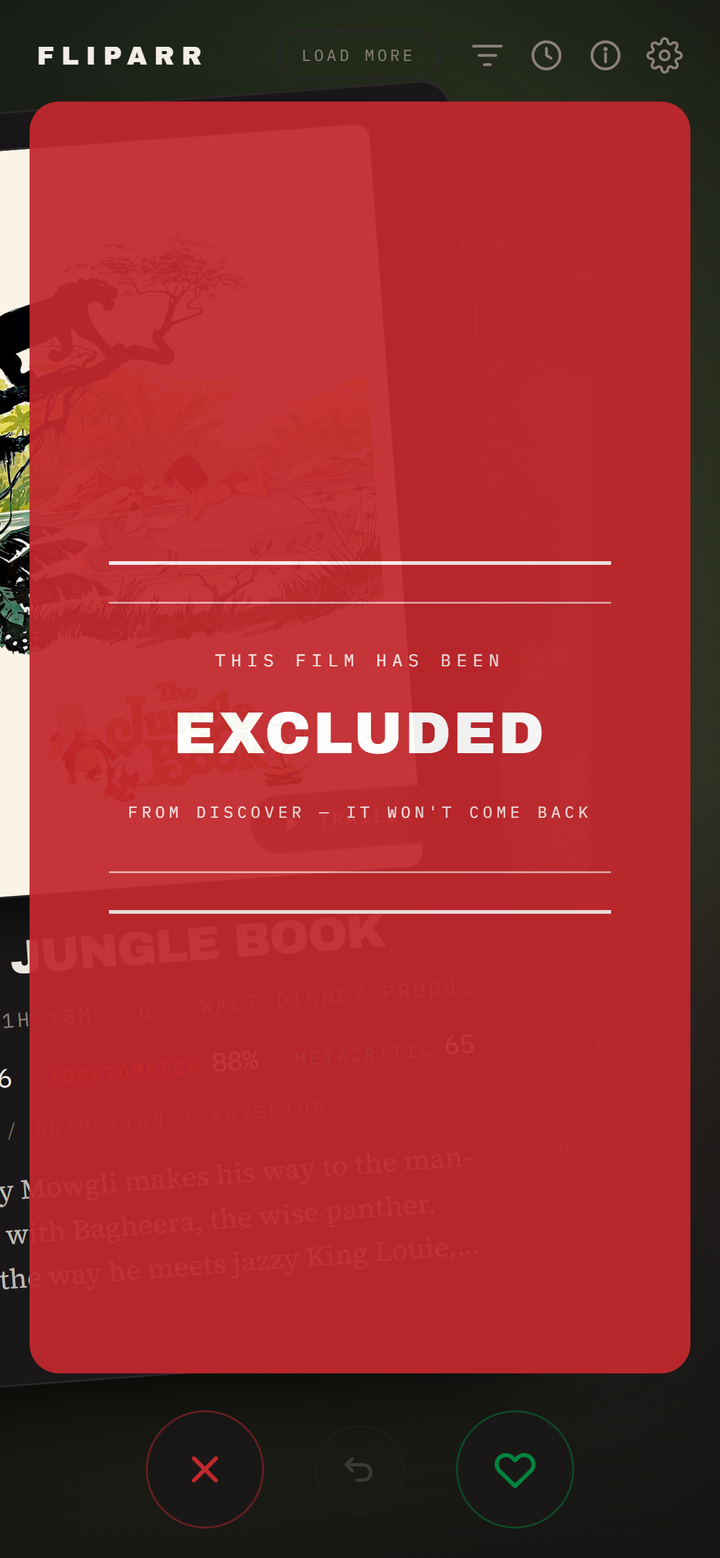
Drag the card and a verdict card takes over the screen, styled after the green and red band cards that open theatrical trailers. Release past the threshold to commit; let go early and it snaps back.
Watch the trailer without leaving the deck
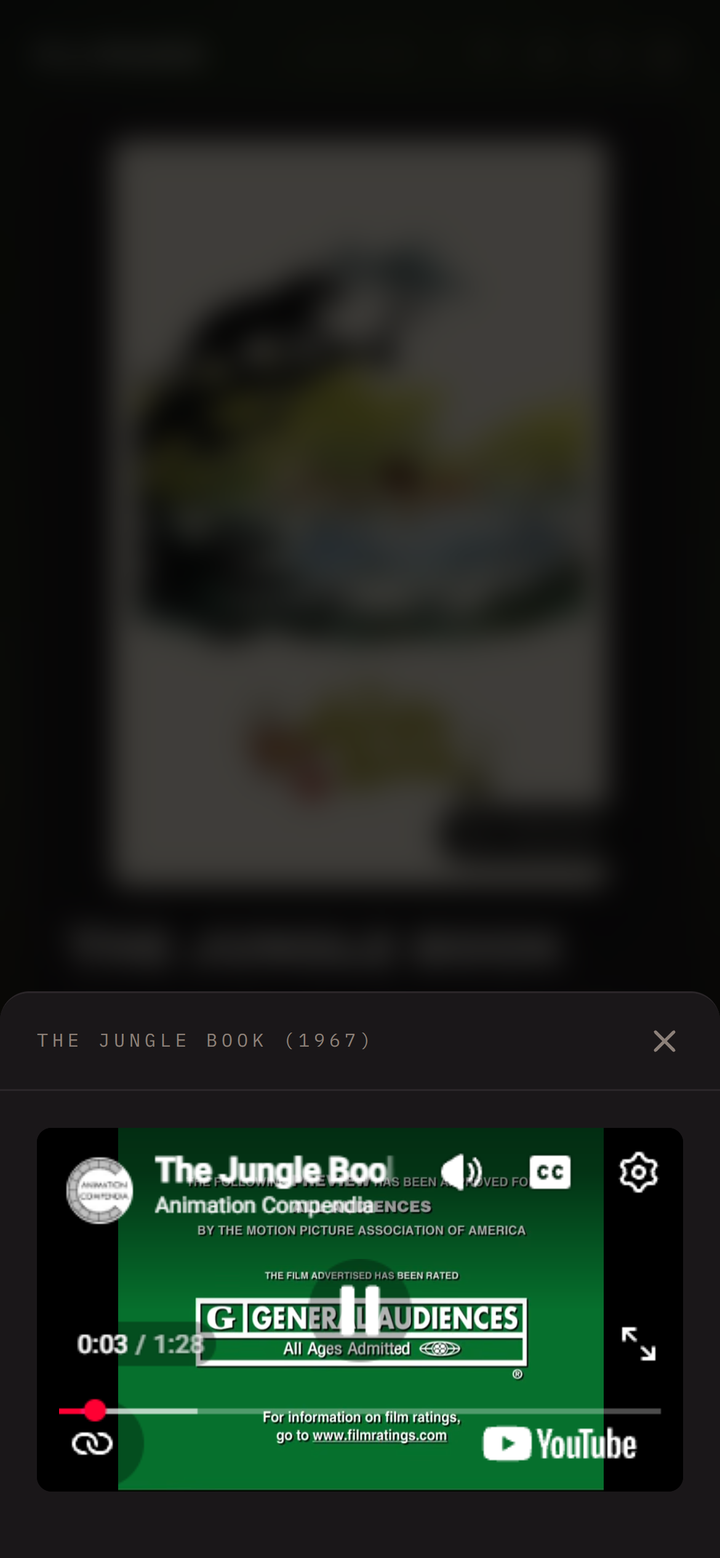
Tap Trailer and it plays in a sheet over the deck. Radarr already supplies a YouTube ID with the recommendation, so there is no extra lookup and no API key to configure.
Movies and TV, blended or on their own
A Movies / TV / Both toggle sits under the header. Both interleaves the two into one deck. Movies come from your chosen source — Radarr's library-derived recommendations, Seerr's endless discover, or both blended together; TV comes from Seerr (Overseerr / Jellyseerr), because Sonarr has no recommendation feed to swipe.
Every card carries its own origin, so a single mixed deck routes each swipe to the right place on its own: a Radarr movie is added / excluded, a Seerr movie or show is requested / skipped — the buttons and the drag verdict change to match the card. If one source is down, its cards are simply absent; the deck still fills from the others.
Tell them apart at a glance: movie and TV cards each carry a coloured badge and a matching backdrop tint (amber and teal by default, both configurable in Settings), so a blended deck never leaves you guessing what you're swiping.
Filter by genre and rating
Optional and off by default. Every genre in the current deck with a live count; picking several widens the deck rather than narrowing it, so Horror + Thriller shows either. Add a minimum rating gate — IMDb, Rotten Tomatoes, Metacritic, or TMDB — to skim only the good stuff.

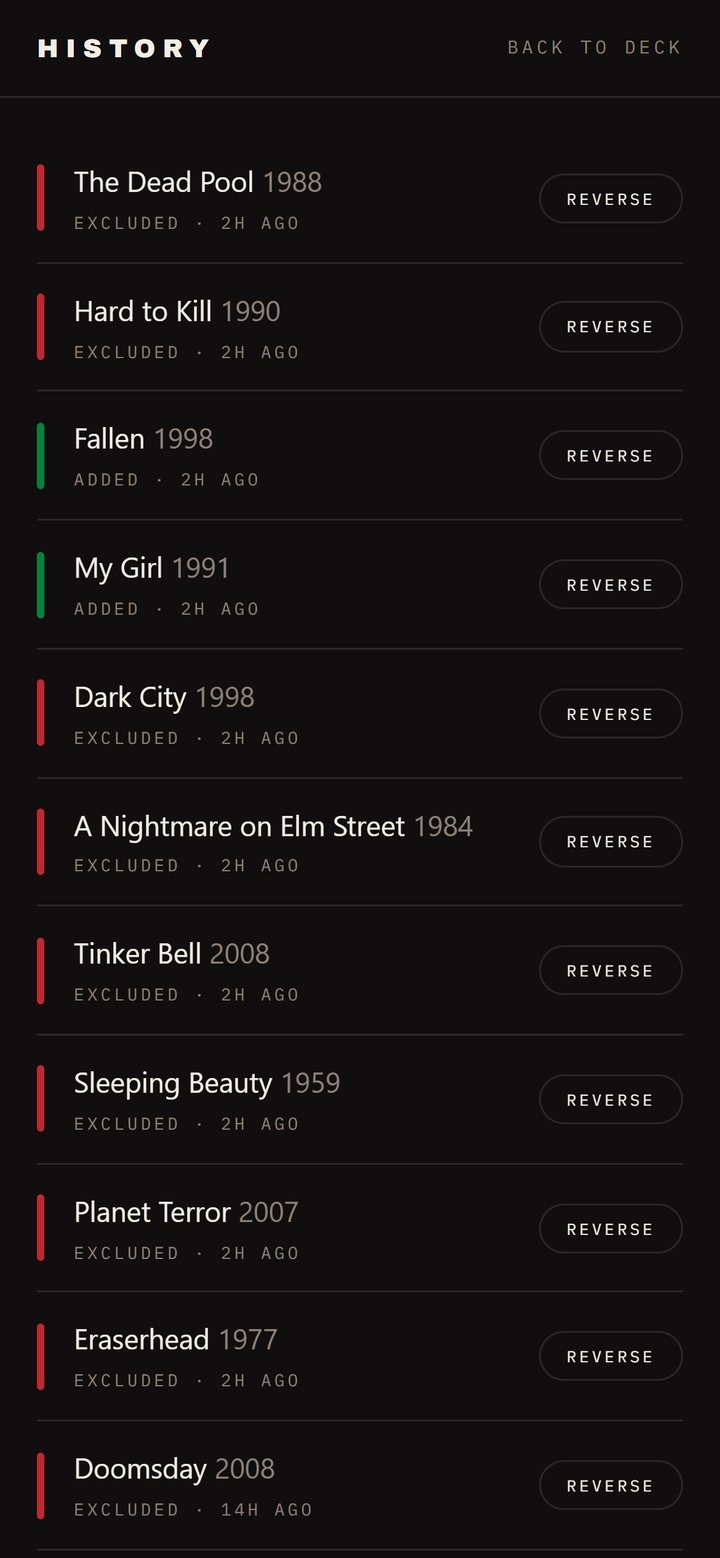
Reversible history
Every swipe is recorded with what you decided and when, and each one can be reversed on its own — a mistake twenty cards back is one tap, not twenty.
Connect and configure in the app
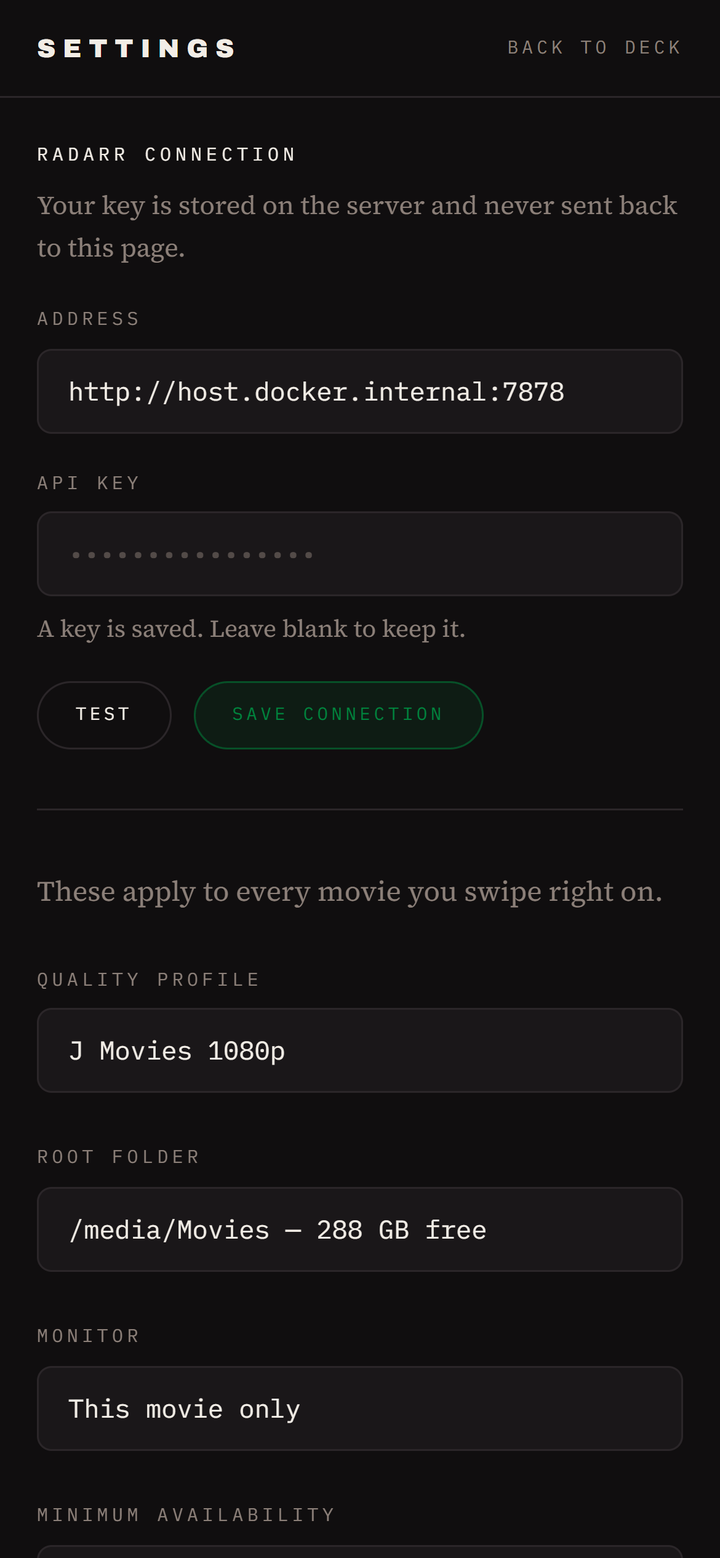
Radarr and Seerr addresses and API keys are set in Settings, each with a Test button so a typo surfaces immediately instead of as a failed swipe later. Pick your movie source (Radarr, Seerr, or both), the TV season strategy, and the per-type card colours. Radarr's quality profile, root folder, monitor mode, minimum availability, and search-on-add are read live from your Radarr.
Also
- Keyboard shortcuts on desktop —
←exclude,→add,Uundo - Ratings at a glance from IMDb, Rotten Tomatoes, and Metacritic, each in its own colour
- Mobile-first dark interface designed for a phone in a dark room
- No login, no account, no telemetry — it talks to your own services and nothing else
The deck refills itself
This is the part worth understanding, because it is why the queue never runs dry.
From Radarr, recommendations come from a live SQL query over every movie you own, subtracting your library and your exclusion list, capped at the top 100 and ranked by how many of your own films recommend each candidate. The candidate pool is far larger than 100 — every swipe frees a slot and promotes the next-best candidate into it, so it keeps producing new material rather than draining to zero.
From Seerr, the movie and TV discover feeds are hundreds of pages of TMDB popular titles — effectively bottomless. Fliparr accumulates them page by page as you swipe.
Either way, Fliparr pulls more automatically once you drop below 15 cards, and the Load more button does it on demand.
Requirements
- Radarr v3 API — developed and tested against Radarr 6.3.0. Needed for the Radarr movie source; some movies already in your library, since recommendations are derived from what you own.
- Overseerr or Jellyseerr (a "Seerr") — required for TV, and optional as an endless movie source. Tested against Overseerr 3.4. TV requests route through Seerr to Sonarr under Seerr's own profiles.
- At least one of the two above. Movies can come from either; TV needs Seerr.
- Docker (recommended) or Node.js 20.9+ for a local install
- API keys: Radarr → Settings → General → API Key and/or
Seerr → Settings → General → API Key — some Seerr builds don't surface it
there, in which case it's the
apiKeyvalue in Seerr'ssettings.json
Installation
Docker (recommended)
docker run -d \
  --name fliparr \
  --restart unless-stopped \
  -p 7979:3000 \
  --add-host host.docker.internal:host-gateway \
  -e RADARR_URL=http://host.docker.internal:7878 \
  -e RADARR_API_KEY=your_api_key_here \
  -v /path/to/appdata/fliparr:/config \
  jamisonfitz/fliparr:latest
Then open http://your-server:7979.
Point
RADARR_URLathost.docker.internal, not your host's LAN IP. When Radarr runs on the same machine, the LAN IP makes the request leave the bridge network and get NAT'd back in. That only works while Docker's hairpin rules hold — it broke here on a plain container recreate while the host itself could still reach Radarr fine.host-gatewaykeeps the traffic on the bridge.
Docker Compose
services:
  fliparr:
    image: jamisonfitz/fliparr:latest
    container_name: fliparr
    restart: unless-stopped
    ports:
      - "7979:3000"
    extra_hosts:
      - "host.docker.internal:host-gateway"
    environment:
      RADARR_URL: http://host.docker.internal:7878
      RADARR_API_KEY: your_api_key_here
      DATA_DIR: /config
    volumes:
      - /path/to/appdata/fliparr:/config
Unraid
The easiest way: open Community Applications, search Fliparr, and click
Install — the template fills in the port, the host.docker.internal extra host,
and the Radarr/Seerr fields for you.
Prefer the command line? Unraid does not ship the compose plugin, so use the
docker run command above from Tools → Web Terminal, with
-v /mnt/user/appdata/fliparr:/config. Port 7979 sits clear of Radarr
(7878), Sonarr (8989), and Prowlarr (9696).
Build from source
git clone https://github.com/Jamisonfitz/fliparr.git
cd fliparr

# Run it directly
cp .env.example .env.local     # fill in RADARR_API_KEY
npm install
npm run dev                    # http://localhost:3000

# ...or build your own image
docker build -t fliparr:latest .
The published image is public on Docker Hub as
jamisonfitz/fliparr, sodocker pull jamisonfitz/fliparrneeds no login. The same image is mirrored toghcr.io/jamisonfitz/fliparrif you prefer GHCR.
Configuration
Everything is configurable in the app's Settings screen. Environment variables are optional — they seed a fresh install so a container comes up already connected. Once you save a connection in the app, the saved one wins and changing it needs no redeploy.
| Variable | Purpose |
|---|---|
RADARR_URL |
Radarr's address, e.g. http://192.168.0.10:7878 |
RADARR_API_KEY |
Radarr → Settings → General → API Key |
SEERR_URL |
Overseerr/Jellyseerr address, e.g. http://192.168.0.10:5055 — required for TV, optional for movies |
SEERR_API_KEY |
Seerr → Settings → General → API Key (or the apiKey in Seerr's settings.json if your build doesn't show it there) |
DATA_DIR |
Where the connection, settings, and history are stored. /config in Docker. |
Mount DATA_DIR as a volume or your settings and undo history reset on every
container recreate.
Security
Fliparr has no authentication. Anyone who can reach the port can change your Radarr connection and add films to your library. Keep it on your LAN, or behind whatever reverse proxy and auth you already run for the rest of your stack. Do not expose it directly to the internet.
The API key is stored server-side and is never sent to the browser — the settings screen only learns whether a key is set.
FAQ
Does this replace Radarr? No. Fliparr is a companion interface. Radarr does all the work; Fliparr is a faster way to answer its recommendations.
What exactly does swiping left do? It writes a real entry to Radarr's Import List Exclusions — the same thing the red Add Exclusion button on Radarr's Discover page does. The film is permanently blocked from being auto-added by any import list. It is reversible from Fliparr's history screen or from Radarr's own settings.
Will a right swipe start downloading immediately? Only if Search on add is enabled, which it is by default. Turn it off in Settings to add movies without hunting for a release.
Does it support TV shows? Yes — but TV requires Seerr (Overseerr or Jellyseerr). Sonarr has no recommendations/discover endpoint like Radarr's, so there is nothing to build a TV deck from on the Sonarr side. Fliparr sources TV from Seerr's endless TV discover and, on a right swipe, files a Seerr request that Seerr then hands to Sonarr. Flip Movies / TV / Both with the toggle under the header — "Both" blends movies and TV into one deck. With no Seerr connected, the TV tab simply tells you to add one.
Does it work with Overseerr, Jellyseerr, or Seerr? Yes. Seerr is a supported source for both movies and TV. Set it up under Settings → Overseerr / Jellyseerr connection, then pick your movie source (Radarr, Seerr, or Both); TV always uses Seerr. Seerr's discover is effectively endless (hundreds of pages of TMDB popular titles), so the deck never runs dry the way Radarr's finite recommendation list eventually does. On a Seerr card a right swipe files a request (Seerr routes it to Radarr/Sonarr) and a left swipe is a plain skip — Seerr has no exclusion list, so nothing is written and undo just brings the card back.
Can I mix movies and TV, or Radarr and Seerr, in one deck? Yes. Flip the header toggle to Both to interleave movies and TV, and set the movie source to Both to blend Radarr recommendations with Seerr discover. Everything lands in one deck; each card carries its own origin, so a Radarr movie is added to Radarr, a Seerr movie or show files a Seerr request, all from the same stack of cards. Coloured per-type badges (configurable in Settings) keep movie and TV cards distinct as you swipe. If a source is offline, its cards drop out and the deck fills from whatever's left.
How many seasons does a TV right-swipe request? Your choice in Settings → TV seasons to request: All seasons (default), Latest season only, or First season only. It is a single setting rather than a prompt on every swipe, to keep swiping fast. Seerr owns the rest — the quality profile, root folder, language profile, and approval rules all come from your Seerr server's defaults; Fliparr just files the request, so there is nothing to reconfigure in two places.
Why is the first load slow? Radarr fetches metadata for all ~100 recommendations from TMDB on every call to its Discover endpoint, with no caching on its side. Fliparr caches the result for 15 minutes so you only pay that once.
My deck is empty. On the Radarr source, recommendations derive from movies you already own, so a small library produces few — add films, or press Load more. On the Seerr source the deck is effectively endless; an empty one usually means Seerr isn't connected, so check Settings.
Can I run it on a different port?
Change the left-hand side of the port mapping, e.g. -p 8080:3000.
How it works
Fliparr is a small Next.js app that talks to Radarr's and Seerr's APIs from the server side, so your API keys never reach the browser and there is no CORS to configure. Each card is tagged with where it came from, and a swipe is routed by the card itself — so a deck can mix sources and every write goes to the right place.
A few implementation decisions worth knowing before you change lib/radarr.ts
or lib/seerr.ts:
Radarr writes use the single-item endpoints, not the bulk ones. Radarr's own
Discover footer posts to POST /importlist/movie and POST /exclusions/bulk.
The bulk add runs with ignoreErrors: true and answers 200 with an empty
array when an add is rejected — in a swipe UI that reads as success while
nothing happened. POST /movie returns a real 400 and hands back the created
id, which undo needs.
Undoing a Radarr add must pass addImportExclusion=false. If that ever
defaults to true, "undo" would permanently exclude the film — the exact opposite
of what the button says.
TV season resolution skips unaired seasons. For Latest / First, Fliparr reads the show's seasons from Seerr and picks from ones that have actually aired. TMDB often lists an announced-but-unaired next season (a single placeholder episode dated months out) that Sonarr/TVDB doesn't carry yet — a naive "latest" would request that phantom season and grab nothing.
State lives in a single JSON file in DATA_DIR. No database.
Roadmap
Fliparr already swipes Radarr recommendations, Seerr movies, and Seerr TV. These are the directions it is likely to grow next, roughly in order:
- Per-show season override. Season count is a global setting today (All / Latest / First). A quick per-card control — tap to pick seasons before you swipe — would cover the odd show without slowing the common case.
- Automatic Radarr → Seerr fallback. When Radarr's finite recommendation list runs dry, continue the movie deck from Seerr's endless discover instead of showing an empty deck. The per-card source tagging is already in place for this; it just needs an opt-in toggle.
- More feed sources — the deck is source-agnostic internally (each card carries its own source), so Trakt lists and plain TMDB Discover are natural additions.
- Optional Sonarr-direct add for TV — skip the Seerr request step for people who would rather Fliparr talk to Sonarr directly. (A discover source such as Seerr/Trakt/TMDB is still needed to supply the cards, since Sonarr has none.)
Nothing here changes existing behaviour; sources and TV are opt-in. Issues and PRs that move these along are welcome.
Credits
Fliparr is glue. The hard parts belong to other people:
- Radarr (GitHub, GPL-3.0) — does all the real work for movies: the recommendation engine, the library, the indexers, the downloading. Fliparr only calls its API and includes none of its code.
- Overseerr and Jellyseerr — the endless movie and TV discover feeds, the request workflow, and the routing on to Radarr and Sonarr. Fliparr just files requests against their API.
- TMDB — every poster, backdrop, rating, synopsis, and trailer link.
This product uses TMDB and the TMDB APIs but is not endorsed, certified, or otherwise approved by TMDB.
Built by jamisonf. If it saved you some clicking, you can buy me a coffee.
License
Fliparr calls Radarr over HTTP and links none of its code, so Radarr's GPL does not propagate here — GPL-3.0 is a deliberate choice to match the licence of the ecosystem Fliparr plugs into and to keep derivatives open.
Categories
Download Statistics
Related apps
Explore more like this
Explore allDetails
jamisonfitz/fliparr:latestRuntime arguments
- Web UI
http://[IP]:[PORT:3000]/- Network
bridge- Shell
sh- Privileged
- false
- Extra Params
--restart unless-stopped --add-host host.docker.internal:host-gateway
Template configuration
Port for the Fliparr web UI. Clear of Radarr (7878), Sonarr (8989), Prowlarr (9696).
- Target
- 3000
- Default
- 7979
- Value
- 7979
Stores the Radarr/Seerr connections, settings, skip list, and undo history. Mount it or these reset on recreate.
- Target
- /config
- Default
- /mnt/user/appdata/fliparr
- Value
- /mnt/user/appdata/fliparr
Radarr's address (optional). Keep host.docker.internal if Radarr runs on this Unraid server; otherwise use its LAN IP. Seeds a fresh install — once you save a connection in the app, that one wins.
- Target
- RADARR_URL
- Default
- http://host.docker.internal:7878
Radarr → Settings → General → API Key. Treat it like a password. Seeds a fresh install; can also be set in the app's Settings screen.
- Target
- RADARR_API_KEY
Overseerr/Jellyseerr address (optional). Required for TV and optional for movies; leave blank for a Radarr-only setup. Seeds a fresh install — the app's saved connection wins once set.
- Target
- SEERR_URL
- Default
- http://host.docker.internal:5055
Seerr → Settings → General → API Key. Treat it like a password. Seeds a fresh install; can also be set in the app's Settings screen.
- Target
- SEERR_API_KEY