
All apps · 0 apps

Firefly-Pico
Docker app from grtgbln's Repository
Overview
Readme
View on GitHub
A delightful Firefly III companion web app for effortless transaction tracking


💡About
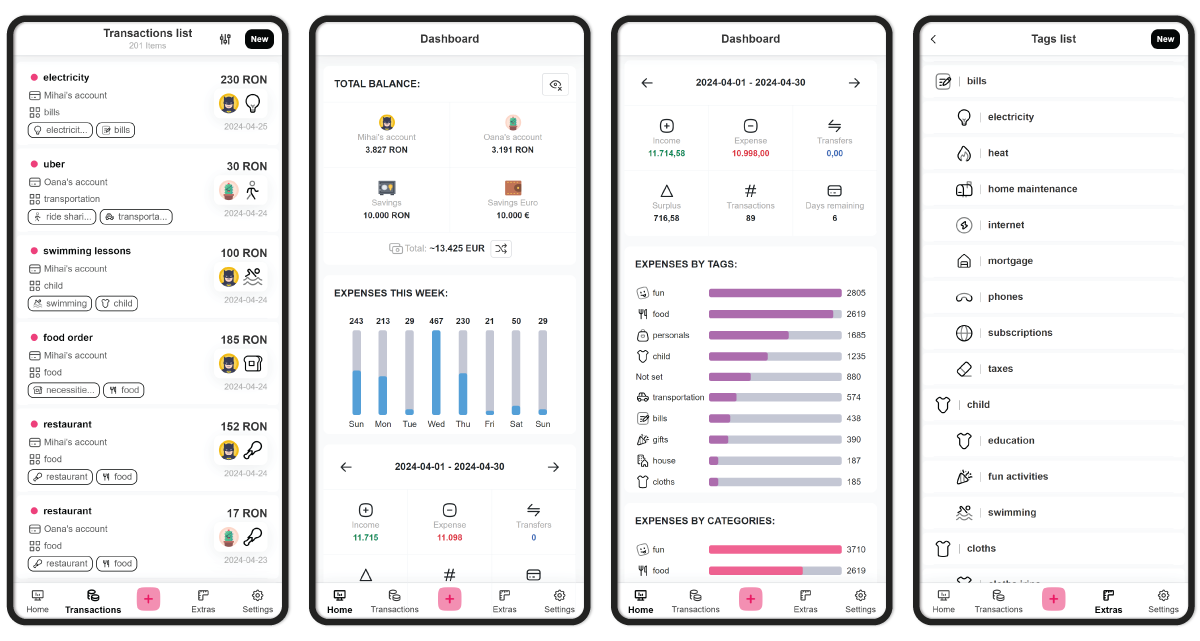
Firefly-Pico is a mobile-optimized, highly responsive web application designed as a Firefly III companion app.
It is built with a focus on speed and ease of use, allowing you to quickly log expenses, organize tags, and keep track of your finances on the go, all while maintaining completely private control over your own data.
Apart from the sleek interface, it augments Firefly III with custom entity icons, support for sub-tags, and "templates" for auto-filling the transaction form.
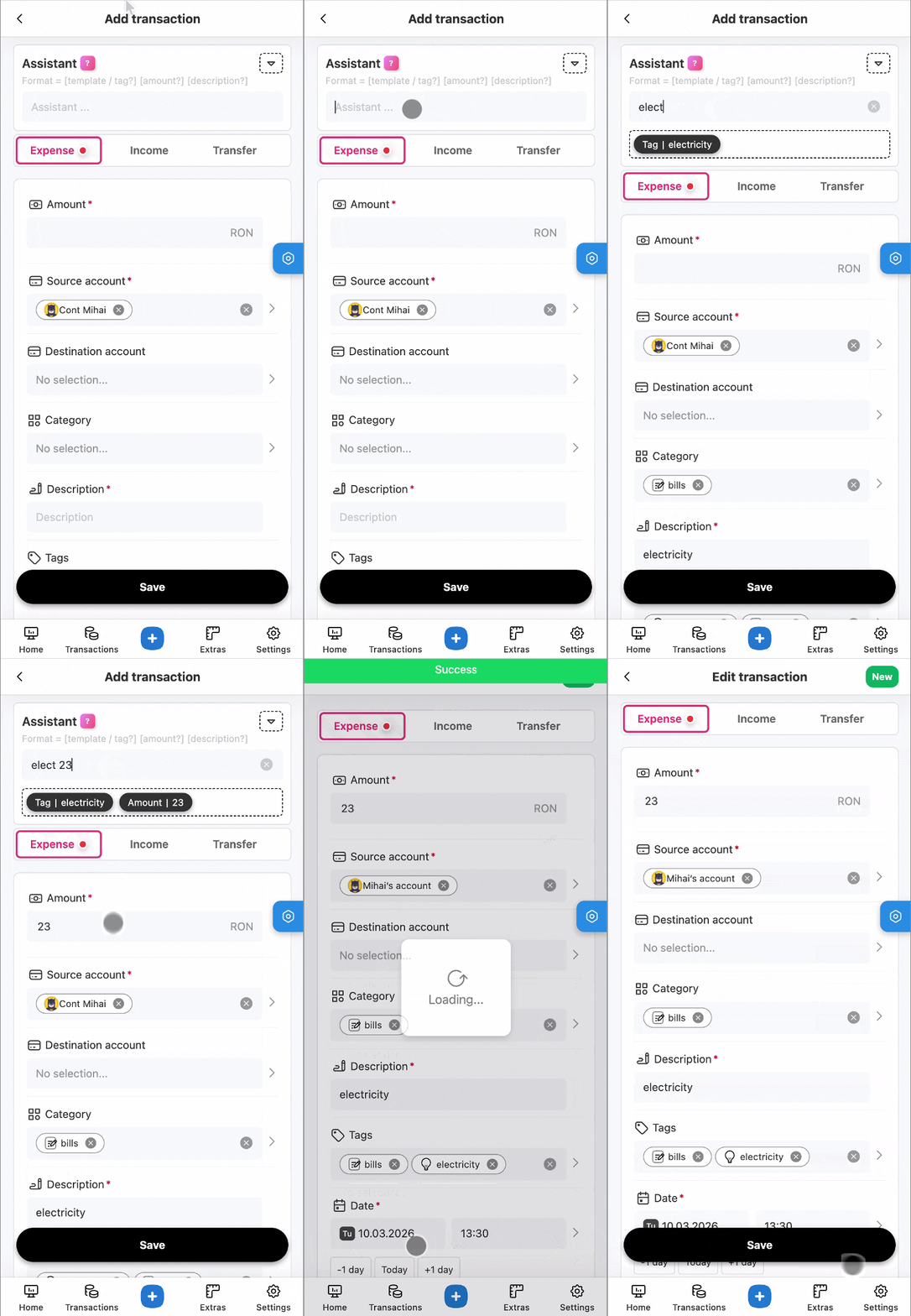
Last but not least, it also comes with a smart "assistant" which makes recording expenses a breeze 🎉:
Check out the full documentation.
🚀 Features
- ✅ Beautiful clean minimalistic UI :fire: subtle animations and dark-theme support :first_quarter_moon_with_face:
- ✅ Optimized for mobile, with PWA support for a native feel :iphone:
- ✅ The Assistant makes recording an expense feel like magic :sparkles:
- ✅ Expand Firefly data with icons for all resources :art:
- ✅ Expand Firefly "tags" with the option of subtags for better granularity
- ✅ Add "templates" to make auto-completing fields a breeze :loudspeaker:
- ✅ Beautiful dashboard making it easy to keep an eye on everything that matters :chart_with_upwards_trend:
- ✅ Lots of tweaks and settings :wrench:
- ✅ Free and open-source
:coffee: Support
If you enjoy Firefly-Pico please give this repository a star ⭐️.
Media gallery
1 / 2Requirements
Requires a separate Postgres database container and a Firefly III instance.
Categories
Download Statistics
Total Downloads Over Time
Related apps
Explore more like this
Explore allDetails
cioraneanu/firefly-pico:latestRuntime arguments
- Web UI
http://[IP]:[PORT:80]/- Network
bridge- Privileged
- false
Template configuration
Container Port: 80
- Target
- 80
- Default
- 6976
- Value
- 6976
URL of the Firefly III instance
- Target
- FIREFLY_URL
- Default
- https://firefly.domain.com
- Value
- https://firefly.domain.com
Hostname of the Postgres database
- Target
- DB_HOST
- Default
- localhost
- Value
- localhost
Port of the Postgres database
- Target
- DB_PORT
- Default
- 5432
- Value
- 5432
Name of the Postgres database
- Target
- DB_DATABASE
- Default
- firefly-pico
- Value
- firefly-pico
Username of the Postgres database
- Target
- DB_USERNAME
- Default
- firefly-pico
- Value
- firefly-pico
Password of the Postgres database
- Target
- DB_PASSWORD
Type of the database. Not recommended to change
- Target
- DB_CONNECTION
- Default
- pgsql
- Value
- pgsql