

FinTV
Docker app from SolidProgramming's Repository
FinTV creates virtual 24/7 TV channels from the Jellyfin media library and delivers them as an HLS stream.
Overview
FinTV creates virtual 24/7 TV channels from the Jellyfin media library and delivers them as an HLS stream. This container is the FinTV service; it also serves the Jellyfin plugin.
Setup:
0. Before the first start, run these commands in the Unraid terminal: mkdir -p /mnt/user/appdata/fintv and chown 99:100 /mnt/user/appdata/fintv. The container runs as 99:100; otherwise Docker creates the directory as root and the service stops with "Applying database migrations failed" in the log.
- Set the API key (at least 32 characters; generate one with "openssl rand -hex 32", for example) and mount the media share under /media. Set the path mapping (From = path in Jellyfin, To = path in the container) so that the service finds the same files as Jellyfin.
- Start the container and check http://[IP]:8098/health.
- In Jellyfin, go to Dashboard, Plugins, Repositories, add the repository http://[IP]:8098/plugin/manifest.json, install FinTV from the catalog and restart Jellyfin. Then enter the service URL and the same API key on the plugin page.
Note: The plugin repository is reachable without a login; anyone on the LAN who can reach the port can download the plugin (it contains no secrets).
NVENC (optional, NVIDIA GPU): The Unraid plugin "Nvidia-Driver" must be installed. Add --runtime=nvidia under "Extra Parameters" (in addition to --user 99:100), set the variable FinTV__Streaming__Encoder to h264_nvenc and add the variables NVIDIA_VISIBLE_DEVICES (GPU UUID or all) and NVIDIA_DRIVER_CAPABILITIES=compute,video,utility. The service checks the encoder at startup; if it cannot be used, it stops with an error message in the log.
Readme
View on GitHubSolidProgramming – Unraid Templates
Community Applications templates for Unraid maintained by SolidProgramming.
Available Templates
FinTV - Screenshots
FinTV creates virtual 24/7 TV channels from your Jellyfin media library and provides them as HLS streams.
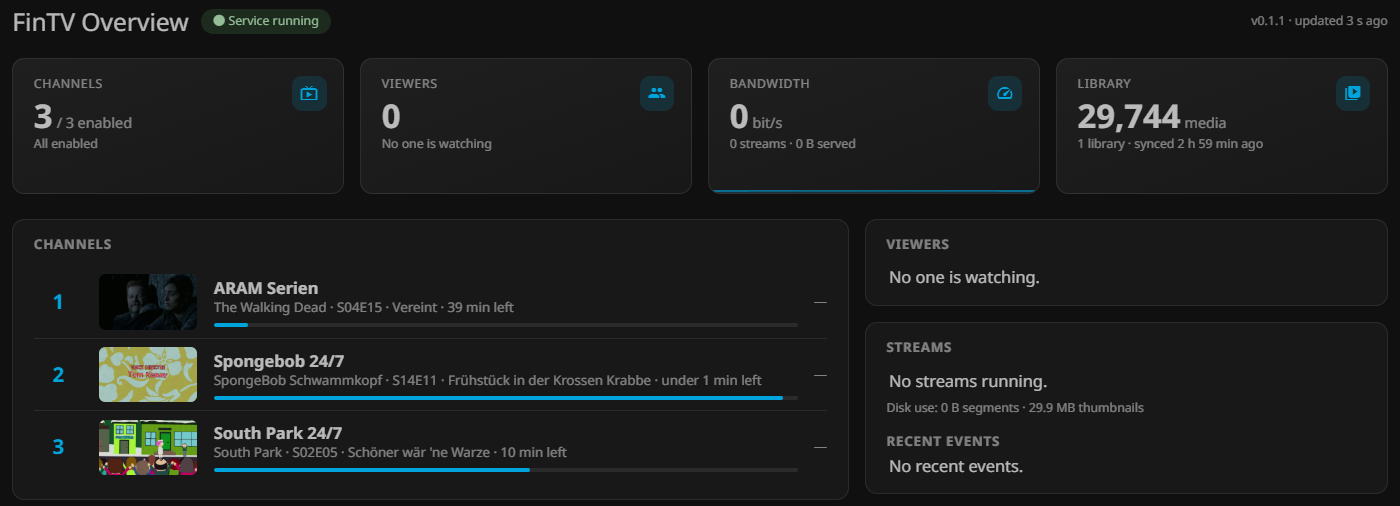
The FinTV container also provides the Jellyfin plugin repository, allowing you to install and manage the plugin directly through Jellyfin.
Features:
- Create virtual 24/7 TV channels from your Jellyfin library
- HLS streaming support
- Jellyfin plugin integration
- Configurable media path mappings
- CPU encoding with
libx264 - Optional NVIDIA NVENC hardware acceleration
- Configurable API authentication
- Persistent configuration and database storage
Installation
- Open Community Applications in Unraid.
- Search for FinTV.
- Select the template and click Install.
- Configure the required settings, including the API key and media paths.
- Start the container.
- Follow the setup instructions in the container template to install and configure the Jellyfin plugin.
Requirements
- Unraid with Docker support
- A running Jellyfin server
- Access to the media directories used by Jellyfin
- NVIDIA GPU and the Unraid Nvidia Driver plugin (optional, for NVENC encoding)
Support
For installation issues, questions, bug reports or suggestions, please open a GitHub Issue:
Project
FinTV is maintained by SolidProgramming.
The FinTV application source code is not publicly available.
License
The templates in this repository are provided under the MIT License, unless otherwise specified.
Maintained by SolidProgramming.
Media gallery
1 / 3Categories
Related apps
Explore more like this
Explore allLinks
Details
ghcr.io/solidprogramming/fintv:latestRuntime arguments
- Web UI
http://[IP]:[PORT:8098]/health- Network
bridge- Shell
sh- Privileged
- false
- Extra Params
--user 99:100
Template configuration
Port of the FinTV service (HTTP).
- Target
- 8098
- Default
- 8098
- Value
- 8098
Data directory (database, thumbnails, segments). Must be owned by 99:100.
- Target
- /config
- Default
- /mnt/user/appdata/fintv
- Value
- /mnt/user/appdata/fintv
Media share, read-only.
- Target
- /media
- Default
- /mnt/user/media
- Value
- /mnt/user/media
Shared key with the plugin, at least 32 characters.
- Target
- FinTV__ApiKey
Path under which Jellyfin sees the media.
- Target
- FinTV__PathMappings__0__From
- Default
- /media
- Value
- /media
Path under which the service sees the media.
- Target
- FinTV__PathMappings__0__To
- Default
- /media
- Value
- /media
libx264 (CPU) or h264_nvenc (NVIDIA GPU, see the description).
- Target
- FinTV__Streaming__Encoder
- Default
- libx264
- Value
- libx264
Preferred audio and subtitle language (ISO 639-2).
- Target
- FinTV__Streaming__PreferredLanguage
- Default
- ger
- Value
- ger
Maximum number of streams running at the same time.
- Target
- FinTV__Streaming__MaxConcurrentStreams
- Default
- 3
- Value
- 3