
All apps · 0 apps

finscope
Docker app from joly0's Repository
Overview
Readme
View on GitHub

FinScope
A monitoring and analytics dashboard for Jellyfin. Keep an eye on active streams, user activity, library stats, and server health -- all in one place, with a glass-morphism UI inspired by Apple's Spatial Design.
Screenshots
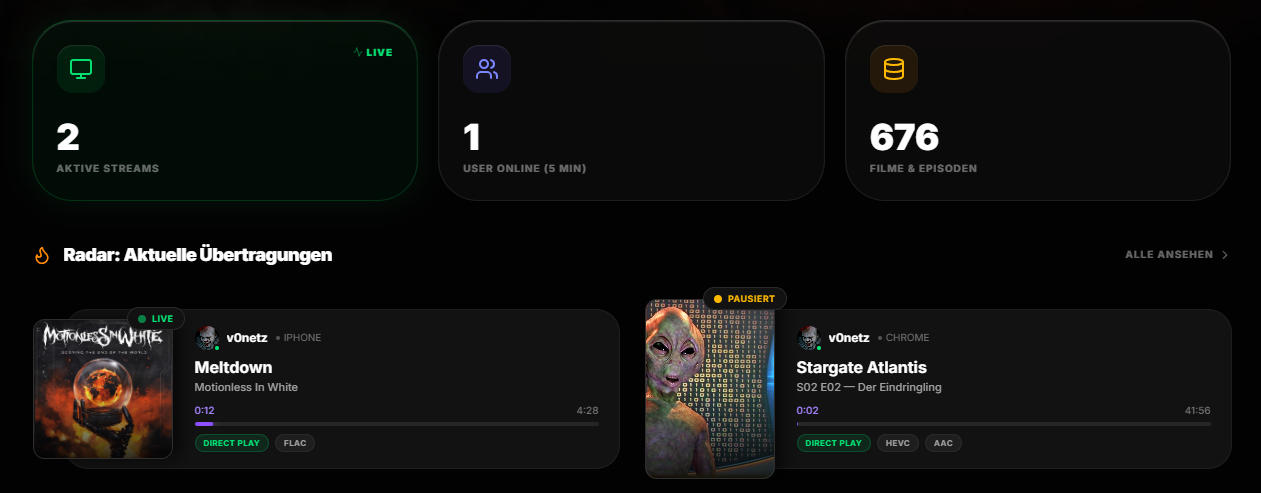
Dashboard Overview
Live session monitoring with real-time stream cards — cover art, playback status, codec details and progress at a glance.
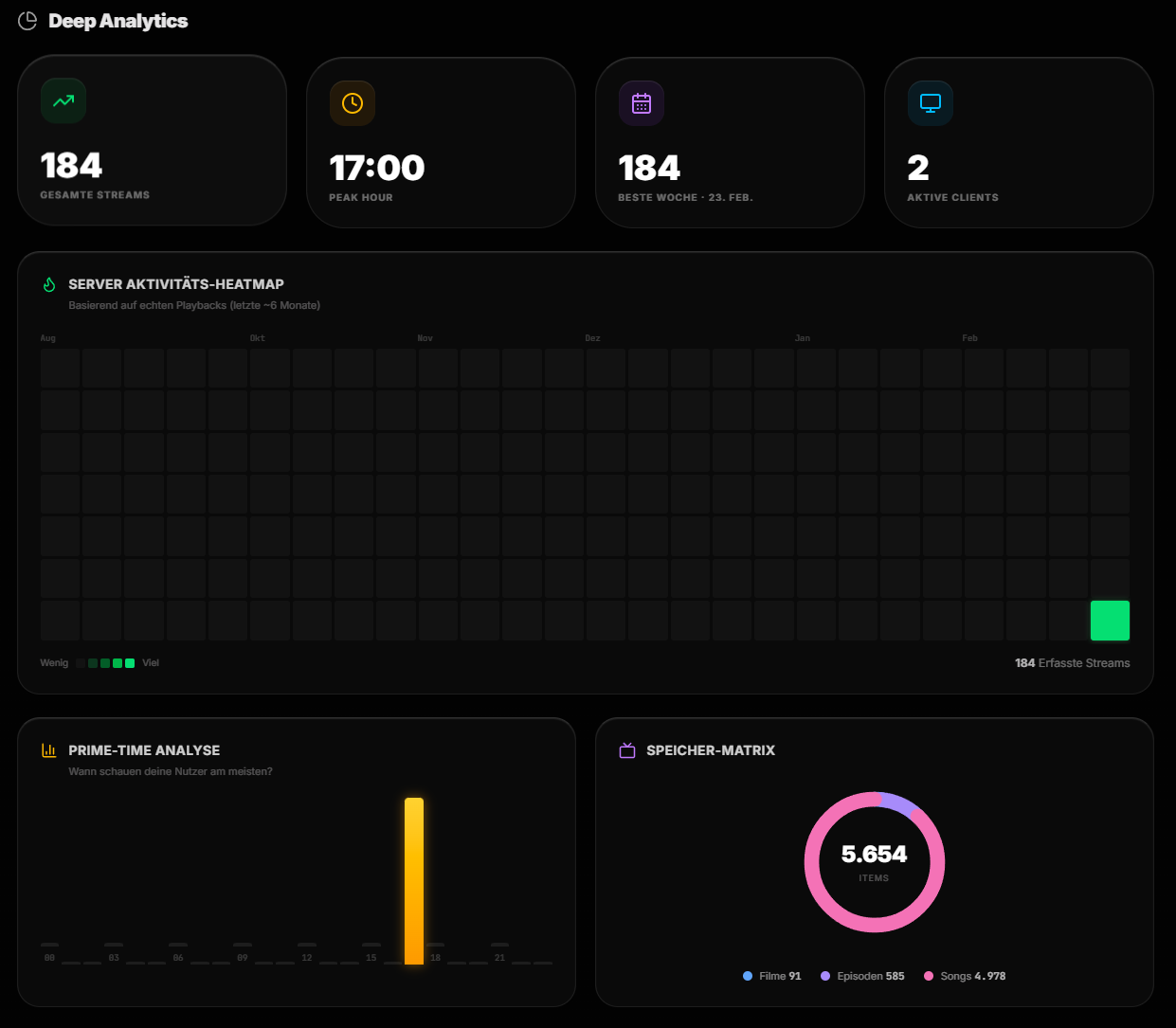
Deep Analytics
Server activity heatmap, prime-time analysis, storage matrix and playback history — aggregated into a local SQLite database.
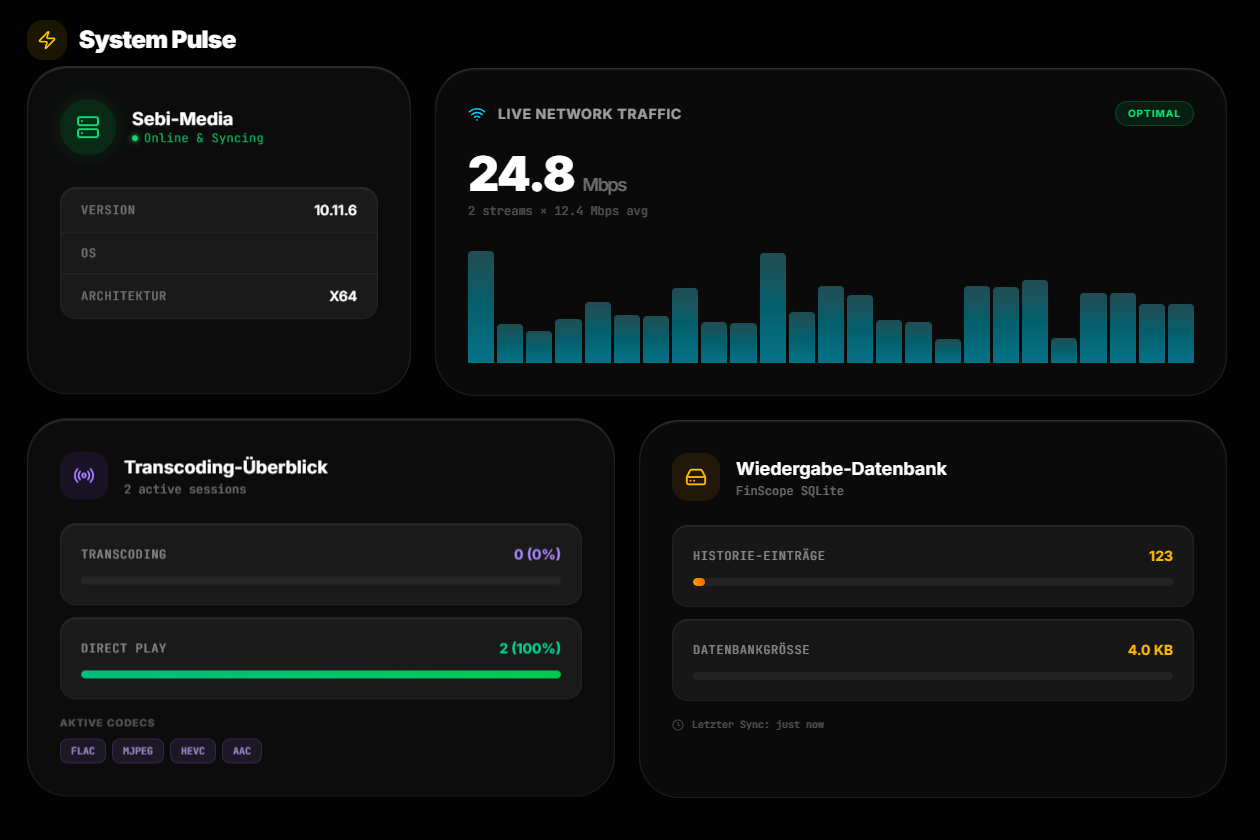
System Pulse
Server info, live network traffic, transcoding overview with active codecs, and database health.
Features
- Live Stream Radar -- Real-time view of active sessions with playback progress, codec details, and transcoding status
- User Overview -- Online status, play history, and per-user activity tracking
- Library Analytics -- Media counts, genre distribution, storage breakdown, top played content, and recently added items
- Watch Analytics -- Heatmaps, prime-time analysis, and client ecosystem breakdown
- System Pulse -- Server info, network traffic, hardware acceleration, and database status
- Bilingual -- Full English and German interface
Tech Stack
| Layer | Technology |
|---|---|
| Frontend | React 19, TypeScript, Vite |
| Styling | Tailwind CSS v4 |
| State | Zustand |
| i18n | i18next (EN / DE) |
| Proxy | Node.js |
| Deployment | Docker (multi-stage build) |
Getting Started
Prerequisites
- Docker & Docker Compose
- A running Jellyfin server
- A Jellyfin API key
Setup
- Clone the repository:
git clone https://github.com/netz-sg/finscope.git
cd finscope
- Copy the environment file:
cp .env.example .env
- Start with Docker:
cd docker
docker compose up -d
- Open
http://localhost:8080and enter your Jellyfin server URL and API key.
Local Development
npm install
npm run dev
Architecture
FinScope uses a Node.js proxy between the frontend and your Jellyfin server. This handles CORS and keeps your API key server-side -- no credentials are ever exposed to the browser.
Browser → Nginx (static frontend) → Node.js Proxy → Jellyfin Server
Feature Requests
Have an idea or wish? Submit it here: finscope.featurebase.app
Bugs & Issues
Found a bug? Please open an issue on GitHub Issues.
License
MIT
Install Finscope on Unraid in a few clicks.
Find Finscope in Community Apps on your Unraid server, review the template, and click Install. Unraid handles the Docker app or plugin setup from the published template.
Requirements
Categories
Related apps
Explore more like this
Explore allDetails
ghcr.io/netz-sg/finscope:latestRuntime arguments
- Web UI
http://[IP]:[PORT:80]- Network
bridge- Shell
sh- Privileged
- false
Template configuration
- Target
- 80
- Value
- 4687
- Target
- /data
- Value
- /mnt/user/appdata/finscope
- Target
- DB_PATH
- Value
- /data/finscope.db