
Ferret
Docker app from UmbrellaCodr's Repository
Overview
Readme
View on GitHub
Latest release MIT license Docker image Discord Ferret MCP server – quality and maintenance score on Glama
Try the demo · Install · Help · Discord
Ferret is a home inventory you run yourself. Your household's properties, rooms and boxes; the things in them with photos, receipts and manuals; warranties, maintenance and stock — all on your own server, shared with the people you live with. And when you need something, Ferret tells you where it is.
What it does
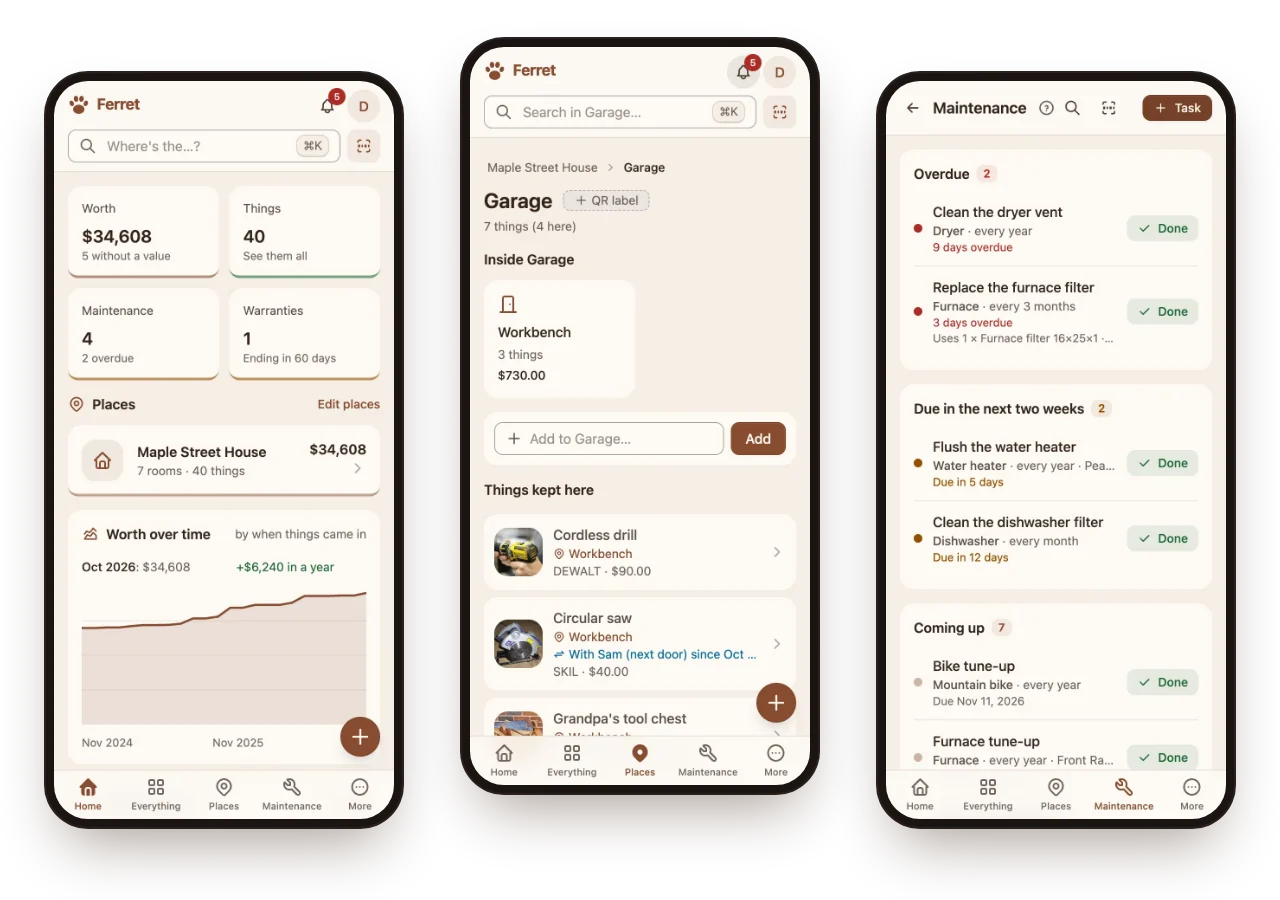
Add things fast, label boxes, find anything, keep receipts and warranties, schedule maintenance, track stock and the shopping list, remember what you lent, and print an insurance report. Claude can do all of it too, over MCP.
 Add things fast Snap a photo, scan a barcode, or photograph a whole room and pick what to keep. |
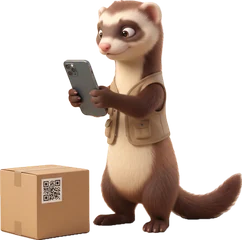 Boxes and QR labels Print labels for boxes and shelves; scan one to see what's inside. |
 Find anything Search by name, place or meaning — or just ask, “where's the drill?” |
 Receipts and warranties Keep receipts and manuals with each thing, and hear before a warranty runs out. |
 Maintenance Filters, tune-ups and checks on a schedule, with reminders when they're due. |
 Stock and shopping Track what runs out and keep the shopping list in step. |
 Lending Remember who borrowed the saw, and since when. |
 Insurance report Everything you own and what it's worth, ready for a claim, plus recall checks. |
 API and MCP A REST API for scripts, and an MCP server so Claude can look things up and add them. |
Why Ferret
- Your server, your data. One Docker container with SQLite. Uploads are encrypted at rest with a key per household; nightly backups with a restore check; Download everything any time.
- Households, not just accounts. Owners, admins, members and read-only viewers; invitations by email; single sign-on through your own identity provider.
- AI is optional. Point it at your own models (Ollama, any OpenAI-compatible server, docling) for suggestions from photos, receipts read for you, Ask Ferret and search by meaning. Nothing is applied without a tap.
- Made for the phone. An installable app that works offline, with barcode and QR scanning built in.
Run it (Docker)
curl -O https://raw.githubusercontent.com/ferret-project/ferret/main/compose.yaml
curl -o .env https://raw.githubusercontent.com/ferret-project/ferret/main/.env.example
# In .env: AUTH_SECRET and FILES_KEY (each: openssl rand -base64 32), and PUBLIC_URL
docker compose up -d
The image is on GitHub's registry
(ghcr.io/ferret-project/ferret) and Docker Hub
(ferretproject/ferret) — the same tags on both (latest, or a release like 2026.11.2), for x86-64 and 64-bit ARM.
Then open PUBLIC_URL; the first account made is the server admin. Keep a copy of FILES_KEY somewhere safe —
without it, uploaded files can't be read. Behind a reverse proxy, set TRUSTED_PROXIES to its address.
The help is built in at /docs: installing,
every setting,
AI, backups
and connecting Claude.
Use it with Claude (MCP)
Ferret has an MCP server built in at /mcp, so Claude (or any MCP client) can use your inventory for you:
- "Where did we put the tent?"
- "Add the new blender — it was $89 at Target, it's in the kitchen."
- "We used the last furnace filter." (stock goes down, and it's on the shopping list)
- "What maintenance is due this month, and when does the dishwasher warranty end?"
Make a key in Ferret (Household & settings → Claude & API → New key), then:
claude mcp add --transport http ferret https://ferret.example.com/mcp --header "Authorization: Bearer ferret_…"
Other clients that speak Streamable HTTP take the same address and header (X-API-Key: ferret_… works too):
{
  "mcpServers": {
    "ferret": {
      "type": "http",
      "url": "https://ferret.example.com/mcp",
      "headers": { "Authorization": "Bearer ferret_…" }
    }
  }
}
Clients that only start a local program and talk to it over stdio (Docker's MCP Toolkit, desktop apps' config files)
can use the small bridge in contrib/mcp-bridge: it forwards each message to your Ferret with the
key. Ferret is also listed in the MCP Registry as
io.github.ferret-project/ferret.
What Claude can do (40 tools):
| Find | search by words and meaning, ask questions answered from receipts and manuals, items, places, history, recently deleted |
| Add and change | add items (also from a photo, or a whole room's photos), update, move, delete and restore; properties and rooms |
| Upkeep | maintenance by date or by use (odometer, engine hours), warranties and claims, service providers |
| Household | stock and the shopping list, lending, barcodes, collections, the insurance report and coverage check, what needs attention |
Ferret MCP server – quality and maintenance score on Glama
Safe by design. A key acts for one person in one household, can be read-only (Claude can look and ask, but the tools that change things aren't offered) and can expire; revoke it any time. Viewers' keys are always read-only. Deleted things wait 30 days in Recently deleted, and nothing a model suggests from a photo or document is applied until someone confirms it.
Develop
Requirements: Node 26+, pnpm 10 (npm install -g corepack && corepack enable).
cp .env.example .env      # AUTH_SECRET and FILES_KEY, as above
pnpm install
pnpm dev                  # server on :8787, web app on :5173
pnpm test
pnpm typecheck
| Path | What |
|---|---|
apps/server |
Hono API, Better Auth, Drizzle + SQLite; MCP server; adapters behind ports (src/ports.ts) |
apps/web |
React 19 + Vite + Tailwind v4 + FlyonUI PWA |
apps/docs |
The help (VitePress), served at /docs |
packages/shared |
Zod schemas and helpers shared by the server and the web app |
License
MIT. Questions, ideas or something odd? Come say hi on Discord.
Media gallery
1 / 4Requirements
Download Statistics
Related apps
Explore more like this
Explore allDetails
ferretproject/ferret:latestRuntime arguments
- Web UI
http://[IP]:[PORT:8787]/- Network
bridge- Shell
bash- Privileged
- false
- Extra Params
--user 99:100
Template configuration
The port for the web app, the API and /mcp.
- Target
- 8787
- Default
- 8787
- Value
- 8787
The database and the uploaded files (encrypted). Must belong to nobody:users (99:100).
- Target
- /data
- Default
- /mnt/user/appdata/ferret
- Value
- /mnt/user/appdata/ferret
Leave empty: Ferret makes one the first time and keeps it in its data folder. To set your own: openssl rand -base64 32.
The key every photo and document is sealed with. Leave empty: Ferret makes one the first time and keeps it in its data folder (appdata backups include it). To set your own: openssl rand -base64 32. Either way, make a key file once Ferret runs (Settings, Server, Keys) and keep it off the server: without the key, nothing uploaded can be read.
The address people use to reach Ferret, e.g. http://192.168.1.10:8787 or https://ferret.example.com behind a reverse proxy.
Push notifications work without setup. Apple's push service (iPhones, iPads, Safari) needs a contact on a public domain, e.g. mailto:you@example.com; without one, push reaches only other browsers when Ferret is reached by a local name or address. Leave empty to use admin@ the PUBLIC_URL's host.
Set to false once everyone has an account (invited people can still join from their link). Every account but the first confirms its email, so more accounts need MAIL_URL.
- Default
- true|false
- Value
- true
Optional nightly backups, encrypted and checked: a folder, ideally on another disk or machine. Set BACKUP_DIR to /backups as well. Must belong to nobody:users (99:100).
- Target
- /backups
Set to /backups to turn on nightly backups into the Backups folder above.
Behind a reverse proxy (Nginx Proxy Manager, SWAG, Traefik, a tunnel): its IP address(es), comma separated, so visitors' own addresses are believed from it and nobody else.
Email for Ferret itself (account confirmations, password resets, invitations), as an Apprise mailto:// or mailtos:// URL. Needs APPRISE_URL.
An Apprise API container (caronc/apprise, with APPRISE_STATEFUL_MODE=disabled), e.g. http://192.168.1.10:8000: reminders to ntfy, Pushover, Telegram, email and more, and Ferret's own email.
Optional: Ollama, for reading photos (VISION_MODEL, default qwen3-vl:8b) and search by meaning (EMBED_MODEL, default qwen3-embedding:8b).
Optional: an OpenAI-compatible server (…/v1) for Ask Ferret and reading documents (CHAT_MODEL, default gpt-oss-120b). Without it the vision model does both.
Optional: Qdrant, for search by meaning (needs OLLAMA_URL too).
Qdrant's API key, if it has one.
Optional: docling-serve, for the text of PDFs and photographed documents (manuals, receipts).
Set to upcitemdb to look up barcodes nobody in your household has named yet (only the barcode is sent; 100 lookups a day free).
Optional: push notifications to the installed app. Generate both keys with: npx web-push generate-vapid-keys
The private half of the push keys above.
Optional single sign-on (Authelia, Authentik, Pocket ID, Keycloak…): the provider's address. Redirect URI: PUBLIC_URL/api/auth/callback/oidc
The client registered at the provider.
The client's secret.
The provider's name on the sign-in button, e.g. Authelia.
The largest upload accepted, in MB.
- Default
- 25
- Value
- 25