
All apps · 0 apps

Faridoon
Docker app from grtgbln's Repository
Overview
Readme
View on GitHub
Faridoon
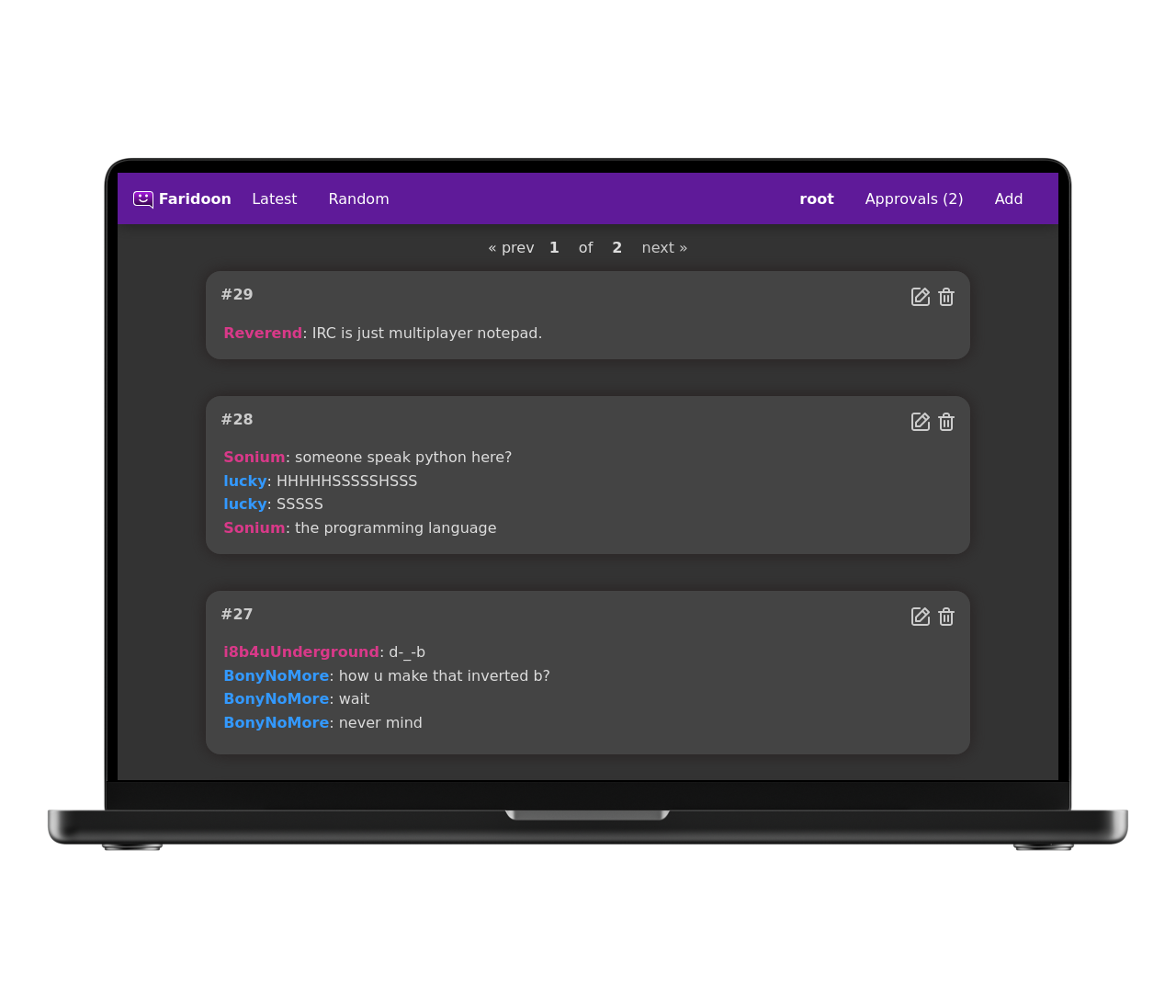
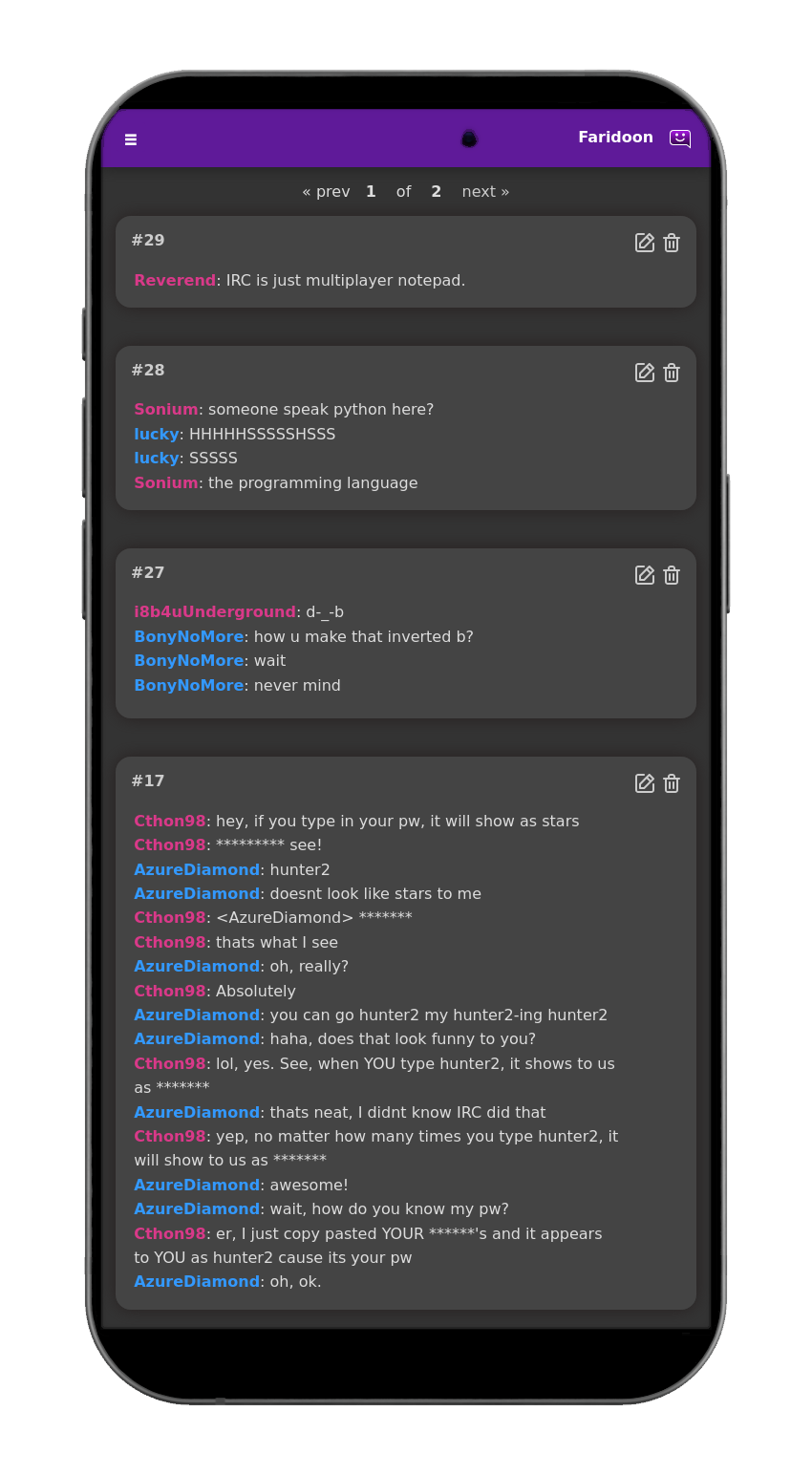
Easily save and publish your favourite chat quotes for others to see.



Documentation for how to install and use Faridoon is available at https://jamesread.github.io/Faridoon/
Screenshots
Note the screenshots below contain quotes from the site that inspired this self hosted project - bash.org - which is now offline. There are several mirrors available via search engines. These quotes were used because they've been shared wildly for over 2 decades, and they're pretty funny :-)
Getting Started
Documentation is available at: https://jamesread.github.io/Faridoon/ , the recommended installation method is via Docker, connected to a MySQL Database. Faridoon runs just fine with low system resources - 1 vCPU and a 1 GB of RAM is plenty.
Stack
- Go service with ConnectRPC
- Vue 3 + Vue Router + picocrank UI components
- MySQL schema managed with sql-migrate
- Authentication via httpauthshim (sessions; users stored in MySQL)
Features
- Automatic highlighting of usernames.
- Semi-intelligent removal of line breaks and weird characters.
- User login and registration, with admins and privilege-based moderators.
- Approval queue for guest and non-privileged submissions (reject deletes the quote).
- Admin Settings (database cvars) for site title, voting, registration, guest add, and syntax highlighting.
- Header links, webhooks (
approval.requested), audit logs, and diagnostics. - YAML config for listen/database/auth; environment variables for database connectivity (and a few bootstrap values).
Faridoon is a No-Nonsense Open Source project;
- All code and assets are Open Source (AGPL).
- No company is paying for development, there is no paid-for support from the developers.
- No separate core and premium version, no plus/pro version or paid-for extra features.
- No SaaS service or "special cloud version".
- No "anonymous data collection", usage tracking, user tracking, telemetry or email address collection.
- No requests for reviews in any "app store" or feedback surveys.
- No prompts to "upgrade to the latest version".
- No internet-connection required for any functionality.
Docs
Documentation for how to install and use Faridoon is available at https://jamesread.github.io/Faridoon/
Media gallery
1 / 2Requirements
Requires a separate MySQL database.
Related apps
Explore more like this
Explore allLinks
Details
ghcr.io/jamesread/faridoon:latestRuntime arguments
- Web UI
http://[IP]:[PORT:8080]/- Network
bridge- Privileged
- false
Template configuration
Container Port: 8080
- Target
- 8080
- Default
- 8080
- Value
- 8080
MySQL host
- Target
- DB_HOST
MySQL database name
- Target
- DB_NAME
- Default
- faridoon
- Value
- faridoon
MySQL user
- Target
- DB_USER
- Default
- faridoon
- Value
- faridoon
MySQL password
- Target
- DB_PASS
Admin password
- Target
- ADMIN_PASSWORD
Title of the site
- Target
- SITE_TITLE
- Default
- Faridoon
- Value
- Faridoon
Set to 1 to enable voting on quotes.
- Target
- ENABLE_VOTING
- Default
- 0|1
Set to 1 to enable syntax highlighting in quotes.
- Target
- ENABLE_SYNTAX_HIGHLIGHTING
- Default
- 0|1
Path to store configuration files
- Target
- /config
- Default
- /mnt/user/appdata/faridoon/config
- Value
- /mnt/user/appdata/faridoon/config