
All apps · 0 apps

FarFetched
Docker app from PumpkinPieMan's Repository
Overview
Readme
View on GitHubFarFetched
A patient, self-hosted fetcher for your 3D-print library.
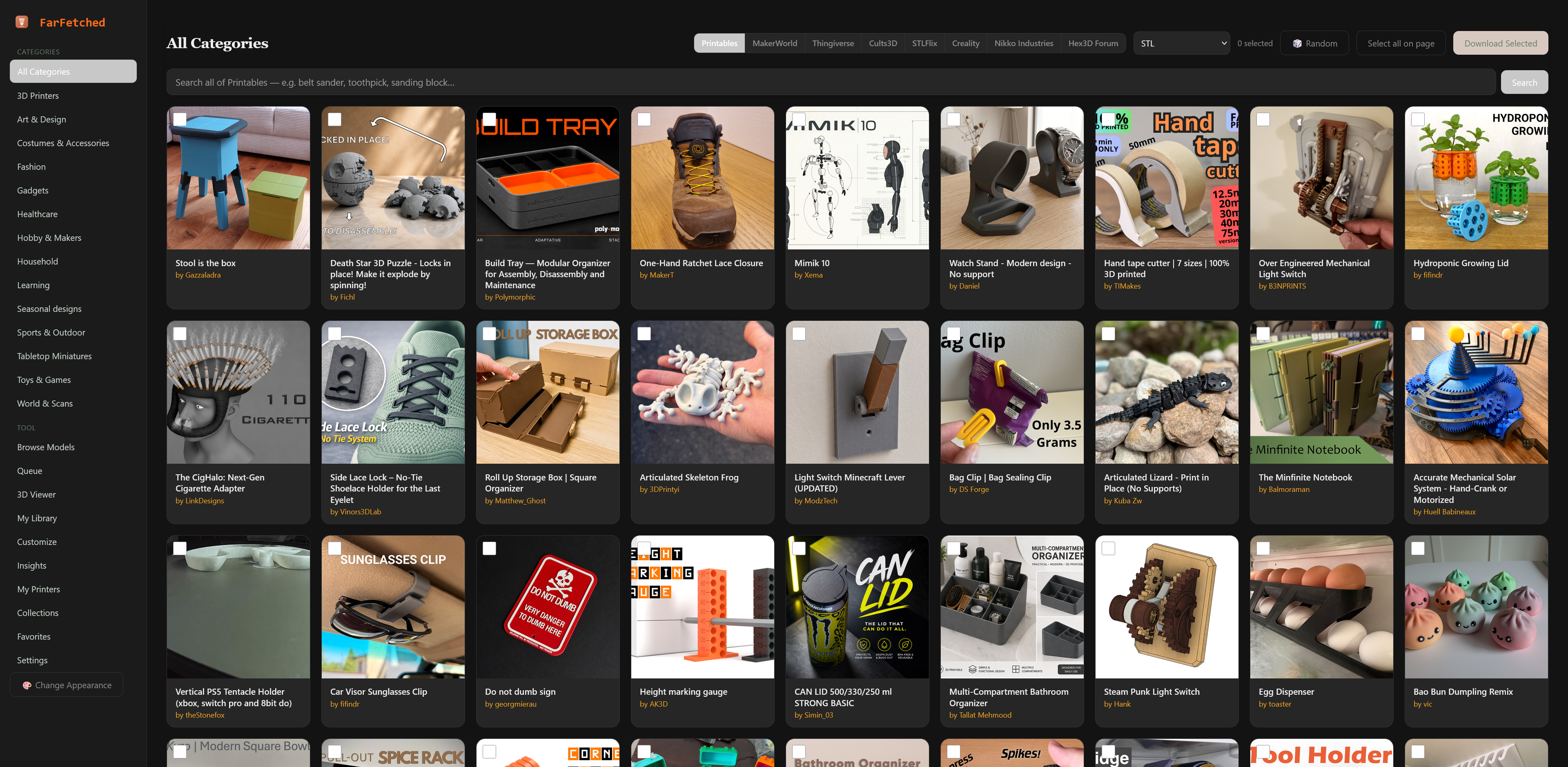
FarFetched browses, searches, and downloads models from Printables, MakerWorld, Thingiverse, Cults3D, STLFlix, Creality Cloud, Nikko Industries, and the Hex3D Patreon forum at a deliberate, polite pace — then keeps them in a tidy local library with a built-in STL / 3MF viewer, a parametric customization workshop, and printer-aware build profiles. One container, your server.
Built by BTCB Design.
⚠️ Download Delay Warnings
Cults3D — MINIMUM 120 seconds required. Cults3D's bot detection will flag and block your account if the delay is set below 120 seconds. Do not lower this value.
Recommended for all sources: 120 seconds. Setting every source to 120 seconds is the safest configuration. Faster delays risk rate-limiting or IP bans across any platform.
These settings are configurable per-source under Settings → [Source Name] → Download Delay. The Docker default (FETCHER_DOWNLOAD_DELAY=120) is intentionally set to the safe value — do not lower it.
Why
Bulk-downloading from model sites either means clicking one file at a time forever, or hammering a free API until it rate-limits you. FarFetched sits in the middle: queue everything you want, and a background worker pulls it down one file at a time with a configurable delay — courteous to the source, hands-off for you. Everything lands in a clean local folder you own, browsable in-app and ready for your slicer.
Features
- Eight sources, one queue — Printables, MakerWorld, Thingiverse, Cults3D, STLFlix, Creality Cloud, Nikko Industries, and the Hex3D Patreon forum. Switch sources without losing your selection.
- Paced downloads — a configurable delay between every fetch keeps the source service happy. The queue shows exactly when the next file fires, with a live "chef's pass" log strip tailing the worker in real time.
- Live queue progress — per-file and overall progress update in real time without reloading, including source badges on every job.
- Search & infinite scroll — keyword search across every source, results streaming in as you scroll.
- Category browsing — drill into source categories from the sidebar, including a collapsible accordion for deep category trees.
- Customize & Pose workshop — parametric OpenSCAD models render live with adjustable parameters, then arrange multiple printed parts in a Three.js scene (move, rotate, export) before sending to your slicer.
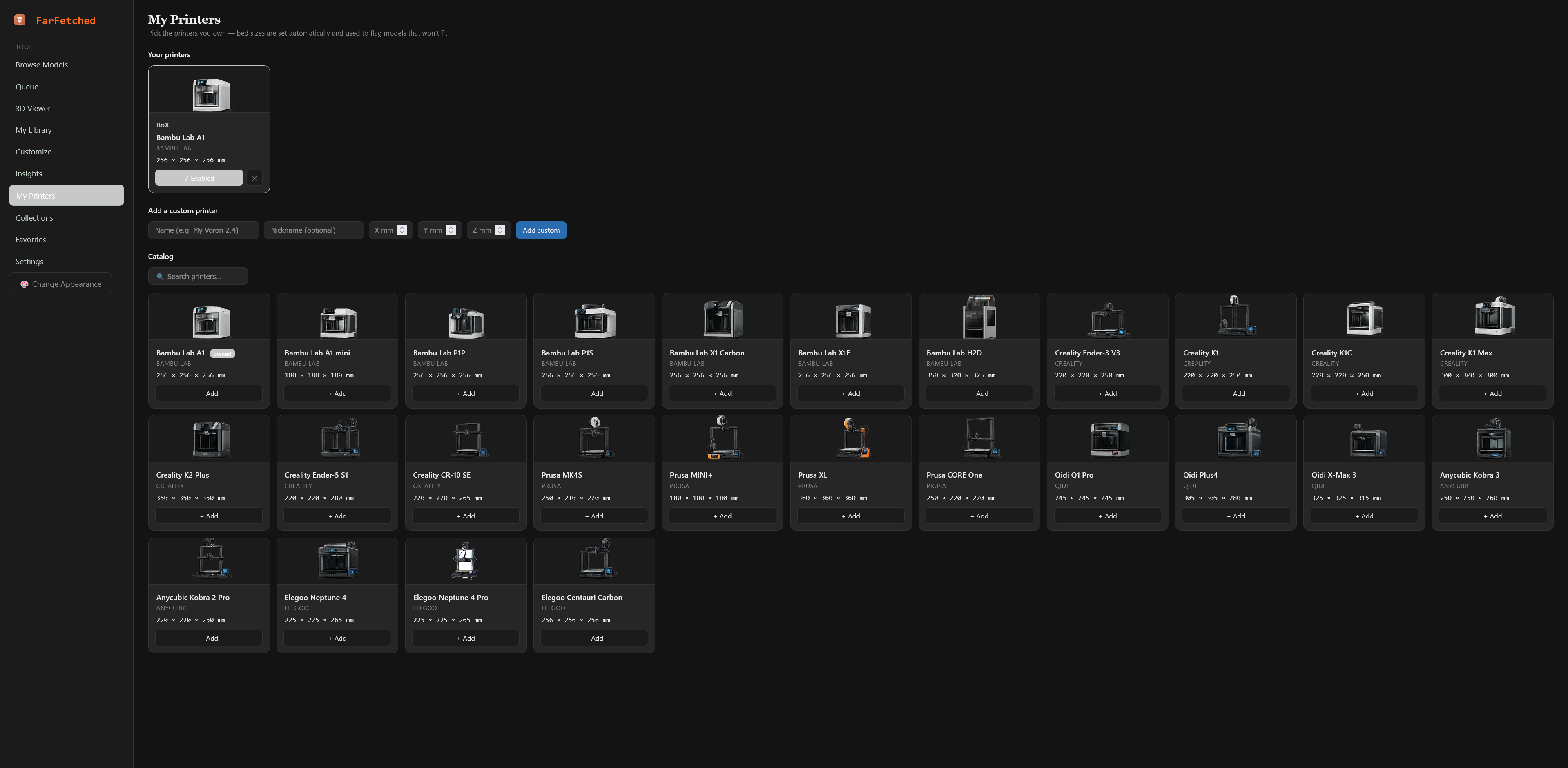
- Printer-aware profiles — save your printers' build volumes from a starter catalog (Bambu Lab, Elegoo, and more) so the workshop and viewer know what you're printing for.
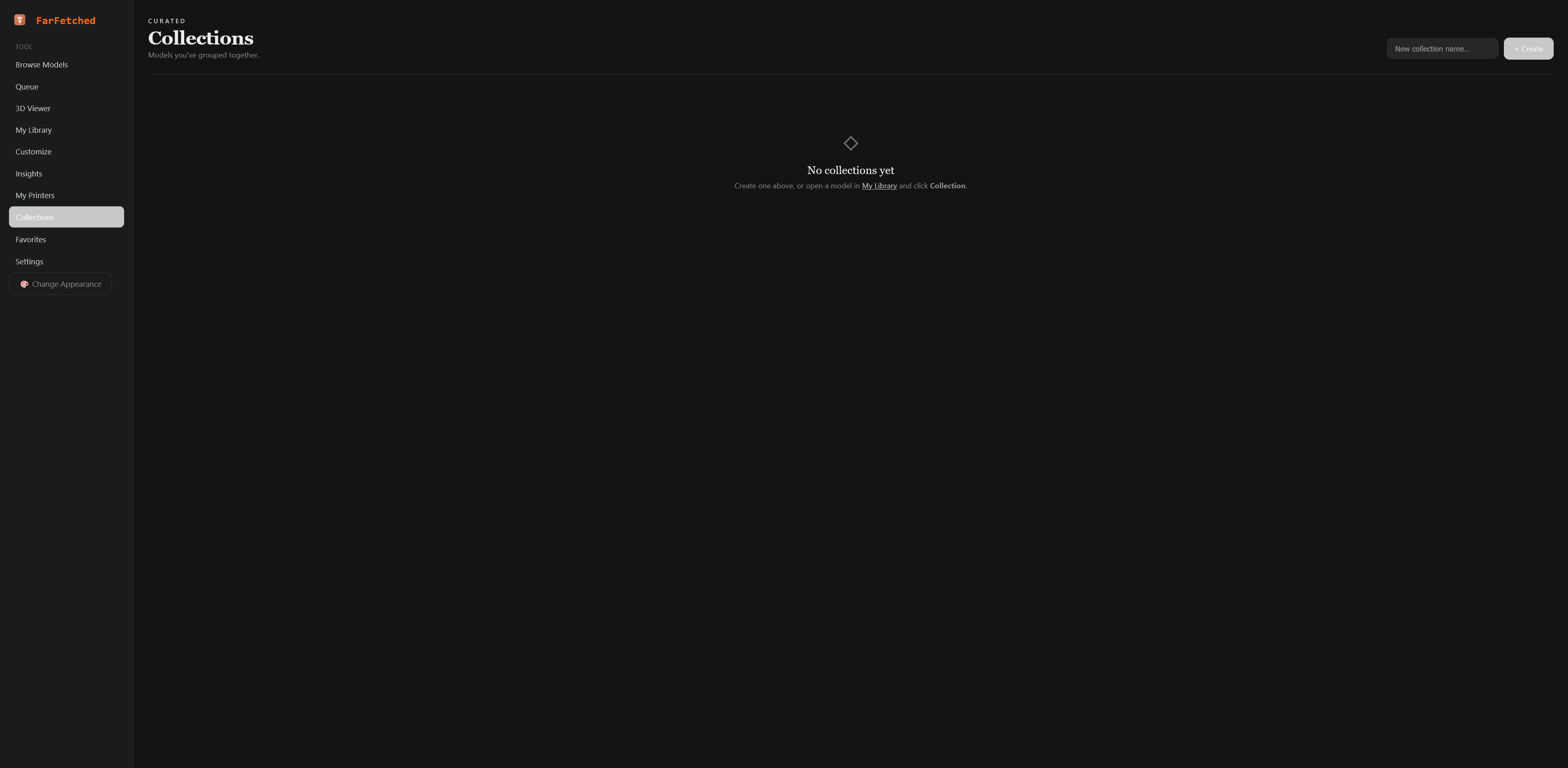
- Collections — group saved models into named collections that persist across sessions.
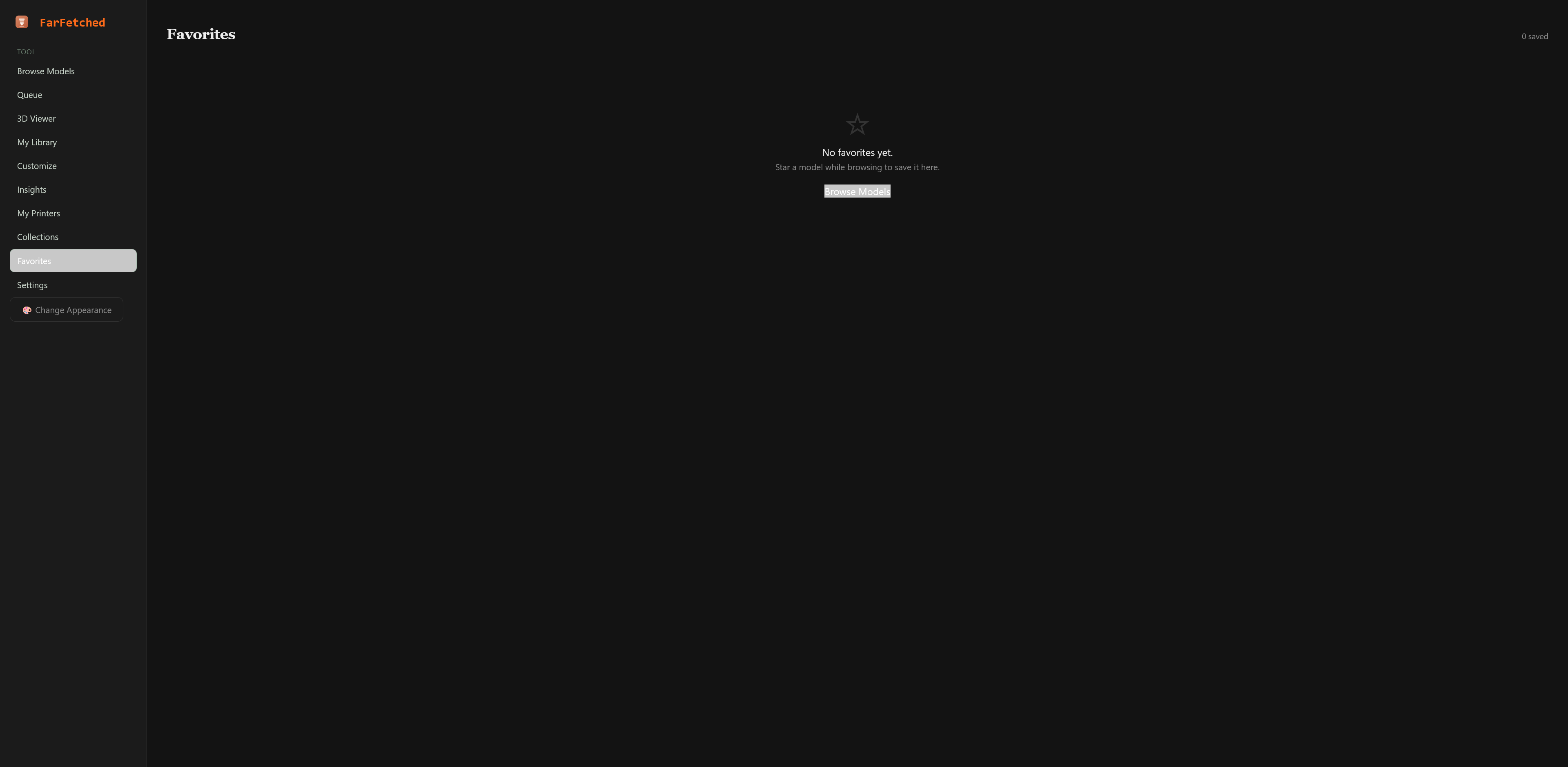
- Favorites — star any model to save it to a server-side Favorites page that persists across devices and browsers.
- STL & 3MF viewer — spin up any downloaded model in the browser. A resilient 3MF loader handles slicer exports that trip up stock parsers.
- Model management — delete models directly from the viewer with multi-select and a confirm step.
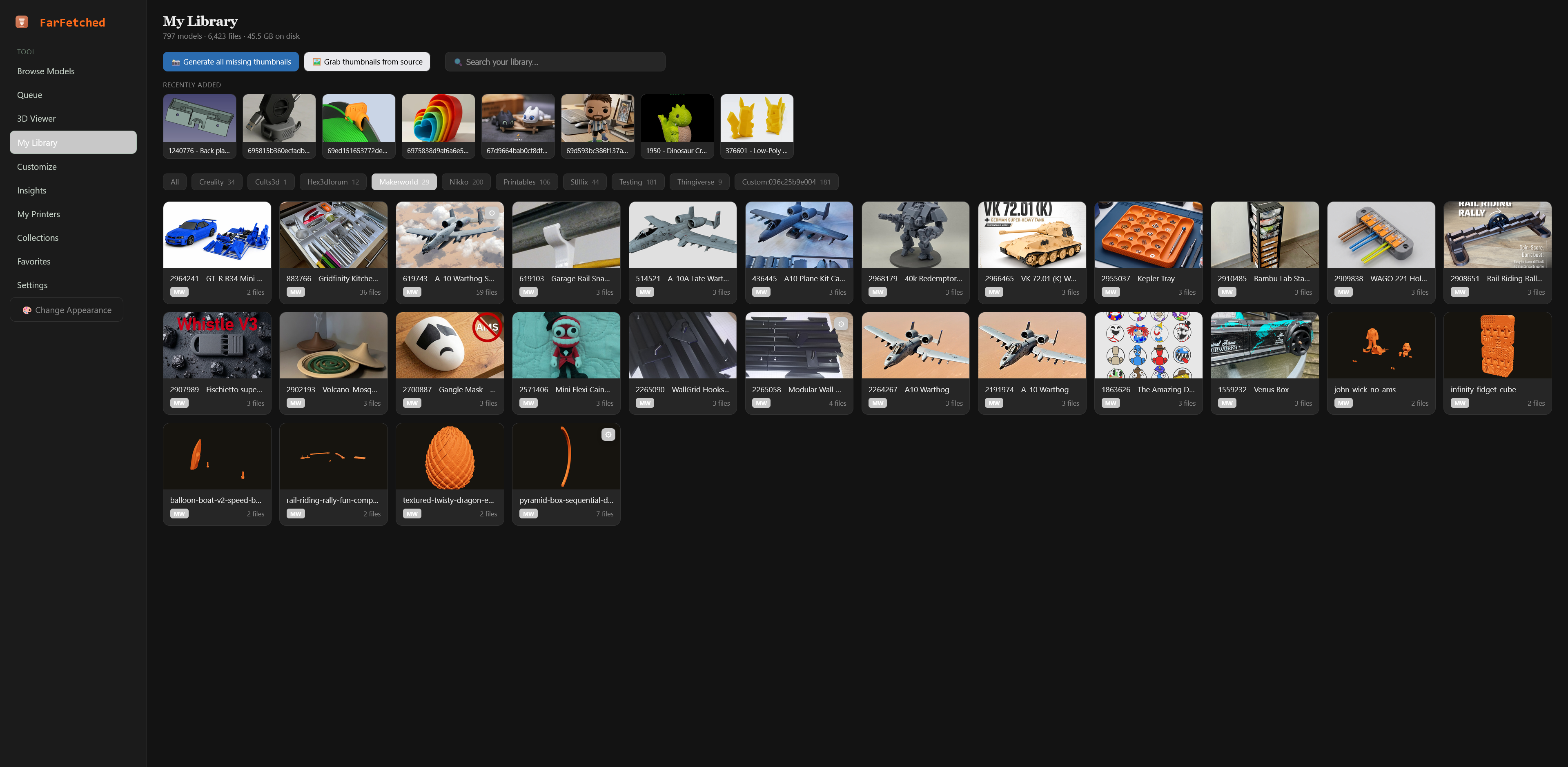
- Local library — downloads land in a clean, organized folder you own, one subfolder per source.
- Cross-category multi-select — build a batch across categories and sources before hitting Download.
- Prefer-pack option — optionally pull whole-model ZIPs and extract, instead of fetching files one at a time.
- Paste-once auth — drop in one token (or session credentials) per source; FarFetched keeps itself signed in.
- Six visual themes — Dark, Light, Midnight, Forest, Nord, and Mono, switchable from any page.
- Optional password lock — protect your instance with a single bcrypt-hashed password if it's reachable beyond your LAN.
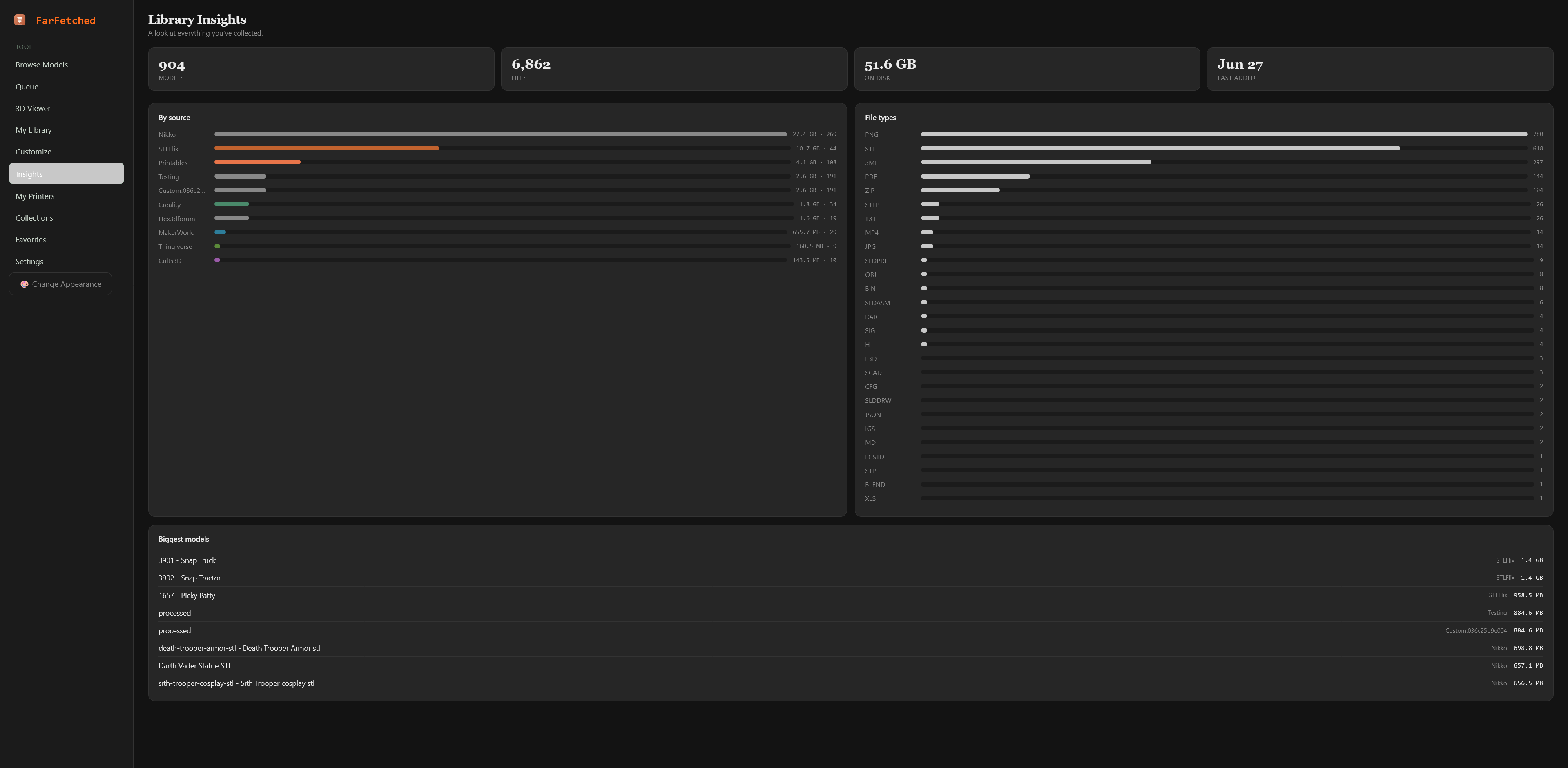
- Insights dashboard — at-a-glance stats on your library: counts per source, recent activity, and download trends.
Screenshots
Your library, your way
| My Library | 3D Viewer |
|---|---|
 |
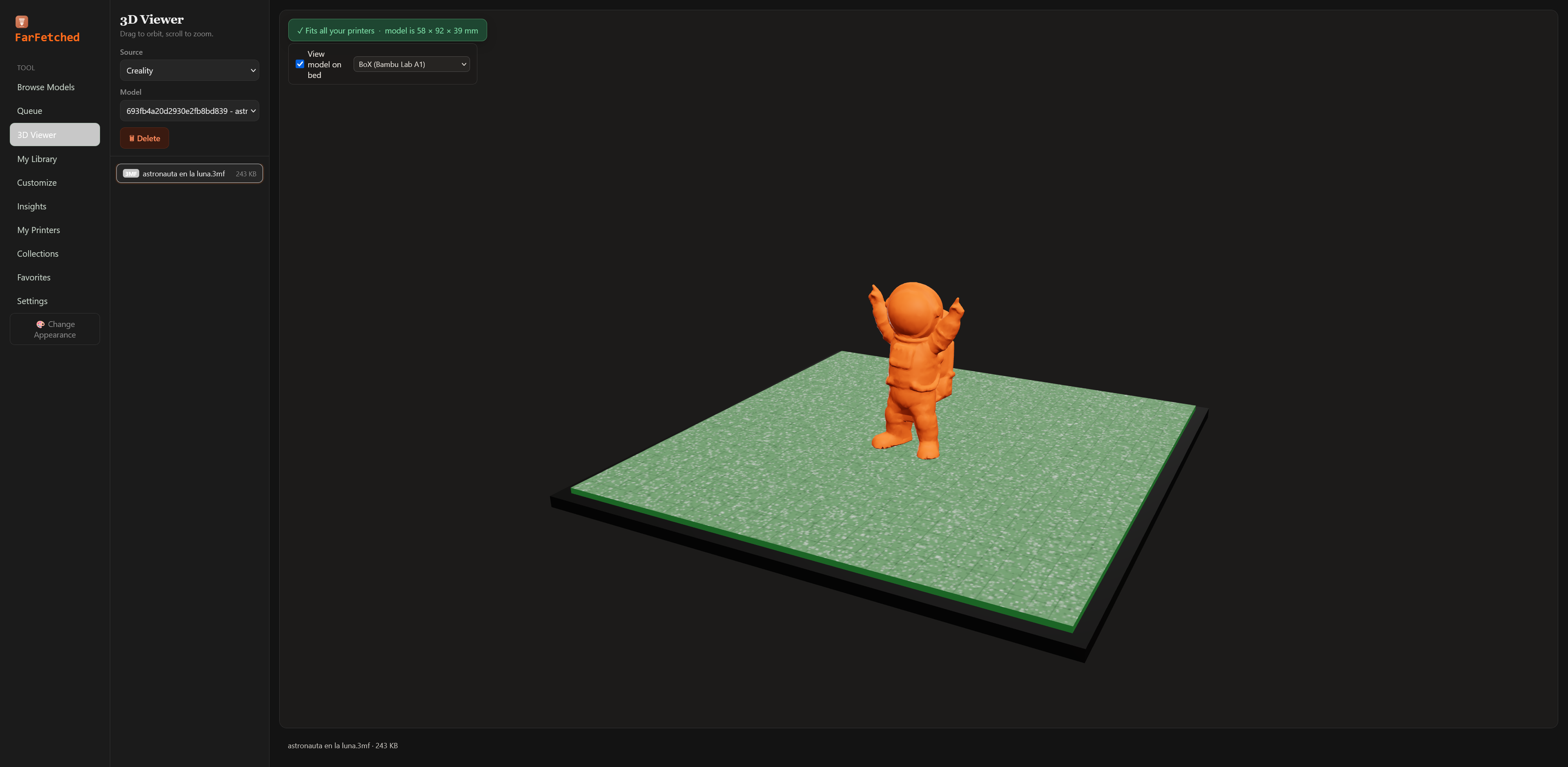 |
A clean, searchable library of everything you've downloaded — with a built-in STL/3MF viewer that shows your model sitting on a printer bed.
Organize & track
| Collections | Favorites |
|---|---|
 |
 |
| Library Insights | Local Custom Folders |
|---|---|
 |
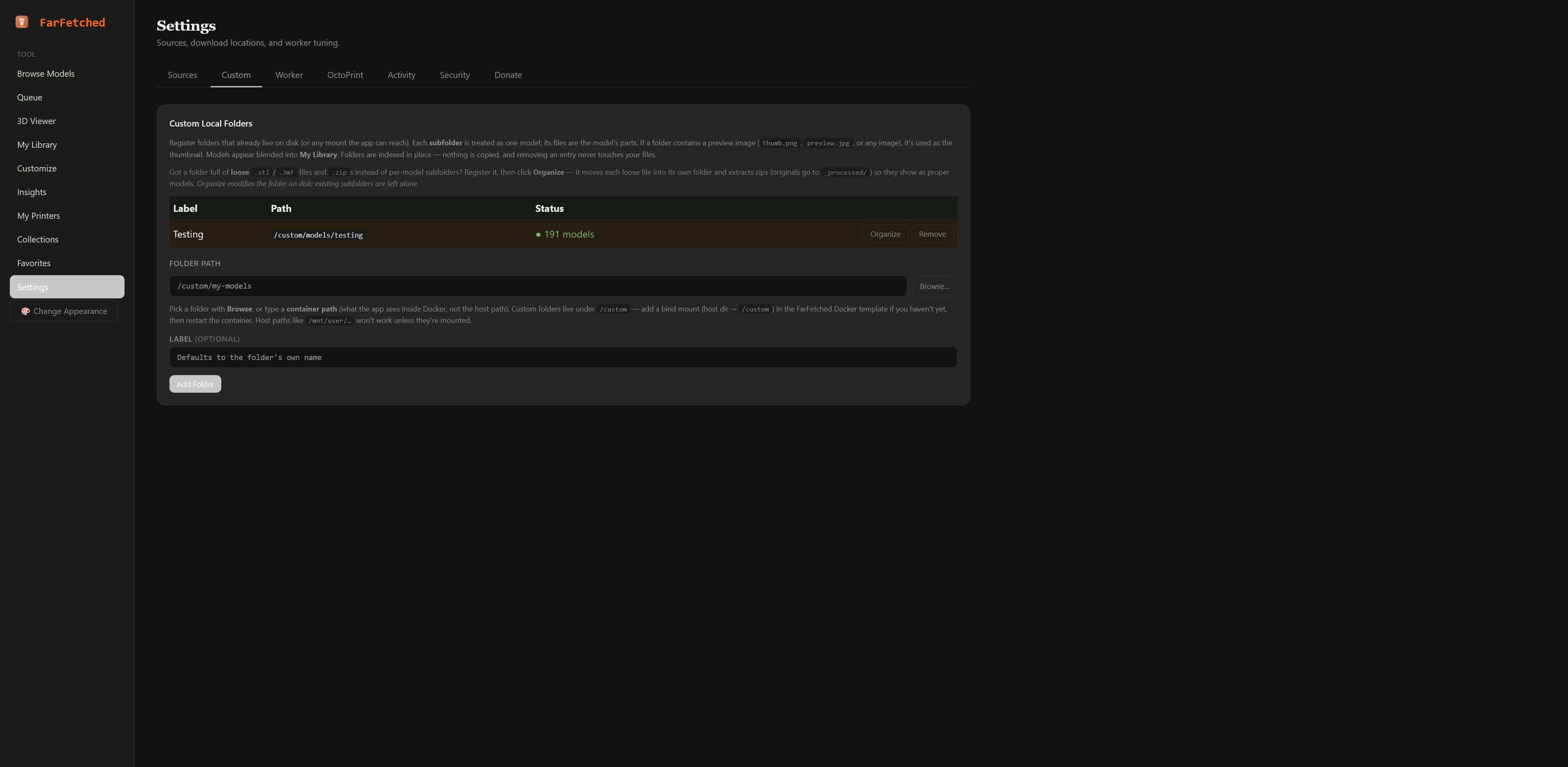 |
Group models into collections, star your favorites, track library stats, and index folders you already have on disk — no copying required.
Printer management & OctoPrint
| My Printers | OctoPrint Integration |
|---|---|
 |
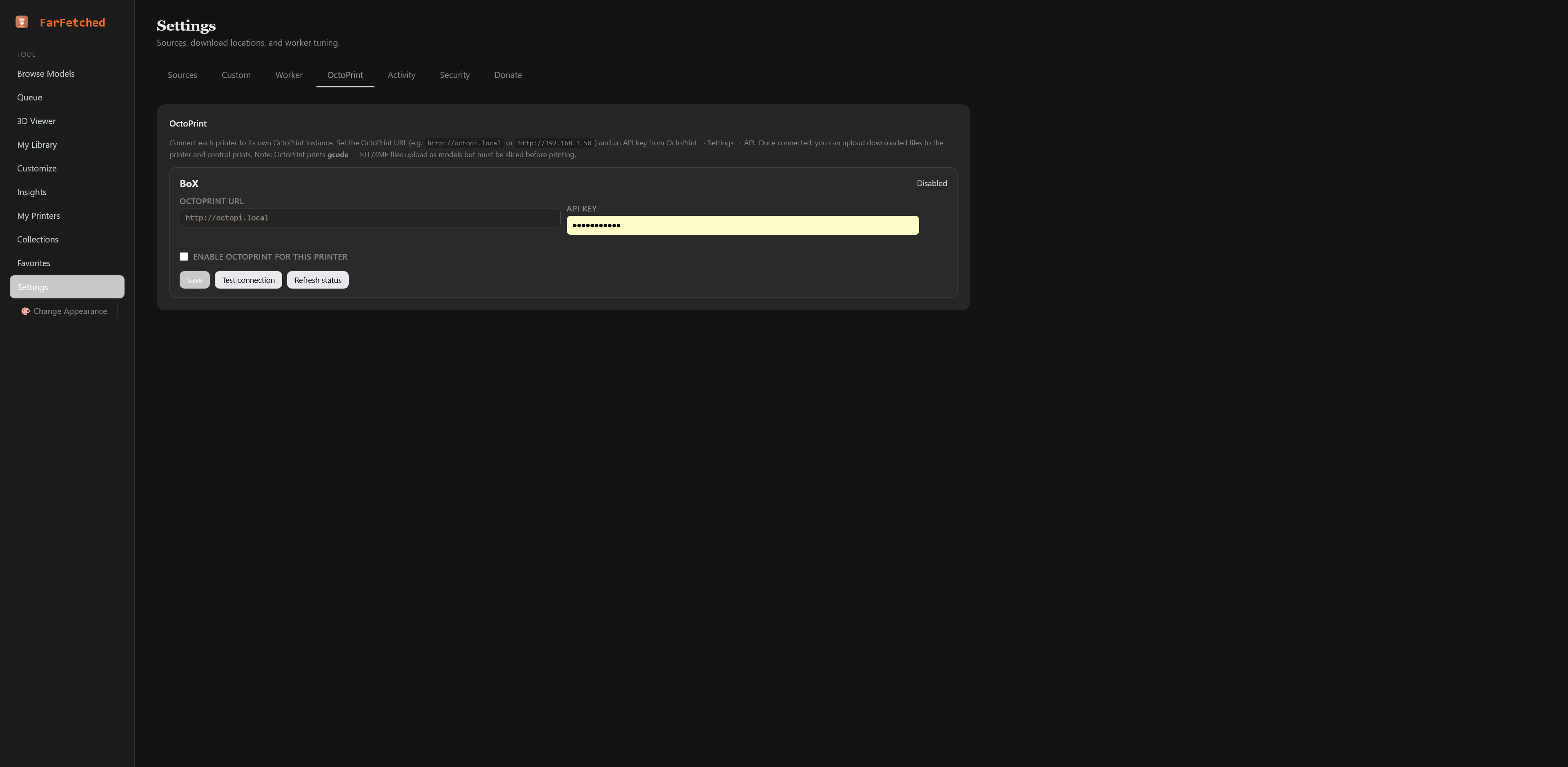 |
Manage your printers with real bed dimensions, and connect each one to its own OctoPrint instance for status, file upload, and print control.
Download pipeline
| Download Queue | Worker Pacing |
|---|---|
 |
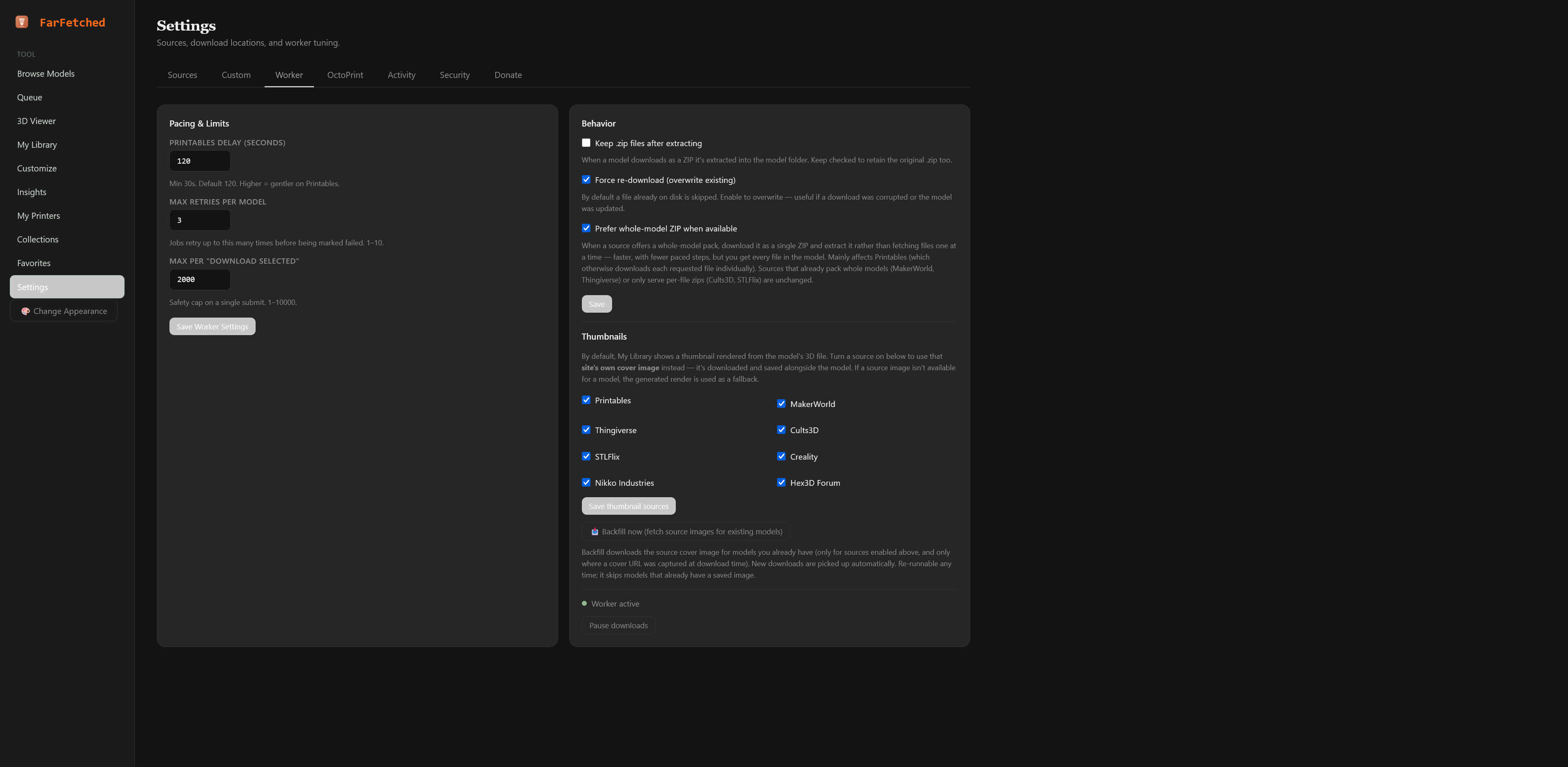 |
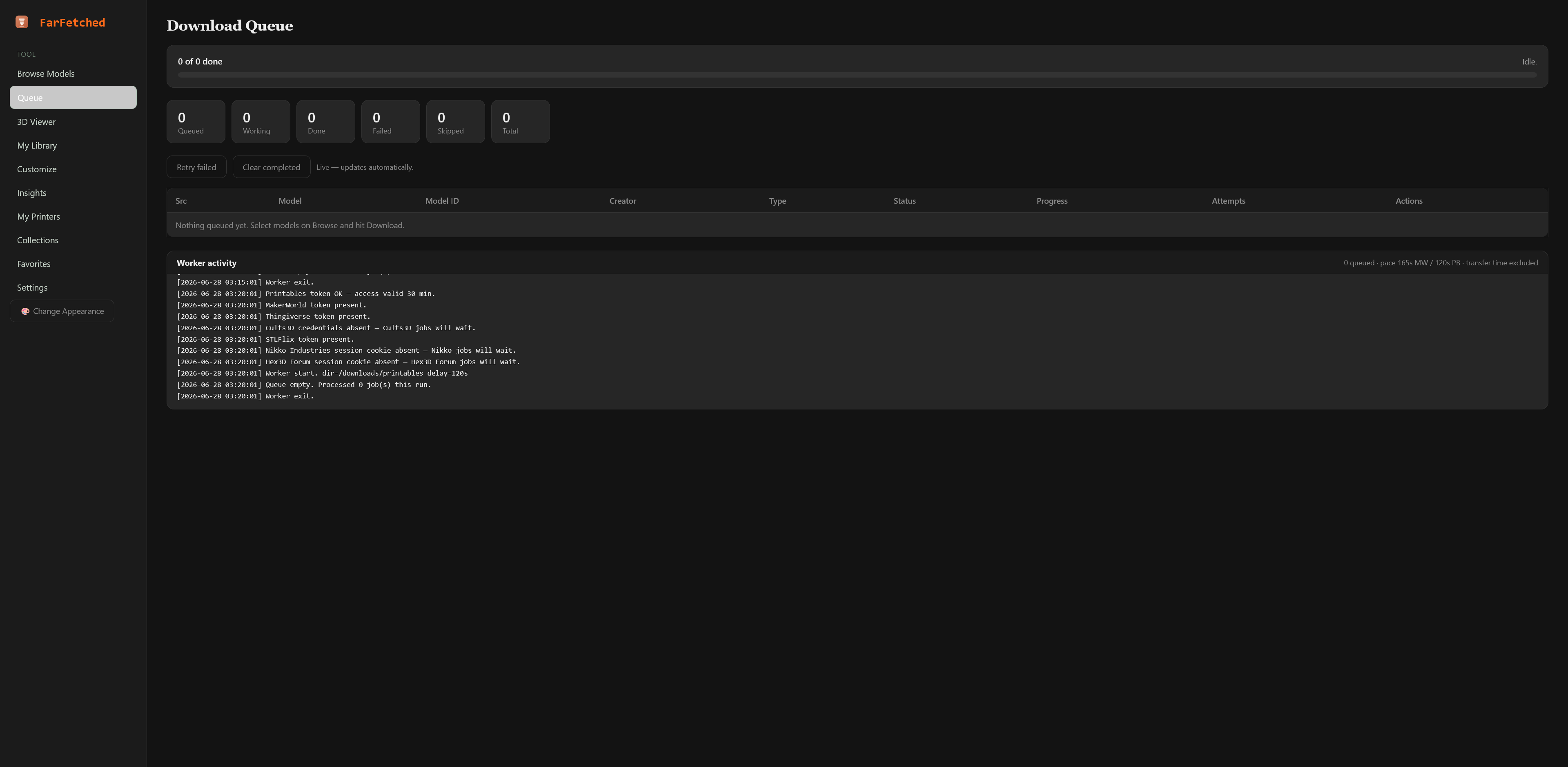
Queue everything at once; a patient background worker pulls it down one file at a time at a polite, configurable pace.
Configurable & secure
| Source Settings | Security |
|---|---|
 |
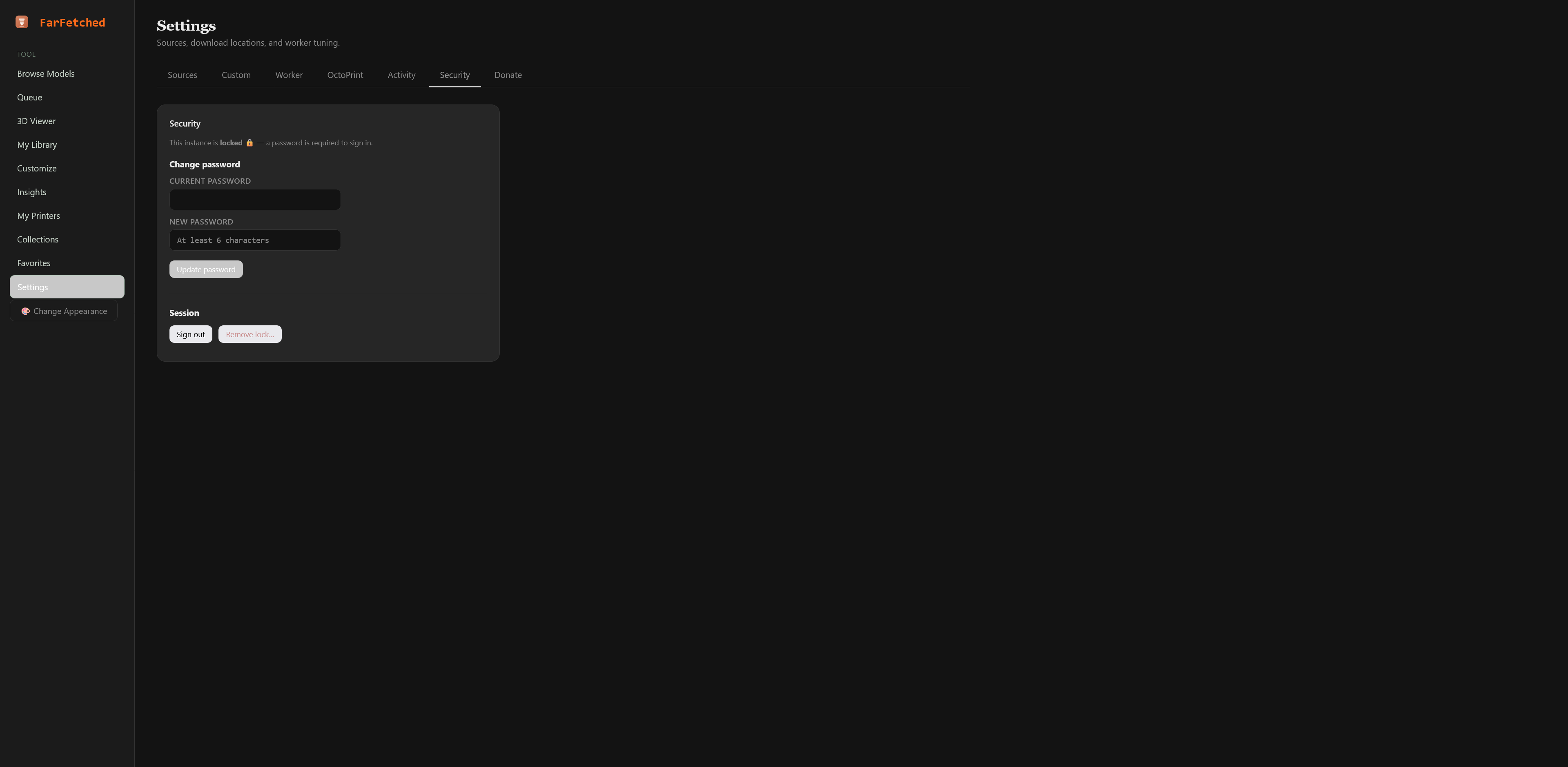 |
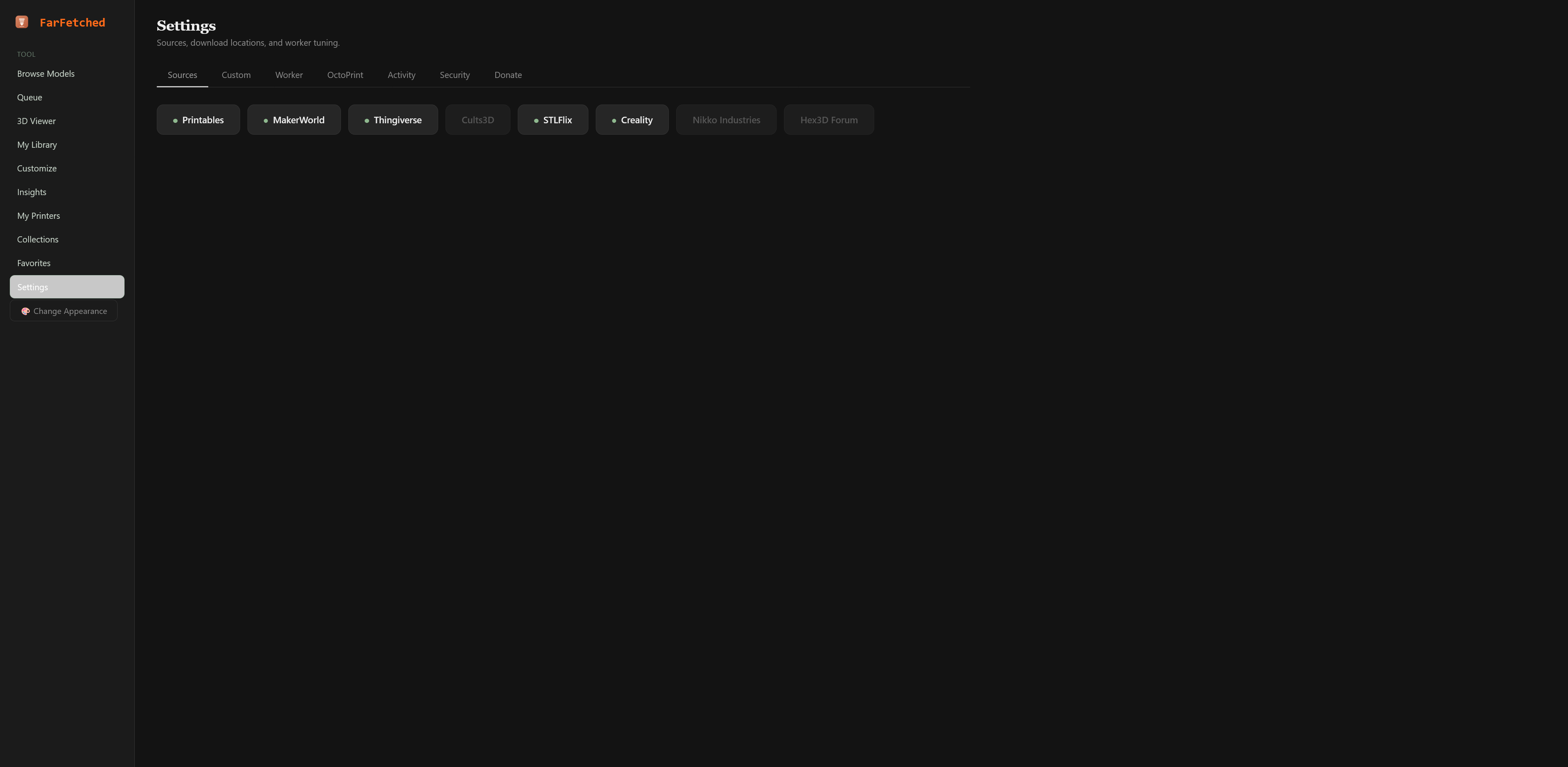
Per-source settings and pacing, with an optional password lock for instances reachable beyond your LAN.
Quick start (Docker)
docker run -d \
  --name FarFetched \
  -p 16545:80 \
  -e FETCHER_DOWNLOAD_DIR=/downloads \
  -e FETCHER_DOWNLOAD_DELAY=120 \
  -v /path/to/your/models:/downloads \
  -v /path/to/persistent/data:/var/www/html/private \
  -v /path/to/your/custom-folders:/custom \
  ghcr.io/pumpkinpieman/farfetched:latest
The
/custommount is optional — it's only needed for the Custom Local Folders feature (Settings → Custom). See Custom Local Folders below.
Then open http://your-server:16545 and add your source tokens under Settings.
Environment variables
| Variable | Default | Purpose |
|---|---|---|
FETCHER_DOWNLOAD_DIR |
/downloads |
Container path where models are saved (bind-mount this). |
FETCHER_DOWNLOAD_DELAY |
120 |
Default seconds between downloads (also tunable per-source in Settings). |
Volumes
| Mount | Purpose |
|---|---|
/downloads |
Where your models land. Map to a host folder you control. |
/var/www/html/private |
Persistent state: SQLite job queue, favorites, collections, printer profiles, tokens, config, logs, and the optional password hash. |
/custom |
Optional. Host folder(s) you want to browse and register as Custom Local Folders (indexed in place, never copied). Map a host directory here — e.g. a Google Drive sync target or an existing model archive. See below. |
⚠️ Storage placement — keep the database on stable local storage. The
/var/www/html/privatevolume holds a SQLite database (fetcher.db). SQLite's file locking is unreliable on networked or merged/synced filesystems — NFS, SMB/CIFS, and FUSE overlays such as Unraid's array+cache user-shares. Placing the database there causes intermittentdatabase is lockederrors and stalled queues, because the storage layer can relocate or sync the file underneath an open connection.Map
/var/www/html/privateto a real local filesystem (a plain SSD/disk path), not a synced share.
- Unraid: set the
appdatashare to cache-only (Use cache pool: Only, orPreferthen run Mover) so the database lives on the cache SSD — not on the array. Mapping to the raw/mnt/cache/...path (instead of the FUSE/mnt/user/...path) achieves the same.- Synology / QNAP / NAS: keep it on internal SSD/HDD, not an NFS/SMB-mounted volume.
- Generic Docker: a local bind-mount or named volume on the host's own disk is ideal.
FarFetched auto-detects FUSE/network mounts and falls back to the portable
DELETEjournal mode (instead of WAL) to stay as safe as possible, but no application setting can fully compensate for a database file the storage layer is actively syncing. Stable local storage is strongly recommended. The/downloadsand/customvolumes have no such constraint — only theprivate(database) volume matters here.
Finding your auth tokens
Each source needs a token or credentials, pulled from your browser's DevTools while logged in. The in-app Settings → Sources page and the home page include step-by-step guides for Chrome, Firefox, Edge, and Safari. In brief:
- Printables / MakerWorld / Thingiverse / STLFlix — DevTools → Network → find an API/GraphQL request → copy the
Authorization: Bearer …header. - Cults3D — DevTools → Application/Storage → Cookies → copy
user_emailanduser_token. - Creality Cloud — DevTools → Application/Storage → Cookies → copy
model_token,model_user_id, andcf_clearance. - Nikko Industries — no API; DevTools → Application/Storage → Cookies → copy the full Cookie header from a logged-in tab (membership grants unlimited downloads across the whole library, not per-model).
- Hex3D Forum — a phpBB forum, also no API; copy the full Cookie header the same way, then list which forum IDs (the number after
f=in each forum's URL) you want FarFetched to browse.
Tokens expire on each platform's own schedule (Printables ~1h, STLFlix ~30 days, Creality's cf_clearance fastest); cookie-based sources have no fixed expiry and vary by server config. Just re-paste when a source stops authing.
Custom Local Folders
Beyond the sources FarFetched downloads from, you can register folders you already have on disk — an existing model archive, a Google Drive / Dropbox folder synced locally, an SMB share, anything. These are indexed in place (never copied), each subfolder is treated as one model, and they appear blended into My Library. Removing a registered folder never touches the files.
Configure them under Settings → Custom, with a built-in folder browser so you don't have to type paths.
The one thing to understand: container paths, not host paths
FarFetched runs in a container, so it only sees what's bind-mounted into it. A path that exists on your host (e.g. /mnt/user/Downloads/MyModels) is invisible to the app unless that location is mounted. Inside the container the same files appear at the container path you mapped them to — which is usually different from the host path (e.g. host /mnt/user/Downloads → container /downloads).
This is the single most common point of confusion: entering a host path the container can't see fails with "That path is not a folder or is not reachable from the container." Always use the container path.
Setup
Add a bind mount for the folder(s) you want to register. The convention is to map them to
/customin the container:- Unraid: edit the FarFetched container → Add another Path → Container Path
/custom, Host Path/mnt/user/YourCustomArea, then Apply. - docker run / compose: add
-v /mnt/user/YourCustomArea:/custom.
Tip: point
/customat a dedicated host folder (e.g./mnt/user/CustomModels) rather than your existing Downloads, so custom folders stay separate from the auto-scanned/downloadssources and nothing double-lists.- Unraid: edit the FarFetched container → Add another Path → Container Path
Verify the mount is live:
docker exec FarFetched ls -la /customThis should list your host folder's contents. If it says No such file or directory, the mount isn't applied yet.
Register in the app: Settings → Custom → Browse…, navigate into
/custom, pick a folder, and Add Folder. Its models now show in My Library.OpenScad installation - This runs after the container starts, checks if OpenSCADis is missing, installs it if so. Survives recreate (the script persists in Unraid, not the container). ~1-2 min install on first boot after a recreate, instant otherwise.
#!/bin/bash
Unraid User Scripts plugin → run "At Startup of Array" or on a schedule
docker exec FarFetched sh -c 'command -v openscad >/dev/null 2>&1 || (apt-get update && apt-get install -y --no-install-recommends openscad xvfb xauth && rm -rf /var/lib/apt/lists/*)'
Thumbnails
Custom folders use an existing preview image in each model subfolder (thumb.png, preview.jpg, cover.*, or the first image found) — they are not rendered from the STL. Subfolders without any image show a "no preview" placeholder.
Notes
- The folder browser is jailed to
/custom— it cannot navigate into system or app directories. - Registering is non-destructive and reversible: the folder list lives in config; your files are never moved, copied, or modified.
- Drop new model subfolders into a registered folder at any time — they appear on the next My Library load (no re-import step).
Architecture
- PHP 8.3 + Apache in a single Docker image.
- SQLite (WAL) job queue, favorites, collections, and printer profiles in the persistent volume.
- Background worker invoked by cron, self-locking against overlap, self-pacing between downloads.
- Three.js viewer for STL/3MF preview, and the multi-part arrangement scene in Customize & Pose.
- OpenSCAD parametric rendering for customizable models.
- Vanilla JS front end — no build step.
Notable engineering
- Lock-free live progress — the worker streams state to a small JSON file the UI polls, rather than fighting the job store for write locks.
- Defensive API queries — GraphQL queries ask for the richer shape first and fall back automatically, so a schema change degrades one feature instead of blanking the page.
- Resilient 3MF loading — a fallback unzips the archive and parses mesh geometry directly, then re-seats the model upright.
- Cron-safe path resolution — path resolution falls back through the process env, the entrypoint env file, and the conventional mount point, so downloads land correctly regardless of how the worker is launched.
- Server-side image proxy — thumbnails from CORS-restricted CDNs are streamed through an allowlisted server-side proxy.
- Auto-format detection with fallback — handles zip vs. bare .3mf/.stl per model, with an STL → 3MF → pack fallback when a requested format is missing.
- Session-based source clients — sources like Cults3D, Creality Cloud, Nikko Industries, and the Hex3D forum authenticate with browser session credentials; signed or session-gated download URLs are resolved per-job and re-minted automatically when they expire.
- HTML-scraped sources — Nikko Industries and the Hex3D forum have no public API; their catalogs are browsed via targeted, defensive HTML parsing rather than a structured endpoint.
- WAL → DELETE SQLite fallback — automatically falls back to DELETE journal mode on filesystems (FUSE/network mounts) where WAL locking is unreliable.
Project layout
webroot/                     # Apache document root
├── index.php                # Browse / search UI + router
├── home.php                 # Source picker + token guide
├── customize.php            # Customize & Pose: OpenSCAD render + part arrangement
├── collections.php / collections_view.php   # Saved model collections
├── printers.php / printer_catalog.php / printer_action.php  # Printer build-volume profiles
├── jobs.php / jobs_status.php  # Download queue (live)
├── viewer.php                # STL / 3MF 3D viewer + delete
├── favorites.php             # Saved (starred) models
├── favorite.php              # Star/unstar endpoint
├── insights.php              # Library stats dashboard
├── settings.php               # Per-source auth, worker tuning, donate
├── auth.php / auth_action.php # Optional password lock
├── worker.php                 # CLI download worker (cron)
├── bootstrap.php              # Config, paths, DB, shared helpers
├── proxy.php                  # Server-side image proxy
├── model_file.php             # Path-safe file streaming for the viewer
├── model_delete.php           # Model deletion endpoint
├── scad_render.php            # OpenSCAD render endpoint for Customize & Pose
├── enqueue.php / job_action.php
└── *Service.php               # One client per source
Security notes
- All state-changing endpoints require POST + CSRF token.
- Source slugs and model names are validated to single path segments; deletion is confirmed to resolve inside the source directory via
realpath()before any file is touched. - The image proxy is host-allowlisted and follows redirects only within that allowlist (SSRF-safe).
- Tokens and session cookies live in the private volume, never in the web root.
- The optional password lock stores only a bcrypt hash, no username — this is a single-user, self-hosted tool.
Support
Like the project? Buy me a ko-fi ☕
License
Open source. See LICENSE for details.
Categories
Related apps
Explore more like this
Explore allDetails
ghcr.io/pumpkinpieman/farfetched:latestRuntime arguments
- Web UI
http://[IP]:[PORT:80]/home.php- Network
bridge- Shell
bash- Privileged
- false
Template configuration
Host port for the FarFetched web interface. Change this to any free port you like.
- Target
- 80
- Default
- 8088
- Value
- 8088
Host folder where downloaded models are saved (per-source subfolders: printables/, stlflix/, ...).
- Target
- /downloads
- Default
- /mnt/user/Downloads/models
- Value
- /mnt/user/Downloads/models
Persistent storage for the Printables session token, the SQLite queue, and logs. Keep this stable across updates.
- Target
- /var/www/html/private
- Default
- /mnt/user/appdata/farfetched/private
- Value
- /mnt/user/appdata/farfetched/private
Seconds the worker waits between file downloads. 120 is polite; lower at your own risk.
- Target
- FETCHER_DOWNLOAD_DELAY
- Default
- 120
- Value
- 120
Where the worker writes inside the container. Leave as /downloads unless you know why you are changing it.
- Target
- FETCHER_DOWNLOAD_DIR
- Default
- /downloads
- Value
- /downloads