
All apps · 0 apps

Eyeris
Docker app from Vonhex's Repository
Overview
Readme
View on GitHub




Self-hosted AI photo manager. Your Pictures. Fast. Easy. Simple.
[!WARNING] Eyeris is designed for use on a trusted local network only. It has no brute-force protection on the login endpoint, no multi-user access control, and image URLs embed session tokens that appear in server logs. Do not expose it directly to the internet. If you need remote access, use a VPN or put it behind Cloudflare Access — not a plain public tunnel.
How do I install it?
| Who it's for | Method | Guide |
|---|---|---|
| Unraid users | Manual install via template — see the wiki | Unraid → |
| Everyone else (Linux / Windows / macOS with Docker) | Run ./docker-start.sh |
Docker → |
| Developers | Run ./start.sh — Python + Node directly, no Docker |
Dev → |
Not sure? Use the Docker path. It works on any OS and handles everything automatically.
Quick Start (Docker)
# 1. Clone the repo
git clone https://github.com/vonhex/Eyeris.git
cd Eyeris

# 2. Run the start script — it will create .env and tell you what to fill in
chmod +x docker-start.sh
./docker-start.sh

# 3. Edit .env with your NAS credentials (SMB_HOST, SMB_USERNAME, etc.)
nano .env

# 4. Run again — pulls the image and starts the container
./docker-start.sh
Open http://localhost:8000 — default username is eyeris, password is set on first run.
Features
Gallery & Browsing
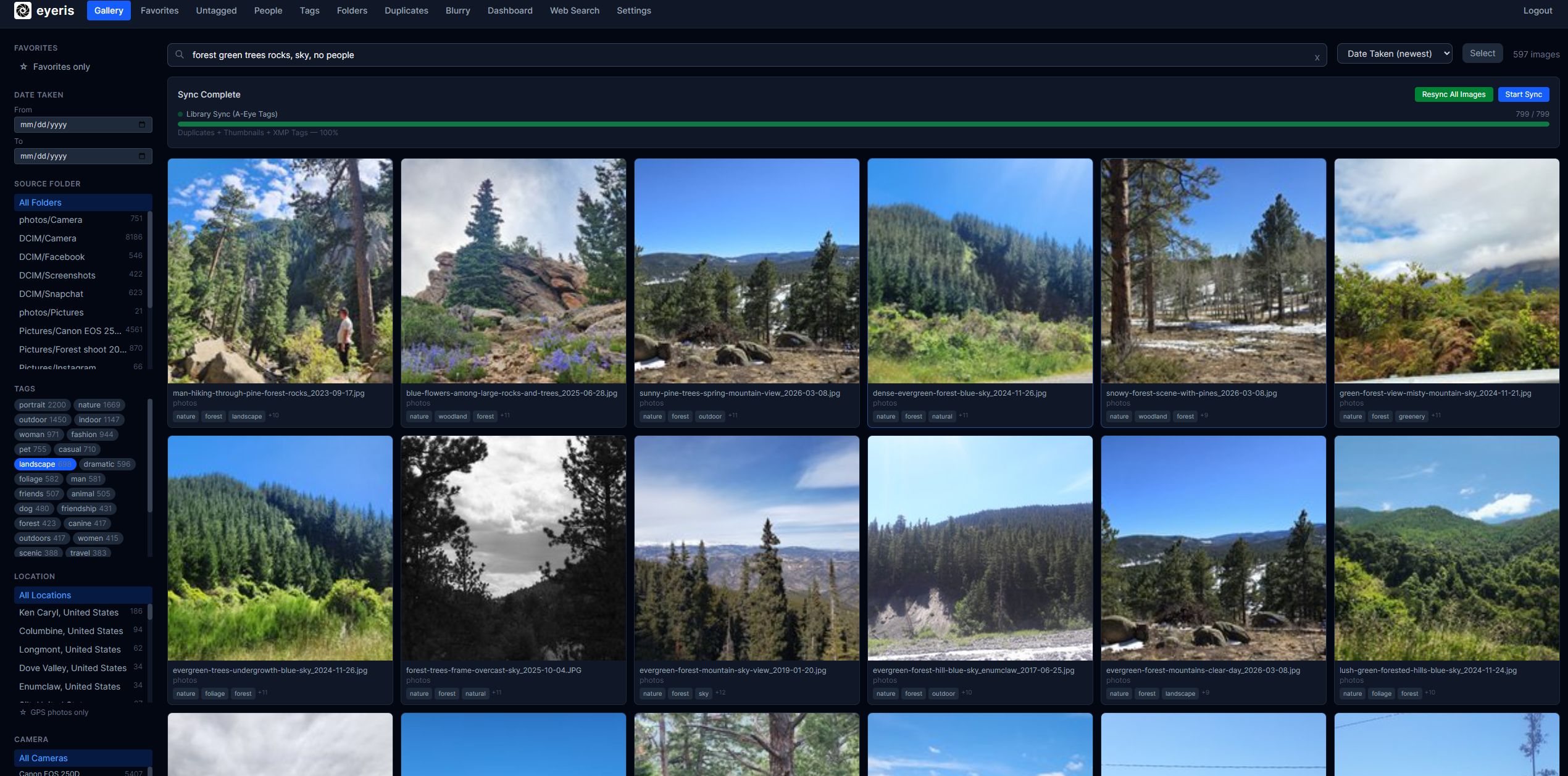
- Infinite-scroll gallery with thumbnails, favorites, and multi-select bulk actions
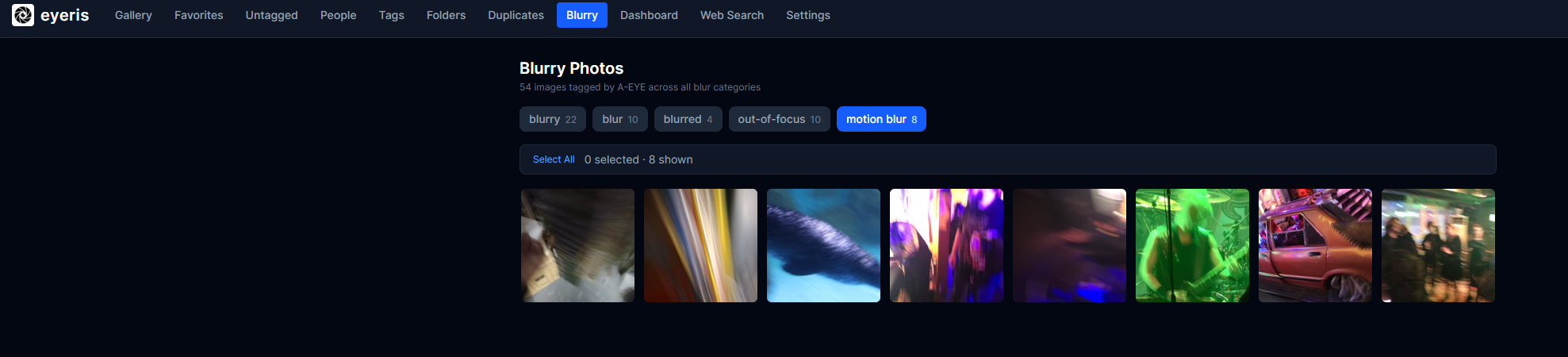
- Filter by tag, category, album, folder, camera, location, date range, GPS, or quality issue
- Sort by date taken, date added, filename, or random
- Video support (MP4, MKV, MOV, AVI, WebM and more) with thumbnail preview
- Untagged view shows both images and videos with no tags yet
Image Viewer
- Desktop: mouse-wheel zoom (up to 8×), click-drag to pan, double-click to toggle zoom, keyboard ← → to navigate
- Mobile: full-screen view, pinch-to-zoom, horizontal swipe to navigate between images, swipe-up bottom sheet to reveal metadata and editing controls
- Scroll-to-top button appears site-wide when scrolling long pages
AI Analysis
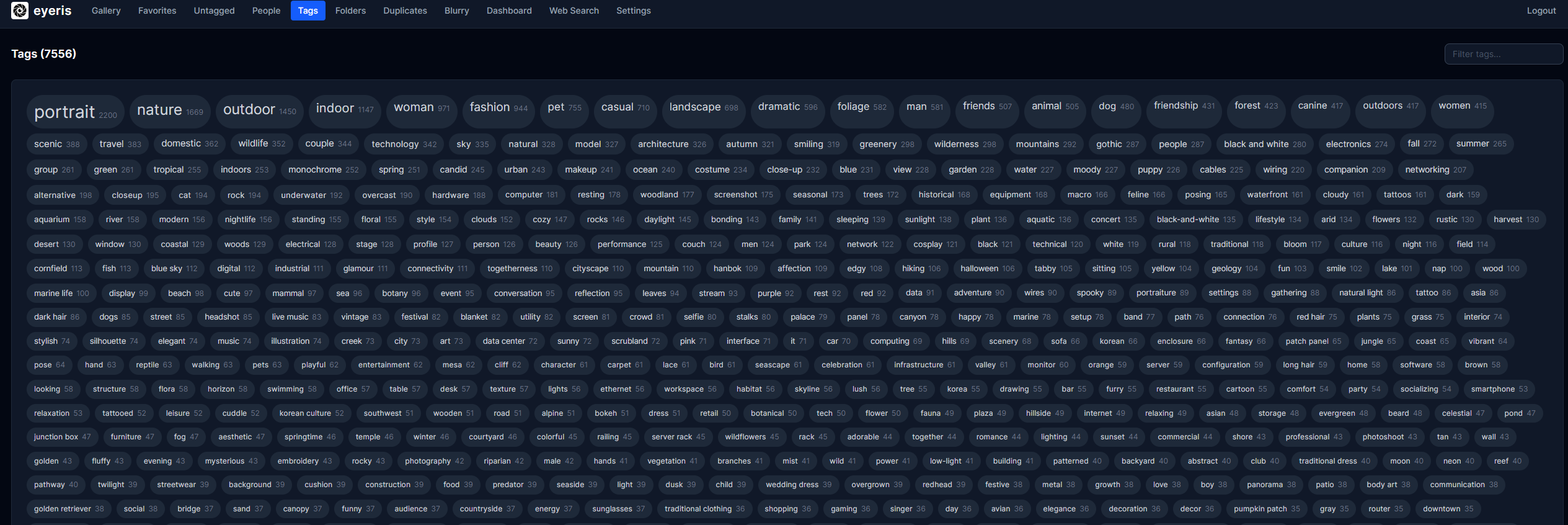
- SigLIP zero-shot tag classification against ~300 candidates — runs locally on GPU during scan
- YOLOv8 + FaceNet face detection and bounding-box metadata per image
- XMP sidecar ingestion: tags and descriptions written by external tools are read automatically during scan
A-Eye Integration
- Connect to a self-hosted A-Eye instance from the Settings page
- Send untagged images and videos to A-Eye for AI analysis with one click from the Dashboard
- Video thumbnails are sent automatically when a video has no tags
- Tags and descriptions written by A-Eye are auto-imported every 5 minutes — no manual re-import needed
- Supports HTTP Basic Auth for protected A-Eye instances
- A-Eye URL, username, and password persist across container updates
Metadata & EXIF
- Date taken, GPS location with OpenStreetMap link, reverse-geocoded city/country
- Camera make/model, lens model, aperture, shutter speed, ISO, focal length
Organisation
- Tag editor per image + bulk tag editor across selections
- Category and album assignment
- Duplicate detection via perceptual hash
System
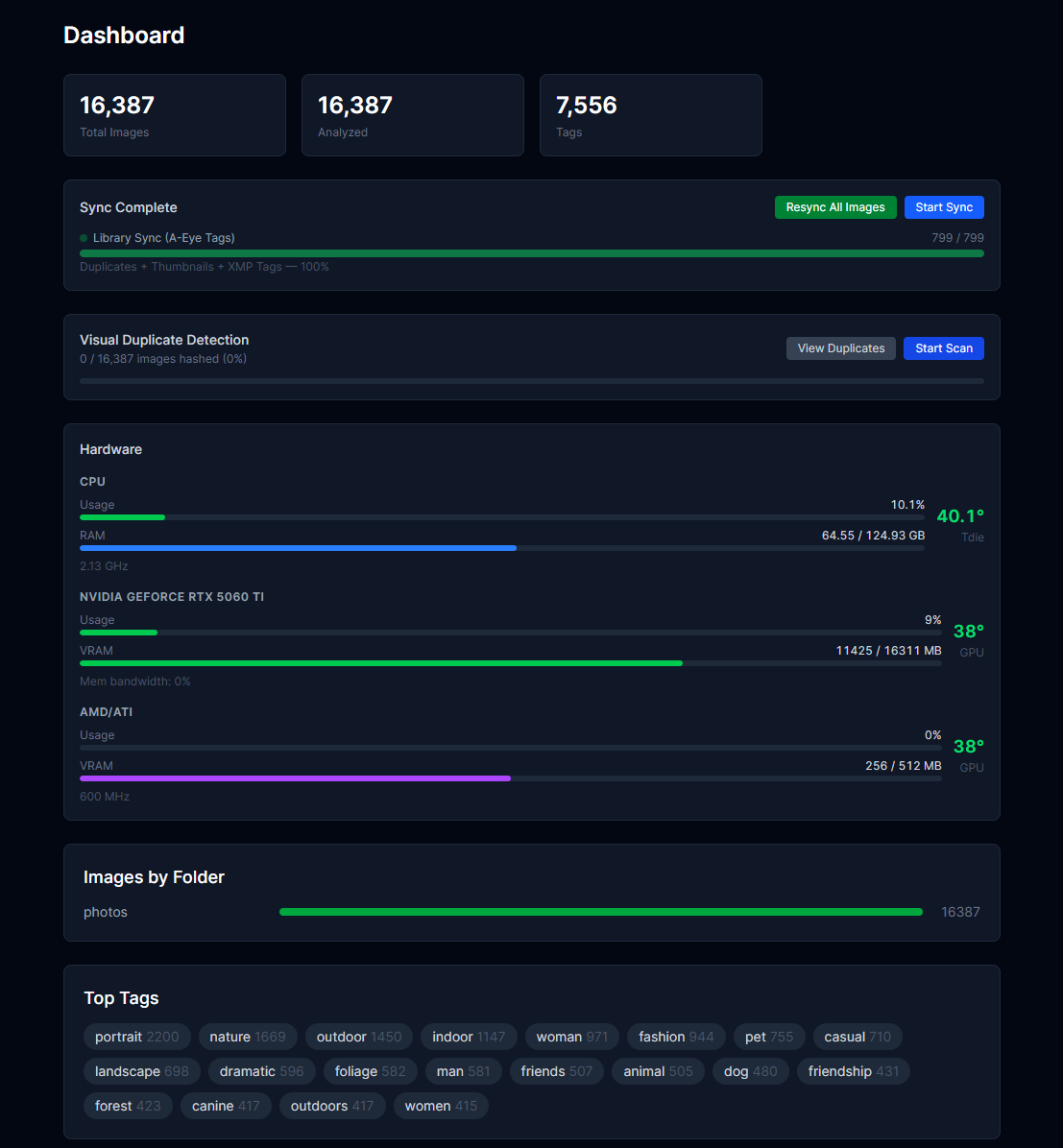
- Two-phase async scan pipeline with live progress bar
- File-watcher for near-real-time new image detection
- Settings page with runtime
.envediting — all settings survive container recreation - Dashboard shows accurate untagged counts for both images and videos
Screenshots
Gallery & Search
AI Tag Cloud
System Dashboard
Blurry Photo Detection
License
PolyForm Noncommercial License 1.0.0 — free to use and modify, not for commercial use or resale. For commercial licensing contact lucashjantzen@gmail.com.
Requirements
Categories
Related apps
Explore more like this
Explore allDetails
ghcr.io/vonhex/eyeris:latestRuntime arguments
- Web UI
http://[IP]:[PORT:8000]/- Network
bridge- Shell
bash- Privileged
- false
Template configuration
Port for the Eyeris web interface and API.
- Target
- 8000
- Default
- 8000
- Value
- 8000
Your photo library — local folder or SMB/NFS mount point.
- Target
- /data/images
- Default
- /mnt/user/Pictures/
- Value
- /mnt/user/Pictures/
Where Eyeris stores generated thumbnails and face crop cache.
- Target
- /data/thumbnails
- Default
- /mnt/user/appdata/eyeris/thumbnails/
- Value
- /mnt/user/appdata/eyeris/thumbnails/
SQLite database storage. Ignored if DB_HOST is set.
- Target
- /data/db
- Default
- /mnt/user/appdata/eyeris/db/
- Value
- /mnt/user/appdata/eyeris/db/
Persistent config file — Eyeris reads and writes settings here. Create an empty file at this path before first run.
- Target
- /app/.env
- Default
- /mnt/user/appdata/eyeris/eyeris.env
- Value
- /mnt/user/appdata/eyeris/eyeris.env
IP or hostname of your NAS. Leave empty if photos are already accessible via the Photo Directory path above.
- Target
- SMB_HOST
SMB/CIFS username for your NAS.
- Target
- SMB_USERNAME
SMB/CIFS password for your NAS.
- Target
- SMB_PASSWORD
Comma-separated share names to scan, e.g. photos,media,camera-uploads
- Target
- SMB_SHARES
URL of your A-Eye instance, e.g. http://192.168.1.100:7171. Connect A-Eye to enable AI image descriptions and automatic tagging.
- Target
- AEYE_URL
Username for HTTP Basic Auth on your A-Eye instance. Leave empty if A-Eye is unauthenticated.
- Target
- AEYE_USER
Password for HTTP Basic Auth on your A-Eye instance.
- Target
- AEYE_PASS
URL of a SearXNG instance for the web image search feature (optional).
- Target
- SEARXNG_URL
Number of parallel scan workers. Raise to 3-4 on fast systems; lower if your system struggles.
- Target
- SCAN_CONCURRENCY
- Default
- 2
- Value
- 2
How often Eyeris rescans for new photos.
- Target
- SCAN_INTERVAL_MINUTES
- Default
- 60
- Value
- 60
Set to true to restrict scanning to a time window (e.g. overnight only).
- Target
- SCAN_SCHEDULE_ENABLED
- Default
- false
- Value
- false
Start of the allowed scan window (24-hour HH:MM). Only used when SCAN_SCHEDULE_ENABLED=true.
- Target
- SCAN_SCHEDULE_START
- Default
- 22:00
- Value
- 22:00
End of the allowed scan window (24-hour HH:MM). An end time before the start time crosses midnight.
- Target
- SCAN_SCHEDULE_END
- Default
- 06:00
- Value
- 06:00
MariaDB host IP or hostname. Leave empty to use the built-in SQLite database (recommended for most users).
- Target
- DB_HOST
MariaDB port.
- Target
- DB_PORT
- Default
- 3306
- Value
- 3306
MariaDB username.
- Target
- DB_USER
- Default
- root
- Value
- root
MariaDB password.
- Target
- DB_PASSWORD
MariaDB database name.
- Target
- DB_NAME
- Default
- image_catalog
- Value
- image_catalog