
All apps · 0 apps
exercise-dairy
Docker app from IBRACORP's Repository
Overview
Readme
View on GitHub

 Exercise Diary
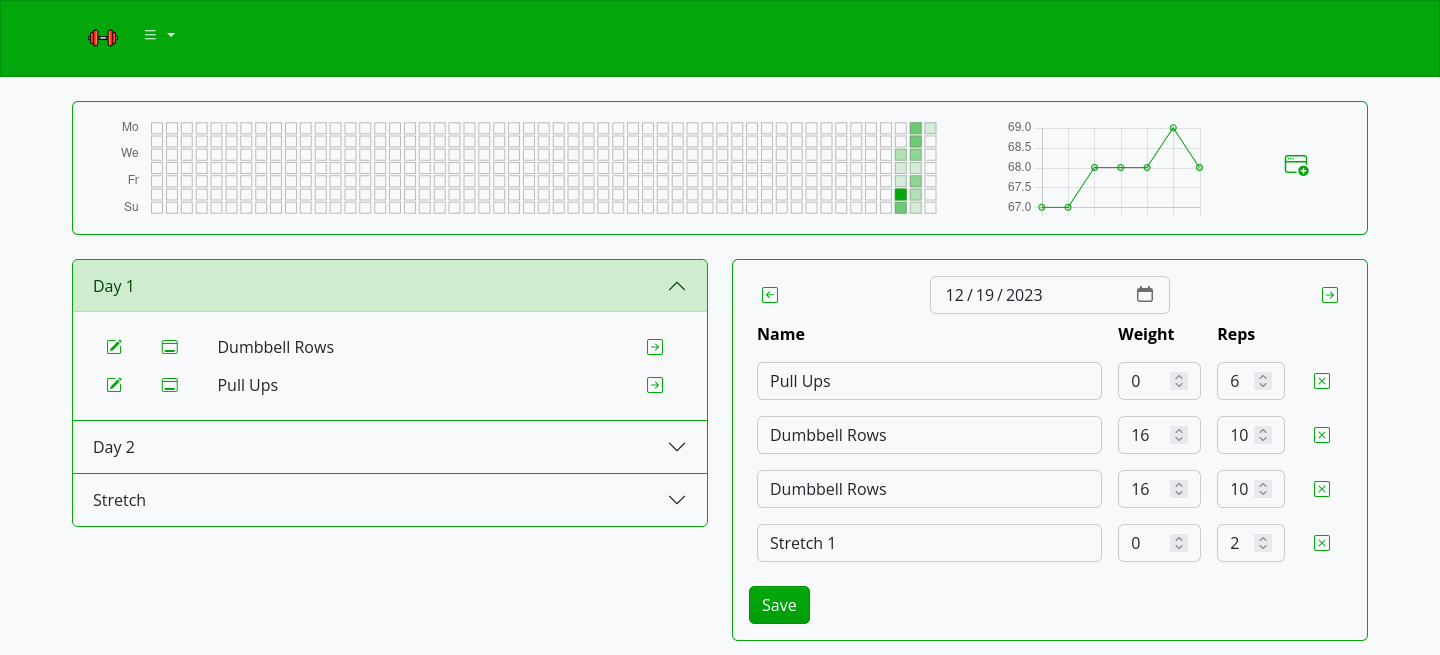
Workout diary with GitHub-style year visualization
Quick start
docker run --name exdiary \
-e "TZ=Asia/Novosibirsk" \
-v ~/.dockerdata/ExerciseDiary:/data/ExerciseDiary \
-p 8851:8851 \
aceberg/exercisediary
Or use docker-compose.yml
Binary
PPA for amd64 .deb is here. For other binary options plese look at the latest release.
Config
Configuration can be done through config file, GUI or environment variables. Variable names is config.yaml file are the same, but in lowcase.
| Variable | Description | Default |
|---|---|---|
| AUTH | Enable Session-Cookie authentication | false |
| AUTH_EXPIRE | Session expiration time. A number and suffix: m, h, d or M. | 7d |
| AUTH_USER | Username | "" |
| AUTH_PASSWORD | Encrypted password (bcrypt). How to encrypt password with bcrypt? | "" |
| HOST | Listen address | 0.0.0.0 |
| PORT | Port for web GUI | 8851 |
| THEME | Any theme name from https://bootswatch.com in lowcase or additional (emerald, grass, grayscale, ocean, sand, wood) | grass |
| COLOR | Background color: light or dark | light |
| HEATCOLOR | HeatMap color | #03a70c |
| PAGESTEP | Items on one page | 10 |
| TZ | Set your timezone for correct time | "" |
Options
| Key | Description | Default |
|---|---|---|
| -d | Path to config dir | /data/ExerciseDiary |
| -n | Path to local JS and Themes (node-bootstrap) | "" |
Local network only
By default, this app pulls themes, icons and fonts from the internet. But, in some cases, it may be useful to have an independent from global network setup. I created a separate image with all necessary modules and fonts.
docker run --name node-bootstrap       \
    -v ~/.dockerdata/icons:/app/icons  \ # For local images
    -p 8850:8850                       \
    aceberg/node-bootstrap
docker run --name exdiary \
    -v ~/.dockerdata/ExerciseDiary:/data/ExerciseDiary \
    -p 8851:8851 \
    aceberg/exercisediary -n "http://$YOUR_IP:8850"
Or use docker-compose
Roadmap
Moved to docs/ROADMAP.md
Thanks
- All go packages listed in dependencies
- Bootstrap
- Themes: Free themes for Bootstrap
- Chart.js and chartjs-chart-matrix
- Favicon and logo: Flaticon
Categories
Download Statistics
Total Downloads Over Time
Related apps
Explore more like this
Explore allDetails
aceberg/exercisediaryRuntime arguments
- Web UI
http://[IP]:[PORT:8851]- Network
bridge- Shell
sh- Privileged
- false
Template configuration
- Target
- 8851
- Value
- 8851
- Target
- /data/ExerciseDiary
- Value
- /mnt/user/appdata/exercisediary
- Target
- TZ
- Value
- America/Chicago
- Value
- 0.0.0.0
Any theme name from https://bootswatch.com in lowcase or additional (emerald, grass, sand)
- Value
- grass
Background color: light or dark
- Value
- dark