
All apps · 0 apps

Episodes
Docker app from grtgbln's Repository
Overview
Readme
View on GitHubEpisodes
Self-hosted TV show Episode tracker built using django and bootstrap5.
Episodes allows you to keep track of your favourite tv shows either continuing or ending.
Using http://thetvdb.com/ for metadata.
Forked from https://github.com/guptachetan1997/Episodes
Inspired from https://github.com/jamienicol/episodes
Android app
You can download the android app from here. It is a simple webview app and you will enter your url when the app opens (make sure to have a '/' at the end of your url like https://example.com/).
Features
- add tv shows to track when new episodes come out
- mark tv show episodes as watched
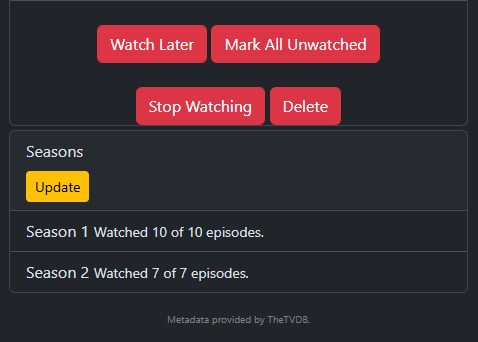
- mark shows as "Stopped Watching" or "Watch Later" (these shows will not show up in your Watch Next feed)
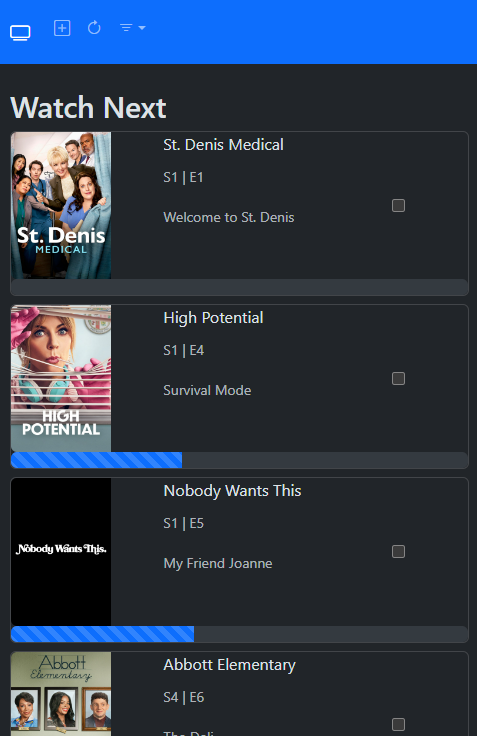
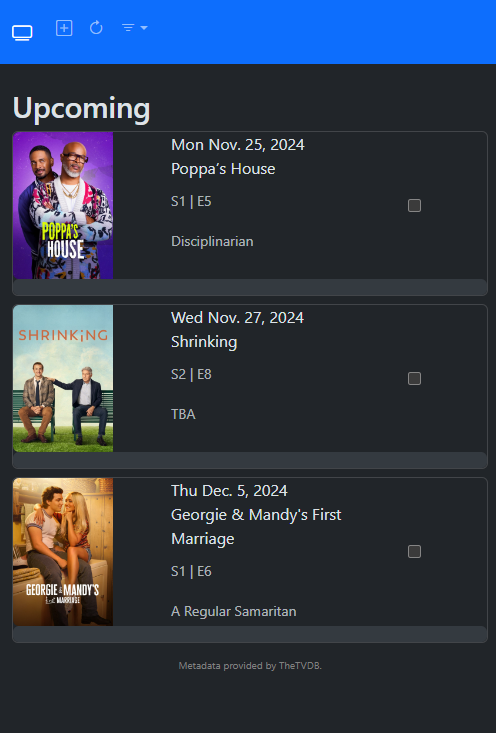
- Watch Next, Upcoming, History, Watch Later, and Stopped Watching
- Set up a "Watch Delay" for shows that you want to show in your Watch Next feed x days after release (if you watch on streaming and it releases 1 day later, set this to 1)
- Get show and episode overviews
Install using Docker Compose
- Download the docker-compose.yml file to your computer
- Edit the docker-compose.yml file to change the SECRET_KEY and CSRF_TRUSTED_ORIGINS variables, and change the port if you want to.
- SECRET_KEY - this can be generated with python like this:
python3 -c 'import secrets; print(secrets.token_hex(100))' - CSRF_TRUSTED_ORIGINS - this needs to be where you will access the server from, multiple origins can be separated by a space like this:
"http://localhost https://example.com" - Change the port on the left side only unless you know what you are doing. If you want to access from port 8080, change to
"8080:3000"
- SECRET_KEY - this can be generated with python like this:
- Run:
docker compose pull - Run:
docker compose up -d - Access your server from http://localhost:3000
Jellyfin Webhook Integration
This application includes a webhook endpoint that automatically syncs watch progress from your Jellyfin server. When an episode finishes playing, Jellyfin pushes a notification to mark the corresponding episode as watched for the specific user in your app.
1. Prerequisites
- A running Jellyfin server instance that can access your Episode server.
- The official Webhook plugin installed on your Jellyfin server.
2. Configuring the Webhook in Jellyfin
- Open your Jellyfin Dashboard as an administrator.
- Navigate to Advanced > Webhooks and click Add Jellyfin Webhook (or configure a new webhook destination).
- Set the Webhook URL using your app's endpoint pattern, replacing
<username>with your exact user profile name in the Episodes app:http://<your-django-host-ip-or-domain>/api/jellyfin-webhook/<username>/ Example: http://localhost:3000/api/jellyfin-webhook/bryan/ - Under Notification Types, select Playback Stop (triggered when playback is stopped or completed).
- Save your webhook configuration.
Install Manually
To use clone the production branch, install requirements, run the following terminal commands:
open to the directory you want to install Episodes (change /opt to wherever you want)
cd /opt
clone this Episodes repo
open the Episodes directory
cd Episodes
setup a python virtual environment called episodes (or whatever name you want)
python -m venv episodes
activate the python virtual environment on linux
source episodes/bin/activate
or on windows
./episodes/Scripts/activate
install the python dependencies
pip install -r requirements.txt
setup the database
python manage.py migrate
run the server, change 8000 with whatever you want
python manage.py runserver 0.0.0.0:8000
you can now access the webpage from http://localhost:8000, you can use nginx, caddy, or other reverse proxy for better access
You will also want to set up a cron job to update the database with thetvdb api data
The following command will add a cron job to update all continuing shows for new data at 3am and 3pm everyday (this only works on linux):
python manage.py crontab add
to show cron jobs created by this server
python manage.py crontab show
to delete cron jobs created by this server
python manage.py crontab remove
You can also manually update the database in the app by pressing the update button, or from commandline by running:
python manage.py update_db

Media gallery
1 / 3Download Statistics
Related apps
Explore more like this
Explore allDetails
bryangerlach/episodes:latestRuntime arguments
- Web UI
http://[IP]:[PORT:3000]/- Network
bridge- Privileged
- false
Template configuration
Container Port: 3000
- Target
- 3000
- Default
- 3000
- Value
- 3000
Generate with Python command: python3 -c 'import secrets; print(secrets.token_hex(100))'
- Target
- SECRET_KEY
Space-separated list of trusted domains for CSRF protection
- Target
- CSRF_TRUSTED_ORIGINS
- Default
- http://localhost:3000 http://IP_ADDRESS:3000 https://example.com
- Value
- http://localhost:3000 https://example.com
Path to app data
- Target
- /app/db
- Default
- /mnt/user/appdata/episodes/db
- Value
- /mnt/user/appdata/episodes/db
Enable debug mode
- Target
- DEBUG
- Default
- False|True