
All apps · 0 apps

Ente-Web
Docker app from yoshiro's' Repository
Overview
Readme
View on GitHub
Fully open source end-to-end encrypted photos, authenticators and more.
Ente
Ente is a service that provides a fully open source, end-to-end encrypted platform for you to store your data in the cloud without needing to trust the service provider. On top of this platform, we have built three apps so far: Ente Photos (an alternative to Apple and Google Photos), Ente Locker (a safe space for your most important documents and credentials), and Ente Auth (a 2FA alternative to the deprecated Authy).
This monorepo contains all our source code - the client apps (iOS / Android / F-Droid / Web / Linux / macOS / Windows) for both the products (and more planned future ones!), and the server that powers them.
Our source code and cryptography have been externally audited by Cure53 (a German cybersecurity firm, arguably the world's best), Symbolic Software (French cryptography experts) and Fallible (an Indian penetration testing firm).
Learn more at ente.com.
Ente Photos
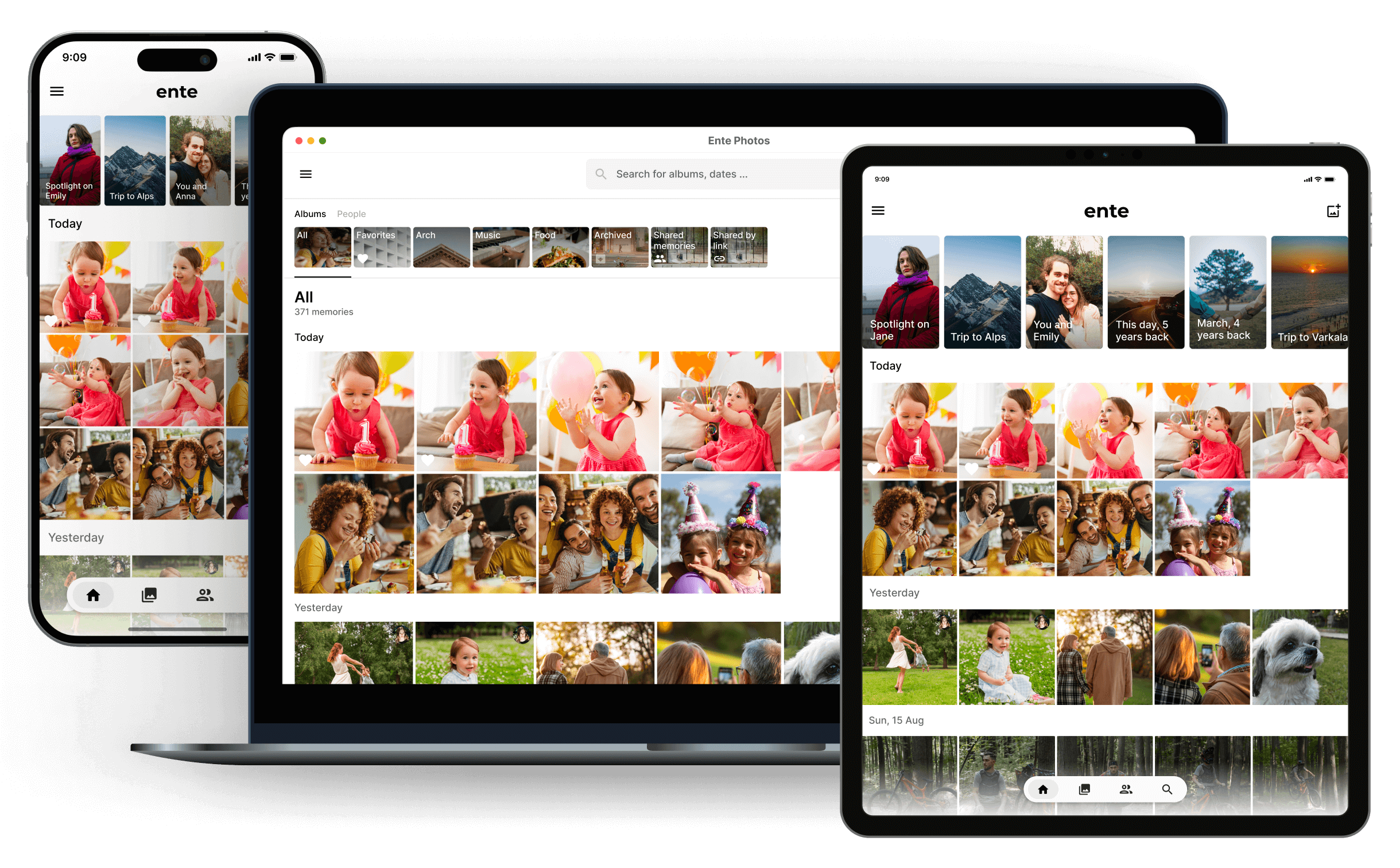
Our flagship product. 3x data replication. Face detection. Semantic search. Private sharing. Collaborative albums. Family plans. Easy import, easier export. Background uploads. The list goes on. And of course, all of this, while being fully end-to-end encrypted across platforms.
Ente Photos is a paid service, but we offer 10GB of free storage. You can also clone this repository and choose to self-host.






Ente Auth
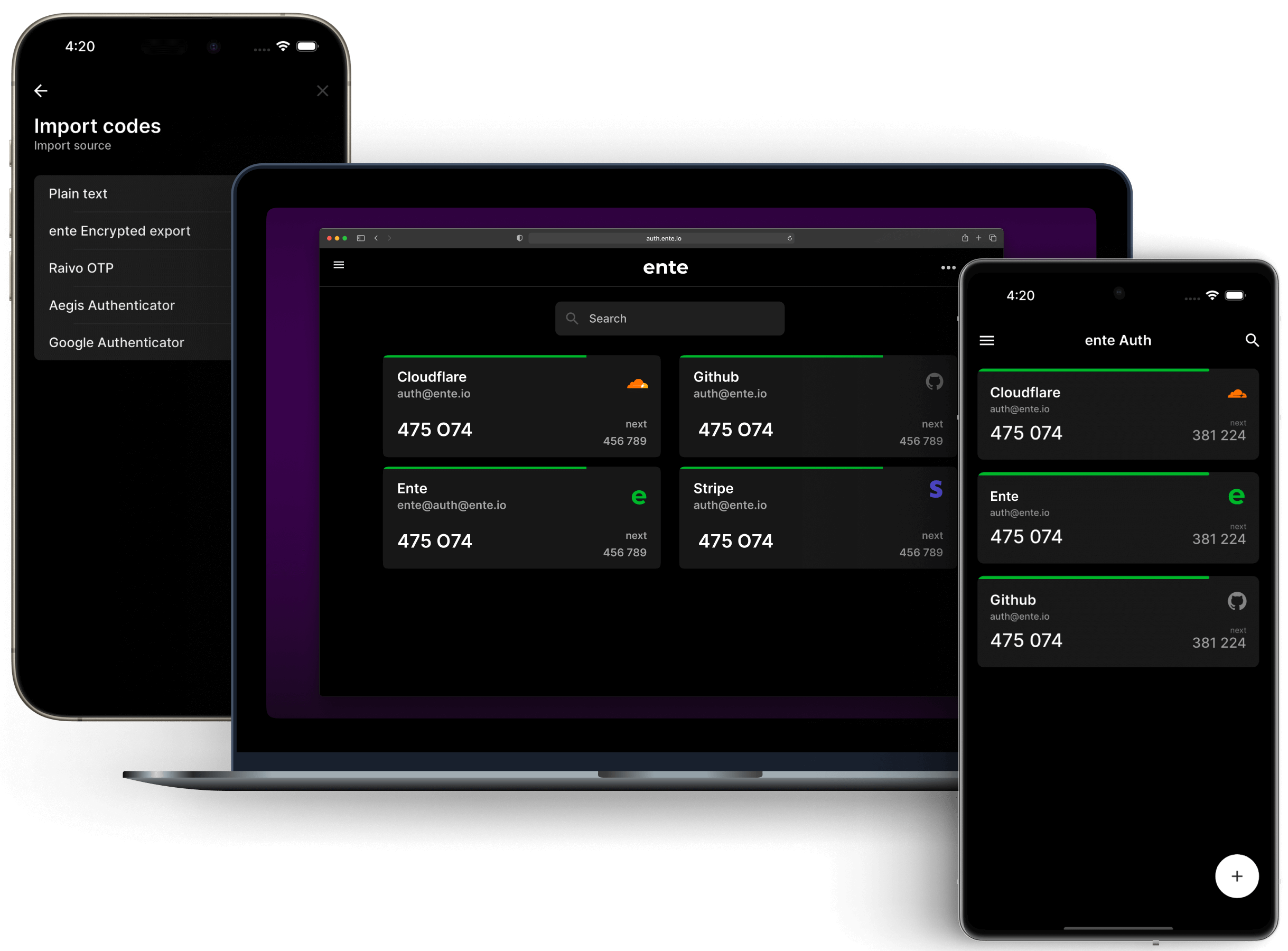
Our labour of love. Two years ago, while building Ente Photos, we realized that there was no open source end-to-end encrypted authenticator app. We already had the building blocks, so we built one.
Ente Auth is free, and will remain free forever. If you like the service and want to give back, please check out Ente Photos or spread the word.
Ente Locker
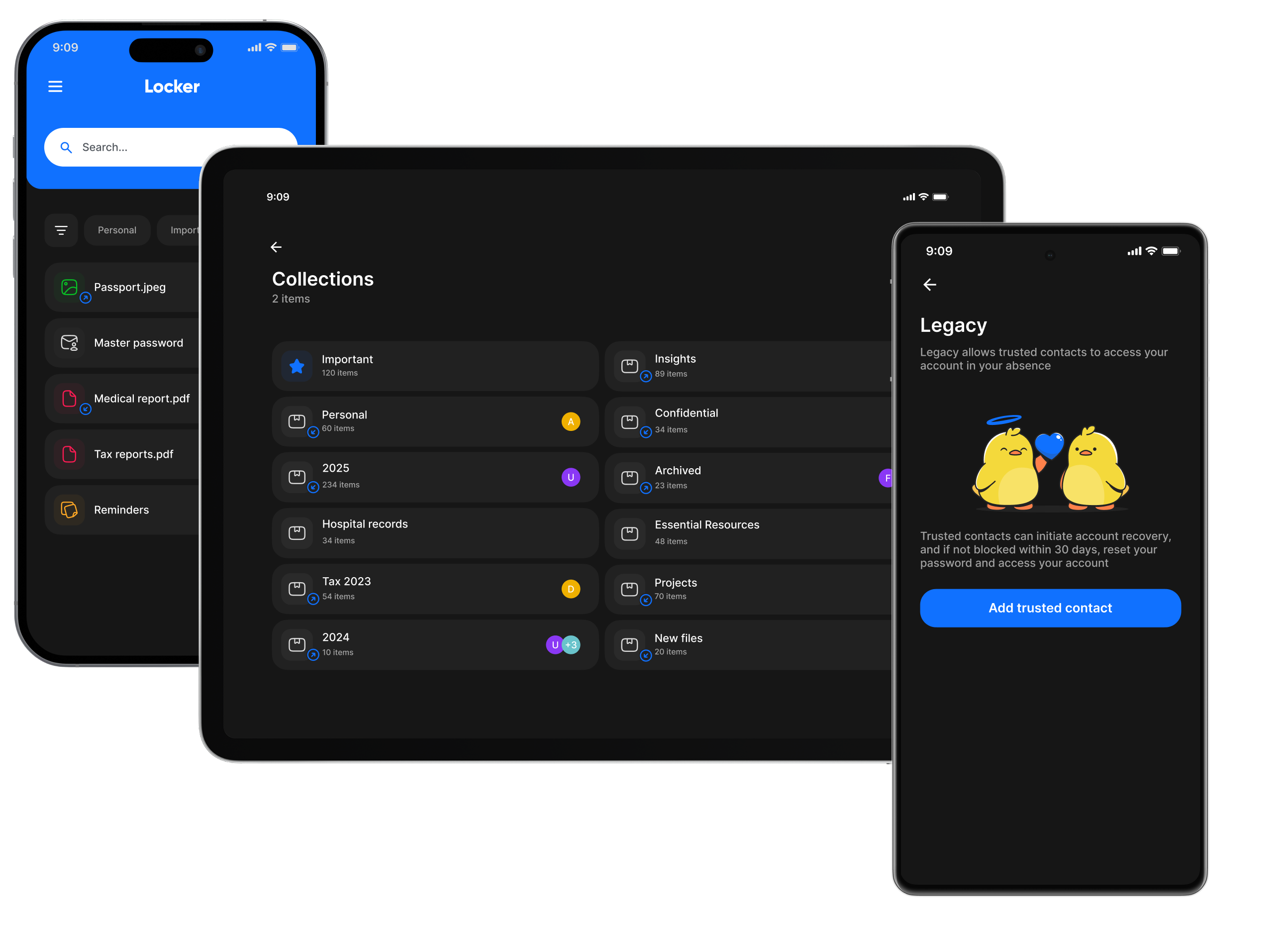
Protect your most important documents, credentials, and notes with end-to-end encryption. Share privately with people you trust, and set up access for emergencies. Available for iOS and Android.
Ente Locker is free for up to 100 items. If you're subscribed to Ente Photos, you can store up to 1000 items. Learn more at ente.com/locker.
Contributing
Want to get aboard the Ente hype train? Welcome along! Don't hesitate if you're not a developer, there are many other important ways in which you can contribute.
Support
We are never more than an email away. For the various ways to ask for help, please see our support guide.
Community

Please visit the community section for all the ways to connect with our community.




Security
If you believe you have found a security vulnerability, please responsibly disclose it by emailing security@ente.com or using this link instead of opening a public issue. We will investigate all legitimate reports. To know more, please see our security policy.
Install Ente-Web on Unraid in a few clicks.
Find Ente-Web in Community Apps on your Unraid server, review the template, and click Install. Unraid handles the Docker app or plugin setup from the published template.
Requirements
Categories
Related apps
Explore more like this
Explore allDetails
ghcr.io/ente/web:latestRuntime arguments
- Web UI
http://[IP]:[PORT:3000]- Network
bridge- Shell
sh- Privileged
- false
- Extra Params
--security-opt=no-new-privileges:true
Template configuration
Main Ente Photos web app.
- Target
- 3000
- Default
- 3000
- Value
- 3000
Public album sharing app. Needed for shared links; must match apps.public-albums in museum.yaml.
- Target
- 3002
- Default
- 3002
- Value
- 3002
Optional Accounts app, used for passkey-based 2FA.
- Target
- 3001
- Default
- 3001
- Value
- 3001
Optional Ente Auth (2FA codes) web app.
- Target
- 3003
- Default
- 3003
- Value
- 3003
Optional Cast app for slideshows on TVs.
- Target
- 3004
- Default
- 3004
- Value
- 3004
URL where browsers/devices can reach the Ente-Server (Museum) API, e.g. http://192.168.1.10:8080 or https://api.example.com - do NOT use localhost unless you only browse from the server itself.
- Default
- http://YOUR-UNRAID-IP:8080
- Value
- http://YOUR-UNRAID-IP:8080
URL where the public albums app is reachable, used when generating share links.
- Default
- http://YOUR-UNRAID-IP:3002
- Value
- http://YOUR-UNRAID-IP:3002