
All apps · 0 apps

EmbyWrapped
Docker app from CtznSnips' Repository
Overview
Readme
View on GitHub Emby Wrapped (Enhanced)
A beautiful, Spotify Wrapped-style year-in-review experience for your Emby media server. This fork includes enhanced music statistics, improved image handling, and more detailed viewing patterns.



Features
This version (emby-wrapped) adds several features and improvements over the original:
- Enhanced Music Statistics - Detailed breakdown of top artists and tracks with full image support.
- Image Proxy & Caching - Built-in image proxy to solve CORS issues and provide persistent caching for faster loading.
- Flexible Time Ranges - Support for both yearly and monthly "Wrapped" views.
- Library Filtering - Use
FILTER_USER_IDto restrict displayed content (e.g., to hide NSFW libraries). - High-Quality Visuals - Automatically fetches higher resolution posters and artist images.
- Improved Error Handling - Robust handling of missing images and server connection issues.
- URL parameters - Provide URLs with a pre-selected time-frame
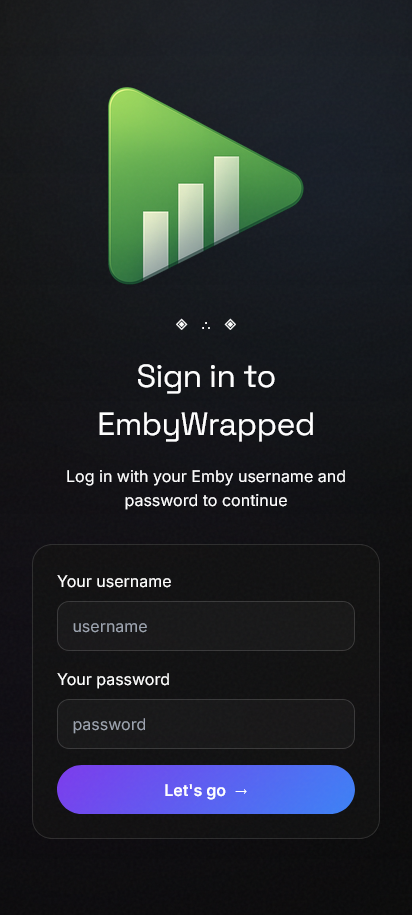
- Emby authentication - Added security via Emby authentication. Users must log in to see stats
- Seerr integration - Optional Seerr integration showing number of requests and broken down by movie, series, and user
- Tracearr integration - The Emby Playback Reporting Plugin is no longer required - you can use history data from Tracearr instead
- Total Watch Time - See how many days/hours you've spent watching
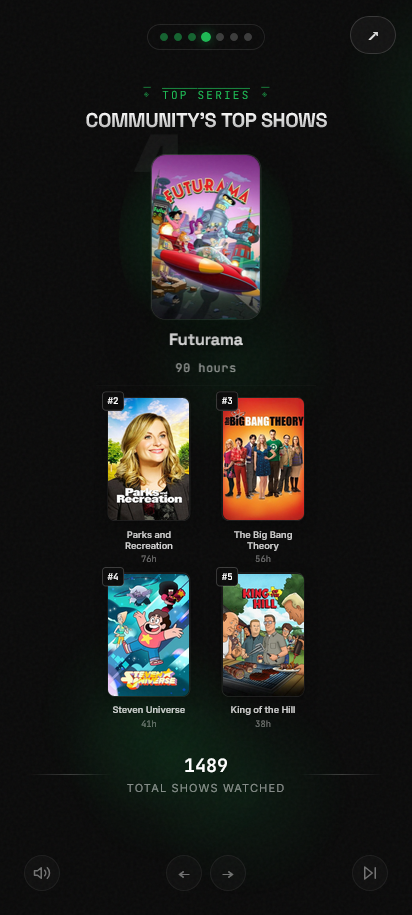
- Top Shows and Movies - Your most-watched content with beautiful poster displays
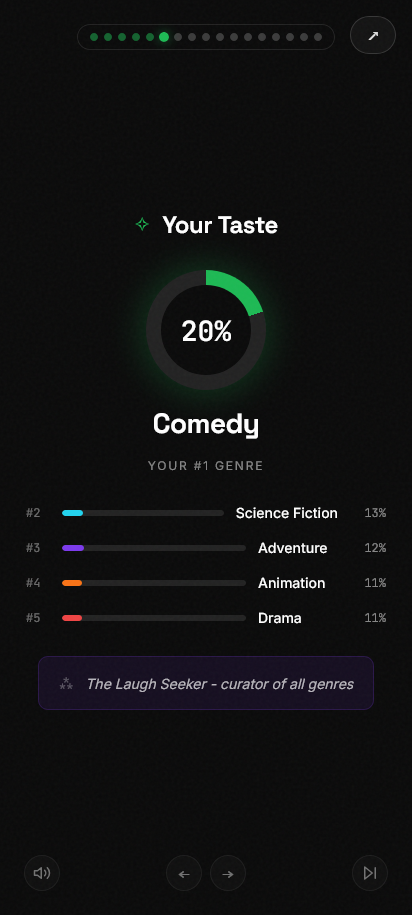
- Genre Breakdown - Discover your viewing preferences
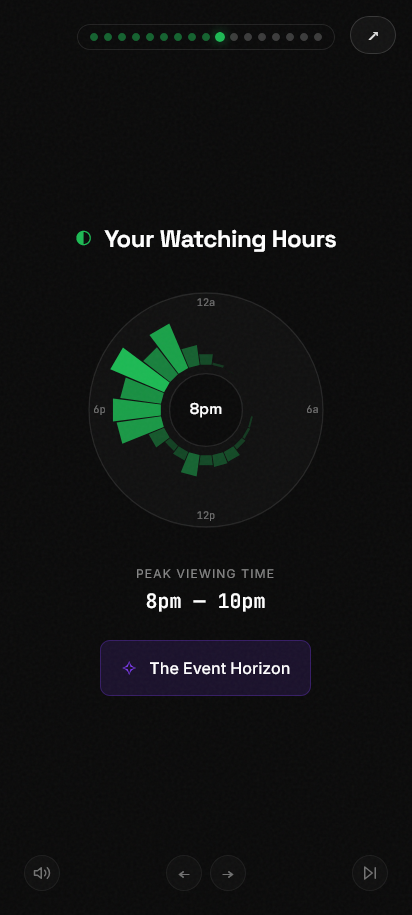
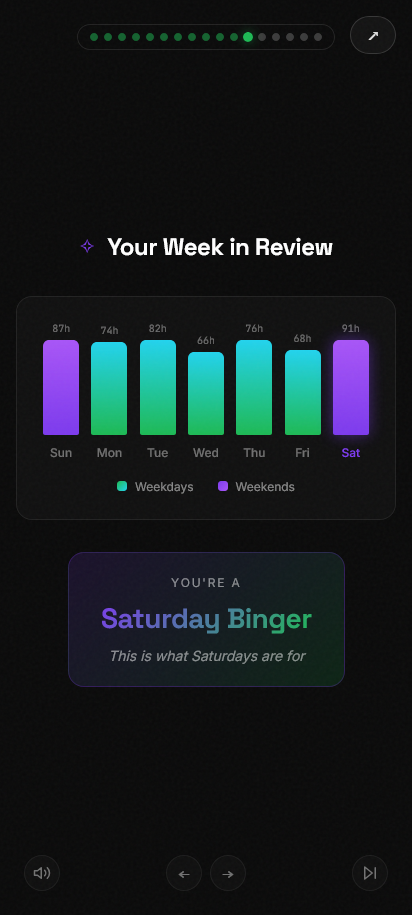
- Viewing Patterns - Peak hours and favorite days of the week
- Viewing Personality - Fun personality type based on your habits
- Binge Sessions - See your longest viewing marathons
- Monthly Journey - Track your viewing across the year
- Device breakdown - See which devices you watched on
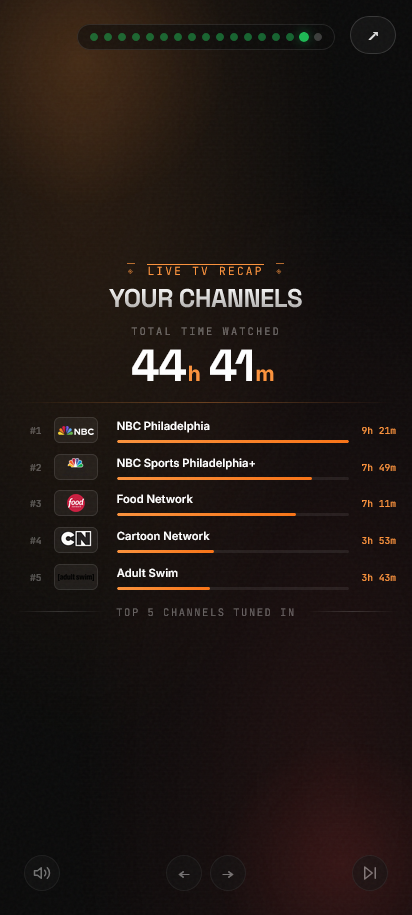
- Live TV - See Live TV time watched and top 5 channels
- Share Cards - Download individual stat cards to share
Screenshots
Requirements
Emby Server Setup
- Emby Server and API Key- Version 4.7+ recommended
- Go to Emby Dashboard → API Keys
- Create a new API key for "Emby Wrapped"
- Copy the key for configuration
- Playback Reporting Plugin (Required unless using Tracearr)
- Go to Emby Dashboard → Plugins → Catalog
- Search for "Playback Reporting"
- Install and restart Emby server
- This plugin tracks detailed playback history needed for stats
- Tracearr (optional)
- If you use Tracearr integration (
TRACEARR_URL+TRACEARR_API_KEY), Emby Wrapped can read playback history from Tracearr instead - If Tracearr usernames differ from current Emby usernames, use
TRACEARR_USERNAME_ALIASESto map old names to current names - If both the Playback Reporting Plugin and Tracearr are configured, Tracearr data will be used
- If you use Tracearr integration (
- Seerr (optional)
- Enable to view request stats
Quick Start with Docker (Recommended)
Option 1: Using Pre-built Image from GHCR (Easiest)
Pull the image from GitHub Container Registry and run:
- Create a directory for your setup:
mkdir emby-wrapped && cd emby-wrapped
- Create a
docker-compose.ymlfile:
version: '3.8'
services:
  emby-wrapped:
    image: ghcr.io/ctznsniiips/emby-wrapped:latest
    container_name: emby-wrapped
    ports:
      - "3003:3003"
    environment:
      - EMBY_URL=http://your-emby-server:8096
      - EMBY_API_KEY=your-api-key-here
      - TMDB_API_KEY=    # Optional: for enhanced poster images
      - SEERR_URL=       # Optional: Overseerr/Jellyseerr URL for request stats
      - SEERR_API_KEY=   # Optional: Overseerr/Jellyseerr API key
      - TRACEARR_URL=    # Optional: Tracearr URL (uses Tracearr history instead of Playback Reporting)
      - TRACEARR_API_KEY= # Optional: Tracearr public API key (format: trr_pub_*)
      - TRACEARR_USERNAME_ALIASES= # Optional: oldname1:newname1,oldname2:newname2
      - TRACEARR_PAGE_CONCURRENCY=4 # Optional: lower if Tracearr drops connections under load
      - PUBLIC_URL=      # Optional: for share links
      - CACHE_TTL=86400  # Optional
      - FILTER_USER_ID=  # Optional: filter by user's library
      - PORT=3003       # Optional: app listen port inside container
      - STATS_CACHE_DIR=/app/cache          # Optional: see Caching section below
      - CACHE_WARMUP_ENABLED=true            # Optional
      - CACHE_WARMUP_CONCURRENCY=1           # Optional
      - CACHE_WARMUP_DELAY_MS=1000           # Optional
      - CACHE_REFRESH_INTERVAL_MINUTES=15    # Optional
    volumes:
      - ./music:/app/static/music:ro  # Optional: custom background music
      - stats-cache:/app/cache        # Optional but recommended: persists the stats cache across restarts
    restart: unless-stopped

volumes:
  stats-cache:
- Run:
docker compose up -d
- Access at
http://localhost:3003
Updating
Pre-built image:
docker-compose pull && docker-compose up -d
Local Development
Prerequisites
- Node.js 18+
- npm or pnpm
Setup
- Clone the repository:
git clone https://github.com/ctznsniiips/emby-wrapped.git
cd emby-wrapped
- Install dependencies:
npm install
- Create environment file:
cp .env.example .env
- Edit
.envwith your Emby server details:
EMBY_URL=http://your-emby-server:8096
EMBY_API_KEY=your-api-key-here
- Start development server:
npm run dev
- Open
http://localhost:5173in your browser
Building for Production
npm run build
npm run preview
Configuration
| Variable | Description | Required |
|---|---|---|
EMBY_URL |
Full URL to your Emby server (e.g., http://192.168.1.100:8096) |
Yes |
EMBY_API_KEY |
API key from Emby Dashboard | Yes |
TMDB_API_KEY |
TMDB API key for enhanced poster images (get one free at themoviedb.org) | No |
SEERR_URL |
Seerr/Overseerr/Jellyseerr base URL for request stats (e.g., http://192.168.1.100:5055) |
No |
SEERR_API_KEY |
Seerr/Overseerr/Jellyseerr API key used to fetch requests (used with SEERR_URL) |
No |
TRACEARR_URL |
Tracearr base URL (e.g., http://192.168.1.100:3001). When set with TRACEARR_API_KEY, history data is pulled from Tracearr instead of Emby's Playback Reporting plugin. |
No |
TRACEARR_API_KEY |
Tracearr Public API key (trr_pub_*) used with TRACEARR_URL. |
No |
TRACEARR_USERNAME_ALIASES |
Optional case-insensitive username mapping for Tracearr-to-Emby matching after renames. Format: oldname1:newname1,oldname2:newname2. |
No |
TRACEARR_PAGE_CONCURRENCY |
How many Tracearr history pages to fetch concurrently per request (default: 4). Lower this if your Tracearr instance drops connections under sustained load. |
No |
PUBLIC_URL |
Public URL for share links (defaults to request origin) | No |
ANALYTICS_SCRIPT |
Analytics script tag (e.g., Umami, Plausible) to inject into page head | No |
FILTER_USER_ID |
Emby User ID to use for library filtering (useful for hiding NSFW content) | No |
CACHE_TTL |
Cache duration in seconds for statistics (default: 86400) | No |
PORT |
Server port used by the app/container (default: 3003). |
No |
STATS_CACHE_DIR |
Directory for the per-user stats cache. Point this at a mounted volume to survive restarts (default: /tmp/stats-cache in production, .cache/stats in dev — both wiped on restart). |
No |
CACHE_WARMUP_ENABLED |
Pre-generate the server-wide and per-user caches for every completed year/month at startup instead of computing lazily (default: true). |
No |
CACHE_WARMUP_CONCURRENCY |
How many users' stats to warm at once during startup warmup. Each user's warmup is itself a burst of several requests, so keep this low for a lightweight self-hosted Tracearr/Emby instance (default: 1). |
No |
CACHE_WARMUP_DELAY_MS |
Milliseconds to pause after each user's warmup before starting the next, per concurrent slot. Set to 0 to disable (default: 1000). |
No |
CACHE_REFRESH_INTERVAL_MINUTES |
How often to check for a newly-completed period and refresh the current, in-progress year and month in the background (default: 15). |
No |
Caching
Emby Wrapped caches two things so repeat visits (and other users looking at the same period) don't re-hit Emby/Tracearr/TMDB every time:
- Server-wide stats (the community cards) are cached in memory, shared by every visitor for a given period.
- Per-user stats (your personal Wrapped cards) are cached to disk, one JSON file per
userId/period, underSTATS_CACHE_DIR.
A completed year or month can't change, so once it's cached it's kept indefinitely; only the current, in-progress period gets a short TTL. On startup, both caches are pre-generated for every completed period in the background (this doesn't block the app from serving requests), and a recurring job keeps the current period warm and picks up newly-completed periods as months/years roll over. This behavior can be tuned or disabled with the CACHE_WARMUP_* variables above.
The recurring refresh force-refreshes both "current year" and current month, for both server-wide and per-user stats, on every tick. That's safe because both decompose a year into per-month buckets and cache each completed month indefinitely (server-wide in serverStatsCache.ts, per-user in userActivityCache.ts) — refreshing "current year" only ever re-fetches the still-open month, never the whole year-to-date range, no matter how far into the year it is. Earlier versions of this feature fetched a user's entire year-to-date history on every refresh with no partial caching, which was expensive enough to keep a self-hosted Tracearr/Emby instance busy continuously if refreshed often, or left a real visitor to pay for a ~30 second cold recompute if refreshed rarely; the per-month cache removes both problems by making the refresh cheap enough to run on the same schedule as everything else. The warmup and recurring refresh also can't overlap: if a pass is still running when the next is due, the next one is skipped rather than stacking on top of it (this is logged as [cache-warmup] Skipping ... a previous warmup/refresh pass is still running).
If you use Tracearr for history instead of Emby's Playback Reporting plugin: each user's stats computation already dedupes its own two internal history fetches into one, but warming many users still means many separate full-history requests against Tracearr in a short window. CACHE_WARMUP_CONCURRENCY and CACHE_WARMUP_DELAY_MS default to conservative values (1 user at a time, 1s between users) for this reason. A single history fetch can also burst several concurrent page requests on its own (TRACEARR_PAGE_CONCURRENCY, default 4) if there's a lot of history to paginate through — independent of the warmup's own pacing. Transient network failures (ECONNRESET, a closed socket) are retried automatically a couple of times before giving up; a clean 500 response is not, since retrying won't fix an application error. If warmup logs still show Tracearr errors after that, it's Tracearr struggling with the sustained load rather than a burst — try lowering TRACEARR_PAGE_CONCURRENCY, raising CACHE_WARMUP_DELAY_MS, or checking Tracearr's own logs for why it's rejecting requests.
Both caches reset on container restart unless you mount a volume for STATS_CACHE_DIR (the in-memory server-wide cache always resets — that's unavoidable for an in-memory cache — but it re-warms quickly since the warmup runs again at boot). Without a mounted volume, the per-user cache falls back to the container's writable tmpfs (/tmp) or, in the default docker-compose.yml, the stats-cache named volume shown above — either way it's rebuilt from scratch by the startup warmup after every restart. Mounting a persistent volume at /app/cache (the default in the compose example) avoids that full re-warm and keeps stats instantly available immediately after a restart.
Background Music
Emby Wrapped supports custom background music during the presentation. To add your own tracks:
- Create a
static/music/directory in the project - Add MP3 files to the directory
- Music will automatically play during the wrapped experience
For Docker deployments, mount a volume to /app/static/music/ (see docker-compose example).
Usage
General use
- Navigate to the app in your browser
- Log in using an Emby username and password for your Emby instance
- Select the time period (Year or Month) you want to view
- Enjoy your personalized Emby Wrapped experience!
- Use the Share button on any card to download it as an image
URL parameters
Provide time-specific URLs for your users
Add ?YYYY or ?MM-YYYY to your url to pre-select the time period where MM is the 2 digit month and YYYY is the 4 digit year
Example
http://yourip:3003?2025- will pre-select the year 2025 review after the user logs in
Tech Stack
- Framework: SvelteKit
- Styling: Tailwind CSS
- Animations: CSS animations + Svelte transitions
- Image Capture: html2canvas
- Fonts: Space Grotesk, JetBrains Mono
Security Considerations
- API keys are stored server-side only and never exposed to the client
- All Emby API requests are proxied through the server
- No user data is stored - stats are fetched fresh each time
- CORS is handled server-side
Troubleshooting
"No users found"
- Verify your
EMBY_URLis correct and accessible - Check that your
EMBY_API_KEYhas sufficient permissions
Stats seem incomplete
- Make sure the Playback Reporting plugin is installed (or that Tracearr is running and configured)
- The plugin needs time to collect data - it only tracks plays after installation
- Check the date range - Emby Wrapped shows current year stats
Images not loading
- Ensure your Emby server is accessible from the Emby Wrapped container/server
- Check for any firewall rules blocking the connection
Contributing
Contributions are welcome! Feel free to submit a Pull Request. Please base any PRs on the beta branch.
License
This project is licensed under the MIT License - see the LICENSE file for details.
Acknowledgments
- Thanks to davidtorcivia for the original emby-wrapped-ftp
- Additional thanks to tonghongte for their emby-wrapped-ftp fork
- Inspired by Spotify Wrapped
- Built for the Emby community
- Uses the Emby API for data retrieval
- Additional thanks to Tracearr and Seerr project contributors
Media gallery
1 / 3Requirements
Tracearr (recommended but optional - https://github.com/connorgallopo/tracearr)
Categories
Related apps
Explore more like this
Explore allDetails
ghcr.io/ctznsniiips/emby-wrapped:latestRuntime arguments
- Web UI
http://[IP]:[PORT:3003]/- Network
bridge- Shell
sh- Privileged
- false
Template configuration
- Target
- 3003
- Default
- 3003
- Value
- 3003
Required
Required
Optional: custom background music
- Target
- /app/static/music
- Value
- /mnt/user/appdata/embywrapped/music
Optional: for enhanced poster images
Optional: for share links
Optional: Jellyseerr/Seerr URL for request stats
Optional: Jellyseerr/Seerr API key
Optional: Tracearr URL (uses Tracearr history instead of Playback Reporting)
Optional: Tracearr public API key (format: trr_pub_*)
Optional case-insensitive username mapping for Tracearr-to-Emby matching after renames. Format: oldname1:newname1,oldname2:newname2