
All apps · 0 apps
emby-insights
Docker app from mrt187's Repository
Overview
Readme
View on GitHubEmby Insights
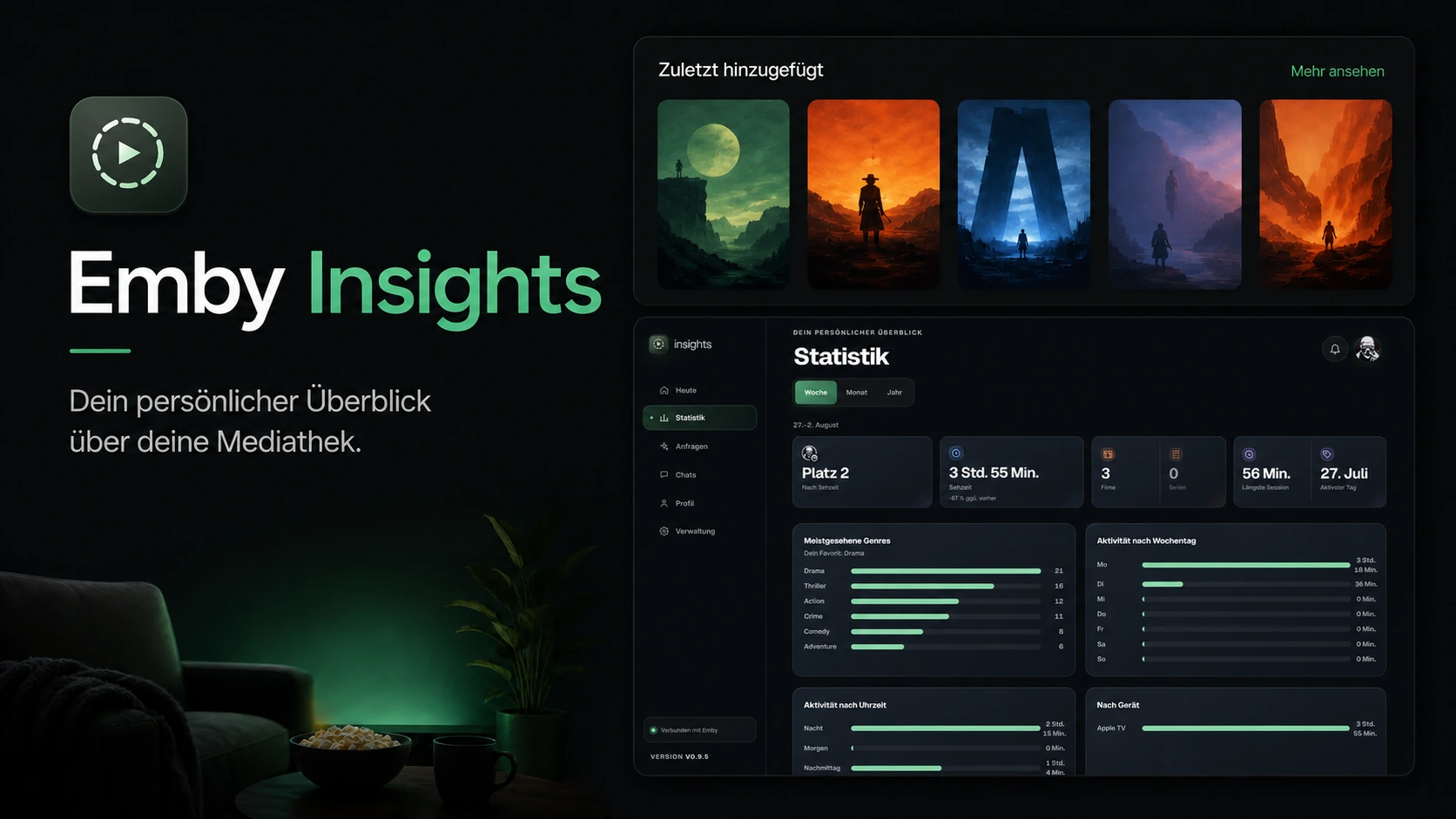
A personal, mobile-first media dashboard for Emby users. Emby Insights complements the player instead of replacing it: personal statistics, your own media requests, upcoming releases, and notifications all in one place.
Current release: v0.17.0
Features
- Emby login with protected sessions
- Personal playback statistics: genres, weekdays, watch hours, longest sessions, most active days
- Detail view per title with description, cast, rating, and personal status
- Home cards: My Week, Coming Soon, Requests, New For You
- Requests page with discover lists from Seerr and TMDB
- Push notifications for new episodes, available requests, and messages
- All-in-one Docker container with backend, PostgreSQL, and Redis
- English and German UI, selectable by the admin
What each part needs
Only Emby itself is required. Everything else is optional and switched on individually — features whose source is missing are hidden rather than shown broken, so a minimal install is a working install.
| To get this | You need |
|---|---|
| Login, home cards, watched/completed lists, detail views, ratings, watchlist, messages | An Emby server and an Emby admin API key |
| Statistics page: watch time, rank, devices, hours, weekdays, longest session, most active day | The Playback Reporting plugin (from Emby's own plugin catalogue) and the Emby Insights Plugin, both installed on the Emby server. Playback Reporting records the sessions; the Emby Insights Plugin exposes them per user. Without both, the Statistics page stays empty |
| Coming Soon and cinema dates for movies | Radarr |
| Air dates for series, and the next-up episode in the progress list | Sonarr |
| Regional release dates, and requesting a series straight from the calendar — Sonarr on its own only yields a TVDB id | A TMDB API key |
| Requests page, discover lists, and requesting titles | Seerr (Jellyseerr or Overseerr) |
| IMDb and Rotten Tomatoes ratings on the detail screen | An OMDb API key |
| Genre breakdown by plays, unfinished titles, transcode share, household watchers | Tracearr |
| Push notifications | Turned on in the admin UI — no setup needed, see below |
Only Emby's address and admin key are set in the environment. Everything else — which services are enabled, their addresses and keys, push notifications, and the library selection — is configured in the admin UI after the first login. The first Emby account to log in successfully becomes the administrator.
Installation
Create a directory, put both files below in it, fill in .env, then start:
docker compose up -d
The UI is then at http://your-host:8081.
docker-compose.yml
name: emby-insights

services:
  emby-insights:
    image: ${EMBY_INSIGHTS_IMAGE:?set EMBY_INSIGHTS_IMAGE in .env}
    pull_policy: always
    container_name: emby-insights
    restart: unless-stopped
    env_file:
      - .env
    ports:
      - "${EMBY_INSIGHTS_PORT:-8081}:8080"
    volumes:
      - ./config:/config
.env
EMBY_INSIGHTS_IMAGE=ghcr.io/mrt187/emby-insights:latest
EMBY_INSIGHTS_PORT=8081
LISTEN_ADDRESS=:8080

# Own long value. Do not change it after the first start.
POSTGRES_PASSWORD=change-me
# Generate with: openssl rand -base64 32
APP_ENCRYPTION_KEY=

EMBY_BASE_URL=http://your-emby-host:8096/emby
EMBY_ADMIN_API_KEY=replace-with-an-Emby-admin-api-key

# false only when accessed over plain HTTP without TLS.
COOKIE_SECURE=true
#TRUSTED_PROXIES=

#PUSH_POLL_INTERVAL=20m
What each variable means: docker/all-in-one/README.md.
Push notifications: turn them on under Verwaltung → Push-Benachrichtigungen — the keypair is generated automatically the first time, nothing to configure by hand.
Emby passwords are never stored. After login only the temporary Emby access token lives in Redis. The Emby device ID is generated on first start and kept in PostgreSQL.
License
MIT.
Development note
This project was built with AI-assisted programming tools.
Media gallery
Install emby-insights on Unraid in a few clicks.
Find emby-insights in Community Apps on your Unraid server, review the template, and click Install. Unraid handles the Docker app or plugin setup from the published template.
Requirements
Needs a reachable Emby server (EMBY_BASE_URL) and an Emby admin API key (EMBY_ADMIN_API_KEY,
created in Emby under Dashboard -> Advanced -> API Keys). For personal statistics, the
companion Emby Insights Plugin must also be installed on the Emby server.
Categories
Related apps
Explore more like this
Explore allDetails
ghcr.io/mrt187/emby-insights:latestRuntime arguments
- Web UI
http://[IP]:[PORT:8080]- Network
bridge- Shell
sh- Privileged
- false
Template configuration
Host port for the Emby Insights web UI.
- Target
- 8080
- Default
- 8081
Persistent storage: bundled PostgreSQL database and Redis session store.
- Target
- /config
- Default
- /mnt/user/appdata/emby-insights
Emby server address, including /emby (e.g. http://192.168.1.10:8096/emby).
Emby API key: Emby Dashboard -> Advanced -> Security -> API Keys.
Password for the bundled PostgreSQL database. Set it once on first start and never change it afterwards, or the database becomes inaccessible.
Generate once with 'openssl rand -base64 32' and keep it stable. Encrypts stored API keys for Seerr/Radarr/Sonarr/TMDB; if lost, those become unreadable.
Keep true if you access Emby Insights via HTTPS (e.g. behind a reverse proxy). Set to false ONLY if you access it over plain HTTP without TLS - otherwise the browser silently drops the session cookie and the UI looks logged out / shows no data.
- Default
- true
Comma-separated IPs/CIDRs of an upstream reverse proxy allowed to set X-Forwarded-For. Leave empty if the container is reached directly.