
All apps · 0 apps

DVarr
Docker app from haydenw22's Repository
Overview
DVarr is a reliability-first, self-hosted IPTV sports DVR with one overriding job: never miss a can't-miss live sports event. It watches the leagues you follow on TheSportsDB, maps them to your IPTV channels, and records every event automatically.
- Bulletproof recorder: supervised, segmented MPEG-TS capture (-c copy) that relaunches on stall and concatenates losslessly, so a feed blip costs you the blip, not the event.
- League automation: follow a whole league, just one team, or (motorsport) only the sessions you care about. Events, posters and season data sync from TheSportsDB.
- Smart auto-stop: near the scheduled end DVarr polls the live score and extends the recording in 15-minute steps while play continues, so extra time and penalty shoot-outs land in the file.
- Match-aware channel picking: an hour before start it re-checks the EPG and records from the channel actually showing your event; ranked fallbacks fail over automatically.
- Integrations: Plex custom metadata provider, Sonarr-v3-compatible API for Prowlarr, Home Assistant status endpoint, token-secured ICS calendar feed, credential-free M3U/XMLTV export, and a mobile PWA.
First run: open the WebUI on port 1867 and sign in with the username/password you set below (defaults user/password, which the container warns about until changed). Then add a TheSportsDB API key, add your IPTV source, ingest channels + EPG, follow a league, and map it to channels. Full setup guide: https://github.com/haydenw22/DVarr#full-setup-guide
GPU is optional: recording capture never needs one; only the in-browser live preview transcodes. To enable it, add --runtime=nvidia to Extra Parameters, install the Unraid Nvidia Driver plugin, and set the NVIDIA_* variables (shown under Advanced).
Readme
View on GitHub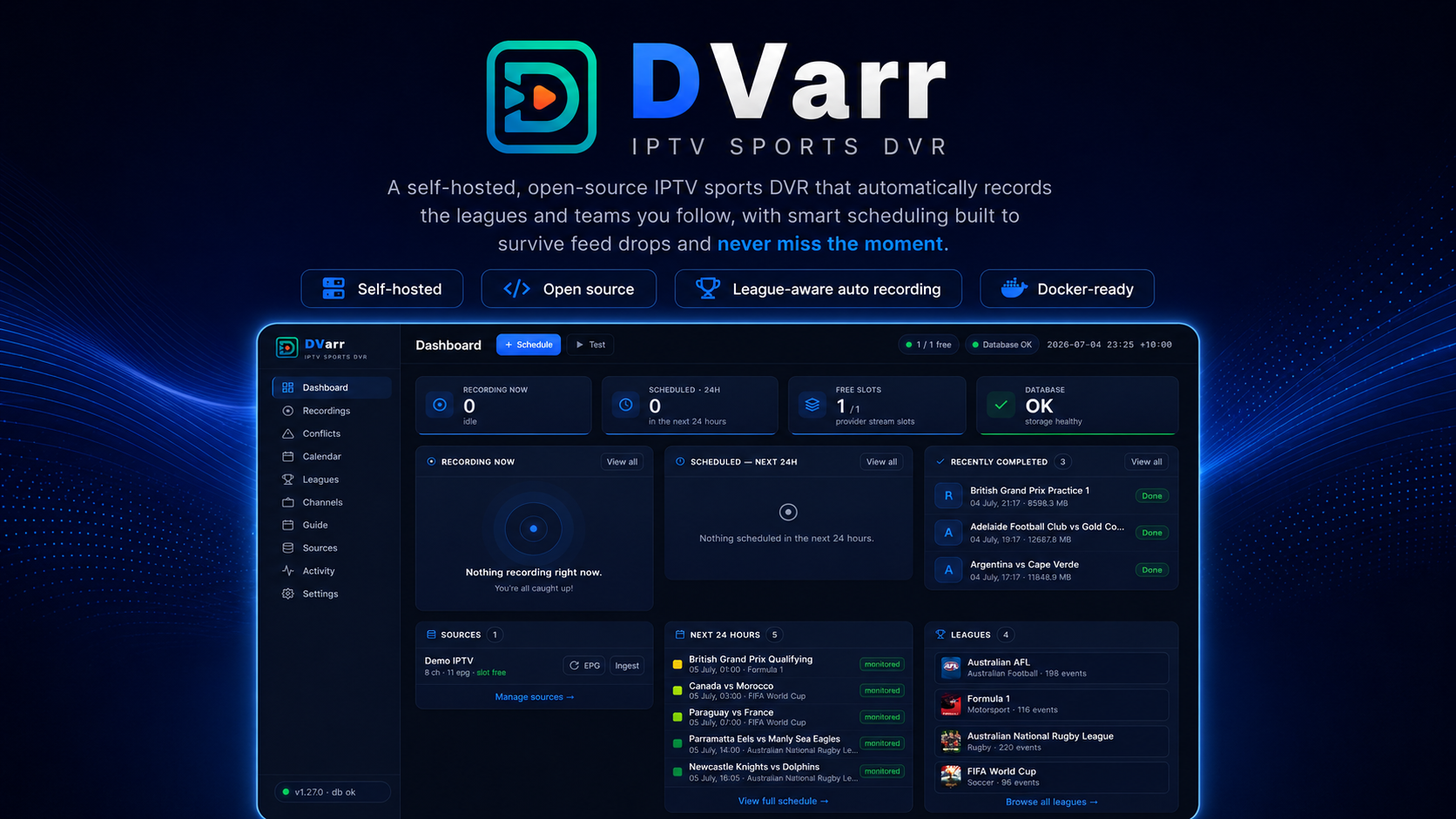







DVarr watches the leagues you follow on TheSportsDB, maps them to your IPTV channels, and records every event automatically — with a recorder built to survive feed drops, a scheduler that plans around your provider's stream limits, and guide intelligence that picks the channel actually showing each game.
Highlights
- Bulletproof recorder — supervised, segmented MPEG-TS capture (
-c copy) that relaunches on stall and concatenates losslessly. A feed blip costs you the blip, not the event. GPU-accelerated dead-feed detection spots a channel stuck on a black/frozen slate and fails over to the next ranked channel. - League automation — add a league once; events, posters and season data sync from TheSportsDB. Follow a whole league, just one team (only their fixtures are scheduled), or — for motorsport — exactly the sessions you care about (Qualifying + Race, skip the practice grind).
- Sport-aware recording lengths — an F1 practice, qualifying or sprint session books an hour; the race keeps a full three-hour window. Five resolution tiers mean a sensible default always exists and your override always wins.
- Smart auto-stop + chapter markers — near the scheduled end, DVarr watches the live match status (never the scoreline) and extends the recording in 15-minute steps while play continues. Extra time and penalty shoot-outs land in the file — even at 0-0 — and a race ending is never trimmed. The same live tracking embeds chapters (Kick-off, Half-time, Extra time, Penalty shoot-out, Full time) into every finished recording, readable natively by Plex, Jellyfin, Kodi and VLC.
- Match-aware channel picking — mappings are ranked fallbacks with optional pinning, and can be scoped to a single team for leagues where each club airs on its own channel — one mapping per team, no guesswork. From 48 hours out, DVarr re-checks the EPG (refreshing it if stale) and re-picks the channel actually showing your event, so a late move to a national broadcaster can't hijack the recording.
- Works out of the box — the official image ships with a built-in TheSportsDB key (no sign-up needed), and every time in the app follows your Display timezone setting, wherever in the world you and your server are.
- A real library — finished recordings graduate to a Library page organised the way Plex/Jellyfin see them (league → season → game), showing exactly what's physically on the drive: sizes, quality, duration, free disk space. Watch any file in the browser, delete it (file + artwork + emptied folders) with one click, and a reconciling disk scan adopts files DVarr didn't create and flags files that vanished. You can even watch a recording while it's still recording — played from the capture on disk, so it never costs a provider stream slot.
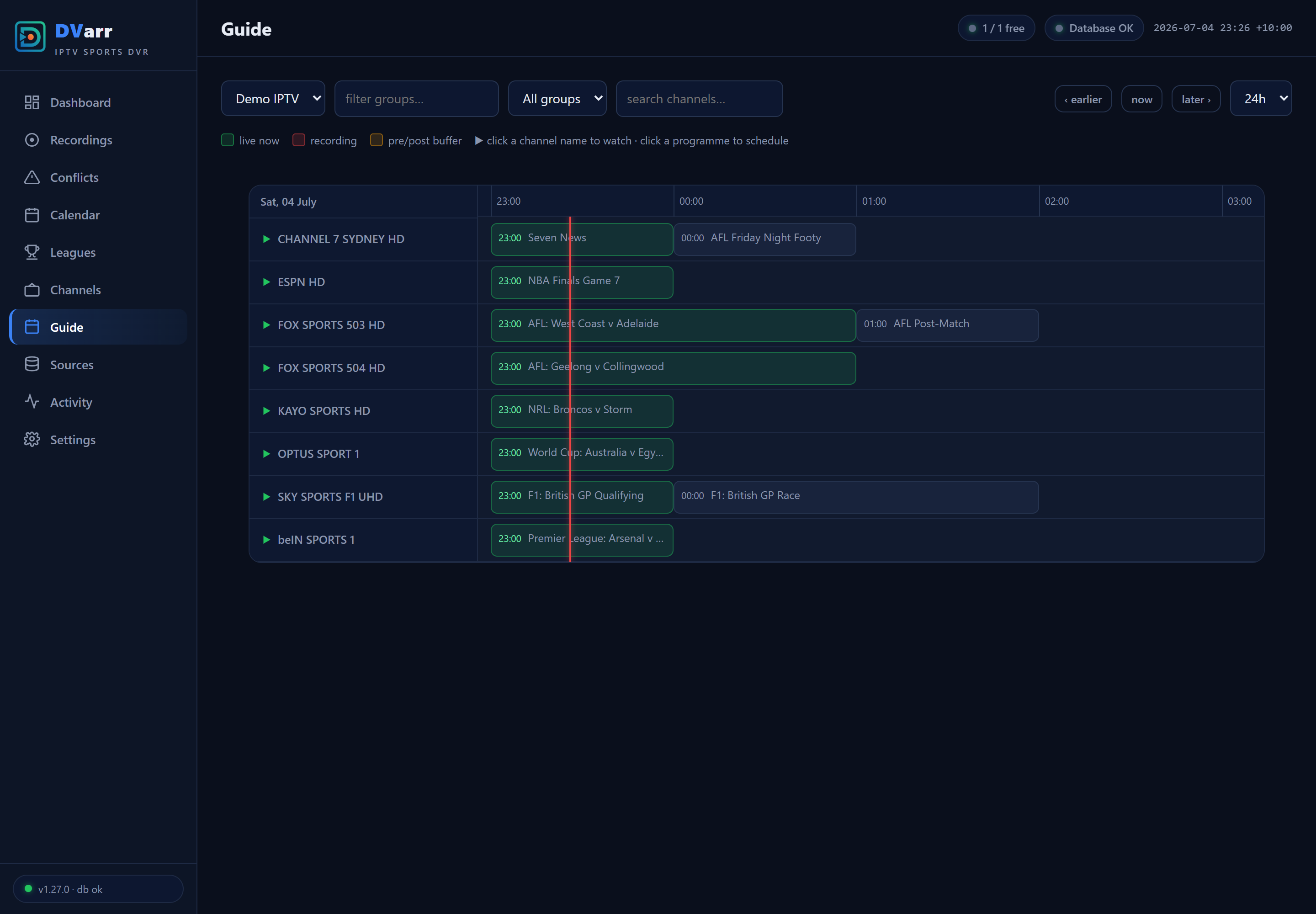
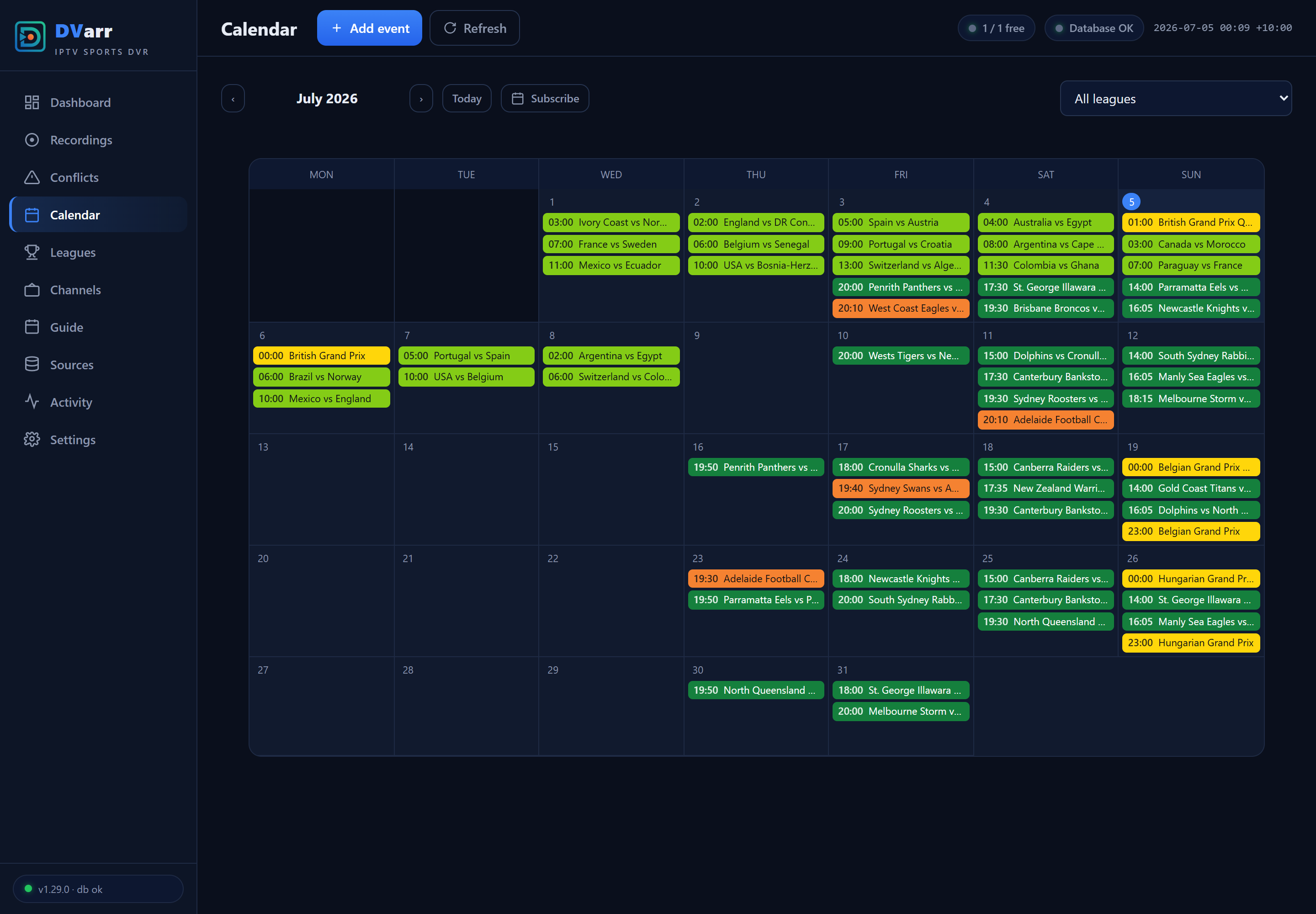
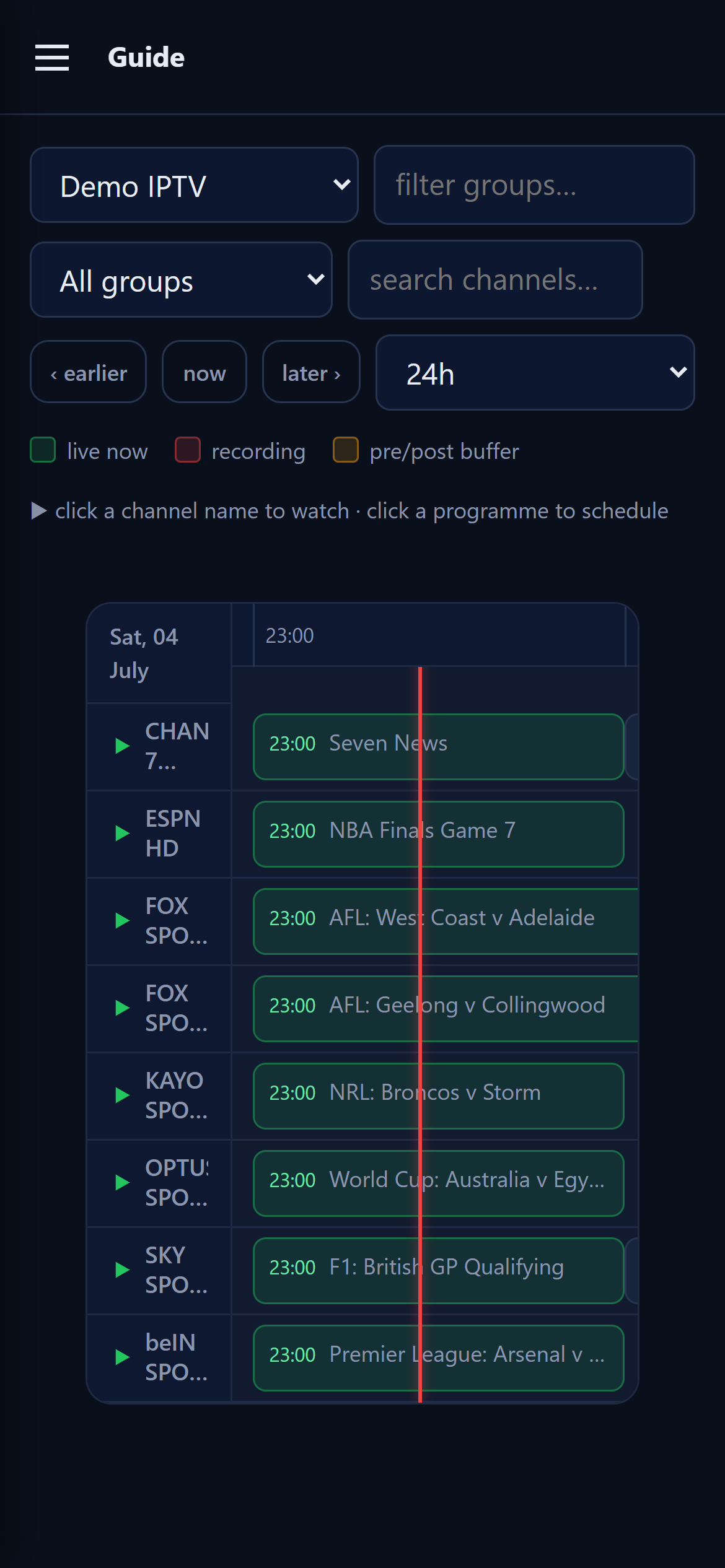
- Guide + calendar — a fast EPG grid (click a programme to schedule it), a monthly calendar of everything followed, and a token-secured ICS feed you can subscribe to from Google Calendar.
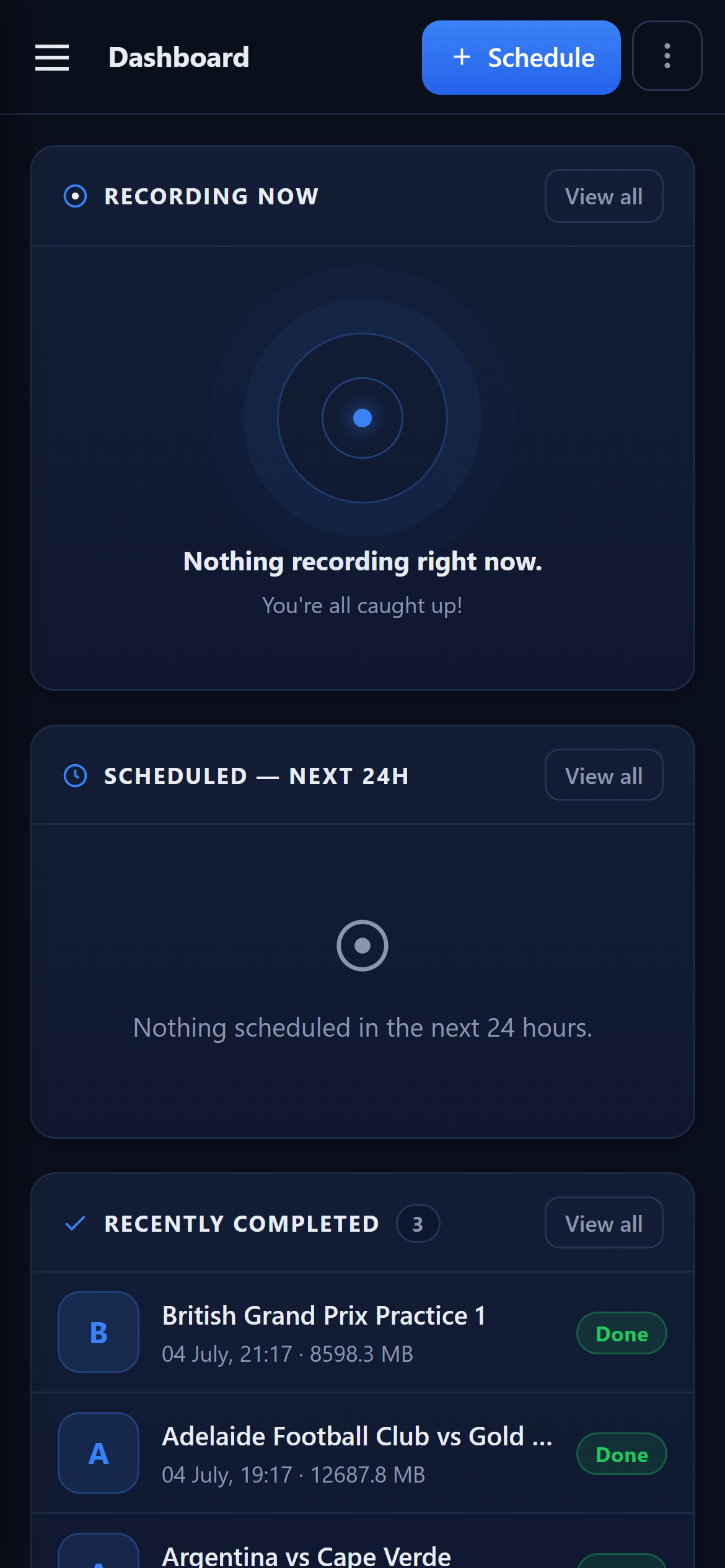
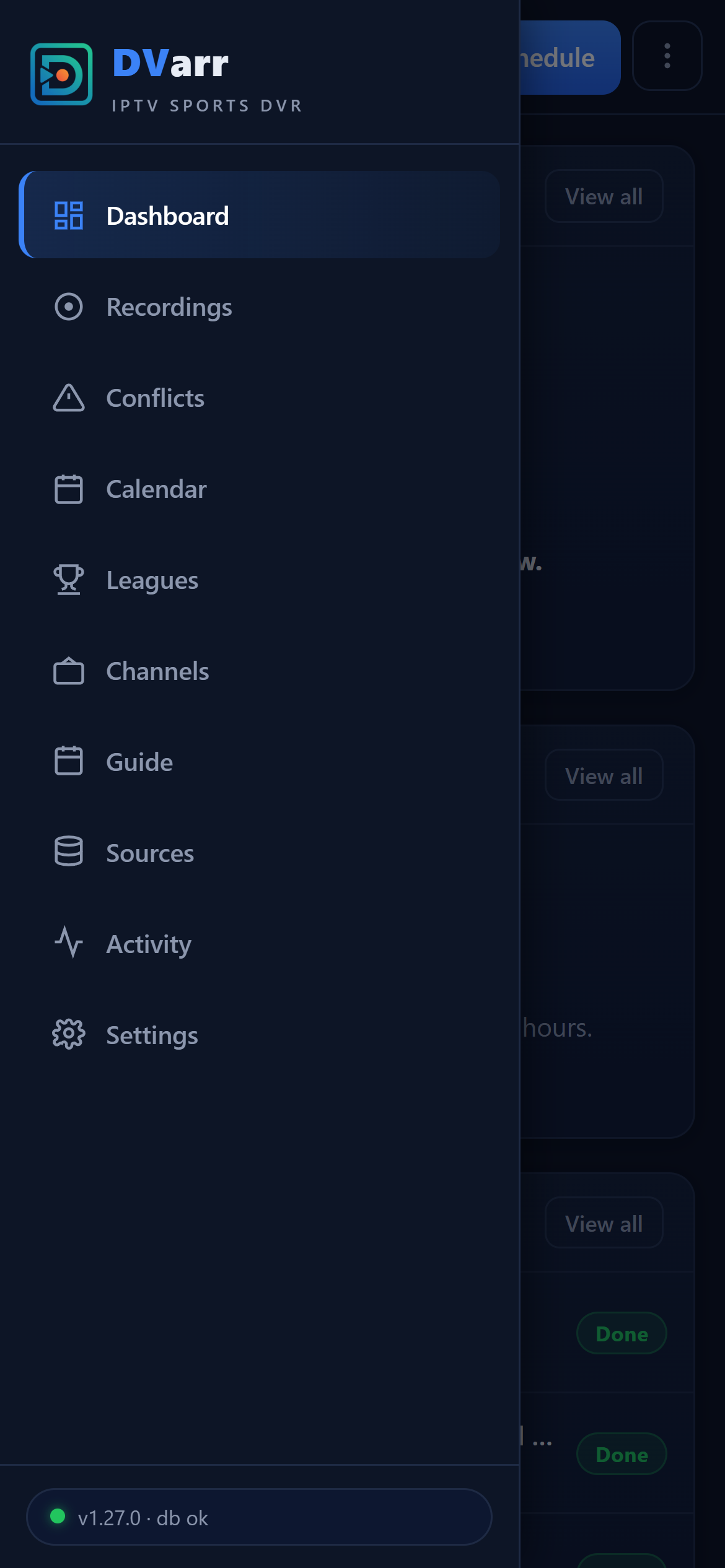
- Mobile PWA — install it on your phone; drawer navigation, card layouts and touch-sized controls, with zero functionality lost.
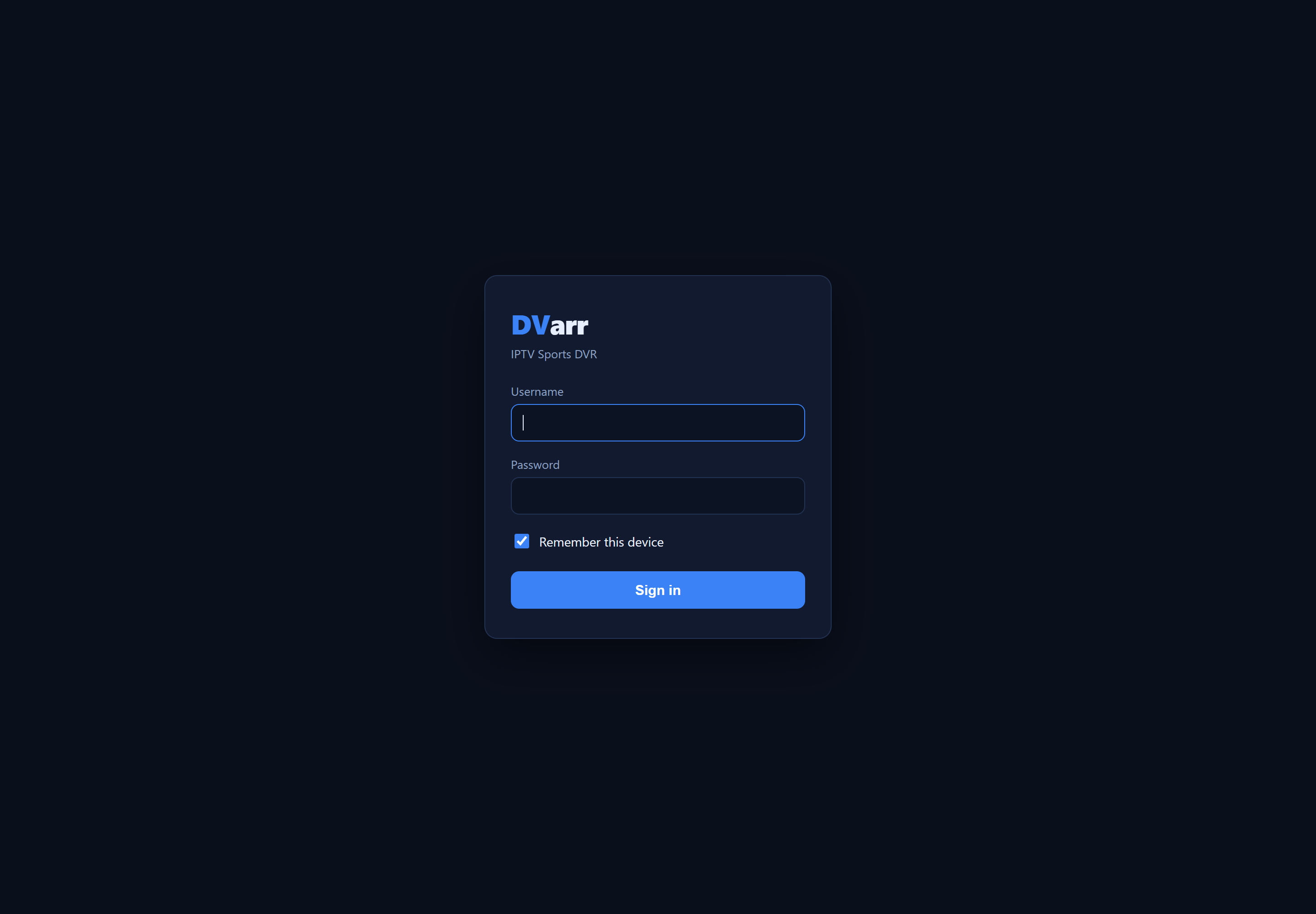
- Login with trusted devices — HTTP Basic for scripts and automations, a cookie login page for browsers (180-day trusted devices), credentials set via Docker env vars, and a rate-limited login endpoint. Machine-to-machine surfaces (Plex, Home Assistant, IPTV export, health) carry their own tokens and stay reachable.
- Integrations — Plex custom metadata provider, Jellyfin/Emby-ready NFO + artwork on every filed recording, Sonarr-v3-compatible API, Home Assistant status endpoint, credential-free M3U/XMLTV export for LAN IPTV players.
Screenshots
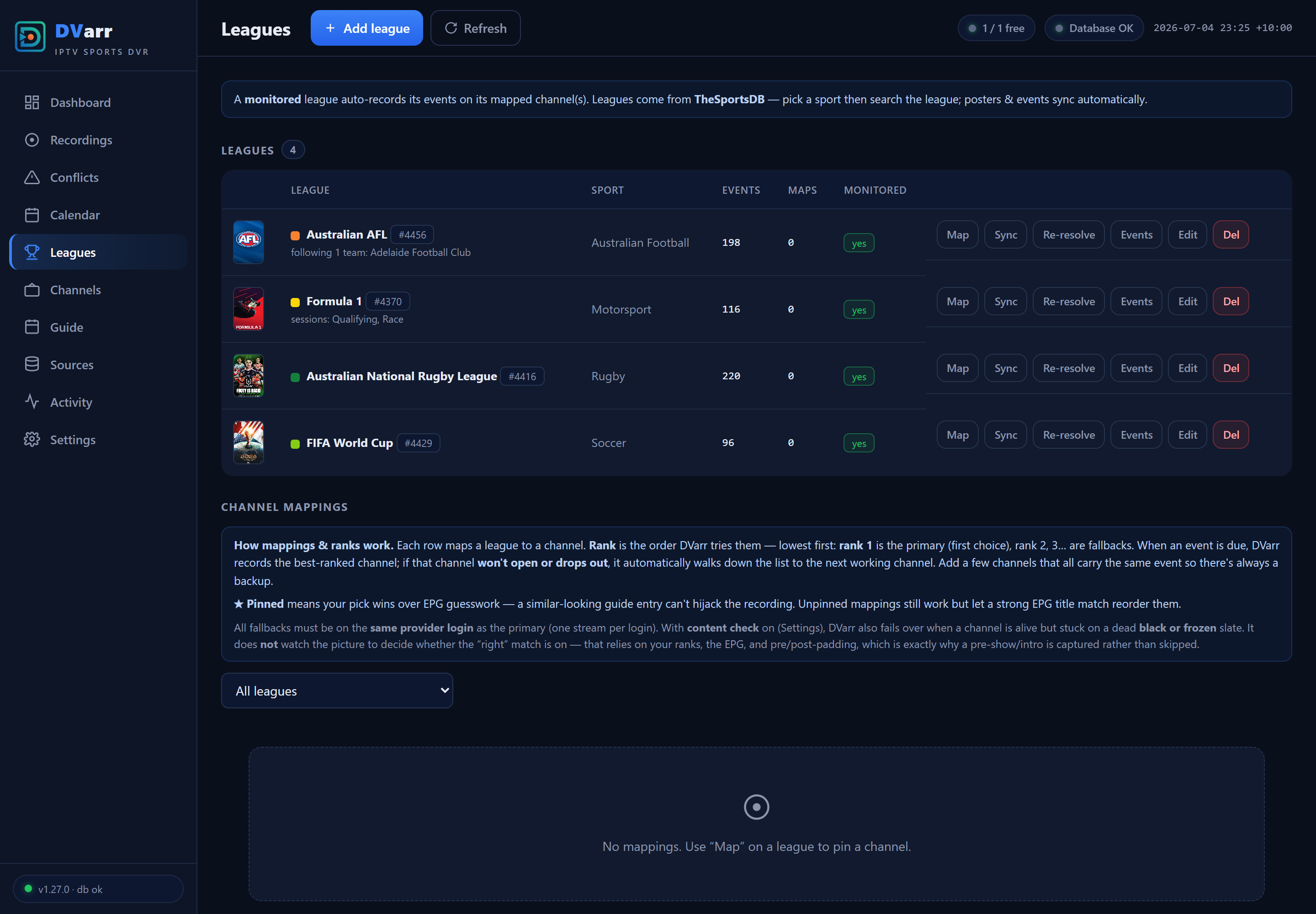
Leagues — every league's mapped channels in one place; map a whole league or a single team, and drag the grip to reorder priority
Guide — click a programme to schedule it
Calendar — every followed event at a glance (one-click ICS subscribe for Google/Apple Calendar)
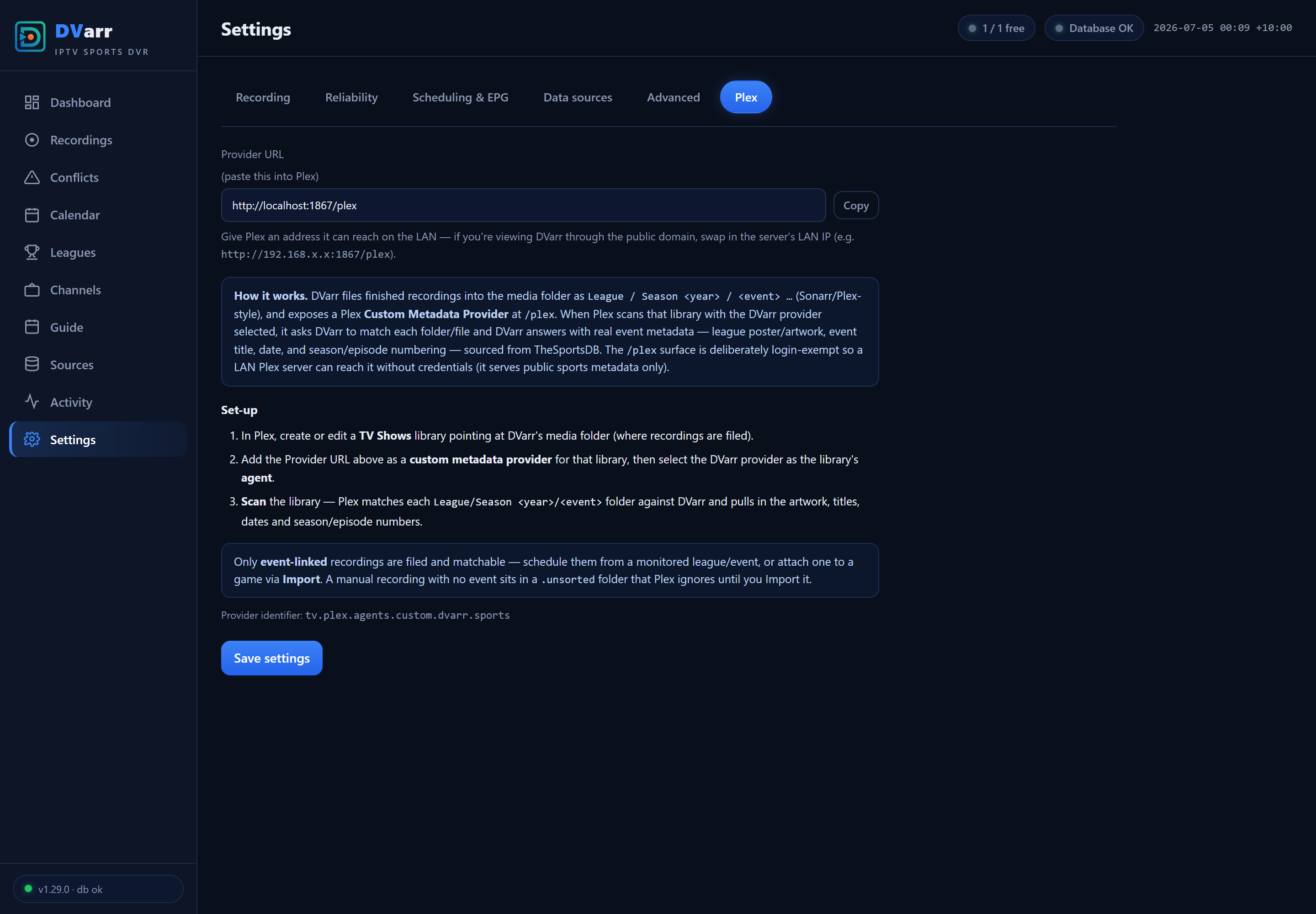
Plex — a built-in metadata provider, explained right in Settings
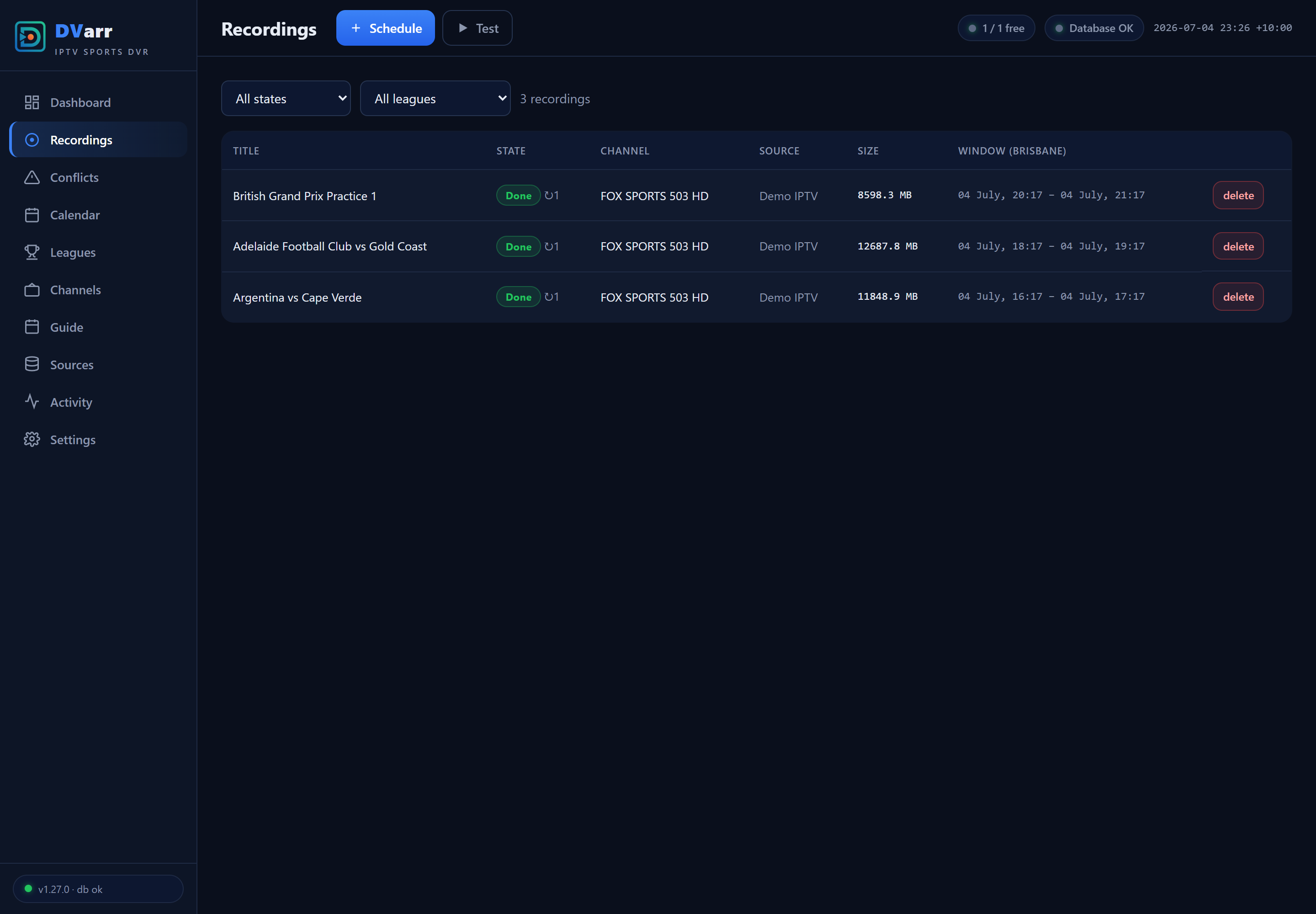
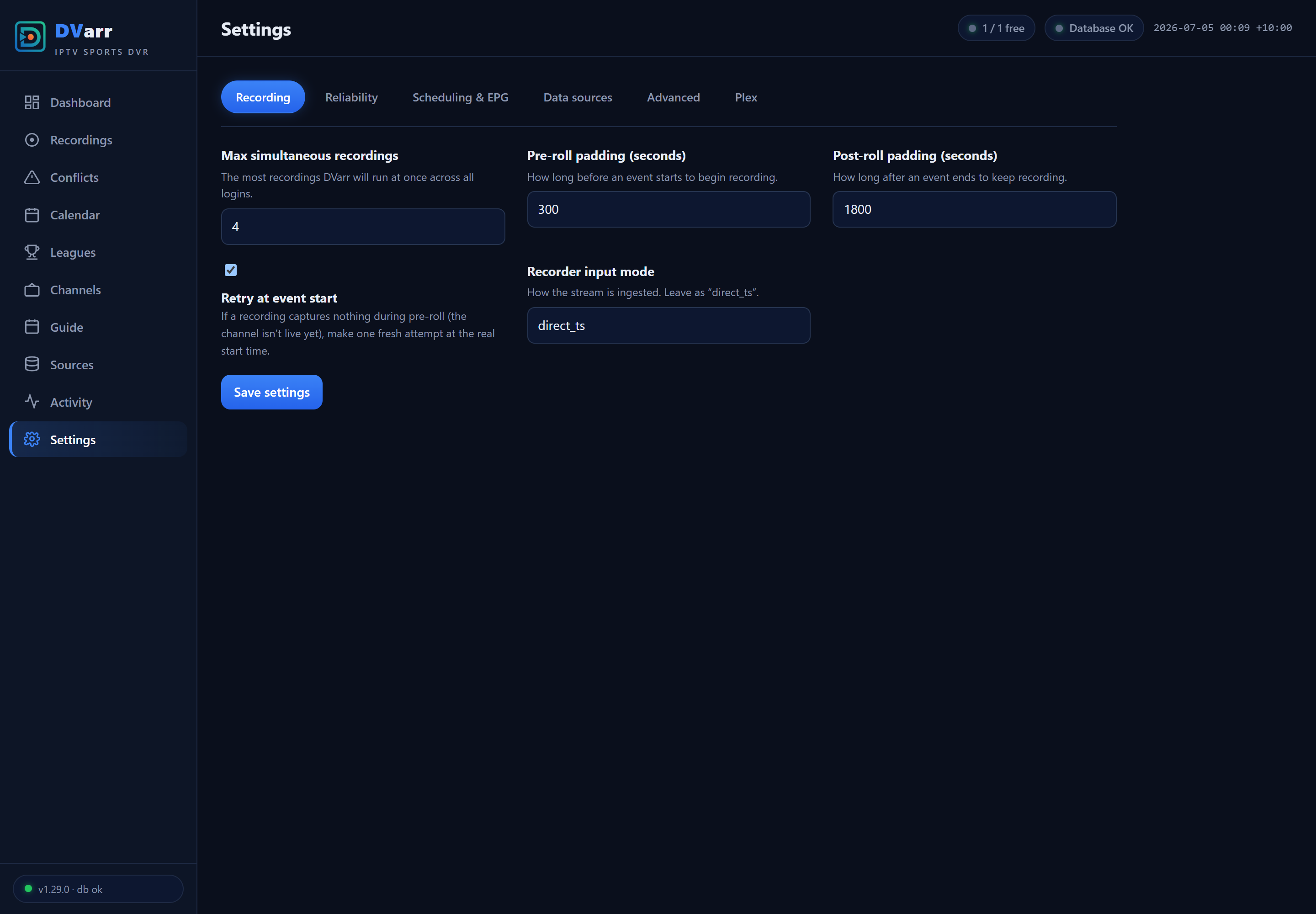
Recordings & Settings
| Recordings | Settings |
|---|---|
 |
 |
Mobile PWA
| Dashboard | Drawer | Guide |
|---|---|---|
 |
 |
 |
Login — trusted devices stay signed in for 180 days
Install
Unraid (Community Apps) — the easy way
DVarr is on Unraid Community Apps: open the Apps tab, search DVarr, install, and set the three paths — /config → appdata; /media → your sports library; /segments → a hidden scratch path outside your media library (e.g. /mnt/user/media/.dvarr-segments, see the folder note below) — plus your web-UI username and password. Updates arrive through Unraid's normal container-update flow.
Docker / Docker Compose
The official image is on GHCR (and includes the built-in TheSportsDB key):
docker pull ghcr.io/haydenw22/dvarr:latest
services:
  dvarr:
    image: ghcr.io/haydenw22/dvarr:latest
    container_name: DVarr
    restart: unless-stopped
    ports:
      - "1867:1867"
    environment:
      - DVARR_AUTH_USER=${DVARR_AUTH_USER:-user}
      - DVARR_AUTH_PASS=${DVARR_AUTH_PASS:-password}
    volumes:
      - /path/to/appdata:/config
      - /path/to/media:/media
      - /path/to/segments:/segments
Put real credentials in an untracked .env file next to the compose file:
DVARR_AUTH_USER=yourname
DVARR_AUTH_PASS=a-long-random-password
| Mount | Purpose |
|---|---|
/config |
SQLite DB + settings — small; put it on a fast disk (SSD/NVMe) |
/media |
Finished recordings, filed into Plex/Jellyfin-scannable League / Season / Event show folders |
/segments |
In-flight capture scratch (several GB per recording), auto-cleaned after each recording finalizes |
⚠ Keep
/segmentsout of the folder your media server scans. Putting it on the same filesystem as/mediais ideal — finalizing a recording becomes an instant move instead of a copy — but point it at a hidden or sibling path, e.g./mnt/user/media/.dvarr-segments(the leading dot hides it from Plex/Jellyfin). Do not nest it inside your media library (like.../sports/segments); if you do, it turns up as a bogus "segments" entry in Plex/Jellyfin.
What DVarr puts in
/media: only your league show folders, a hidden.unsortedstaging folder (recordings it couldn't match to an event), and — briefly, while a recording finalizes — a flat.mkvat the root before it's filed. It creates nothing else, so any other folder you see there came from somewhere else (a previous DVR app, or your media server's own Live-TV/DVR recording path pointed at the same folder).
Provider model: typical IPTV providers allow one stream per login, so DVarr's concurrency comes from multiple credentials (one tuner slot each). Fallback channels are structurally restricted to the same login — the schema itself rejects a cross-credential fallback.
Build from source
The repo's docker-compose.yml builds the multi-stage Dockerfile (the .NET app + bundled ffmpeg) locally:
git clone https://github.com/haydenw22/DVarr.git
cd DVarr
# edit docker-compose.yml volume paths, then:
docker compose up -d --build
# UI → http://<host>:1867   ·   health → http://<host>:1867/api/health
A locally-built image doesn't include the bundled TheSportsDB key — paste your own under Settings → Data sources, or supply DVARR_TSDB_API_KEY in the environment.
Full setup guide
Five steps from empty container to fully automatic sports DVR: log in → add your IPTV source → ingest channels + EPG → add a league → map it to channels. Everything after that — event sync, scheduling, conflict planning, recording, filing for Plex — is automatic.
League data works out of the box: the official image ships with a built-in TheSportsDB key, so the full catalogue and fixture sync need no sign-up. Prefer your own premium (v2) key? Paste it under Settings → Data sources → TheSportsDB API key and it takes over.
1 · First login
Browse to http://<host>:1867. Sign in with the credentials you configured (defaults are user / password — the container log warns until you change them). Tick Trust this device and the cookie lasts 180 days.
While you're there, set Settings → Data sources → Display timezone to your IANA zone (e.g. America/New_York). Every time in the app — calendar, guide, recording windows — plus recording file dates and Plex air dates follow it, applied the moment you save.
2 · Add your IPTV source
Sources → Add source, then fill in the details from your IPTV provider:
| Field | What to enter |
|---|---|
| Label | Any name, e.g. My IPTV (login 1) |
| Type | xtream for Xtream-codes providers (the common case), or m3u |
| Protocol / Host / Port | From your provider's URL, e.g. http · provider.example.com · 8080 |
| Username / Password | Your IPTV login |
| Max streams | How many concurrent streams this login allows (usually 1) |
| External EPG URL (optional) | A full XMLTV URL (https://…/epg.xml.gz) if you prefer an external guide over the provider's built-in one — tick the override checkbox to make it win |
| User-Agent (optional) | Only if your provider requires a specific player UA |
Save, then on the source's row click:
- Ingest — pulls the full channel list (uses one stream slot briefly). Channels land on the Channels page, filterable by provider group.
- EPG — pulls the TV guide (from the provider's XMLTV, or your external URL). The toast reports how many programmes matched how many channels.
Have multiple logins with the same provider? Add each as its own source — each becomes a tuner slot, and DVarr spreads simultaneous recordings across them.
3 · Keep the EPG fresh (recommended)
Settings → Scheduling & EPG:
- Auto-sync enabled — refreshes every source's guide once a day.
- EPG sync time / timezone — pick a quiet hour in your local timezone.
- EPG re-pick (on by default) — from 48 hours out, DVarr re-checks each mapped channel's guide and records from the channel actually showing the event; the Scheduled list updates as soon as the guide lists the game.
4 · Add a league
Leagues → Add league:
- Pick a Sport, then find your League with the search box (or paste a TheSportsDB league id for anything unlisted).
- Choose what to follow:
- Team sports — a Teams to follow list appears. Tick your team(s) to record only their fixtures; tick none (or all) to record every match.
- Motorsport — a Sessions to record list appears (Practice / Qualifying / Sprint / Race). Follow just Quali + Race if that's your thing, with optional per-session length overrides.
- Recording behaviour (the defaults are sensible):
- Recording stop — Auto extends the recording in 15-minute steps while TheSportsDB still shows the event live (up to Max extension); Fixed window records exactly the scheduled slot.
- Auto-schedule horizon — how many days ahead DVarr plans recordings (default 14).
- Calendar colour — the league's colour on the Calendar page.
- Monitored — leave ticked for automatic recording.
- Save, then hit Sync on the league's row to pull its fixtures immediately.
5 · Map the league to channels
Recording needs to know where the league airs. On the league's row click Map:
- Pick Source → Group → Channel (the channel box is a keyword search — type
bein,fox 503, whatever matches). - Team (optional, team sports) — scope the mapping to one team's games. If every club airs on its own channel (the norm for US regional sports networks), add one mapping per team and each game records from its own team's channel automatically. A team mapping always beats a whole-league one for that team's games.
- Rank — 1 is the first choice; add more mappings at rank 2, 3… as fallbacks. If rank 1 won't open or dies mid-event, DVarr fails over down the list automatically.
- Pinned — your pick beats EPG title-guessing. Leave it on unless you want DVarr free to reorder by guide match.
For national broadcasts (a game moved to FOX/ESPN and the like), also map those channels to the league, unpinned — the guide-match re-pick checks each mapped channel's EPG shortly before start and records from the channel actually listing the game.
All fallbacks for a league must be on the same provider login — one stream per login means a mid-recording failover can't jump credentials (the schema enforces this).
That's the setup done. The dashboard shows what's planned; the Calendar shows every followed event; recordings start, survive drops, auto-extend, then get filed into /media with posters and .nfo metadata, ready for Plex or Jellyfin.
6 · Optional extras
How the media folder works: DVarr creates each league's folder — along with its
tvshow.nfo, poster, season art and episode metadata — when the first recording is filed, not before. If your media folder has leftover league folders from another tool (Sportarr etc.), delete the empty ones: a bare folder named "NFL" with no metadata is exactly what makes a media server's online providers mis-match it to a random TV show.
- Plex — DVarr ships a Plex Custom Metadata Provider (Plex 1.43+). In Plex: Settings → Metadata Agents → Add Provider →
http://<dvarr-lan-ip>:1867/plex→ restart Plex → point a TV Shows library at the DVarr agent. Real game titles and TheSportsDB artwork on every recording. Full instructions live in DVarr → Settings → Plex. - Jellyfin / Emby — no plugin needed; DVarr writes everything locally (
tvshow.nfo, episode.nfos, posters, season art, episode thumbnails):- Add a Shows library pointing at DVarr's media folder.
- In that library's settings, enable the Nfo metadata reader and untick the internet metadata downloaders (TMDB/TVDB/etc.). With internet providers left on, Jellyfin "corrects" league names into whatever TV show matches the folder name — "NFL" becomes Inside the NFL, "NHL" becomes NHL News — and keeps overwriting DVarr's metadata.
- After your first recording is filed, run Refresh metadata → Replace all metadata on the library once, so any earlier wrong guesses are flushed.
- Calendar subscription — Calendar page → Subscribe (ICS) for a token-secured feed Google/Apple Calendar can poll. Set Settings → Data Sources → Public base URL if you access DVarr through a reverse proxy.
- Home Assistant — set a webhook URL under Settings → Data Sources to push recording state changes; a status endpoint is also available for polling.
- Delete-after-watched (Plex / Jellyfin webhook) — the retention "delete after watched" mode (Settings → Storage, set globally or per-league) needs your media server to tell DVarr when you've finished a recording. DVarr exposes a token-secured inbound webhook for exactly that — copy the ready-made URL from DVarr → Settings → Storage (it ends in
…/api/webhooks/jellyfin?token=…; the token is required or the request is rejected). If the shown URL is relative, prepend your DVarr address (e.g.http://<dvarr-lan-ip>:1867).- Jellyfin — install the official Webhook plugin, then Add Generic Destination — the JSON one, not "Generic Form" (that posts form fields; DVarr reads JSON):
- Webhook URL → the
…/api/webhooks/jellyfin?token=…URL from Settings → Storage. - Notification Type → tick both Playback Stop and User Data Saved (Playback Stop catches watching a recording to the end; User Data Saved catches marking one watched by hand — DVarr acts on either).
- Enable Send All Properties (ignores template) so
PlayedToCompletion/Playedand the file path all reach DVarr. Save. (The plugin's own top-of-page "Server Url" field is for links inside notifications — it is not where DVarr's URL goes.)
- Webhook URL → the
- Plex (Plex Pass) — Settings → Webhooks → Add Webhook → the
…/api/webhooks/plex?token=…URL. DVarr acts on Plex'smedia.scrobbleevent (~90% watched). - Watch a recording to the end, then check DVarr → Logs for
[Webhook] … marked watched. DVarr matches by file path or, when the webhook sends no path (common on Jellyfin's "mark watched"), by series + season + episode, so a differing mount path between the two still resolves. Until a league (or the global default) is on the "delete after watched" mode, DVarr just records the watched flag and deletes nothing.
- Jellyfin — install the official Webhook plugin, then Add Generic Destination — the JSON one, not "Generic Form" (that posts form fields; DVarr reads JSON):
- IPTV players on your LAN — credential-free M3U + XMLTV export endpoints let players tune channels without ever seeing your provider login.
- Live preview GPU accel — recording never needs a GPU, but the in-browser live preview transcodes; on an NVIDIA box enable the commented
runtime: nvidiablock in the compose file and set Settings → Reliability → content_verify_hwaccel tocudafor GPU dead-feed checks too.
How recording lengths are resolved
Every event gets its window from the first tier that answers — so a sensible default always exists, and anything you set explicitly always wins:
| Tier | Source | Example |
|---|---|---|
| 0 | Your per-session map on the league (motorsport) | "Sprint = 90 min, everything else default" |
| 1 | Per-league override | "Everything in this league is 2.5 h" |
| 2 | Built-in motorsport session defaults | Practice / Qualifying / Sprint → 1 h · Race / Testing → 3 h |
| 3 | Per-sport defaults | Fighting 5 h · Golf 6 h · Cricket & Tennis 4 h · Motorsport 3 h |
| 4 | Global default | 2 h |
Two safety nets sit under all of this: every recording carries post-padding, and smart auto-stop keeps extending a live recording past its scheduled end while the guide still shows it in play — so a tight default can't truncate a session that runs long.
Local development
dotnet build src/DVarr/DVarr.csproj
dotnet run --project src/DVarr/DVarr.csproj
# → http://localhost:1867  (login: user / password unless env vars are set)
On Windows, runtime data (SQLite DB, segments) goes to src/DVarr/bin/Debug/net8.0/_localdata/ so it runs without the Linux /config mounts. The Quick test recording card records a public test stream — the provider is never contacted unless you explicitly ingest a source.
Migrations (applied automatically on startup):
dotnet ef migrations add <Name> --project src/DVarr/DVarr.csproj --output-dir Data/Migrations
Architecture
- Stack: .NET 8 (ASP.NET Core minimal APIs), EF Core + SQLite (WAL, single serialized writer), vanilla-JS SPA, one Docker container, ffmpeg for capture/concat/preview (NVDEC/NVENC when a GPU is present).
src/DVarr/
  Program.cs                  # host, DI, startup migrate + seed
  Data/                       # DbContext, entities, EF migrations, enum→TEXT mapping
  Infrastructure/             # epoch-UTC time, WAL pragmas, single-writer gate, auth middleware
  Services/
    Recording/                # segmented recorder + supervisor, smart auto-stop, live preview
    Scheduling/               # durable scheduler (arm/resume/missed)
    Tuner/                    # per-credential tuner-lease pool, cross-login spreading
    Ingest/                   # Xtream channel ingest + XMLTV EPG ingest
    Events/                   # TheSportsDB sync, auto-scheduler, conflict planner,
                              #   channel resolver + EPG re-pick, session classifier
    Media/                    # finished-file import: .nfo, artwork, Sonarr/Plex-style folders
  Api/                        # REST + SSE endpoints, calendar feed, auth, Plex/Sonarr/HA parity
  wwwroot/                    # SPA (PWA: manifest + service worker)
Dockerfile                    # multi-stage build + ffmpeg runtime
Invariants the design enforces:
- Every stored/wire time is a UTC epoch second — a naive local datetime is unrepresentable, so timezone double-conversion bugs can't exist.
- A cross-credential fallback is unrepresentable — a composite foreign key ties every fallback to the primary's provider login.
- One writer, WAL,
busy_timeout— "database is locked" storms can't recur. - Recordings are never orphaned by a re-sync — events upsert by a stable natural key; nothing is deleted or re-keyed.
See CHANGELOG.md for the full per-version history.
Community
Questions, feature ideas, or just want to talk sport? Join the DVarr Discord — setup help in #support, ideas in #feature-requests, bugs in #bug-reports (confirmed ones get tracked here on GitHub), and #sport-chat for match-day company.
Support the project
DVarr is free and always will be. If it's recording your games reliably and you want to say thanks, you can buy me a beer for the next game on Ko-fi 🍺 — there's also a link at the bottom of the app's sidebar.
License
DVarr is free software, released under the GNU GPL v3.0 — the same license family as Sonarr and Radarr. Use it, modify it, share it; derivatives stay open.
Categories
Related apps
Explore more like this
Explore allDetails
ghcr.io/haydenw22/dvarr:latestRuntime arguments
- Web UI
http://[IP]:[PORT:1867]/- Network
bridge- Shell
sh- Privileged
- false
Template configuration
DVarr web UI and API.
- Target
- 1867
- Default
- 1867
- Value
- 1867
SQLite database (WAL), settings and logs. Small - keep it on a fast disk (cache/SSD).
- Target
- /config
- Default
- /mnt/user/appdata/dvarr
- Value
- /mnt/user/appdata/dvarr
Finished recordings, filed in Plex-scannable show/season folders. Point this at your sports library.
- Target
- /media
- Default
- /mnt/user/media/sports
- Value
- /mnt/user/media/sports
In-flight capture scratch (several GB per recording, auto-cleaned after finalize). Prefer a disk with plenty of free space; ideally the same filesystem as /media for a cheap finalize.
- Target
- /segments
- Default
- /mnt/user/appdata/dvarr/segments
- Value
- /mnt/user/appdata/dvarr/segments
Your local timezone, e.g. Australia/Brisbane or America/New_York (display and log times only; storage is UTC epoch).
- Target
- TZ
- Default
- Etc/UTC
- Value
- Etc/UTC
Username for the web UI and API. Change it from the default.
- Target
- DVARR_AUTH_USER
- Default
- user
- Value
- user
Password for the web UI and API. Set a strong one - the container logs a warning while the default is active.
- Target
- DVARR_AUTH_PASS
- Default
- password
- Value
- password
Keeps .NET caches inside /config. Leave as /config; required if you run the container as a non-root user via Extra Parameters (e.g. --user 99:100 for nobody:users ownership).
- Default
- /config
- Value
- /config
Only used if you enable the GPU: add --runtime=nvidia to Extra Parameters and install the Nvidia Driver plugin. Set to 'all' or the card's UUID/PCI id. GPU accelerates only the in-browser live preview; recording never needs it.
- Target
- NVIDIA_VISIBLE_DEVICES
- Default
- all
- Value
- all
Only used with the GPU enabled. 'video' = NVENC/NVDEC, 'compute' = CUDA (scale_cuda).
- Target
- NVIDIA_DRIVER_CAPABILITIES
- Default
- compute,video,utility
- Value
- compute,video,utility