
All apps · 0 apps
duplicacy-cli-cron
Docker app from geiserx's Repository
Overview
Alpine-based, multi-arch (amd64/arm64/armv7). Designed to back up Unraid shares to S3 storage (Garage, MinIO, Backblaze, etc.).
More info: https://github.com/GeiserX/duplicacy-cli-cron
Readme
View on GitHub


A Docker container that runs Duplicacy CLI backups on a cron schedule
to an S3-compatible storage with encryption, pruning, and notifications.
Features
- S3-compatible storage -- Garage, MinIO, AWS S3, Backblaze B2, and any S3-compatible provider
- Multi-repo from a single container -- one tiny daily wrapper per repository, with per-repo AES-256-GCM encryption passwords
- Parallel uploads and staggered schedules --
DUPLICACY_THREADSper container,CRON_DAILYper server - Per-repo lock files -- automatic timeout kills stuck backups after
MAX_RUNTIME_HOURS - Weekly exhaustive prune -- reclaims actual storage space by scanning all chunks
- Monthly integrity check -- verifies every backup chunk in every repo and reports the result
- Notifications -- Telegram by default, or any of the 20+ services Shoutrrr speaks (Discord, Slack, ntfy, Gotify, email...)
- Multi-architecture, Alpine-based image -- amd64 and arm64
- UnRAID and Linux support -- back up shares, boot USB,
/etc,/home, crontabs, Tailscale state
Quick start
Edit docker-compose.yml (mounts, S3 endpoint, credentials, SHOUTRRR_URL) and config/config-s3.sh after cloning, then copy config-s3.sh into the host directory you mount at /config:
git clone https://github.com/GeiserX/duplicacy-cli-cron && cd duplicacy-cli-cron
mkdir -p /mnt/user/appdata/duplicacy/config && cp config/config-s3.sh /mnt/user/appdata/duplicacy/config/
docker compose up -d
docker exec duplicacy-cli-cron sh /config/config-s3.sh
Then add one daily wrapper script per repository, plus the weekly prune and monthly check. Getting started walks through every step.
Documentation
- Getting started: deploy, initialize, wrapper scripts, prune and integrity check
- Configuration: environment variables, S3 credentials, staggering, filters, locks, retention, scripts
- Usage: list, check and restore snapshots, storage usage, notification formats
- How it works
- Troubleshooting
- Development: building the image, contributing
- Related projects: the Garage S3 setup guide, monitoring, the Duplicacy family
Related projects
duplicacy-container, duplicacy-exporter, duplicacy-ha, duplicacy-mcp, Duplicacy.
License
Categories
Download Statistics
Related apps
Explore more like this
Explore allDetails
drumsergio/duplicacy-cli-cron:latestRuntime arguments
- Network
bridge- Privileged
- false
Template configuration
Duplicacy configuration and scripts
- Target
- /config
- Default
- /mnt/user/appdata/duplicacy-cli-cron/config
Cron job scripts (daily, weekly, monthly)
- Target
- /etc/periodic
- Default
- /mnt/user/appdata/duplicacy-cli-cron/periodic
Source data directories to back up (read-only)
- Target
- /local_shares
- Default
- /mnt/user
Unraid boot USB for backup (read-only, optional)
- Target
- /boot_usb
- Default
- /boot
Primary S3 endpoint URL
- Target
- ENDPOINT_1
Secondary S3 endpoint URL for redundancy
- Target
- ENDPOINT_2
S3 bucket name
- Target
- BUCKET
S3 region identifier
- Target
- REGION
- Default
- garage
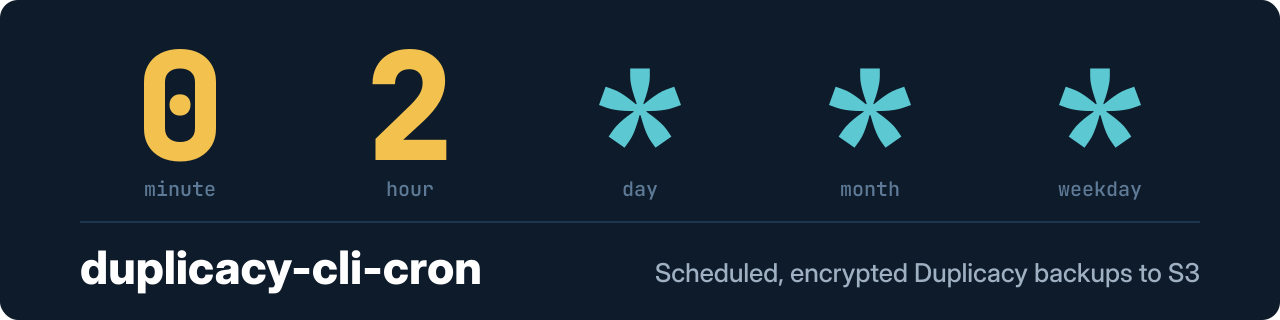
Cron expression for daily backups
- Target
- CRON_DAILY
- Default
- 0 2 * * *
Number of parallel upload threads
- Target
- DUPLICACY_THREADS
- Default
- 4
Shoutrrr notification URL for backup alerts
- Target
- SHOUTRRR_URL
Timezone
- Default
- America/New_York