
All apps · 0 apps

dropwatch
Docker app from KernelPanic Studios' Repository
Overview
Dropwatch earns Twitch Drops for you in the background and claims each reward as soon as it's earned.
What it does
- Picks which campaign to watch, and moves to another channel when a stream goes offline
- Collects channel points and watch-streak bonuses on your favourite channels
- Lists anything that needs you, such as a game account to link
- Web dashboard for priorities, skipped games, pinned campaigns and history, phone included
- Optional notifications to Discord, Telegram, ntfy, Slack, Pushover, Gotify or any webhook
Getting started
Open the WebUI, choose a page password, then sign in to Twitch with a one-time code. One Twitch account per container.
Readme
View on GitHub
Dropwatch earns Twitch Drops for you in the background. It picks which campaign to watch, moves to another channel when a stream goes offline, and claims each reward as soon as it's earned. It also collects channel points and watch-streak bonuses on your favourite channels. A web dashboard shows what's being mined, what's next, and anything that needs you.
It runs as a single Docker container, made for Unraid but fine on any Docker host.
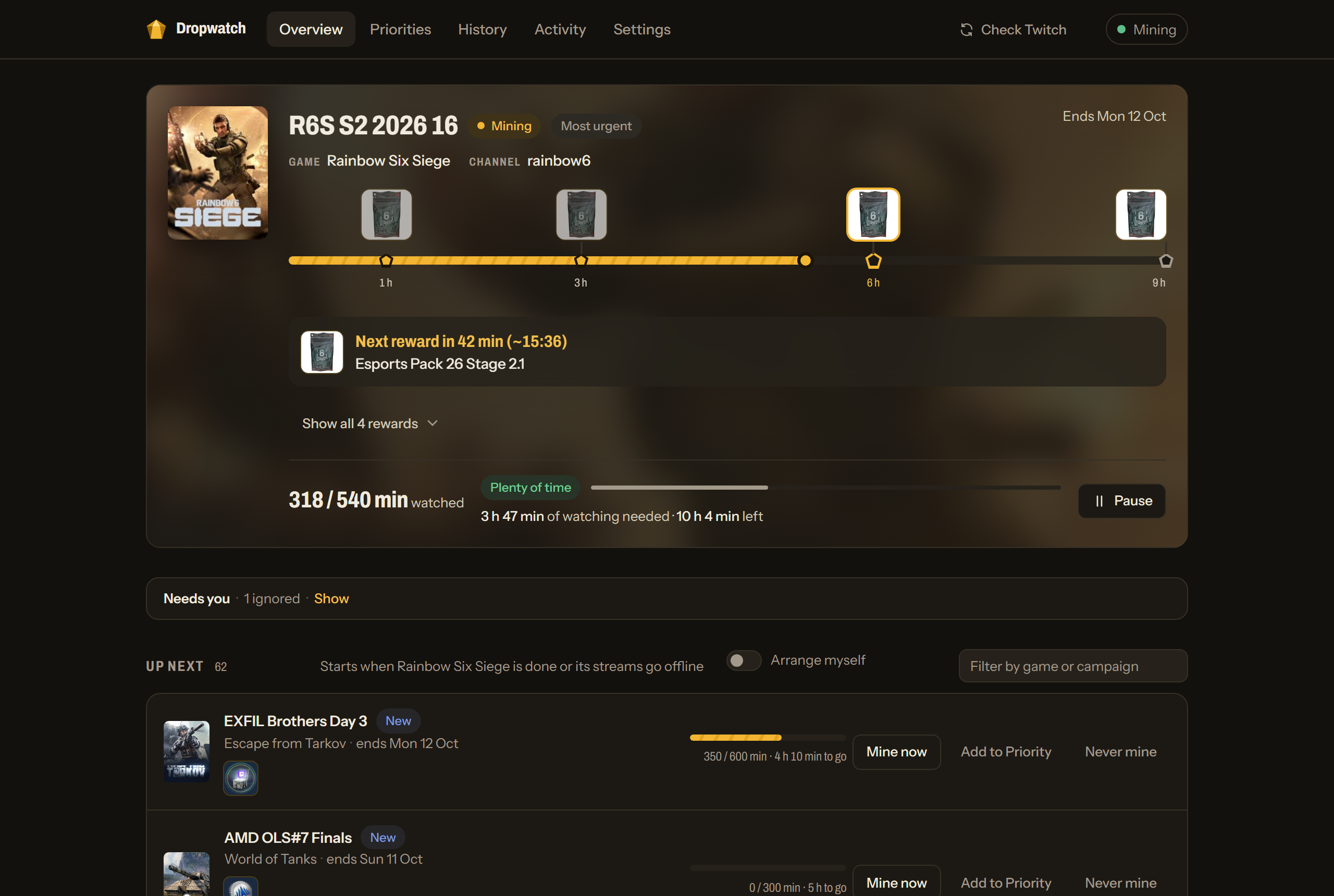
What it does
- Mines the right campaign. Every game with a drop campaign gets mined. Games you put in Priority go first, in your order; the rest are mined most urgent first. You can also pin campaigns to go next, or mark a game Never.
- Claims rewards for you, as soon as Twitch counts them as earned.
- Channel points. Opens bonus chests on the channel being watched (and any left waiting on channels watched in the last week), and visits favourite channels briefly to keep their watch streaks going.
- Tells you what needs you. Campaigns that need a game account linked are listed with a link to do it. Ignore one you don't care about and it stays quiet until it ends.
- History. What was claimed, what was missed and why, and how many channel points were earned.
- Notifications to Discord, Telegram, ntfy, Slack, Pushover, Gotify or any webhook: when mining stops or isn't earning, when a claim fails, a weekly summary, and (optionally) every reward claimed.
- Works on a phone. The dashboard is built for small screens too.
| Priorities | History |
|---|---|
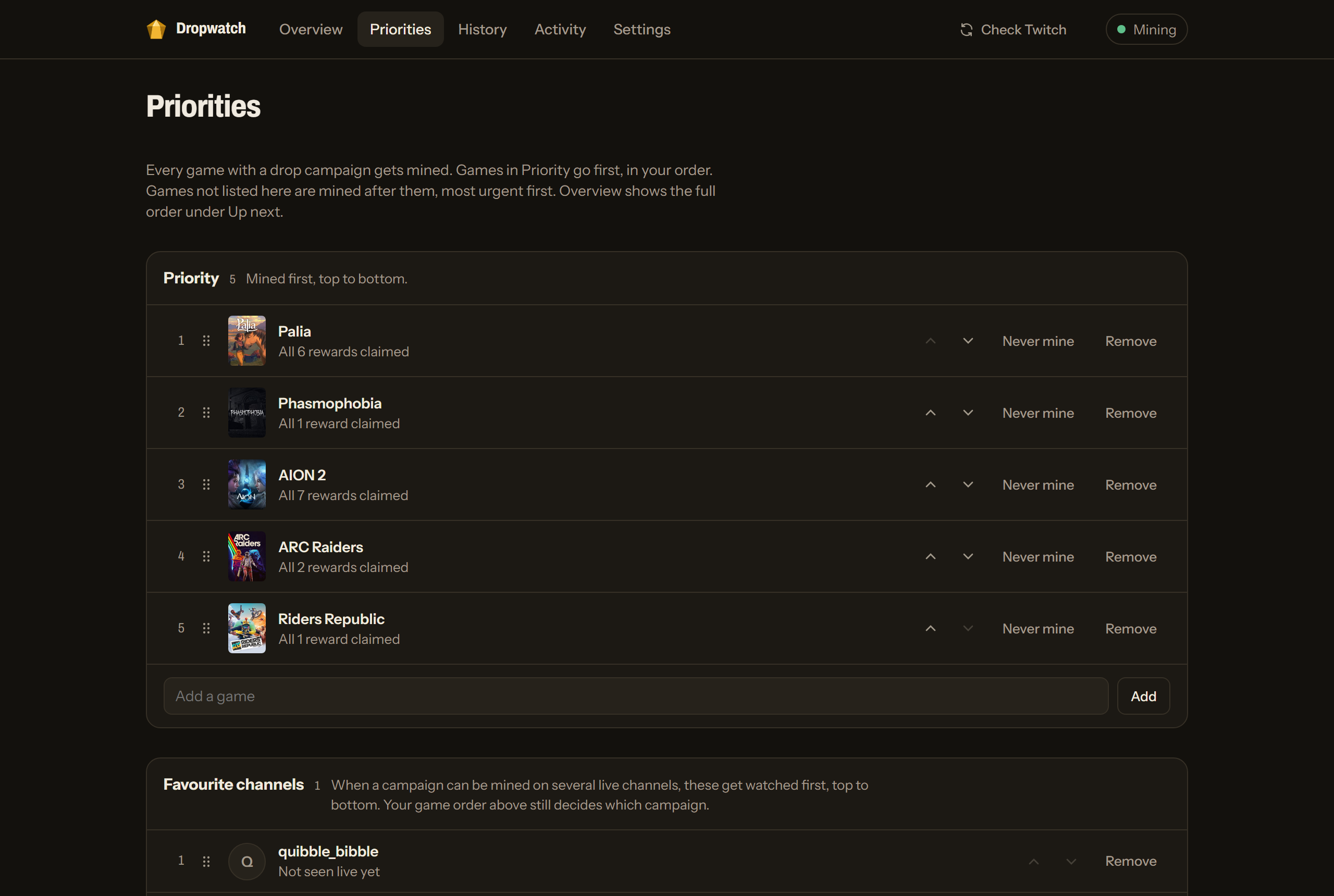 |
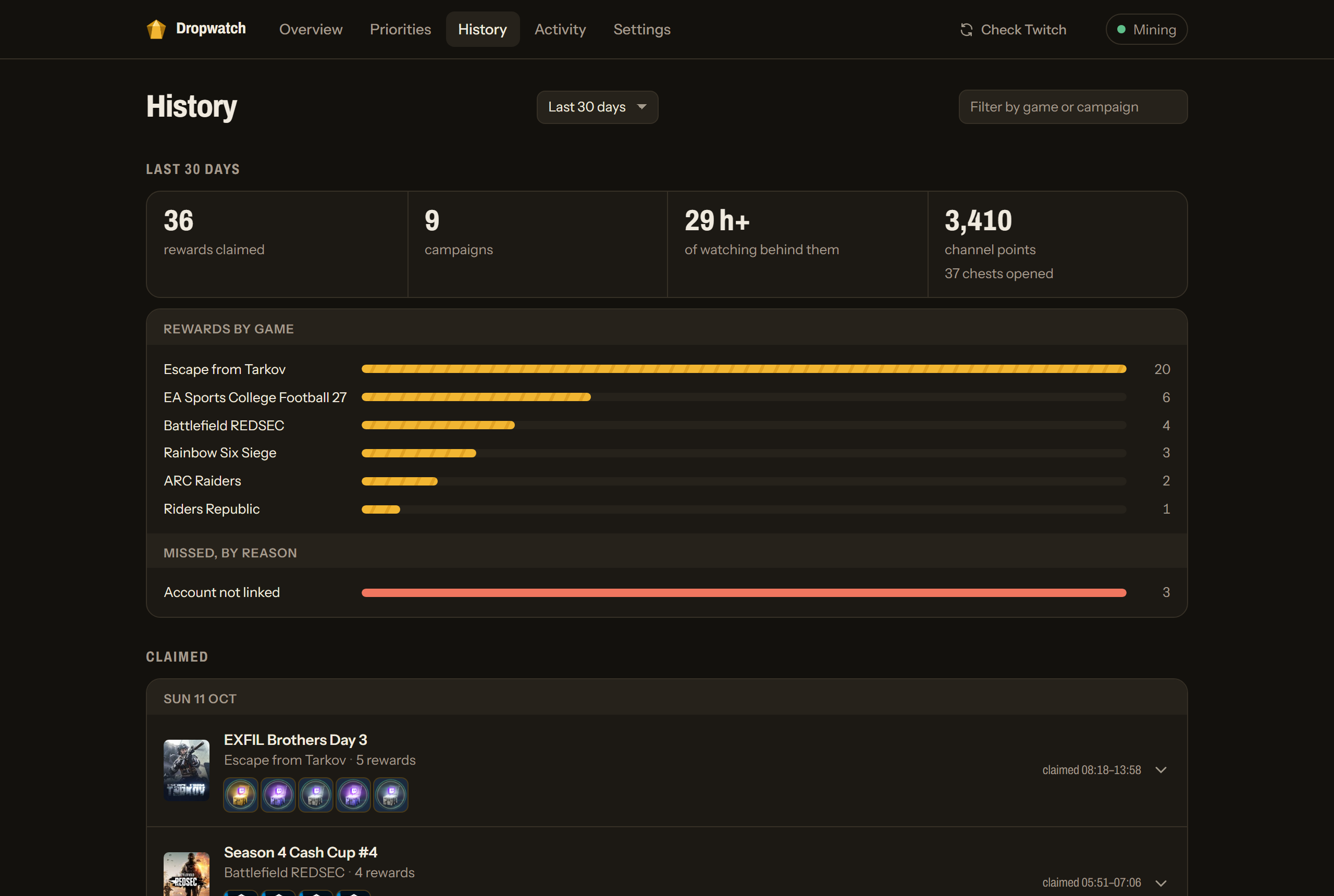 |
| Settings | On a phone |
|---|---|
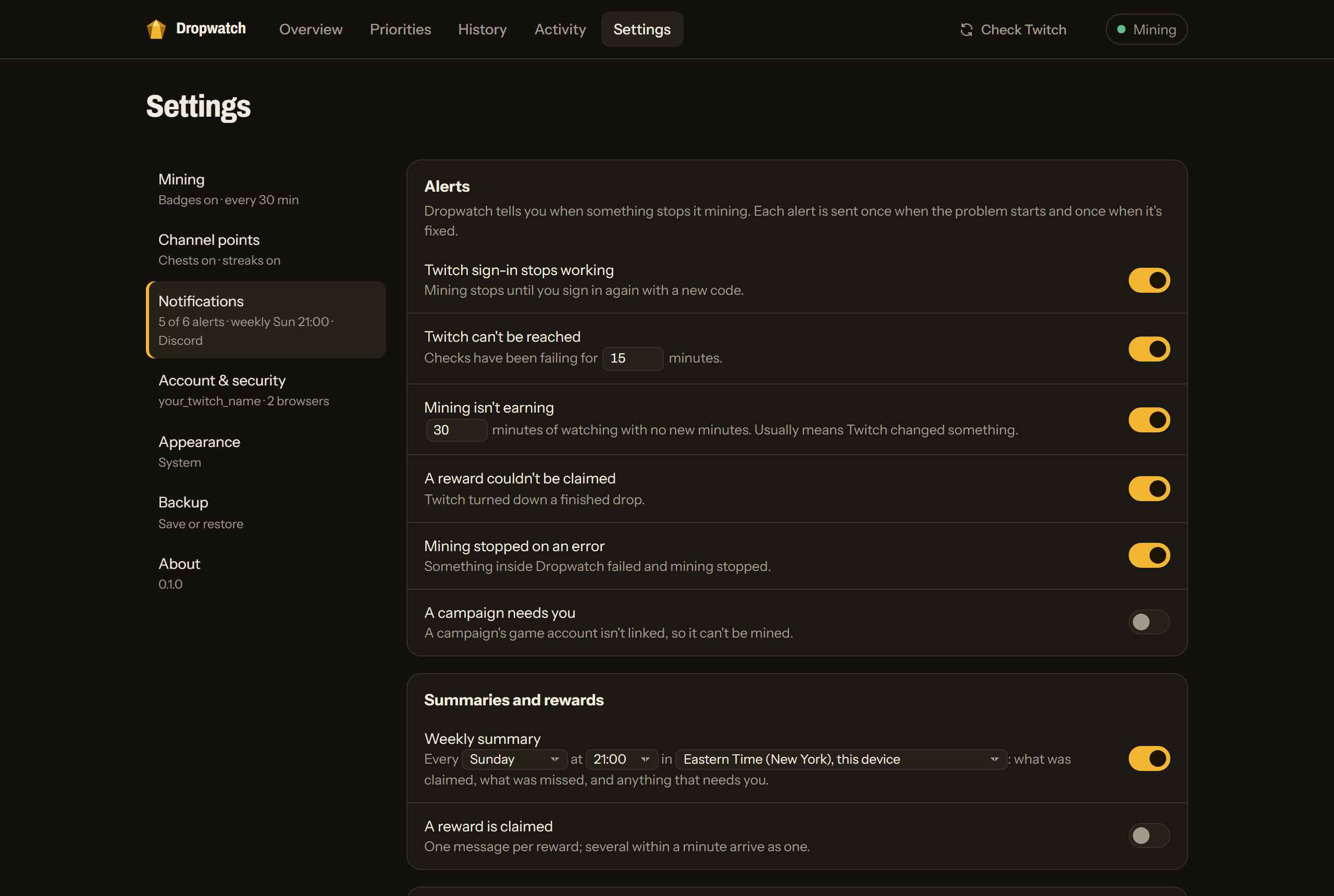 |
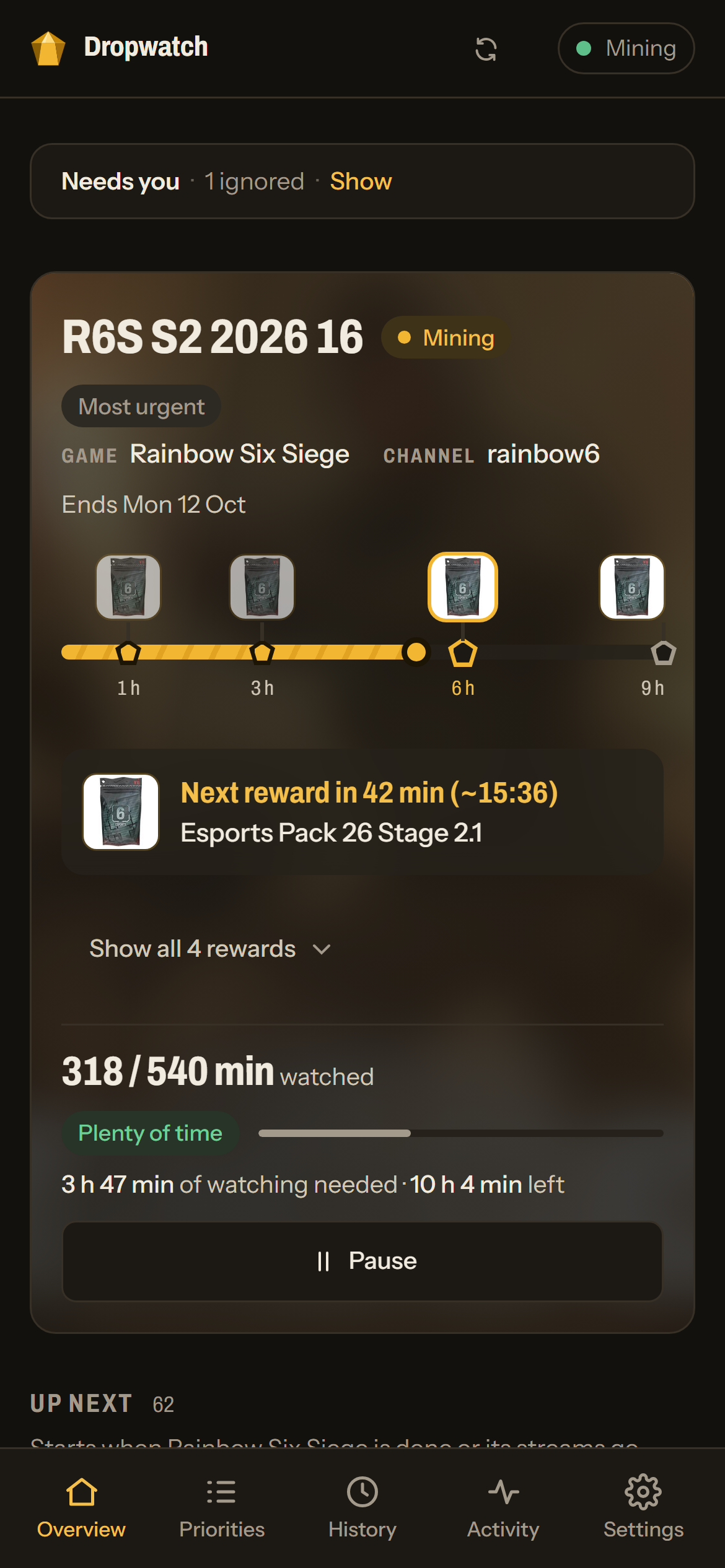 |
Install on Unraid
Dropwatch is in Community Applications:
- Go to Apps and search for Dropwatch (by KernelPanic Studios).
- Click Install, check the data path (default
/mnt/user/appdata/dropwatch) and port (default5800), then Apply. - Open the WebUI and follow the two first-run steps below.
Updates show up on the Docker tab like any other container's.
Without Community Applications
Add the template by hand once. In the Unraid terminal (the >_ icon at the top right), run:
wget -O /boot/config/plugins/dockerMan/templates-user/my-dropwatch.xml https://raw.githubusercontent.com/KernelPanic-Studios/dropwatch/main/unraid/dropwatch.xml
Then go to Docker, Add Container, pick dropwatch from the Template list, and carry on from step 2.
Install with Docker
docker run -d --name dropwatch --restart unless-stopped \
  -p 5800:5800 -v /path/to/dropwatch:/data \
  -e TZ=America/New_York \
  --log-opt max-size=10m --log-opt max-file=3 \
  ghcr.io/kernelpanic-studios/dropwatch:latest
--restart unless-stopped matters: if mining ever gets stuck, Dropwatch exits on purpose so Docker can
start a fresh one. See docs/docker.md for every setting, the health check and building
the image yourself.
First run
- Page password. The first visit asks you to choose a password for the dashboard. It's separate from your Twitch password; anyone on your network who opens the page needs it.
- Twitch account. Dropwatch shows a one-time code. Enter it at twitch.tv/activate on any device (there's a QR code for your phone) and sign in to Twitch as usual. Mining starts straight away.
One Twitch account per container. Don't run another drops miner on the same account at the same time.
Settings worth knowing
| Setting | Default | What it's for |
|---|---|---|
Data path (/data) |
/mnt/user/appdata/dropwatch |
The database (sign-in, lists, history) and cached images. Back it up with the rest of appdata, or use Settings › Backup in the app. |
| Web UI port | 5800 |
The dashboard. |
DROPWATCH_HOSTS |
empty | Only needed if you open Dropwatch through a public domain name, such as a reverse proxy. IP addresses and local names like tower or tower.local always work. |
FORWARDED_ALLOW_IPS |
empty | Behind a reverse proxy: its address, so the login lockout sees each visitor's own address. |
PUID / PGID |
99 / 100 |
The user the miner runs as (Unraid's nobody:users). |
Good to know
- Twitch's rules. Watching streams automatically to earn drops isn't something Twitch's terms of service allow. Tools like this have been around for years, but use it on your own account at your own risk.
- When Twitch changes something, mining can stop until Dropwatch is updated. The "isn't earning" and "stopped" notifications are there so you find out quickly; updates arrive as a new image.
- Linking game accounts is still up to you: some campaigns only pay out once your game account is connected to Twitch. Dropwatch lists those under Needs you.
Support
Questions: the Unraid forum support thread. Bug reports: GitHub issues.
Credits and license
Dropwatch's Twitch protocol handling is ported from the MIT-licensed TwitchDropsMiner by DevilXD and two of its forks; see NOTICE. Dropwatch itself is released under the MIT License.
Building it yourself, running the tests and the design notes: docs/development.md.
Media gallery
1 / 5Categories
Related apps
Explore more like this
Explore allDetails
ghcr.io/kernelpanic-studios/dropwatch:latestRuntime arguments
- Web UI
http://[IP]:[PORT:5800]- Network
bridge- Shell
sh- Privileged
- false
- Extra Params
--restart unless-stopped --log-opt max-size=10m --log-opt max-file=3
Template configuration
Where Dropwatch keeps its database (Twitch sign-in, lists, history) and cached images.
- Target
- /data
- Default
- /mnt/user/appdata/dropwatch
- Value
- /mnt/user/appdata/dropwatch
Port for the Dropwatch web UI.
- Target
- 5800
- Default
- 5800
- Value
- 5800
Only needed to open Dropwatch through a public domain name, such as a reverse proxy (dropwatch.example.com). Comma-separated. IP addresses and local names like tower or tower.local always work.
- Target
- DROPWATCH_HOSTS
Only behind a reverse proxy: its address, so the login lockout sees each visitor's own address.
- Target
- FORWARDED_ALLOW_IPS
User the miner runs as.
- Target
- PUID
- Default
- 99
- Value
- 99
Group the miner runs as.
- Target
- PGID
- Default
- 100
- Value
- 100