

downtify
Docker app from athuull's Repository
Downtify is an open-source music downloader backend powered by FastAPI, yt-dlp, and ffmpeg.
Overview
Readme
View on GitHub

Paste a link. Get the music.
A self-hosted music downloader with a player built in. Paste a Spotify, YouTube Music, Deezer or SoundCloud link and get a perfectly tagged library, ready to play in your browser, on your phone or in your media server.
No Spotify account, no API keys, no Premium.
Latest release Docker pulls GitHub stars Tests Smokeshow License: AGPL-3.0
Quick start · Features · Documentation · Mobile apps · Changelog · Support
https://github.com/user-attachments/assets/a70b6a0d-fa22-4aa4-b6ca-2491c864c6af
Why Downtify
|
|
 One link is all it takes
 Files worth keeping
 Your own streaming service
 Set it and forget it
 Made for your home server
 No strings attached
Quick start
All you need is Docker:
docker run -d -p 8000:8000 --name downtify \
  -v /path/to/music:/downloads \
  -v downtify_data:/data \
  --restart unless-stopped \
  ghcr.io/henriquesebastiao/downtify
Open localhost:8000, sign in as admin / downtify and paste a link. Then change that password in Settings → General (or turn accounts off with DOWNTIFY_DISABLE_AUTH=true on a server only you can reach).
Your music lands in /path/to/music; /data keeps the database and settings. Keep both on persistent storage.
Docker Compose
services:
  downtify:
    container_name: downtify
    image: ghcr.io/henriquesebastiao/downtify:latest
    ports:
      - '8000:8000'
    volumes:
      - ./downloads:/downloads
      - downtify_data:/data
    restart: unless-stopped

volumes:
  downtify_data:
To stay on one release line instead of latest, pin a major, minor or exact version tag (:3, for example). For another port, PostgreSQL, a timezone or a cookies file, see Docker Compose and Environment variables; everything else is set in Settings, inside the app.
Prefer one click? Downtify is in the app stores of Umbrel, CasaOS and HomeDock OS.
A closer look
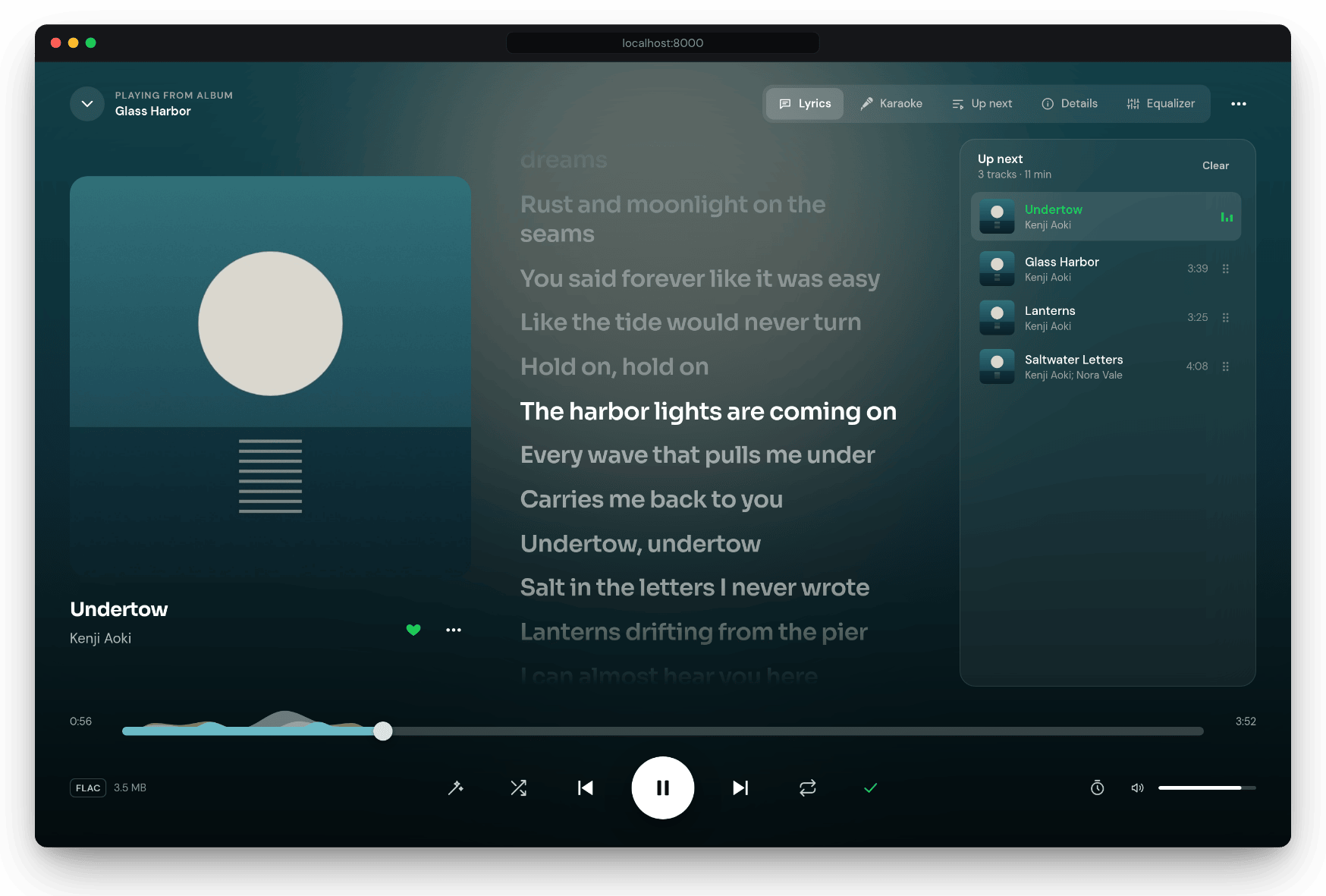
Now Playing. Lyrics follow the song, line by line, next to the cover and what's up next.
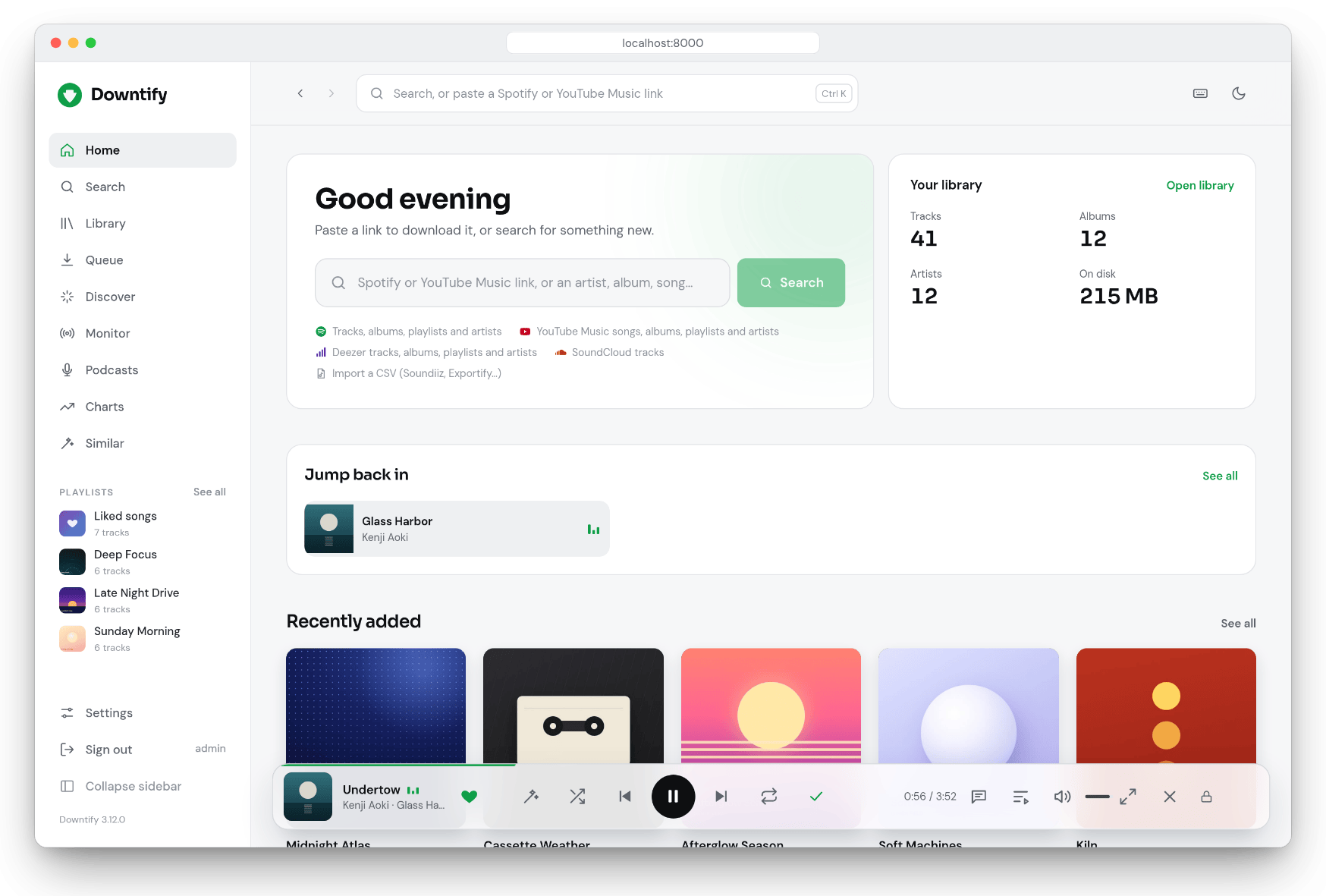
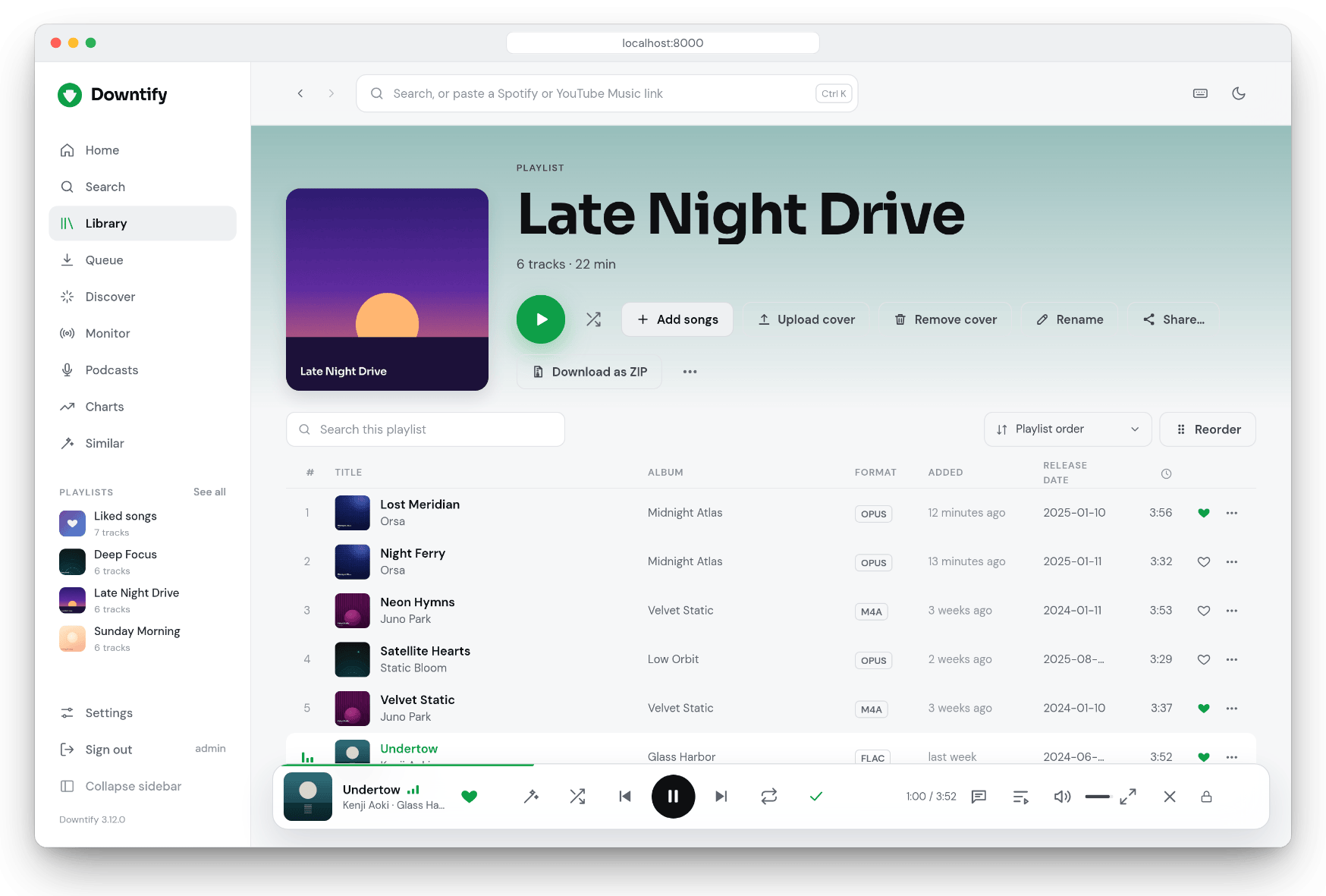
Home picks up where you left off. Playlists get their own covers, and can be shared.
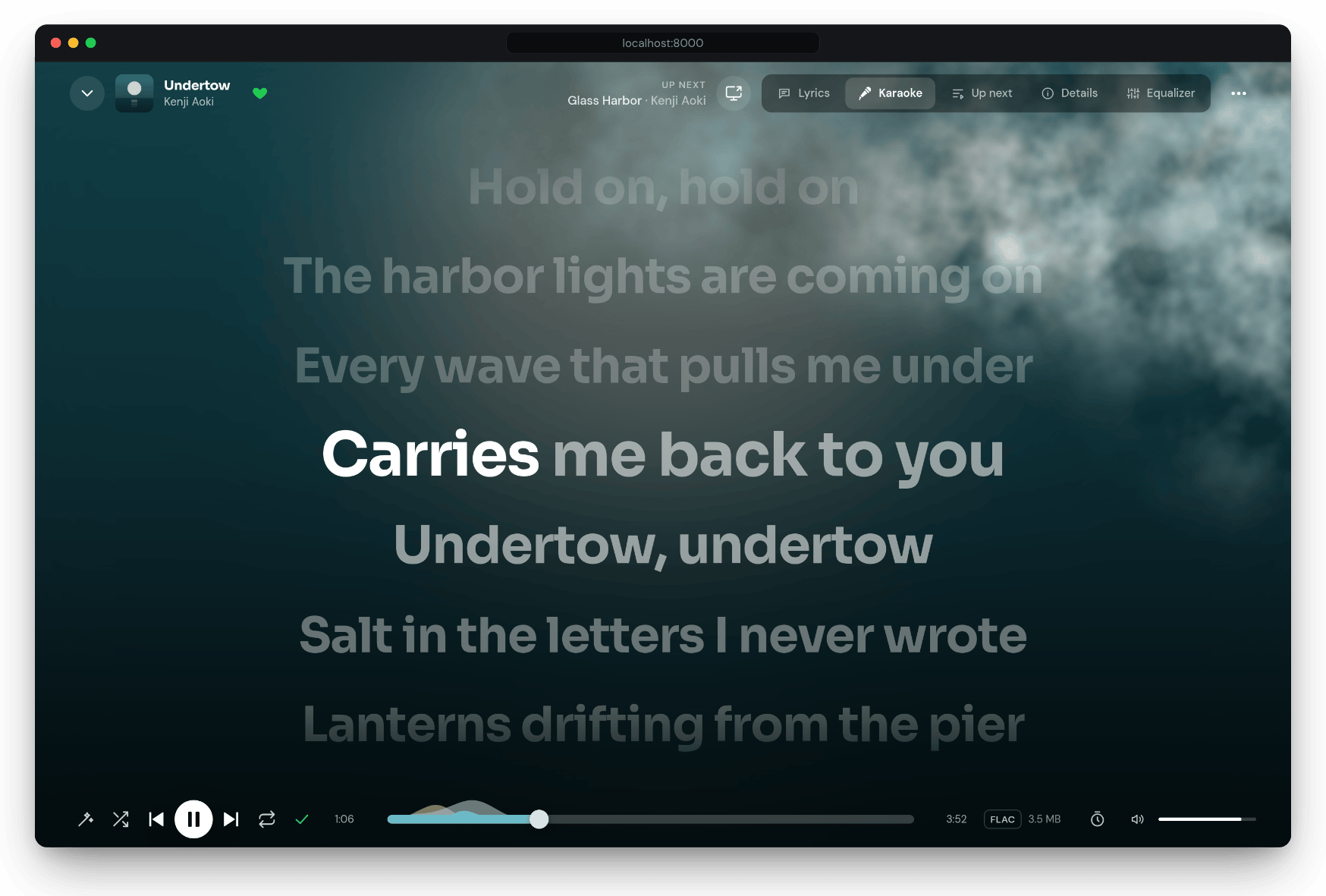
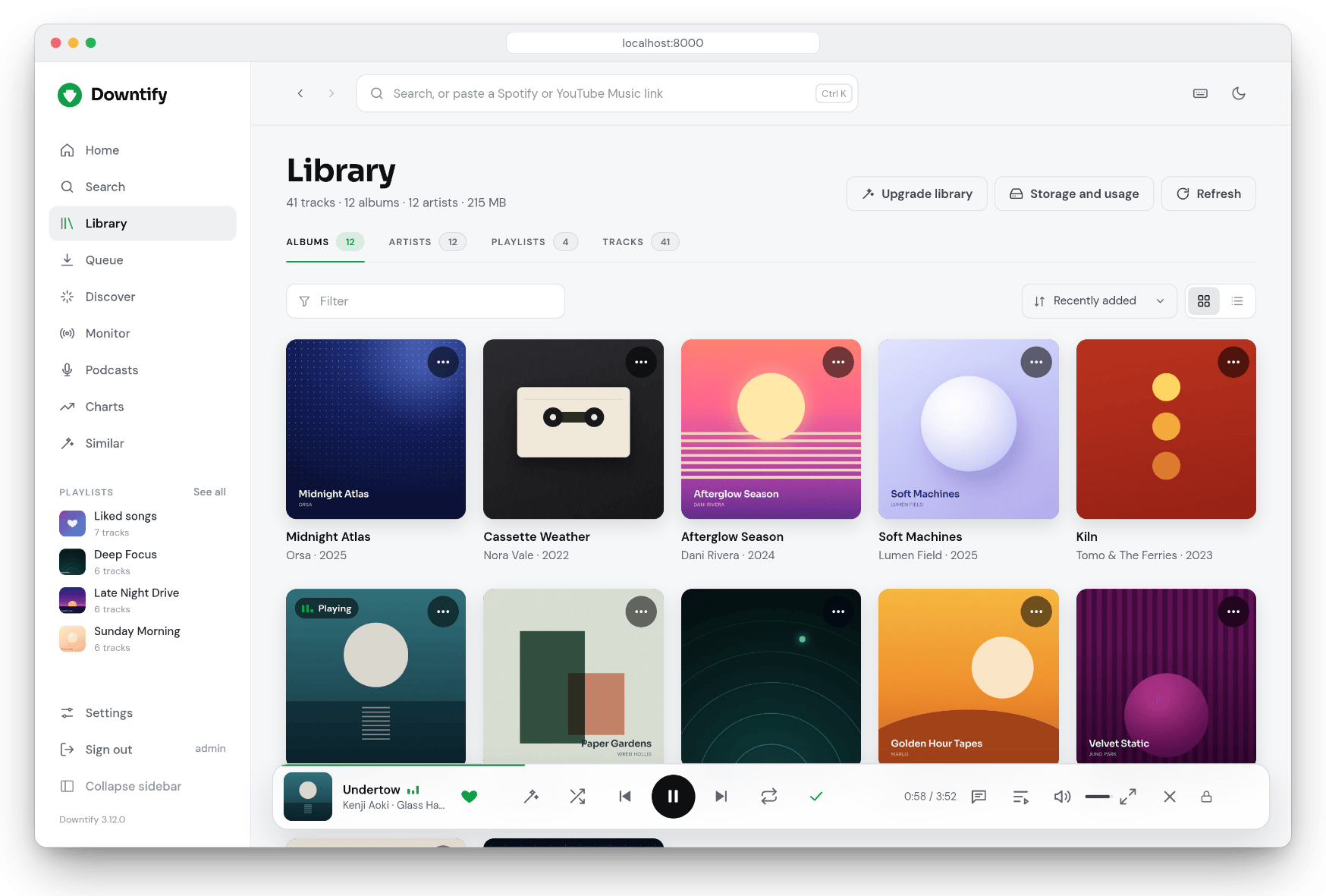
Karaoke fills each line as it is sung, and opens on a second screen. The Library sorts and filters it all.
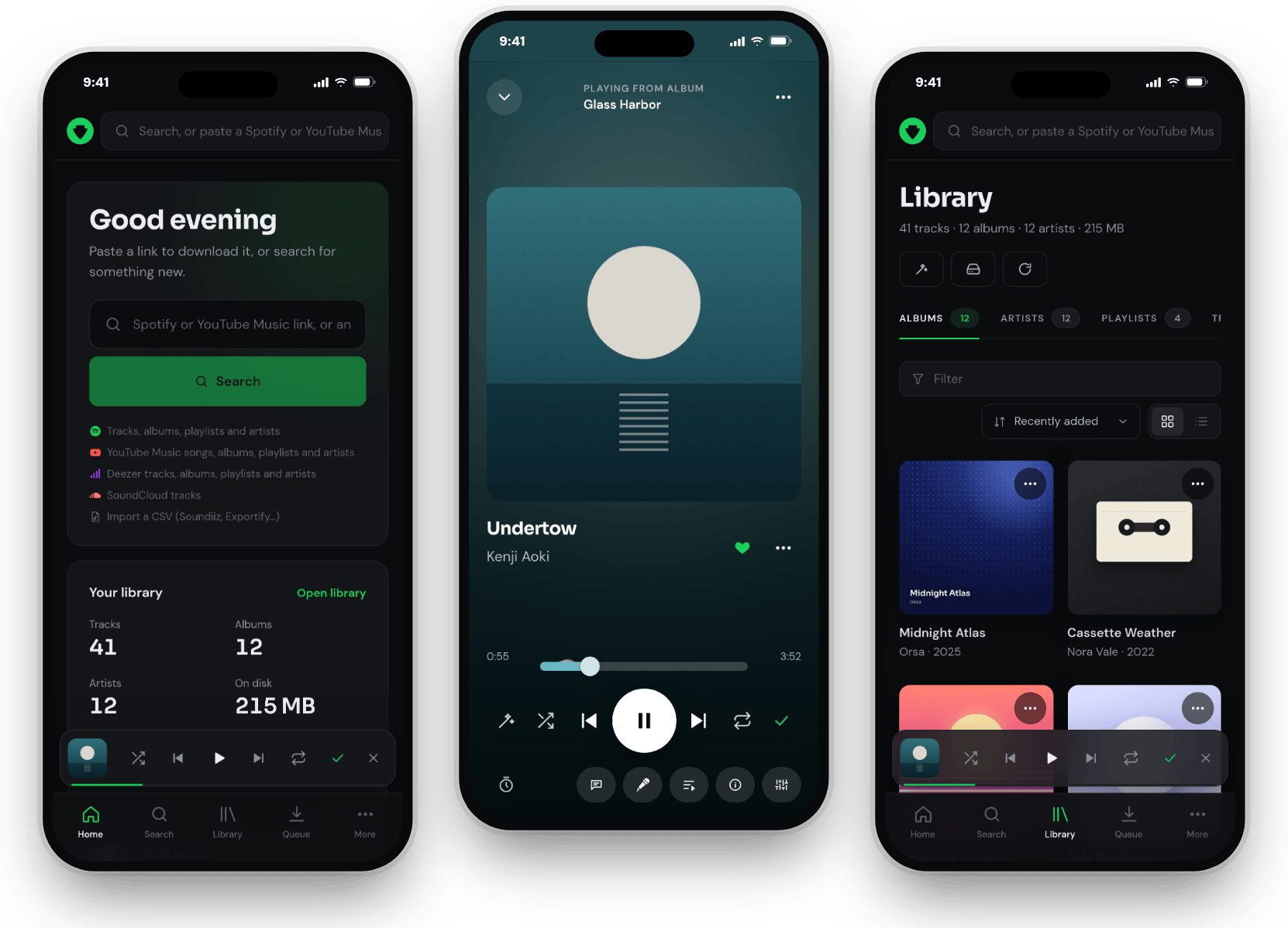
On your phone, the same app installs from the browser. Or use the Android and iOS apps.
Features
| Find | Paste a link or search by name · Discover artists and albums you don't have yet · Deezer's Charts · whole discographies in the Finder · Similar tracks · an artist's top songs · CSV imports from Soundiiz, TuneMyMusic and Exportify · where to buy what you love |
| Download | MP3, FLAC, M4A, OGG or Opus at the bitrate you pick, or the source audio untouched (settings) · YouTube Music first, YouTube as fallback, and optional SoundCloud, Soulseek and Deemix sources · a queue you can pause, that survives a restart |
| Tags | Cover art, every credited artist, album artist, year, track number and the explicit mark · plain and time-synced lyrics from LRCLIB, NetEase and Kugou, embedded and as .lrc · Upgrade library repairs small covers, missing lyrics and incomplete tags in place · Replace audio when a song matched the wrong version |
| Listen | A full-screen player with synced lyrics, karaoke, an editable queue, a sleep timer, keyboard shortcuts, media keys and an experimental ten-band equalizer · volume normalization · liked songs · podcasts by RSS feed, Spotify link or name · installs as an app |
| Automate | The Playlist Monitor keeps Spotify, Deezer and YouTube Music playlists and artists in sync on your schedule, suggests artists to follow, and shows what each watch adds and how much space it takes |
| Organize | Albums, artists, playlists and tracks in the Library · playlists of your own, in any order and with their own cover · hide songs from an imported playlist · bring in music folders and M3U playlists you already have · artist photos · storage & usage · a trash · backups · a Doctor that cleans up after older versions |
| Share | Accounts for everyone at home, with OpenID Connect sign-in · one shared library, with songs, albums or artists an admin can hide · playlists shared view-only or together · an activity log |
| Connect | M3U playlists that Jellyfin, Navidrome and Plex pick up · Navidrome playlist sync and ratings from Deezer · an outbound proxy · PostgreSQL · 13 languages |
Every feature has its own page, with every option explained, in the documentation.
How it works
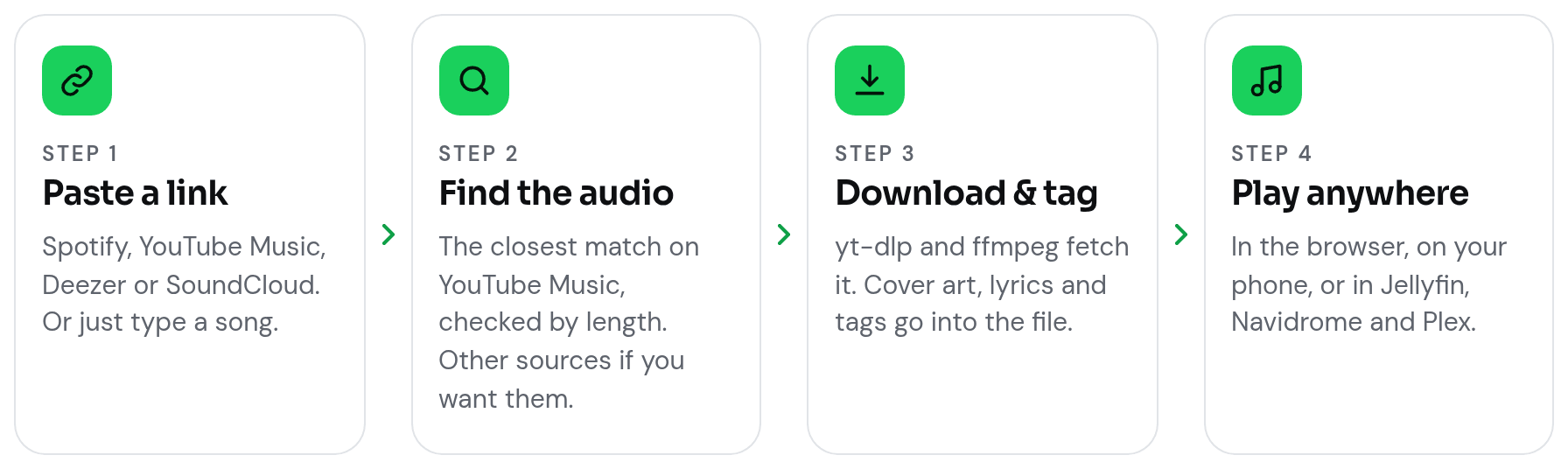
Downtify needs no Spotify API key and never downloads from Spotify. It reads what a link points to from public sources, picks the YouTube Music audio whose length matches best, downloads it with yt-dlp, converts it with ffmpeg and tags it with mutagen, all in one container. YouTube steps in when nothing matches well, and SoundCloud, Soulseek and Deemix join in if you turn them on. The whole pipeline, step by step →
What you can paste
| Source | What works | Example |
|---|---|---|
| Spotify | Tracks, albums, playlists, artists | open.spotify.com/playlist/… |
| YouTube Music | Songs, albums, playlists, artists | music.youtube.com/playlist?list=… |
| YouTube | Videos | youtube.com/watch?v=… |
| Deezer | Tracks, albums, playlists, artists | deezer.com/album/… |
| SoundCloud | Tracks | soundcloud.com/artist/track |
| Search | Whatever you would type | The Night Owls Do I Still Recall |
| CSV | Library exports | Soundiiz, TuneMyMusic, Exportify |
An artist link opens the artist's page, with their releases and their most popular songs (Top songs).
FAQ
Do I need a Spotify account, Premium or an API key?
No. Downtify reads track, album and playlist details from Spotify's public embed pages, so it needs no credentials of any kind, and the audio never comes from Spotify. See How it works.
Where does the audio come from, and how good is it?
From YouTube Music by default: the result whose length matches the song best, with YouTube as a fallback. Pick MP3, FLAC, M4A, OGG or Opus at the bitrate you want, or keep the best audio the source has without re-encoding it. Lossless files come from sources you add yourself: your own Soulseek (slskd) server, whose files are kept in their original format, or a Deemix server. See Download settings.
Does it work with Jellyfin, Navidrome or Plex?
Yes. Files are tagged the way media servers expect, filed in Artist/Album/ folders, and every playlist gets a standard M3U file they pick up. Navidrome can also get its playlists synced and ratings set from Deezer. See File organization and M3U export.
Will it run on a Raspberry Pi or a NAS?
The image is built for both amd64 and arm64, and Umbrel, CasaOS and HomeDock OS install it in one click. See Installation.
YouTube says "Sign in to confirm you're not a bot". What now?
Upload a cookies.txt in Settings → YouTube cookies; Downtify then keeps that session signed in on its own. If YouTube still rate-limits you, raise Pause between downloads, lower Parallel downloads, then try DOWNTIFY_FORCE_IPV4=1. See Troubleshooting and YouTube cookies.
Mobile apps
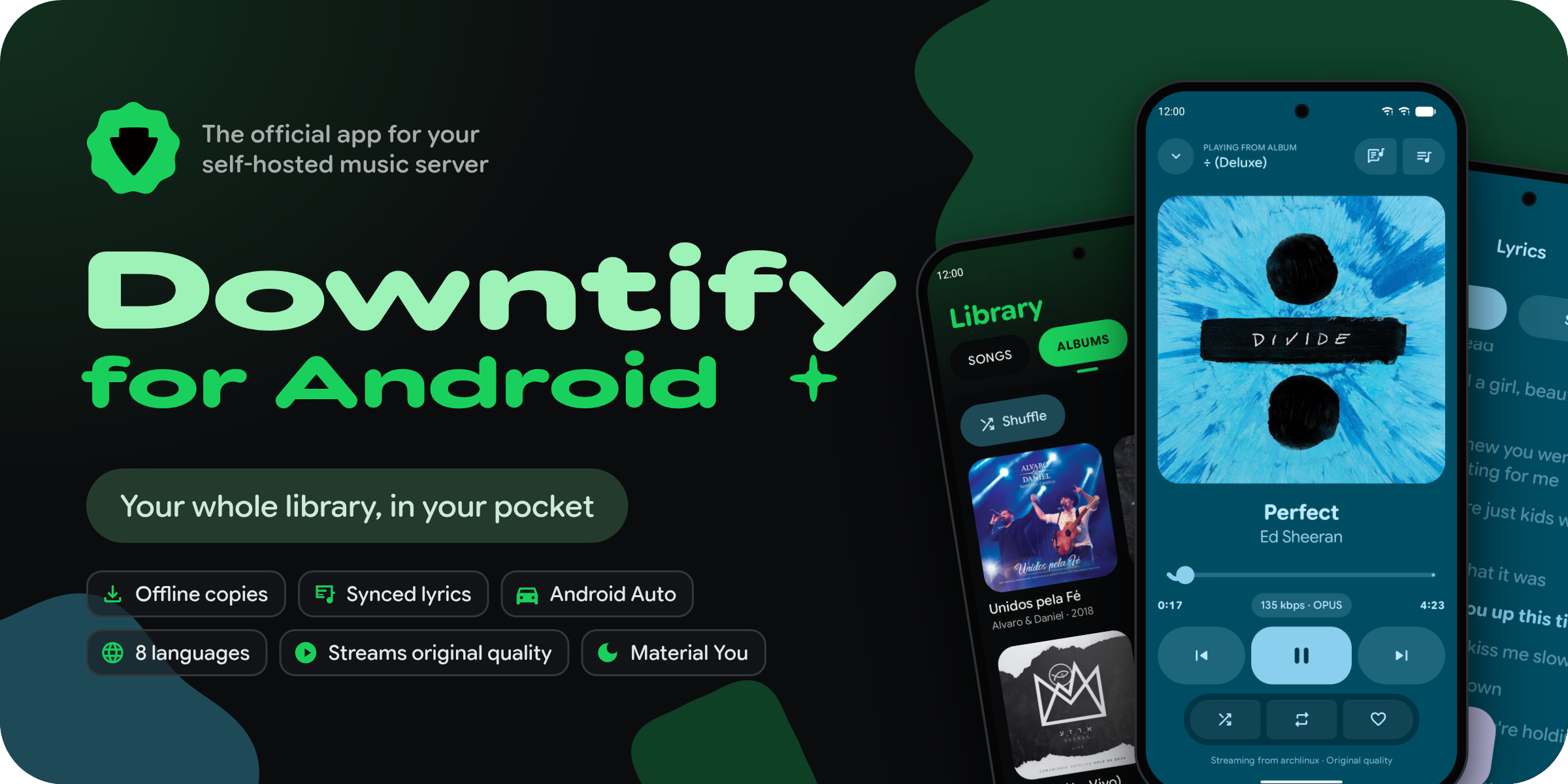
Downtify for Android is the official app. It finds your server on the home network, signs in with your account (or pairs with a QR code from Settings → Apps), and streams your library in its original quality on Wi-Fi and a smaller one on mobile data, with songs kept on the phone for offline listening and Android Auto support. It is young and still in testing: get it from GitHub Releases or Obtainium.
Downtify for iOS, built by community member michaelmoskie, brings the library, offline songs and lock-screen controls to iPhone and iPad (iOS 17 or later). The public beta is on TestFlight.
Want to build your own client? Everything goes through the same API: see the mobile client contract.
Documentation
| Getting started | Installation, Docker Compose, one-click installs and every variable |
| Features | One page per feature, with every option explained |
| How it works | The metadata, matching and tagging pipeline |
| Troubleshooting | Symptoms, causes and fixes |
| API reference | Every endpoint the web app and the mobile apps use |
| Changelog | What changed in each release |
The app speaks English, Spanish, Brazilian Portuguese, French, German, Greek, Turkish, Hungarian, Bulgarian, Korean, Russian, and Simplified and Traditional Chinese; the documentation, nearly all of them.
Community
Downtify grows in the open. More than 35 people have contributed code, community translators brought the app to 13 languages, and many features began as an idea someone opened as an issue.
- Questions and ideas: start a discussion.
- Found a bug? Open an issue; its templates ask for what helps most.
- Speak another language? Translate the app or the docs; a partial translation is welcome.
- Want to write code? Read CONTRIBUTING.md for the setup, the standards and the pull request checklist.
People who contributed to Downtify
Support Downtify
Downtify is free, with no ads and no paid tier, and is maintained by Henrique Sebastião with help from the community. If it has earned a place on your server, there are a few ways to give back:
- Star the repository. It helps other people find Downtify.
- Tell someone about it: a friend who self-hosts, your homelab forum, a blog post.
- Sponsor its development on GitHub Sponsors or Buy Me a Coffee. It helps pay for the time that goes into every release.
License
Downtify is free software, licensed under the AGPL-3.0.
[!WARNING] Users are responsible for their actions and any legal consequences. Downtify does not support unauthorized downloading of copyrighted material and takes no responsibility for user actions.
Categories
Download Statistics
Total Downloads Over Time
Related apps
Explore more like this
Explore allLinks
Details
henriquesebastiao/downtify:latestRuntime arguments
- Web UI
http://[IP]:[PORT:8000]- Network
bridge- Privileged
- false
Template configuration
HTTP port for Downtify API
- Target
- 8000
- Default
- 8000
Download directory where files will be stored (must match Hera's music download directory)
- Target
- /downloads
- Default
- /mnt/user/data/media/music