
All apps · 0 apps

docker.labelInjector
Plugin from phyzical
Overview
Readme
View on GitHubdocker.labelInjector
Install via CA Apps
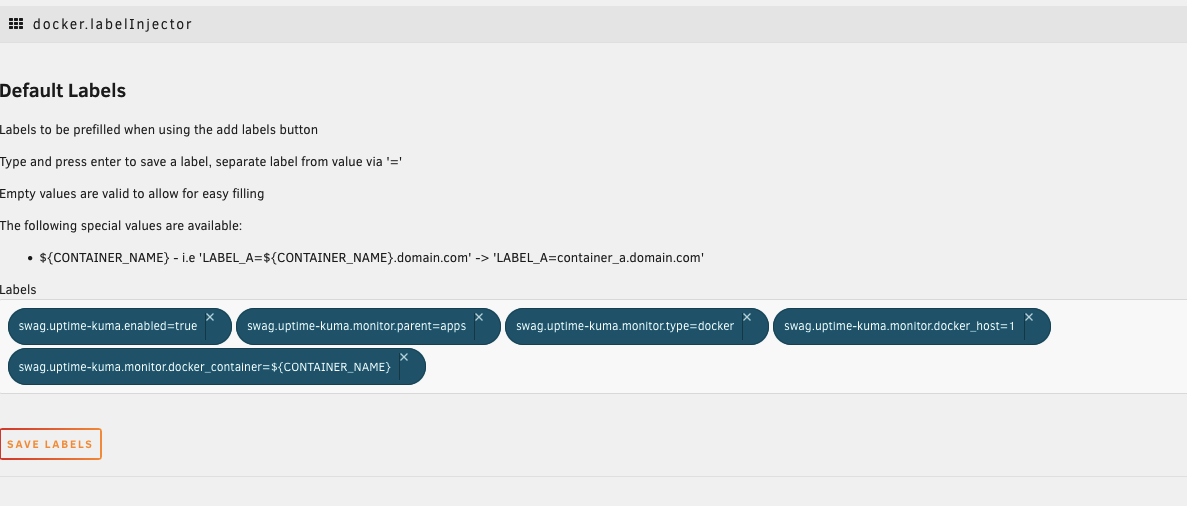
You can add defaults to be prefilled each time via the settings page
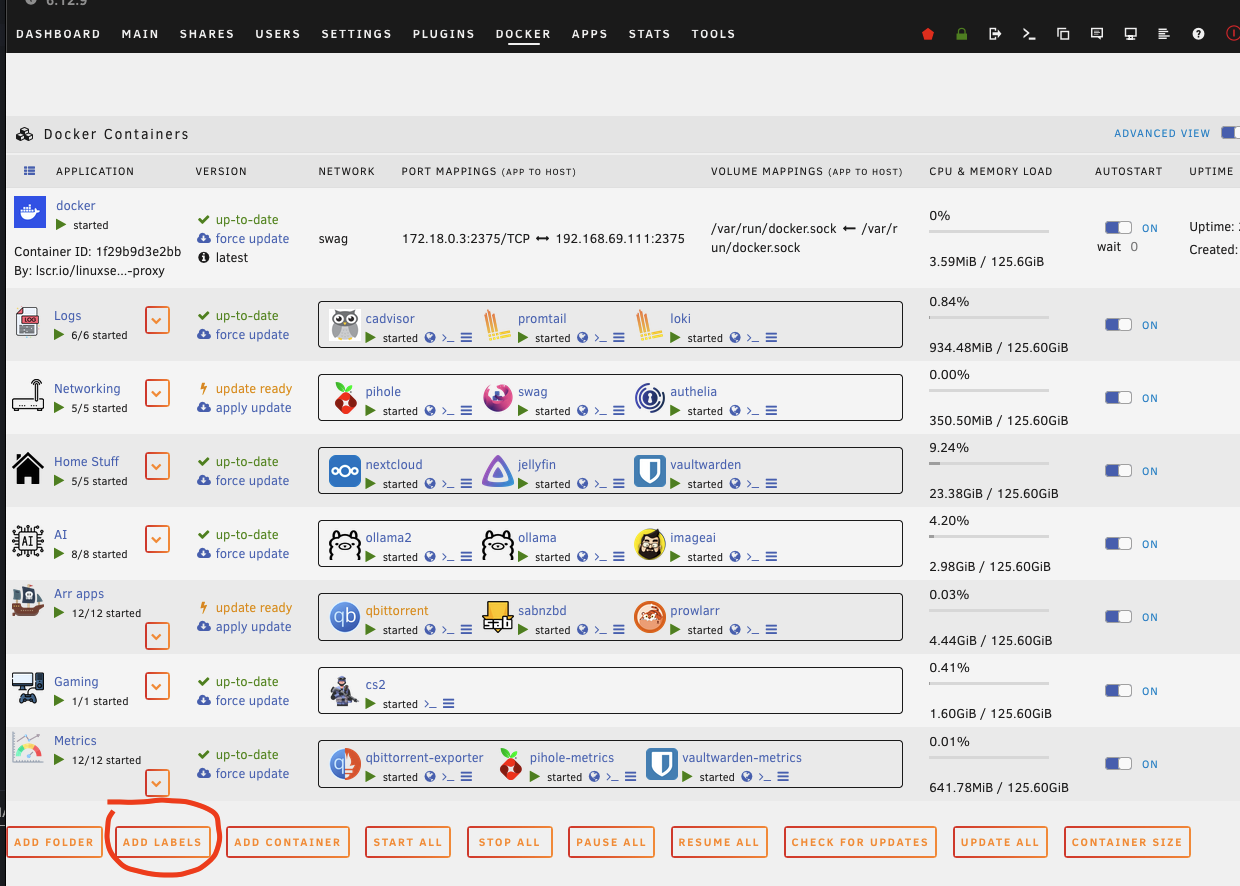
After installing, just click the "Add Labels" button
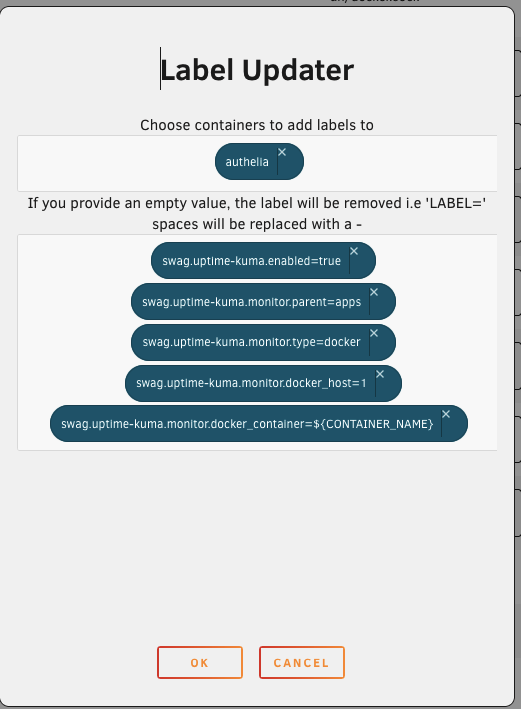
Then simply choose the containers you want to add the label value combos to, to choose All for all.
If the label exists already an update will be performed.
If the label does not exist it will be added.
If you provide 3 = i.e A=B=C A is the name B is the label C is the value If you provide 2 = i.e A=B A is the name and the label B is the value
If you enter a value of REMOVE it will instead remove the label if found.
Special flags include:
will be replace with the magic value works with both key and value
${CONTAINER_NAME}
Before it updates it will backup the template being used just incase something does go wrong.
If you find this happen you should be able to restore the backup via /boot/config/plugins/dockerMan/templates-user/my-TEMPLATE_NAME.DATE.bak
Media gallery
1 / 2Download Statistics
Downloads by Month
Related apps
Explore more like this
Explore allDetails
https://raw.githubusercontent.com/phyzical/docker.labelInjector/main/docker.labelInjector.plg