

DiscVault
Docker app from Helmer's Repository
English: DiscVault is a self-hosted manager for your 4K UHD, Blu-ray and DVD collection: barcode scanning, metadata lookup, posters, watchlist, users and groups, passkey sign-in,…
Overview
Nederlands: DiscVault is een zelf te hosten beheerder voor je 4K UHD-, Blu-ray- en dvd-collectie: barcodes scannen, metadata opzoeken, posters, kijklijst, gebruikers en groepen, inloggen met passkeys, back-up en terugzetten, en een MCP-eindpunt voor AI-assistenten. Het heeft een PostgreSQL-database nodig, dus deze template installeert de DiscVault-launcher: een container die de hele stack (PostgreSQL, API, worker en MCP) via de Docker-socket aanmaakt en bijwerkt en op een poort aanbiedt. De Docker-socket geeft de launcher controle over Docker op je server. Passkeys werken alleen op een https-adres met een domeinnaam: zet er een reverse proxy voor en vul RP_ID en RP_ORIGINS in.
Readme
View on GitHub
DiscVault
A catalogue for the films you own on disc: 4K UHD, Blu-ray and DVD.
Scan a barcode and DiscVault fills in the title, edition, format and artwork. Run it on your own server and use it in the browser, or keep your collection on your iPhone, iPad or Android phone.
Platform Self-hosted Home Assistant Languages
Last commit Commit activity License Forks Stars Issues Contributors
Release Discord Buy me a coffee Ko-fi
Website · Documentation · Changelog · Report a bug
Contents
- Why DiscVault?
- Features
- Screenshots
- Getting started
- Configuration
- Running it
- Data and backups
- Architecture
- Stable and beta
- Contributing
- Privacy and security
- Support DiscVault
- License
Why DiscVault?
A disc collection outgrows memory and spreadsheets quickly: which edition is on the shelf, is the 4K inside that box set, did you already buy this one? Streaming apps only know what you stream, and collection websites keep your list on their servers. DiscVault catalogues the films you own on disc, edition by edition, and keeps that catalogue where you want it: on a server you run, or on your own phone. No account with us, no advertising and no trackers. The one thing a server tells us is that it is running: once a day, anonymously, and you can turn that off.
Features
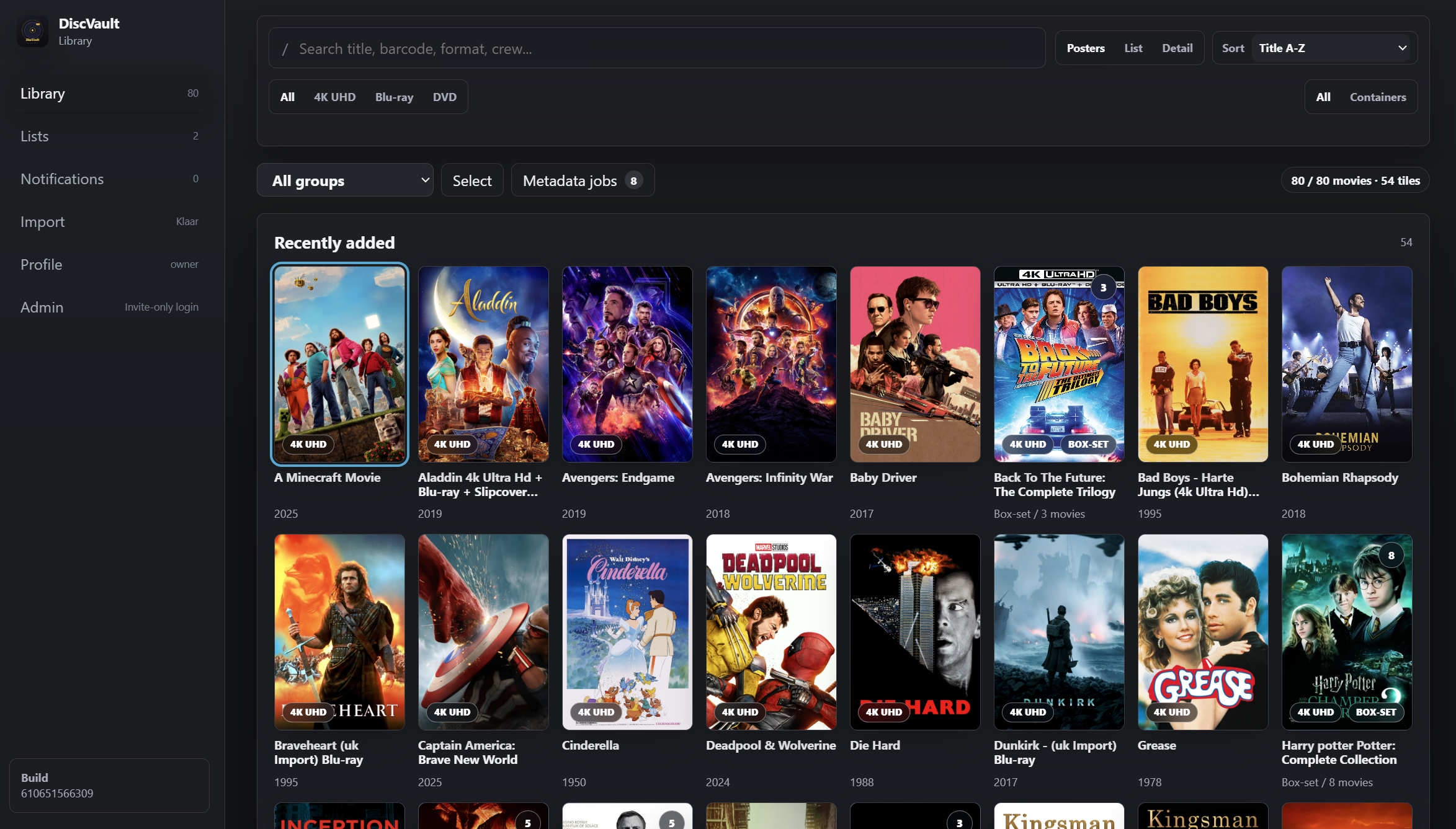
- Your whole shelf at a glance: browse posters, a list or detail cards, filter by format (4K UHD, Blu-ray, DVD), search by title, barcode, format or crew, and open box sets and containers to see what is inside.
- Scan to add: scan a barcode to fill in title, year, format and cover art, search by name, or enter a disc by hand.
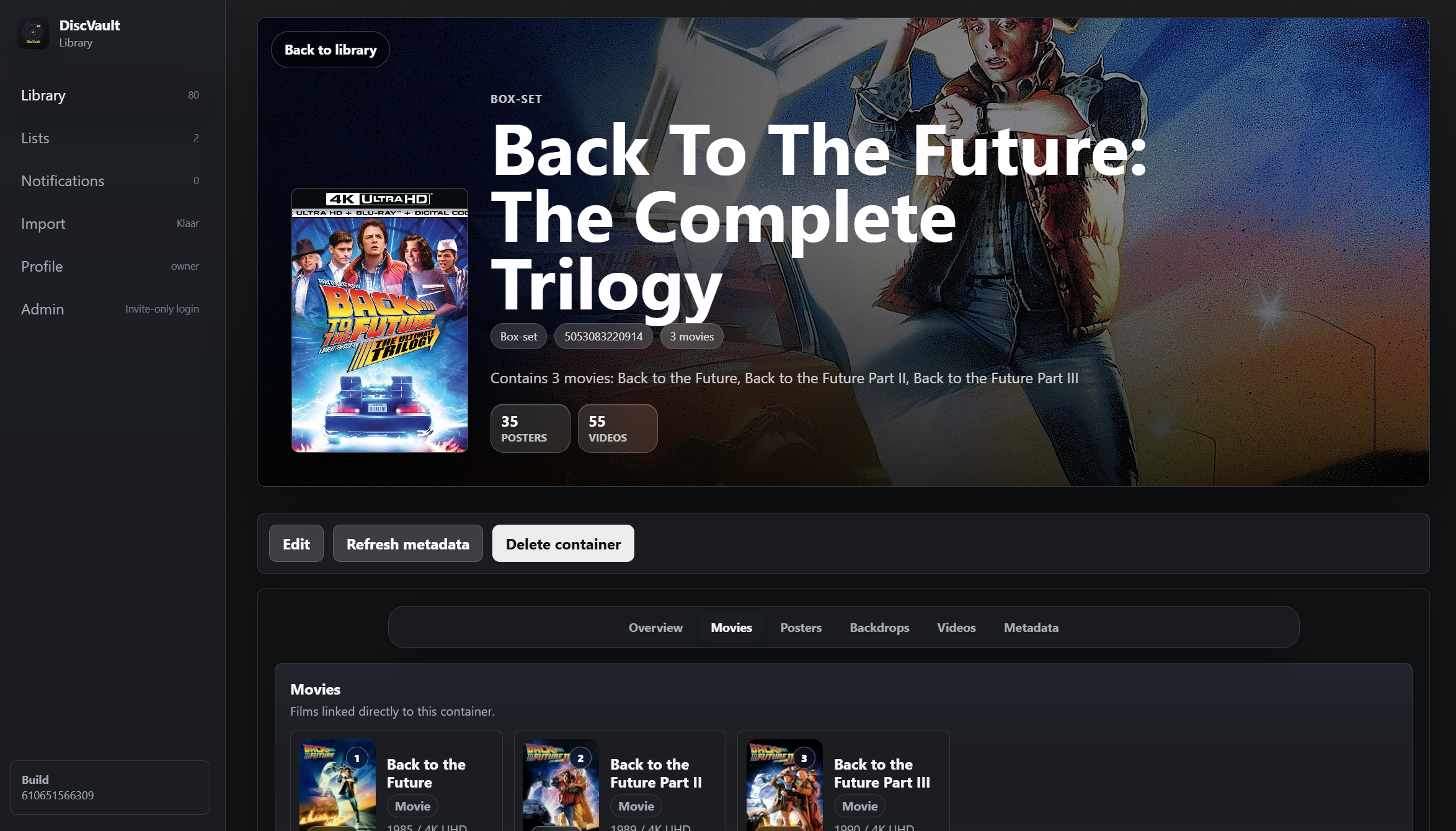
- Rich detail pages: posters, backdrops, videos and metadata per film and per edition, Steelbooks and box sets included.
- Metadata from plugins: a plugin runtime for metadata sources, import sources and digital libraries, with MovieVault v2 as the first source. Plex and Jellyfin matching shows which discs you also own digitally.
- Watchlist and watch history: keep track of what you want to see and what you have seen.
- Share it with your household: users, invite-only registration, groups with invitations, roles and permissions, and a push notification when someone adds a disc to a shared group.
- Sign in with a passkey: passkeys first, with recovery; optionally a password with TOTP, or single sign-on through OpenID Connect.
- Import and migrate: bring a collection in from a file, or move an existing DiscVault Legacy installation across with a guided migration.
- Ready for your AI assistant: an MCP endpoint, and personal API keys that connect an assistant to your own collection only.
- Your data, your server: everything runs in your own containers, with backup and restore built in, 29 languages, and an installable web app that keeps working offline.
The full description of every feature is in the documentation.
Screenshots
| Library posters | Library list | Detail |
|---|---|---|
|
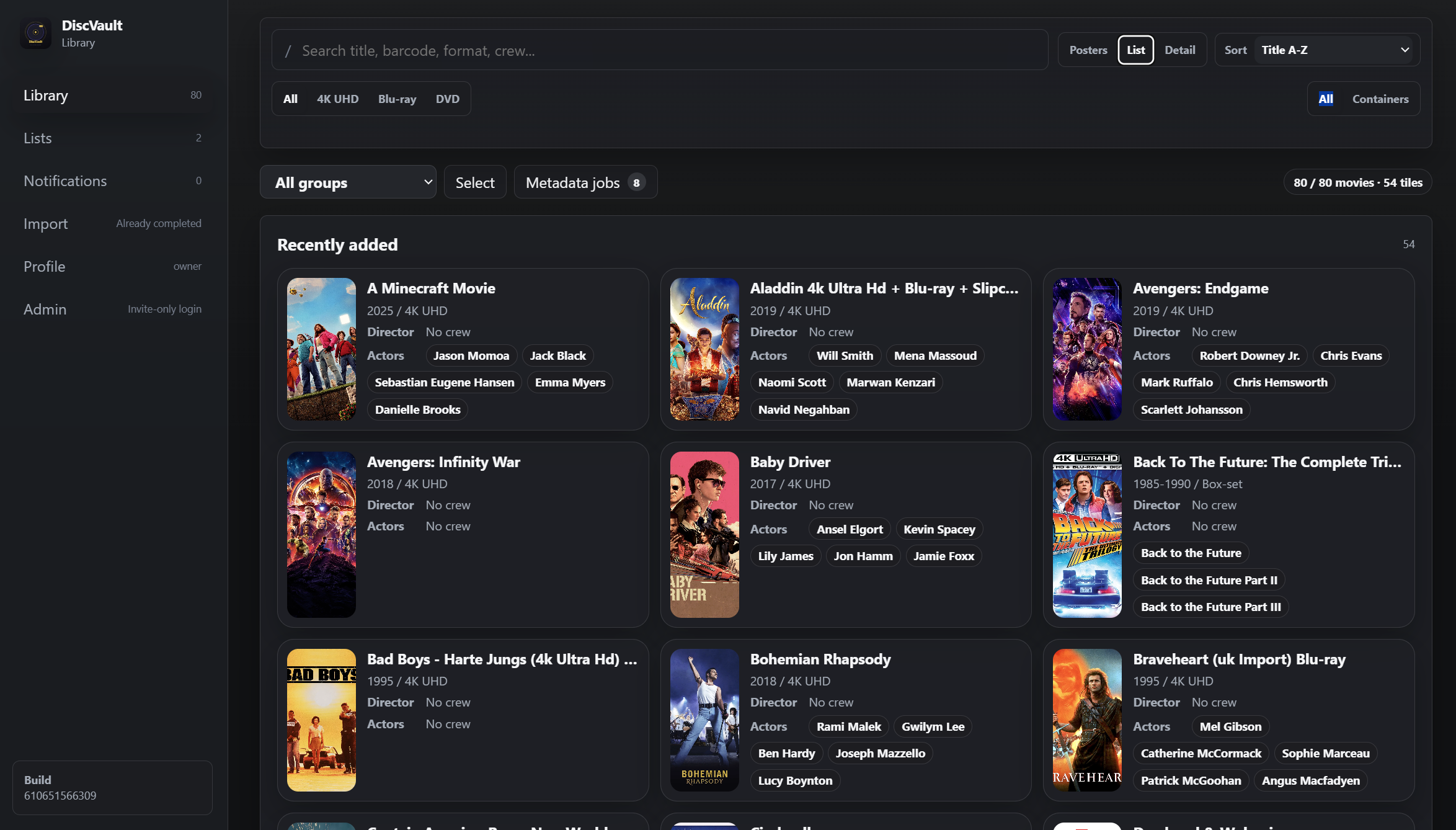 |
 |
| Backdrops | Watchlist | Watched history |
|---|---|---|
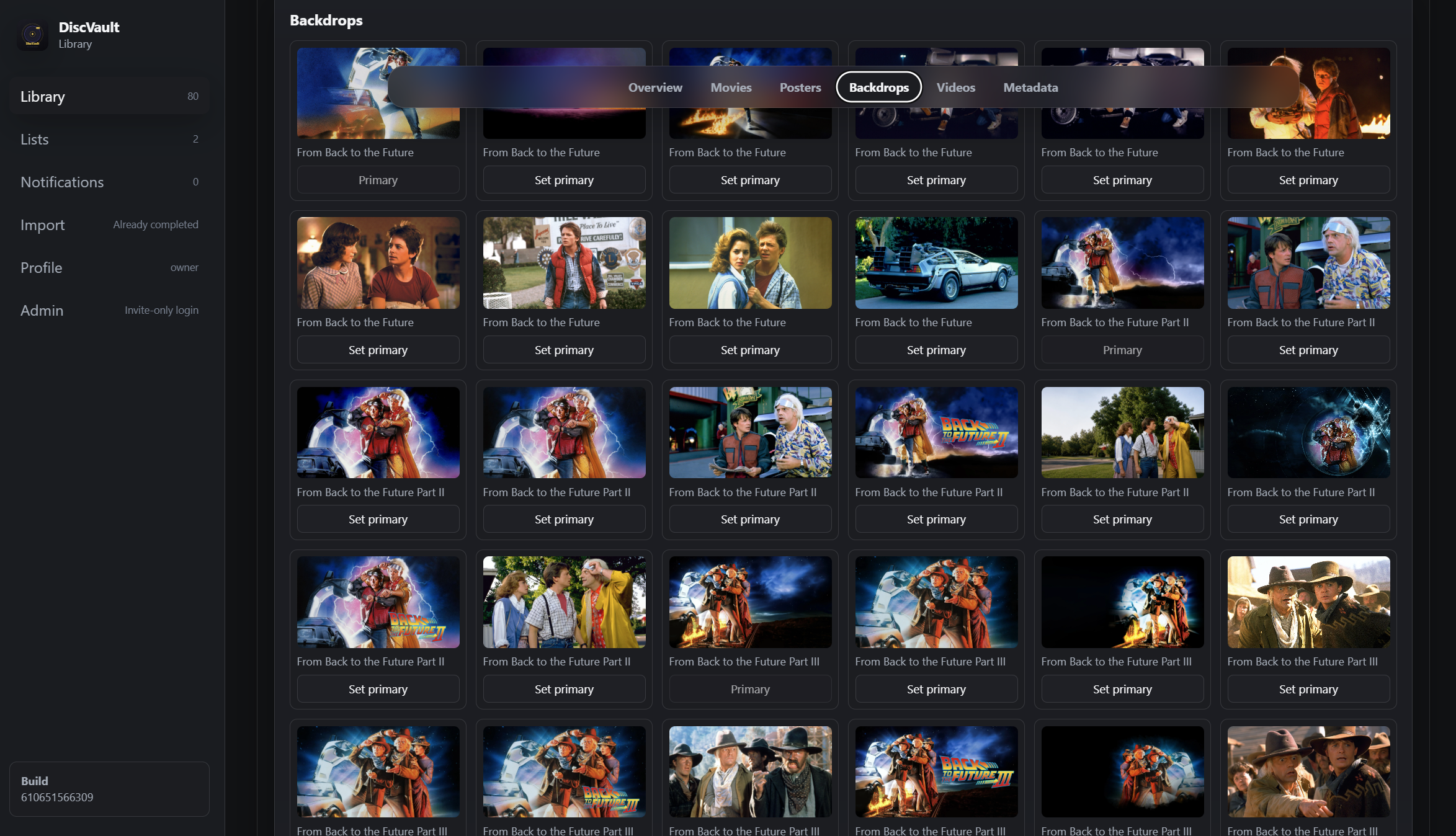 |
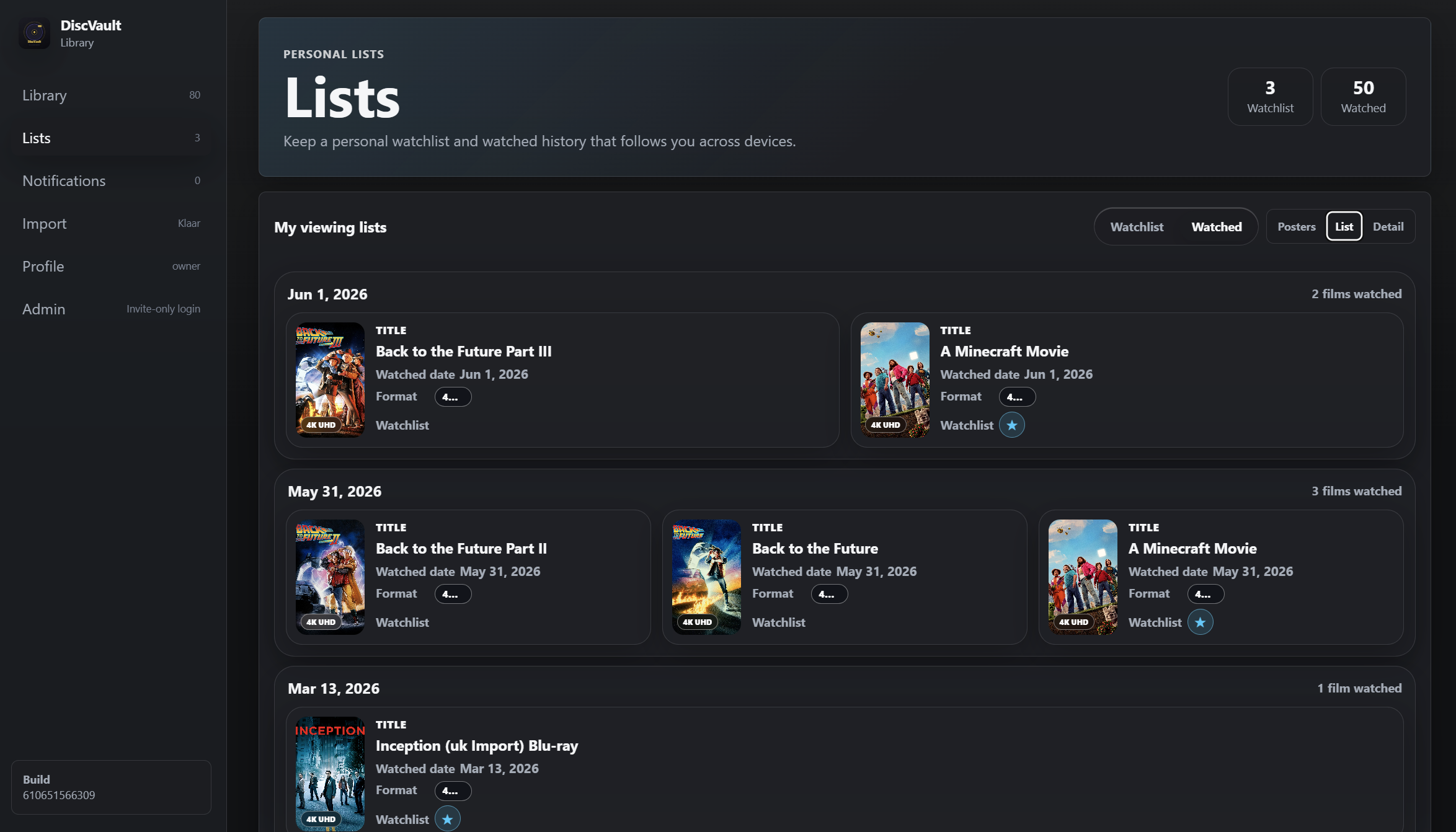 |
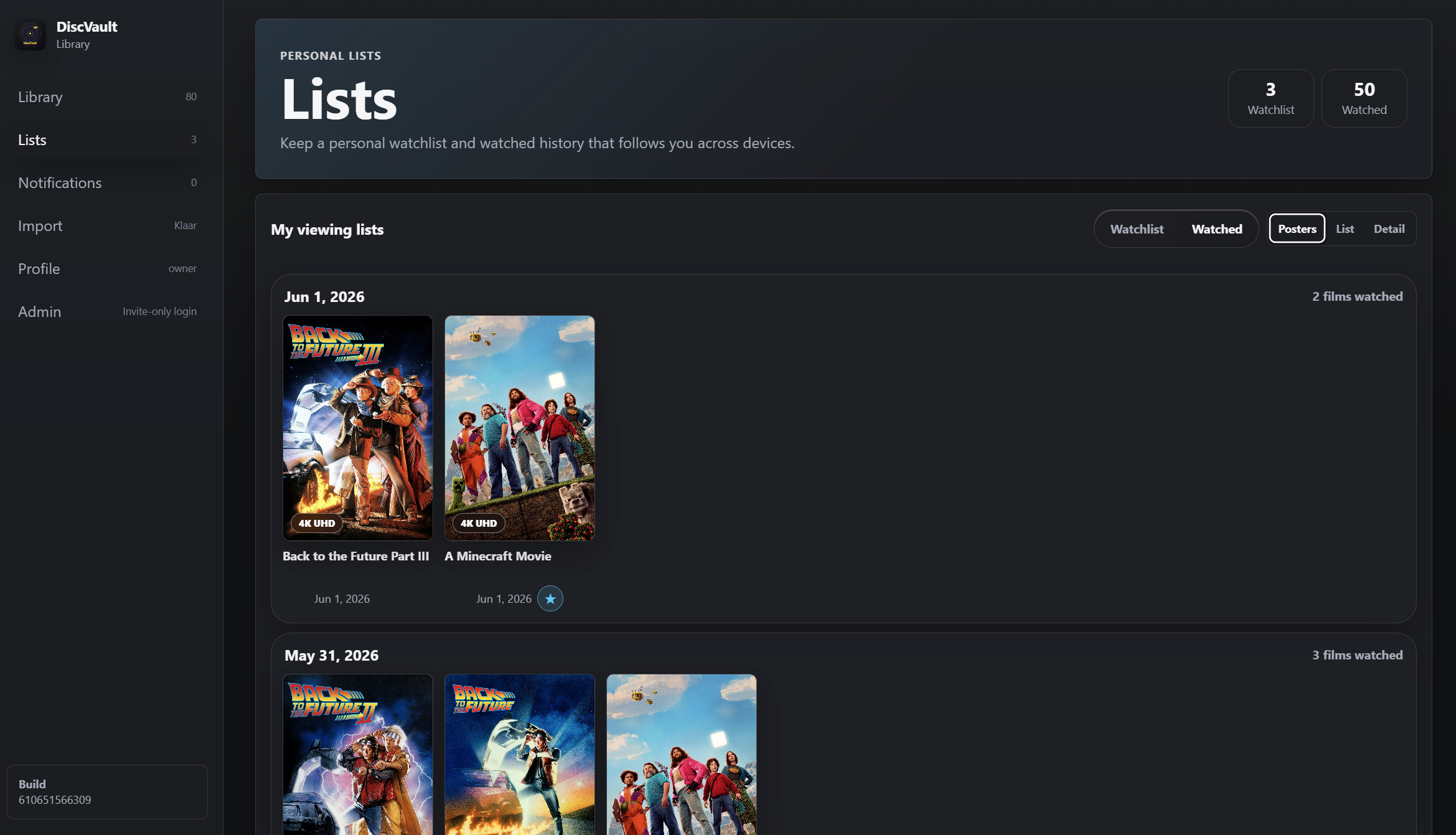 |
| Roles and permissions | Plugins | Preferences |
|---|---|---|
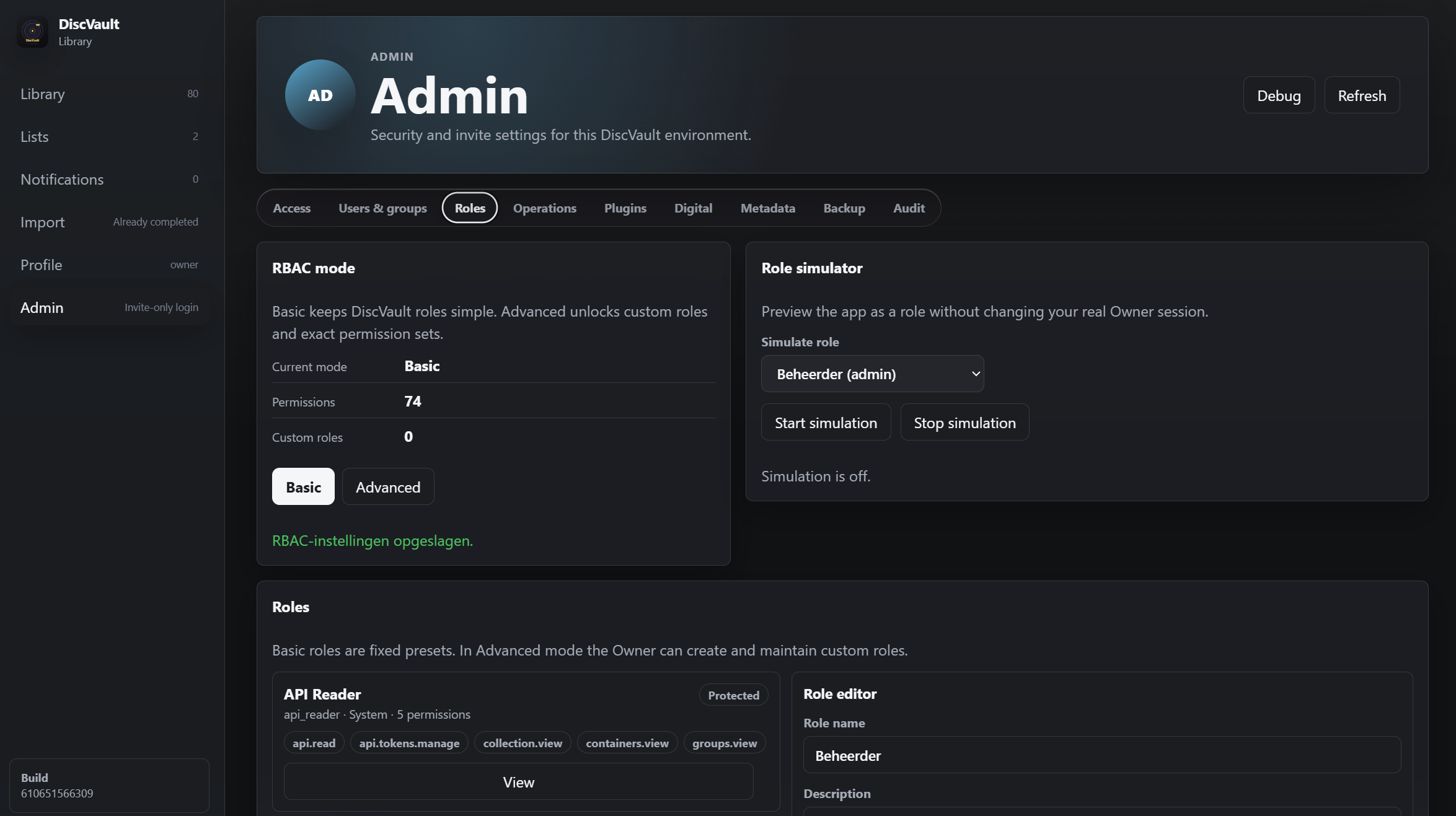 |
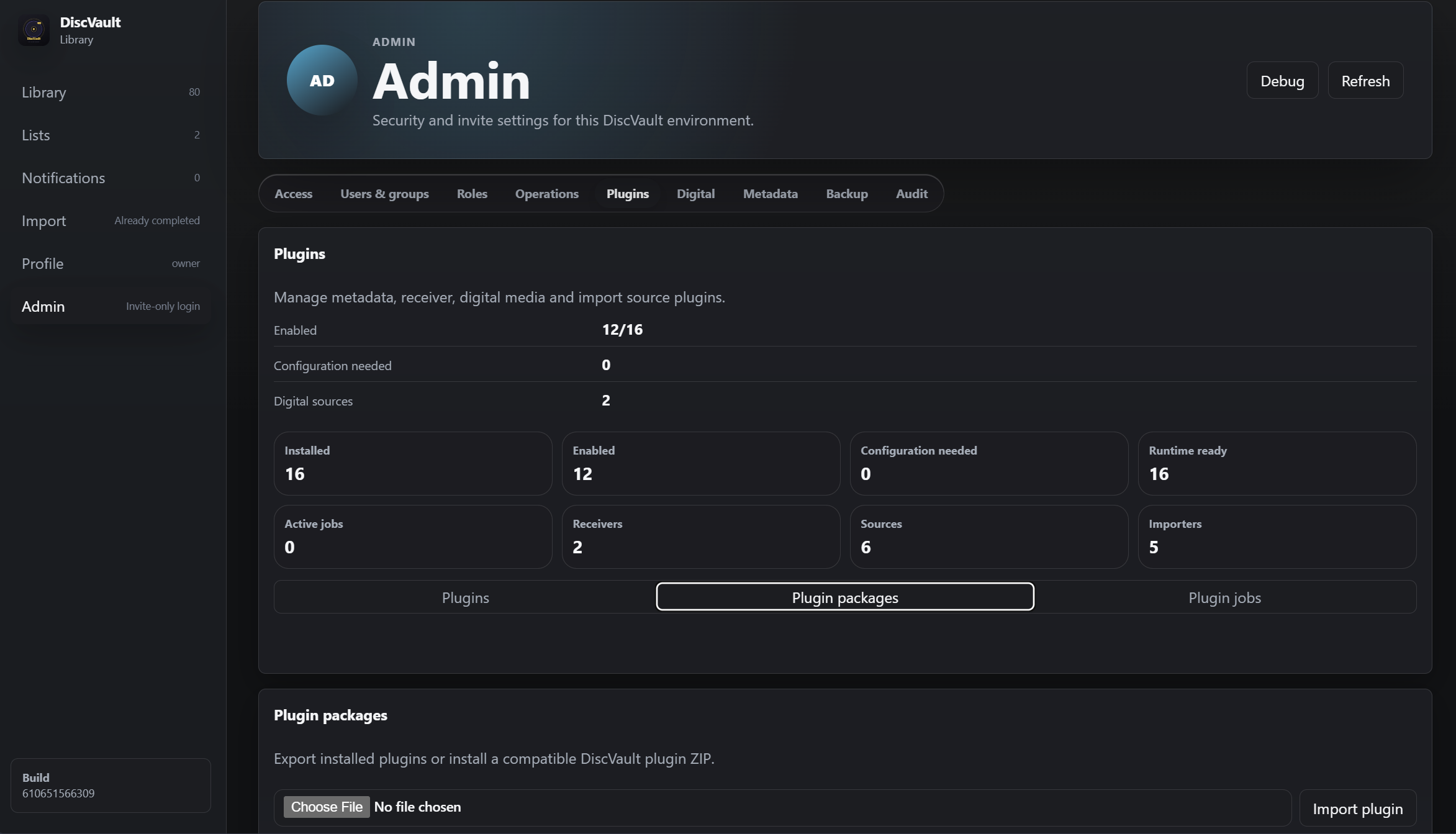 |
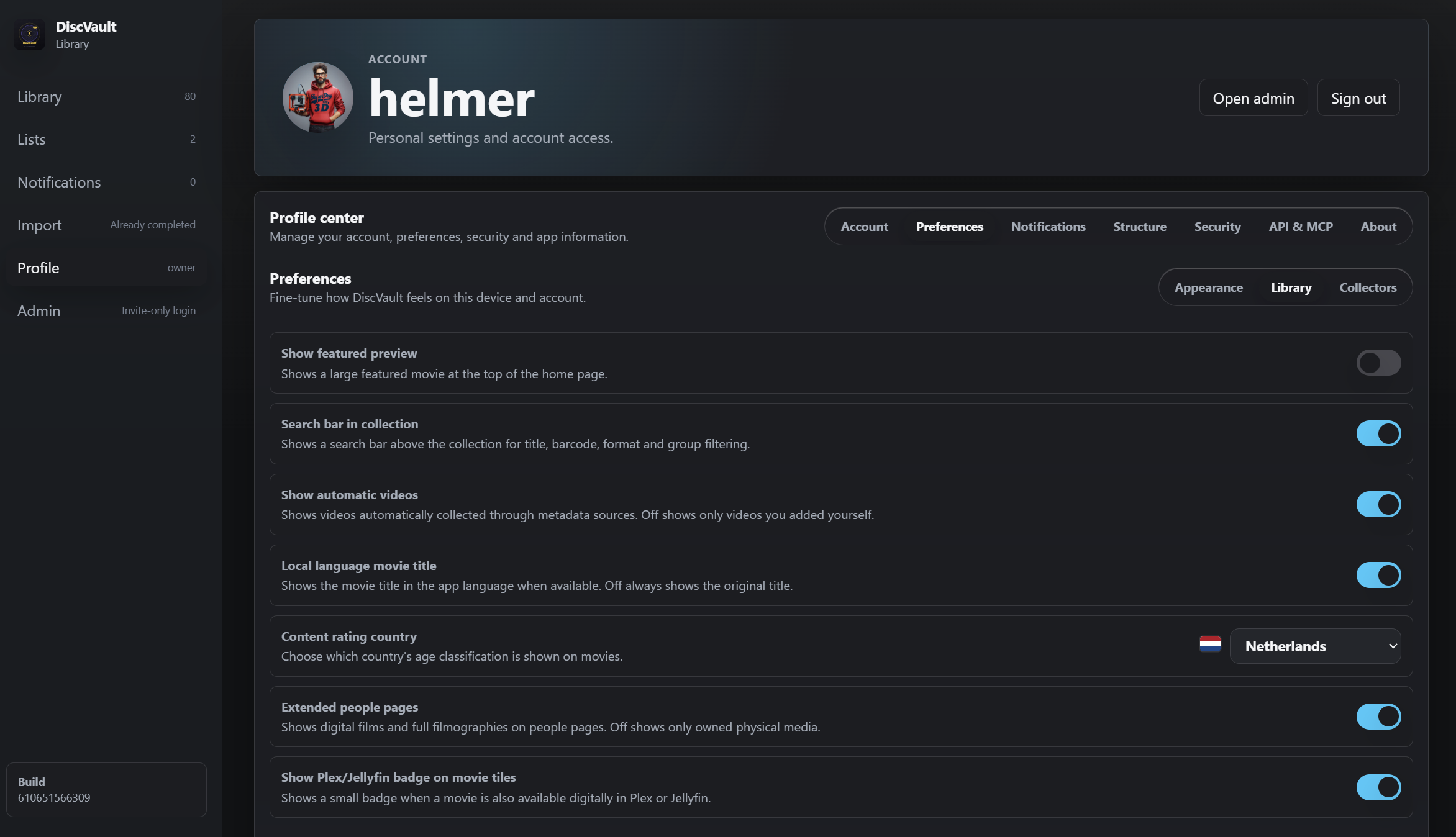 |
Migrating from DiscVault Legacy
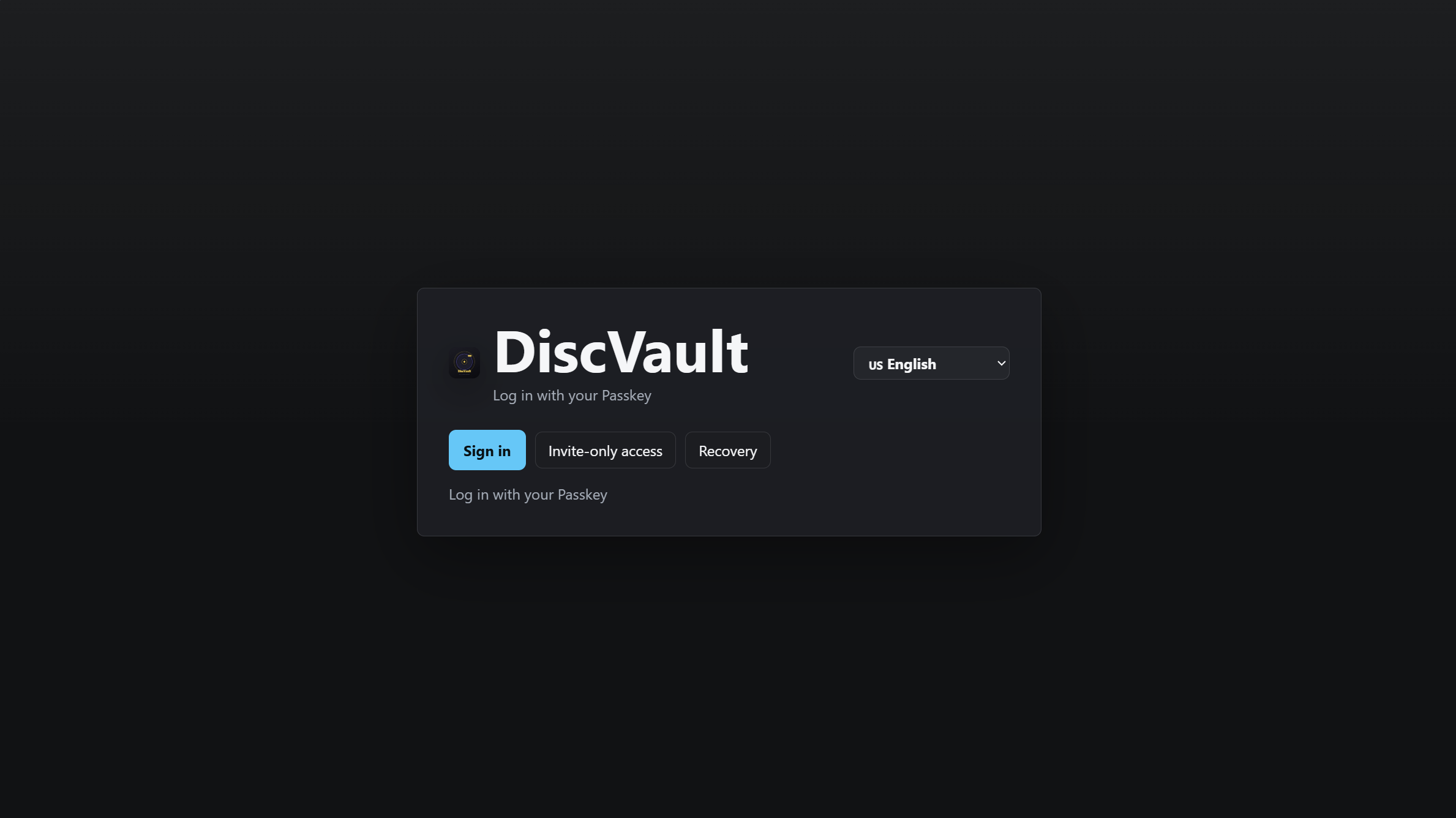
DiscVault 26 includes a guided migration for existing installations. The wizard checks your current data, confirms what can be imported, runs the migration, and then opens the new app.
| Start migration | Authenticate with your passkey | Review the wizard | Confirm the scope |
|---|---|---|---|
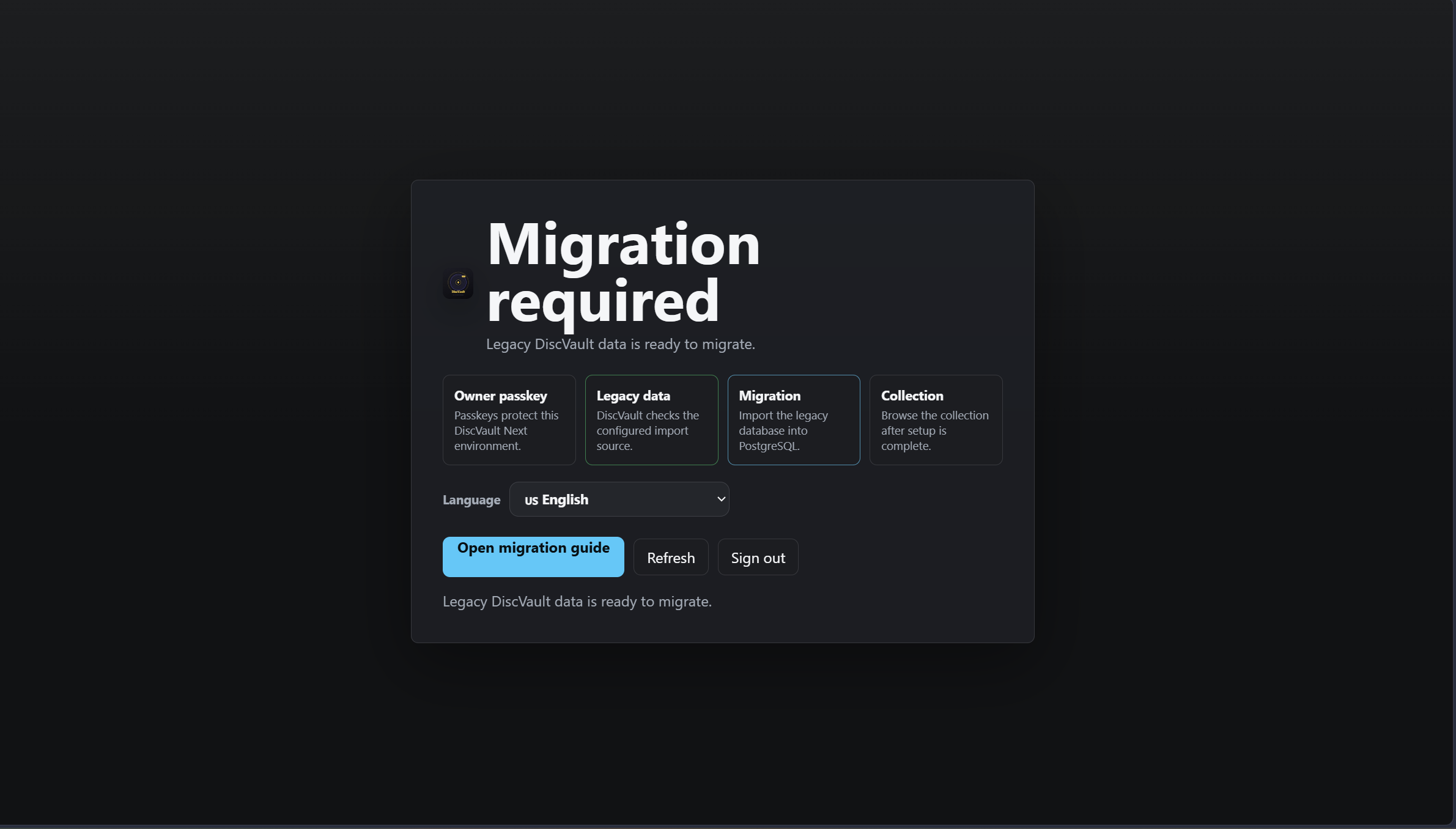 |
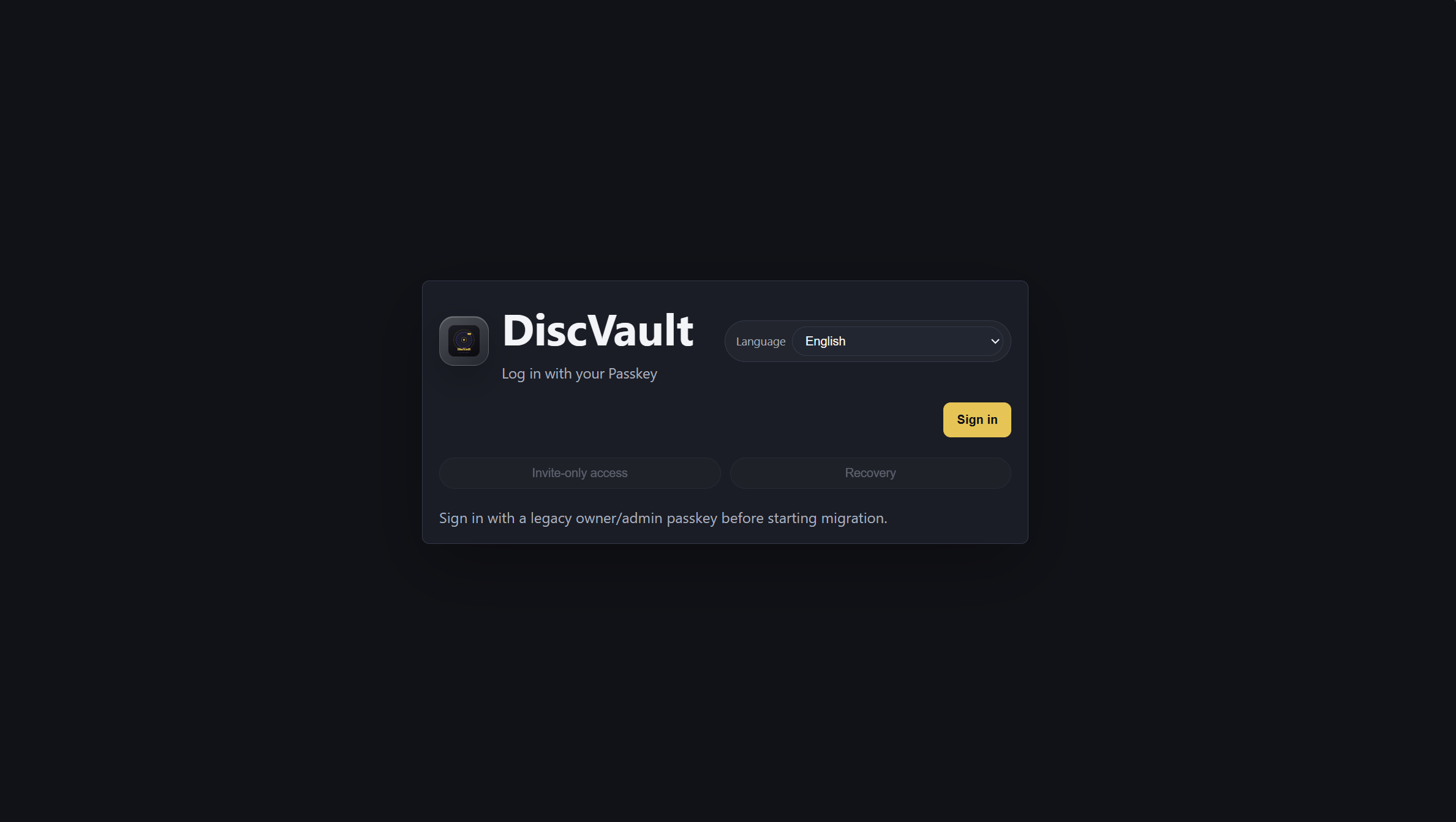 |
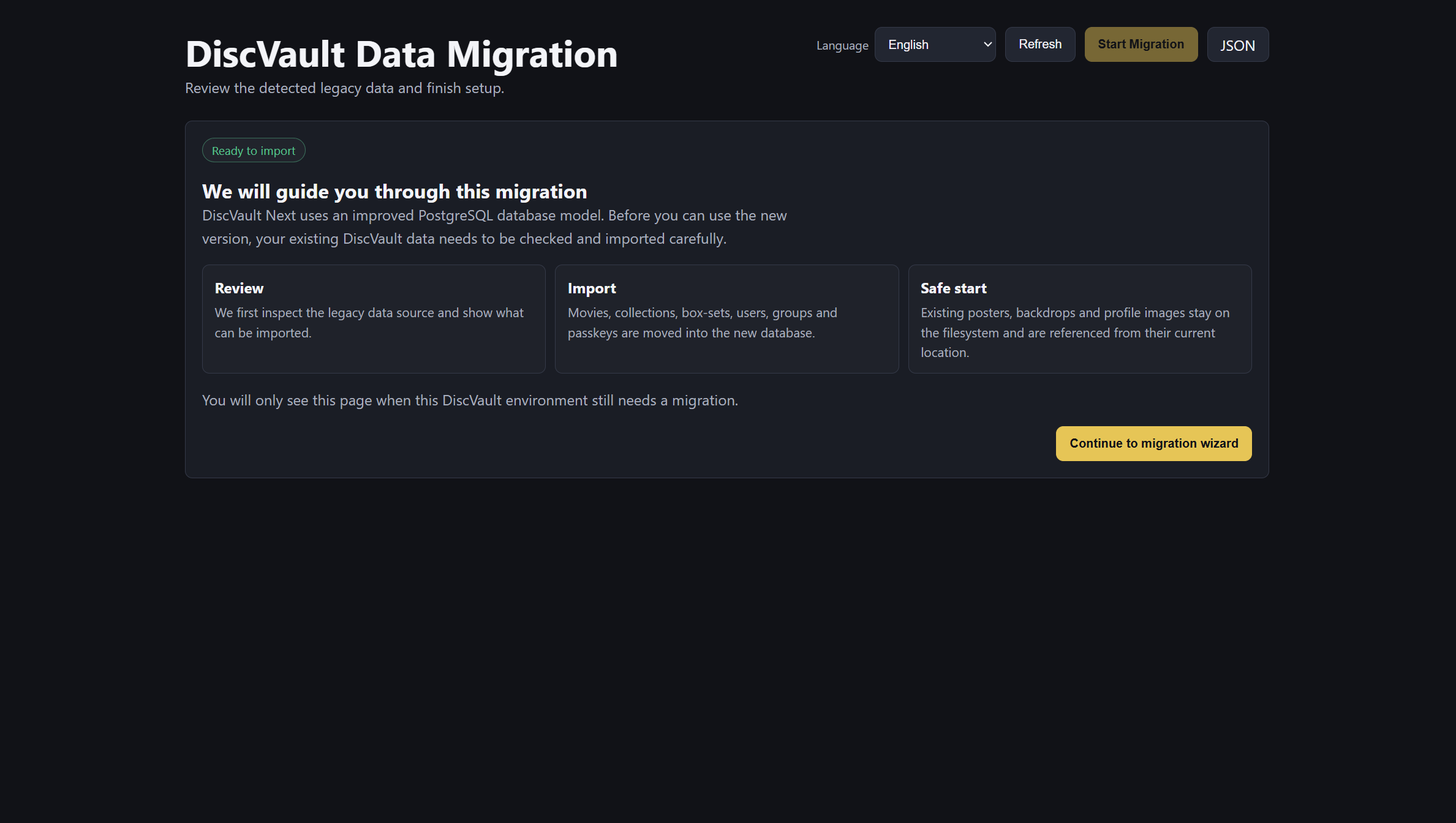 |
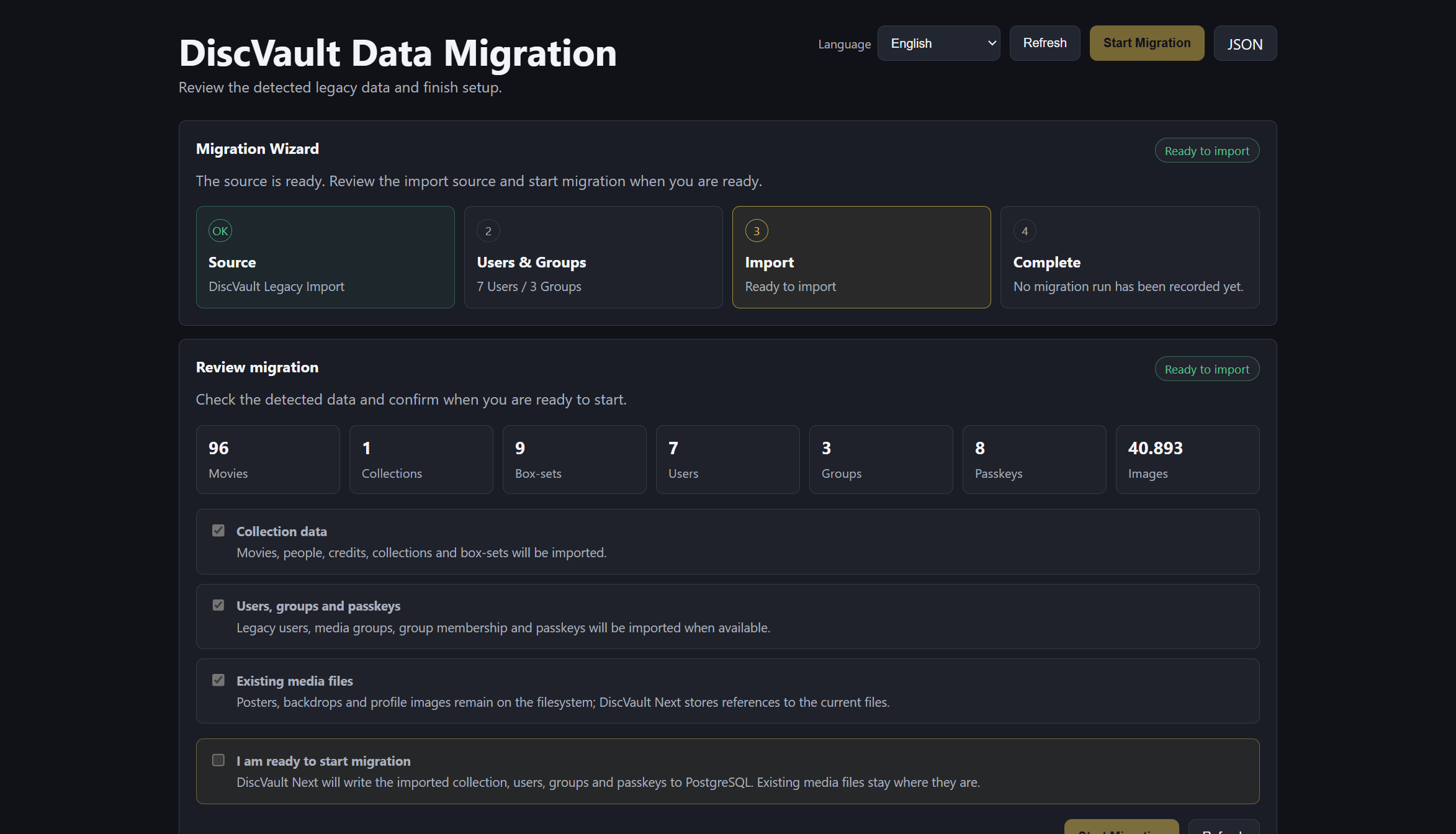 |
| Ready to start | In progress | Finished | Start DiscVault 26 |
|---|---|---|---|
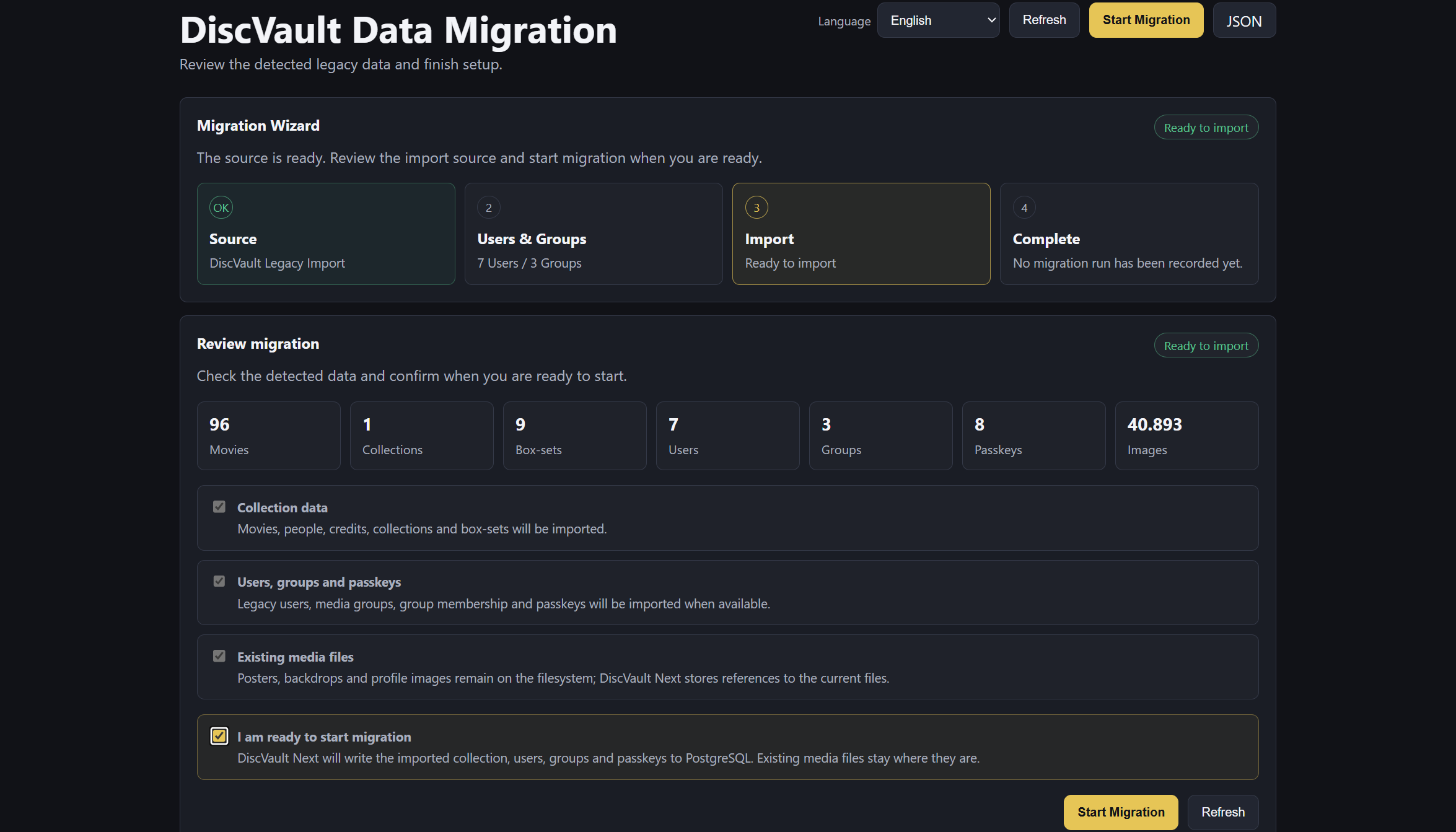 |
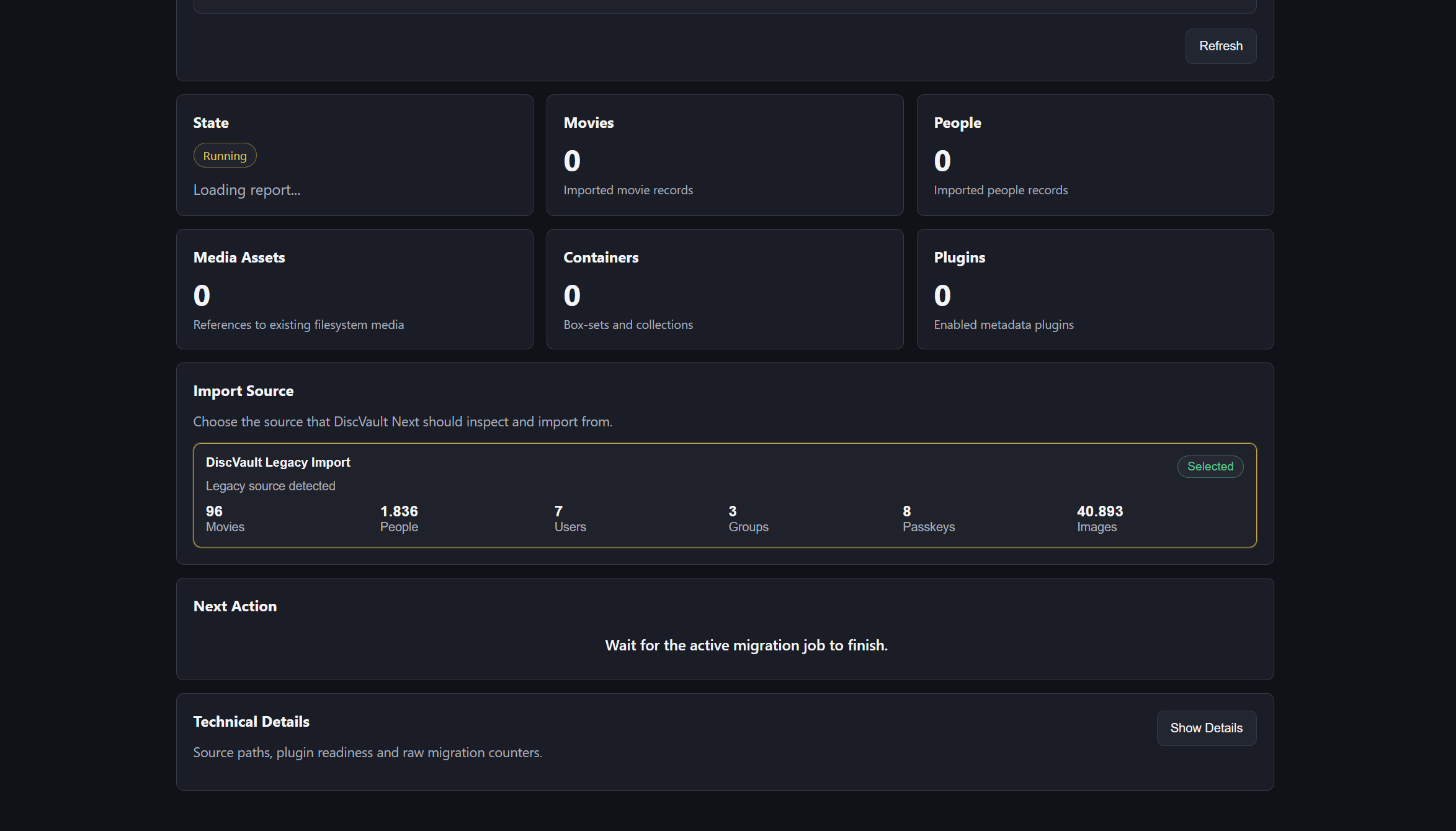 |
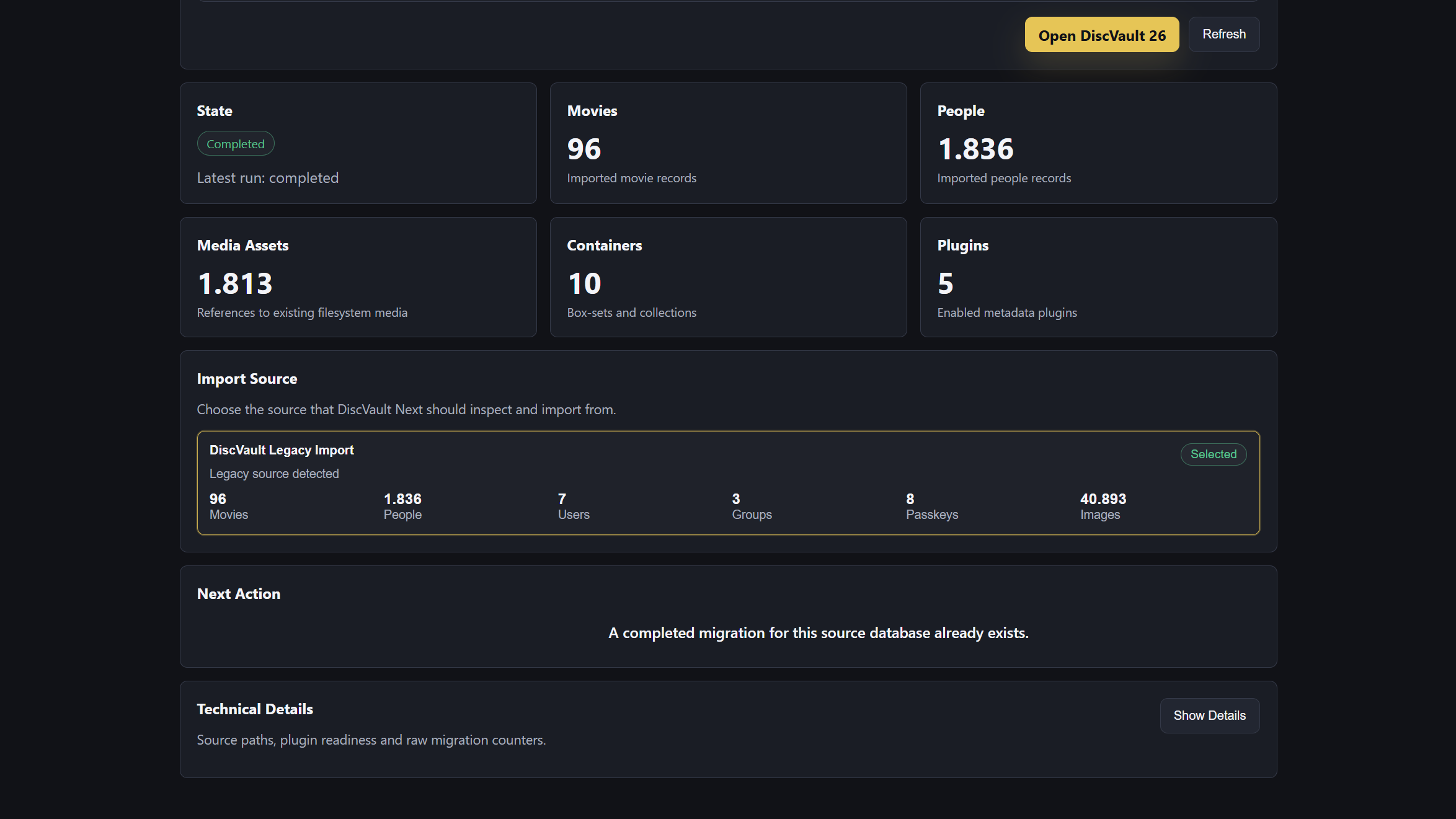 |
 |
Getting started
- 🌐 Web: open the address of your own installation, and install it as an app if you like.
- 📱 iPhone and iPad: download DiscVault on the App Store. It runs entirely on the device: scan, enrich, filter and search without a server. Prerelease builds are on the TestFlight beta.
- 🤖 Android: in beta. Request access on Discord; approved testers install through Google Play.
- 🐳 Self-hosted: see Installation, or install it on Unraid or as a Home Assistant app.
The iPhone, iPad and Android apps keep your collection on the device. Connecting them to a self-hosted installation is planned for a later stage.
Install as an app
- Android and desktop (Chrome, Edge): open the https address and choose Install app.
- iPhone / iPad: open the https address in Safari → Share → Add to Home Screen.
Once installed, the web app keeps working offline.
Installation (self-hosted)
DiscVault 26 runs as a small Docker Compose stack with PostgreSQL 17. The quickest route uses the Compose file and environment template from the beta branch:
install -d -m 0700 /opt/discvault-next && cd /opt/discvault-next
curl -fLO https://raw.githubusercontent.com/helmerzNL/DiscVault/release/v26-beta/app/deploy/next/docker-compose.yml
curl -fL -o .env https://raw.githubusercontent.com/helmerzNL/DiscVault/release/v26-beta/app/deploy/next/.env.example
# edit .env: DISCVAULT_NEXT_IMAGE=ghcr.io/helmerznl/discvault:beta (never the template's :dev),
# POSTGRES_PASSWORD, JWT_SECRET (openssl rand -base64 48), DISCVAULT_DATA_DIR and
# DISCVAULT_NEXT_POSTGRES_DATA (absolute host folders), RP_ID and RP_ORIGINS
docker compose -p discvault_next_deploy up -d
Then open http://<host>:6180 and follow the first-run setup. The first start applies every
database migration and can take a couple of minutes. Passkeys need a secure context, so anything
other than localhost belongs behind a reverse proxy with HTTPS.
The stable channel (:latest), the equivalent docker run setup, reverse proxy and passkeys, and
storage are covered step by step in the server guide. The
stack itself, its preflight check and its troubleshooting are in
app/deploy/next/README.md.
Unraid
The Community Applications templates for DiscVault and DiscVault (beta) are in helmerzNL/unraid-community-apps. Unraid cannot declare a PostgreSQL dependency, so the template installs the DiscVault launcher: one container that creates and updates the whole stack (PostgreSQL, API, worker, MCP) through the Docker socket and serves it on one port. Stable and beta each have their own folders and port, so they run side by side.
- Support thread: https://forums.unraid.net/topic/198808-support-discvault-physical-disc-collection-manager/
- Guide: Install on Unraid
Home Assistant
DiscVault and DiscVault (beta) are also available as Home Assistant apps (add-ons), from helmerzNL/home-assistant-addons:
Add this repository to your Home Assistant
- In Home Assistant open Settings → Apps → Install app (older versions: Settings → Add-ons → Add-on store), then the menu (⋮) → Repositories, and add
https://github.com/helmerzNL/home-assistant-addons, or use the button above. - Choose DiscVault (port 6180) or DiscVault (beta) (port 6181), install it, and follow its Documentation tab.
The app, its worker, the MCP endpoint and PostgreSQL run in one container, and everything they store
lives in the app's data folder, which Home Assistant includes in its backups. Passkeys need an https
address with a domain name in front of the app's port; without one, the app's password_login
option offers a password with TOTP instead.
Configuration
Set in .env; app/deploy/next/.env.example documents every
value, and the environment reference explains
them at length. Never commit .env.
| Variable | Required | Default | Description |
|---|---|---|---|
DISCVAULT_NEXT_IMAGE |
✅ | :dev in the template |
Which build runs: ghcr.io/helmerznl/discvault:latest (stable), :beta, or a version such as :v26.10.17. Never the engineering :dev image |
DISCVAULT_DATA_DIR |
✅ | - | Host folder mounted as /data: artwork, backups, plugins. An absolute path on a local disk (the template suggests /mnt/user/appdata/discvault) |
DISCVAULT_NEXT_POSTGRES_DATA |
❌ | ./postgres-data |
Host folder for the PostgreSQL data. Set an absolute path on the same storage as DISCVAULT_DATA_DIR, so both are backed up together |
POSTGRES_PASSWORD |
✅ | - | Database password. Applied only when the database is first created |
POSTGRES_DB, POSTGRES_USER |
✅ | discvault_next |
Database name and user. On an existing stack, POSTGRES_DB must match the database that already exists |
JWT_SECRET |
✅ | - | Signs sessions and protects stored credentials. Generate it once with openssl rand -base64 48 and never change it: DiscVault refuses to start without it, and a new value signs everyone out and disconnects integrations |
RP_ID |
❌ | - | The hostname people open, without scheme or port, such as discvault.example.com; passkeys are bound to it. Leave it empty for a direct private or loopback IP |
RP_ORIGINS |
❌ | - | Allowed origins, comma-separated, matching RP_ID, such as https://discvault.example.com. Put the canonical public origin first |
DISCVAULT_NEXT_API_PORT |
❌ | 6180 |
Host port for the web app and API. Unique per stack on one host |
DISCVAULT_NEXT_MCP_PORT |
❌ | 6090 |
Host port for the MCP server. Unique per stack on one host |
DISCVAULT_NEXT_NETWORK_NAME |
❌ | discvault-next |
Docker network name. Unique per stack, or two stacks reach each other's database |
DISCVAULT_TRUSTED_PROXIES |
❌ | empty | Which hops may state a client address. Behind a reverse proxy on your own network: private, as the template sets it |
LEGACY_AUTH_ENABLED |
❌ | false |
Offers password + TOTP sign-in besides passkeys |
DISCVAULT_OIDC_* |
❌ | empty | OpenID Connect sign-in: _ISSUER, _CLIENT_ID and _CLIENT_SECRET all three, or none. See OIDC |
DISCVAULT_BLOCK_CRAWLERS |
❌ | true |
Keeps the instance out of search engines and AI training corpora. See Privacy and security |
DISCVAULT_INSTALLATION_COUNT |
❌ | on |
The anonymous daily report that this server is running. off sends nothing at all, whatever the owner setting says. See docs/installation-count.md |
DISCVAULT_ADMIN_DEDUP_EXECUTE_ENABLED |
❌ | false |
Safety gate for the destructive duplicate merge. Leave it off |
Password and TOTP. Passkeys remain the preferred sign-in. LEGACY_AUTH_ENABLED=true only
exposes password sign-in: on an existing installation an owner or admin must then turn it on in
Users & roles and confirm the warning with a fresh passkey. On a completely fresh installation
(no users or credentials), the setup wizard may instead create the first owner with a password of
15 or more characters and mandatory TOTP; that bootstrap is atomic and single-use. TOTP secrets and
recovery codes are never included in backups, so restored password users with MFA enrol TOTP again.
Running it
From the folder that holds docker-compose.yml and .env:
| Task | Command |
|---|---|
| Start | docker compose -p discvault_next_deploy up -d |
| Stop | docker compose -p discvault_next_deploy down |
| Update | docker compose -p discvault_next_deploy pull && docker compose -p discvault_next_deploy up -d |
| Roll back | stop the stack, restore the backup taken before the update (the DISCVAULT_DATA_DIR folder and the PostgreSQL dump), set DISCVAULT_NEXT_IMAGE back to the previous version, then docker compose -p discvault_next_deploy up -d; step by step in Rollback |
| Logs | docker compose -p discvault_next_deploy logs -f next-api (or next-worker, postgres) |
- Health check:
GET /api/next/healthanswers200with"status": "ok"once the API reaches a fully migrated database, and503with"status": "degraded"while migrations are not ready. - Largest upload: 60 MB, for artwork and your own images. Whatever runs in front of DiscVault (a reverse proxy, a CDN) must allow at least that much, and at least 500 MB on
/api/next/backup/validateand/api/next/backup/restore, where a backup archive is sent. A refusal with no matching line in the DiscVault log came from something in front. - Update check: DiscVault tells owners and admins when a newer version exists on the chosen channel (stable, beta, or auto); it never updates itself.
Before updating:
- Create a backup in the app, or stop the stack and copy the data folders (see Data and backups).
- Keep the same
DISCVAULT_DATA_DIRandDISCVAULT_NEXT_POSTGRES_DATA, so artwork, uploads, users, passkeys and settings stay available. - Read the release notes, especially before moving between stable and beta.
Troubleshooting
- Library shows too few movies, or the app freezes: a library counter that stops short (for example
200 / 228), or an app that becomes unresponsive after a few minutes or a PDF export. - Stack-level troubleshooting: PostgreSQL health, the preflight check and log commands.
- Troubleshooting on docs.discvault.eu and the FAQ.
Data and backups
Everything DiscVault keeps lives in two host folders. DISCVAULT_DATA_DIR, mounted as /data:
| Folder | What is in it |
|---|---|
media/ |
The artwork DiscVault stores: posters, backdrops, your own images, profile pictures, cached MovieVault posters |
backups/ |
Backup archives created in the app (DISCVAULT_NEXT_BACKUP_DIR moves them elsewhere) |
plugins/ |
Installed plugins (DISCVAULT_PLUGIN_INSTALL_DIR moves them elsewhere) |
discvault.db, posters/, profiles/, avatars/ |
Only after a move from DiscVault Legacy: read by the migration and left in place |
and DISCVAULT_NEXT_POSTGRES_DATA, which holds the PostgreSQL database: the collection, users,
settings and jobs.
Back up from within the app (Admin → Operations → Backup & restore), or stop the stack and copy both folders. A backup never contains passkeys, TOTP secrets, recovery codes, invite codes or plugin secrets; user accounts are an optional part of it. Restoring: choose the backup ZIP under Backup & restore in the app, or restore a full copy of both folders as described in Backup and Restore.
Architecture
flowchart LR
    A[Browser or installed web app] -->|https| P[Reverse proxy<br/>TLS]
    P --> API[next-api<br/>web app and API]
    AI[AI assistant] -->|MCP| MCP[next-mcp]
    MCP --> API
    API --> DB[(PostgreSQL 17)]
    W[next-worker<br/>background jobs] --> DB
    API -->|plugins| S[Metadata and media sources<br/>MovieVault v2, Plex, Jellyfin]
    W -->|plugins| S
| Component | Purpose | Data |
|---|---|---|
postgres |
PostgreSQL 17: the collection, users, settings and the job queue | DISCVAULT_NEXT_POSTGRES_DATA |
next-api |
The web app and the API (Flask + Gunicorn on container port 5000); applies pending migrations on start and serves /mcp as a proxy |
DISCVAULT_DATA_DIR → /data |
next-worker |
Background jobs: metadata, imports, synchronization, plugin jobs | DISCVAULT_DATA_DIR → /data |
next-mcp |
The MCP server for AI assistants, on port 6090; it calls the API | - |
Plugins are loaded from manifest folders: the bundled ones from the image, installed ones from
/data/plugins. The highest-priority metadata source is the standalone MovieVault v2 plugin, which
works through an anonymous bridge in DiscVault itself:
docs/movievault-v2-plugin.md.
DiscVault Core in this repository is the server, the web app, the MCP server and the plugin
runtime. The iPhone, iPad and Android apps are separate apps, and the marketing website
https://discvault.eu lives in its own repository. Developing and running from source:
app/README.md.
Stable and beta
| Stable | Beta | |
|---|---|---|
| Branch | main |
release/v26-beta |
| Image | ghcr.io/helmerznl/discvault:latest (also :stable, :v26, and :v26.X.Y per release) |
ghcr.io/helmerznl/discvault:beta (also :v26-beta) |
| GitHub release | v26.X.Y |
none: every merge builds a new image |
Every change lands in release/v26-beta first, and reaches main through a deliberate
promotion. To try the beta, use the :beta image with its own data folders, and create a backup
before moving an existing library between stable and beta. Image references are lowercase: GitHub
shows the repository as helmerzNL/DiscVault, but Docker pulls ghcr.io/helmerznl/discvault.
The branch and image model in full: docs/BRANCHING.md.
Contributing
Contributions are welcome. Pull requests go to the release/v26-beta branch, never to main. The
working conventions for people and AI assistants alike are in AGENTS.md. For bugs
and ideas, open an issue; for questions,
use Discussions.
git config core.hooksPath .githooks
cd app && cp .env.example .env   # set JWT_SECRET, RP_ID and RP_ORIGIN
docker compose -f docker-compose.next.yml up -d --build
cd backend && python -m unittest discover -s tests -t . -p "test_*.py"
Privacy and security
- Everything is stored on your own server, or on your own device: no account with us, no advertising, no tracking.
- The one thing a server tells us is that it is running: once a day it sends its DiscVault version and the number of days since its previous report to
api.discvault.eu, with no identifier and nothing about your collection or your accounts. It is only used to estimate how much DiscVault is used, so that the MovieVault backend can be scaled to match. The owner is told on the screen before the first report (in the setup wizard on a new installation) and can turn it off in the app, or withDISCVAULT_INSTALLATION_COUNT=off. The details:docs/installation-count.md. - Metadata lookups go to the metadata plugins that are enabled. MovieVault v2, on by default, is reached through an anonymous bridge in DiscVault itself; contributing corrections back to MovieVault is a separate setting that only the owner can change.
- An instance keeps itself out of search engines and AI training corpora without any configuration:
/robots.txtdisallows every crawler, every response carriesX-Robots-Tag: noindex, and known crawlers are refused. A reverse proxy in front must pass this through. This is not a security control: an instance that must not be reachable belongs behind authentication, a VPN, or off the public internet. The details:docs/search-engines-and-ai-crawlers.md. - Report a vulnerability privately, as described in
SECURITY.md, never in a public issue.
Support DiscVault
DiscVault is free. If it is useful to you, a coffee keeps the development going.
Buy me a coffee Support me on Ko-fi
License
MIT © 2026 Helmer Zandbergen
Categories
Related apps
Explore more like this
Explore allLinks
Details
ghcr.io/helmerznl/discvault-launcher:latestRuntime arguments
- Web UI
http://[IP]:[PORT:80]- Network
bridge- Shell
sh- Privileged
- false
Template configuration
Which DiscVault release to run: latest (production), beta, auto (the channel built into this launcher image) or manual (the image below). / Welke DiscVault-release draait.
- Target
- DISCVAULT_CHANNEL
- Default
- latest|auto|beta|manual
- Value
- latest
Only used when the release channel is manual: a tag such as v26.10.17 or a full image reference; digest pinning is supported (ghcr.io/helmerznl/discvault:beta@sha256:DIGEST) and turns automatic updates off. / Alleen bij kanaal manual.
- Target
- DISCVAULT_IMAGE
- Default
- auto
- Value
- auto
Port of the DiscVault web interface; the launcher proxies it to the app (and /mcp to the MCP server). / Poort van de webinterface.
- Target
- 80
- Default
- 6080
- Value
- 6080
DiscVault data: posters, profiles, backups. / DiscVault-gegevens: posters, profielen, back-ups.
- Target
- /data
- Default
- /mnt/user/appdata/discvault
- Value
- /mnt/user/appdata/discvault
The same folder as App data above, as the Docker host sees it; it must be identical. / Dezelfde map als App data, zoals de Docker-host hem ziet; moet identiek zijn.
- Target
- DISCVAULT_DATA_DIR_HOST
- Default
- /mnt/user/appdata/discvault
- Value
- /mnt/user/appdata/discvault
Folder for the PostgreSQL data. Use a folder of its own: PostgreSQL only reads the password when it first initialises it. / Map voor de PostgreSQL-gegevens; gebruik een eigen map.
- Target
- DISCVAULT_POSTGRES_DATA_DIR_HOST
- Default
- /mnt/user/appdata/discvault-postgres
- Value
- /mnt/user/appdata/discvault-postgres
Launcher state, the generated Compose file, generated secrets and boot logs. / Status van de launcher, gegenereerde secrets en logboeken.
- Target
- /config
- Default
- /mnt/user/appdata/discvault-launcher
- Value
- /mnt/user/appdata/discvault-launcher
Required so the launcher can create and update the DiscVault stack. Mounting the Docker socket gives this container control over Docker on your server, which is how the launcher manages the stack. Only install it if you trust the launcher image. / Het koppelen van de Docker-socket geeft deze container controle over Docker op je server; zo beheert de launcher de stack.
- Target
- /var/run/docker.sock
- Default
- /var/run/docker.sock
- Value
- /var/run/docker.sock
Container and stack timezone; change it to yours. / Tijdzone van de container en de stack.
- Target
- TZ
- Default
- Europe/Amsterdam
- Value
- Europe/Amsterdam
The domain DiscVault is opened on, without scheme or port, for example vault.example.com. Empty means localhost, which only works on the server itself. Passkeys are bound to it. / Het domein waarop DiscVault wordt geopend.
- Target
- RP_ID
The full address(es) in the browser, comma separated, for example https://vault.example.com. Empty means http://localhost:6080. / Het volledige adres in de browser.
- Target
- RP_ORIGINS
The name your browser shows with a passkey. / De naam die je browser bij een passkey toont.
- Target
- RP_NAME
- Default
- DiscVault
- Value
- DiscVault
Opt-in password and two-step verification sign-in; passkeys remain the recommended method. An existing install also has to enable it in Users and roles with a fresh passkey. / Inloggen met wachtwoord naast passkeys.
- Target
- LEGACY_AUTH_ENABLED
- Default
- false|true
- Value
- false
Optional, stable. Empty: the launcher makes one in /config/stack.env on the first start. It only takes effect when the PostgreSQL folder is first initialised.
- Target
- POSTGRES_PASSWORD
Optional, stable signing secret. Empty: the launcher makes one in /config/stack.env on the first start. Never change it afterwards.
- Target
- JWT_SECRET
Optional separate key for the MovieVault credentials stored in PostgreSQL. Empty derives them from the JWT secret. Setting it on an existing install makes stored credentials unreadable, so set it before first use.
- Target
- DISCVAULT_NEXT_KEY_ENCRYPTION_KEY
Name of the Docker Compose project of the managed stack. Give every parallel install its own value.
- Target
- DISCVAULT_PROJECT_NAME
- Default
- discvault_stack
- Value
- discvault_stack
Docker network of the managed stack. Give every parallel install its own value.
- Target
- DISCVAULT_NETWORK
- Default
- discvault-stack
- Value
- discvault-stack
Recreate the stack at every start after pulling the images. For troubleshooting.
- Target
- DISCVAULT_ALWAYS_RECREATE_STACK
- Default
- false|true
- Value
- false
Verify the revision reported by /api/next/health against the deployed image and fail the start on a mismatch.
- Target
- DISCVAULT_CHECK_HEALTH_SHA
- Default
- true|false
- Value
- true
When PostgreSQL rejects the password, run ALTER USER to make it match the launcher configuration. This writes to your database; leave off unless you know the configured password is the one you want.
- Target
- DISCVAULT_POSTGRES_SYNC_PASSWORD
- Default
- false|true
- Value
- false
Enables the destructive duplicate merge in the admin area. Keep off unless you reviewed the matching and report workflow.
- Target
- DISCVAULT_ADMIN_DEDUP_EXECUTE_ENABLED
- Default
- false|true
- Value
- false
How many launcher boot logs to keep in /config/logs.
- Target
- DISCVAULT_BOOT_LOG_RETENTION
- Default
- 50
- Value
- 50
How long the launcher waits for the rollout lock before the start fails, to avoid update races.
- Target
- DISCVAULT_ROLLOUT_LOCK_TIMEOUT
- Default
- 300
- Value
- 300