
All apps · 0 apps

dawarich_db
OfficialDocker app from Pa7ricstar's Repository
Overview
Readme
View on GitHub🌍 Dawarich: Your Self-Hostable Location History Tracker
English | 简体中文
|
 |
|  |
| 
Screenshots
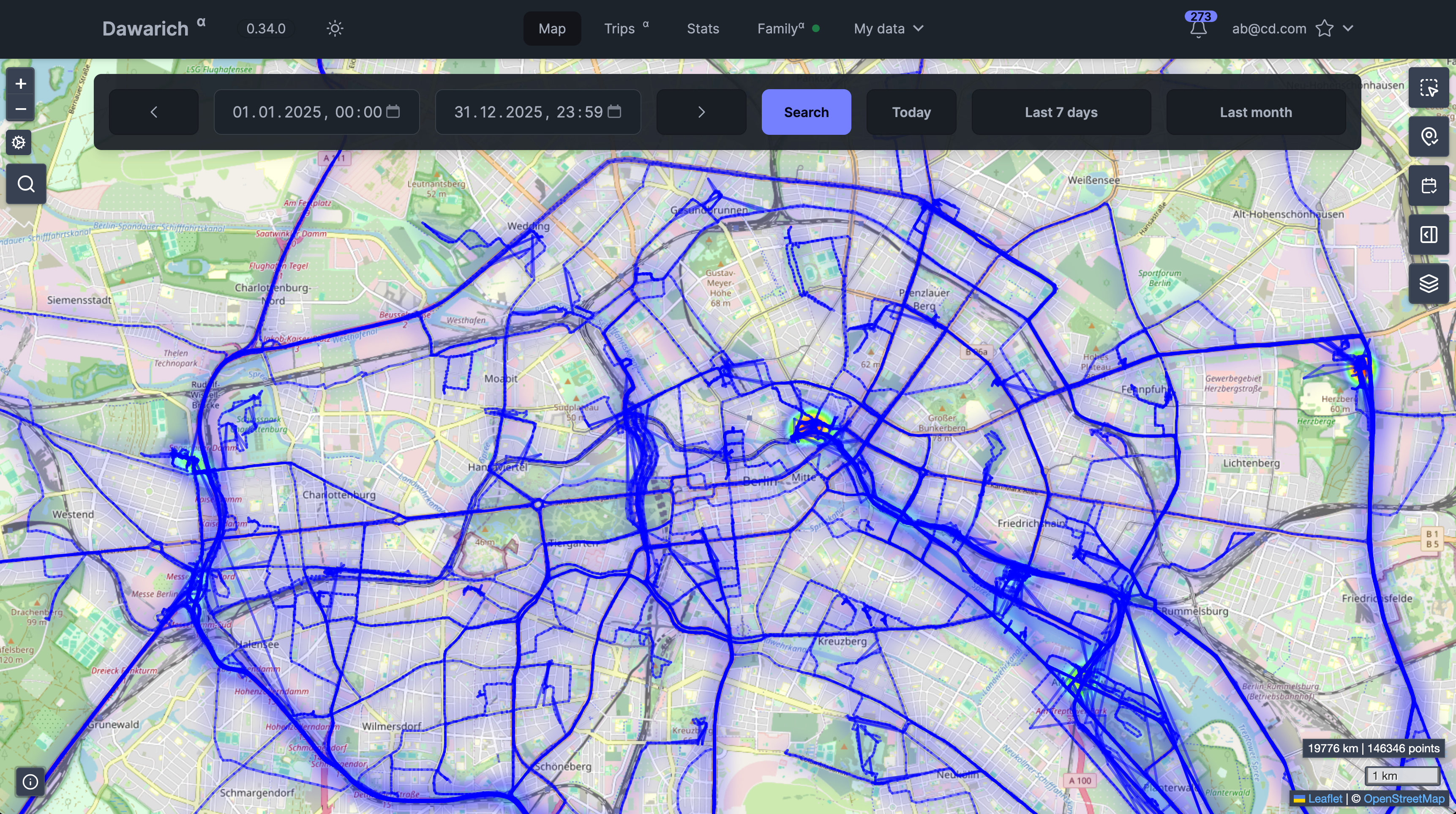 Map View
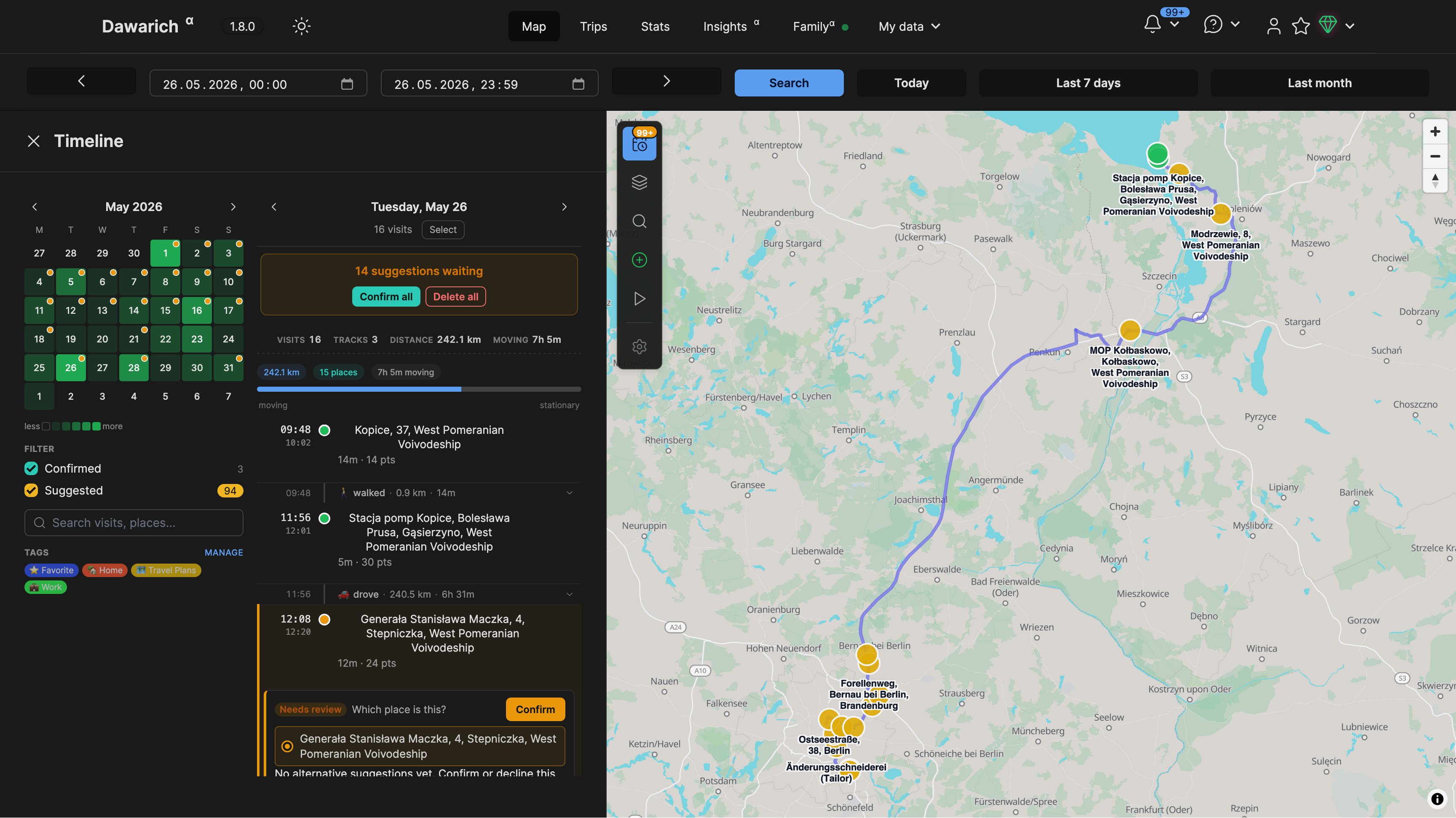 Timeline View
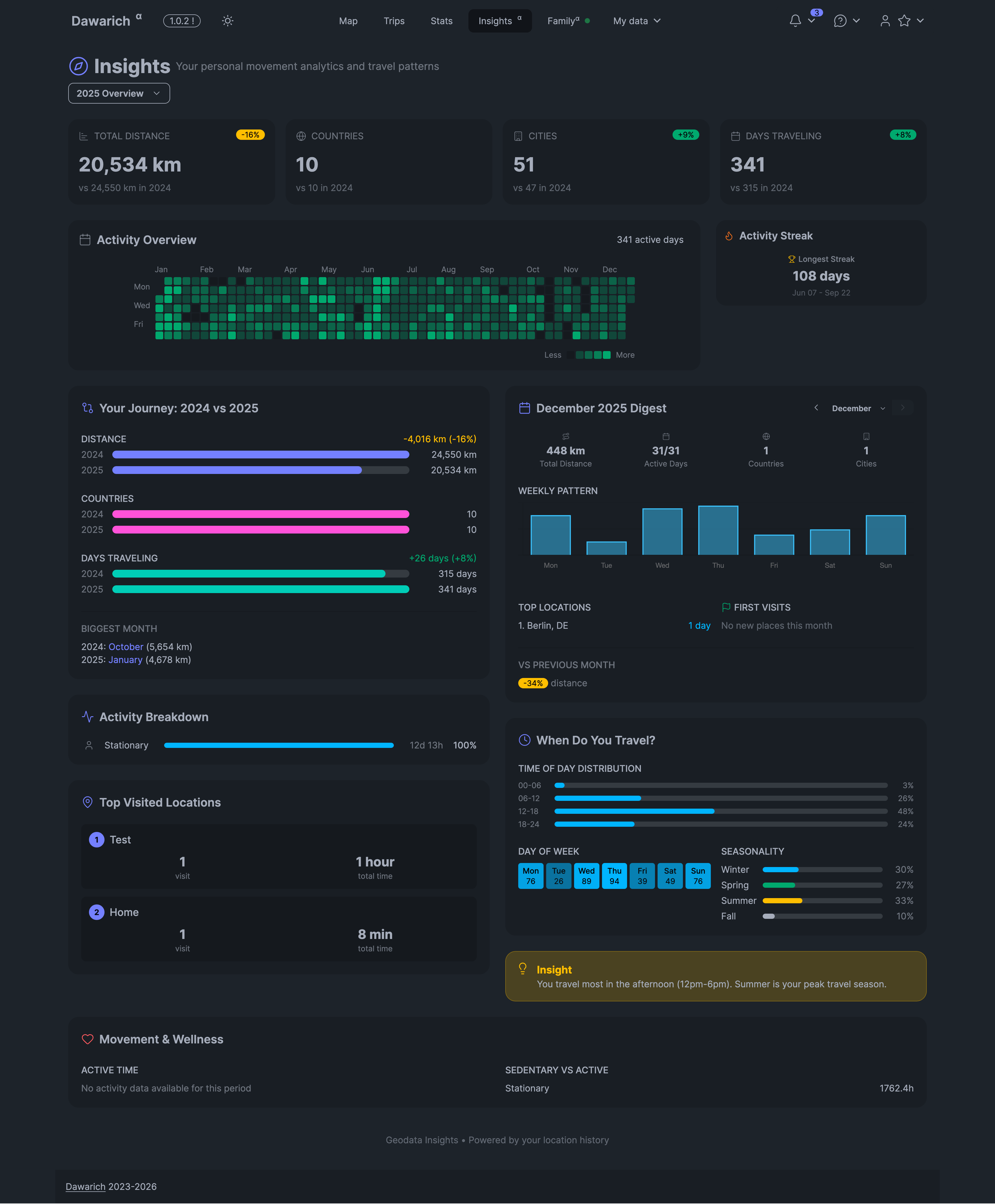 Insights Page
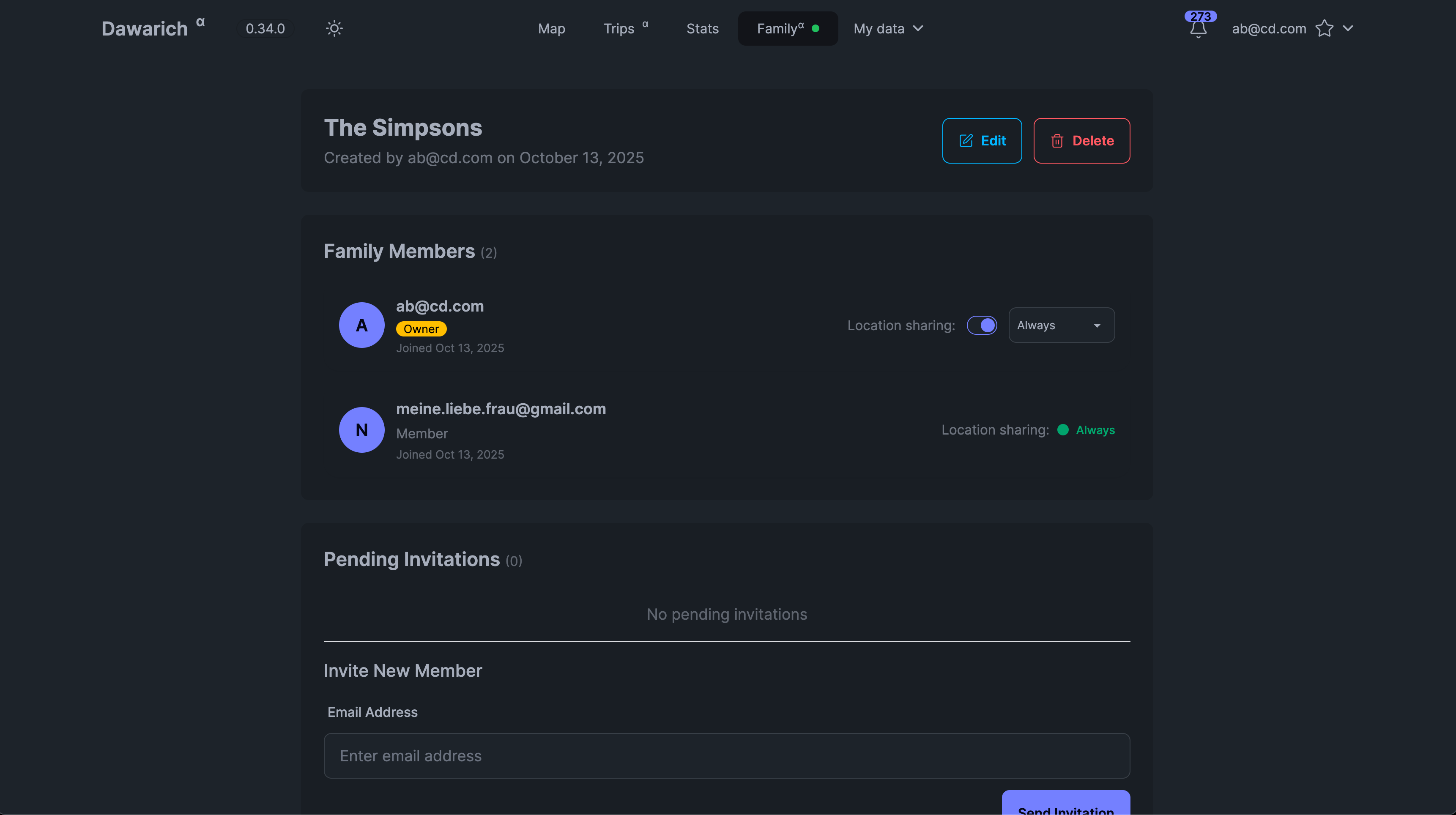 Family Page
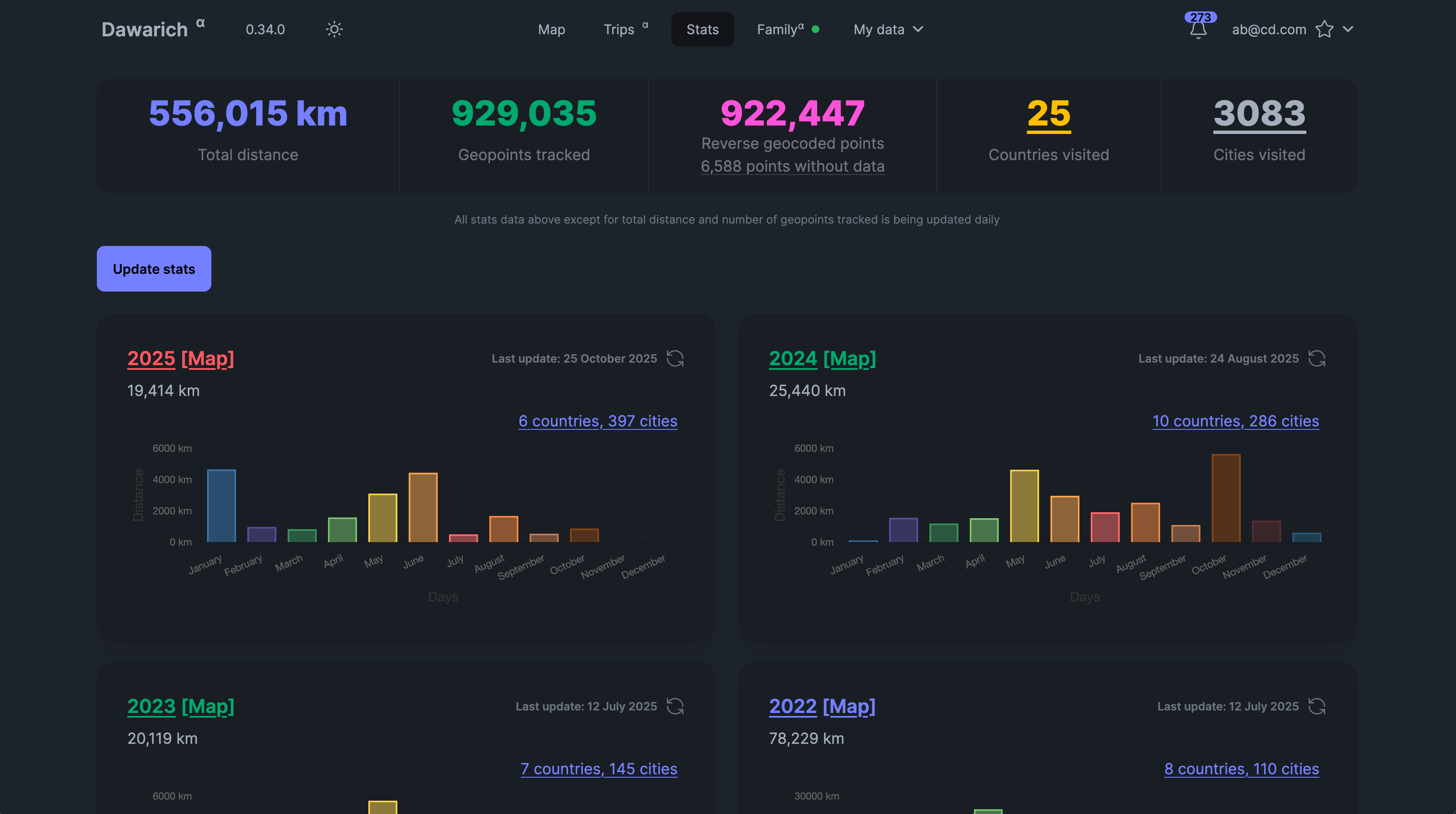 Statistics Overview
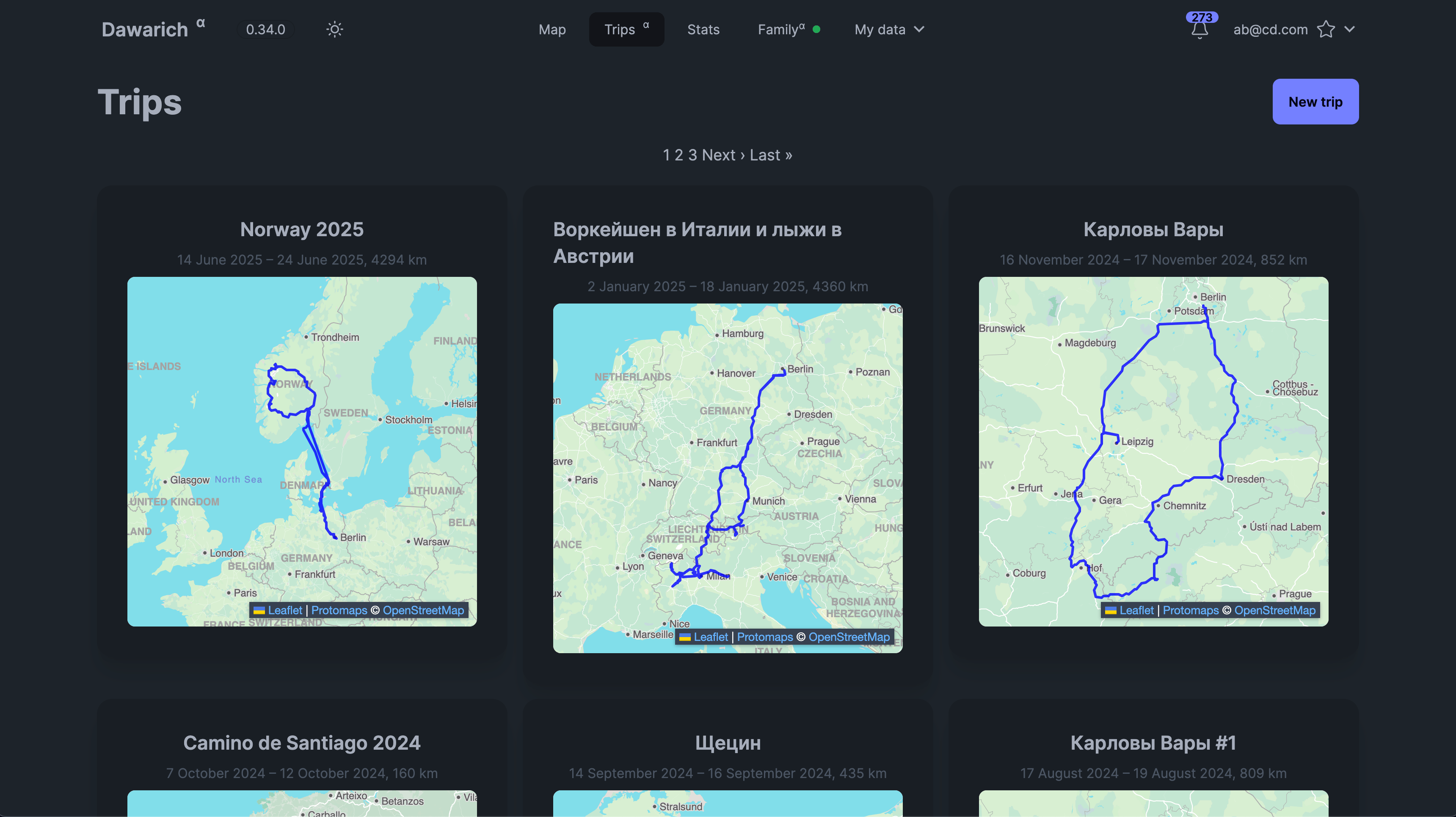 Trips page
About Dawarich
If you're looking for Dawarich Cloud, where everything is managed for you, check out Dawarich Cloud.
Dawarich is a self-hostable web app designed to replace Google Timeline (aka Google Location History). It enables you to:
- Track your location history.
- Visualize your data on an interactive map.
- Create trips and analyze your travel history.
- Share your location with family members.
- Integrate with photo management apps like Immich and Photoprism to visualize geotagged photos.
- Import your location history from Google Maps Timeline, OwnTracks, GPX, GeoJSON and some other sources
- Explore statistics like the number of countries and cities visited, total distance traveled, and more!
- Share your location with family members.
Changelog: Find the latest updates here.
Contribute: See CONTRIBUTING.md for how to contribute to Dawarich.
⚠️ Disclaimer
Updating strategy
- DO NOT UPDATE AUTOMATICALLY: Read release notes before updating. Automatic updates may break your setup.
- Under active development: Expect frequent updates, bugs, and breaking changes.
- Do not delete your original data after importing into Dawarich.
- Backup before updates: Always backup your data before upgrading.
- Stay up-to-date: Make sure you're running the latest version for the best experience.
🧭 Supported Location Tracking
You can track your location with the following apps:
- 💫 Dawarich for iOS
- 🤖 Dawarich for Android
- 🗺️ Dawarich Community (Android)
- 🌍 Overland
- 🛰️ OwnTracks
- 🧭 GPSLogger
- 📱 PhoneTrack
- 🏡 Home Assistant
Simply install one of the supported apps on your device and configure it to send location updates to your Dawarich instance.
How to Start Dawarich Locally
- Clone the repository.
- Run the following command to start the app:
docker compose -f docker/docker-compose.yml up - Access the app at
http://localhost:3000.
To stop the app, press Ctrl+C.
You can use default values or create a .env file based on .env.example to customize your setup.
How to Install Dawarich
Default Credentials
- Username:
demo@dawarich.app - Password:
safepasswordFeel free to change them in the account settings.
Features
Location Tracking
- Track your live location using one of the supported apps.
Location History Visualization
- View your historical data on a map with customizable layers:
- Heatmap
- Points
- Lines between points
- Fog of War
Family Sharing
- Share your location with family members.
- View locations of family members on the map (with their consent).
- Each family member can enable or disable location sharing individually.
Areas
- Draw areas on the map so Dawarich could suggest your visits there.
Visits (Beta)
- Dawarich can suggest places you've visited and allow you to confirm or reject them.
Statistics
- Analyze your travel history: number of countries/cities visited, distance traveled, and time spent, broken down by year and month.
Insights
- Get insights about your location history, like "Your most visited place is home, with 120 visits", or "You spent 30 days in Paris in 2024".
Days in country
- See how many days you've spent in each country. Useful for tax residency purposes or just to see where you spend most of your time.
Trips
- Create a trip to visualize your travels between two points in time. You'll be able to see the route, distance, and time spent, and also add notes to your trip. If you have Immich or Photoprism integration, you'll also be able to see photos from your trips!
Integrations
- Provide credentials for Immich or Photoprism (or both!) and Dawarich will automatically import geodata from your photos.
- You'll also be able to visualize your photos on the map!
Import Your Data
- Import from various sources:
- Google Maps Timeline
- OwnTracks
- Strava
- Immich
- GPX/GeoJSON files
- Photos’ EXIF data
Export Your Data
- Export your data to GeoJSON or GPX formats.
📚 Guides and Tutorials
- Set up Reverse Proxy
- Import Google Takeout
- Track Location with Overland
- Track Location with OwnTracks
- Export Your Data
More guides available in the Docs.
Environment Variables
Check the documentation on the website for detailed information about environment variables and settings.
Star History
As you could probably guess, I like statistics.
Media gallery
1 / 3Requirements
- dawarich_db - PostGIS database
- dawarich_redis - Redis database
- dawarich_sidekiq - Sidekiq worker (for background jobs)
- dawarich_app - Dawarich web application
Download Statistics
Total Downloads Over Time
Related apps
Explore more like this
Explore allLinks
Details
postgis/postgis:17-3.5-alpineRuntime arguments
- Network
bridge- Privileged
- false
- Extra Params
--restart=unless-stopped --shm-size=1g --health-cmd='pg_isready -U postgres -d dawarich_development || exit 1' --health-interval=10s --health-retries=5 --health-start-period=30s --health-timeout=10s
Template configuration
- Target
- /var/lib/postgresql/data
- Default
- /mnt/user/appdata/dawarich/db_data
- Value
- /mnt/user/appdata/dawarich/db_data
Name of the database
- Target
- POSTGRES_DB
- Default
- dawarich_development
- Value
- dawarich_development
Port of the PostGIS server. Required when the database container is not in the same network or specified by IP rather than container name
- Target
- 5432
- Default
- 5432
Username for the database
- Target
- POSTGRES_USER
- Default
- postgres
- Value
- postgres
Password for postgres role
- Target
- POSTGRES_PASSWORD
- Default
- postgres
- Value
- postgres