
All apps · 0 apps

DashGate
Docker app from Selfhosters
Overview
Readme
View on GitHubDashGate
A self-hosted application gateway for managing and accessing your web services. Features multi-method authentication, group-based access control, automatic app discovery from Docker/Traefik/Nginx/NPM/Caddy, and real-time health monitoring.
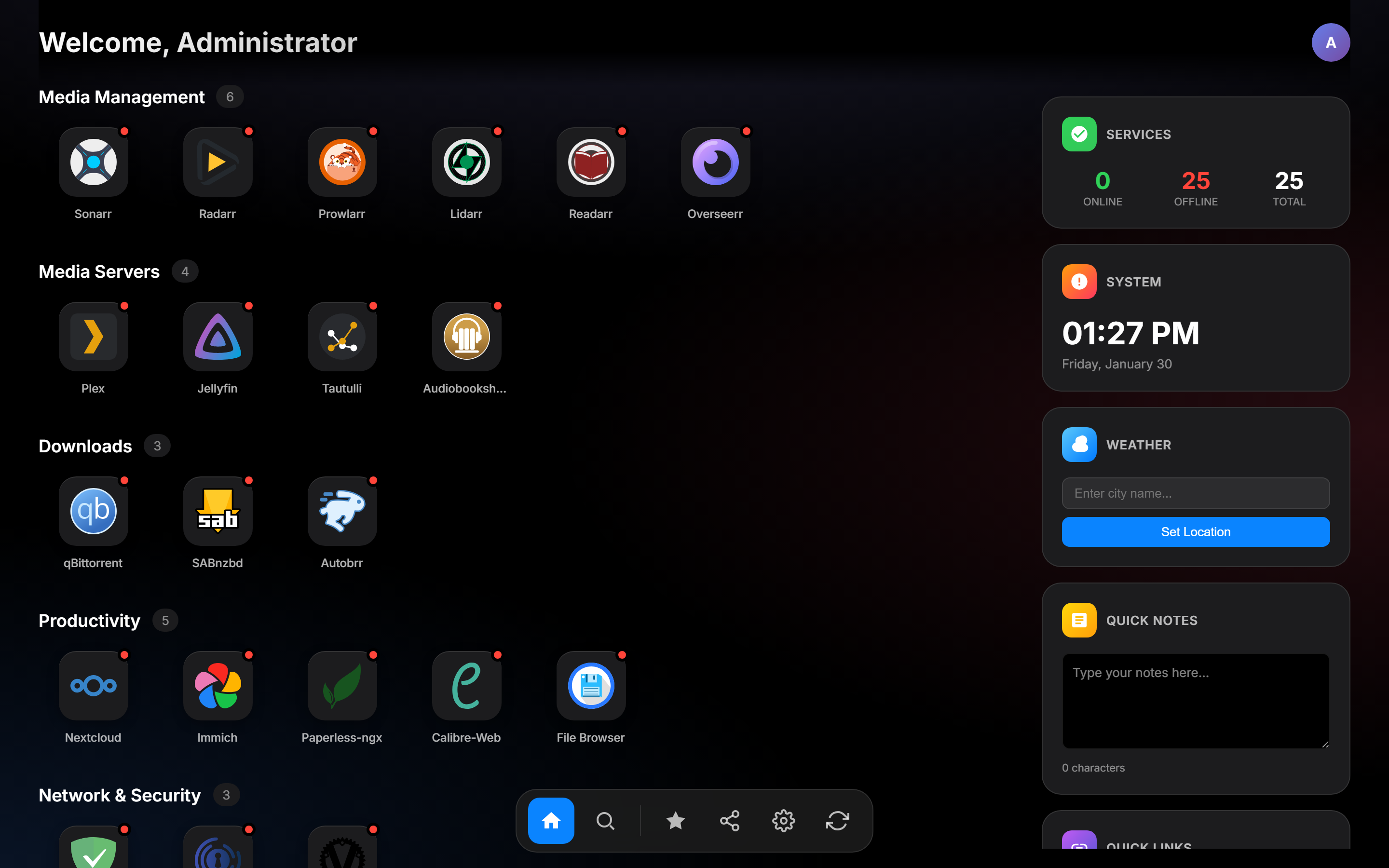
Features
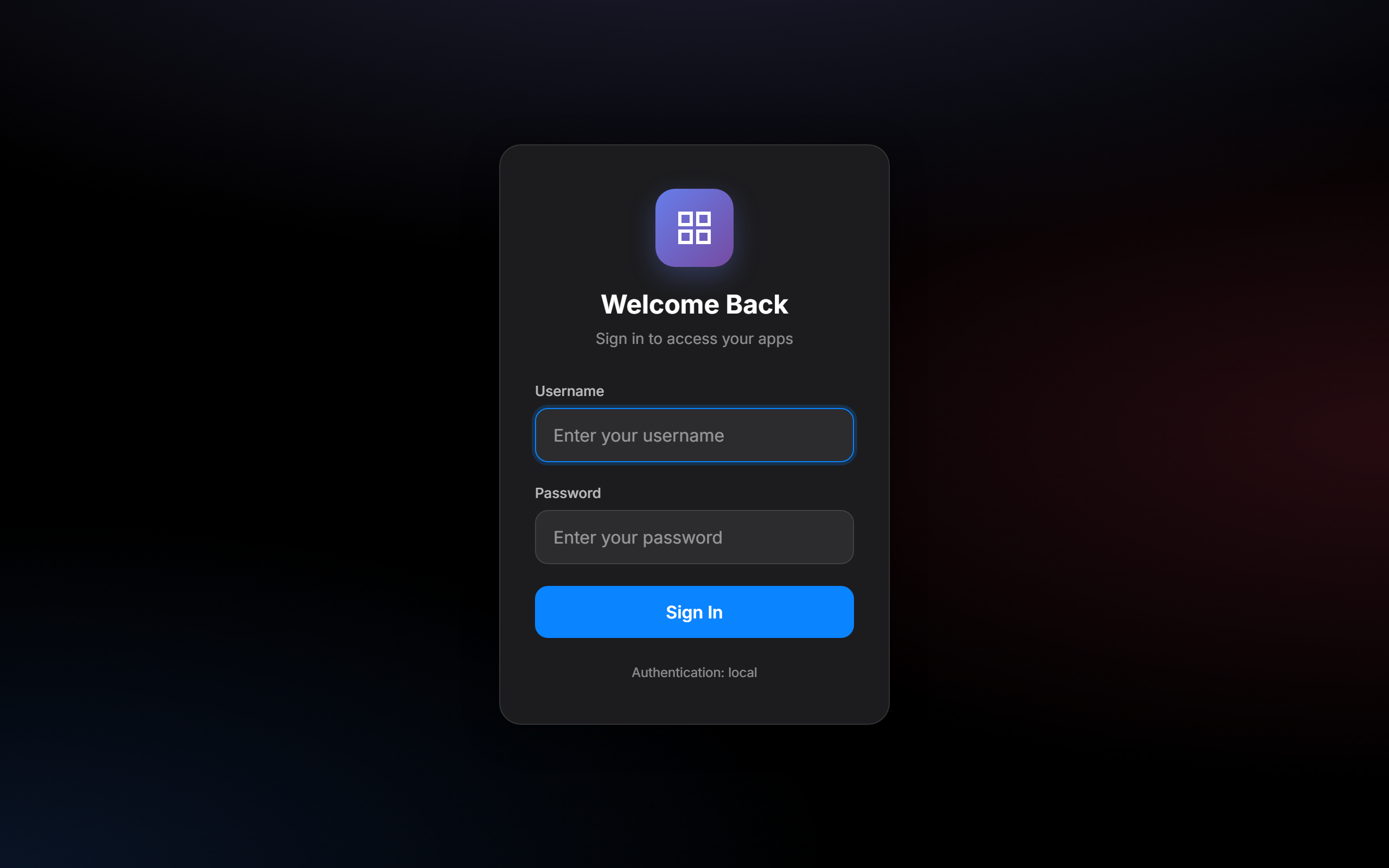
- Multi-method authentication - Local accounts, LDAP, OIDC/OAuth2, and reverse proxy (Authelia/Authentik) support
- Group-based access control - Show apps only to users in specific groups
- Automatic app discovery - Discover apps from Docker, Traefik, Nginx, Nginx Proxy Manager, Caddy, and Unraid
- Health monitoring - Background health checks with real-time status indicators
- Auto-login redirect - Unauthenticated requests redirect to login page or OIDC provider; API requests get structured JSON 401 with redirect URL
- First-time setup wizard - Guided configuration on initial deployment
- Admin panel - Manage users, apps, categories, groups, and discovery sources from the UI
- Group management - Create and delete managed groups with server-side persistence via admin panel
- LLDAP integration - Manage users and groups via LLDAP directory
- API key authentication - Programmatic access with scoped API keys
- Progressive Web App - Install as a PWA with offline support
- Encryption at rest - Sensitive configuration values (passwords, secrets) encrypted with AES-256-GCM
- Audit logging - Track admin actions with audit trail
- Backup/Restore - Export and import DashGate configuration
- User self-service - Edit profile (display name, email) and change password via Settings > Profile tab
- Configurable clock format - Toggle between 12h and 24h time display via Settings
- Customizable themes - User-selectable accent colors and dark/light mode
- Security hardened - CSP nonce, CSRF protection, rate limiting, HSTS, security headers
Quick Start
Docker (Recommended)
# Create config directory
mkdir -p config

# Run with docker
docker run -d \
  --name dashgate \
  -p 1738:1738 \
  -v ./config:/config \
  -e PUID=1000 \
  -e PGID=1000 \
  --restart unless-stopped \
  khak1s/dashgate:latest

# Dev builds: ghcr.io/kha-kis/dashgate:dev (multi-arch, pushed on every main commit)
Visit http://localhost:1738 and complete the setup wizard.
Manual Installation
Prerequisites: Go 1.24+, GCC (for CGO/SQLite)
# Clone and build
git clone https://github.com/khak1s/dashgate.git
cd dashgate
CGO_ENABLED=1 go build -ldflags="-s -w" -o dashgate .

# Run
CONFIG_PATH=./config.yaml DB_PATH=./dashgate.db ICONS_PATH=./static/icons ./dashgate
Windows Development
Requires MSYS2 with MinGW-w64 GCC at C:\msys64\mingw64\bin\gcc.exe.
$env:PATH = "C:\msys64\mingw64\bin;" + $env:PATH
$env:CGO_ENABLED = "1"
go build -o dashgate.exe .

$env:CONFIG_PATH = ".\config.yaml"
$env:DB_PATH = ".\dashgate.db"
$env:TEMPLATES_PATH = ".\templates"
$env:STATIC_PATH = ".\static"
.\dashgate.exe
Configuration
Environment Variables
| Variable | Default | Description |
|---|---|---|
PUID |
1000 |
User ID for file permissions (NAS/Unraid compatibility) |
PGID |
1000 |
Group ID for file permissions (NAS/Unraid compatibility) |
PORT |
1738 |
HTTP server port |
CONFIG_PATH |
/config/config.yaml |
Path to YAML app configuration |
DB_PATH |
/config/dashgate.db |
SQLite database path |
ICONS_PATH |
/config/icons |
Persistent icons directory (bundled icons seeded on first run) |
DEV_MODE |
false |
Enable live template reloading |
TEMPLATES_PATH |
/app/templates |
Templates directory (used in dev mode) |
ENCRYPTION_KEY |
(auto-generated) | 64 hex character AES-256 key for encrypting secrets at rest |
LOGIN_RATE_LIMIT |
5 |
Max login attempts per IP per window |
COOKIE_SECURE |
(auto) | Set to false to allow cookies over HTTP (useful behind reverse proxies) |
UNRAID_DISCOVERY |
false |
Enable Unraid container discovery |
UNRAID_URL |
Unraid server URL (e.g., http://tower.local) |
|
UNRAID_API_KEY |
Unraid API key for GraphQL access |
App Catalog (config.yaml)
Apps are organized into categories:
title: My DashGate
categories:
  - name: Media
    apps:
      - name: Plex
        url: https://plex.example.com
        icon: plex
        description: Media server
        groups:
          - media
          - admins
      - name: Jellyfin
        url: https://jellyfin.example.com
        icon: jellyfin
        description: Media streaming
        groups:
          - media

  - name: Tools
    apps:
      - name: Portainer
        url: https://portainer.example.com
        icon: portainer
        groups:
          - admins
Each app supports:
name- Display nameurl- Application URLicon- Icon name (matches files in static/icons/) or URLdescription- Short descriptiongroups- List of groups that can see this app (empty = visible to all)depends_on- List of app names this app depends on (for dependency graph)
Authentication
DashGate supports multiple authentication methods that can be enabled simultaneously:
Local Authentication
Local user accounts stored in SQLite with bcrypt-hashed passwords. Create your first admin user during the setup wizard.
LDAP Authentication
Bind-based LDAP authentication. Configure in the setup wizard or admin settings:
- Server URL (e.g.,
ldap://ldap.example.com:389) - Bind DN and password (service account)
- Base DN, user filter, attribute mappings
- Optional StartTLS with configurable certificate verification
OIDC/OAuth2
OpenID Connect authentication with any compliant provider (Authelia, Authentik, Keycloak, etc.):
- Issuer URL, Client ID, Client Secret
- Configurable scopes and groups claim name
- Automatic user creation on first login
Proxy Authentication (Authelia/Authentik)
Trust authentication headers from a reverse proxy:
Remote-User,Remote-Groups,Remote-Name,Remote-Email- Configure trusted proxy IP ranges to prevent header spoofing
- Works with Authelia, Authentik, and similar auth proxies
API Keys
Create scoped API keys for programmatic access:
- Prefix-based lookup with bcrypt verification
- Optional expiration dates
- Group-scoped permissions
App Discovery
Background workers automatically discover apps from various sources every 60 seconds:
Docker
Enable with DOCKER_DISCOVERY=true. Discovers containers with labels:
labels:
  - "dashgate.enable=true"
  - "dashgate.name=My App"
  - "dashgate.url=https://app.example.com"
  - "dashgate.icon=app-icon"
  - "dashgate.description=Description"
Requires mounting the Docker socket: -v /var/run/docker.sock:/var/run/docker.sock:ro
Using a Docker Socket Proxy (recommended for security):
Instead of mounting the Docker socket directly, you can use a socket proxy like docker-socket-proxy to limit API access:
services:
  socket-proxy:
    image: tecnativa/docker-socket-proxy
    environment:
      - CONTAINERS=1 # Only allow container listing
    volumes:
      - /var/run/docker.sock:/var/run/docker.sock:ro

  dashgate:
    image: khak1s/dashgate:latest
    environment:
      - DOCKER_DISCOVERY=true
      - DOCKER_SOCKET=tcp://socket-proxy:2375
    # No socket mount needed
Traefik
Enable with TRAEFIK_DISCOVERY=true and TRAEFIK_URL=http://traefik:8080. Discovers HTTP routers from the Traefik API.
Nginx
Enable with NGINX_DISCOVERY=true and NGINX_CONFIG_PATH=/etc/nginx/conf.d. Parses Nginx configuration files for server blocks.
Nginx Proxy Manager (NPM)
Enable with NPM_DISCOVERY=true, NPM_URL, NPM_EMAIL, and NPM_PASSWORD. Discovers proxy hosts from the NPM API.
Caddy
Enable with CADDY_DISCOVERY=true and CADDY_ADMIN_URL=http://localhost:2019. Discovers reverse proxy routes from the Caddy admin API.
Unraid
Enable with UNRAID_DISCOVERY=true, UNRAID_URL, and UNRAID_API_KEY. Discovers Docker containers with WebUI URLs configured via the Unraid GraphQL API (requires Unraid 7.2+).
To create an API key on your Unraid server:
unraid-api apikey --name "DashGate" --create --roles ADMIN --json
Or configure via the admin UI under Discovery settings — enter your Unraid server URL and API key, then test the connection.
Managing Discovered Apps
Discovered apps are hidden by default. Use the admin panel to:
- Show/hide discovered apps on the DashGate dashboard
- Override names, icons, URLs, and descriptions
- Assign groups and categories
- Test discovery connections
LLDAP Integration
Optional integration with LLDAP for user and group management:
environment:
  - LLDAP_URL=http://lldap:17170
  - LLDAP_ADMIN_USERNAME=admin
  - LLDAP_ADMIN_PASSWORD=changeme
This enables viewing LLDAP users and groups in the admin panel.
API Reference
All API endpoints return JSON. State-changing requests require a X-CSRF-Token header matching the dashgate_csrf cookie.
Public Endpoints
| Method | Path | Description |
|---|---|---|
GET |
/health |
Health check (returns version; returns JSON 401 with redirect URL when unauthenticated) |
GET |
/api/auth/config |
Enabled auth methods |
Authenticated Endpoints
| Method | Path | Description |
|---|---|---|
GET |
/api/auth/me |
Current user info |
POST |
/api/auth/logout |
End session |
GET |
/api/health |
App health statuses |
GET/PUT |
/api/user/preferences |
User theme preferences |
GET/PUT |
/api/user/profile |
User profile (display name, email) |
POST |
/api/user/password |
Change password (local users only) |
GET |
/api/discovered-apps |
List discovered apps |
GET |
/api/dependencies |
Service dependency graph |
Admin Endpoints
All require admin group membership.
| Method | Path | Description |
|---|---|---|
GET |
/api/admin/apps |
List all apps (config + discovered, deduplicated by URL) |
GET |
/api/admin/check |
Verify admin access |
GET/POST |
/api/admin/local-users |
List/create local users |
PUT/DELETE |
/api/admin/local-users/:id |
Update/delete user |
POST |
/api/admin/local-users/:id/password |
Reset password |
GET/POST |
/api/admin/api-keys |
List/create API keys |
GET/PUT |
/api/admin/system-config |
Get/update system config |
GET/POST |
/api/admin/config/apps |
Manage app catalog |
GET/POST |
/api/admin/config/categories |
Manage categories |
GET |
/api/admin/config/icons |
List available icons |
POST |
/api/admin/config/icons/upload |
Upload custom icon |
GET/POST |
/api/admin/docker-discovery |
Docker discovery config |
GET/POST |
/api/admin/traefik-discovery |
Traefik discovery config |
GET/POST |
/api/admin/nginx-discovery |
Nginx discovery config |
GET/POST |
/api/admin/npm-discovery |
NPM discovery config |
GET/POST |
/api/admin/caddy-discovery |
Caddy discovery config |
GET/POST/PUT |
/api/admin/unraid-discovery |
Unraid discovery config |
POST |
/api/admin/unraid-discovery/test |
Test Unraid connection |
GET |
/api/admin/backup |
Download backup |
POST |
/api/admin/restore |
Restore from backup |
GET |
/api/admin/audit-log |
View audit log |
GET |
/api/admin/users |
List LLDAP users |
GET |
/api/admin/groups |
List LLDAP groups |
GET/POST |
/api/admin/managed-groups |
List/create managed groups |
DELETE |
/api/admin/managed-groups/{name} |
Delete a managed group |
Security
Built-in Protections
- CSRF protection - Double-submit cookie pattern with constant-time comparison
- Content Security Policy - Per-request nonces for inline scripts
- Rate limiting - Per-IP rate limiting on login endpoints (configurable)
- Security headers - X-Content-Type-Options, X-Frame-Options, HSTS, Referrer-Policy
- Session security - Cryptographic session tokens, old sessions invalidated on new login
- Encryption at rest - Sensitive values (LDAP passwords, OIDC secrets) encrypted with AES-256-GCM
- Directory listing disabled - Static file server blocks directory browsing
- Input validation - Open redirect prevention, URL validation
- Body size limits - 1 MB max request body to prevent DoS
- Trusted proxy validation - Proxy auth headers only accepted from configured IP ranges
Recommendations for Production
- Always use HTTPS - Deploy behind a reverse proxy with TLS termination
- Set
ENCRYPTION_KEY- Provide a stable encryption key via environment variable rather than relying on auto-generation. Generate one with:openssl rand -hex 32 - Configure trusted proxies - If using proxy auth, restrict to your proxy's IP range
- Regular backups - Use the admin backup feature to export configuration
- Review audit logs - Monitor admin actions via the audit log endpoint
- Update regularly - Keep the application and its dependencies up to date
Development
Project Structure
dashgate/
  main.go                  # Entry point, routing, server setup
  config.yaml              # App catalog
  internal/
    auth/                  # Authentication (OIDC, LDAP, local, proxy, API keys)
    config/                # YAML config loading and app mappings
    database/              # SQLite schema, system config, encryption, audit
    discovery/             # Auto-discovery (Docker, Traefik, Nginx, NPM, Caddy, Unraid)
    handlers/              # HTTP request handlers
    health/                # Background health checker
    lldap/                 # LLDAP API client
    middleware/             # Security headers, CSRF, rate limiting
    models/                # Data structures
    server/                # App state holder
    urlvalidation/         # URL validation utilities
  templates/               # HTML templates (index, login, setup, offline)
  static/
    css/                   # Stylesheets
    js/                    # Client-side JavaScript
    fonts/                 # Self-hosted Inter font
    icons/                 # App icons (SVG/PNG)
    sw.js                  # Service worker for PWA
  e2e/                     # End-to-end tests (Playwright)
Running Tests
# End-to-end tests (requires Node.js)
cd e2e
npm install
npm test

# Run with browser visible
npm run test:headed

# Run with Playwright UI
npm run test:ui
Build with Version
CGO_ENABLED=1 go build -ldflags="-s -w -X main.Version=1.0.2" -o dashgate .
License
MIT License - Copyright (c) 2025 Khak1s
Requirements
Categories
Download Statistics
Related apps
Explore more like this
Explore allDetails
khak1s/dashgate:latestRuntime arguments
- Web UI
http://[IP]:[PORT:1738]- Network
bridge- Privileged
- false
Template configuration
DashGate web interface port.
- Target
- 1738
- Default
- 1738
Persistent storage for config.yaml and SQLite database.
- Target
- /config
- Default
- /mnt/user/appdata/dashgate
User ID for file permissions (run 'id' in Unraid terminal to find yours).
- Default
- 99
Group ID for file permissions (run 'id' in Unraid terminal to find yours).
- Default
- 100
Internal port (should match WebUI Port).
- Target
- PORT
- Default
- 1738
Authentication mode
- Target
- AUTH_MODE
- Default
- local|hybrid|authelia
How many days a login session stays valid.
- Target
- SESSION_DURATION_DAYS
- Default
- 7
64-char hex string for encrypting secrets at rest. Leave empty to auto-generate.
- Target
- ENCRYPTION_KEY
Docker socket for auto-discovering containers. Optional.
- Target
- /var/run/docker.sock
- Default
- /var/run/docker.sock
Enable automatic Docker container discovery.
- Target
- DOCKER_DISCOVERY
- Default
- true
Enable Traefik router discovery.
- Target
- TRAEFIK_DISCOVERY
- Default
- false
Traefik API URL (e.g., http://traefik:8080).
- Target
- TRAEFIK_URL
Enable Nginx Proxy Manager discovery.
- Target
- NPM_DISCOVERY
- Default
- false
NPM API URL (e.g., http://npm:81).
- Target
- NPM_URL
NPM admin email for API login.
- Target
- NPM_EMAIL
NPM admin password for API login.
- Target
- NPM_PASSWORD
LLDAP server URL for user directory (e.g., http://lldap:17170).
- Target
- LLDAP_URL
LLDAP admin username.
- Target
- LLDAP_ADMIN_USERNAME
LLDAP admin password.
- Target
- LLDAP_ADMIN_PASSWORD