
All apps · 0 apps

daps-ui
Docker app from grtgbln's Repository
Overview
Readme
View on GitHub

postarr
Transform your Plex library with beautifully matched custom posters



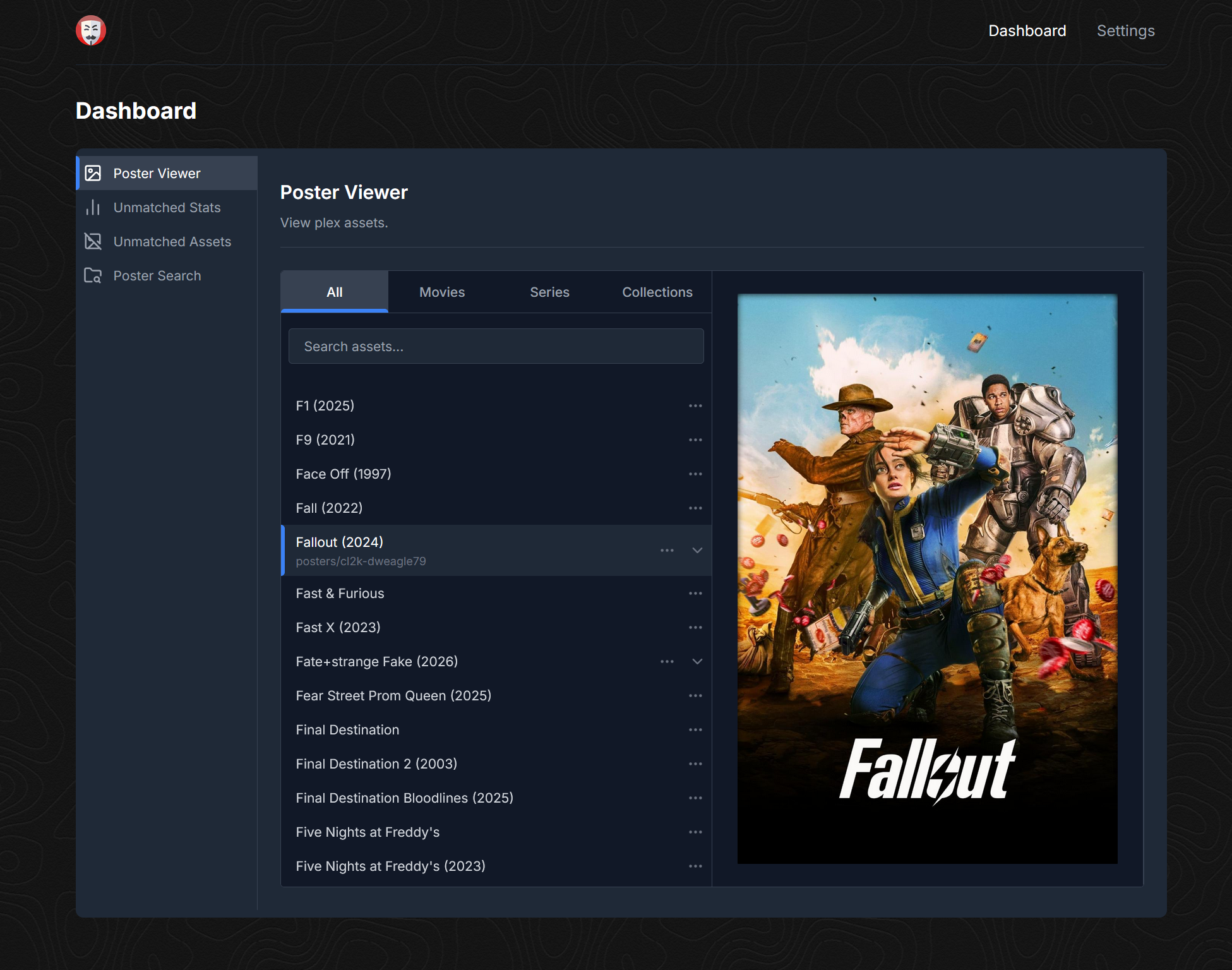
Table of Contents
What Is Postarr?
Postarr syncs poster files from any gdrive, matches them with your Plex media items, renames them to a specific naming scheme and uploads them to your Plex server.
Key Features
- Sync posters from any Google Drive or community drives with RClone Wiki
- Integrates with Kometa and matches poster files to Plex items, renaming them to a specific naming scheme (Kometa)
- Upload matched poster files to Plex automatically (Kometa not required)
- Webhook support with the *arr apps to upload posters as soon as media is added Wiki
- Display unmatched assets (no posters made yet) and unmatched stats
- Search drive folders directly in the UI with thumbnails
- Display all matched and uploaded poster files
Installation
Currently only docker is supported (may provide other installation methods down the road).
Docker Compose
Modify accordingly if running with Unraid or other methods.
- MAIN_LOG_LEVEL is optional
- Host port mapping might need to be changed to not collide with other apps
- Change
BASE_DOCKER_DATA_PATHto match your setup. (e.g./mnt/user/appdata) - Set custom network if needed
- Set ENV variables PUID and PGID to have postarr run as a specific user/group (default is
1000:1000)
Create docker-compose.yml and add the following. If you have an existing setup change to fit that.
services:
  postarr:
    container_name: postarr
    image: ghcr.io/zarskie/postarr:develop
    restart: unless-stopped
    environment:
      - TZ=${TZ}
      - PUID=${PUID}
      - PGID=${PGID}
      - MAIN_LOG_LEVEL=INFO
    volumes:
      - ${BASE_DOCKER_DATA_PATH}/postarr/config:/config
      - /path/to/drive/folders:/posters
      - /path/to/asset/folder:/assets
    ports:
      - 8000:8000
Then start with:
docker compose up -d
Environment Variables
The following environment variables can be used:
| Variable | Description | Default |
|---|---|---|
MAIN_LOG_LEVEL |
Web UI Log Level | INFO |
TIME_FORMAT |
Time format (12/24) | 12 |
PUID |
User to run as | 1000 |
PGID |
Group to run as | 1000 |
MAX_LOG_SIZE_MB |
Max log size (mb) | 25 |
MAX_BACKUP_FILES |
Max number of rotating logs | 10 |
WEBHOOK_INITIAL_DELAY |
Initial delay (seconds) before searching plex on webhook run | 0 |
WEBHOOK_RETRY_DELAY |
Delay (seconds) between each retry when searching for recently added items | 30 |
WEBHOOK_MAX_RETRIES |
Maximum number of search attempts before giving up | 10 |
Community
For support, join the friendly Trash Guides Community TRaSH-Guides Discord and look for Postarr under community apps.
Contributing
- If you want to contribute please reach out on the Trash Guides discord.
- If you want your drive added as a template please submit a pull request to the
developbranch in thedrives.jsonfile.
Bug Reports and Feature Requests
Please create a github issue.
Acknowledgements
Postarr was inspired by and built on top of the work done in DAPS by Drazzilb08. Many thanks for laying the groundwork.
Thanks to all contributors who have helped make Postarr better:
Download Statistics
Related apps
Explore more like this
Explore allDetails
monster117/daps-ui:developRuntime arguments
- Web UI
http://[IP]:[PORT:8000]/- Network
bridge- Privileged
- false
Template configuration
Container Port: 8000
- Target
- 8000
- Default
- 8000
- Value
- 8000
Path to posters
- Target
- /posters
Path to Kometa assets
- Target
- /assets
Path to configuration files
- Target
- /config
- Default
- /mnt/user/appdata/daps-ui/config
- Value
- /mnt/user/appdata/daps-ui/config
- Default
- 1000
- Value
- 1000
- Default
- 1000
- Value
- 1000
App mode. Not recommended to change.
- Target
- APP_MODE
- Default
- web
- Value
- web