
Cyberpunk Theme
Plugin from liekos47
Overview
Readme
View on GitHubUnraid cyberpunk theme
A dark, neon webGUI theme for Unraid 7.x, installed as a plugin: near-black panels, angular cut corners, Rajdhani and Orbitron type, and nine palettes you switch between from a settings page.
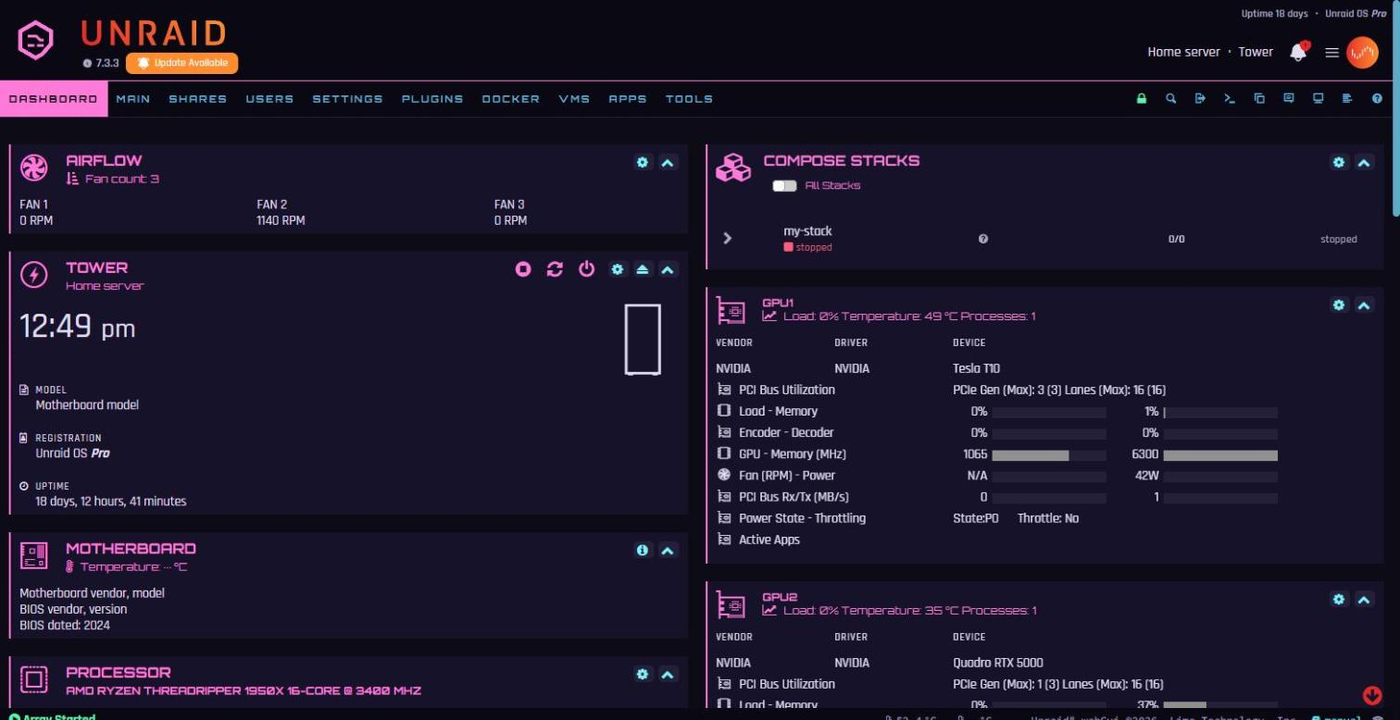
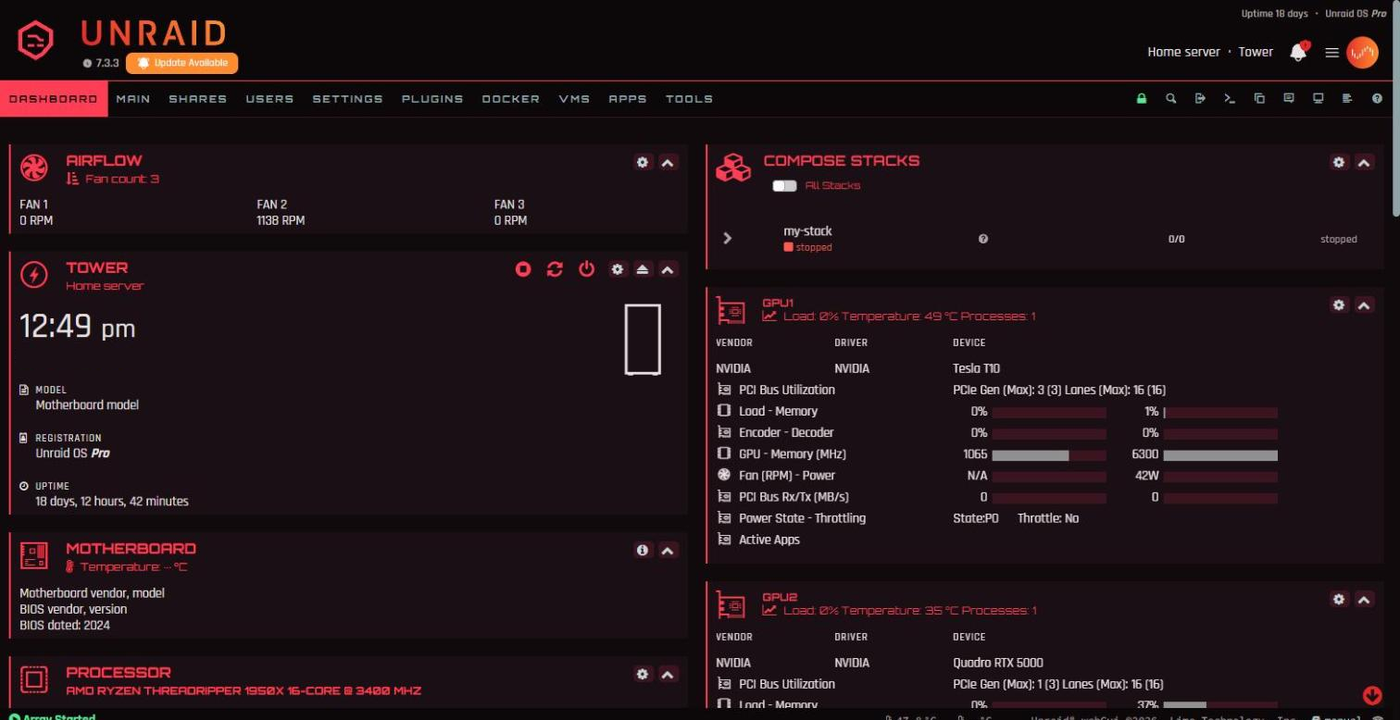
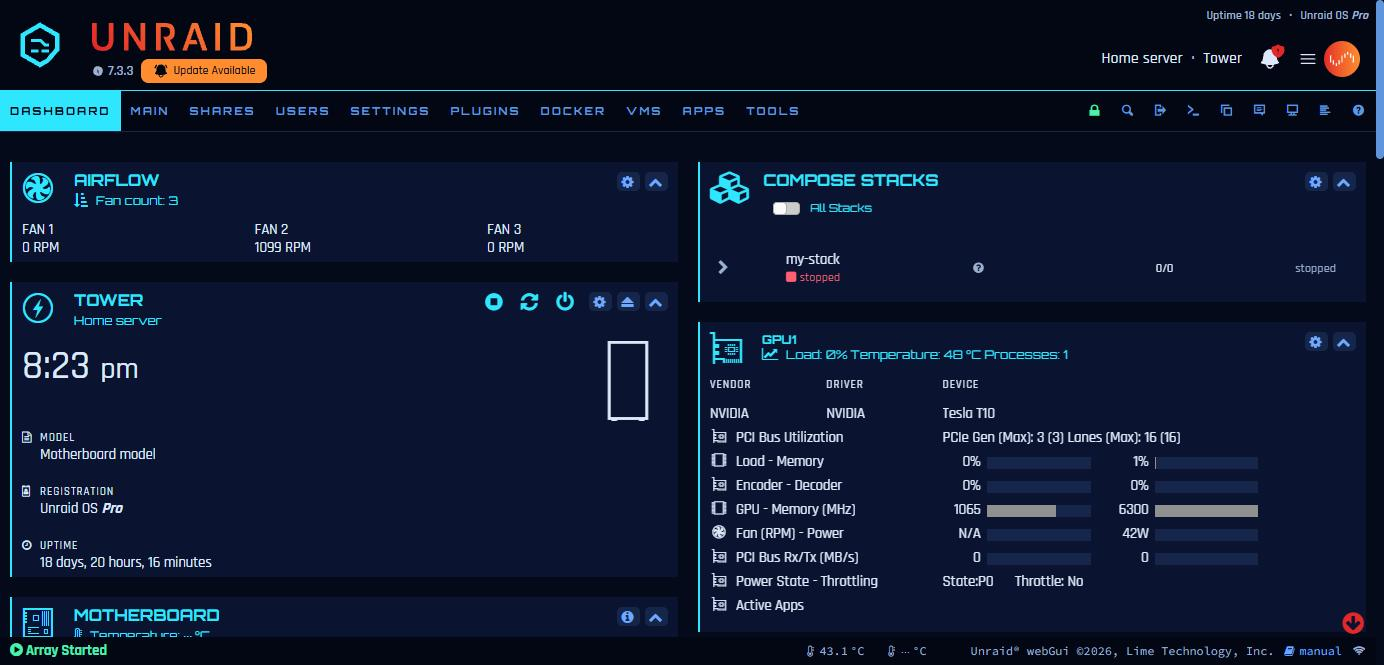
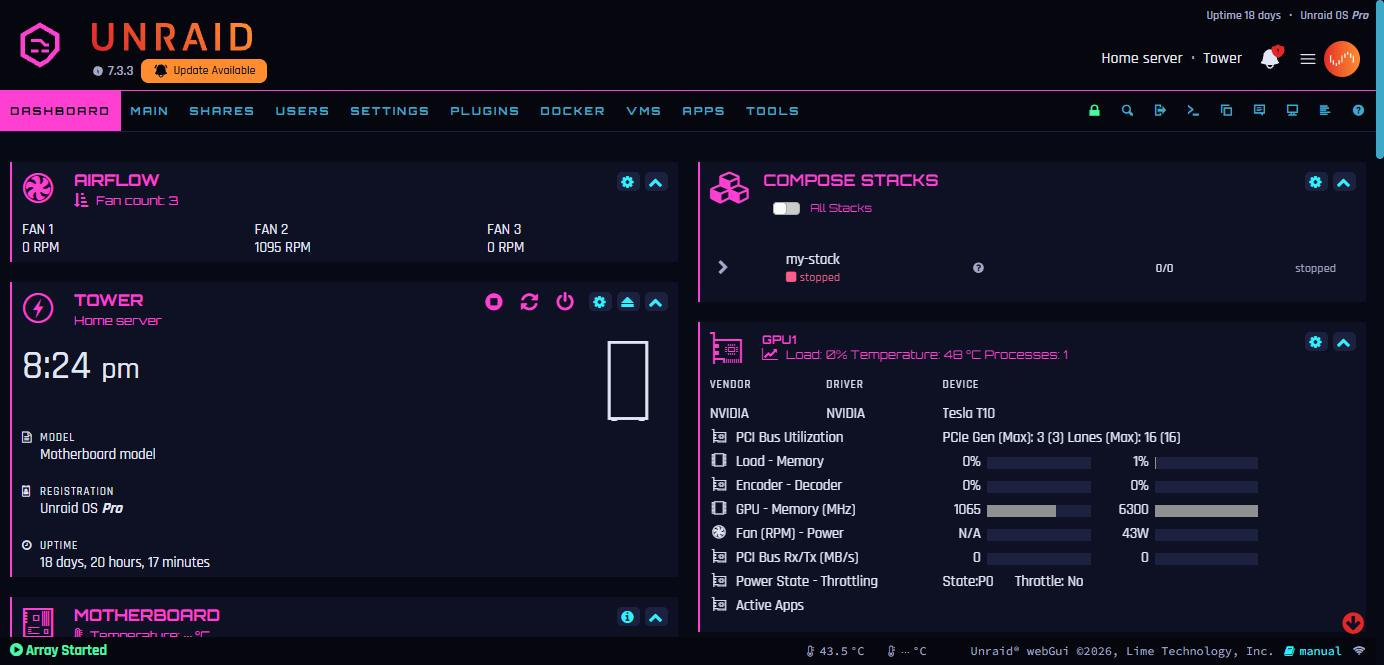
| Palette | Headings and accents | Values and links |
|---|---|---|
netrunner (default) |
red #FF6159 |
cyan #5EF6FF |
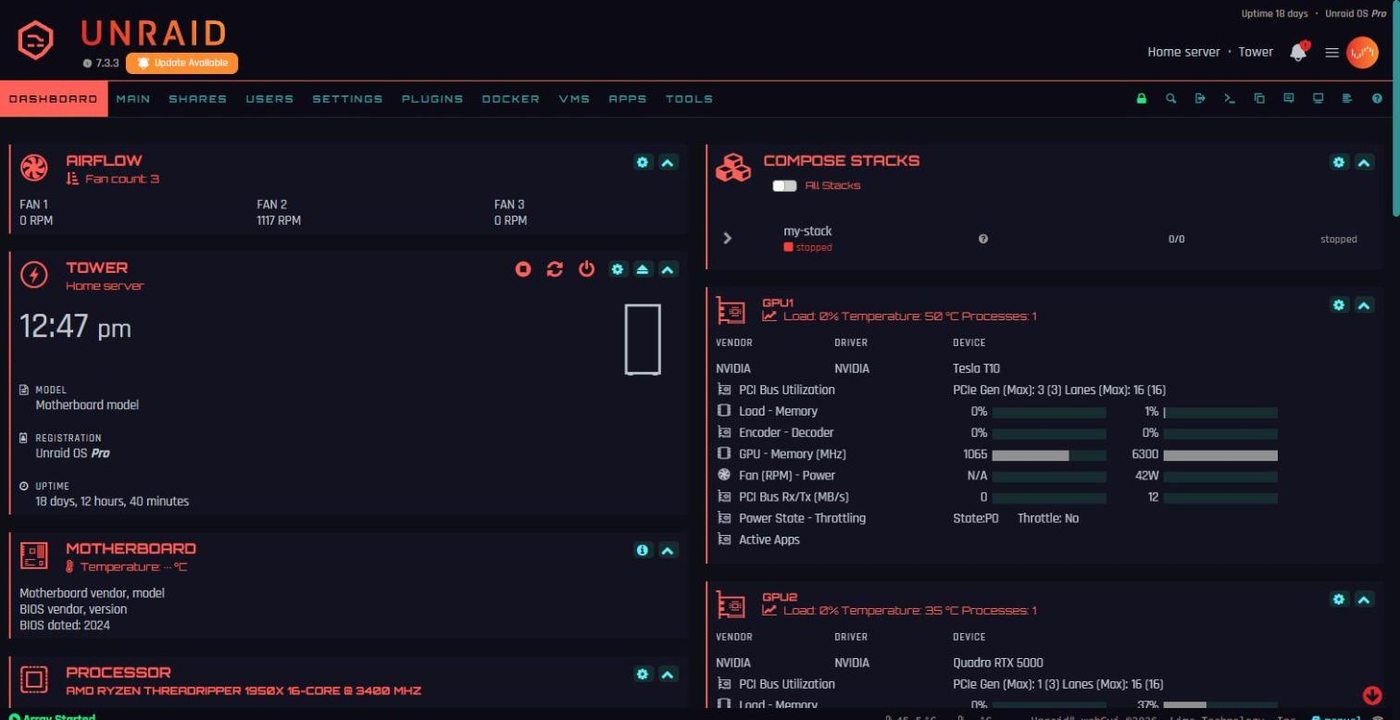
relic |
acid yellow #F1FF5E |
electric blue #6DA1FF |
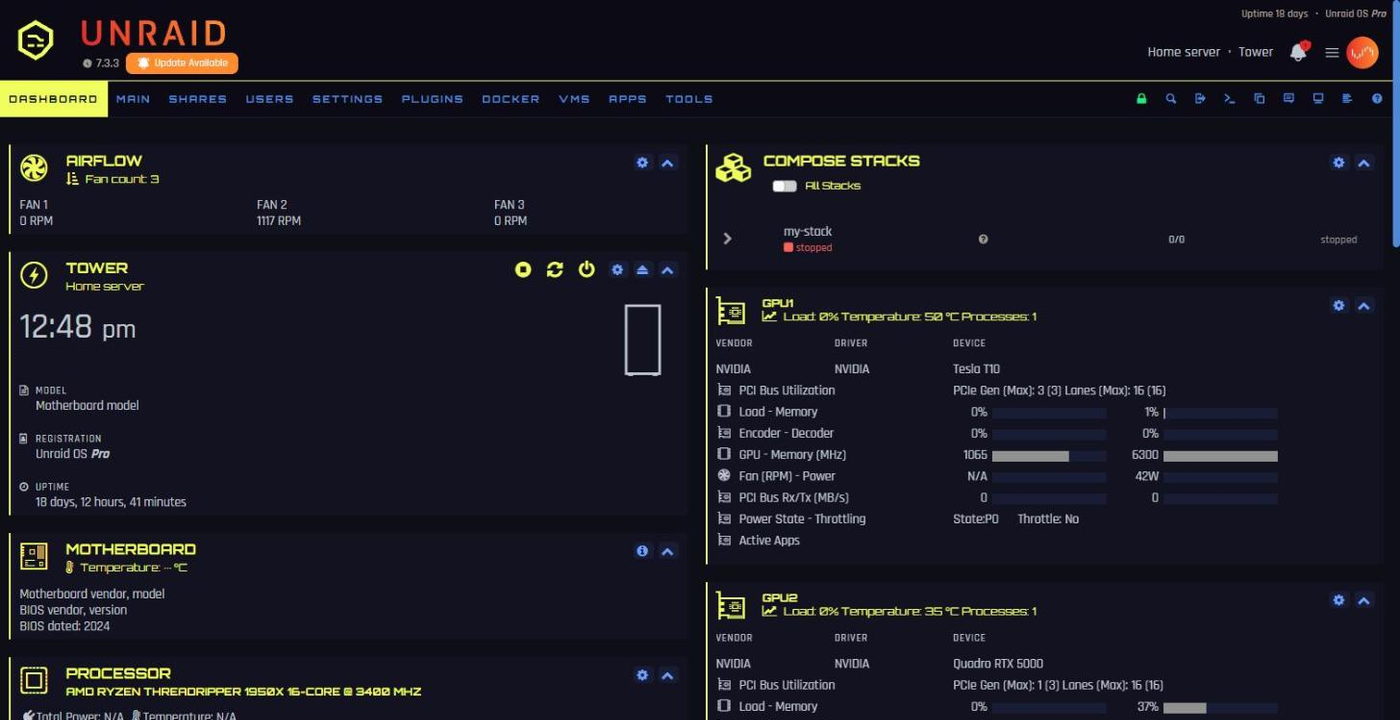
edgerunner |
jacket yellow #FCE300 on black |
speed-trail green #22F5B0 |
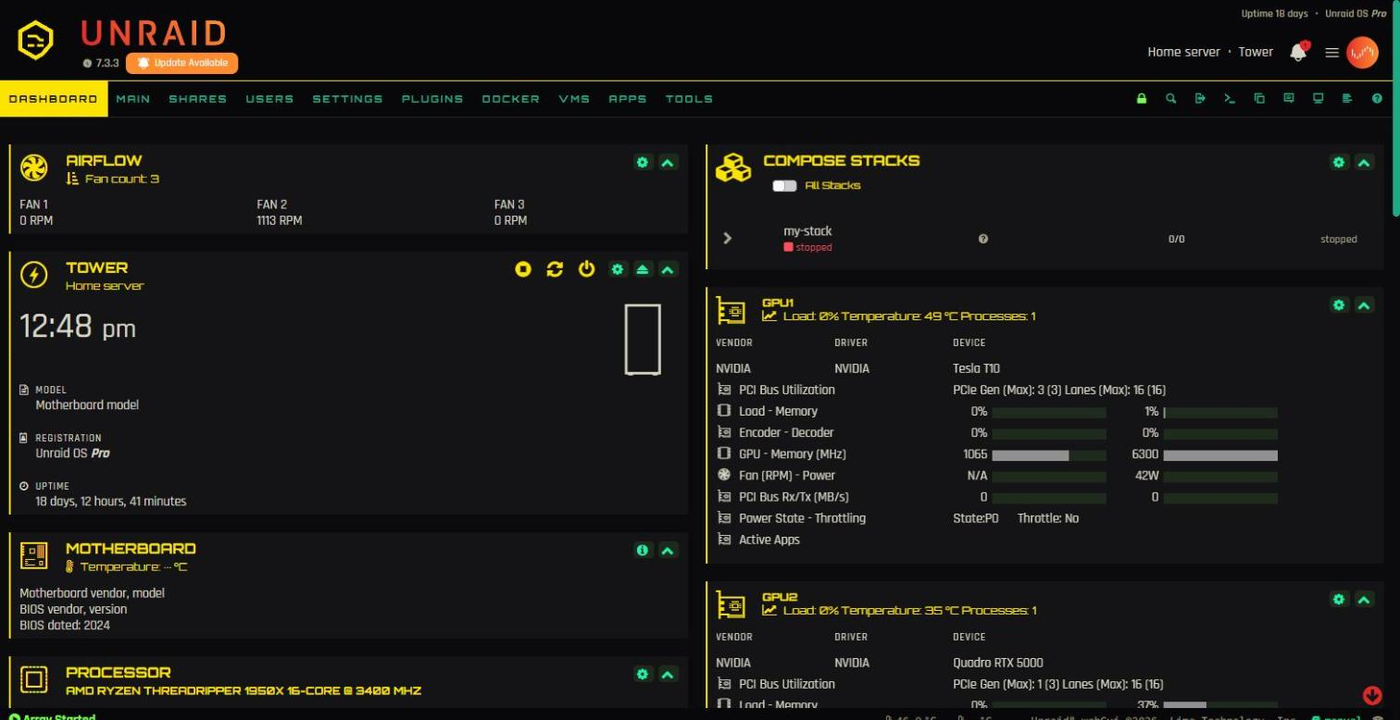
lunar |
hot pink #FF7AD9 on deep violet |
cyan #7CF6FF, pastel violet highlights |
phantom-liberty |
crimson #FF3D55 on red-black |
silver #C8D8D8, orange-red highlights |
midnight |
cyan #2FE6FF on midnight blue |
electric blue #6FA8FF, ice-white highlights |
neon-night |
neon pink #FF3FD2 on blue-black |
neon cyan #2EF2FF, electric violet highlights |
normandy (Mass Effect) |
title blue #3199C6 on deep indigo |
HUD teal #8CDBDC, renegade orange highlights |
n7 (Mass Effect) |
N7 red #FF3333 on gunmetal |
armour white #E6ECEF, medal silver highlights |
Run one palette per server and you can tell your boxes apart at a glance. edgerunner and lunar are inspired by David and Lucy from Cyberpunk: Edgerunners (colours picked by eye); phantom-liberty takes its hues from the Phantom Liberty expansion's key art. midnight is an all-blue cyber look, neon-night a pink and cyan dual-neon one, and normandy is inspired by Mass Effect, named after Shepard's ship: its colours are sampled from the original game's menus and HUD. n7 is mainly red with white and steel accents, after the N7 armour: its reds are the game's own and its white and steels come from the N7 Elite medal. Only hex values are used, no official asset.
Previews
Unraid 7.3.3 dashboard, black base theme, placeholder logo. Server details in the screenshots are replaced with stand-ins.
netrunner
relic
edgerunner
lunar
phantom-liberty
midnight
neon-night
normandy (inspired by Mass Effect)
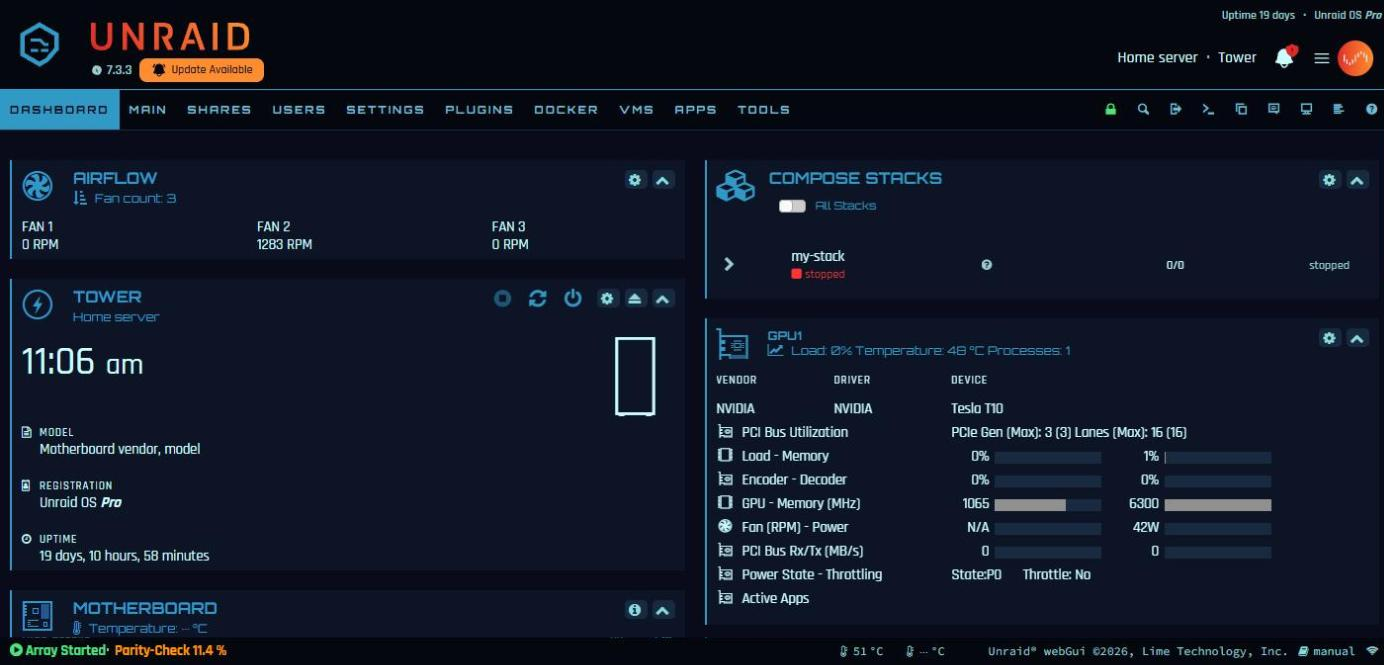
n7 (inspired by Mass Effect)
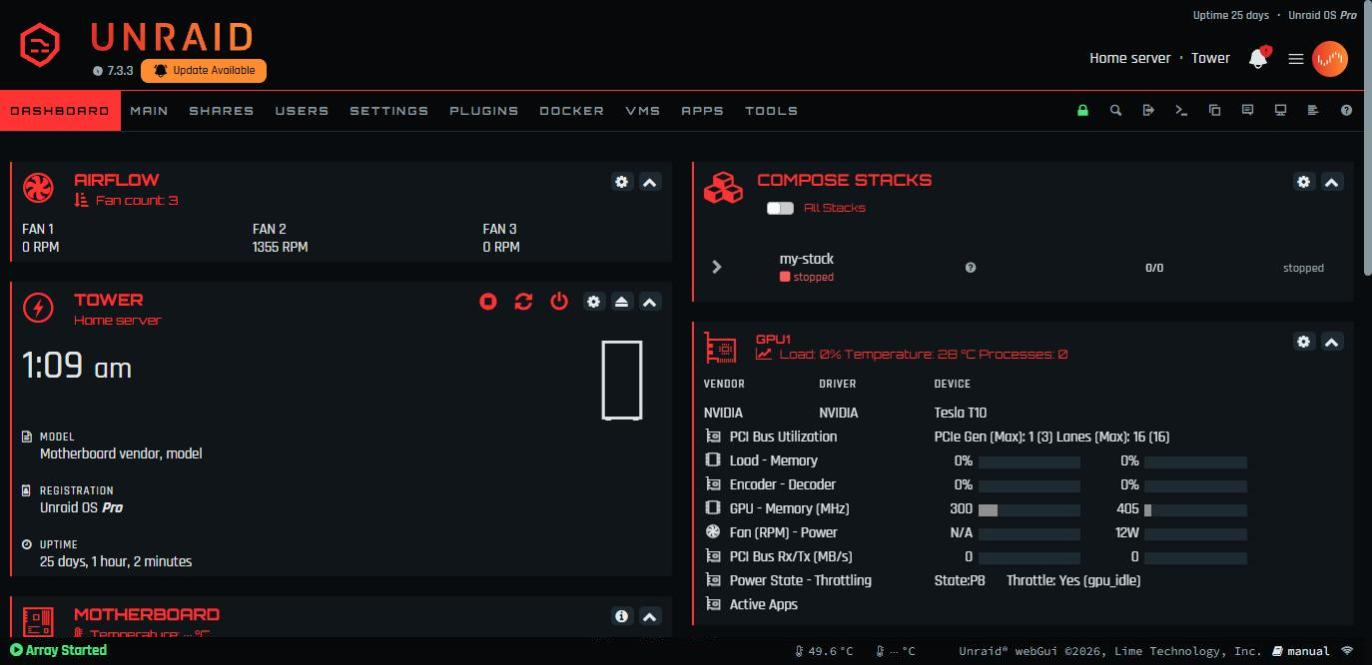
How it works
Unraid evaluates every plugin page marked Menu="Buttons" in the <head> of every webGUI page, right after its own theme stylesheet. This theme is one such page (plugin/CyberpunkTheme.page) that adds three stylesheets for the palette you picked. No Unraid file is modified. The stock themes are built on CSS variables, so the theme mostly remaps those variables, plus a few rules for shapes and for colours that Unraid or its plugins set directly.
- Works on any base theme.
blackis recommended (Settings > Display Settings). - Text contrast was checked at 4.5:1 or better on Dashboard, Main, Shares, Users, Settings, Plugins, Docker, VMs, Tools and Syslog, on the black and white bases. Exceptions left stock: Unraid's orange "Update Available" badge and the brief "checking..." text on the Plugins page.
- Tested on Unraid 7.3.3. A later Unraid release can change the page markup; the fallback is always the stock theme, never a broken page.
Install
In the webGUI, open Plugins > Install Plugin, paste this URL and press Install:
https://raw.githubusercontent.com/liekos47/unraid-cyberpunk-theme/main/cyberpunk-theme.plg
Then open Settings > User Utilities > Cyberpunk Theme:
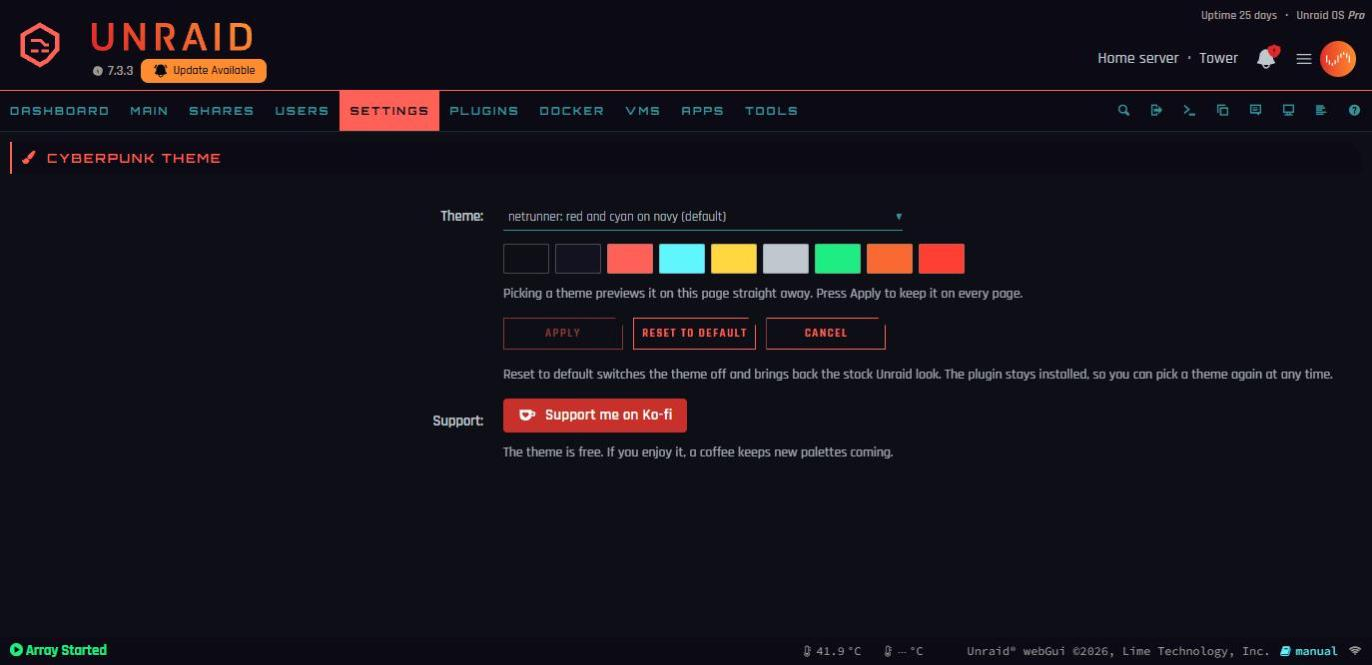
- Theme: palettes grouped by where they come from (Cyberpunk 2077, Cyberpunk: Edgerunners, Neon, Mass Effect). Picking one previews it on that page straight away, with its colour swatches.
- Apply keeps it on every page. No reboot, no script.
- Reset to default switches the theme off and brings back the stock Unraid look. The plugin stays installed, so you can pick a theme again at any time.
Unraid reinstalls the plugin at every boot and keeps your choice on the flash drive (/boot/config/plugins/cyberpunk-theme/cyberpunk-theme.cfg). Updates show on the Plugins page like any other plugin.
Questions and support: the Unraid forum thread. Bug reports and new palettes: GitHub issues.
Turn off, uninstall
- Back to the stock look, plugin kept: Reset to default on the settings page.
- Uninstall: Plugins > Installed Plugins, remove Cyberpunk Theme. Nothing is left on the server or the flash drive. If you switched the base theme to black for this, set it back in Settings > Display Settings (Unraid's default is white).
- Emergency switch, if a future Unraid release ever makes a page unreadable: from a shell,
touch /boot/config/plugins/cyberpunk-theme/DISABLEDand reload. Delete the file to turn the theme back on.
Your own logo
The header shows icons/logo.svg, an original placeholder mark tinted with the palette. To use your own:
python tools/make_icons.py my-logo.png # on any PC with Pillow
That writes icons/logo.png (header mark) and icons/fav-{green,red,yellow}-on.png (array-state favicons, which keep their meaning: green started, red stopped, yellow in transition). Copy them to /boot/config/plugins/cyberpunk-theme/icons/ on the server; the plugin picks them up at the next boot, or straight away with cp /boot/config/plugins/cyberpunk-theme/icons/*.png /usr/local/emhttp/plugins/cyberpunk-theme/icons/. Any PNG whose shape is in its alpha channel works. Uninstalling the plugin deletes that folder too, so keep a copy.
Only use artwork you have the right to use.
Manual install (without the plugin)
The theme also runs without the plugin system, configured by a text file instead of the settings page. Do not use both on one server: the manual install steps aside when it finds the plugin.
# 1. Put the files on the flash drive
mkdir -p /boot/config/cyberpunk-theme
cd /tmp && curl -fsSL https://github.com/liekos47/unraid-cyberpunk-theme/archive/refs/tags/v2.0.0.tar.gz | tar xz
cp -r /tmp/unraid-cyberpunk-theme-2.0.0/* /boot/config/cyberpunk-theme/

# 2. Optional: pick the palette (default netrunner, or off for the stock look)
echo 'PALETTE=relic' > /boot/config/cyberpunk-theme/theme.cfg

# 3. Install now (downloads the two OFL fonts once from github.com/google/fonts)
bash /boot/config/cyberpunk-theme/install.sh

# 4. Reinstall at every boot (the webGUI lives in RAM)
grep -q cyberpunk-theme /boot/config/go || cat /boot/config/cyberpunk-theme/go-snippet.sh >> /boot/config/go
Reload the webGUI (Ctrl+F5). Change theme.cfg at any time; the next page load uses it. Turn off with touch /boot/config/cyberpunk-theme/DISABLED; uninstall with bash /boot/config/cyberpunk-theme/uninstall.sh (removes the live theme and its lines in /boot/config/go), then rm -rf /boot/config/cyberpunk-theme. A custom logo goes in /boot/config/cyberpunk-theme/icons/, followed by install.sh.
Add a palette
Copy palettes/netrunner.css to palettes/<name>.css, change the --cp-* colours and the @group / @desc line at the top (the group and description shown in the settings list). Then check it:
python tools/check_contrast.py palettes/<name>.css # offline, every text colour on every surface
and paste tools/contrast-scan.js into the browser console on the Dashboard, Main and Plugins pages.
The full steps, from what each colour does to testing on a server without losing your setup, scrubbed screenshots and building and releasing the plugin, are in docs/DEVELOPING.md.
Credits and licences
- Code: MIT, see
LICENSE. - Fonts: Rajdhani (Indian Type Foundry) and Orbitron (Matt McInerney), SIL Open Font License 1.1. They are not in this repository: the plugin package bundles them with their licences, and
install.shdownloads them for a manual install. - A fan-made theme inspired by the look of cyberpunk games. Not affiliated with or endorsed by CD PROJEKT RED, BioWare, Electronic Arts or Lime Technology. No game assets are included.
Media gallery
1 / 10Categories
Download Statistics
Downloads by Month
Related apps
Explore more like this
Explore allLinks
Details
https://raw.githubusercontent.com/liekos47/unraid-cyberpunk-theme/main/cyberpunk-theme.plg