
All apps · 0 apps
Crypt-Dashboard
Docker app from DJ3vil's Repository
Overview
Readme
View on GitHubCrypt Dashboard
A sleek Docker management dashboard with real-time container monitoring, start/stop controls, and a compact mode.

Features
- Real-time monitoring — CPU, RAM, and network stats per container
- Container controls — Start, stop, restart directly from the dashboard
- Compact mode — Toggle between detailed cards and a minimal icon grid
- 13 themes — Crypt, Arctic, Ember, Emerald, Neon, Synthwave, and more
- Auto-discovery — Reads Docker labels (
homepage.*) to organize containers into groups - Per-container settings — Override name, icon, URL, and restart policy via the UI
- NPM integration — Auto-detects Nginx Proxy Manager URLs (optional)
- System metrics — CPU, RAM, temperature, and disk usage overview
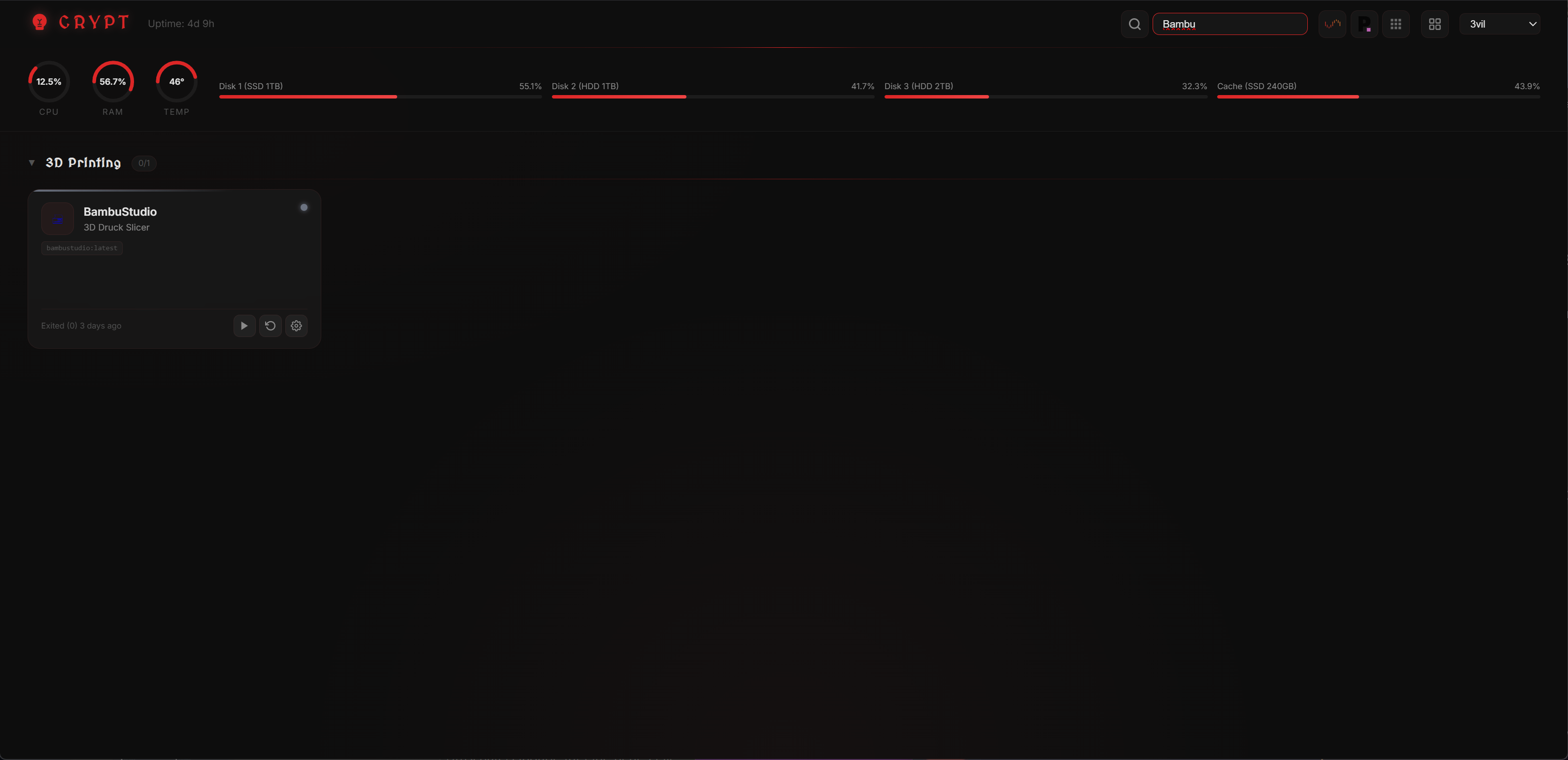
- Search — Filter containers with Ctrl+K
- 3D tilt effect — Subtle card hover animations
- Zero dependencies — No frontend framework, pure vanilla JS
Quick Start
git clone https://github.com/DJ3vil/crypt-dashboard.git
cd crypt-dashboard
docker compose up -d
Adding Containers
Crypt discovers containers automatically — no config files needed. Just add Docker labels and they appear on the dashboard.
Step 1: Add Labels to Your Container
Add homepage.* labels to your docker-compose.yml:
services:
  plex:
    image: plexinc/pms-docker
    ports:
      - "32400:32400"
    labels:
      homepage.name: Plex
      homepage.group: Media
      homepage.icon: plex.png
      homepage.href: http://10.10.5.2:32400
      homepage.description: Media Server
The container will appear on the dashboard on the next refresh (polling interval is a few seconds).
Step 2: Customize via the UI (Optional)
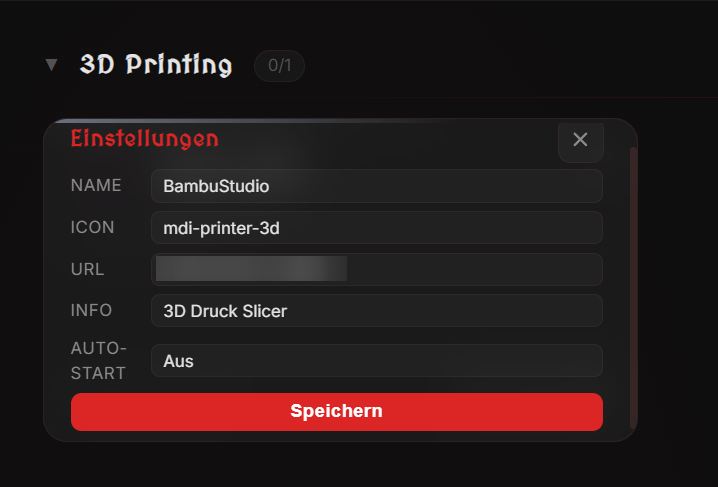
Click the gear icon on any container card to open the settings panel. You can override:
| Setting | Description |
|---|---|
| Name | Display name (overrides homepage.name) |
| Icon | Icon identifier or URL (overrides homepage.icon) |
| URL | WebUI link (overrides homepage.href) |
| Description | Short info text (overrides homepage.description) |
| Restart Policy | no, always, unless-stopped, or on-failure |
UI overrides are saved to /appdata/settings.json and persist across restarts.
Label Reference
| Label | Required | Description | Default |
|---|---|---|---|
homepage.name |
Yes | Display name — container is hidden without this | — |
homepage.group |
No | Group name for organizing containers | Ungrouped |
homepage.icon |
No | Icon (see below) | First letter of name |
homepage.href |
No | WebUI URL | No link |
homepage.description |
No | Short description | Container name |
Icons
Icons can be specified in three ways:
| Format | Example | Source |
|---|---|---|
| Filename | plex.png, sonarr, radarr |
dashboard-icons |
| MDI prefix | mdi-music-note, mdi-movie |
Material Design Icons |
| Full URL | http://example.com/icon.svg |
Any URL |
Browse available icons at dashboard-icons. Use the filename with or without extension.
Groups
Containers are organized into collapsible groups based on the homepage.group label. Groups are sorted alphabetically, and each group shows a running/total count (e.g., 3/5). Click a group header to collapse or expand it — the state persists in your browser.
Hiding Containers
A container only appears on the dashboard if it has the homepage.name label. To hide a container, simply don't add that label — or remove it.
Configuration
Environment Variables
| Variable | Description | Default |
|---|---|---|
TZ |
Timezone | UTC |
PORT |
Internal port | 3000 |
SERVER_IP |
Server IP for generating URLs | auto-detect |
HOST_PROC |
Mounted /proc path for CPU/RAM stats |
— |
HOST_SYS |
Mounted /sys path for disk stats |
— |
Optional Volumes
| Volume | Purpose |
|---|---|
/var/run/docker.sock |
Required — Docker API access |
/appdata |
Persist per-container settings |
/data/npm.sqlite |
Nginx Proxy Manager DB for auto-detecting proxy URLs |
/host/proc, /host/sys |
System metrics (CPU, RAM, temp) |
/mnt/diskN |
Disk usage monitoring |
Themes
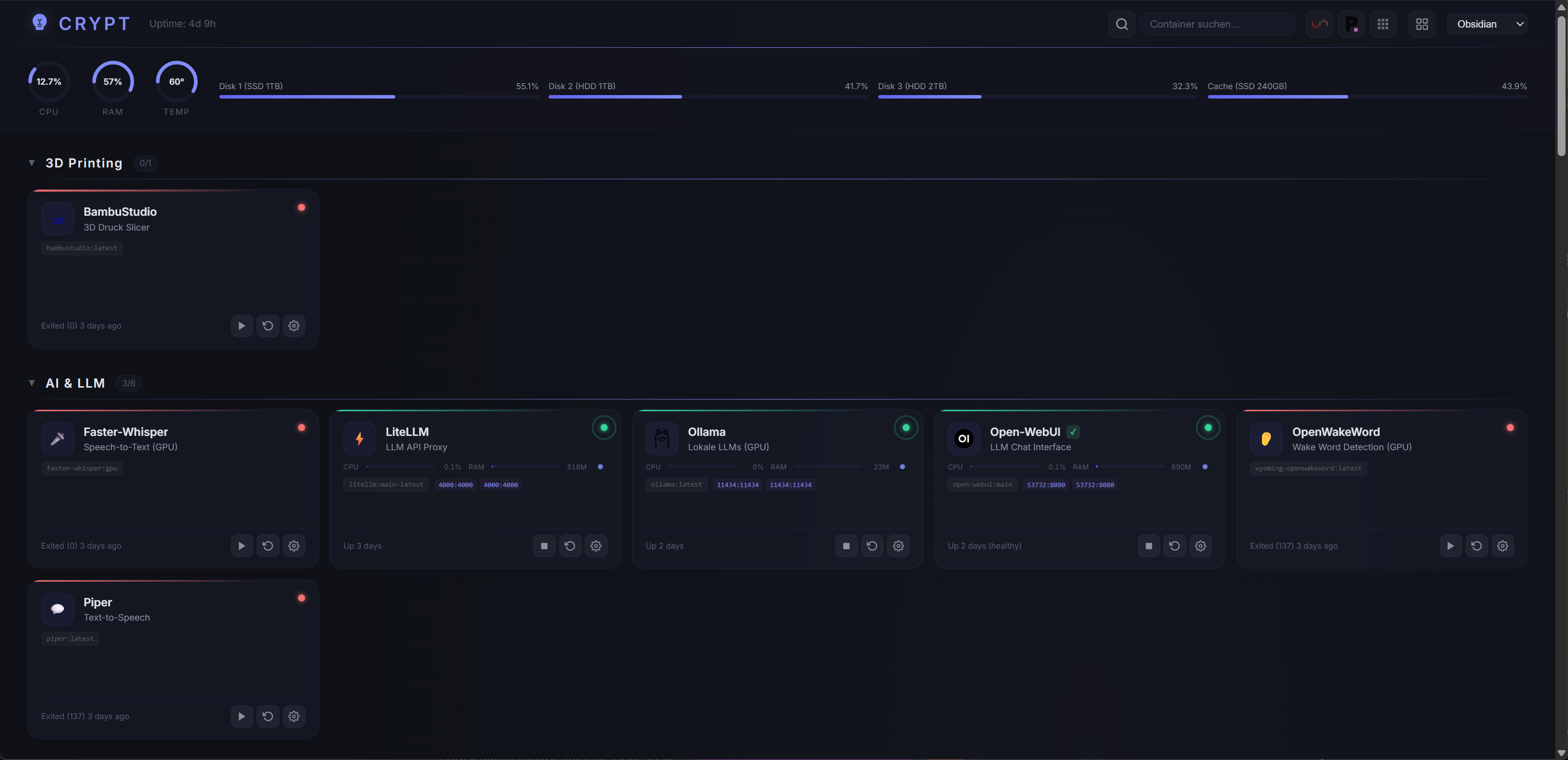
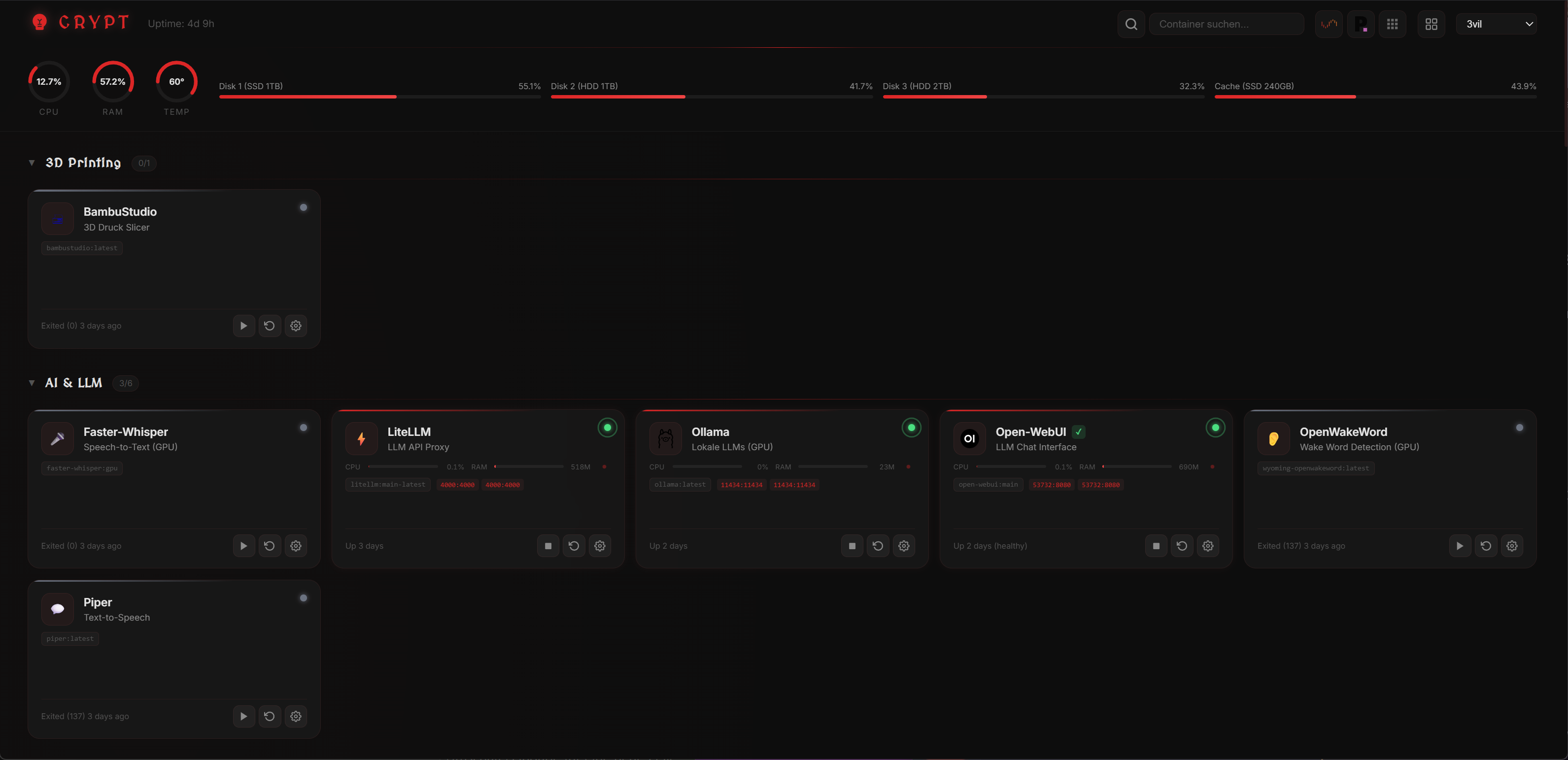
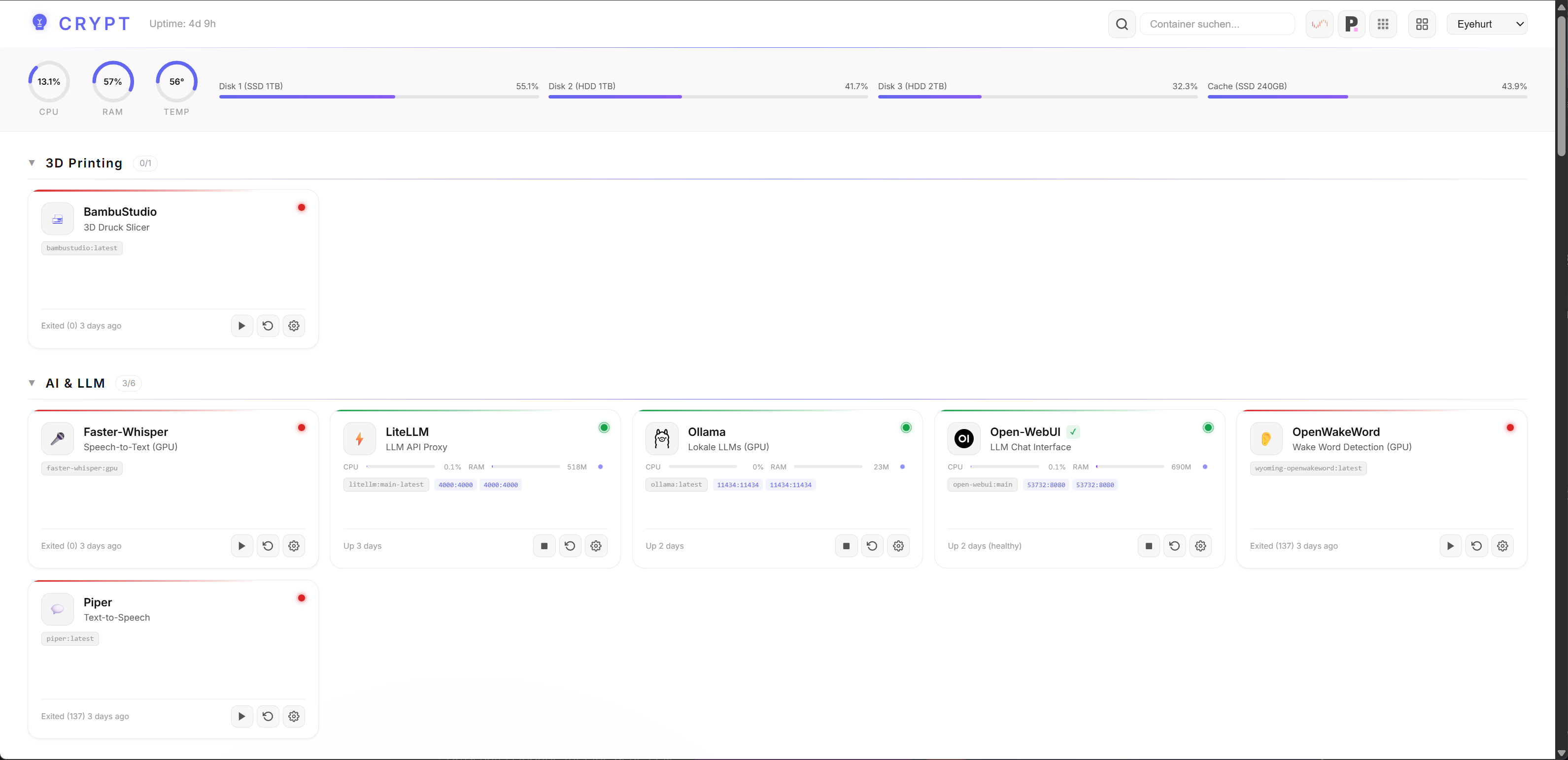
Switch themes via the dropdown in the header. Available: crypt, 3vil, arctic, ember, emerald, eyehurt, gold, midnight, neon, obsidian, phantom, rose, synthwave.
Compact Mode
Click the grid icon in the header to toggle compact mode:
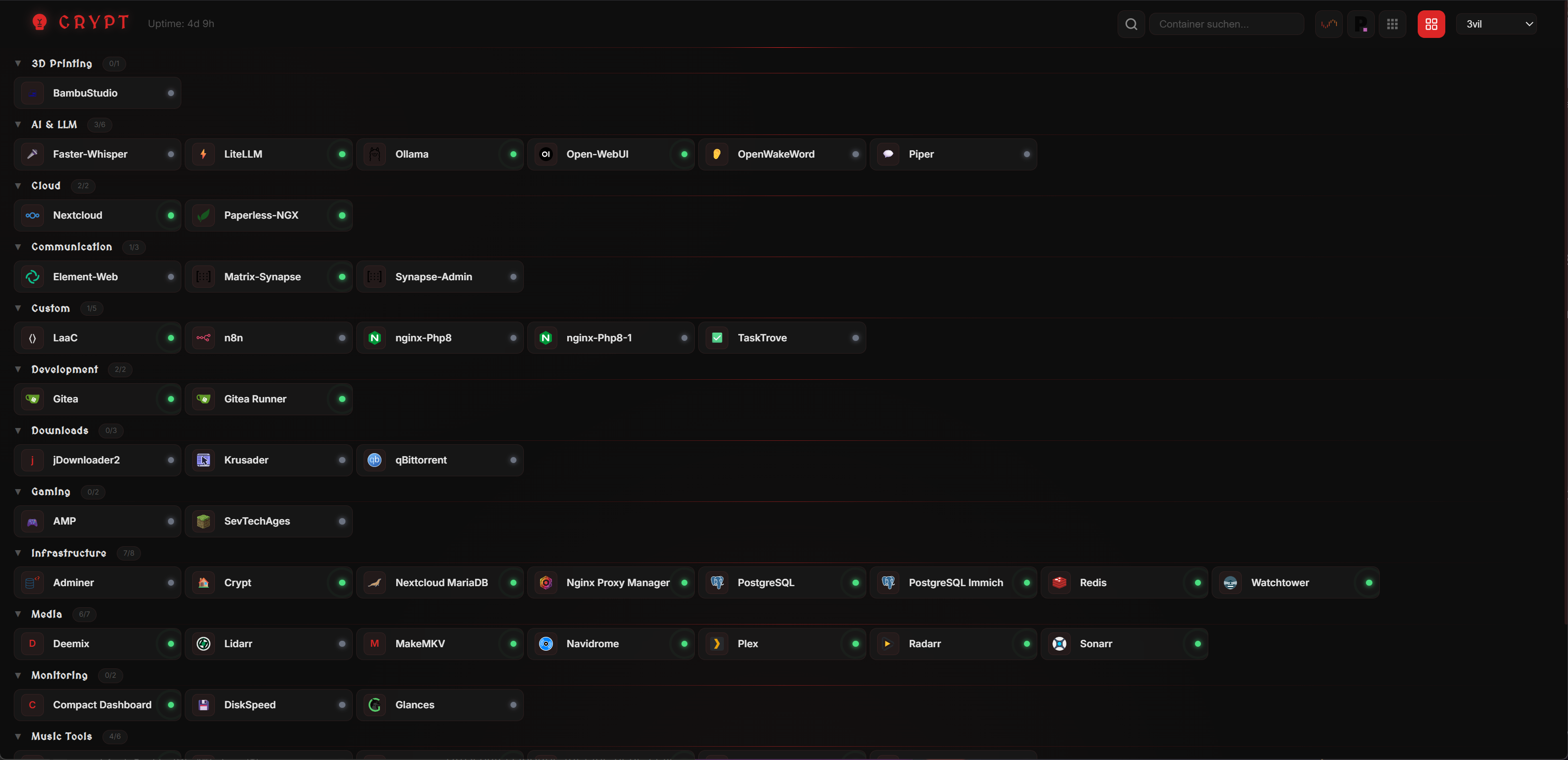
- Icons with names and status dots
- Click to open WebUI
- Right-click for start/stop/restart context menu
- Setting persists across reloads
Screenshots
Default Theme (Crypt)
3vil Theme
Light Theme
Compact Mode
Search (Ctrl+K)
Container Settings
License
MIT
Categories
Related apps
Explore more like this
Explore allDetails
ghcr.io/dj3vil/crypt-dashboard:latestRuntime arguments
- Web UI
http://[IP]:[PORT:3000]/- Network
bridge- Shell
sh- Privileged
- false
Template configuration
Dashboard web interface port
- Target
- 3000
- Default
- 3080
- Value
- 3080
Required: Docker socket for container management
- Target
- /var/run/docker.sock
- Default
- /var/run/docker.sock
- Value
- /var/run/docker.sock
Persistent storage for settings
- Target
- /appdata
- Default
- /mnt/user/appdata/crypt-dashboard
- Value
- /mnt/user/appdata/crypt-dashboard
Mount /proc for CPU and RAM monitoring
- Target
- /host/proc
- Default
- /proc
- Value
- /proc
Mount /sys for temperature and disk monitoring
- Target
- /host/sys
- Default
- /sys
- Value
- /sys
Optional: Nginx Proxy Manager database for auto-detecting proxy URLs
- Target
- /data/npm.sqlite
Timezone
- Target
- TZ
- Default
- Europe/Berlin
- Value
- Europe/Berlin
Optional: Your server IP for generating WebUI links
- Target
- SERVER_IP
Internal path for proc mount
- Default
- /host/proc
- Value
- /host/proc
Internal path for sys mount
- Default
- /host/sys
- Value
- /host/sys