

Crossfade
Docker app from tg099's Repository
Keeps liked songs, libraries and playlists in sync across music streaming services: one way, both ways or in groups.
Requirements
Overview
Readme
View on GitHubCrossfade
 Release
Image
License: PolyForm Strict 1.0.0
Buy Me a Coffee
English · Deutsch
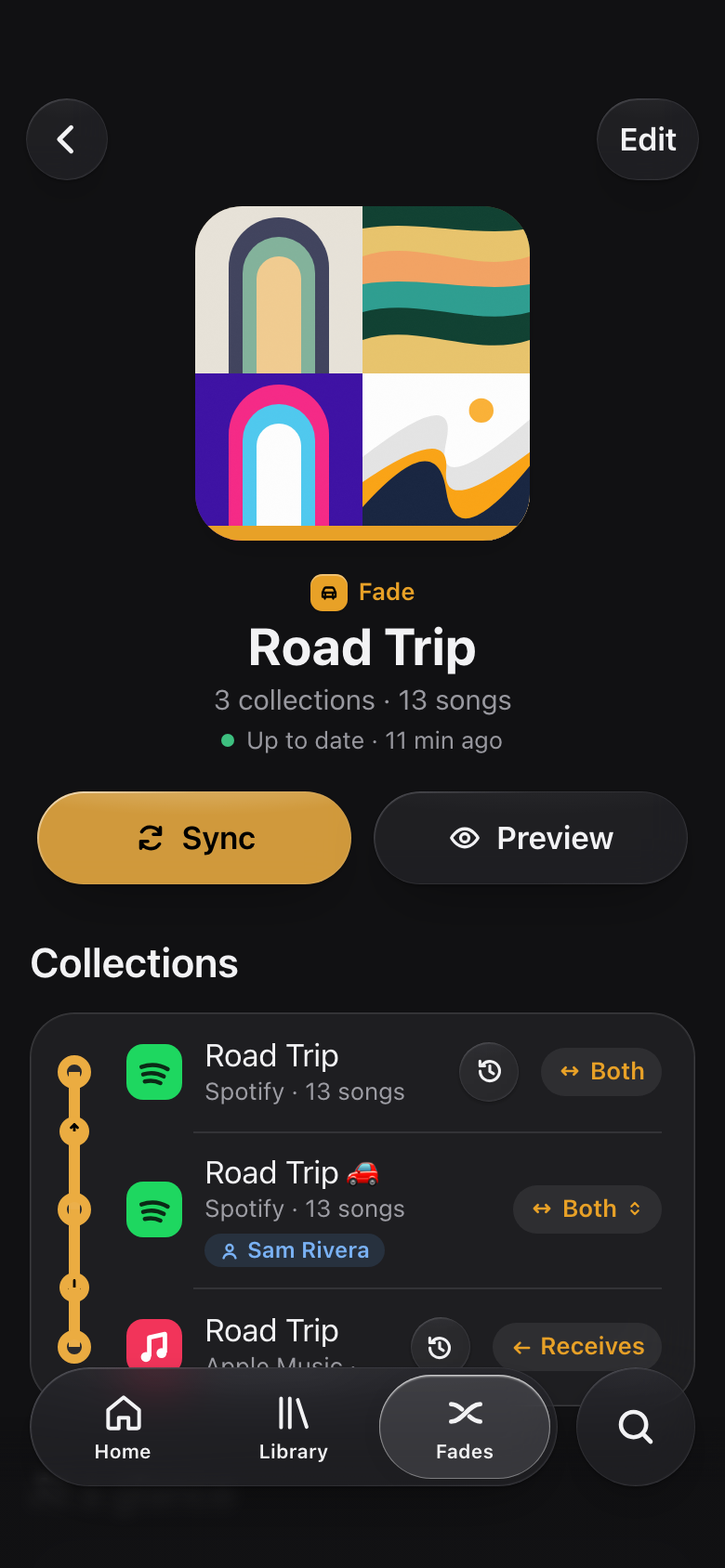
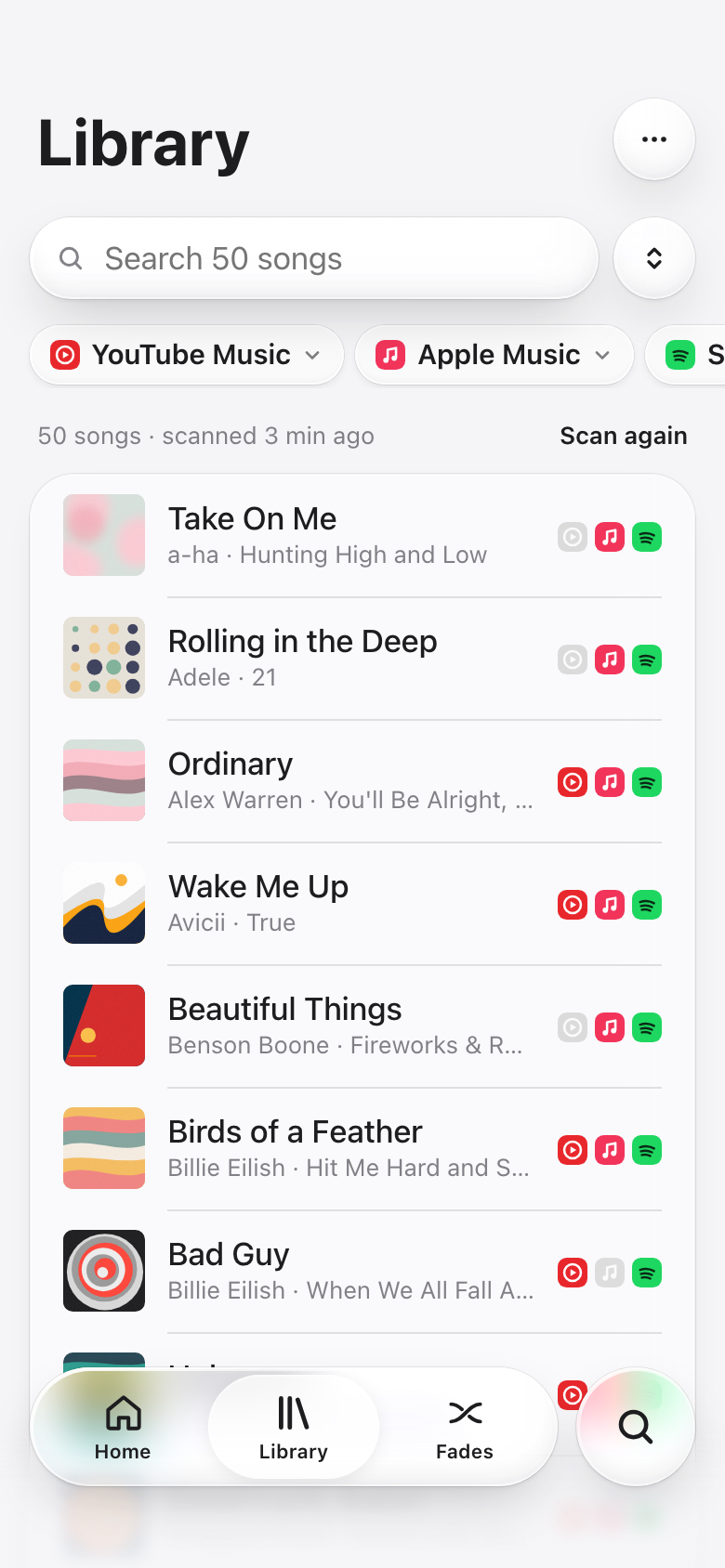
A self-hosted web app that keeps your music collections in sync across music streaming services (see which ones): one way, both ways or in groups, including deletions. Several people share one instance, each with their own services and fades. Only admins create and manage users.
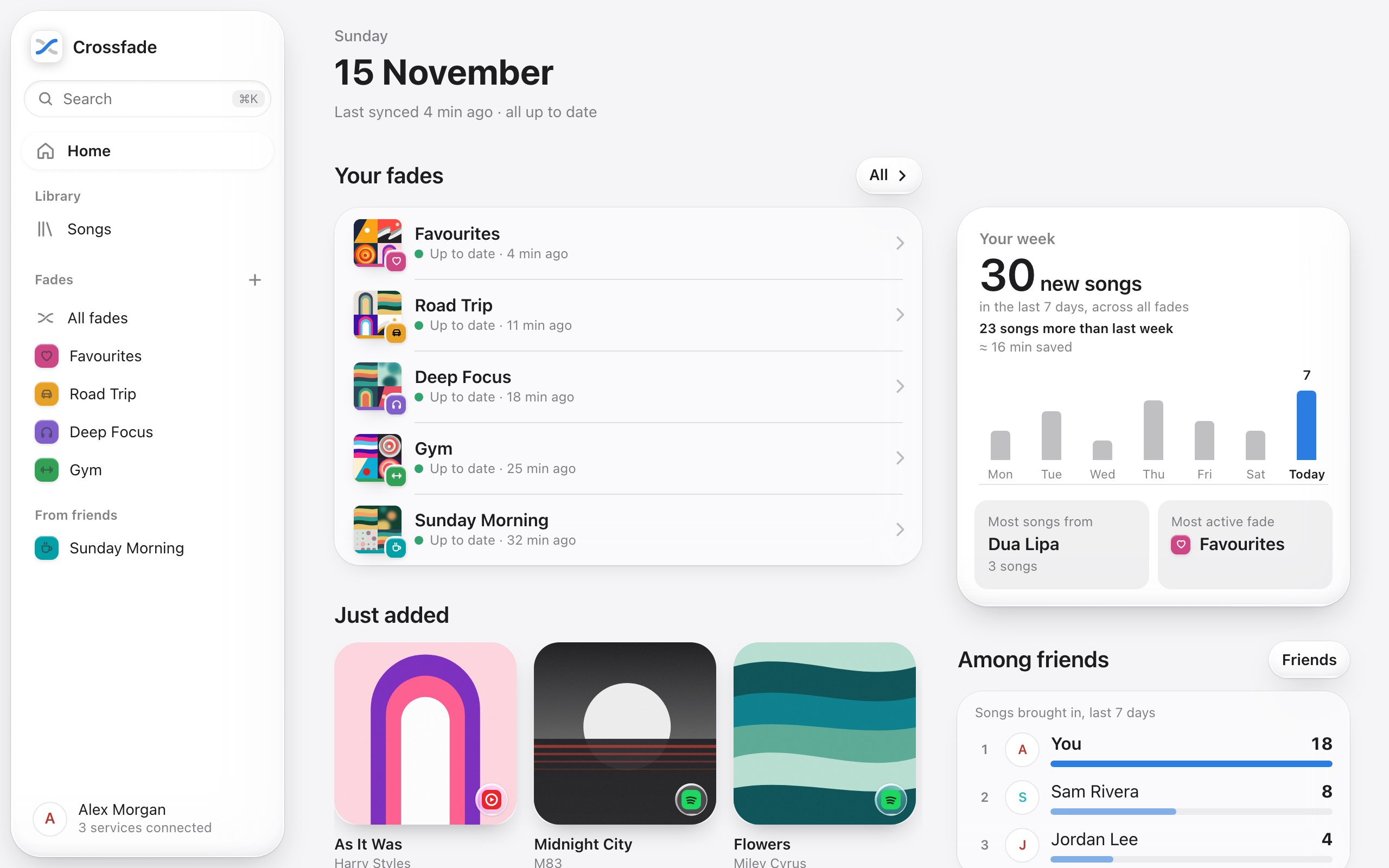
| A fade | Your library |
|---|---|
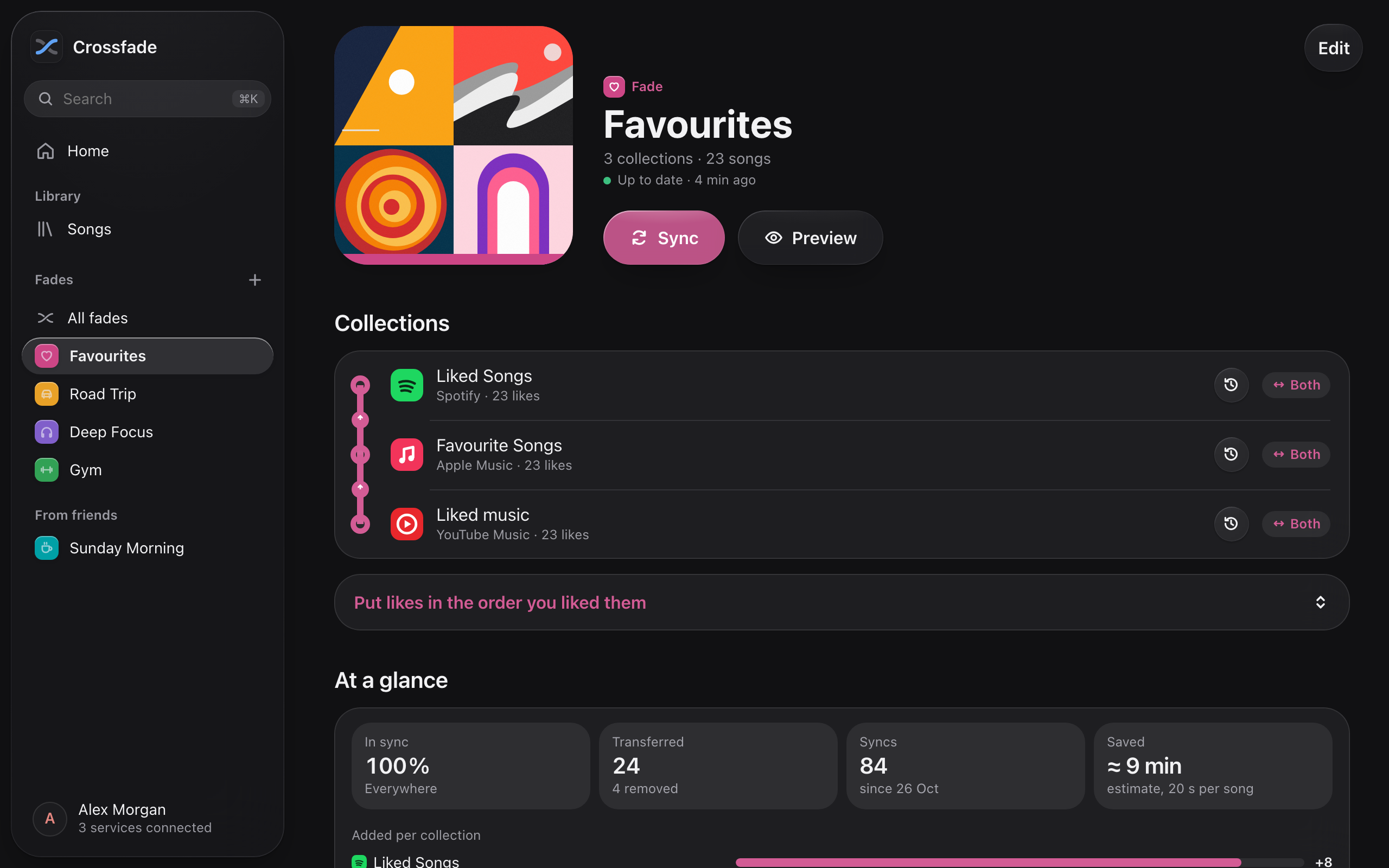 |
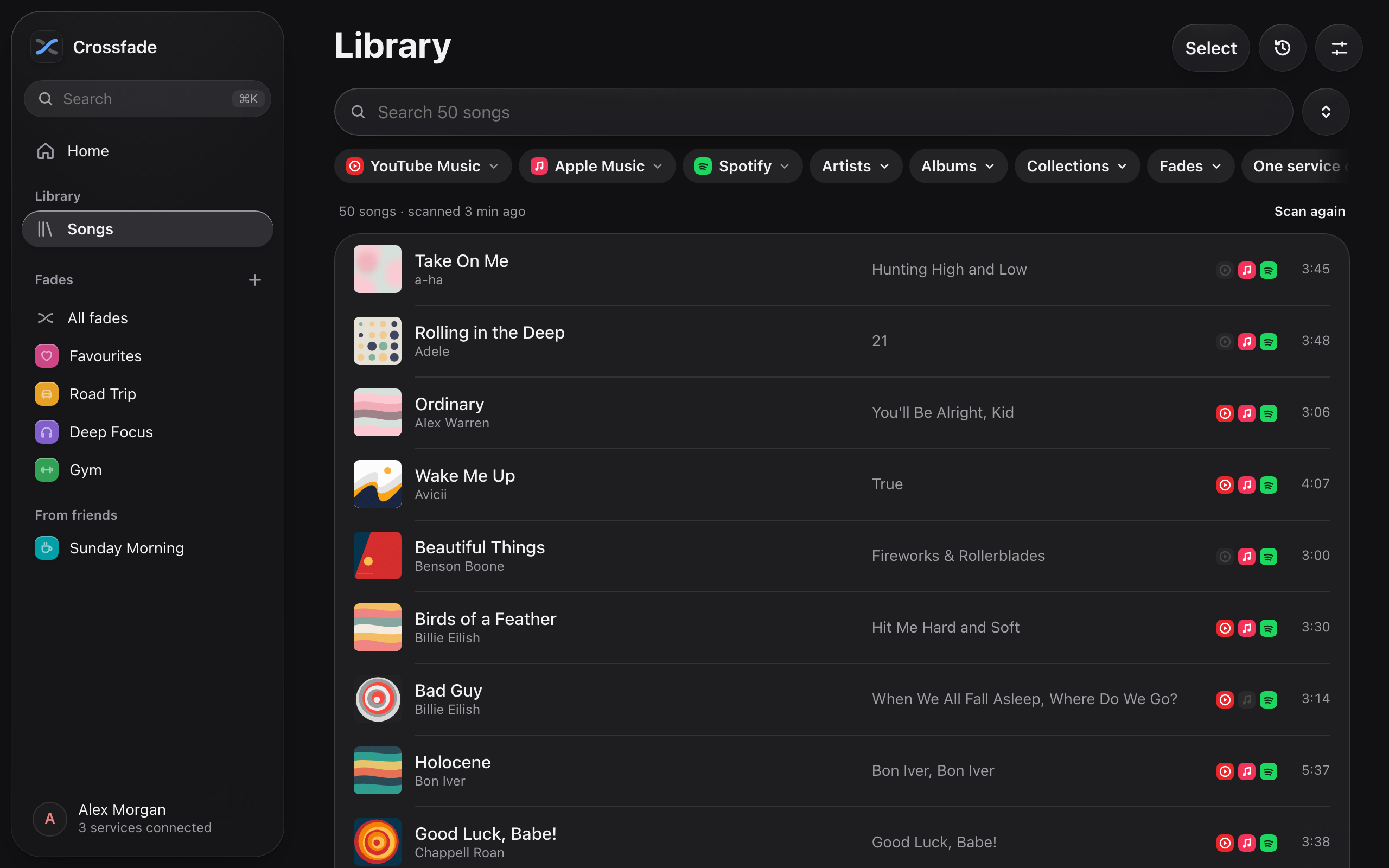 |
| On the phone | Shared with a friend | Library on the go |
|---|---|---|
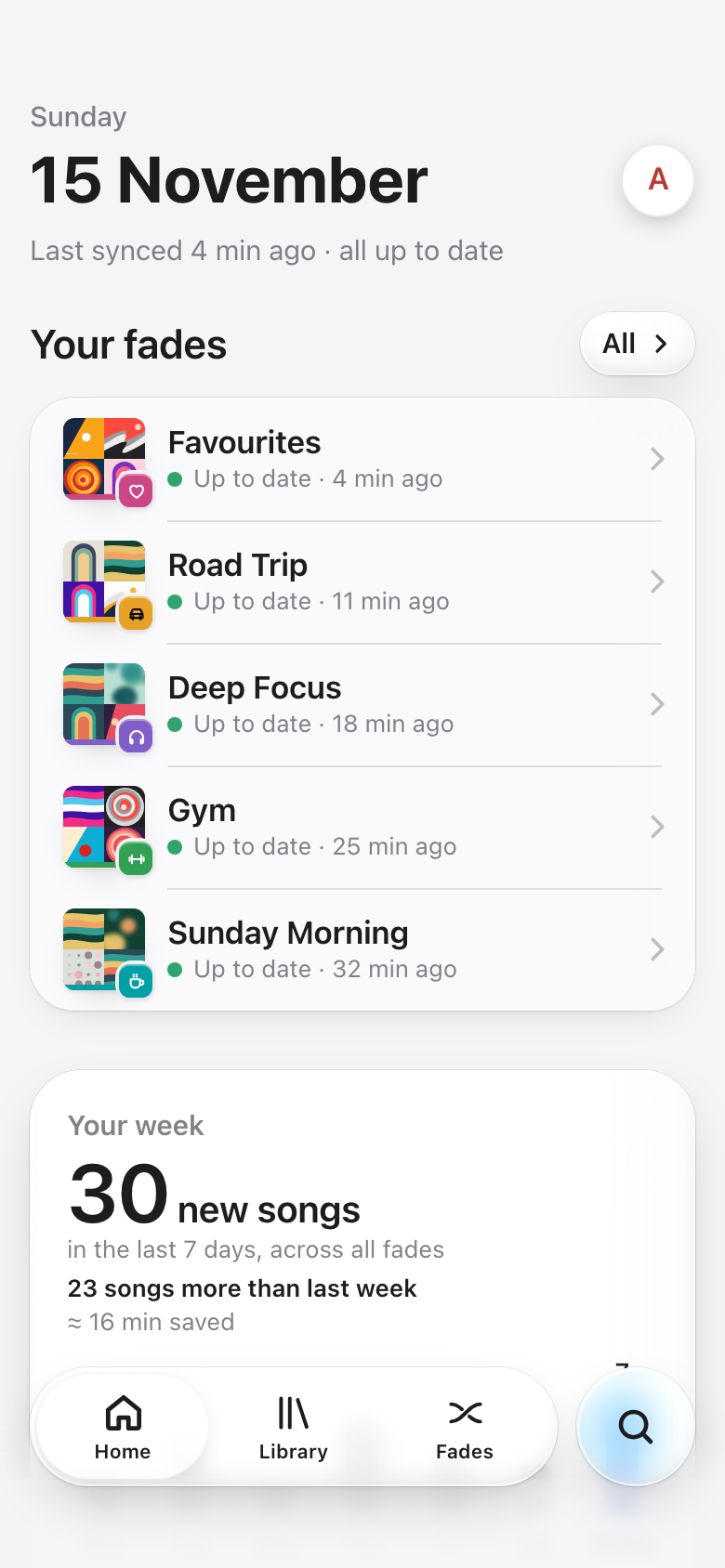 |
 |
 |
Concepts
- Collection: the liked songs, the library or a playlist on one service.
- Fade: a group of collections that are kept in sync. Each collection in a fade has a role:
- both directions: sends its own changes and receives the others'
- sends: source only
- receives: target only; anything you remove there yourself is not added again
- The same collection can be part of several fades; the editor warns if it receives deletions from two fades.
| Setup | Example |
|---|---|
| One-way | Playlist "Gym" on service A sends → playlist "Gym" on service B receives |
| Bidirectional | Liked songs on service A ↔ liked songs on service B |
| Group | Liked songs on A ↔ on B ↔ on C |
Friends on the same instance can share a fade: each person adds one of their own collections and only ever sees the fade itself, never the other person's library.
Supported services
| Service | Collections | Sign-in | Interface |
|---|---|---|---|
| Apple Music | Favourite songs, library, playlists | Cookie from the web player | Unofficial (the web player's) |
| Spotify | Liked songs, playlists | Spotify login; the admin registers an app once | Official Web API |
| YouTube Music | Liked music, library songs, playlists | Request copied from the browser, or a Google code (then liked videos and playlists only) | Unofficial (the web app's); official YouTube Data API with a Google code |
| TIDAL | My Tracks, playlists | TIDAL login; the admin registers an app once | Official TIDAL API |
| Deezer | Favourite tracks, playlists | Cookie from the web player | Unofficial (the web player's); catalogue through the public API |
How to connect each one is in Setting up the services. A new service is one module in
crossfade/providers/; requests are welcome as issues.
Installation
Crossfade is one Docker image (ghcr.io/tg099/crossfade, amd64 and arm64) with no database server or other
dependencies. Step-by-step guide: docs/install.md, with these setups:
| You have … | Setup |
|---|---|
| A server with a domain | Docker Compose with automatic HTTPS (Caddy included) |
| A reverse proxy already (Nginx Proxy Manager, Traefik …) | Behind your existing reverse proxy |
| Just want to try it | Quick start with docker run |
| An Unraid server | docs/unraid.md |
The short version, on a server whose domain points to it (ports 80/443 open):
mkdir crossfade && cd crossfade
curl -O https://raw.githubusercontent.com/tg099/crossfade/main/docker-compose.yml \
     -O https://raw.githubusercontent.com/tg099/crossfade/main/Caddyfile \
     -o .env https://raw.githubusercontent.com/tg099/crossfade/main/.env.example
openssl rand -base64 48        # → CROSSFADE_SECRET_KEY in .env, also set CROSSFADE_DOMAIN
docker compose up -d
Then open https://<your-domain> and create the admin account. Never change CROSSFADE_SECRET_KEY afterwards,
or stored logins can no longer be decrypted. Updating: docker compose pull && docker compose up -d.
Updating, tags, backups and troubleshooting are in the guide.
To try it on your own computer: docker run -d -p 8765:8765 -v crossfade-data:/data ghcr.io/tg099/crossfade,
then open http://localhost:8765.
Build from source: uncomment build: . in docker-compose.yml and run docker compose up -d --build.
Setting up the services
Each person connects their own accounts in the app (Account → Services); the app walks through the steps. Some services need a one-time setup by the admin first.
Spotify (once, admin)
- Spotify Developer Dashboard → create an app (Web API).
- Redirect URI:
https://<your-domain>/api/services/spotify/callback - Under User Management, add the Spotify accounts of all users.
- Enter the client ID in Crossfade under Account → App credentials (or set
SPOTIFY_CLIENT_ID).
Spotify's limits for apps in development mode (since 2026): accounts need Premium, at most 5 users per app.
YouTube Music
- Via the browser (always works): on music.youtube.com, "Copy as cURL" on a request and paste it. The app shows the steps.
- With a Google code (optional): create a Google Cloud project with the YouTube Data API v3 and an OAuth client of type "TVs and Limited Input devices", then enter client ID/secret under Account → App credentials. Google sometimes rejects this flow for YouTube Music; the browser method still works then.
Apple Music
Copy the media-user-token cookie from music.apple.com and paste it. No Apple developer account needed;
the app uses the same interface as Apple's web player.
TIDAL (once, admin)
- TIDAL Developer Dashboard → create an app.
- Redirect URI:
https://<your-domain>/api/services/tidal/callback - Enable the scopes
user.read,collection.read,collection.write,playlists.read,playlists.writeandsearch.read. - Enter the client ID (and secret) in Crossfade under Account → App credentials (or set
TIDAL_CLIENT_ID/TIDAL_CLIENT_SECRET). With the secret, Crossfade can also search TIDAL's catalogue for users without a TIDAL account.
TIDAL gives third-party apps no samples, so TIDAL versions can't be listened to in Crossfade.
Deezer
Copy the arl cookie from deezer.com and paste it. Deezer no longer accepts new developer apps, so this goes
through the web player's interface; search and samples come from Deezer's public API. The cookie usually lasts a
few months and stops working when you sign out of Deezer.
How syncing works
Each fade remembers which songs it knows and where it last saw them.
- All collections are read; songs are recognised as the same song across services (ISRC, title, artist, duration).
- New in a sending collection → added to all receiving ones (searched in the target's catalogue, results are cached).
- Gone from a sending collection where it was seen before → removed everywhere (if Pass on deletions is on).
- Uncertain matches end up as open songs in the fade: pick a suggestion, paste a link or ignore them. A song matched by hand (or a version picked by hand) counts everywhere: in every fade, friends' too, and for library adds. Your choices are listed under Account → Matches, where you can change or remove them.
Safeguards
- The first sync only merges, it never deletes.
- Only songs that were previously seen in a collection can be deleted. A song that was just added but isn't shown by the service yet counts as "pending", not as deleted.
- An empty list from a service although songs are known there → the sync stops.
- Safety limit per fade (default: more than 10 songs or 20 %): more deletions than allowed → waits for confirmation. Automatic syncs never confirm. Asking can be switched off per fade.
- Failed deletions are retried on the next sync instead of being reverted.
- When a service asks for a break (its quota is used up, or it wants Crossfade to wait longer than a minute), Crossfade sends it nothing until then. Fades wait instead of failing, songs that still need a search there aren't marked as not found, and the sync carries on by itself once the break is over. The health page shows it.
- Preview shows every sync without changing anything.
Beyond syncing
- AI assistants and mood playlists (Account → AI assistants): a built-in MCP server lets your assistant search and compare your library, prepare playlists for freely described moods, manage fades, resolve matches, tidy duplicates and use time travel. Personal tokens have read/sync/manage permissions; the assistant carries out changes itself, only deletions wait for your confirmation right on the home page (also reachable by link and an optional notification). Mood/genre estimates come from the connected assistant, with confidence and protected personal corrections. Setup, tools and limitations.
- Sorting into playlists (in the fade editor, or template Sort your likes): a receiving collection can take only the songs that fit a rule – moods, genres, tags, languages, energy, artists, or "everything else". New songs are sorted on every sync. A sending collection such as your liked songs can work as an inbox: a song leaves it once it has arrived in every playlist it fits (many at once wait for confirmation). Moods and genres come from your AI assistant or your own tags; songs without them wait until they have some.
- Order of likes: liked songs from several services go in by when you liked them, newest on top – by the date where a service tells it, otherwise by the songs around them. Likes already out of order can be put right on the fade (Put likes in the order you liked them): Crossfade shows per liked collection how many songs stand elsewhere and moves the ones you pick by unliking and liking them again, one at a time, never losing one. A playlist that only receives likes (yours, or your own playlist in a friend's fade) can be put in order the same way, earliest like first: songs out of place are removed and added again at the end. Only the playlist's owner can do that.
- Time travel: every time Crossfade reads a whole collection it remembers its content, only when something changed. In the library (clock icon) or on a collection in a fade you pick a point in time, see what is gone and what came in since, and bring back single songs or reset the collection to exactly that state. The last 7 days are kept in full, then one state per day for 90 days.
- Notifications (Account → Notifications): through ntfy, a webhook (Discord and Slack are recognised, otherwise JSON, e.g. for Home Assistant) or e-mail through an SMTP server the admin adds under App credentials. Per channel: a login stops working or ends soon, a sync is waiting for you, new open songs, syncs that keep failing, friends, and for admins a new release. Each problem is reported only once, in the person's language (their setting, else their browser's).
- Login checks: Crossfade tries every login twice a day, also those no fade uses, and remembers when it ends if the service says so (e.g. after 7 days for Google apps in testing mode).
- Health (admins only, Account → Health): requests, errors, throttling and duration per service and hour, syncs of the last 24 hours, database, backups, free storage and the latest errors. Counts only, nothing private.
- Backups (admins only, Account → Backups): Crossfade backs up its database on every start and once a day. Make one by hand, download it, or restore one (also from a downloaded file, e.g. when moving to a new server). Before a restore the current state is backed up too. The secret key is never part of a backup: keep it separately.
- Update hint (admins only): twice a day Crossfade looks at the GitHub releases and shows a new version on the
home page and under Account. Development builds never look;
CROSSFADE_UPDATE_CHECK=falseturns it off. - First steps: new users get a checklist on the home page (connect services, first fade, first sync, notifications) until everything is set up or they hide it.
- Setting things up for someone (admins only, Account → Users → a person → Sign in as this person): an admin sees Crossfade the way that person does and can connect services, build fades and change settings for them. The visit ends by itself after two hours, and a banner at the top brings the admin back with one tap. The person's password, AI assistants and the admin pages stay off limits meanwhile, and admins can't sign in as other admins.
Security
- Service logins are stored encrypted with a key derived from
CROSSFADE_SECRET_KEY. - Passwords hashed with scrypt, sessions as HttpOnly cookies (Secure over HTTPS), CSRF protection via a required header, strict Content Security Policy, login rate limiting.
- No self-registration: only admins create users. New users get a start password and must choose their own at first sign-in.
Found a vulnerability? Please report it privately, not as a public issue.
Development
python3.12 -m venv .venv && .venv/bin/pip install -r requirements-dev.txt
.venv/bin/python -m pytest -q                 # engine and API tests
cd web && npm install && npm run dev          # frontend with proxy to :8765
.venv/bin/uvicorn crossfade.api.app:app --port 8765 --reload
Locally without Docker: ./start.sh (builds the frontend if needed and serves http://127.0.0.1:8765).
Please don't test syncs against your real accounts: use a scratch CROSSFADE_DATA_DIR with test data.
| Path | Contents |
|---|---|
crossfade/engine.py |
Sync logic of a fade |
crossfade/identity.py |
Song identity across services, catalogue search |
crossfade/matcher.py |
Matching by title, artist, duration, ISRC |
crossfade/providers/ |
One module per supported service |
crossfade/worker.py |
Schedule, background syncs, live progress |
crossfade/catalog.py |
The library: every song across services, bulk add and remove |
crossfade/sorting.py |
Rules that sort songs into playlists inside a fade |
crossfade/sharing.py |
Friends and shared fades, who may see what |
crossfade/history.py |
Time travel: snapshots of collections and restoring them |
crossfade/mcp_server.py |
MCP server for AI assistants |
crossfade/api/ |
HTTP API, sign-in, user management |
web/ |
UI (SvelteKit, static build) |
Environment variables: see .env.example. Additionally CROSSFADE_DATA_DIR, CROSSFADE_BASE_URL,
CROSSFADE_WEB_DIR, CROSSFADE_SECURE_COOKIES and CROSSFADE_BACKUP_ON_START.
The UI uses a Liquid Glass design for phone and desktop, with light/dark/system themes and German and English
(texts in web/src/lib/ui/lang/, both files share the same keys).
The screenshots in docs/screenshots/ show made-up people and generated covers on a throwaway database, never real
accounts.
Releasing
The release tag is the only place the version lives; there is nothing to bump in the code.
- GitHub → Releases → Draft a new release → new tag
vX.Y.Zonmain→ Generate release notes (grouped by PR labels:breaking,enhancement,bug,security,dependencies) → Publish. - The Release image workflow runs the tests, builds the image, starts it once as a smoke test, scans it
for critical vulnerabilities and only then pushes
X.Y.Z,X.Y,latestandtestingfor amd64 and arm64 (pre-releases, tagvX.Y.Z-rc.N+ Set as a pre-release, only getX.Y.Z-…andtesting), with SBOM and signed build provenance.
Verify an image: gh attestation verify oci://ghcr.io/tg099/crossfade:X.Y.Z -R tg099/crossfade.
Contributing
Bugs and feature ideas are welcome as issues, questions in Discussions. Pull requests are squash-merged; by opening one you agree to the contribution terms in the license.
Support the project
Crossfade is free, source available and built in my spare time. If it keeps your music in sync, a coffee helps keep it going. Thank you! ☕
Disclaimer
Crossfade is not affiliated with any of the supported services or the companies behind them. Services marked unofficial in the list are accessed through their web interfaces, which can change at any time; use Crossfade at your own risk and in line with each service's terms.
License
PolyForm Strict License 1.0.0 with additional permissions. In short:
- You may use Crossfade for free for yourself and host it for friends and family, free of charge.
- No commercial use, no selling it or access to it, no redistribution and no changed versions or forks of your own.
- Changes are only allowed to propose them here as a pull request.
Media gallery
1 / 3Categories
Related apps
Explore more like this
Explore allLinks
Details
ghcr.io/tg099/crossfade:latestRuntime arguments
- Web UI
http://[IP]:[PORT:8765]/- Network
bridge- Shell
sh- Privileged
- false
- Extra Params
--restart=unless-stopped
Template configuration
Port of the web UI (put your reverse proxy, e.g. Nginx Proxy Manager, in front of it).
- Target
- 8765
- Default
- 8765
- Value
- 8765
Database, encrypted logins and automatic backups (backups/).
- Target
- /data
- Default
- /mnt/user/appdata/crossfade
- Value
- /mnt/user/appdata/crossfade
HTTPS address of your reverse proxy, exactly as you open it, e.g. https://crossfade.example.com (no trailing /). Needed for service sign-ins that redirect back to Crossfade. Leave empty while you only use http://IP:8765 on your LAN.
- Target
- CROSSFADE_BASE_URL
Encrypts stored logins. Leave empty and Crossfade creates one in its data folder (secret.key). If you set your own (at least 32 characters, e.g. openssl rand -base64 48), keep it safe and NEVER change it.
- Target
- CROSSFADE_SECRET_KEY
Optional, can also be entered in the app under Account → App credentials.
- Target
- SPOTIFY_CLIENT_ID
Optional.
- Target
- SPOTIFY_CLIENT_SECRET
Optional, for YouTube Music sign-in with a Google code.
- Target
- GOOGLE_CLIENT_ID
Optional.
- Target
- GOOGLE_CLIENT_SECRET
Optional, can also be entered in the app under Account → App credentials.
- Target
- TIDAL_CLIENT_ID
Optional, lets Crossfade search TIDAL for users without a TIDAL account.
- Target
- TIDAL_CLIENT_SECRET
How many fades may sync at the same time (always one per person).
- Target
- CROSSFADE_WORKER_THREADS
- Default
- 3
- Value
- 3