

Cratekeep
Docker app from Gurthyy's Repository
Overview
First run: select /data/inbox and /data/library in the setup screen. Configuration, databases, and the generated signing key persist in /data/config.
Imports move files from the inbox to the library and can write reviewed tags. Start with disposable copies. Both media mounts must be writable.
Cratekeep has no built-in authentication. Use a trusted network or an authenticating reverse proxy; do not expose it directly to the internet.
Readme
View on GitHub
Cratekeep





Cratekeep is a self-hosted app for organizing a music collection with Beets and MusicBrainz. Match albums, correct tags and artwork, and check the changes before they reach your music player.
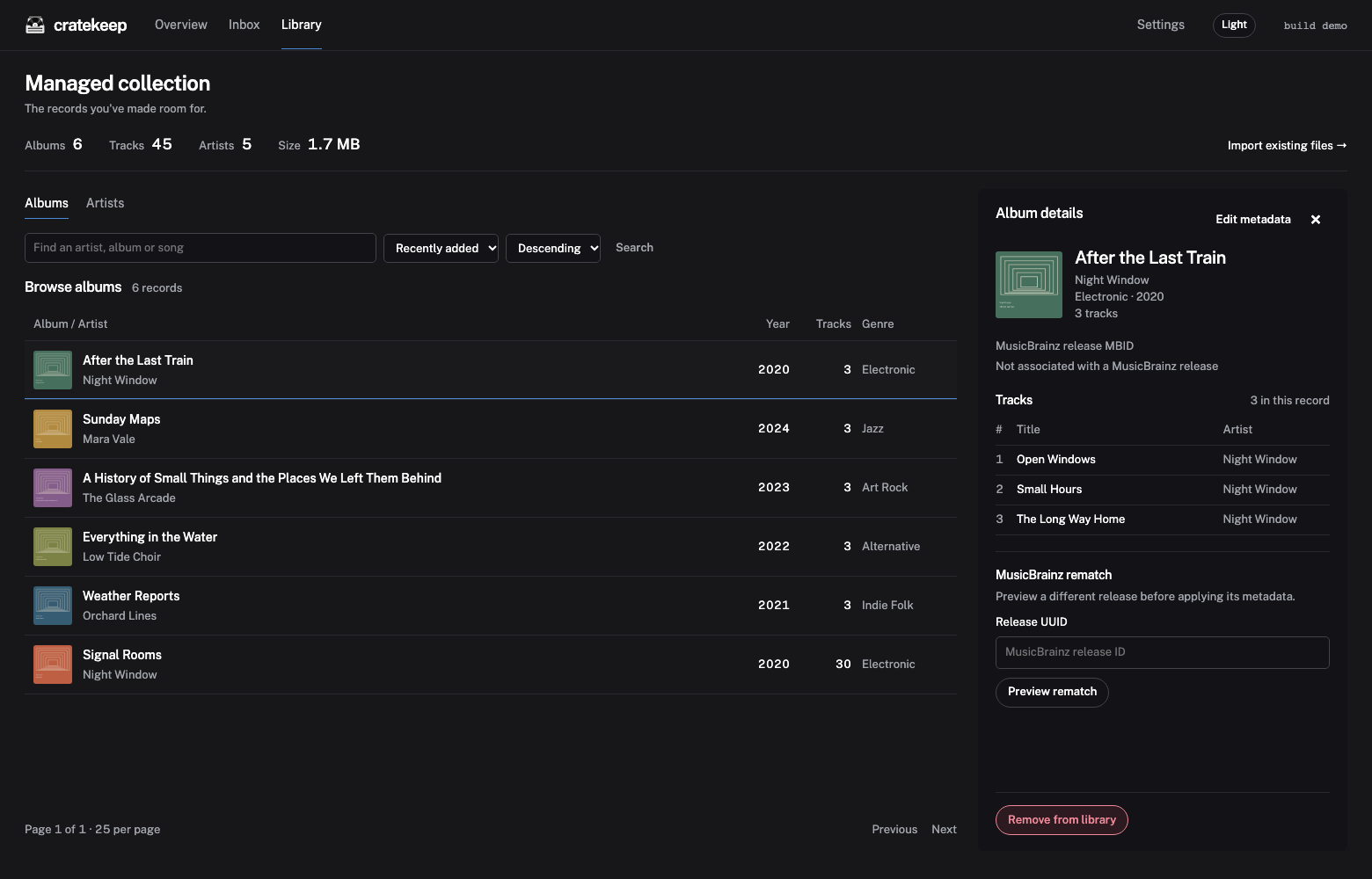
Downloads arrive through named Inbox folders. Cratekeep copies them into your Library and tags the copies, leaving the originals available until you remove them. You can also bring an existing collection into Cratekeep without moving its files.
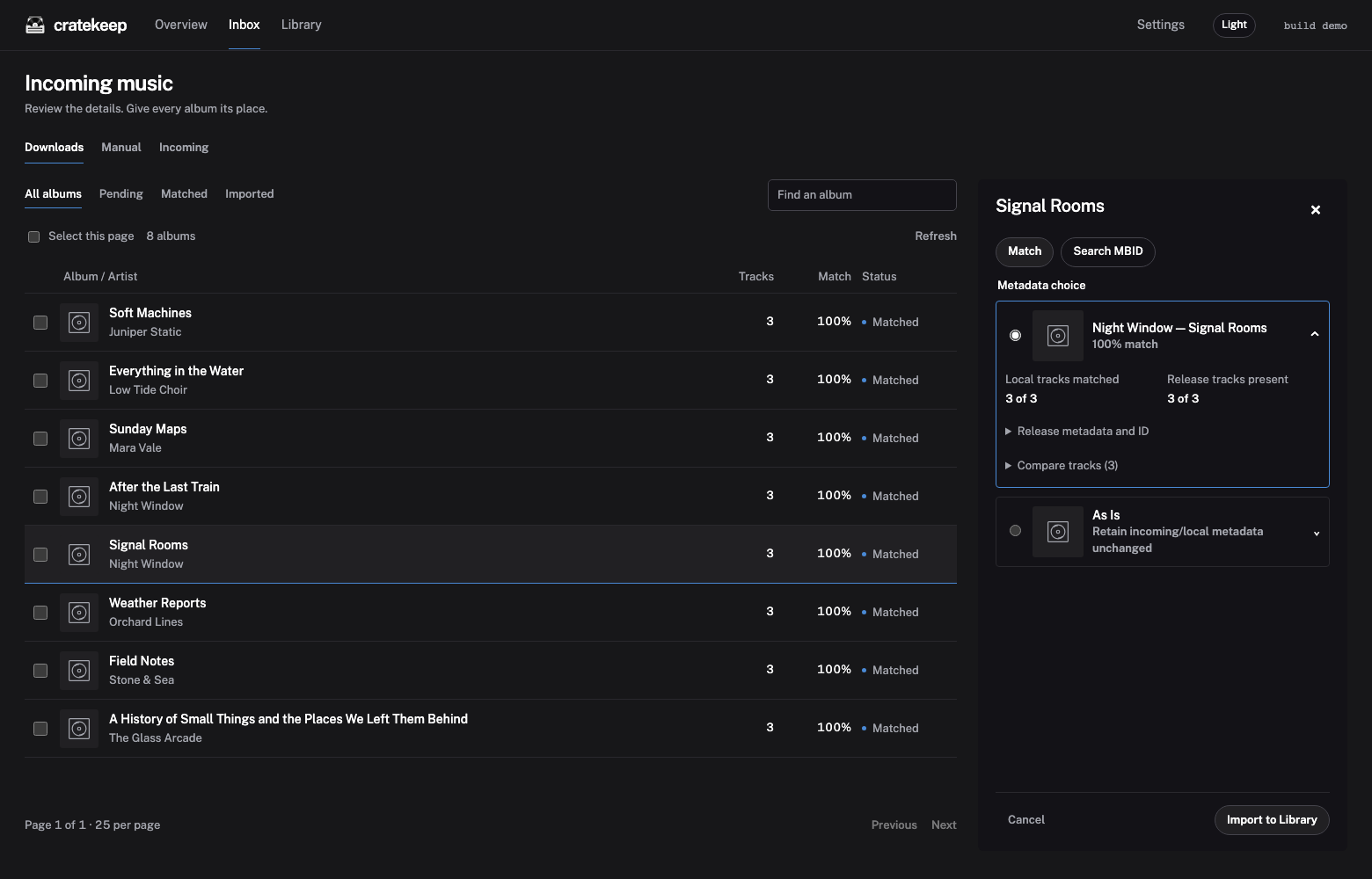
Matching works with complete albums or just a few tracks. Choose a MusicBrainz result, enter a release ID, or keep the existing tags. The review panel lets you compare track names and metadata before importing one album or a selected batch.
Install
Cratekeep runs in Docker on Linux/amd64 and Linux/arm64. Use Compose, plain Docker or the manual Unraid setup below.
Cratekeep can change tags and delete files when requested. It has no built-in authentication or CSRF protection, so use a trusted network or an authenticating reverse proxy. Start with copies of a few albums.
Docker Compose
mkdir -p cratekeep/data/inbox cratekeep/data/library cratekeep/data/config
cd cratekeep
Save this as compose.yaml:
services:
  app:
    image: ghcr.io/kylejschultz/cratekeep:latest
    user: "${APP_UID:-1000}:${APP_GID:-1000}"
    ports:
      - "8788:8788"
    environment:
      STATE_PATH: /data/config
    volumes:
      - ./data/inbox:/data/inbox
      - ./data/library:/data/library
      - ./data/config:/data/config
    restart: unless-stopped
On Linux or macOS, save your user and group IDs, then start the container:
printf 'APP_UID=%s\nAPP_GID=%s\n' "$(id -u)" "$(id -g)" > .env
docker compose pull app
docker compose up -d app
On Windows, skip the ID command and share the folders through Docker Desktop. The example defaults to 1000:1000; use IDs with write access to your media.
Plain Docker
mkdir -p data/inbox data/library data/config
docker run -d \
  --name cratekeep \
  --restart unless-stopped \
  --user "$(id -u):$(id -g)" \
  -p 8788:8788 \
  -e STATE_PATH=/data/config \
  -v "$PWD/data/inbox:/data/inbox" \
  -v "$PWD/data/library:/data/library" \
  -v "$PWD/data/config:/data/config" \
  ghcr.io/kylejschultz/cratekeep:latest
This command uses a Unix shell. Change the host paths on the left of each mount to use your own folders, and keep /data/config persistent across updates.
Unraid
In Docker → Add Container, use ghcr.io/kylejschultz/cratekeep:latest as the repository and map container port 8788 to an available host port.
| Host folder | Container path |
|---|---|
| Your download or Inbox folder | /data/inbox |
| Your music library | /data/library |
/mnt/user/appdata/cratekeep |
/data/config |
Give the container read/write access to these folders and set STATE_PATH=/data/config. Choose a numeric user that can access the shares, commonly --user=99:100 in Extra Parameters. Open http://SERVER-IP:HOST-PORT to finish setup. A Community Applications listing is planned; installation is currently manual.
Getting started
Open http://localhost:8788, or use your server's address. During setup, choose /data/inbox and /data/library for the example mounts. Additional Inbox folders can be added in Settings.
Use Inbox for downloads and Library → Import existing files for music already in your Library folder. Import selected uses your saved metadata choice, or the best match if you have not chosen one. An Inbox copy import can be undone while its originals and Library copies remain unchanged; replacement imports cannot be undone. Remove imported deletes the Inbox originals while keeping your Library copies.
Enable automatic matching and artwork fetching in Settings if you want them. Settings → About shows the version, build and community links. Optional Beacon analytics is off by default. It reports a random installation ID, build/platform details and collection totals at most once a day, without track names, media paths or listening history. The receiving server also sees the connection IP address.
Updates and help
Before updating, stop Cratekeep and back up its entire config directory and your music separately. With Compose, run docker compose stop app, make your backup, then run docker compose pull app and docker compose up -d app. Keep the same mounts and user settings.
A wiki is planned for advanced setup, development and API documentation.
For questions, join the Discord. Bugs and feature requests can also go in GitHub Issues. Include your build identifier and relevant container logs, checking them for private information before sharing.
License
Cratekeep is licensed under the GNU General Public License v3.0.
Categories
Related apps
Explore more like this
Explore allDetails
ghcr.io/kylejschultz/cratekeep:latestRuntime arguments
- Web UI
http://[IP]:[PORT:8788]/- Network
bridge- Shell
sh- Privileged
- false
Template configuration
Host port for the Cratekeep web interface.
- Target
- 8788
- Default
- 8788
- Value
- 8788
Persistent configuration, SQLite databases, beets configuration, and generated signing key.
- Target
- /data/config
- Default
- /mnt/user/appdata/cratekeep
- Value
- /mnt/user/appdata/cratekeep
Choose your incoming music folder. Imports move files out of this folder. Must be writable and separate from the Library folder; neither may contain the other.
- Target
- /data/inbox
Choose your destination music library. Cratekeep can move files here and write reviewed tags. Start with disposable copies. Must be writable and separate from Inbox.
- Target
- /data/library