
All apps · 0 apps

CouchElephant
Docker app from datbird's Repository
Overview
Readme
View on GitHub

CouchElephant
A CouchElephant never forgets.
Plex's DVR records the wrong broadcast. Ask it to record your team and it will happily pick the repeat that airs two days later, on a channel you do not watch, and tell you nothing about it. CouchElephant reads the same guide, picks the live broadcast itself, and pins the recording to that exact channel and start time so Plex has nothing left to choose.
It sits beside Plex. It does not replace it, proxy it, or ask you to watch anything anywhere else. Recordings land in your Plex library exactly as they always did.
Version 1.2.2.
Why it exists
Plex's guide already flags the live airing as a premiere. Plex ignores that flag and breaks the tie on the lowest channel number. This is a known bug, reported in March 2025 and still open.
CouchElephant reads the flag, chooses the airing, and creates a one-shot
recording pinned with lineupChannel and startTimeslot. Every decision it
makes, including the ones it declines, is written down and shown to you.
It also does several things Plex cannot say at all:
- Limit a rule to several networks or channels. A Plex rule takes one channel, or none. "Only ABC, CBS and FOX" cannot be expressed to Plex, so CouchElephant keeps that rule itself and books each airing as it comes.
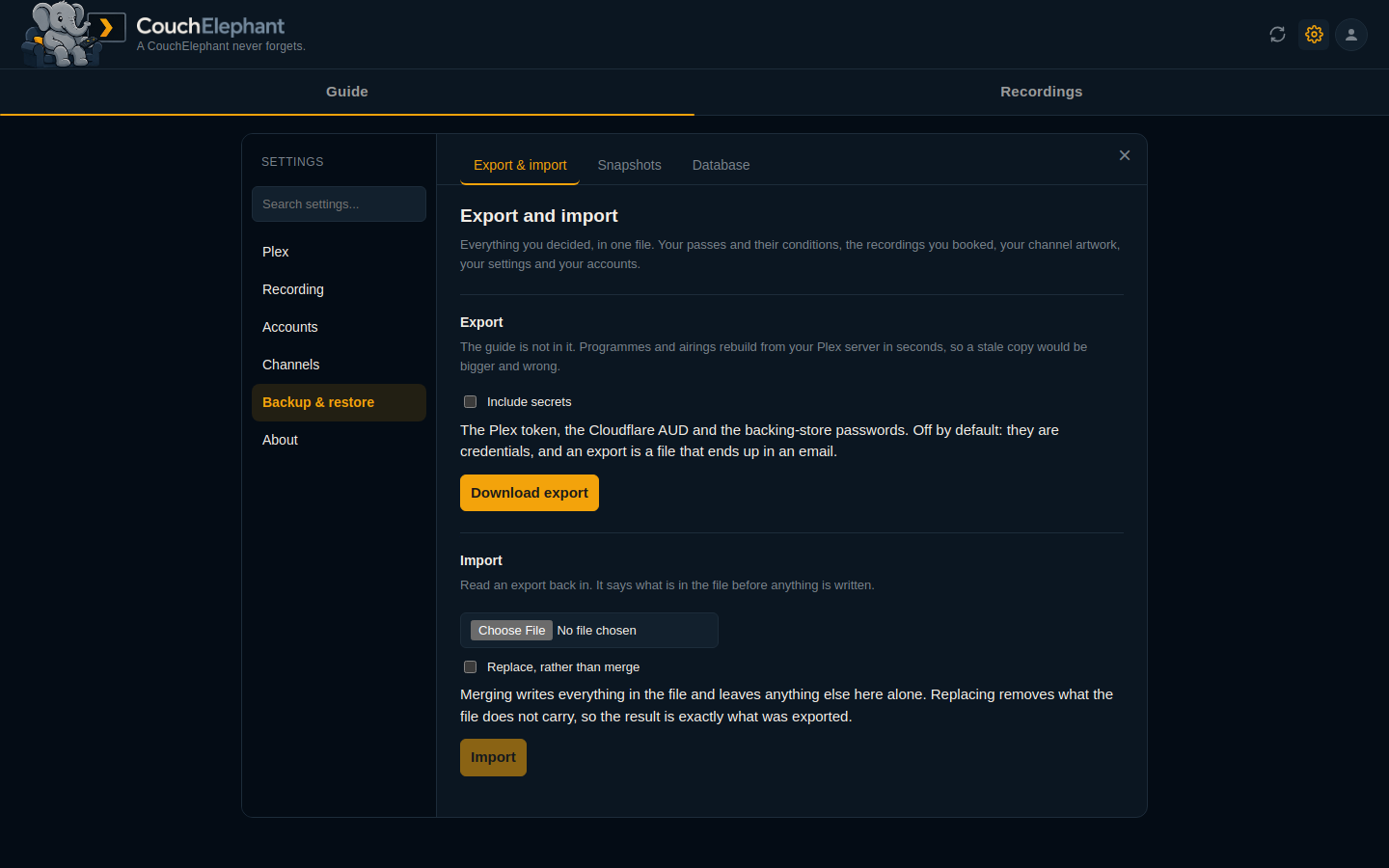
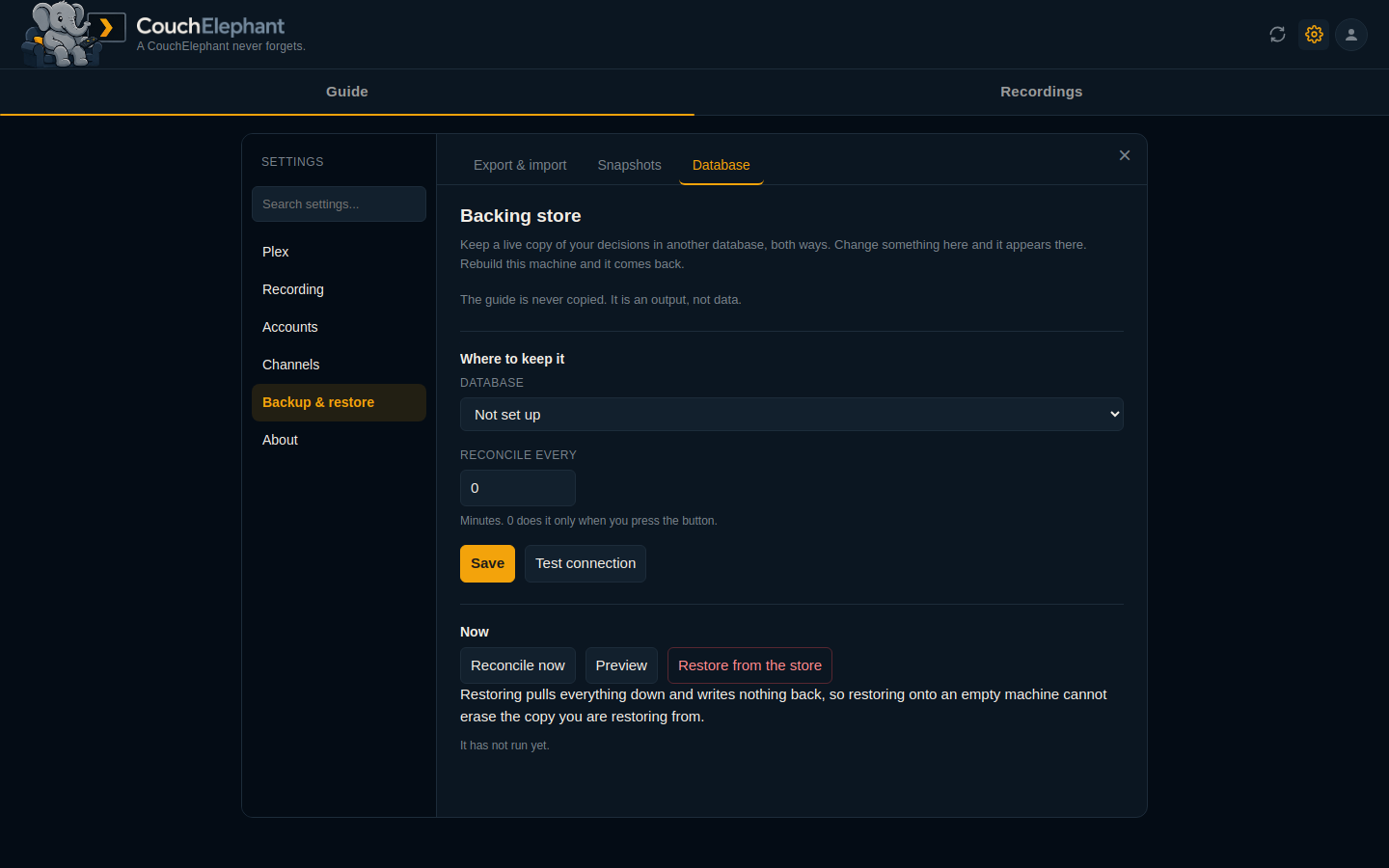
- Keep your decisions somewhere else. Export them to a file, snapshot them on a schedule, or keep a live two-way copy in PostgreSQL, MySQL or another SQLite file. The guide is never copied; it rebuilds from Plex in seconds.
- Record by conditions rather than by name. A smart filter is a nested tree: "comedy or sci-fi, not rated TV-MA, first shown after 2015, in HD". Plex rules follow one programme or one team and cannot be given conditions at all.
- Always take the live broadcast, for every game a team plays, without you looking at the guide.
- Follow something the guide has not heard of yet. Plex's guide reaches about twelve days ahead, and no guide source anywhere reaches much further, paid ones included, because no broadcaster has decided that far out. So a series announced for next spring, or the rest of your team's season, cannot be followed at all: there is no row to match. CouchElephant holds the intention instead. It shows what it is waiting for, and the moment Plex's guide carries a real airing it becomes an ordinary recording. Nothing outside the guide ever books anything, because only the guide knows the channel.
- Tell you when Plex stops keeping its own guide up to date. When that happens nothing breaks: passes keep running, syncs keep succeeding, and the guide gets a day shorter every day until what you wanted is past the end of it. You find out the evening the recording does not happen. CouchElephant checks every sync and badges the sync button instead.
- Say it somewhere you will actually see it. A badge only exists on a page you have open. Alerts go out to Discord, Telegram, Notifiarr or a relay on your own network, and you choose which events reach which channel.
What it looks like
The guide
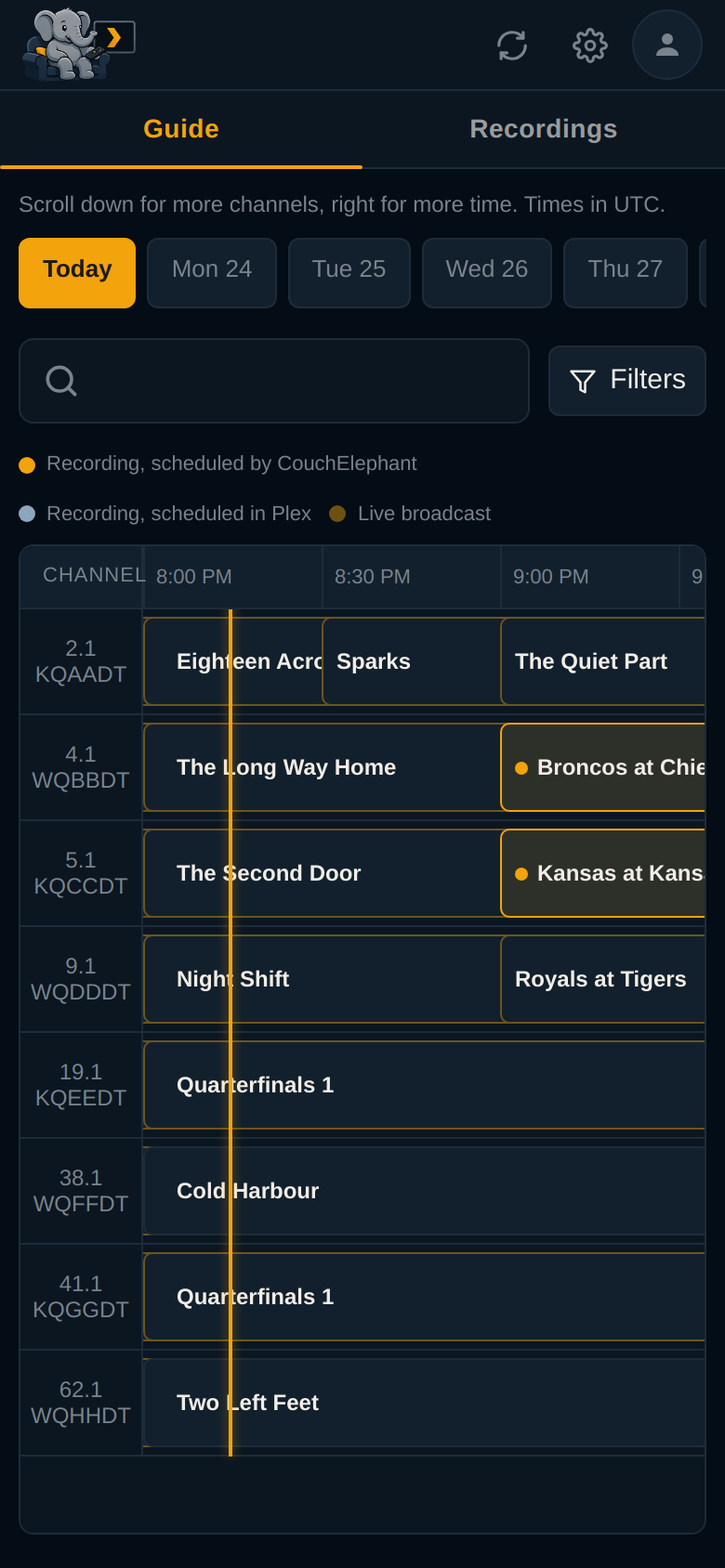
A real two-axis guide. Channels down, time across, both loading more as you reach the edge. Amber means CouchElephant scheduled it, blue-grey means Plex did.
| Dark | Light |
|---|---|
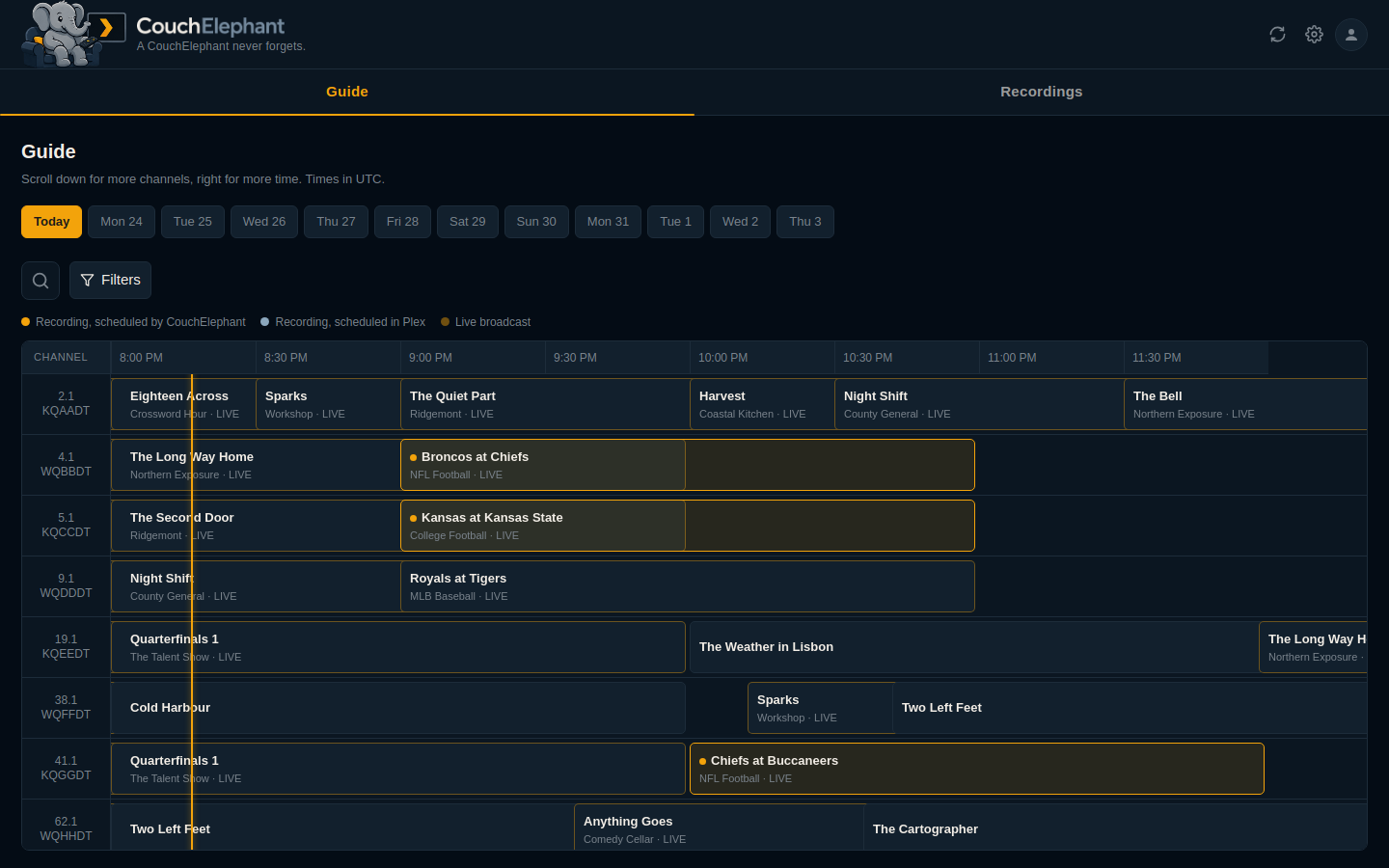 |
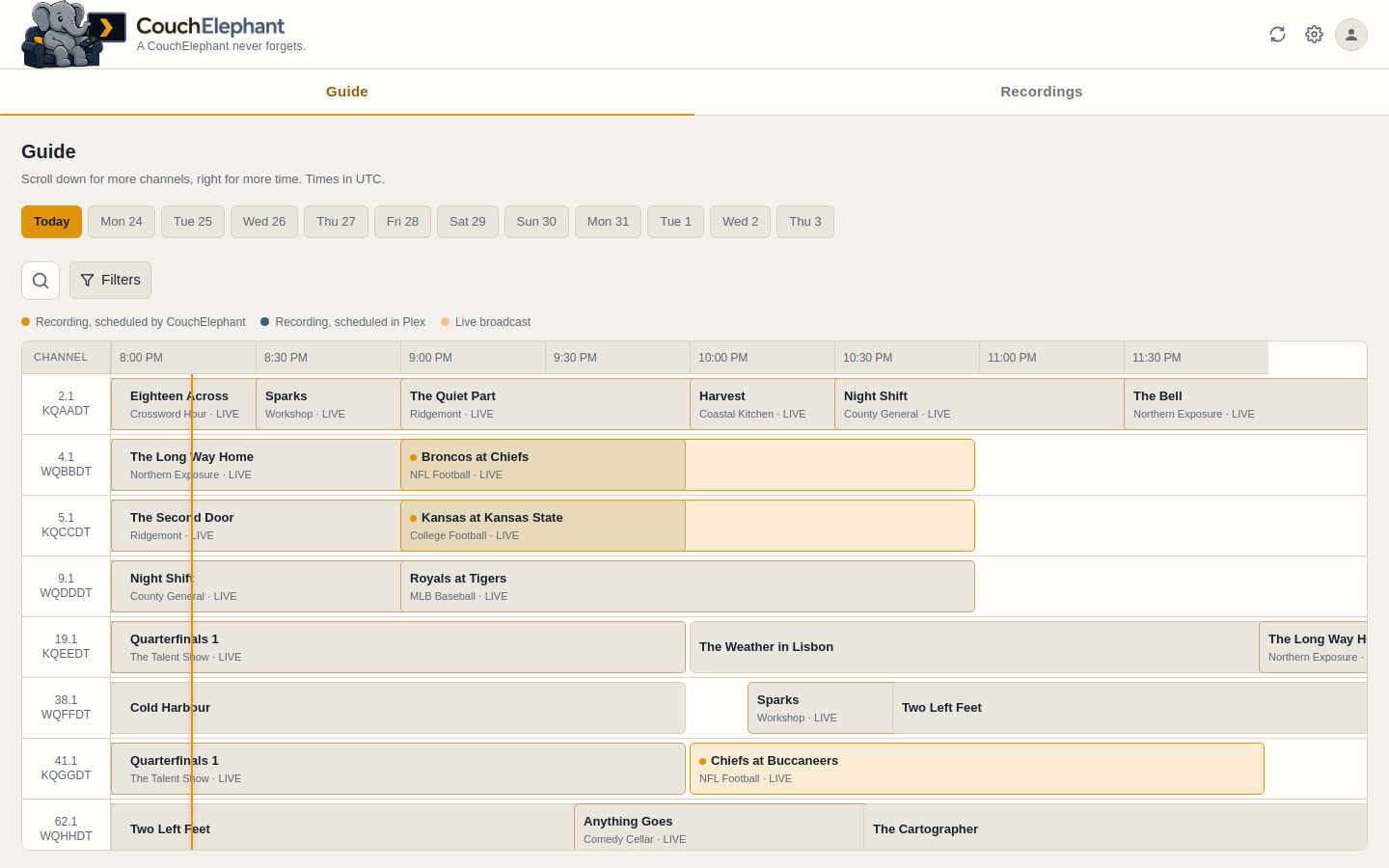 |
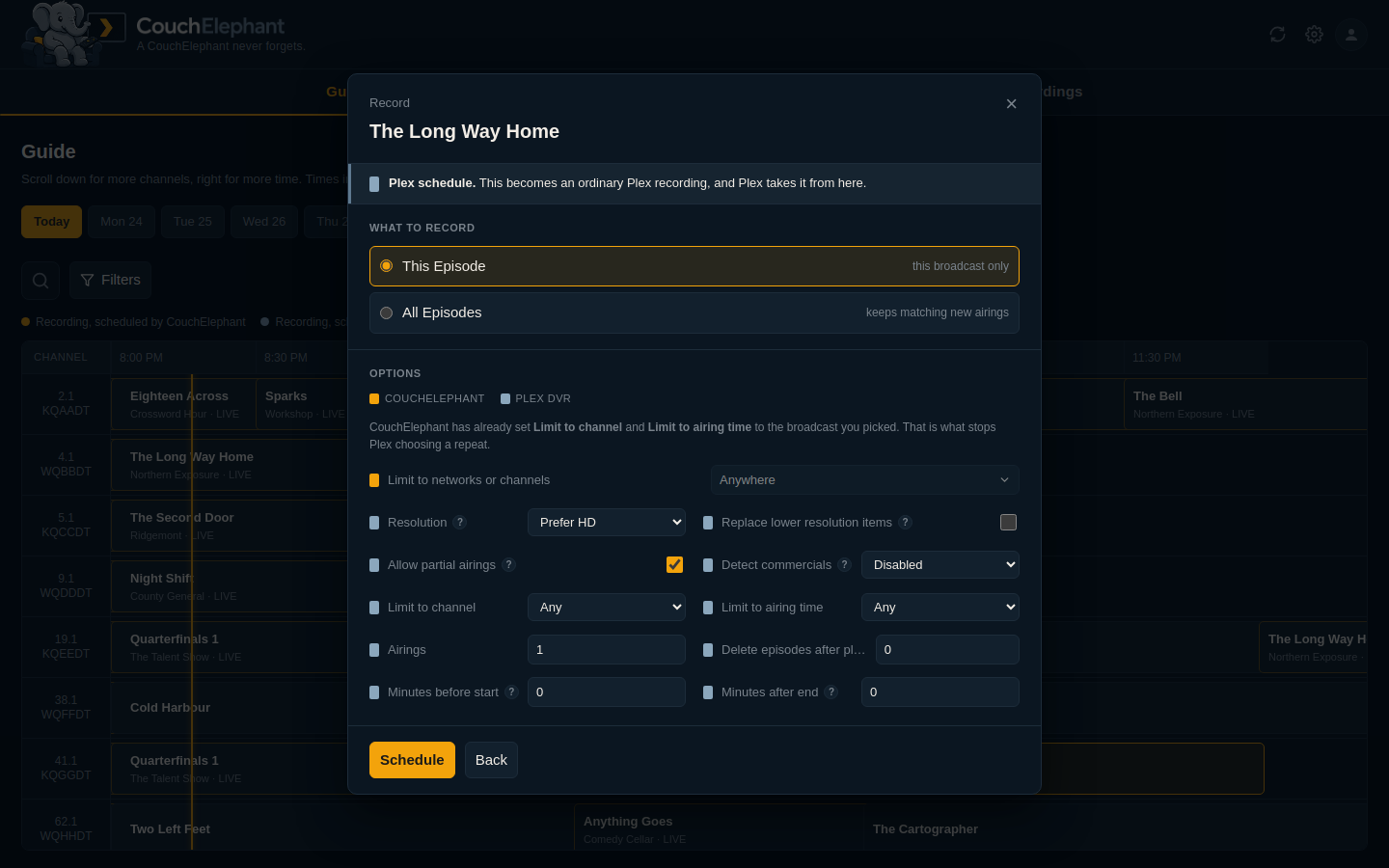
Choosing what to record
Press record and you get Plex's own options, read from Plex rather than copied here, plus CouchElephant's. Each row is marked with whose feature it is, and a bar across the top says which of the two will end up owning the recording.
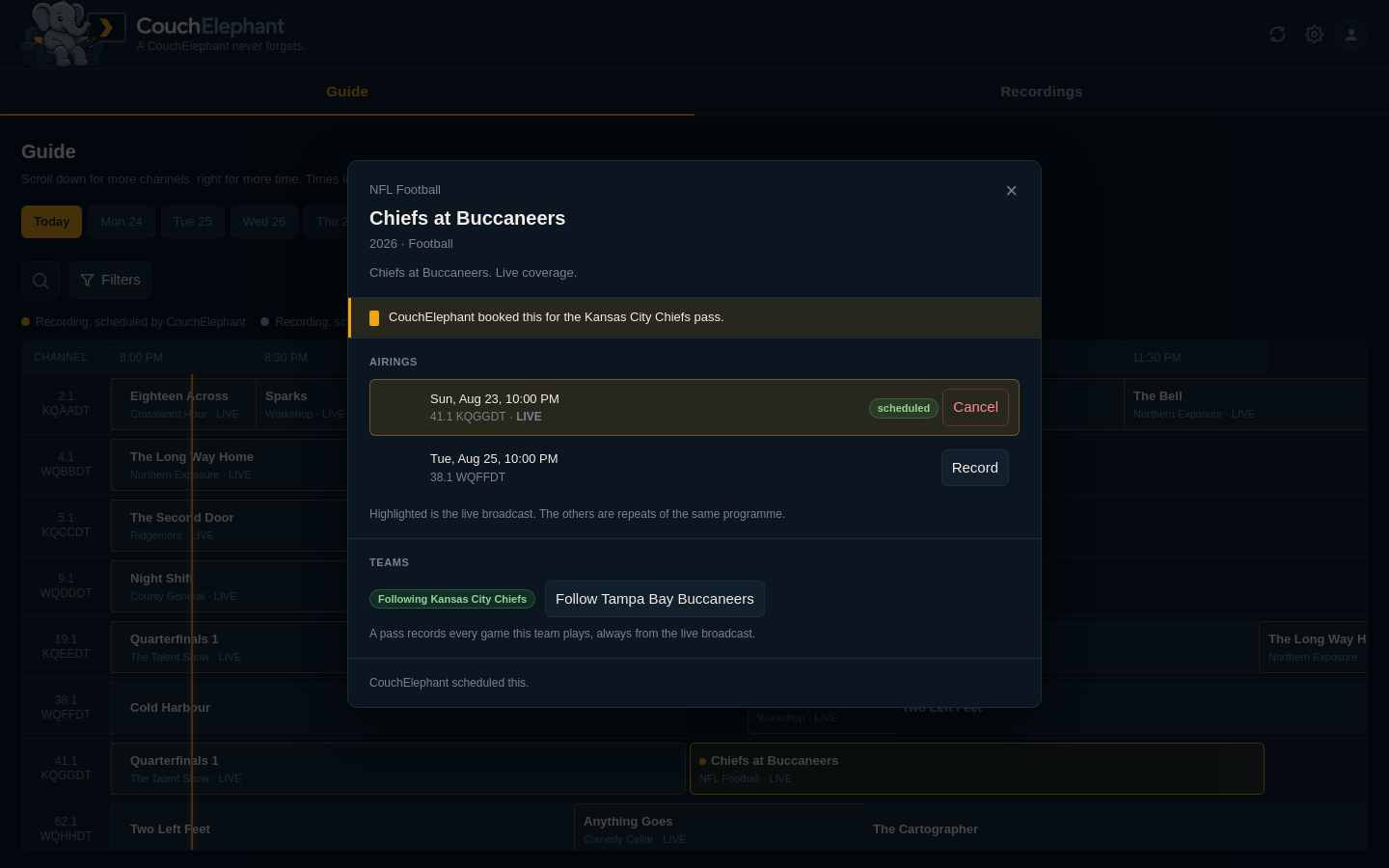
Opening a programme shows every airing of it, which one is live, and why it is being recorded if it already is.
The schedule
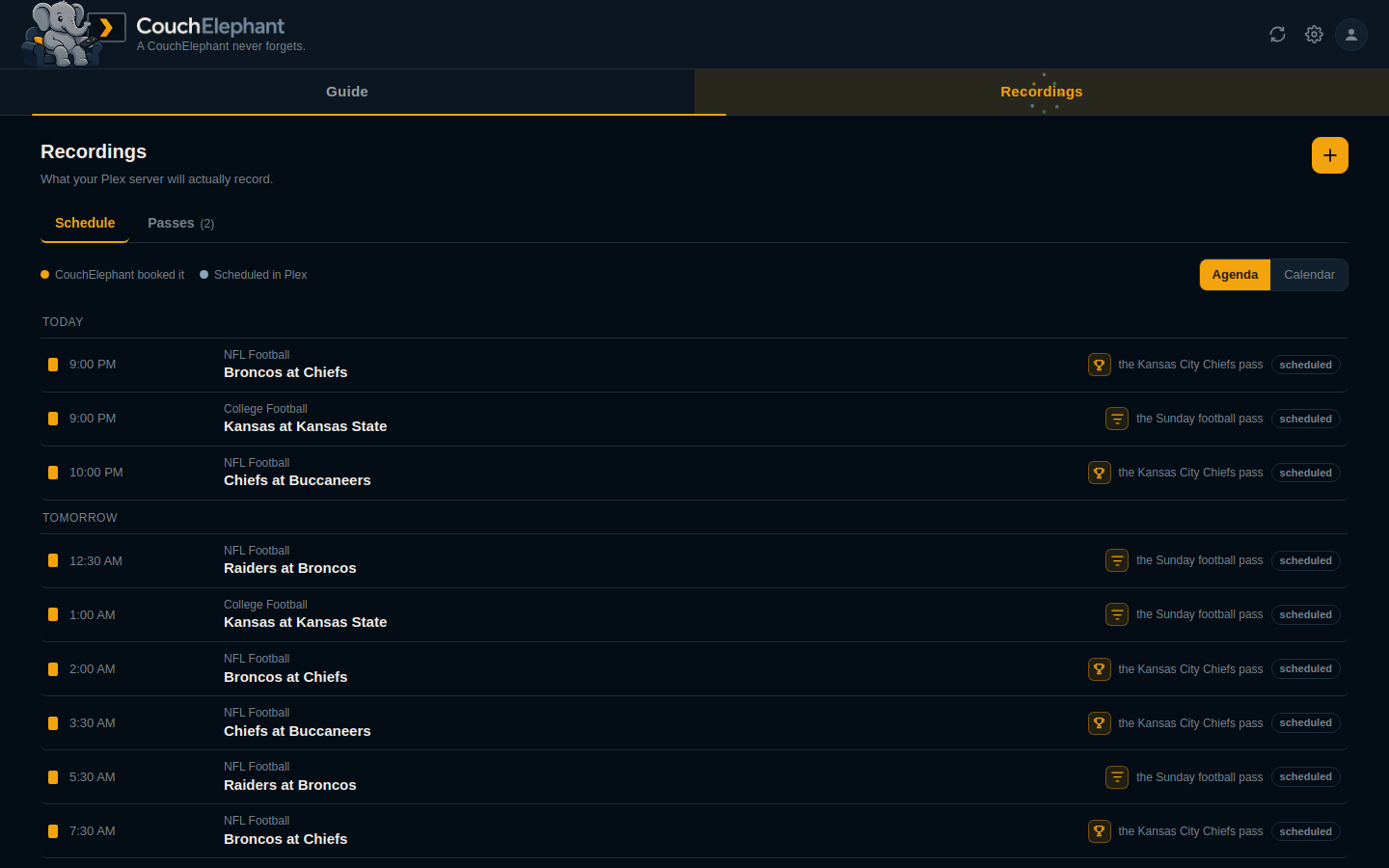
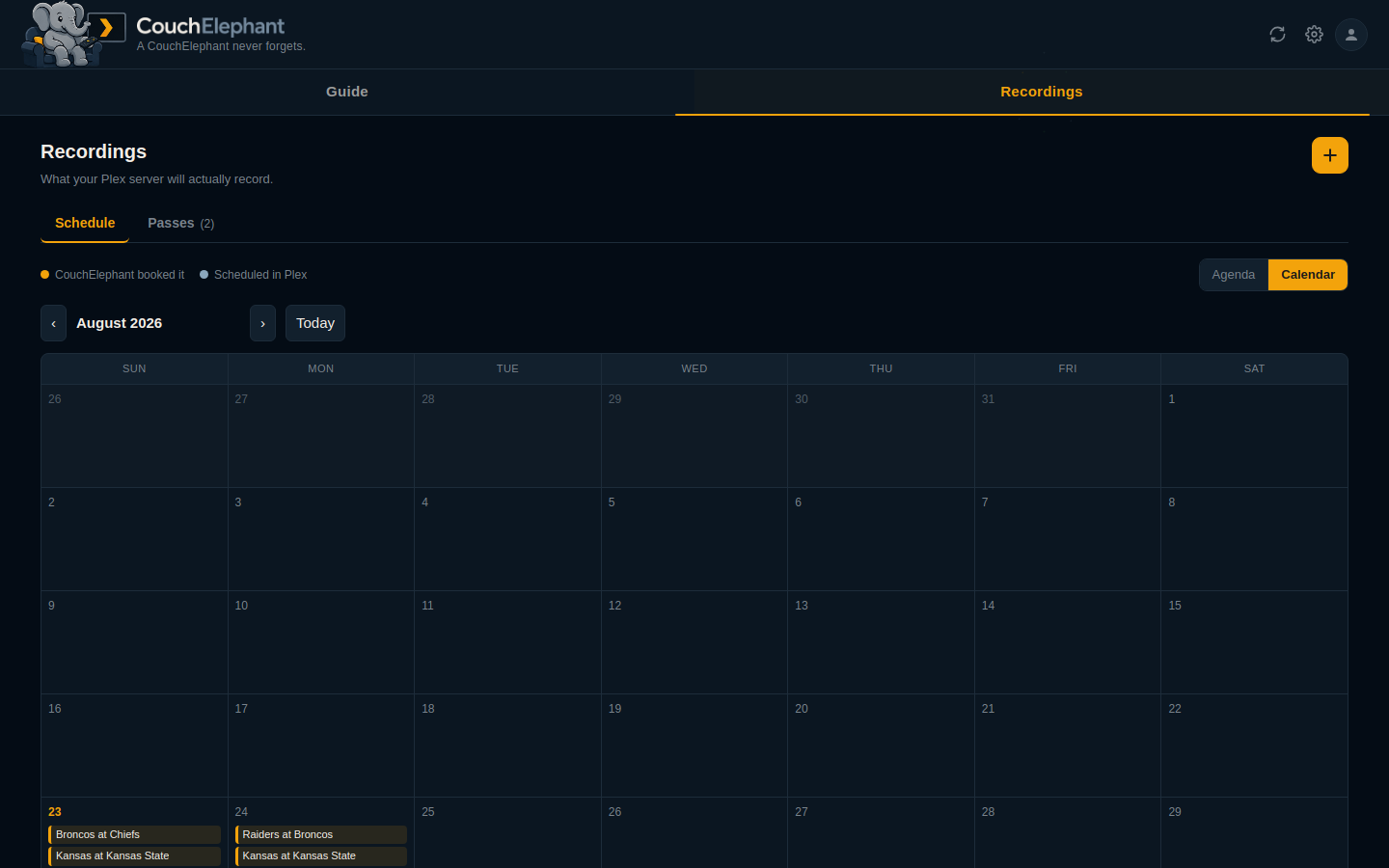
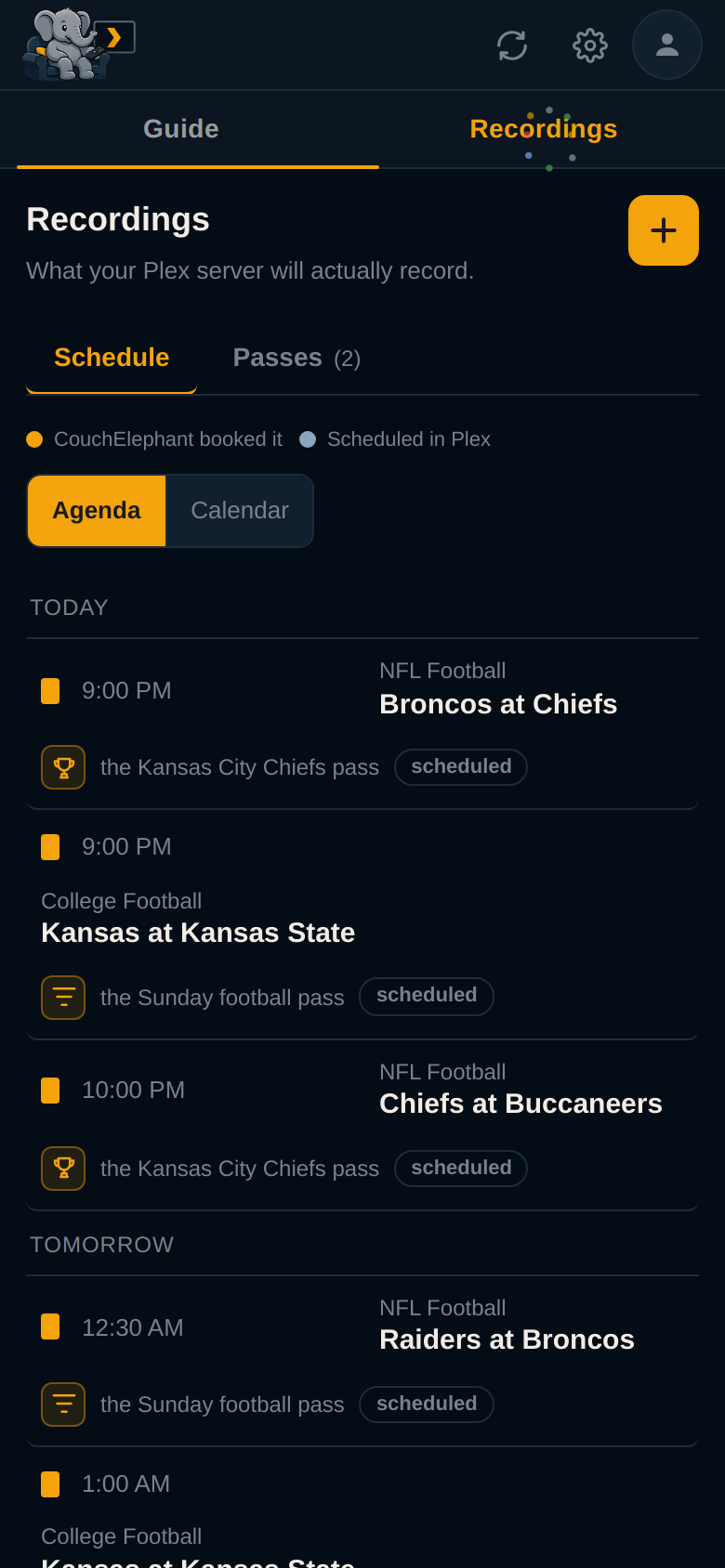
What your Plex server will actually record, read from Plex's own grab list. Two views over the same data, and every entry says who booked it and why.
It reads outward from now. What is still to come comes first, soonest at the top. What already aired follows, most recent first.
| Agenda | Calendar |
|---|---|
 |
 |
Passes
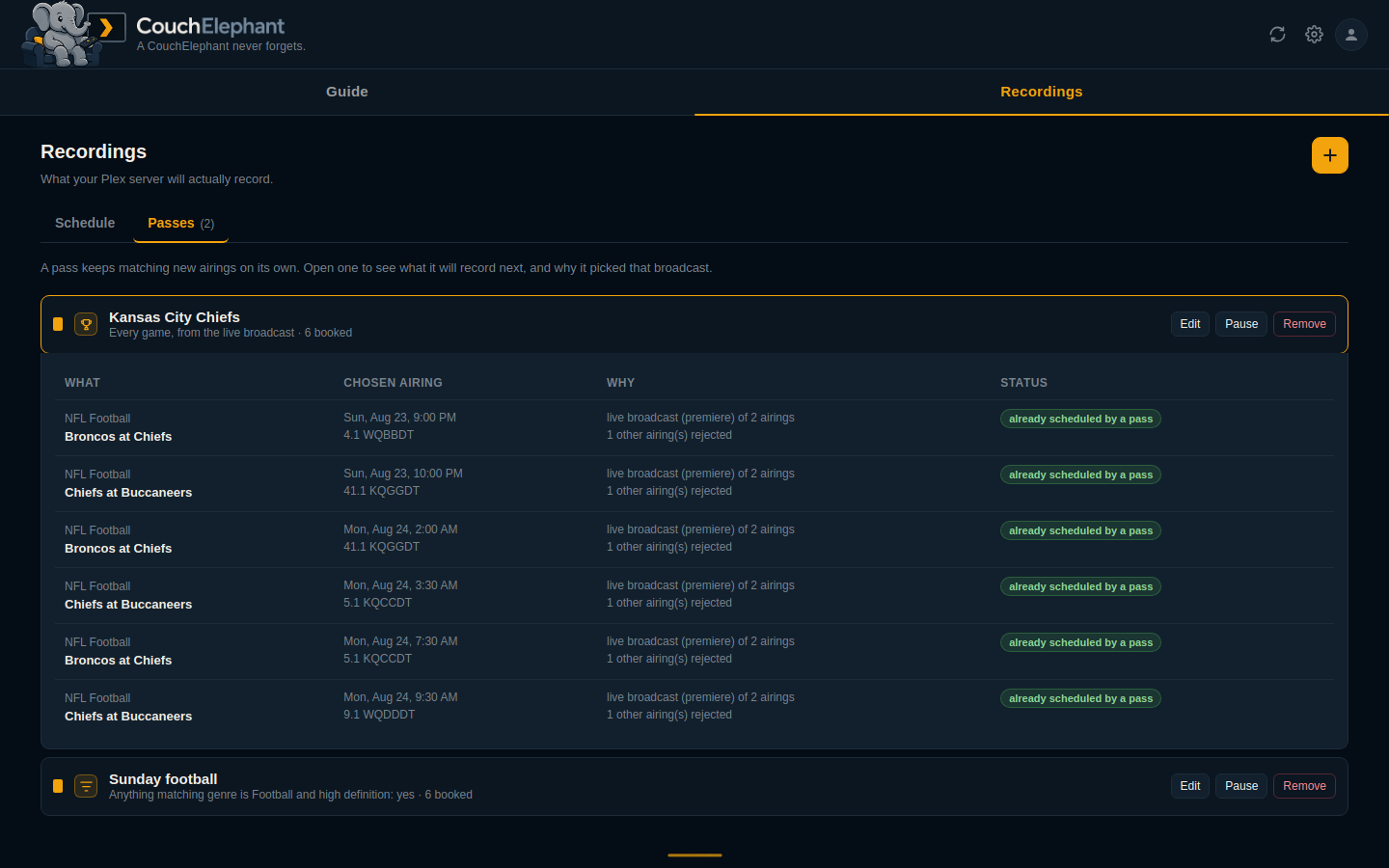
A pass keeps matching new airings on its own. Open one to see what it will record next and why it chose that broadcast. Plex's own rules are listed here too, in the other colour.
Waiting for the Plex guide data
A pass can follow something the guide has not reached. Those show as plans rather than bookings, with the date at exactly the precision the source gave it: a kickoff if the league published one, only a month if that is all anyone has announced. None of them are booked. Each becomes a real recording the moment Plex's guide data carries an airing for it, and if the guide runs past the date with no match, you are told which one.
Follow a team and this fills with its whole published season, seventeen games for an NFL side, months before any broadcaster is named. No key is needed. The card opens showing the next three and expands on request, and the calendar draws all of them: a dated fixture in its own day, and anything known only to a month in a band under the grid, because a calendar cell is a day and a month is not.
A game the guide carries without naming it is booked anyway. Broadcasters often list a regional game as a bare "NFL Football" until the week of the game. When the league's schedule puts your team's kickoff in exactly that slot, CouchElephant books the slot as a stand-in. The schedule shows the matchup, the guide's generic name under it, and an info icon that explains the difference. When the guide names the game, the recording moves onto the named listing, so Plex shows the real title too.
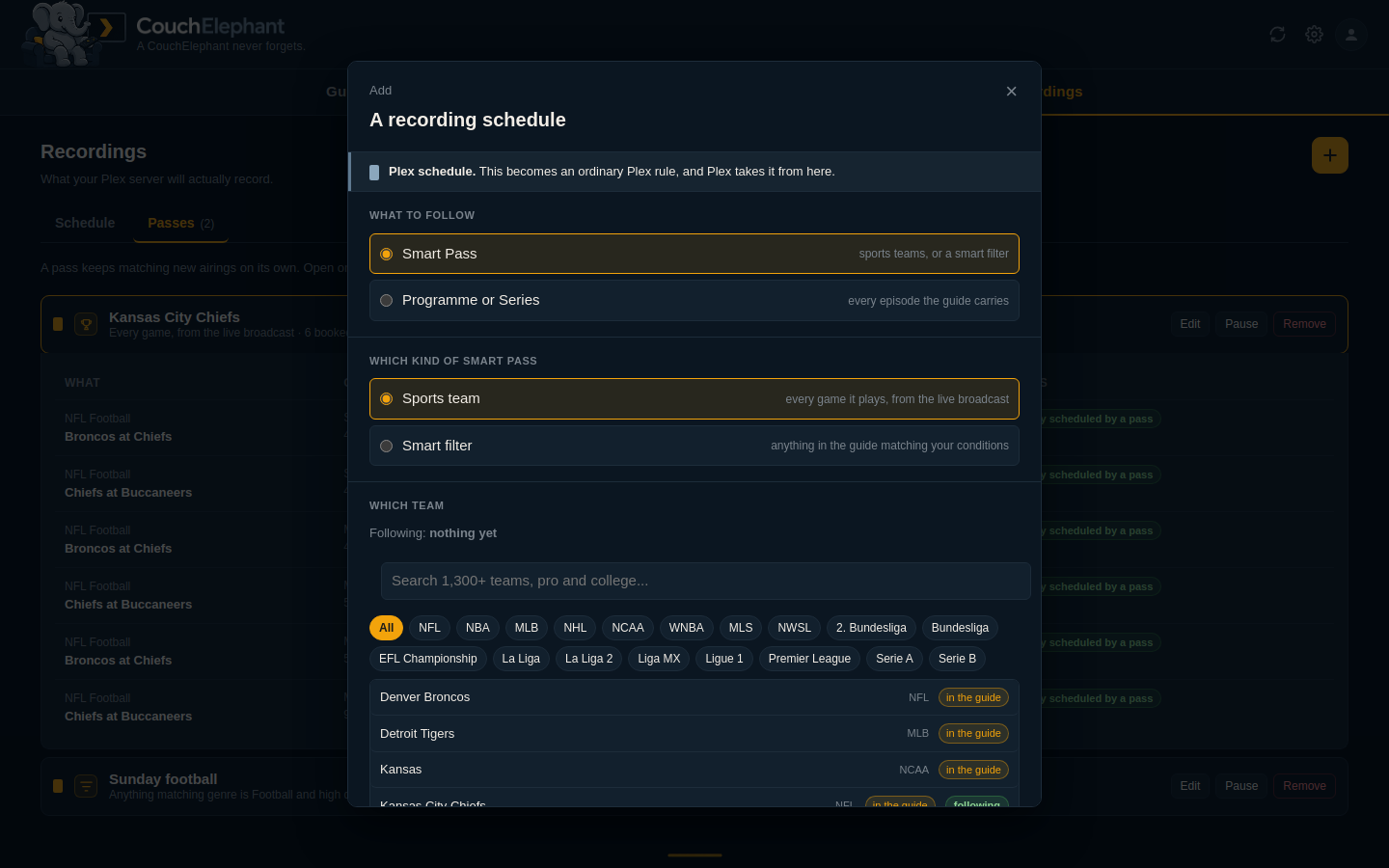
Adding a schedule
Follow a team, a programme, or a set of conditions. Leave the source limit alone on a team or a programme and it becomes an ordinary Plex rule.
Smart filters
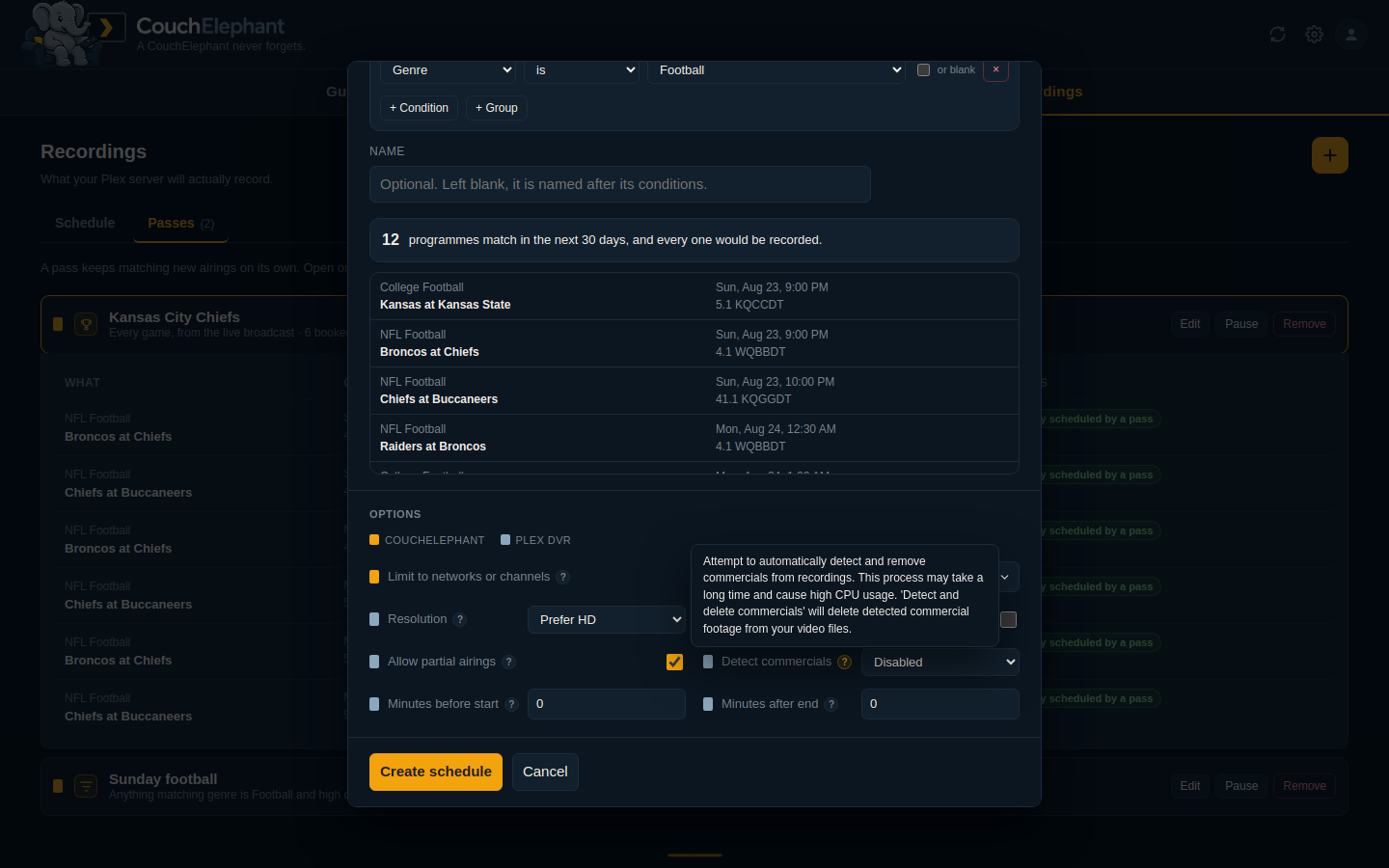
A nested tree: every group matches all, any or none of what it holds, and groups nest as deep as you like. It counts what it would record, and shows the first matches, before you create it.
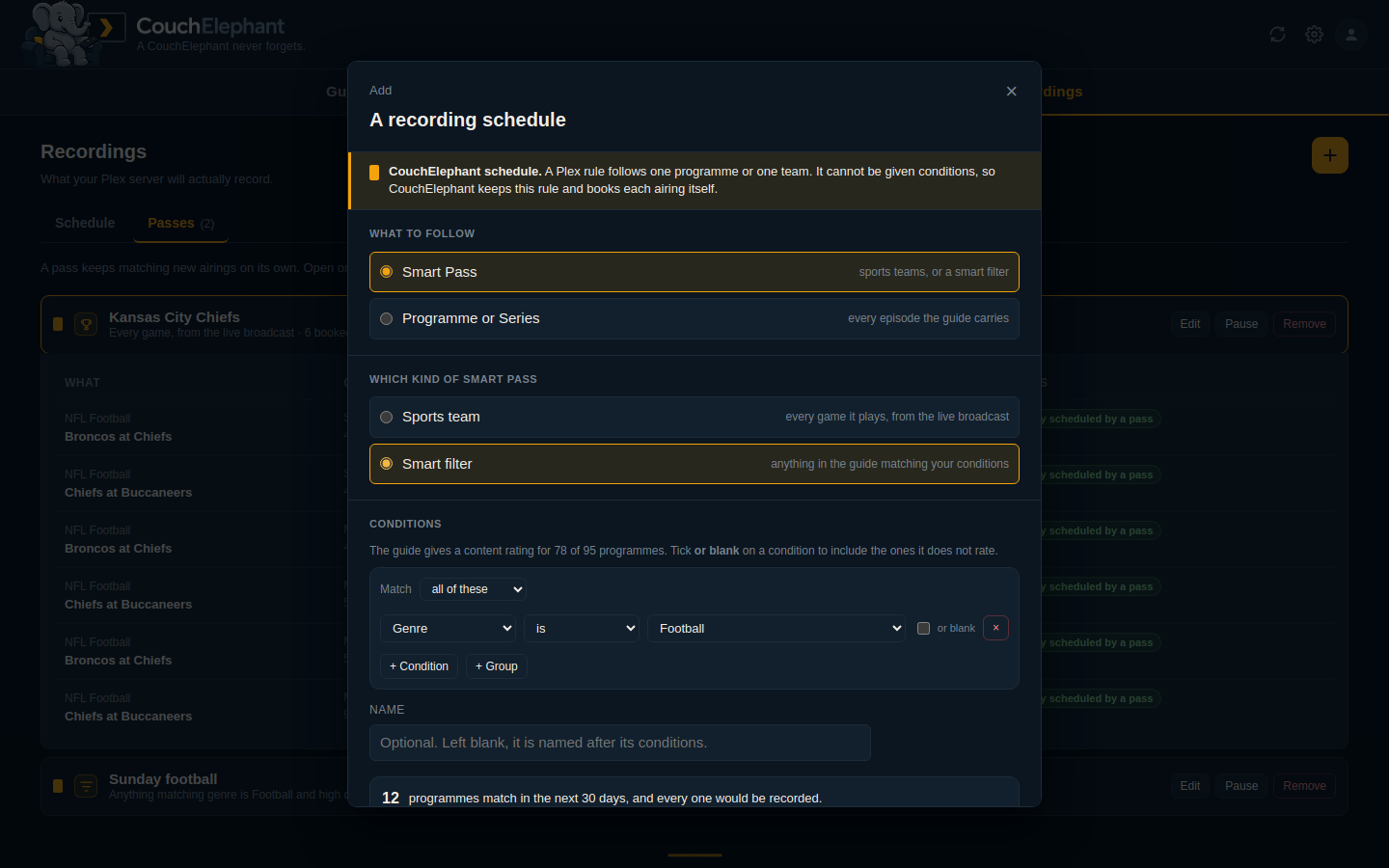
Plex's own settings are on every pass, padding included, with Plex's own explanation of each one a hover away.
When Plex is the problem
CouchElephant can only record from the airings Plex offers it, so it checks that Plex is doing its own job. Every sync it asks Plex how often it intends to refresh the guide, when it last did, and how far ahead the guide now reaches. A problem badges the sync button, because a guide that has stopped moving is a sync problem. A notice says what is wrong and what to do, clears itself when the condition clears, and cannot be dismissed.
Telling you about it
A notice on a page nobody has open is a notice nobody reads. So the same checks send.
Add as many destinations as you like. Each one is named, and each carries its own list of events, so faults can go to one channel and recordings to another.
- Discord needs no bot. A webhook URL from your own channel settings is the whole integration.
- Telegram needs a token but no running bot. One outgoing message at a time. It finds your chat id for you rather than making you hunt for a number.
- Notifiarr, if you already run it. One bot in one channel, and everything you own arrives through it instead of through a webhook set up per application.
- A relay on your own network, speaking
timmyd's
/notify. The only destination that names no channel: it is handed the severity and decides for itself, so a fault lands in the channel you watch while a recording that started lands in the one you read later.
A fault reports its whole life: once when it opens, a reminder on the interval you pick while it stays open, and once when it clears. A one-off event, like a pass booking something, is said exactly once. A channel added today is not sent a backlog of what is already open.
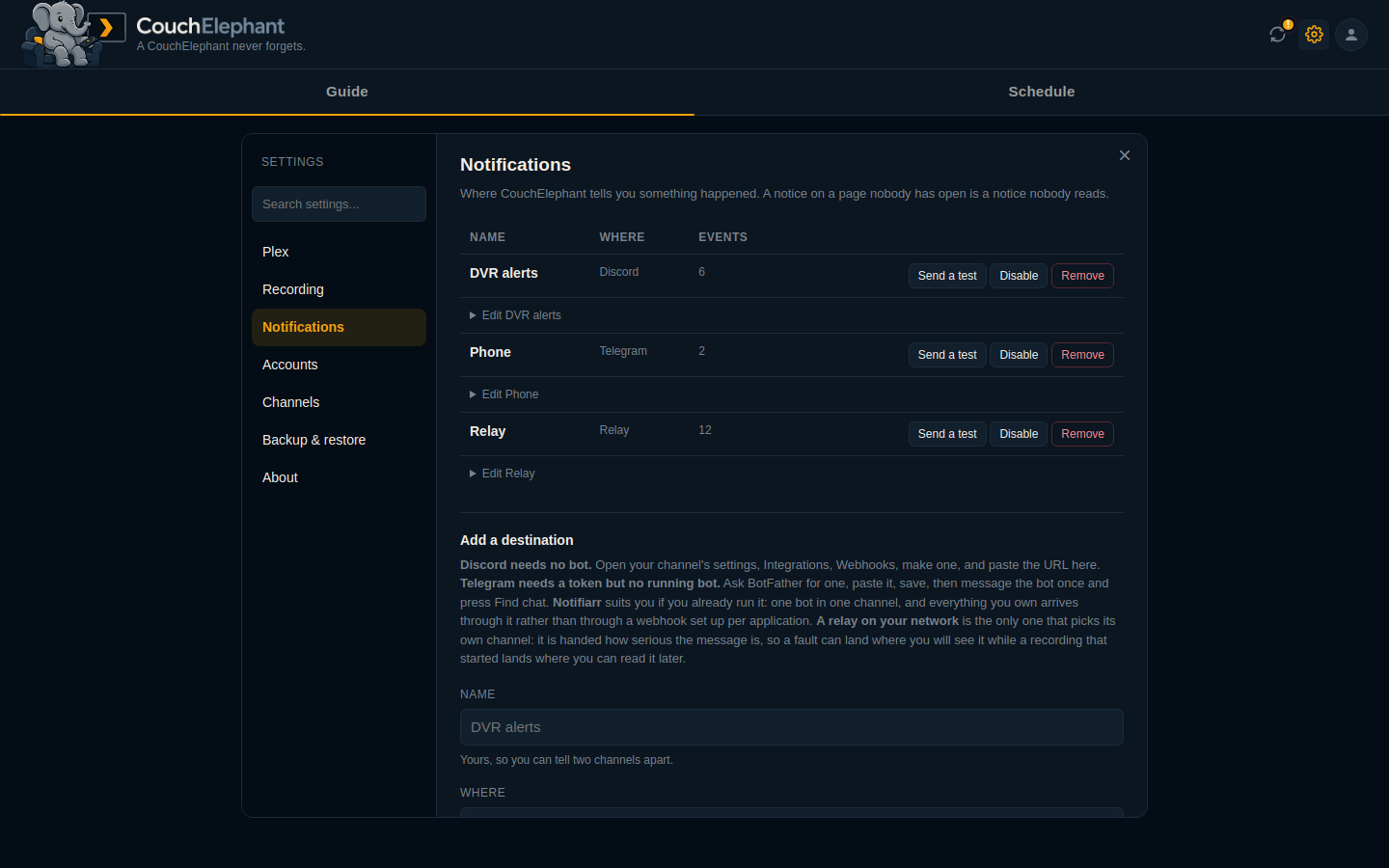
Settings
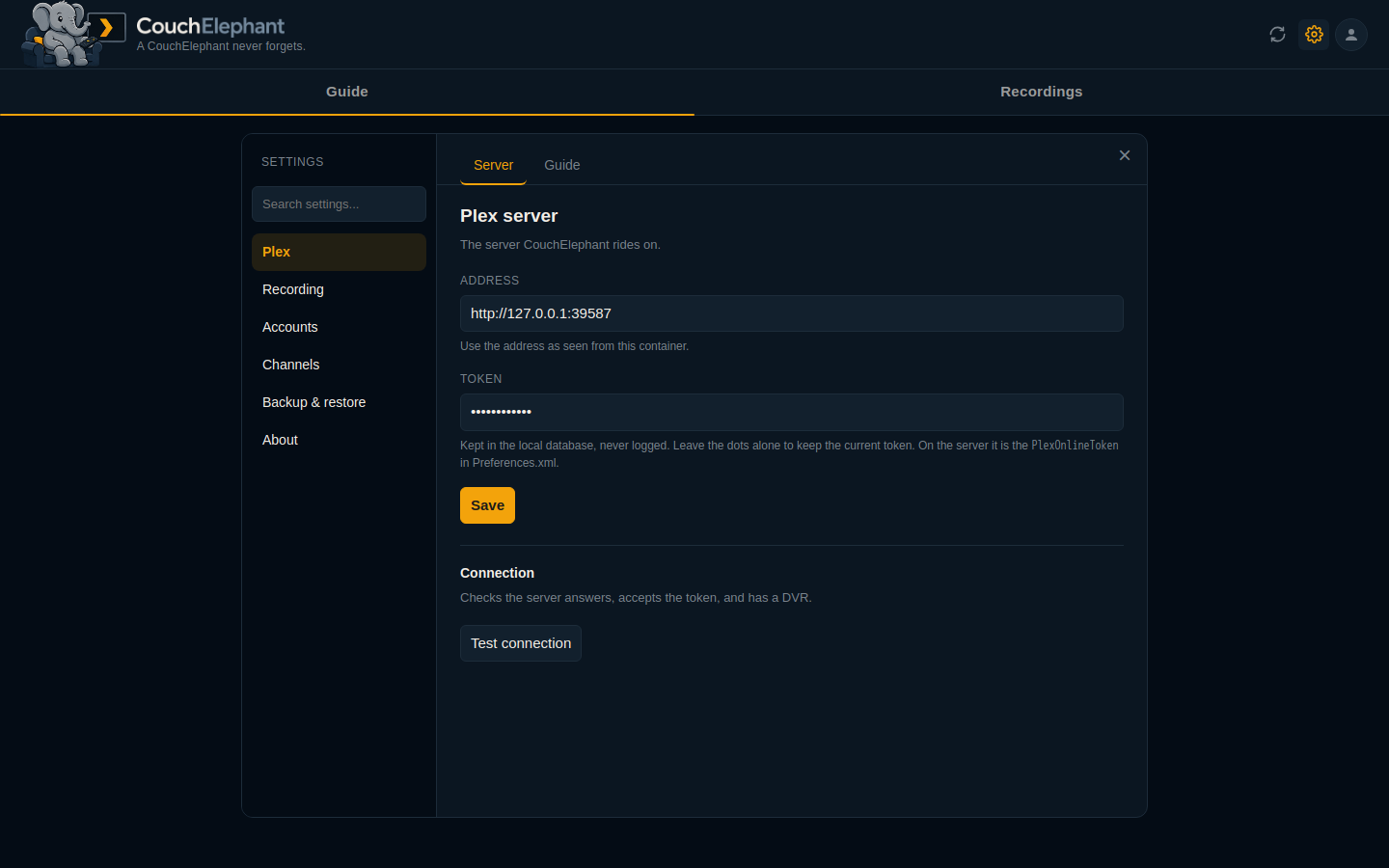
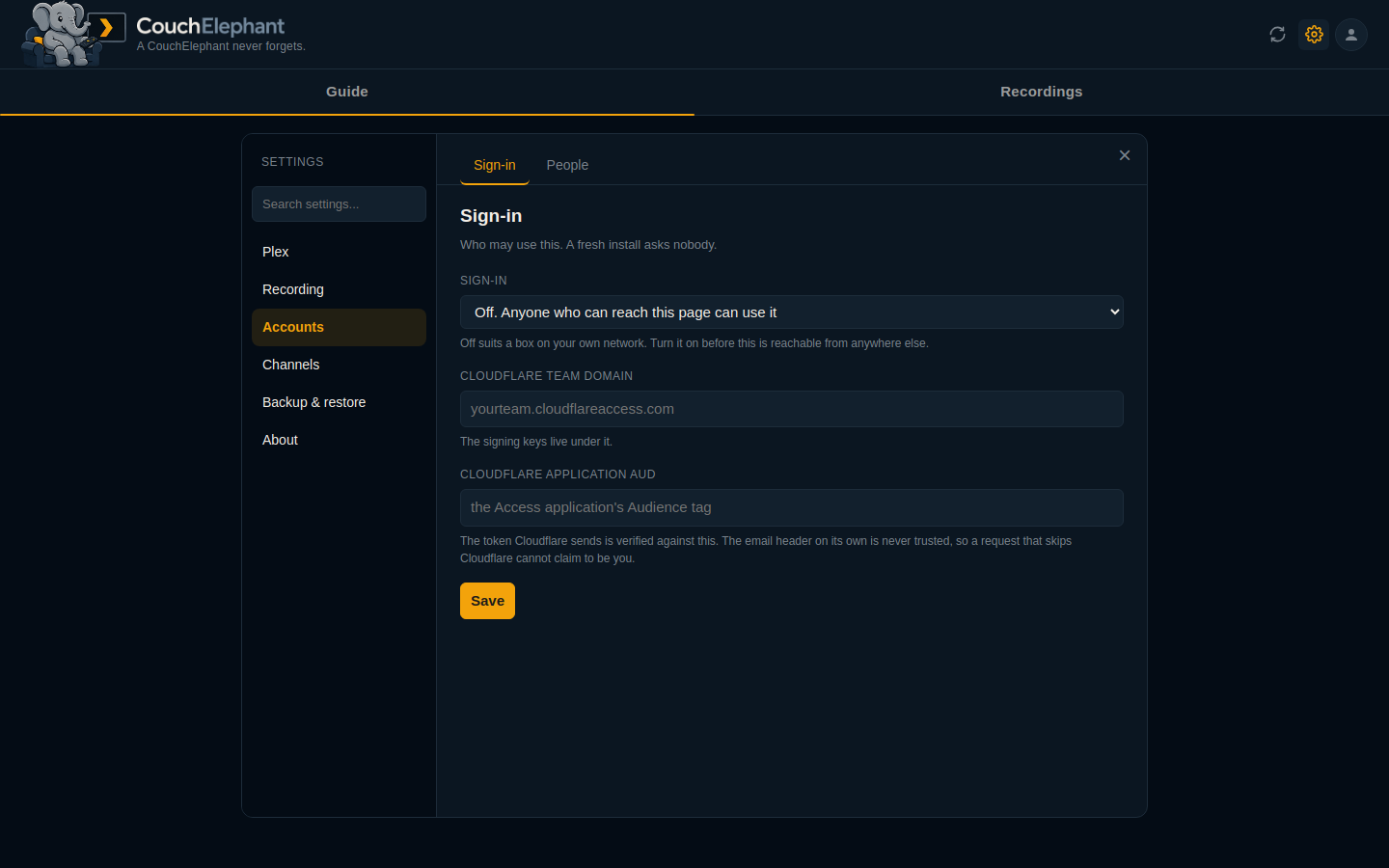
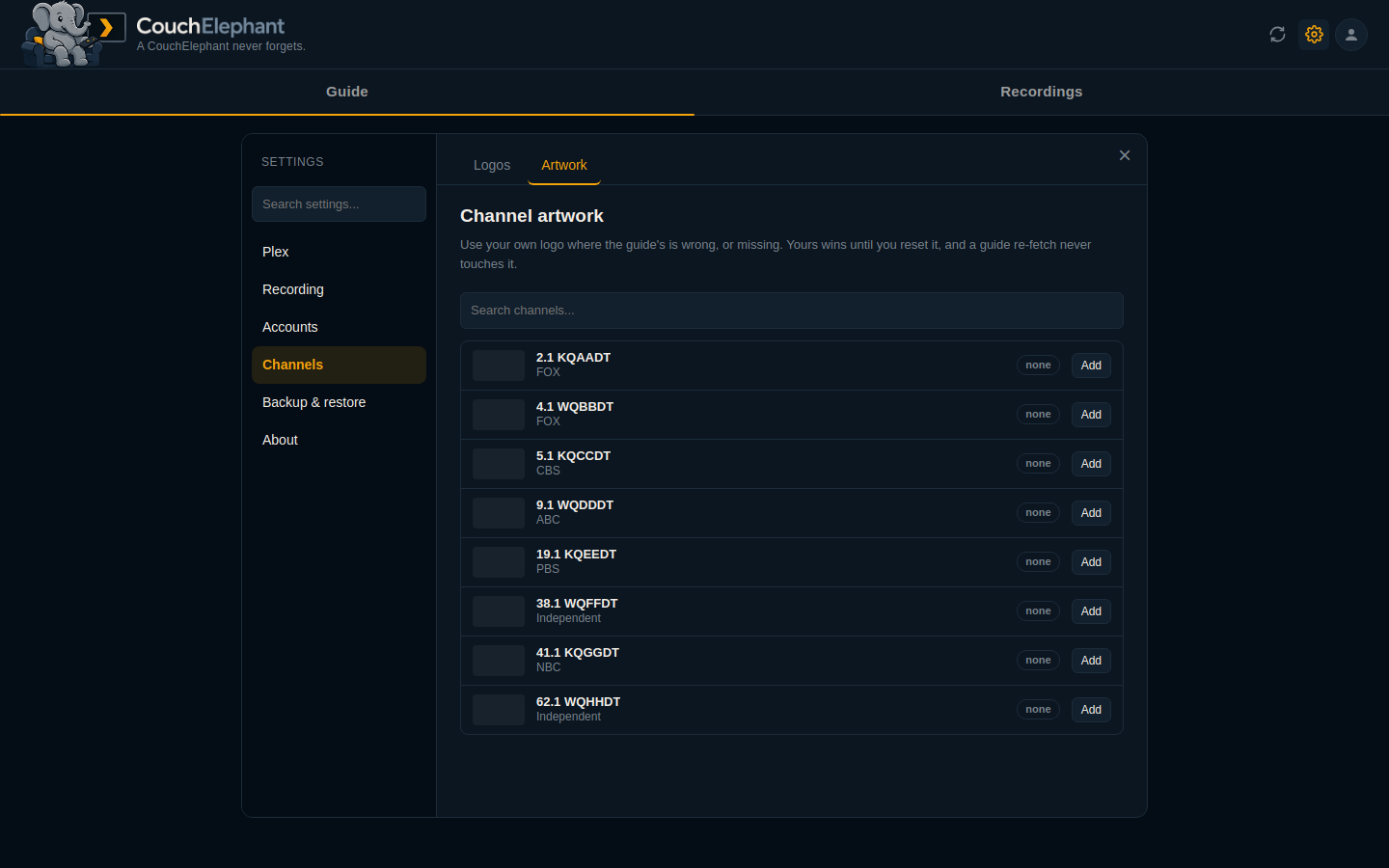
Sections down the left, sub-tabs inside each, and a search that reads all of them.
Under Plex there is a Sources tab for looking past the end of the guide. TVmaze covers announced series and needs no key and no account, so that works out of the box. Two optional free keys widen it: TheSportsDB for a team's published season, and TMDB for films. Neither is required, and you are only told about one if it would add something to what you already follow.
| Plex | Accounts | Channel artwork |
|---|---|---|
 |
 |
 |
Getting your decisions out, and back
Export them to a file, snapshot them on a schedule, or keep a live two-way copy in another database.
| Export and import | Backing store |
|---|---|
 |
 |
First run
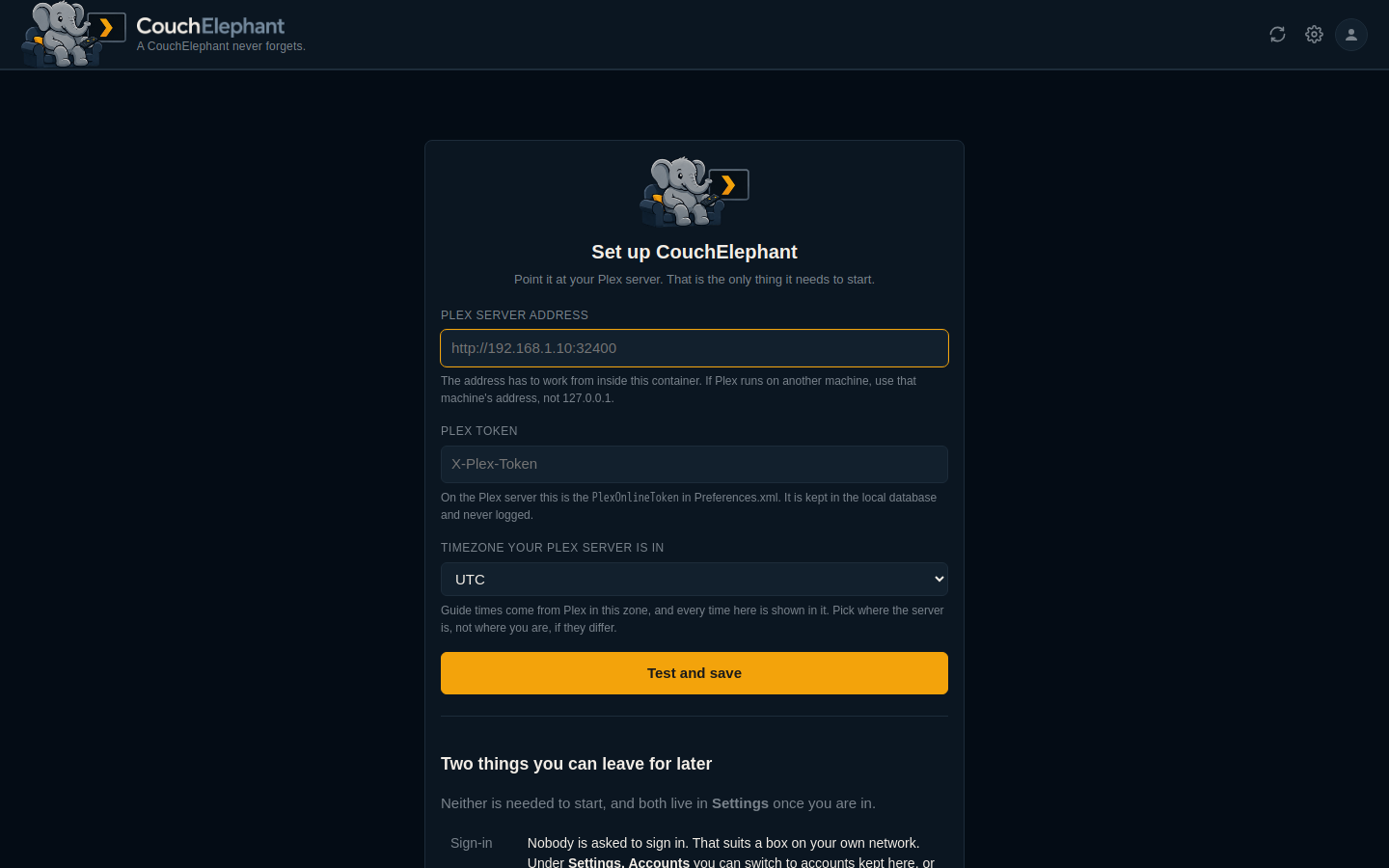
It asks for the one thing it needs, tests it before saving, and tells you what you can leave for later.
On a phone
| Guide | Recordings |
|---|---|
 |
 |
Getting started
You need a Plex Media Server with a DVR, and Docker.
docker run -d --name couchelephant --restart unless-stopped \
  -p 8710:8710 \
  -v /opt/couchelephant/data:/data \
  -e TZ=UTC \
  ghcr.io/datbird/couchelephant:latest
The same image is on Docker Hub as datbird/couchelephant, if you would
rather pull from there. There is a docker-compose.yml in the repository if
you would rather use that.
On Unraid, search for CouchElephant in Apps. The template fills in the port and the appdata path for you.
From source, if you would rather build it yourself: clone the repository
and run docker build -t couchelephant .
Open http://your-host:8710, and in Settings, Plex put in your server
address and token. The address has to work from inside the container, so
127.0.0.1 only works if Plex runs in it too.
Preview mode is on for a new install. Rules work out which airing they would choose and show it, but nothing is written to your DVR. Turn it off under Settings, Recording once the choices look right.
Nobody is asked to sign in on a new install, which suits a box on your own network. Turn on local accounts or Cloudflare Access under Settings, Accounts before this is reachable from anywhere else.
Full instructions are in docs/INSTALL.md.
Tests
./scripts/test.sh
712 checks: the airing choice, the pin, the smart filter compiler, the three-way merge behind the backing store, the Plex client and the three alert services against fake servers that reproduce the real ones' quirks, every endpoint, and a browser suite that drives the guide, the record panel, the recordings page, the smart filter builder, backup and restore, settings, the phone layout and first run. It refuses to start unless every path it would write to is scratch, and no test may reach Plex, Discord, Telegram or Notifiarr. See docs/DEVELOPING.md.
Every picture above is made by scripts/test.sh --shots, from an invented
guide in tests/demo_guide.py. None of them shows anybody's real television,
and they can be remade whenever the interface changes.
Documentation
| Install and configure | Docker, volumes, environment, the Plex token |
| How recording works | Choosing the airing, passes, source limits, who owns a rule |
| Architecture | Modules, the database, the sync loop |
| HTTP API | Every endpoint |
| Accounts | Off, local, or Cloudflare Access |
| Your data | Export and import, snapshots, and a two-way backing store |
| Developing | Running it locally, the test suite, the deploy script |
| Releasing | Tagging a version, the published image, Unraid Community Applications |
| Plex API notes | What the server really returns, and the traps in it |
Licence
MIT. See LICENSE. Third-party notices are in THIRD_PARTY.md.
Media gallery
1 / 10Requirements
Categories
Download Statistics
Related apps
Explore more like this
Explore allDetails
ghcr.io/datbird/couchelephant:latestRuntime arguments
- Web UI
http://[IP]:[PORT:8710]/- Network
bridge- Shell
sh- Privileged
- false
Template configuration
The port the web interface listens on.
- Target
- 8710
- Default
- 8710
- Value
- 8710
The database, your channel artwork, and any snapshots you schedule. The guide is a cache and rebuilds itself from Plex, so this stays small.
- Target
- /data
- Default
- /mnt/user/appdata/couchelephant
- Value
- /mnt/user/appdata/couchelephant
The container's clock. Guide times are stored as UTC and shown in whichever timezone you pick under Settings, so this only affects the log.
- Default
- UTC
- Value
- UTC